
 /
/

Welcome to the Platinum+ Wiki
The definitive wiki to configure your computer from start to finish, in a way that is accessible to anyone and free of charge, offering the end user the maximum performance possible.
Why this Wiki?
I created this wiki to make it available to anyone looking to configure and optimize their computer for maximum potential and long-term efficiency. The goal is to eliminate both hardware and software resource waste while avoiding so-called "tweaks" (paid or otherwise) that promise miraculous improvements but only end up compromising system stability or, worse, wearing out hardware components over time.
This guide is designed to be accessible to everyone, from power users to those with only basic computer knowledge, helping them set up their machines from start to finish in an efficient and intuitive way. I want users to be truly in control of their systems—including from a security perspective—without having to make unnecessary compromises.
Ultimately, the objective is for everyone to be fully aware of the changes they make to their PC, clearly understanding every risk and every benefit.
What is Platinum+ Optimizer?
Platinum+ Optimizer (also known as Project-Platinum) is a completely free and open-source project, available on GitHub and Discord. It is a collection of documented guides and tutorials, along with its own graphical user interface tool, designed with one main goal: to give users maximum control over their machine and full awareness of everything running on their computer. It allows users to customize and configure the Windows operating system from scratch based on their preferences and their PC hardware specifications.
The program allows users to remove unnecessary components and software, improving system responsiveness, reducing background activity, and increasing performance by freeing up valuable system resources.
It also provides access to a wide range of fully documented hardware and system optimizations. Users can optimize Windows for gaming, low latency, responsiveness, power efficiency, stability, and general everyday use.
Unlike "meaningless automatic optimizers," Platinum+ Optimizer allows users to modify advanced Windows settings with just a few clicks thanks to its simplified interface and related tutorials. Every parameter is explained and documented, including its benefits and recommended usage scenarios.
The project focuses on transparency and user awareness. The software does not silently apply automatic modifications or optimizations. Every tweak, change, and optimization must be applied manually by the user, ensuring full control over the operating system.
Platinum+ Optimizer also includes a restore and recovery system. Users can quickly revert changes manually or through the built-in recovery tools. This allows safe experimentation with system optimizations and makes it possible to restore configurations, settings, or behaviors whenever necessary.
The program also includes a dedicated security and recovery section. Any applied modification can be reverted, providing safety, reliability, and peace of mind, especially when experimenting with advanced configurations.
The tool is written in PowerShell, meaning the source code is readable, transparent, and easy to inspect. Users can clearly see which operations the program performs on the system. No hidden automation or silent background behavior.
How to use this Wiki
This wiki has been designed to be as intuitive and efficient as possible. Before diving into the guides, take a few minutes to familiarise yourself with the interface — it will save you a lot of time and make your experience significantly smoother.
Interface Overview
The wiki is divided into three main areas that are always visible on screen:
The navigation menu. Contains all chapters and sub-sections of the wiki, organised in a collapsible tree. Click any section header to expand it and reveal its pages.
The central reading panel where all guide content is displayed. Each page contains step-by-step instructions, screenshots, alerts, and code blocks.
Table of Contents — dynamically generated for each page. Click any heading to instantly jump to that section within the current article. The active heading is automatically highlighted as you scroll.
Navigating with the Sidebar
The left sidebar contains the full table of contents for the wiki, structured as a collapsible tree with two levels of depth:
1 Main Chapters
Top-level items (e.g. 2. Operating System, 3. Post-Setup OS) represent the major chapters of the wiki. Click the chapter header to expand or collapse all the sub-sections within it.
2 Sub-Sections
Inside each chapter, you'll find sub-sections (e.g. 2.1 Preparation Phase, 2.3 Bootable USB). These can also be expanded individually to reveal the specific pages inside.
3 Pages
Clicking on a page link inside a sub-section loads that guide in the main content area. The active page is always highlighted in blue in the sidebar so you always know where you are.
The Documentation Button
Throughout the wiki, you may notice a Documentation button appearing at the top of certain pages or sections. Clicking it opens a side panel with the full technical explanation of that topic — why a setting works the way it does, what happens under the hood, and the reasoning behind each recommendation. It is aimed at users who want to understand the why behind a procedure, not just follow the steps. If you just want to get the job done, you can safely ignore it and follow the main guide as normal.
Using the Search Bar
The search bar at the top of the page is one of the most powerful tools in the wiki. It lets you find any content — across every chapter and every step — in real time. Click the search bar in the header, or press the / key from anywhere on the page to instantly focus it. As you type, matching results appear grouped by category — click any of them to jump directly to that section with the searched word highlighted on screen.
Language Selector
The wiki supports translation into over 100 languages via the language selector in the top-right corner of the header. Click the globe icon and select your preferred language from the dropdown. The entire wiki content will be automatically translated.
Disclaimer
The author of this wiki does not assume any direct or indirect responsibility for damage, data loss, hardware damage which can be produced on usage of procedures described here. Everybody who chooses to use information and procedure included in this wiki does it at his own exclusive risk and responsibility. All benefits and risks of every operation are carefully described in text and the user is recommended to carefully read all the page before attempting any operation on his system. In no way the author can be held responsible for unexpected deleting data due to accidental and wrong formatting of hardware drive, partition, storage device or due to system instability, misconfiguration, inappropriate changes to the system, installation of software not compatible with your OS, regedit modifications, hardware or software failures that can occurred by wrongly used instruction.
All guides, instructions, command listed in this wiki have been tested on personal systems and not on testing environments before releasing to the public, and every procedure is very well documented; all benefits expected from operation and possible risks were detailed and explained at every instructions. Every instruction is detailed to make the user aware of what to do, before he does it. Every operation is carried out on the user computer with his clear consent and exclusively on his responsibility. Performing a complete backup is recommended before performing advanced procedures on a computer.
About Platinum+ Optimizer








Operating System Selection
Before proceeding with the installation and complete reconfiguration, we must choose which operating system to install on our computer. Today we only have two choices: Windows 10 and Windows 11.
This decision should not be based solely on graphical preferences or habits, but on concrete technical criteria such as hardware compatibility, system requirements, level of software support, and performance optimization.
In a modern context, the choice of the operating system directly affects the system's stability, security, and overall performance. For this reason, it is important to carefully evaluate the characteristics of both environments.
Step 1: Evaluating the operating systems
The life cycle of Windows 10 is now complete. Official Microsoft support ended in October 2025. Since then, the system no longer receives feature or security updates. Using Windows 10 connected to the internet requires great care. Any new threats or vulnerabilities will no longer be addressed automatically.
However, if your computer does not meet the requirements to install Windows 11, Windows 10 remains the only viable choice for older hardware. To use it more safely, we recommend using a reliable third-party antivirus like Malwarebytes. Also, keep your browser and essential programs updated. Adopt safe browsing habits, avoiding unverified downloads or sites. It is the mandatory choice for those with an old PC that doesn't support the new system. However, it must be used with awareness and additional protections, keeping in mind that it will no longer receive updates.
Built-in protections work in the background without weighing down the computer. The interface has been simplified to make daily operations more intuitive. If your PC was produced in recent years or has recent components, using Windows 11 is the best choice. Not only will you get more consistent performance and an always-protected system, but you will also ensure greater longevity for your device, keeping it compatible with today's applications, games, and security standards.
Step 2: What hardware do I have and what operating system am I currently using?
To view all the specifications of the computer, we will use "System Information", a built-in Windows tool that provides detailed information about the system and installed hardware components. This program is identified by the executable file msinfo32.exe.
Step 1
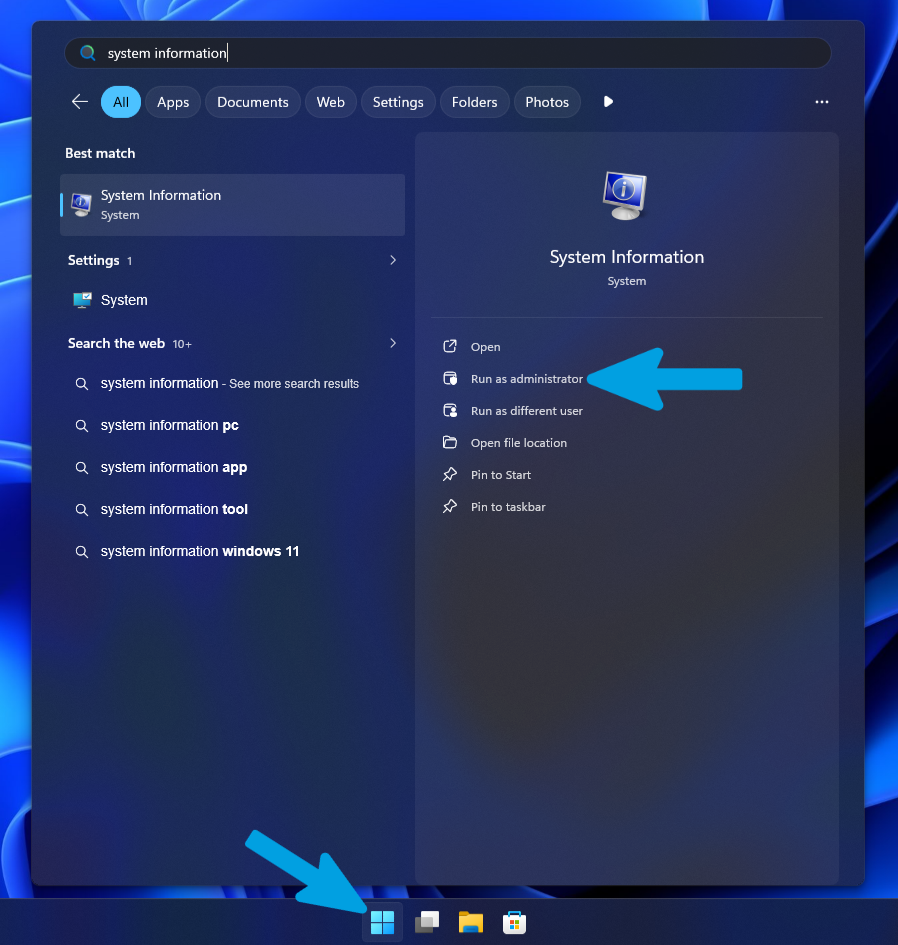
To open it, press the "Start" button and type "System Information" in the search bar. Once you find the program, click on "Run as administrator".
Step 2
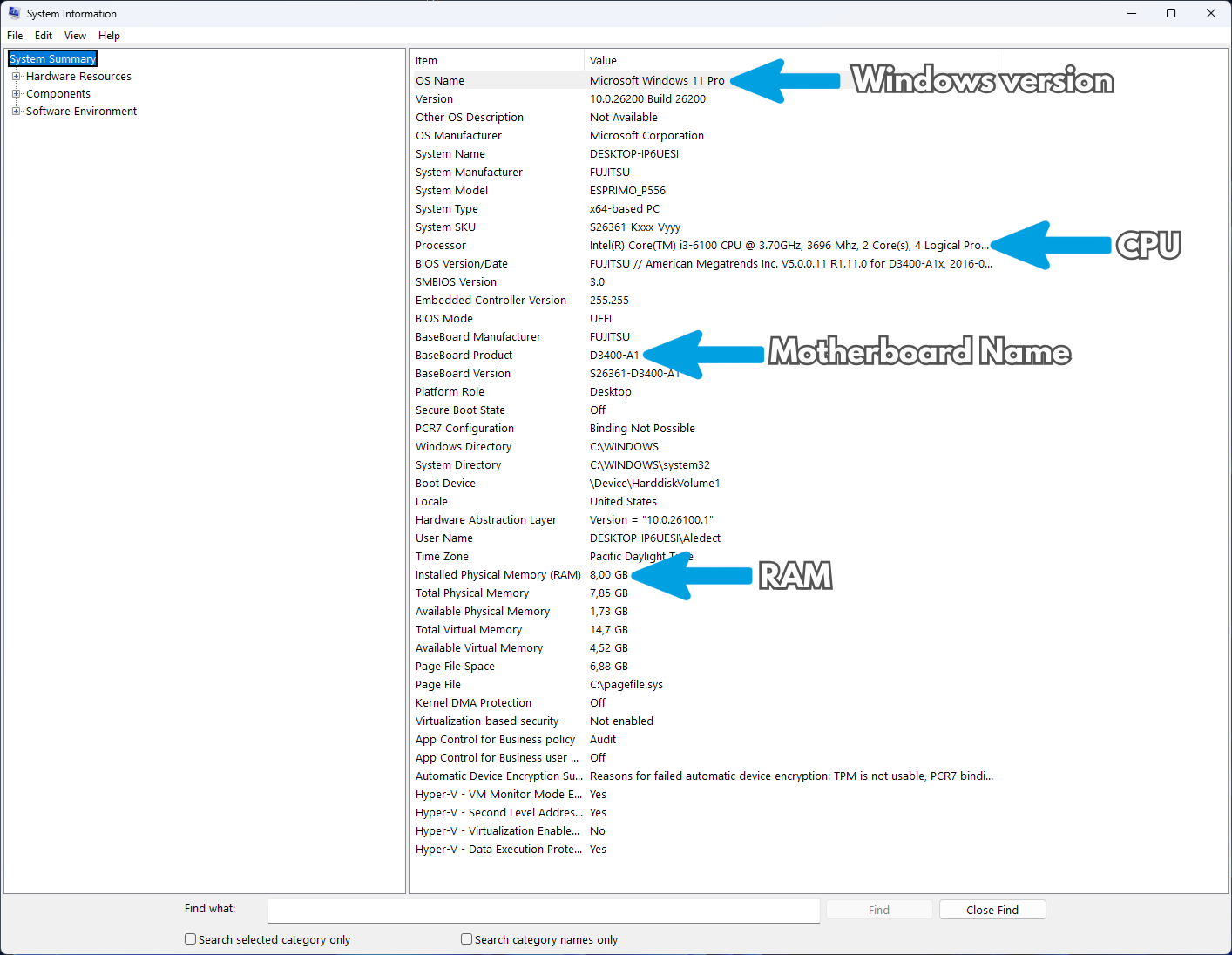
After launching it, a window will appear showing a complete overview of the computer. From here, you can view information such as the system model, installed processor, amount of RAM, BIOS or UEFI version, operating system, and many other useful details. Refer to the image below to identify the main information to note.
Step 3
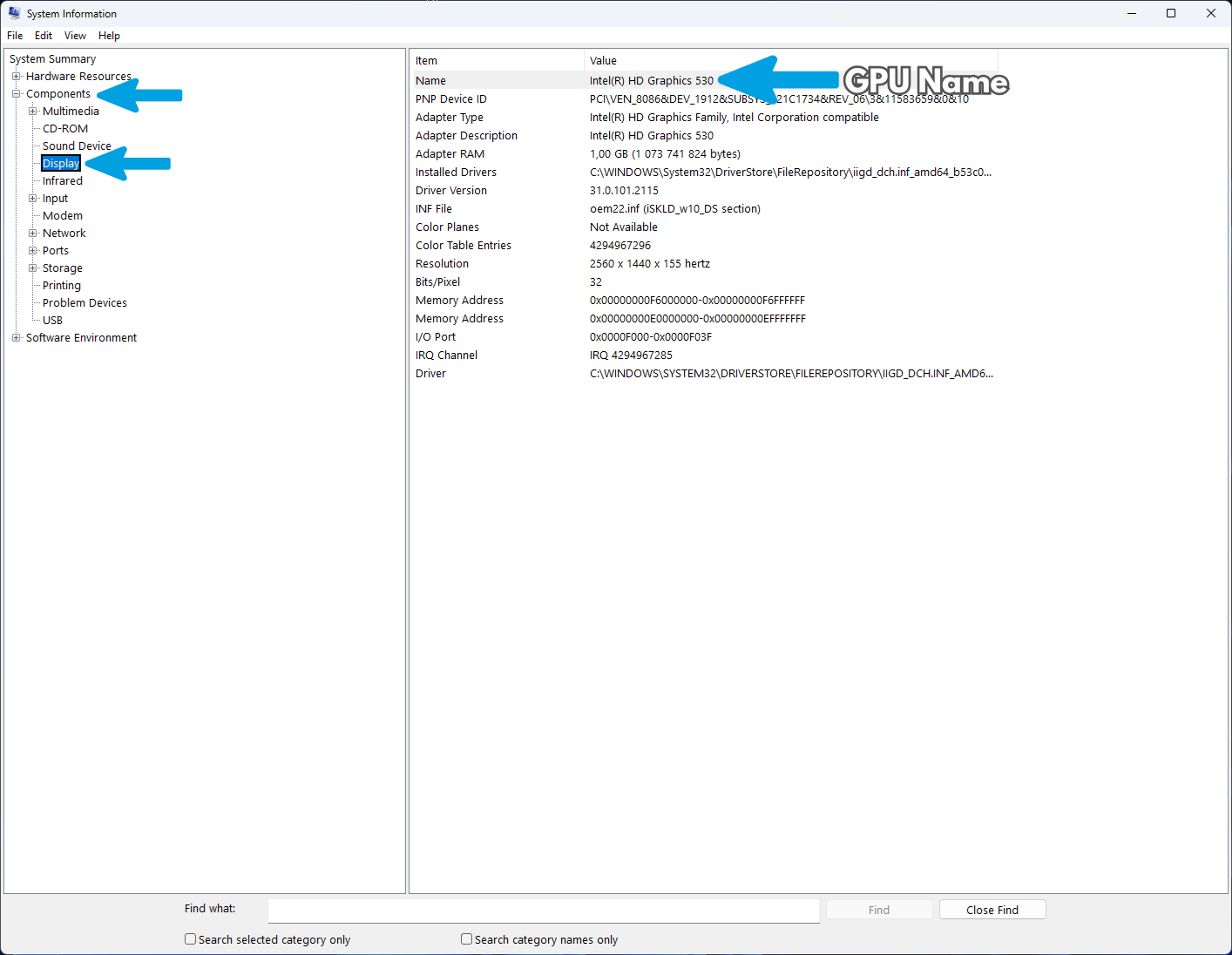
If you want to view more detailed information about the graphics card, expand the "Components" section in the left panel and then select "Display". In this section, you will find the graphics card model, installed driver version, available video memory, and other details related to the system's graphics subsystem.
Step 3: Which operating system to choose for your hardware
I've created a series of questions to figure out which system is best suited based on the hardware.
| Component | Your Hardware | Recommendation | Key Reason |
|---|---|---|---|
 Memory (RAM)
|
4 GB or less | Windows 10 | Lighter system load, keeps older hardware responsive and highly stable. |
| 6 GB or more | Proceed to CPU Check | Meets the baseline memory requirements for a modern operating system. | |
 Processor (CPU)
|
Intel Core 1st - 7th Gen or AMD Ryzen 1000 & older |
Windows 10 | Official Windows 11 requirement starts at Intel 8th Gen / AMD Ryzen 2000. |
|
Intel 8th Gen or newer or AMD Ryzen 2000 & newer |
Proceed to Disk Check | Fully compatible with security standards and multi-thread hardware optimizations. | |
 Storage Drive
|
Mechanical HDD | Windows 10 | Windows 11 is highly optimized for fast random reads and runs sluggishly on mechanical drives. |
| Solid State Drive (SSD) | Windows 11 | Recommended choice! Take advantage of DirectStorage, advanced security, and full support. |
Windows Stock vs LTSC Comparison
Before proceeding with system installation and tuning, it is critical to understand the architectural differences between standard consumer editions of Windows and the Enterprise LTSC (Long-Term Servicing Channel) releases. Your choice of edition establishes the absolute baseline for all subsequent optimizations.
Understanding Windows Editions
Both Windows Stock and LTSC are official, unmodified operating systems provided directly by Microsoft, but their design philosophies and resource management behaviors are drastically different.
1 Windows Stock (Home or Pro)
The standard consumer and commercial release. It is fully featured but comes saturated with built-in applications, Microsoft services, telemetry, and aggressive background update mechanisms. While it offers seamless out-of-the-box compatibility with the entire Microsoft ecosystem, it is inherently bloated. The system utilizes a significant amount of RAM, CPU cycles, and disk I/O simply to sustain background tasks, UWP apps, and forced feature integrations.
2 Windows LTSC (Long-Term Servicing Channel)
A specialized, enterprise-grade edition designed for mission-critical environments where absolute stability and low resource overhead are mandatory. It is a minimal, official version of Windows shipped entirely stripped of consumer bloatware. It removes most consumer-facing components such as preinstalled UWP apps, Xbox services, and optional Microsoft consumer features. The result is a highly optimized operating system with a drastically lighter footprint, significantly fewer active background processes, and uncompromised stability.
Windows 10: Stock vs LTSC 2021
If your hardware configuration or personal preference dictates that Windows 10 is the appropriate choice, we absolutely recommend using Windows 10 LTSC 2021 over any Stock edition.
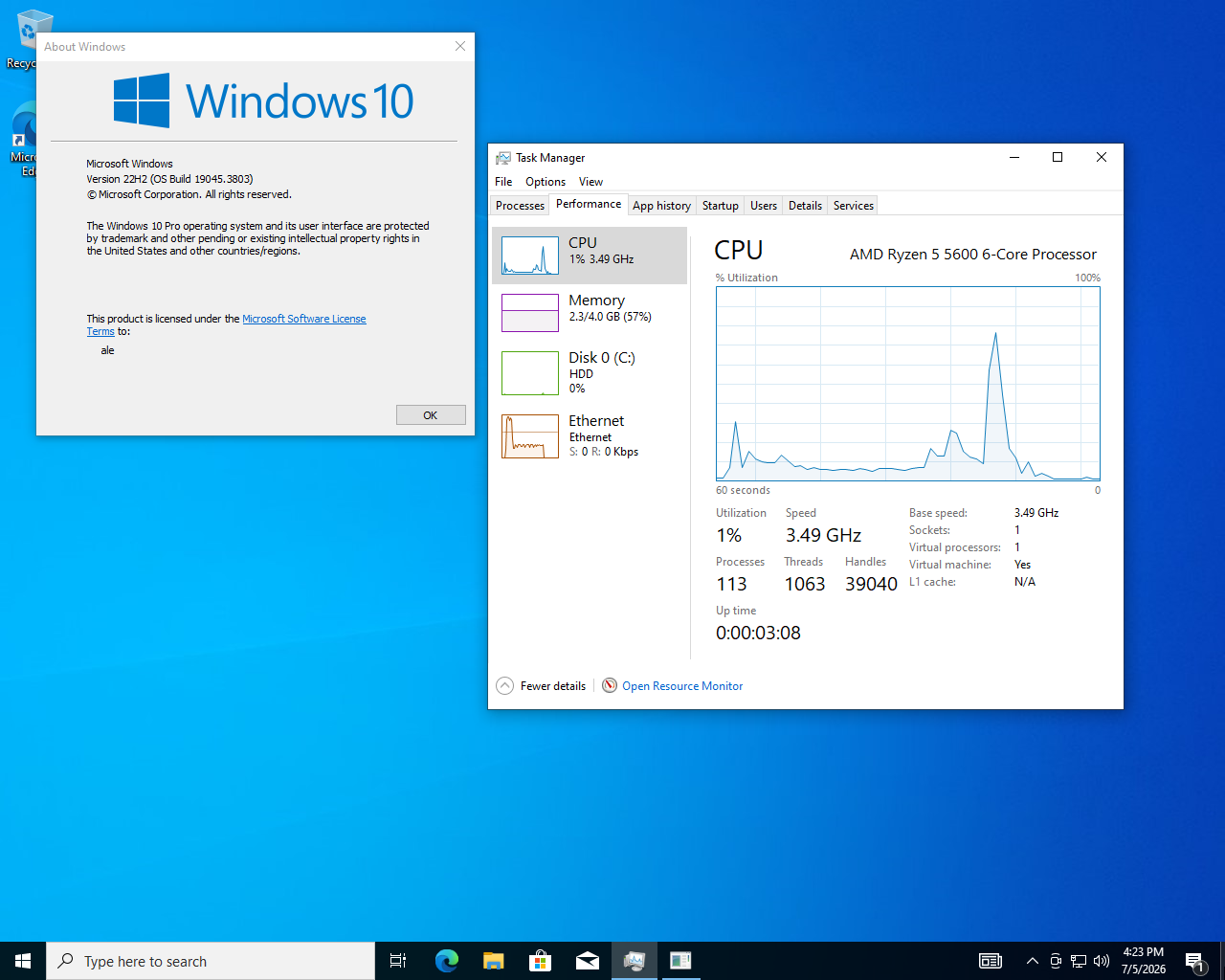
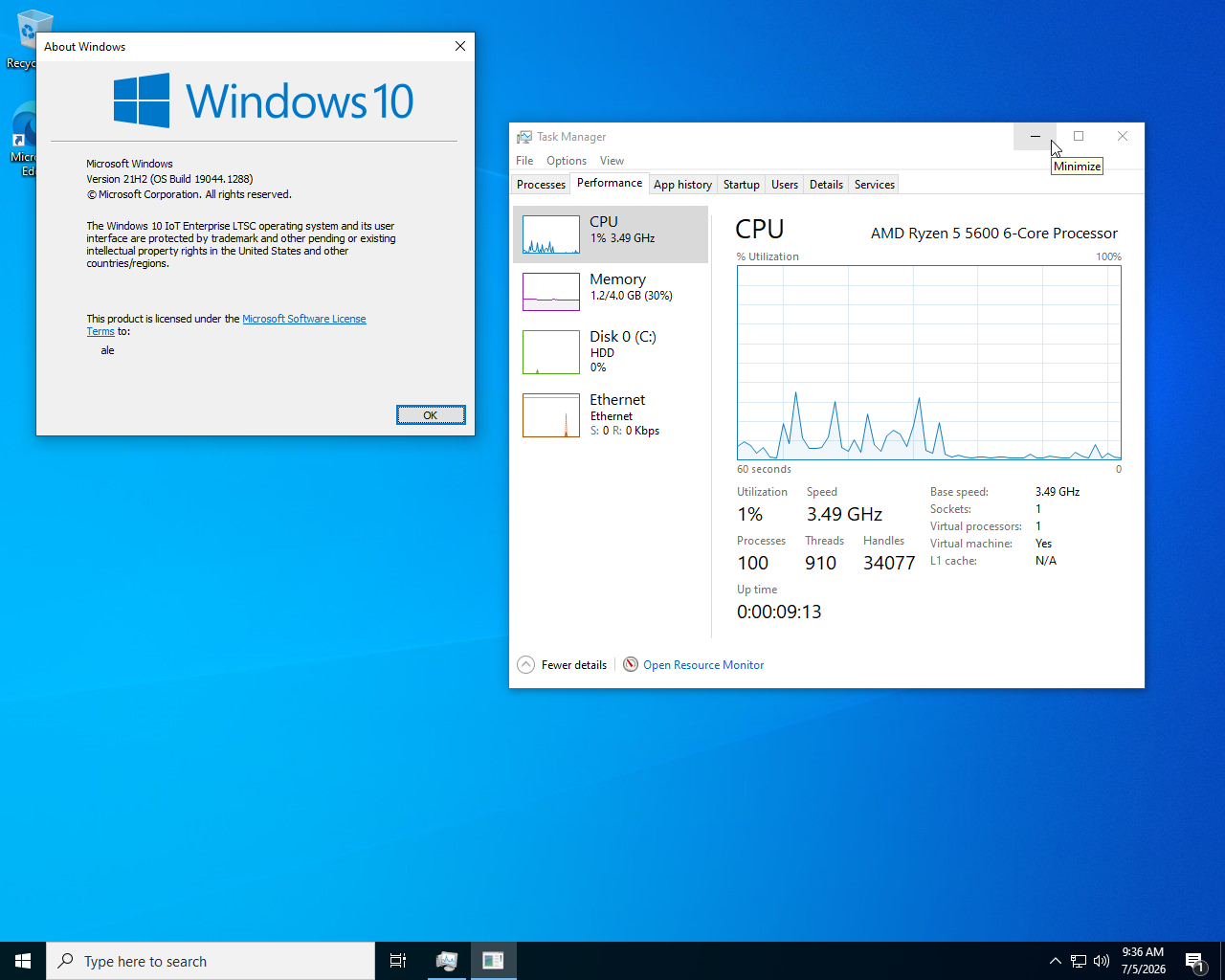
From a strict technical standpoint, Windows 10 version 21H2 (the foundation of LTSC 2021) and the final Windows 10 version 22H2 share the same underlying system base and servicing branch architecture. Because the underlying architecture is identical, raw performance is virtually indistinguishable between the two. There is no real-world performance advantage or optimization benefit to running the 22H2 build.
Why LTSC 2021 is Superior for Tuning
LTSC 2021 is vastly superior for system tuning for several reasons:
Drastically Reduced Overhead: Lower DPC latency, reduced input lag, and improved system responsiveness due to fewer background processes.
Update Control: The LTSC branch is engineered to receive only critical security patches, bypassing the continuous, often system-breaking feature updates pushed to Stock versions.
Extreme Tuning: For users building a strictly offline or highly isolated gaming rig who are not concerned with advanced security rollouts, Windows Update can be safely and permanently disabled without compromising the core integrity of the operating system.
Windows 10 Resource Usage Comparison
Windows 10 Stock
Windows 10 LTSC
Windows 11: Stock vs. LTSC
Windows 11 LTSC follows the same minimal, enterprise-grade philosophy but is built upon Microsoft's most modern architecture. It features an updated thread scheduler designed to efficiently manage modern multi-core processors (such as Intel's Big.Little architecture) and takes full advantage of high-speed storage technologies like DirectStorage.
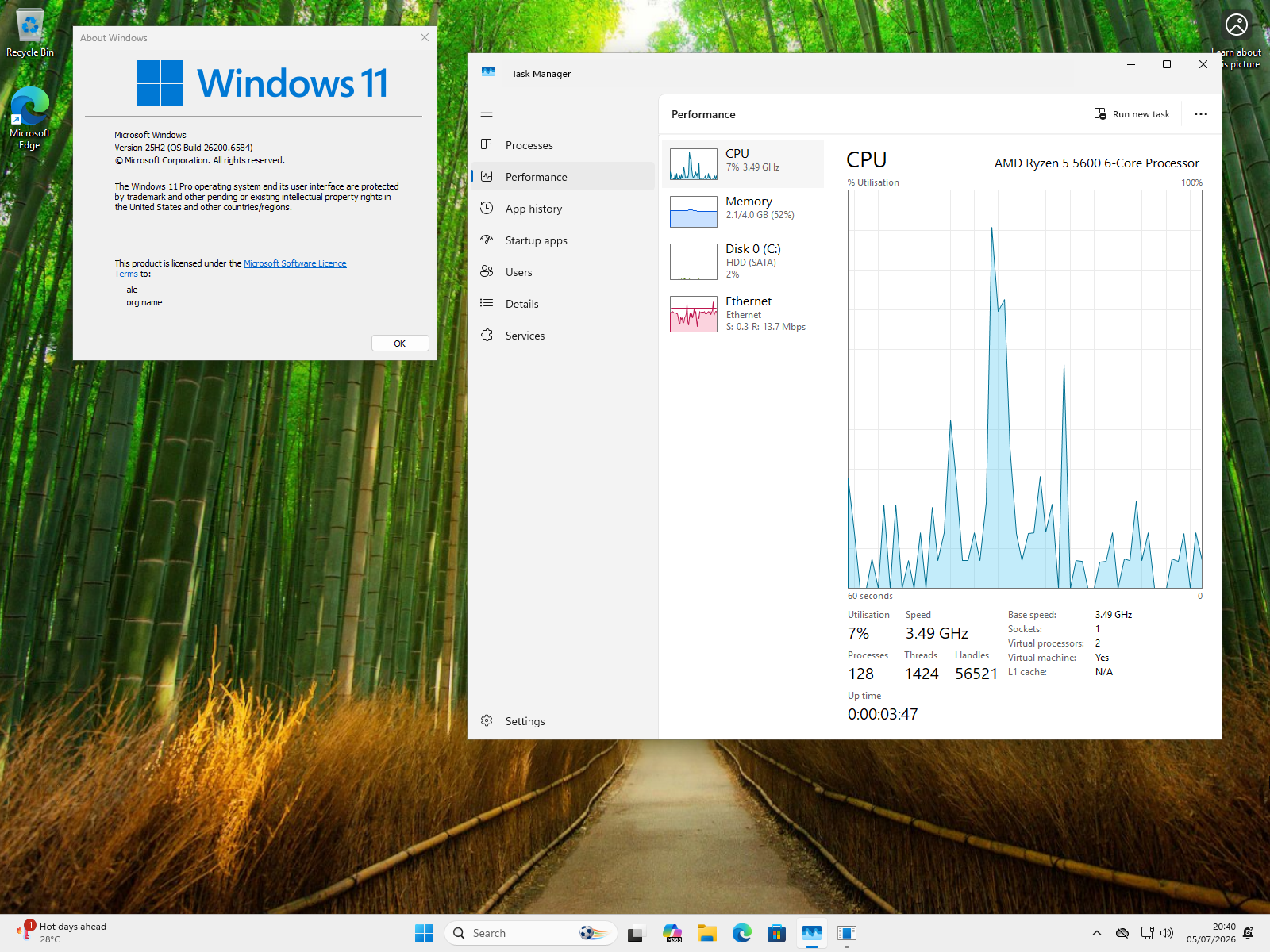
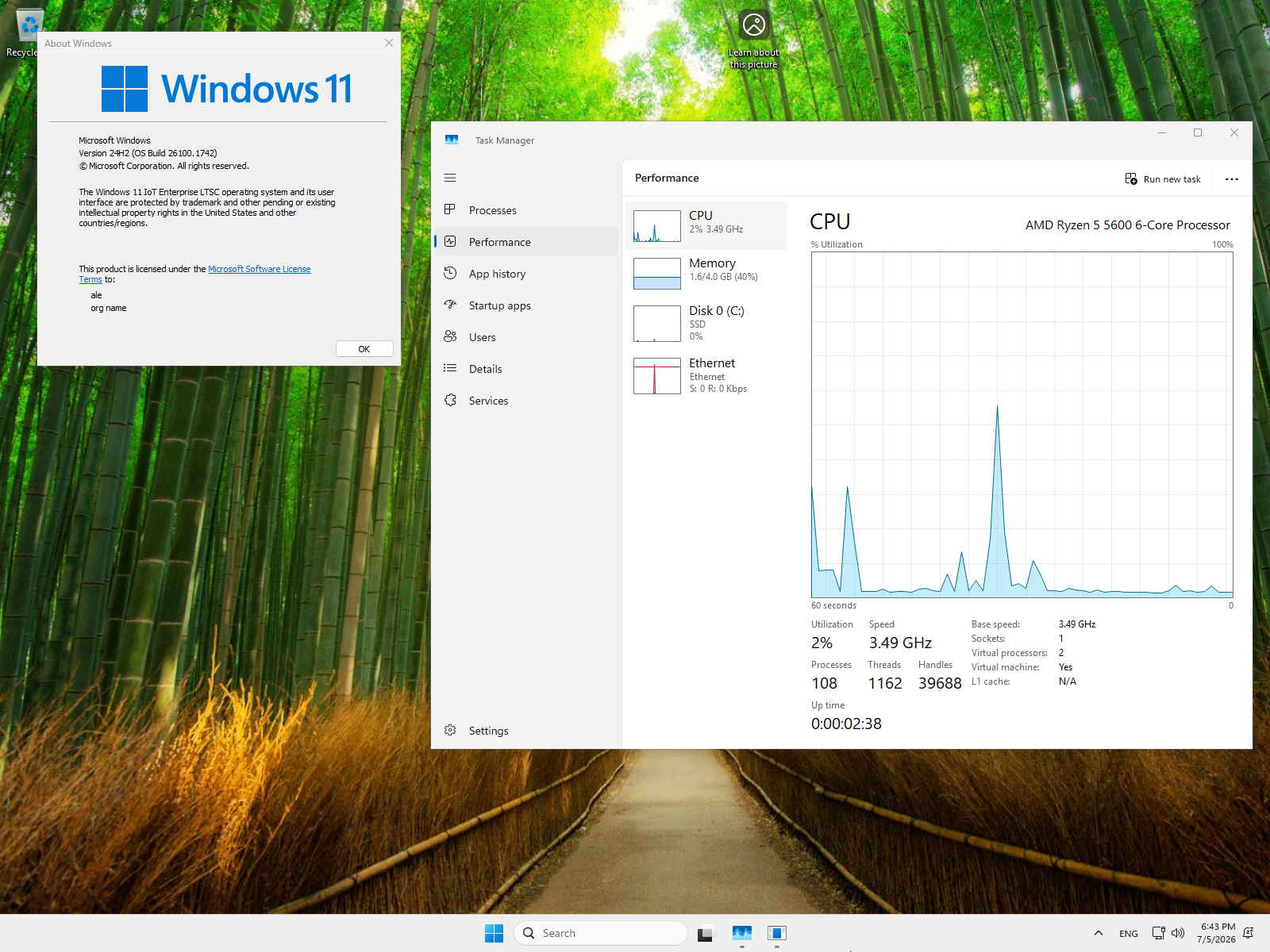
However, the baseline of Windows 11 is fundamentally heavier than Windows 10. Consequently, Windows 11 LTSC is less "minimal" than its Windows 10 counterpart. It still removes the consumer bloatware found in Windows 11 Stock, making it the best way to run Microsoft's latest OS, but it inherently utilizes more system resources than Windows 10 LTSC.
Windows 11 LTSC is an excellent, highly stable choice for recent, high-end hardware configurations. However, it is less ideal for older PCs or machines where ultra-optimization and absolute minimal resource usage are the primary goals.
Windows 11 Resource Usage Comparison
Windows 11 Stock
Windows 11 LTSC
System Preparation
If you have decided to format the PC, you must keep in mind that all your data and applications will be deleted. For this reason, you have three options:
1. Complete Backup
Back up your data, saving it on an external storage device or on a cloud service like Google Drive.
2. Dual Boot
Consider using a dual boot setup, based on available disk space, to gradually transfer data from one system to another.
3. Secondary Drive
Use a secondary drive (not external USB drives) on which to perform a clean installation. It is recommended that it has the same or higher read/write performance.
Step 1: Tools required for formatting
Before starting the procedure and before downloading the operating system ISO file, we must make sure we have a working USB flash drive of at least 8GB.
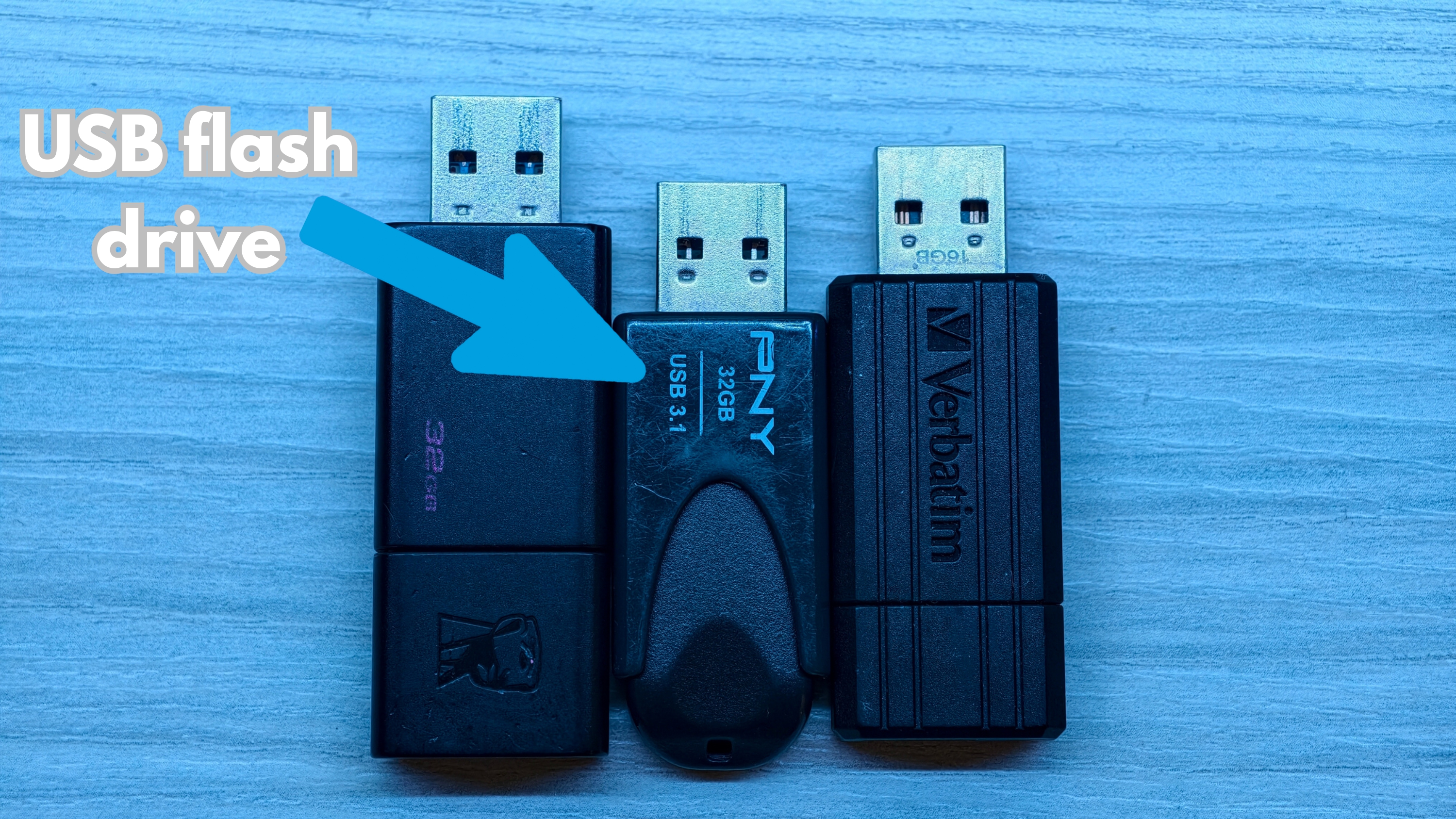
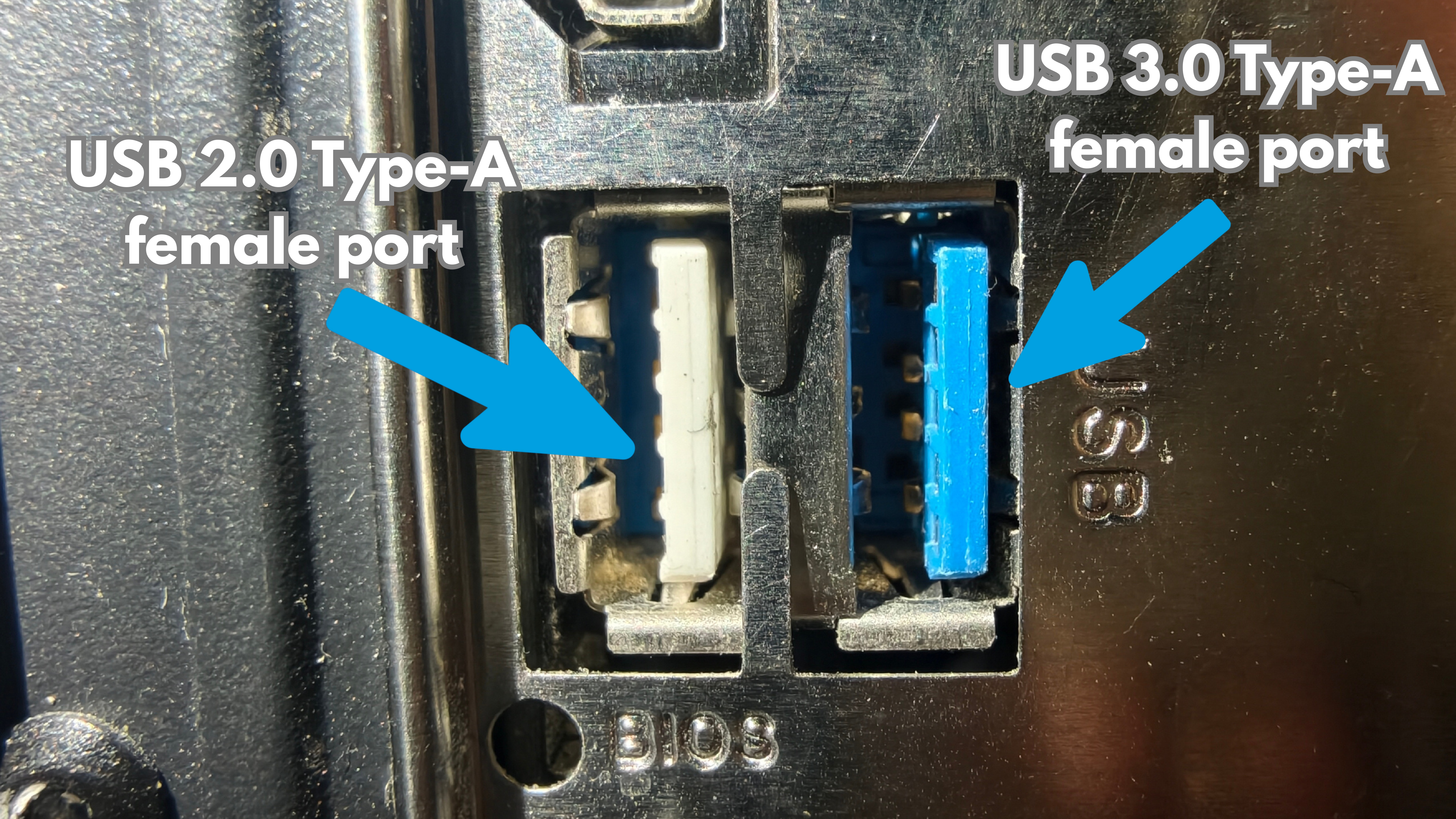
Step 2: How do I check the storage space?
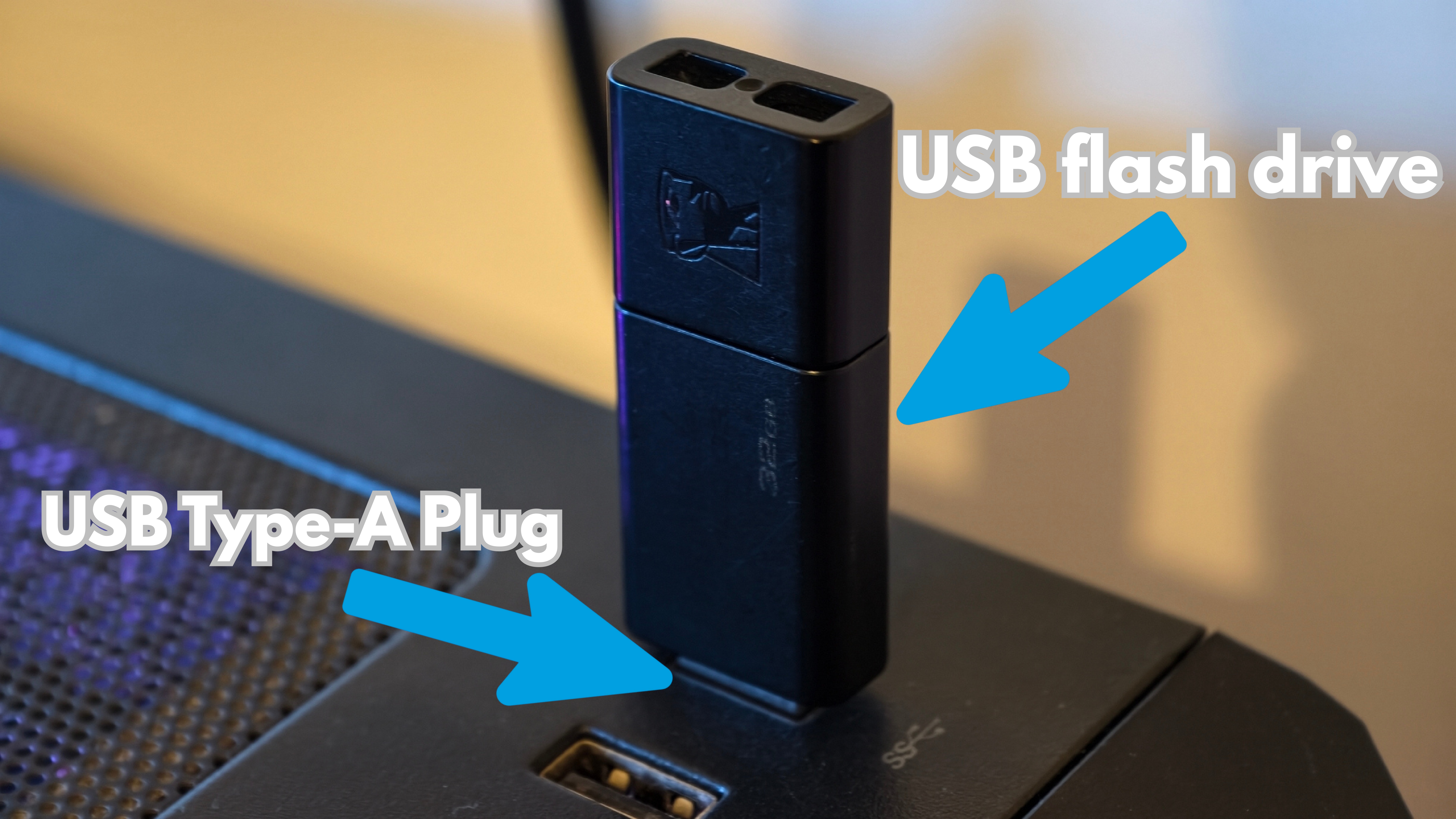
1 Insertion
Insert the USB flash drive into the computer as shown in the picture.
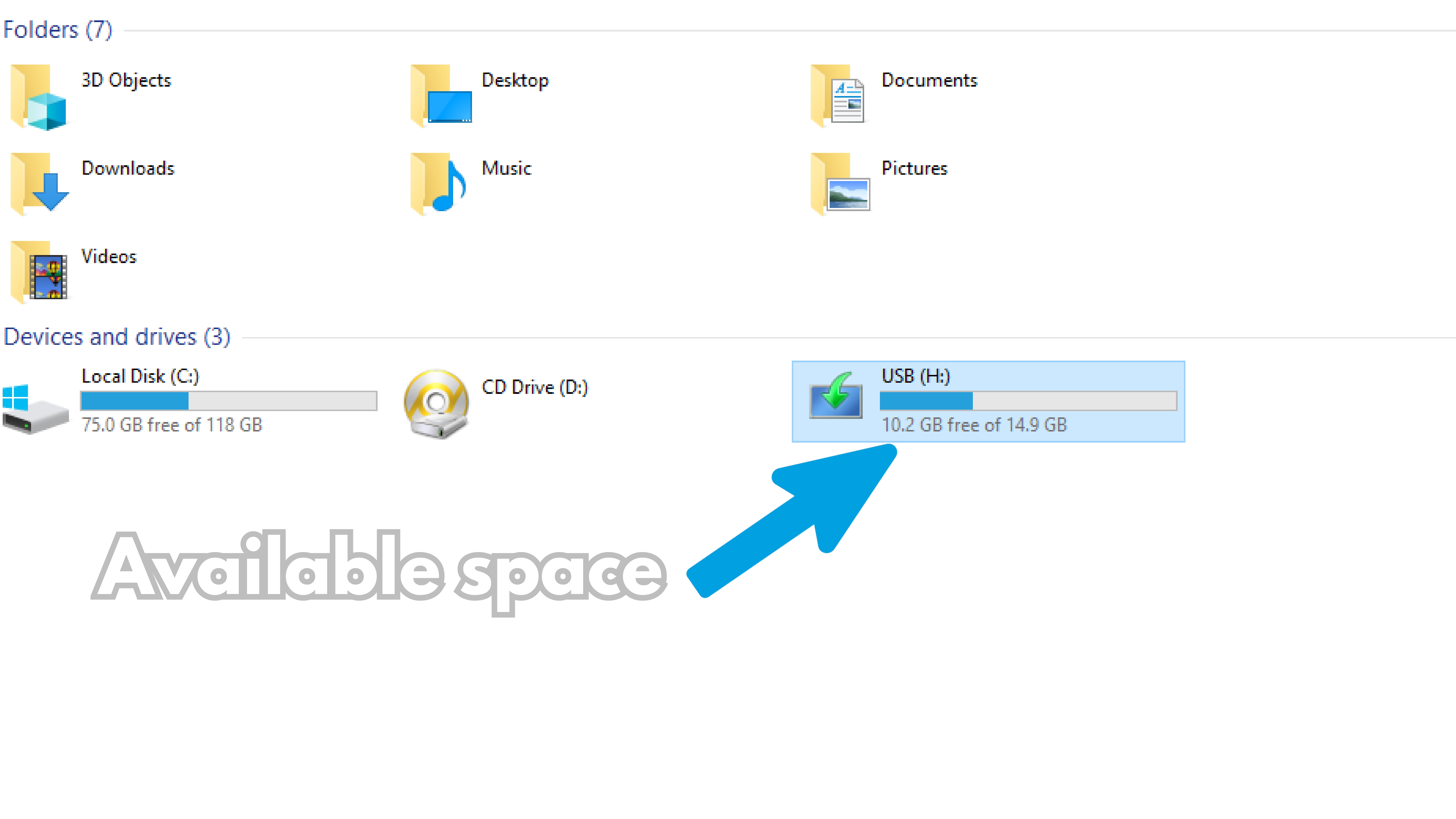
2 Verify space
Open File Explorer and check the total space of the newly inserted flash drive (Recommended 8GB).
Identify Disk Partition Style (MBR/GPT)
Before creating your bootable USB drive, you need to identify the partition style of your current hard drive or SSD. This ensures that you choose the correct configuration in Rufus (MBR or GPT) to avoid installation errors and guarantee that the system boots correctly on your motherboard.
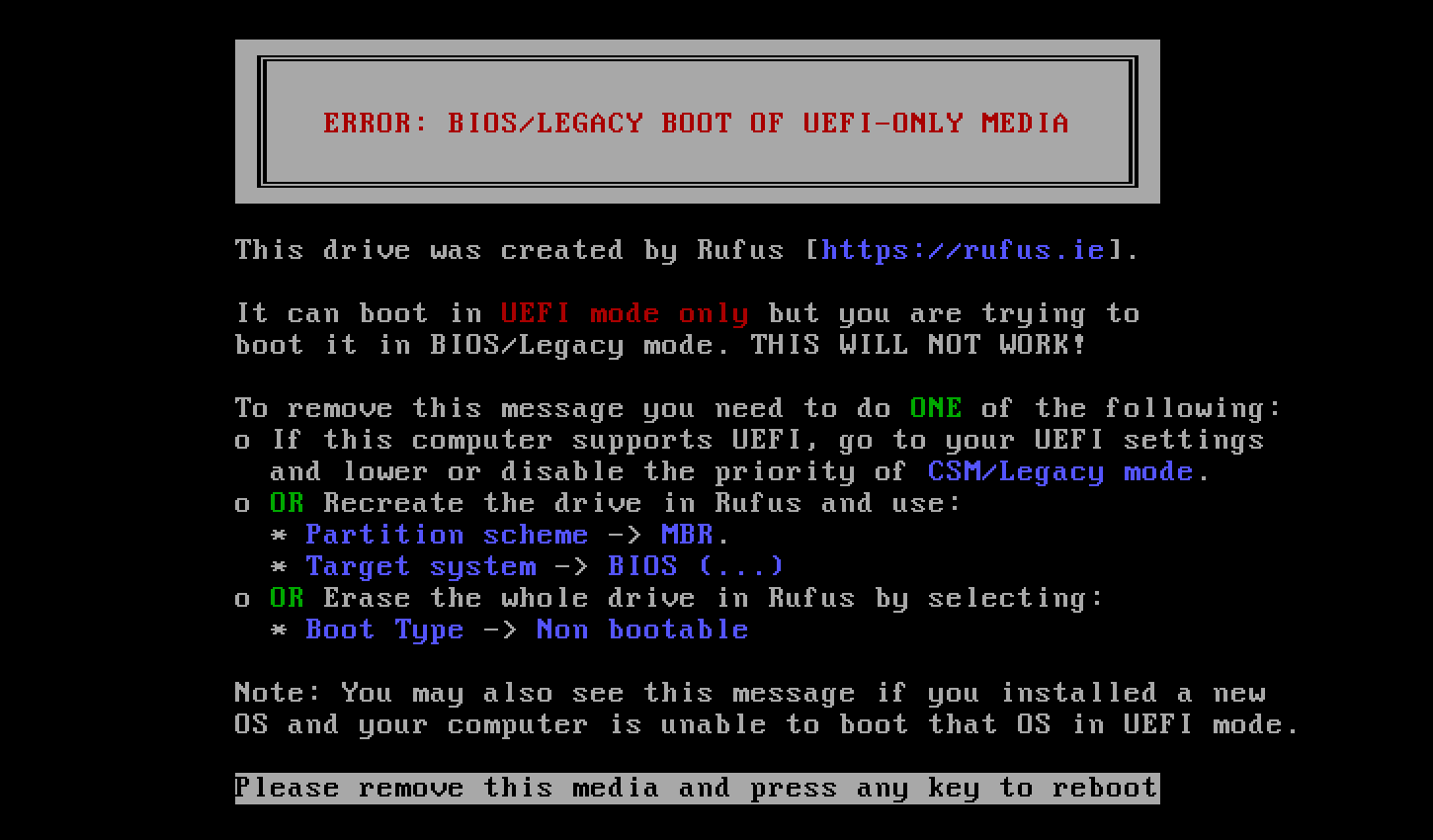
- GPT (GUID Partition Table): The modern standard. It is required if your motherboard uses UEFI mode, if you want to install Windows 11, or if your drive is larger than 2TB.
- MBR (Master Boot Record): The legacy standard. Used for older systems operating in legacy BIOS mode.
Step 1
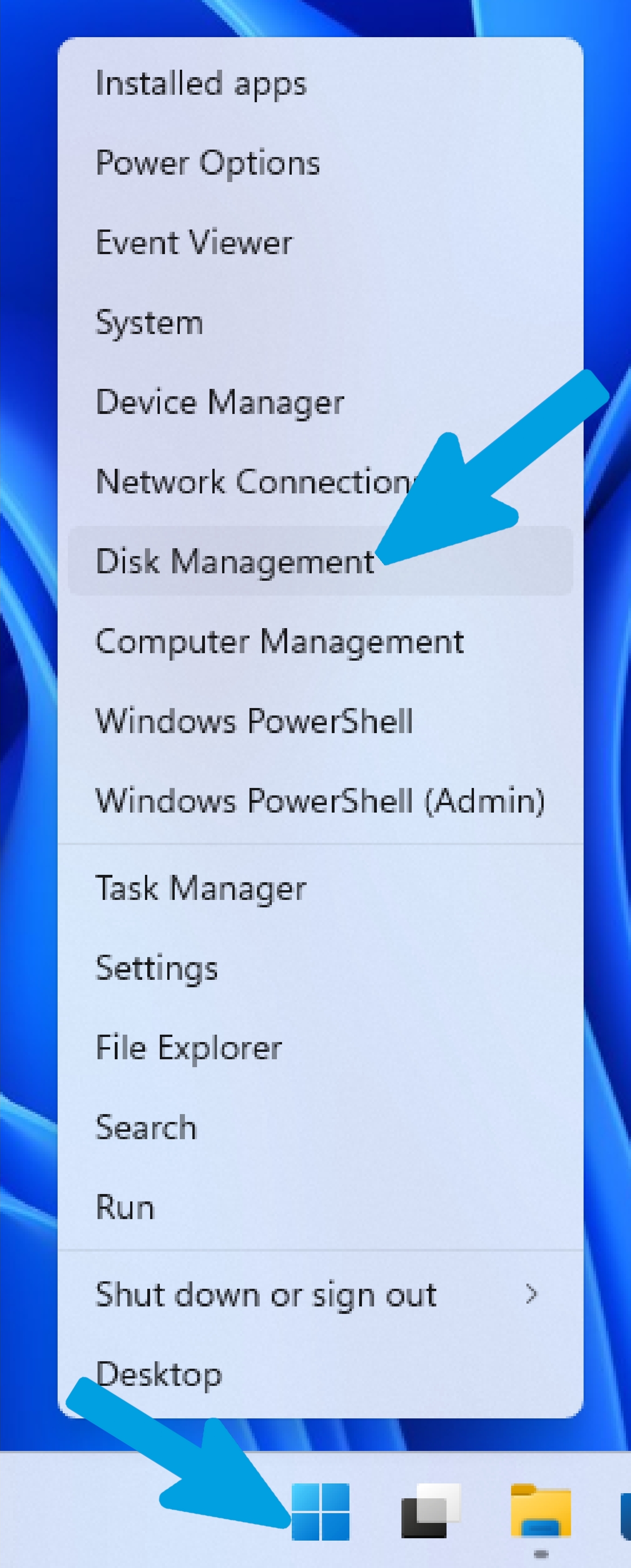
Right-click on the Windows logo (Start button) in the taskbar and select Disk Management from the power user menu.
Step 2
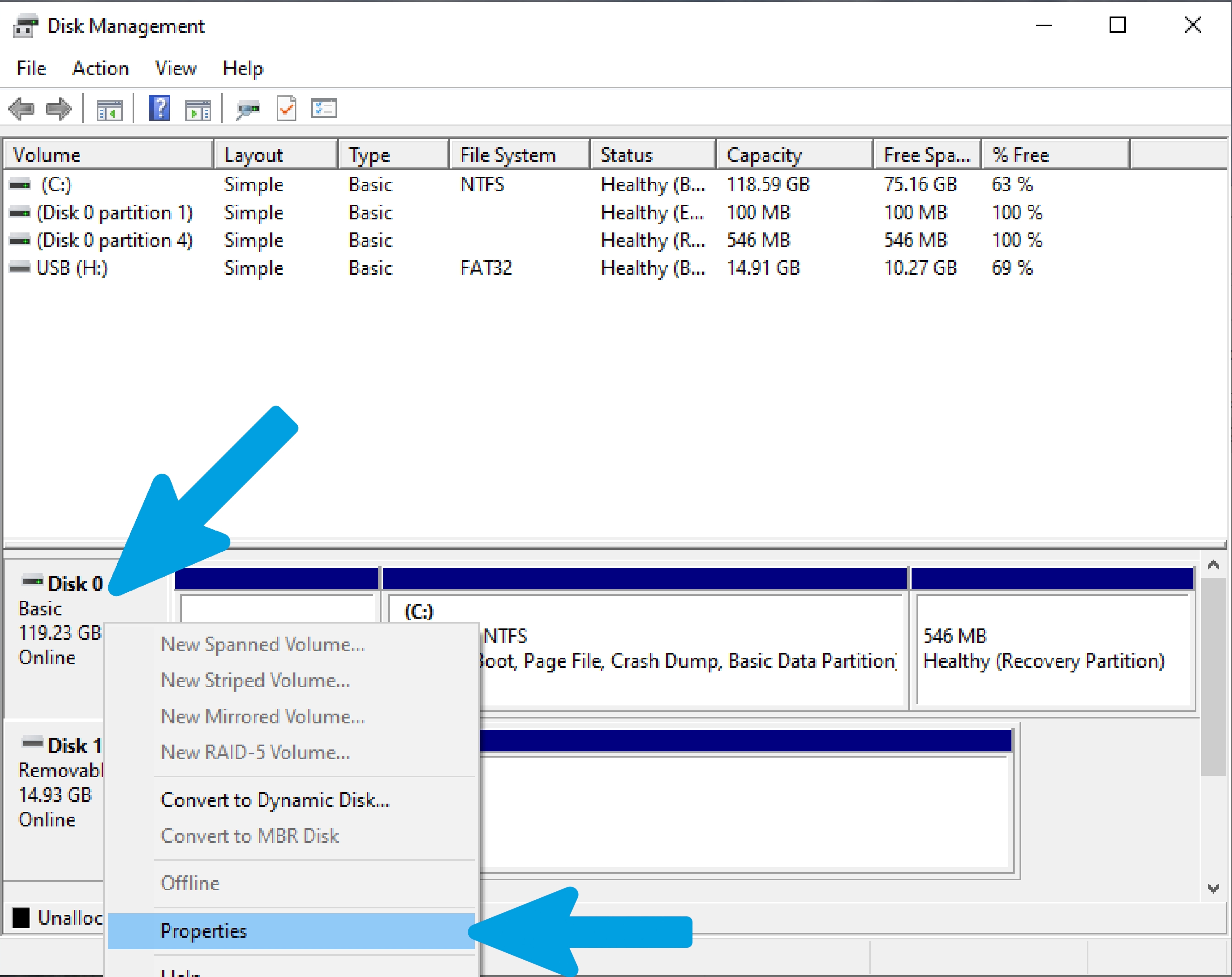
In the Disk Management window, locate the disk where your operating system is currently installed (usually Disk 0). Right-click on the disk name (on the left panel, not the partitions block) and select Properties.
Step 3
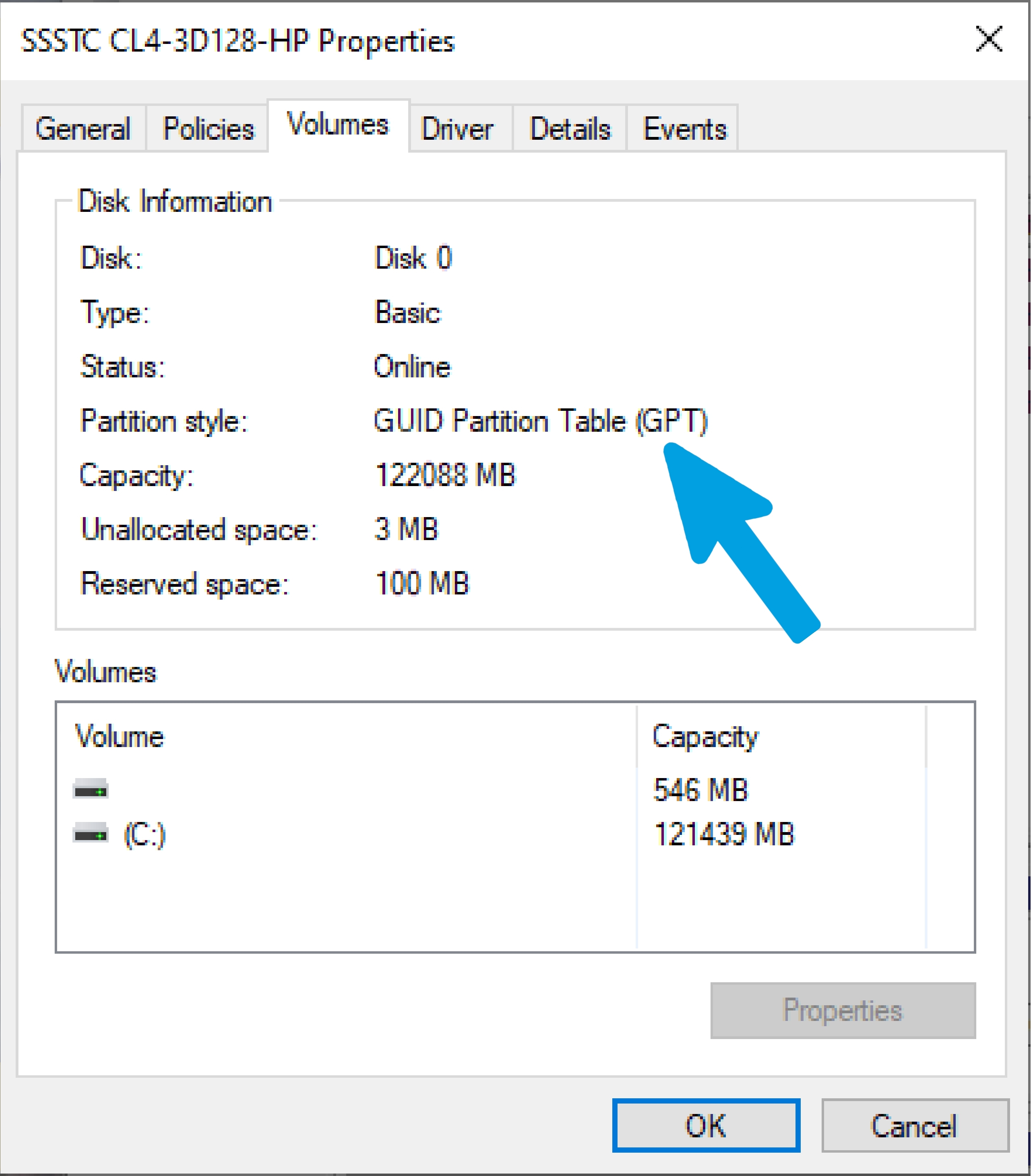
In the Properties window, navigate to the Volumes tab. Look for the Partition style entry under the Disk Information section to see if it is listed as GUID Partition Table (GPT) or Master Boot Record (MBR).
Rufus Installation
For the cleanest possible installation, we will install and use Rufus. This program allows us to create a bootable flash drive and, in the advanced options, we can modify and customize our installation by removing some requirements or skipping and pre-applying some configurations to have a clean and personalized installation.
Step 1
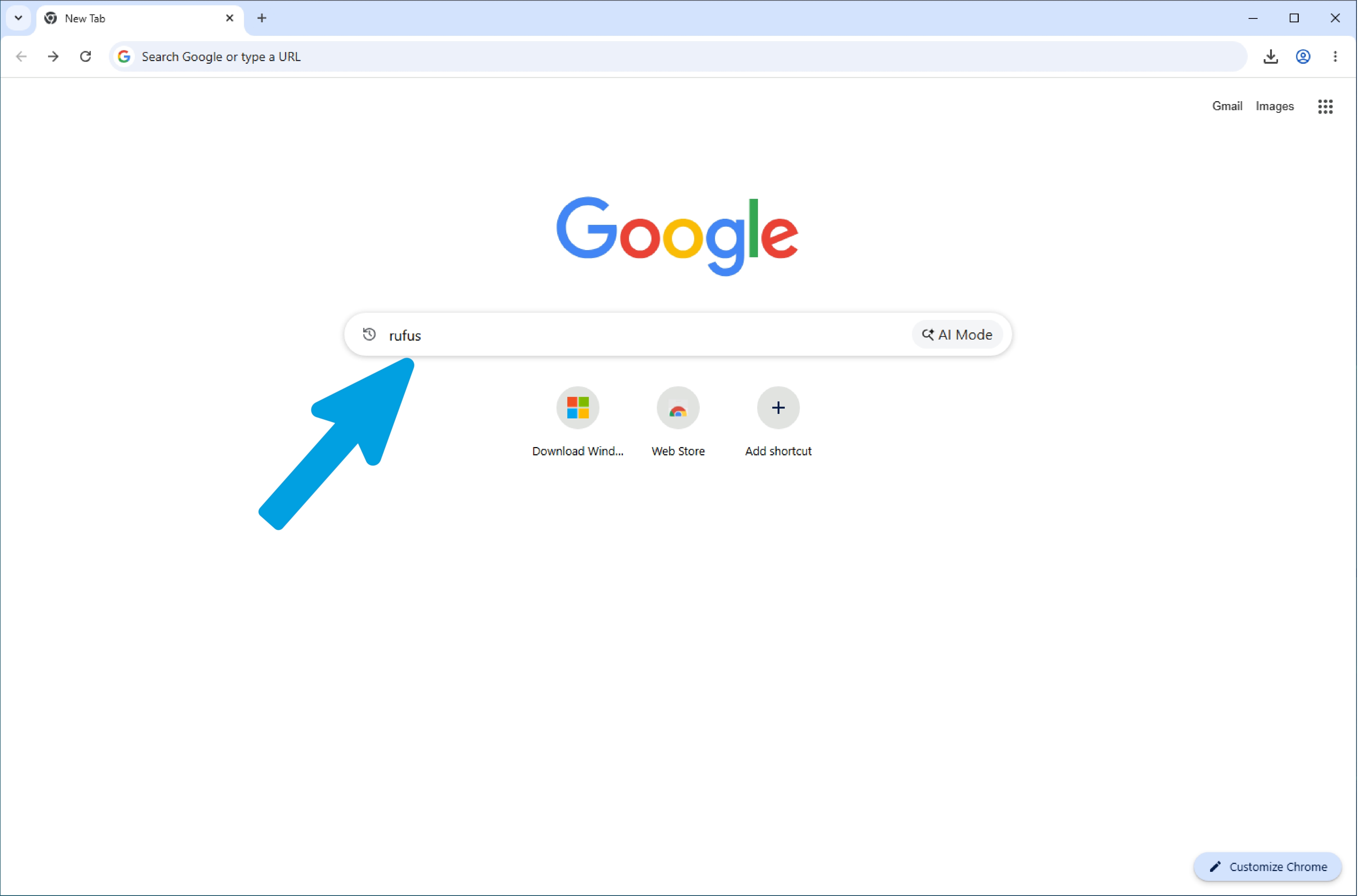
Open any search engine and type "rufus".
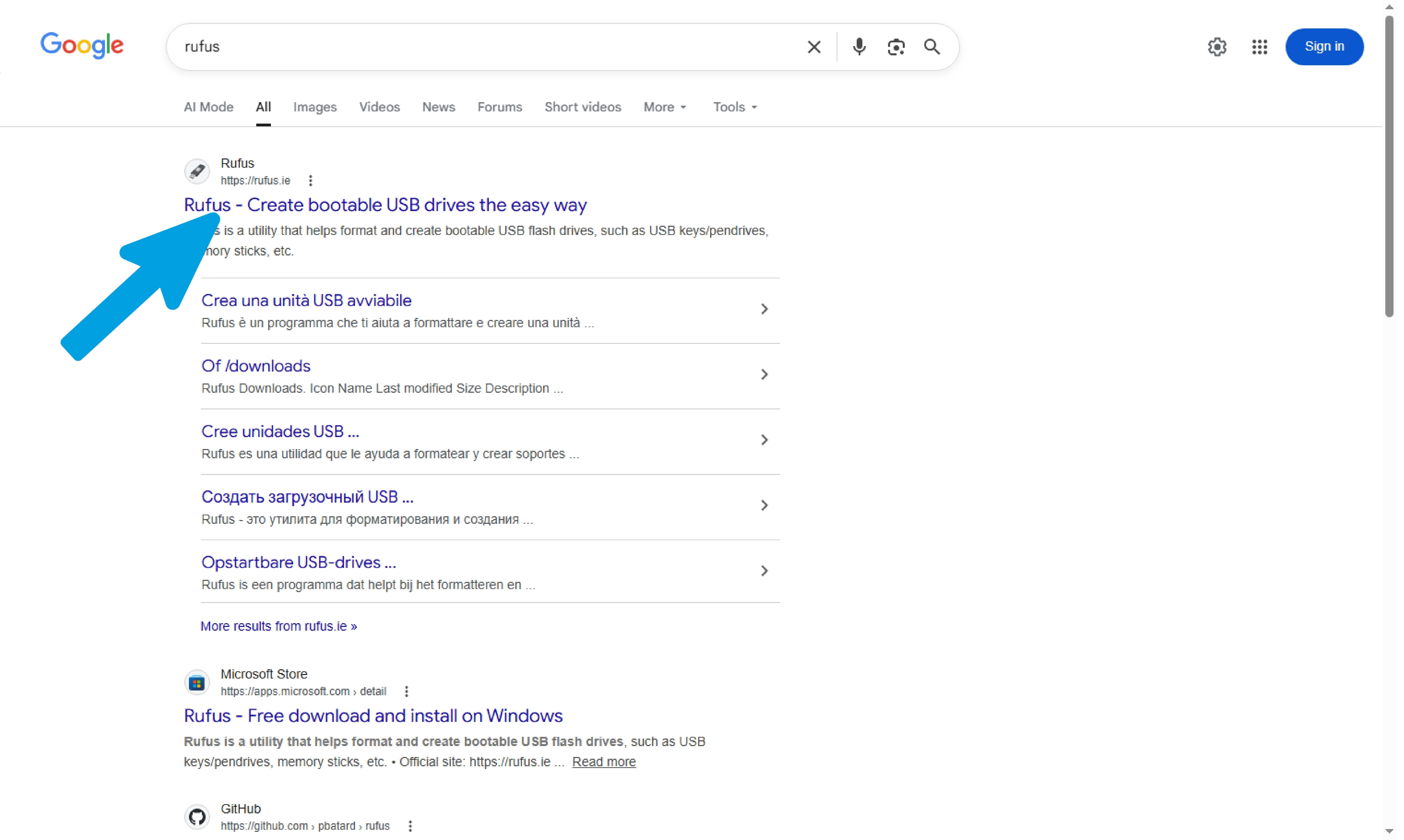
Step 3
Click on the "Download" section.
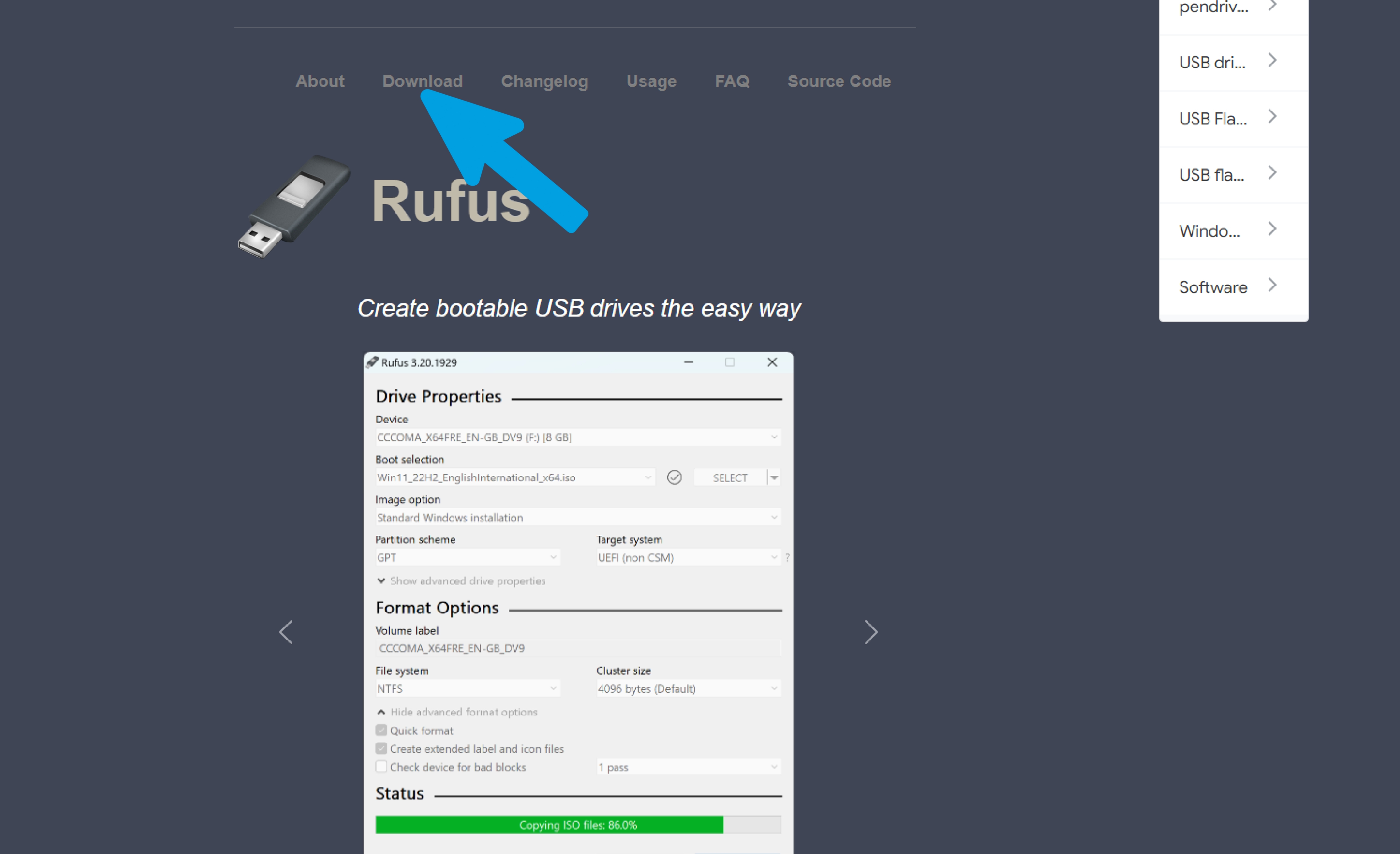
Step 4
Click on the first file to start the download.
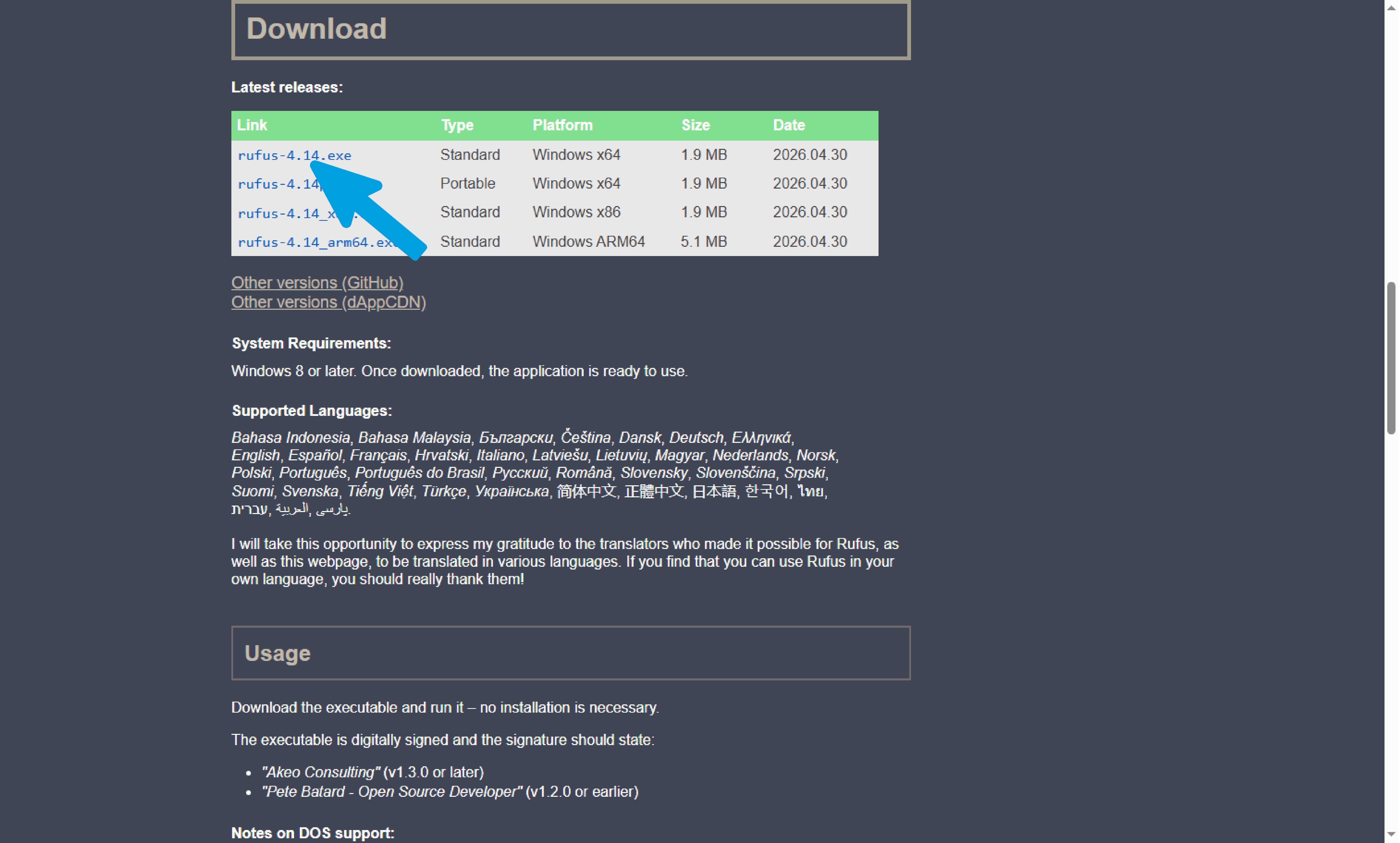
Step 5
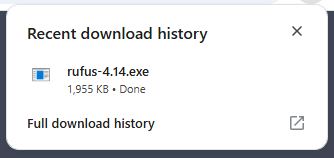
Wait for the program download to complete successfully.
Rufus Setup and Bootable USB Creation
This guide covers configuring and creating a bootable USB drive for Windows 10 or Windows 11 using Rufus. If you have not downloaded the software yet, please refer to the previous guide. Please pay close attention to the two expandable dropdown sections (popups) located below on this page, which are dedicated to Windows 10 and Windows 11 respectively. It is critical that you open and expand only the section corresponding to the specific operating system version you intend to install. Carefully following all the steps outlined within the correct dropdown is essential to prevent compatibility issues and ensure a successful installation process.
Complete step-by-step walkthrough for configuring Rufus with a Windows 10 ISO image. Make sure to plug in a USB flash drive with at least 8GB capacity (note that all data on it will be deleted!).
Step 1
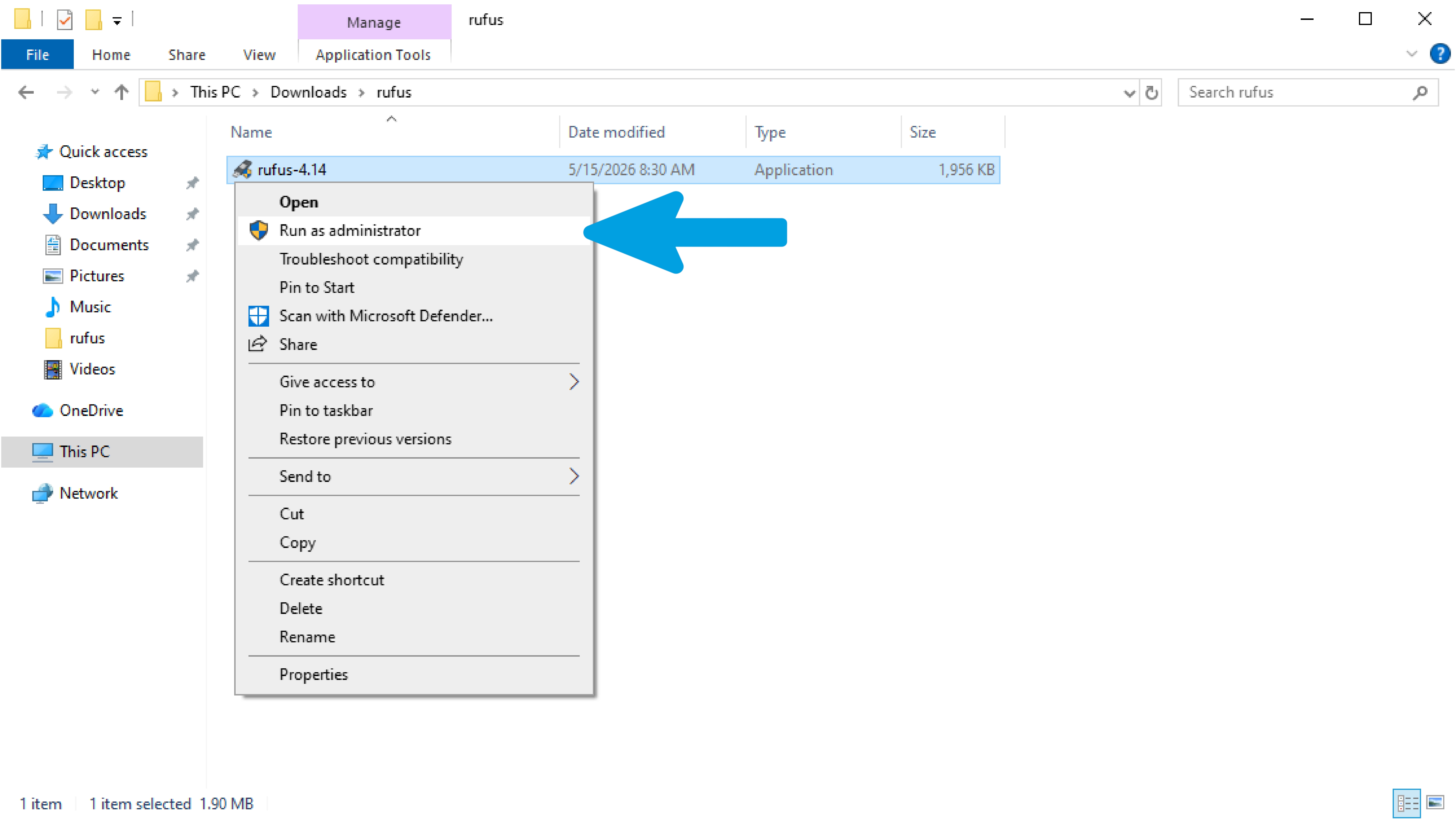
Open File Explorer and launch the program by right-clicking it and selecting "Run as administrator."
Step 2
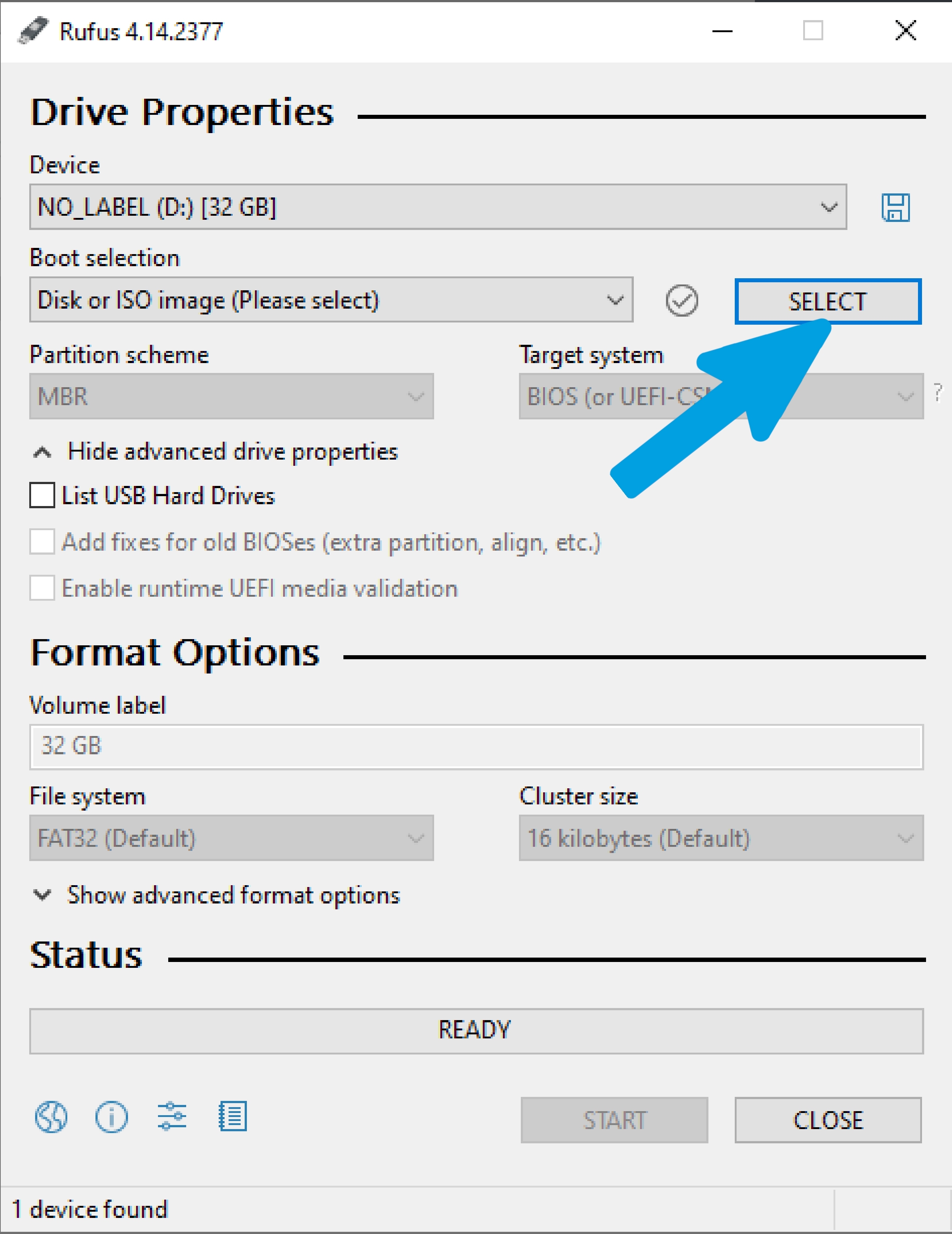
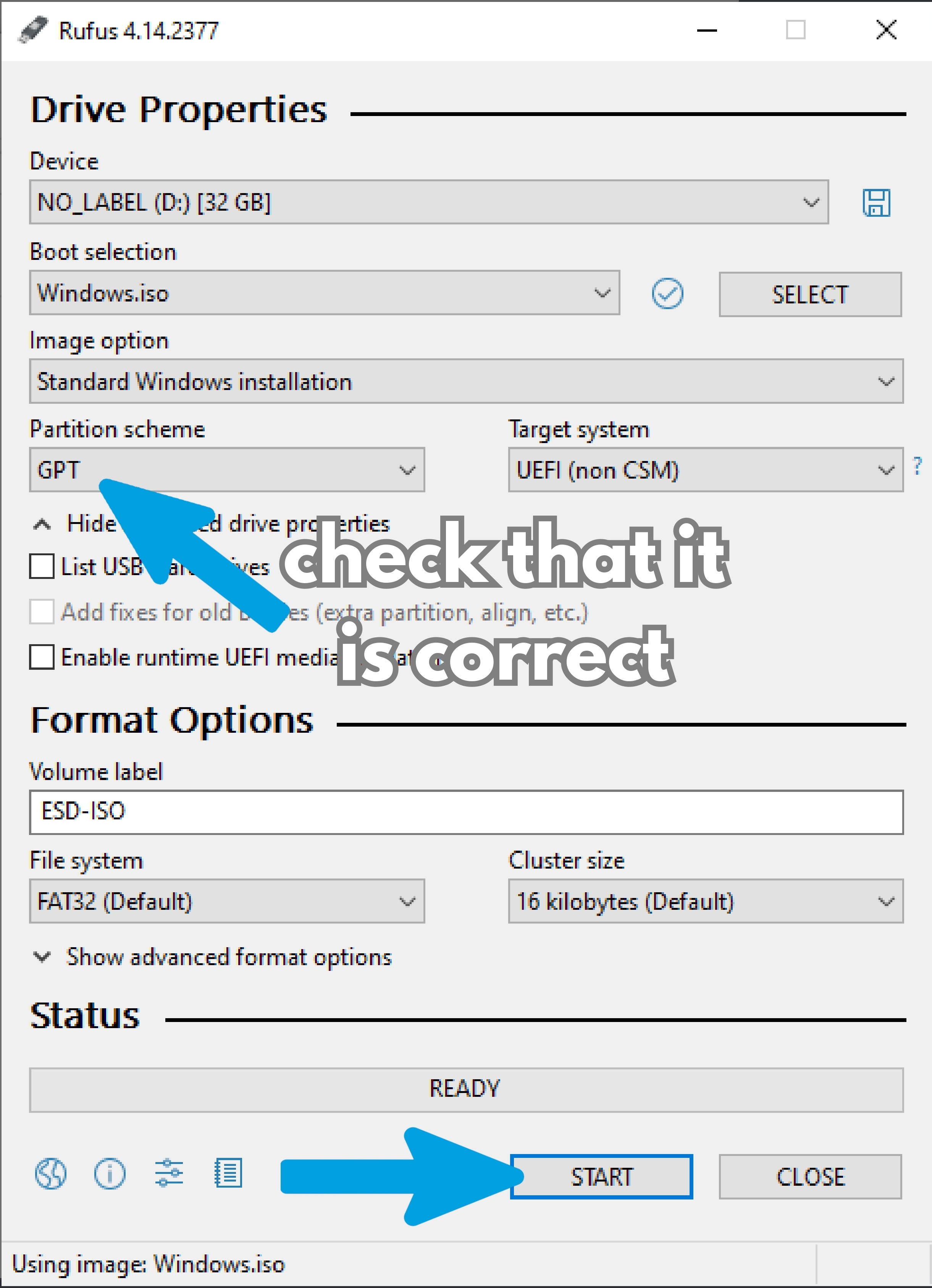
This is the Rufus interface: verify that your USB flash drive is correctly inserted into the computer and selected in the "Device" section. Once verified, click "Select."
Step 3
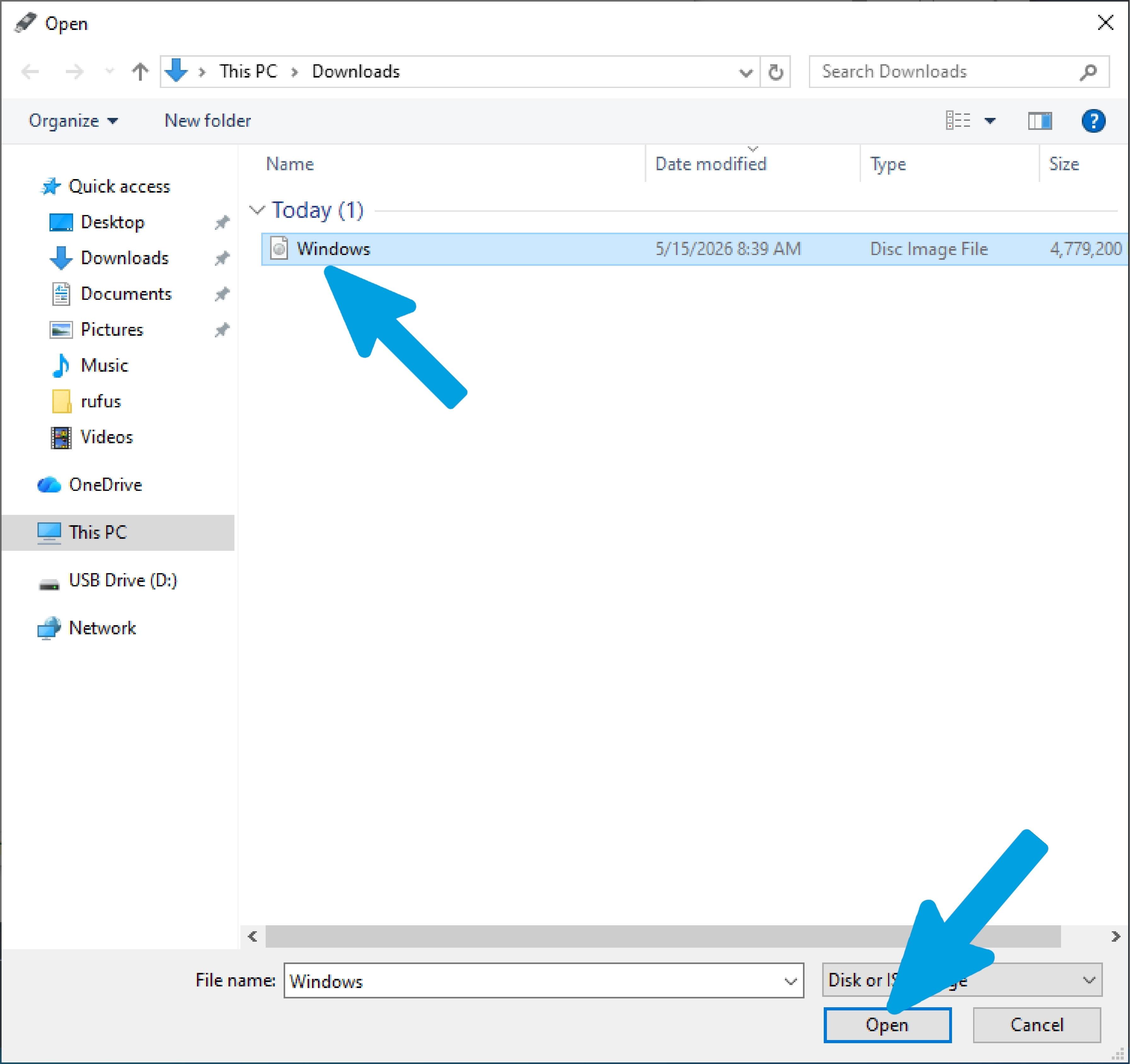
Select the newly downloaded file; in my case for Windows 10, the file will usually be located in the Documents folder or the folder you chose during the download, then click "Open."
Step 4
Leave the settings as recommended by Rufus, but pay close attention to the "Partition scheme" section. As shown in the previous section (Identify Disk Partition Style), if your drive is GPT, select GPT; if it is MBR, select MBR.
Step 5
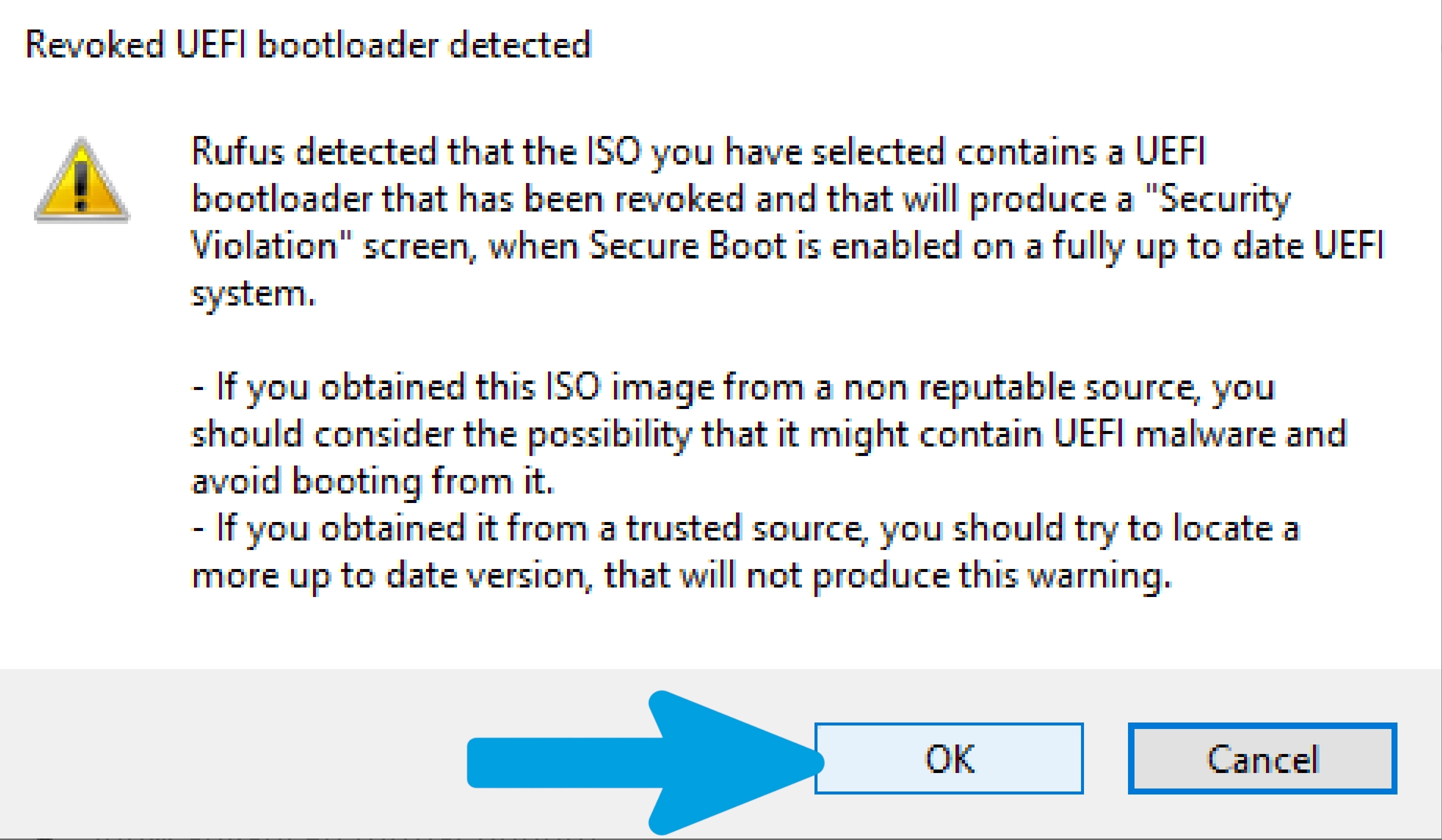
Accept any popups (in my case, Rufus warns that the Windows 10 ISO contains a revoked UEFI bootloader, meaning it's no longer considered secure by Secure Boot). This can cause boot errors on PCs with Secure Boot enabled, so it's recommended to use an updated ISO or disable Secure Boot in the BIOS/UEFI. Because of this, you might need to disable Secure Boot later on if you haven't already.
Step 6
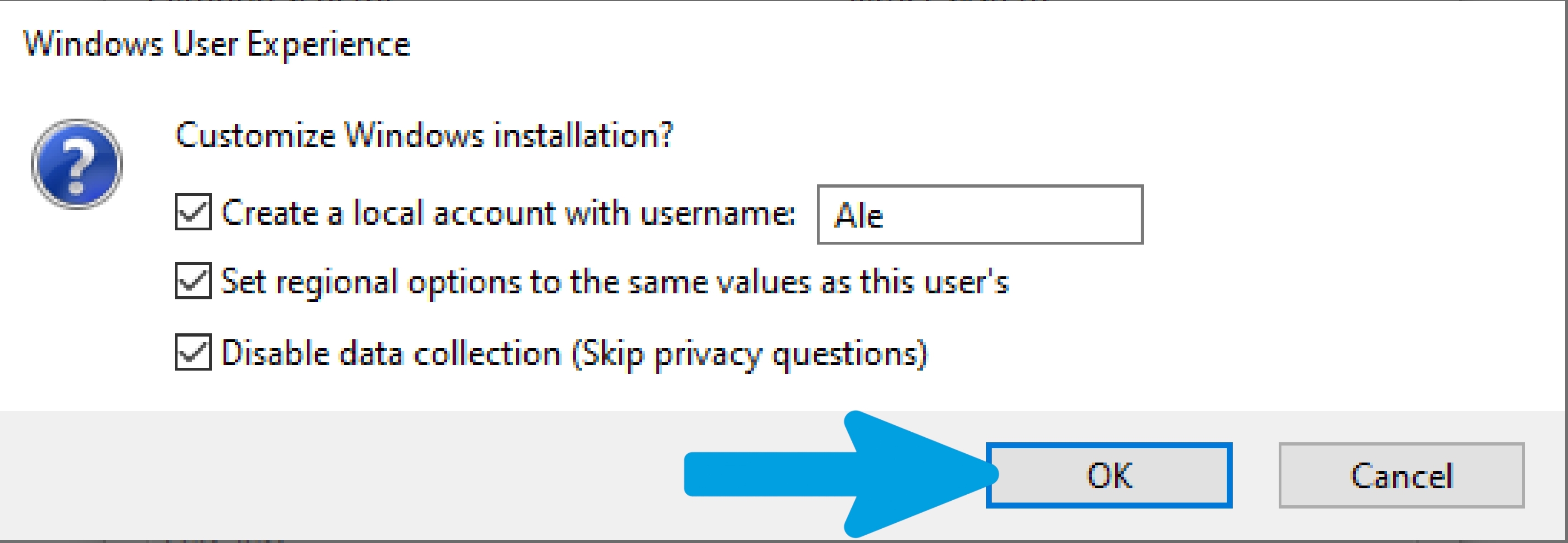
Here you'll find a few ISO customization options, such as pre-creating a local account and skipping the privacy questions. My advice is to select all three of them, so you get a more automated, clean installation with an account that is already set up with your name and regional preferences.
Step 7
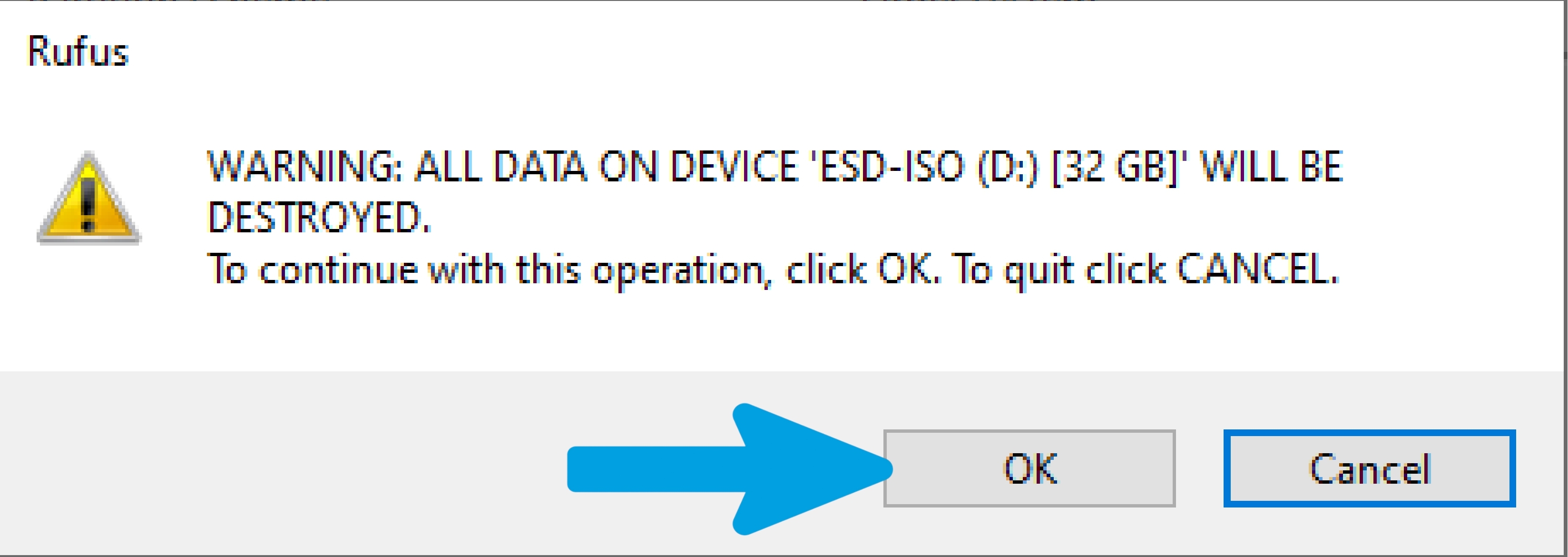
A pop-up warning will appear stating that all data on the flash drive will be formatted. I take no responsibility for accidentally formatted USB drives. Before proceeding, please verify that the drive does not contain any useful or important files; once you have verified this, click 'OK'.
Step 8
Wait for the ISO files to be successfully copied to the flash drive without touching it, ejecting it, or closing the program.
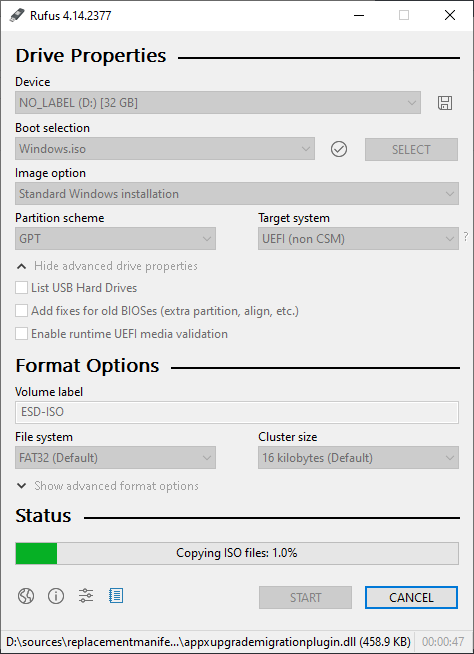
Step 9
Once the process is complete, make sure the word "READY" appears at the bottom. At that point, you can close the program, but do not eject the flash drive from the computer just yet.
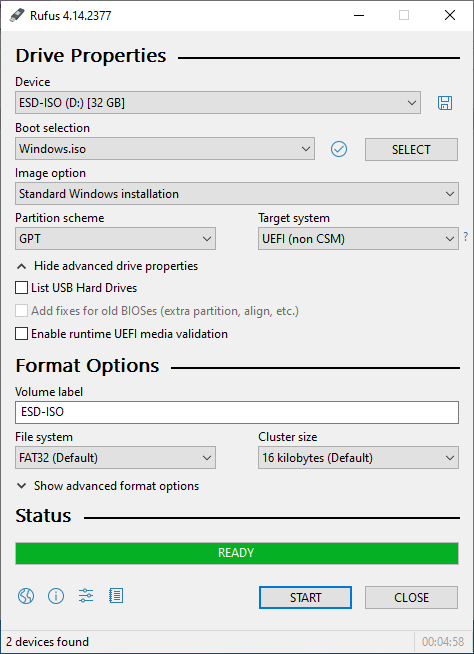
Complete step-by-step walkthrough for configuring Rufus with a Windows 11 ISO image. Make sure to plug in a USB flash drive with at least 8GB capacity (note that all data on it will be deleted!).
Step 1
Open File Explorer and launch the program by right-clicking it and selecting "Run as administrator."
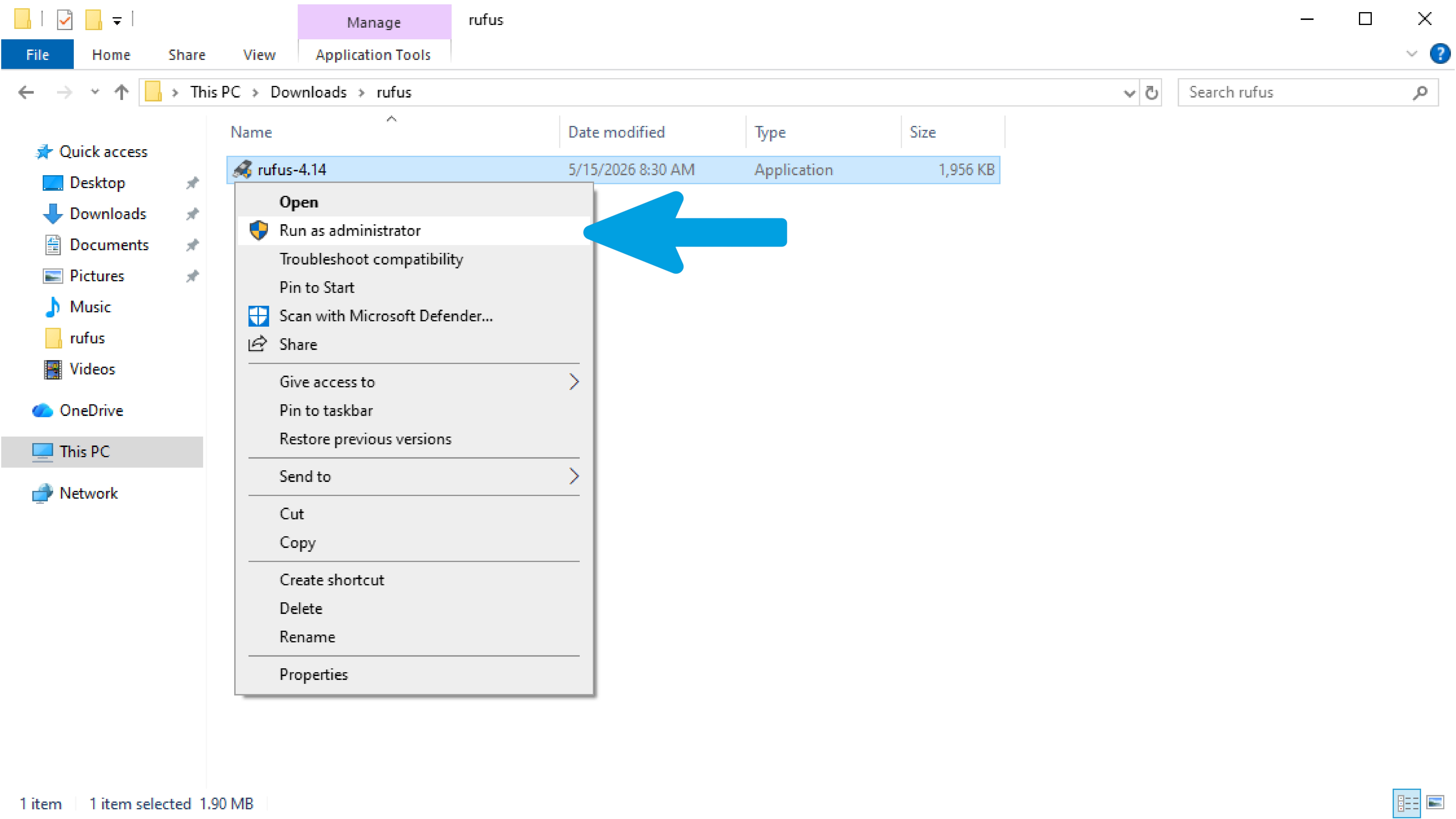
Step 2
This is the Rufus interface: verify that your USB flash drive is correctly inserted into the computer and selected in the "Device" section. Once verified, click "Select."
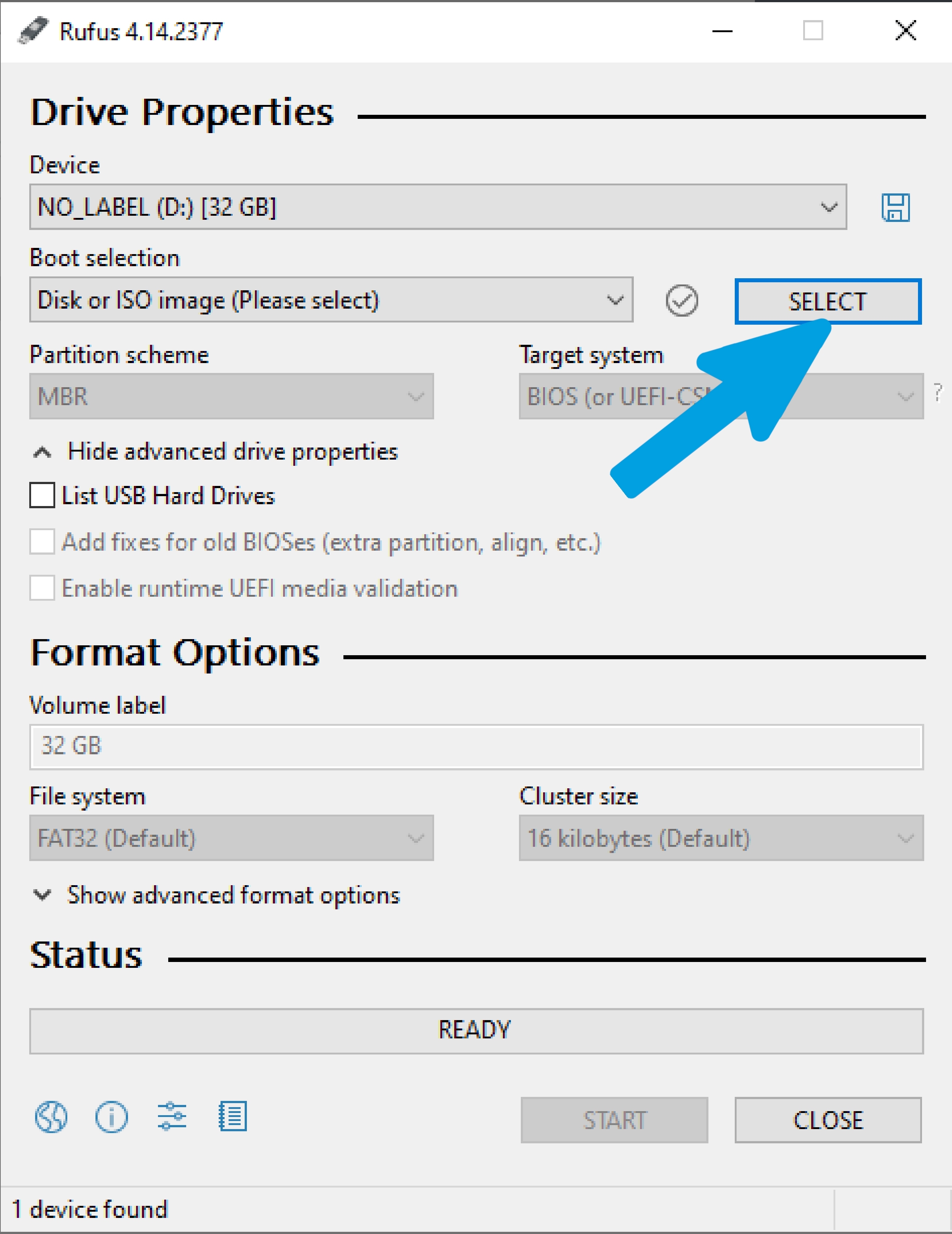
Step 3
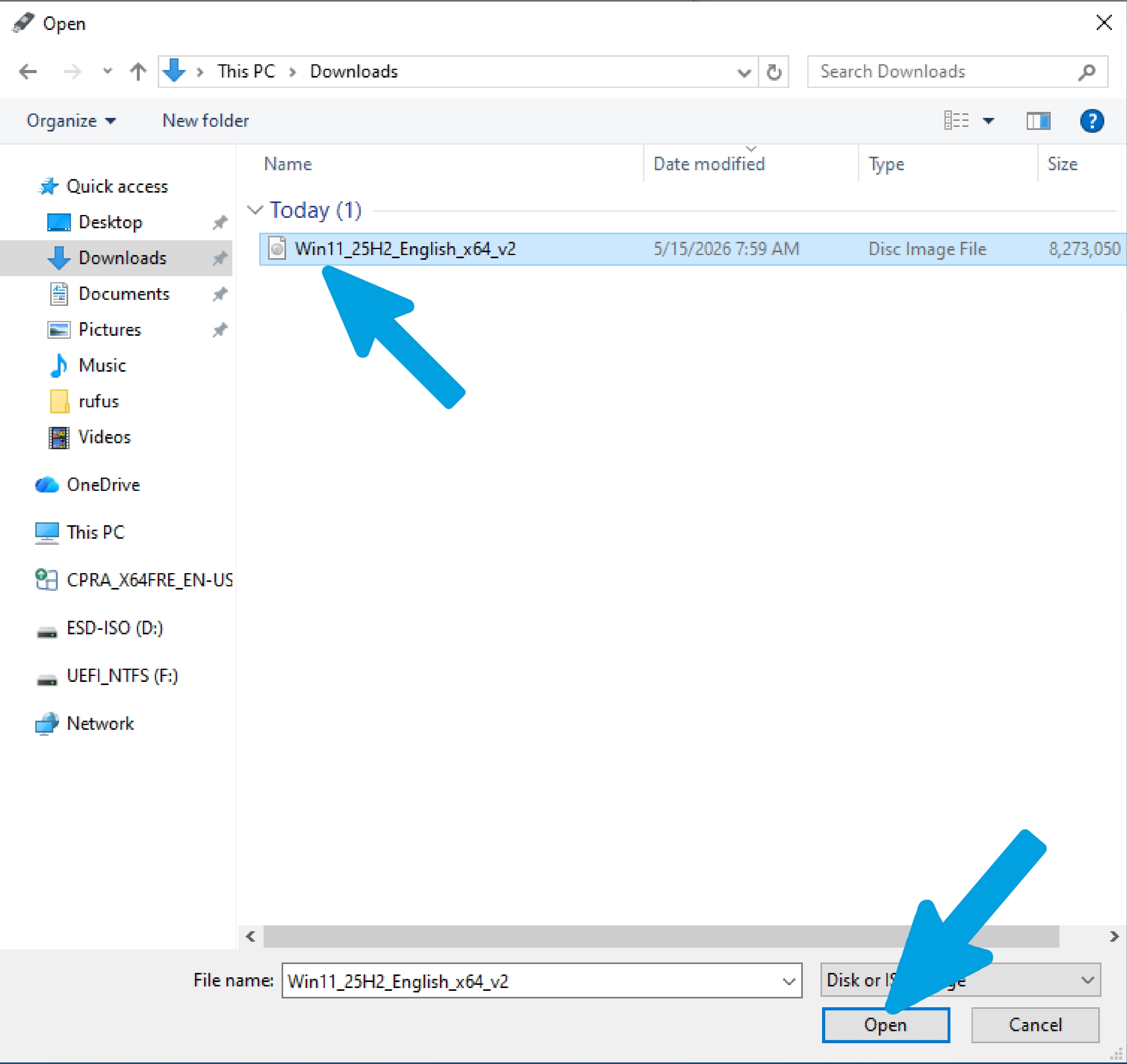
Select the newly downloaded file; in my case for Windows 11, the file will usually be located in the Documents folder or the folder you chose during the download, then click "Open."
Step 4
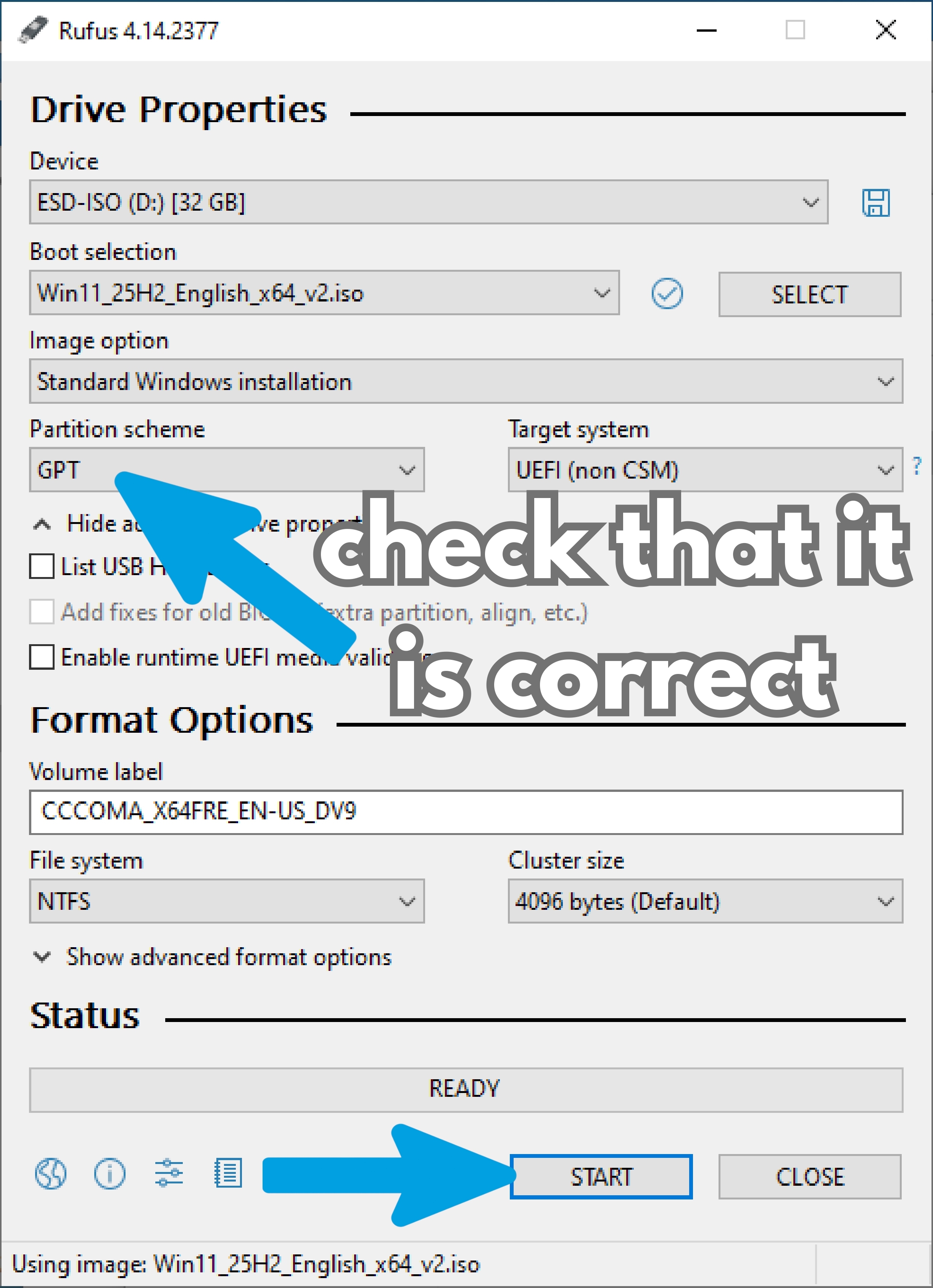
Leave the settings as recommended by Rufus, but pay close attention to the "Partition scheme" section. As shown in the previous section (Identify Disk Partition Style), if your drive is GPT, select GPT; if it is MBR, select MBR.
Step 5
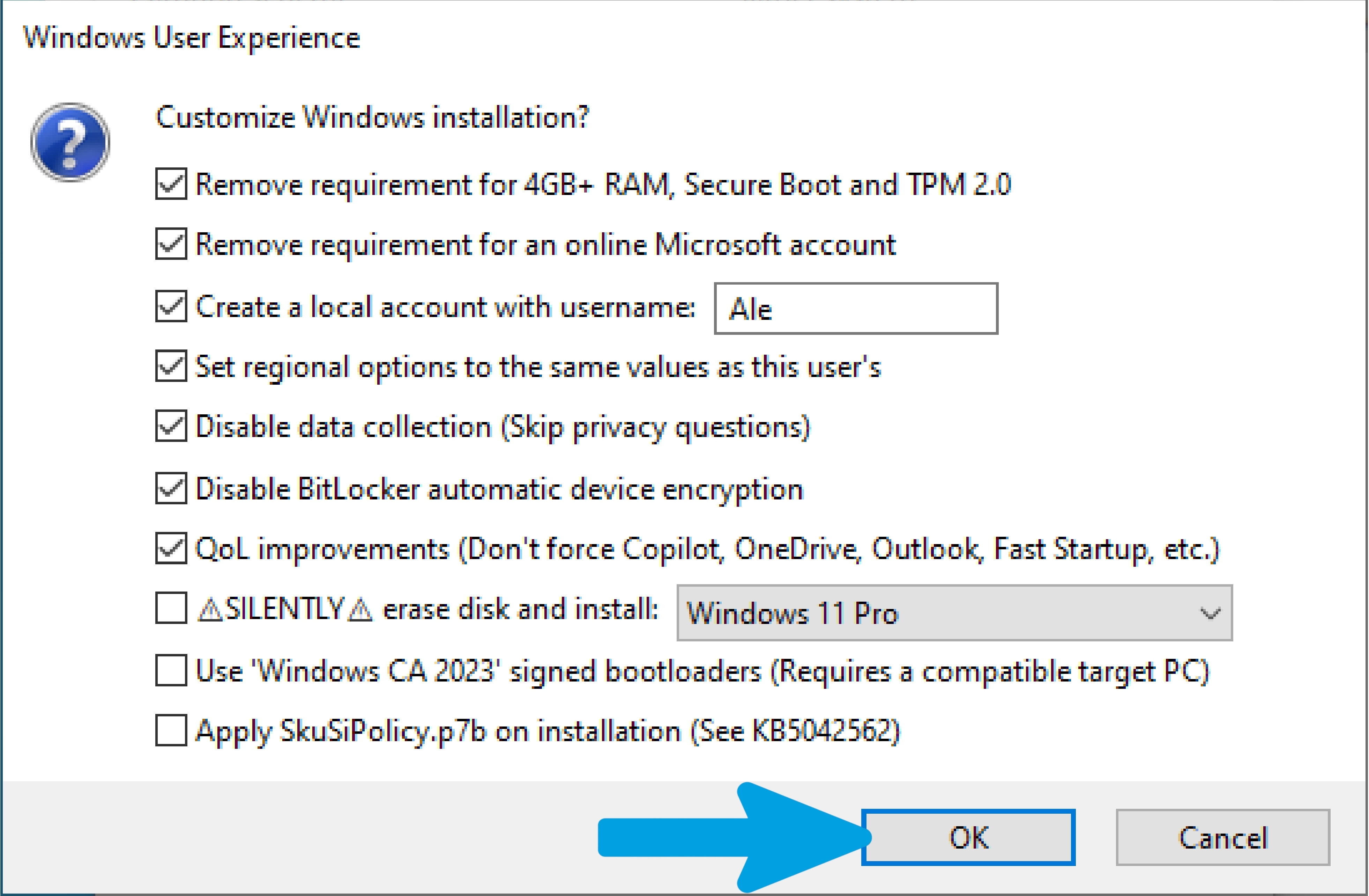
My recommendation is to select only the main options shown in the photo for a simpler, cleaner, and automated installation, such as creating a local account, skipping privacy screens, or removing installation requirements, so you can get Windows set up quickly and cleanly.
Important: Do not select the last three options at the bottom, as they are advanced and unnecessary in most cases. I take no responsibility for external configurations not recommended by the wiki for installing and using Rufus. Additionally, if the layout of the settings differs from the photo, please check the version of Rufus you are using.
Step 6
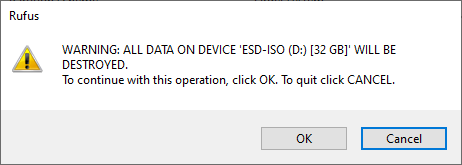
A pop-up warning will appear stating that all data on the flash drive will be formatted. I take no responsibility for accidentally formatted USB drives. Before proceeding, please verify that the drive does not contain any useful or important files; once you have verified this, click 'OK'.
Step 7
Wait for the ISO files to be successfully copied to the flash drive without touching it, ejecting it, or closing the program.
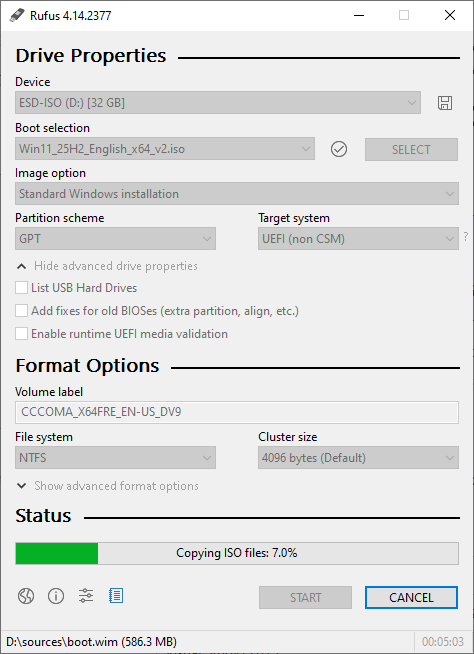
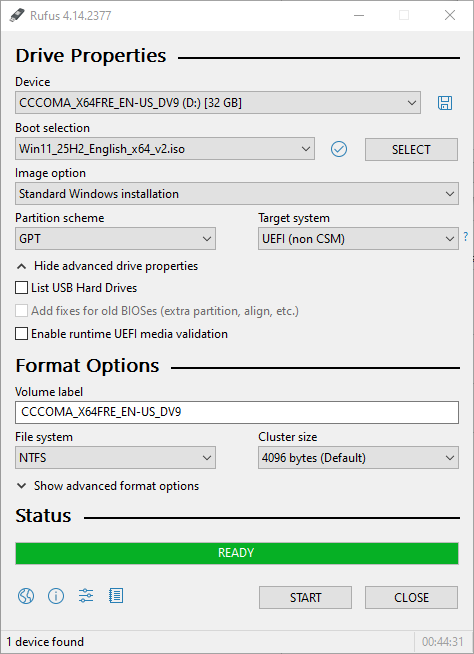
Step 8
Once the process is complete, make sure the word "READY" appears at the bottom. At that point, you can close the program, but do not eject the flash drive from the computer just yet.
XML Customization (Unattended Setup)
Before proceeding with standard Windows installation screens, you can automate and customize the entire setup phase using an answer file. This file, typically named autounattend.xml, allows you to skip repetitive setup screens, bypass default requirements, and pre-configure system settings.
An XML configuration file (autounattend.xml or unattend.xml) is a structured configuration file that the Windows Setup engine reads during boot. It acts as an automated answer sheet for the questions Windows typically asks you during the initial installation process and the Out-of-Box Experience (OOBE).
By using an unattended XML file, you can pre-define essential settings. It automates the creation of local user accounts with specific names and passwords, bypassing the manual setup. It configures regional settings, keyboard layouts, timezones, and language options automatically.
It also manages privacy configurations by disabling diagnostic data collection, advertising IDs, and location tracking from the first boot. Furthermore, it allows you to skip the forced Microsoft account sign-in requirements and bypass hardware checks like TPM 2.0, Secure Boot, and minimum RAM requirements.
During boot, the Windows Installer automatically searches specific locations for a file named autounattend.xml. The most common placement is the root directory of your bootable USB drive. Alternatively, tools like Rufus can inject similar configurations during the USB creation process based on the selections you make in its interface.
Generating and Using your XML File
Manually writing XML code from scratch can be complex and prone to syntax errors. You can generate a customized, clean configuration file using structured web utilities.
Step 1
Open any search engine and type "Generate autounattend.xml files for Windows 10/11", then click the first result.
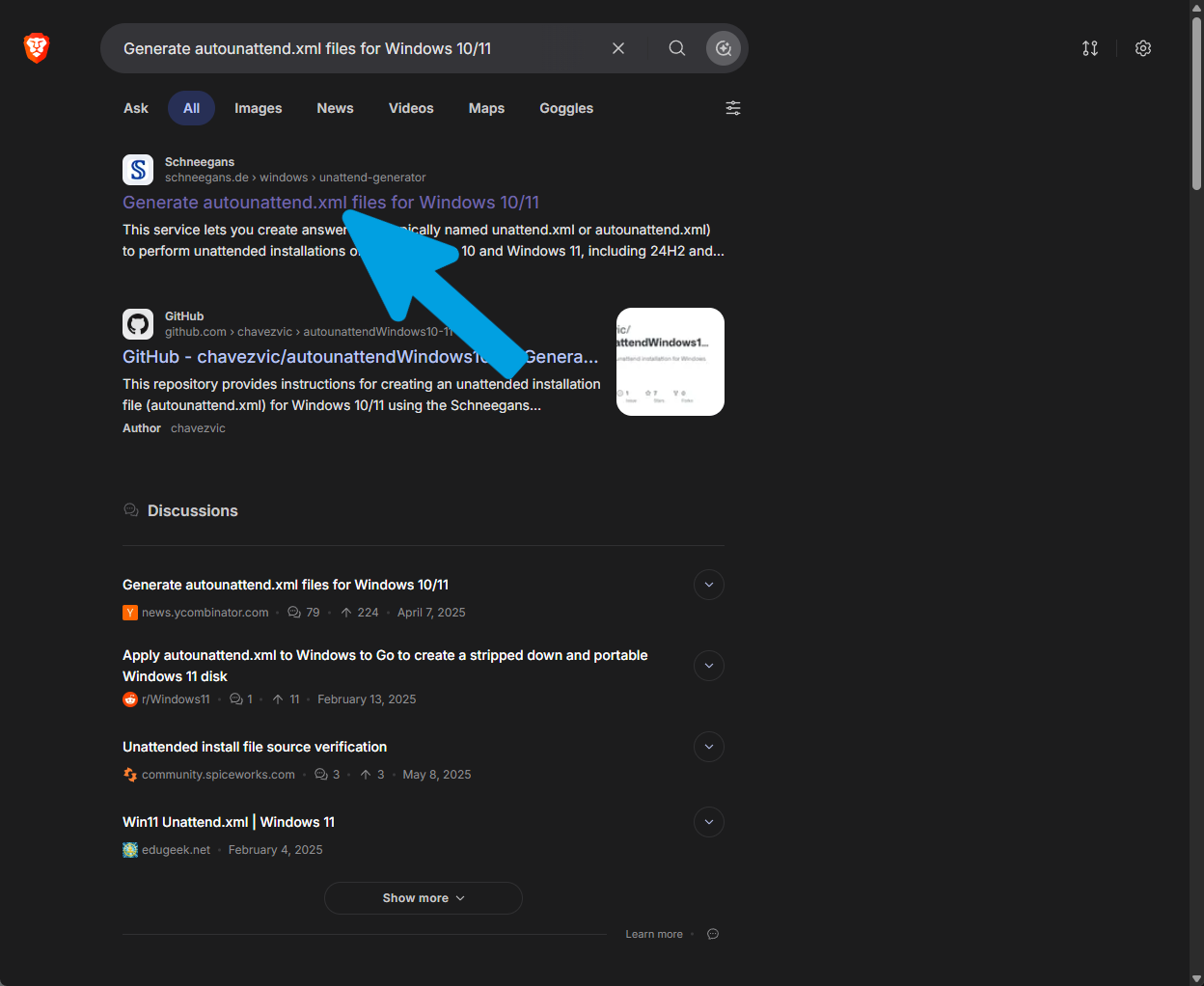
Step 2
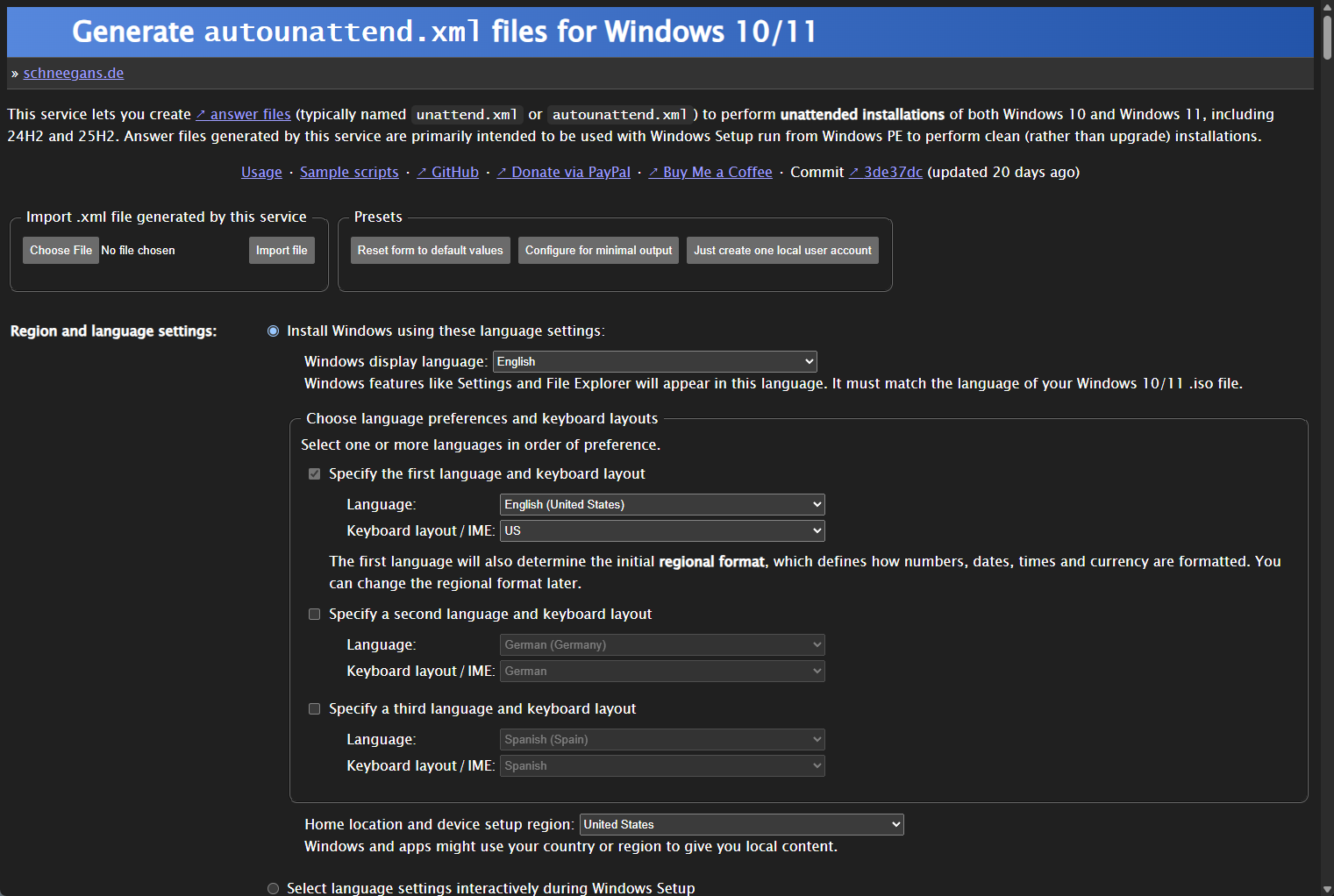
This utility provides a visual interface where you can select exactly which features to enable or disable. You can configure options to bypass Windows 11 hardware checks, disable telemetry, or pre-configure a local user account.
Go through the options carefully and configure them according to your hardware specifications and preferences.
Step 3
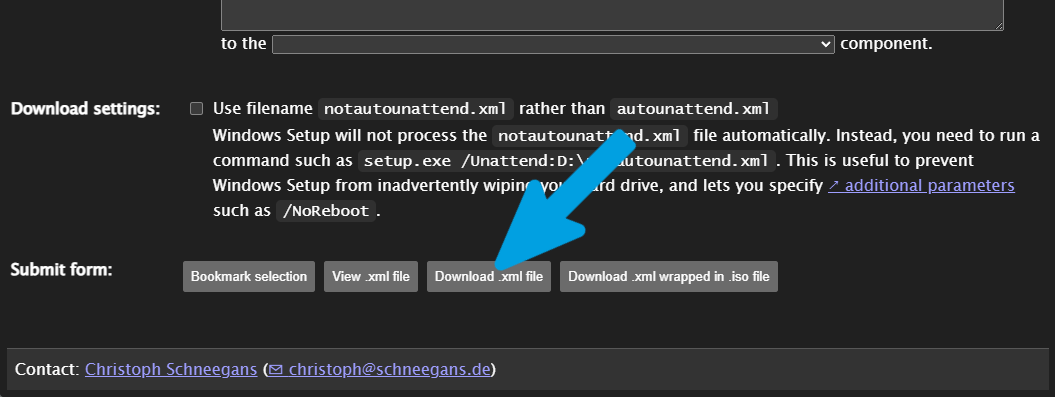
Once you have finished configuring your options, scroll to the bottom of the generator page and click the download link to save the generated file to your computer, making sure it is named exactly autounattend.xml.
Step 4
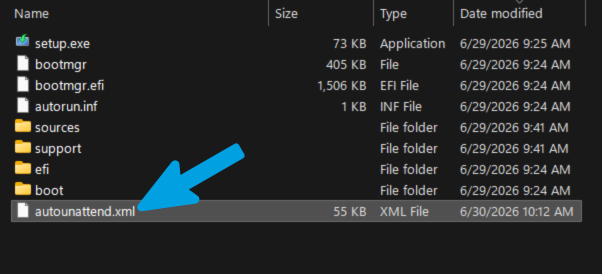
Plug in your bootable USB drive created with Rufus or the Media Creation Tool, then open File Explorer and navigate to the root directory of the drive where the setup.exe file and sources folder are located.
Copy and paste your autounattend.xml file directly into this root directory without placing it inside any subfolders. If Rufus's built-in customization options were used, it may have already generated a basic automation file, which will be overwritten by your custom autounattend.xml configuration.
USB Boot Procedure
Once your bootable USB is successfully created, the next crucial step is to boot your computer from it. This instructs the motherboard BIOS/UEFI firmware to load the Windows installation environment rather than your current operating system.
Motherboard Boot Menu Hotkeys
To trigger the boot device selection menu without changing permanent BIOS settings, restart your computer and repeatedly tap the appropriate hotkey as soon as the screen turns on.
| Motherboard / PC Manufacturer | Boot Menu Hotkey |
|---|---|
| ASUS | F8 |
| Gigabyte | F12 |
| MSI | F11 |
| ASRock | F11 |
| Dell | F12 |
| Lenovo | F12 / Fn + F12 |
| HP | F10 / Esc |
| Acer | F12 / Esc |
Step-by-Step Boot Procedure
1 Identify and enter the BIOS
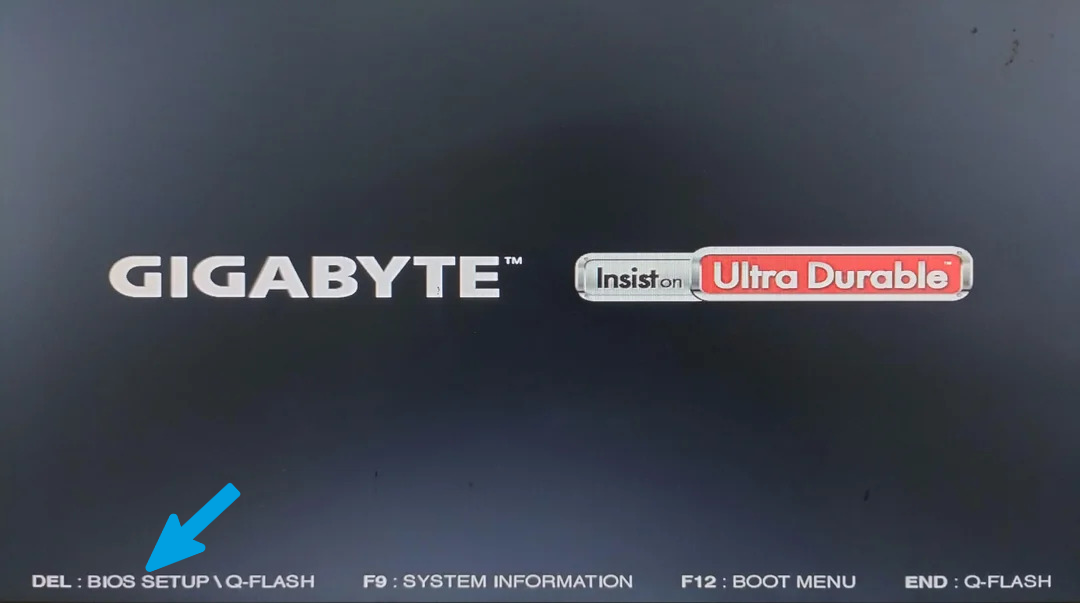
To boot from the USB drive and start the installation, we first need to know how to enter the BIOS and set the USB drive as the primary boot device. First, we must identify the motherboard brand, which usually appears on the screen as soon as we turn on the computer (in my case, with a Gigabyte, it even tells me the key combination to enter the BIOS). If we don't know the key combination to enter the BIOS, we can search for the manufacturer's name followed by "bios key" on a search engine to find the correct key. Finally, we restart the computer and, as soon as the manufacturer's logo appears, we repeatedly press that key to access the BIOS.
2 Boot from the USB drive
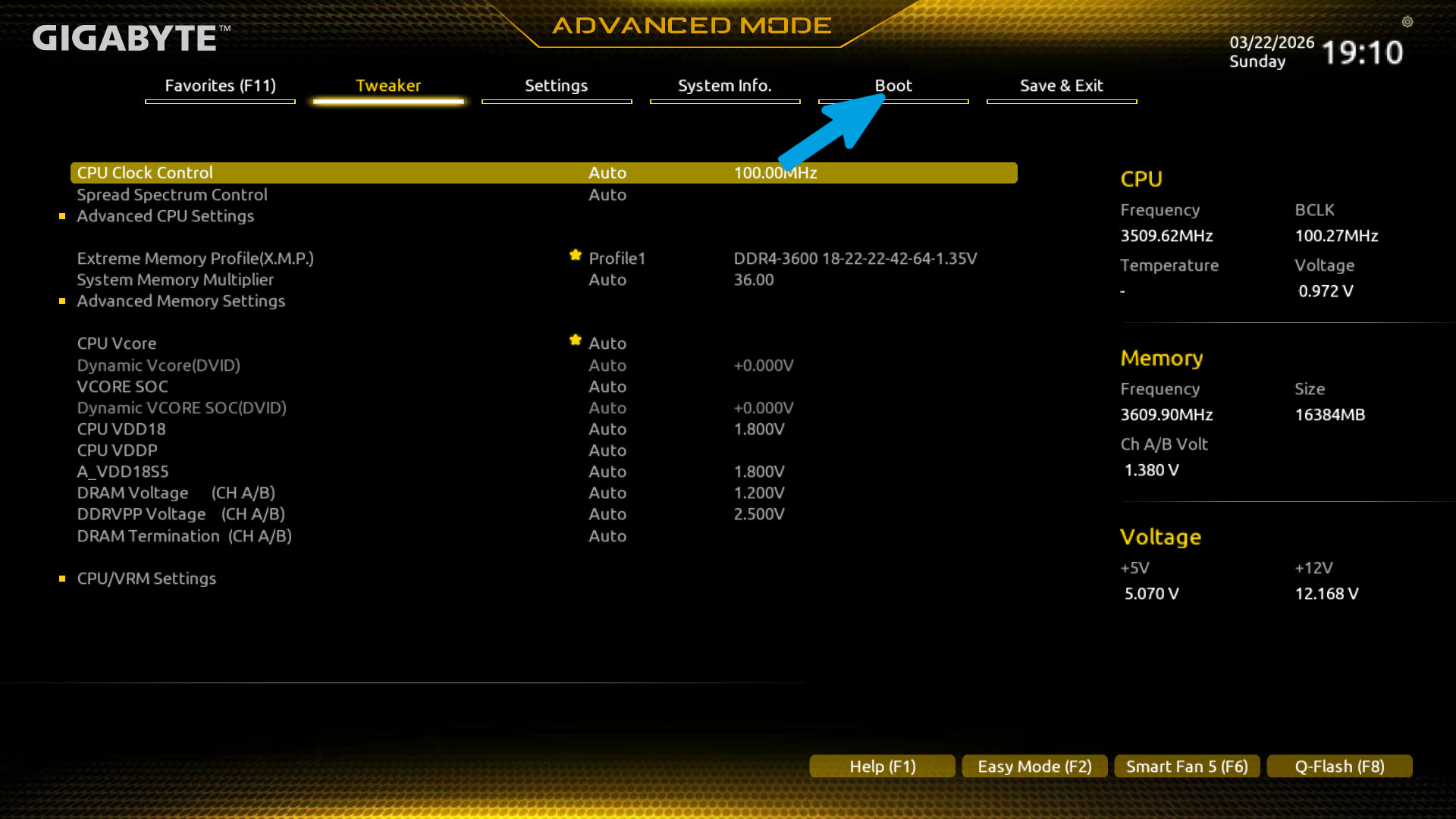
To boot from the USB flash drive, we need to go to the section of the BIOS typically called Boot and set the USB drive as the primary boot device (First Boot Device). If you selected the GPT format in Rufus, choose the flash drive with the UEFI label in the boot menu. If you selected MBR instead, choose the flash drive without the UEFI label.
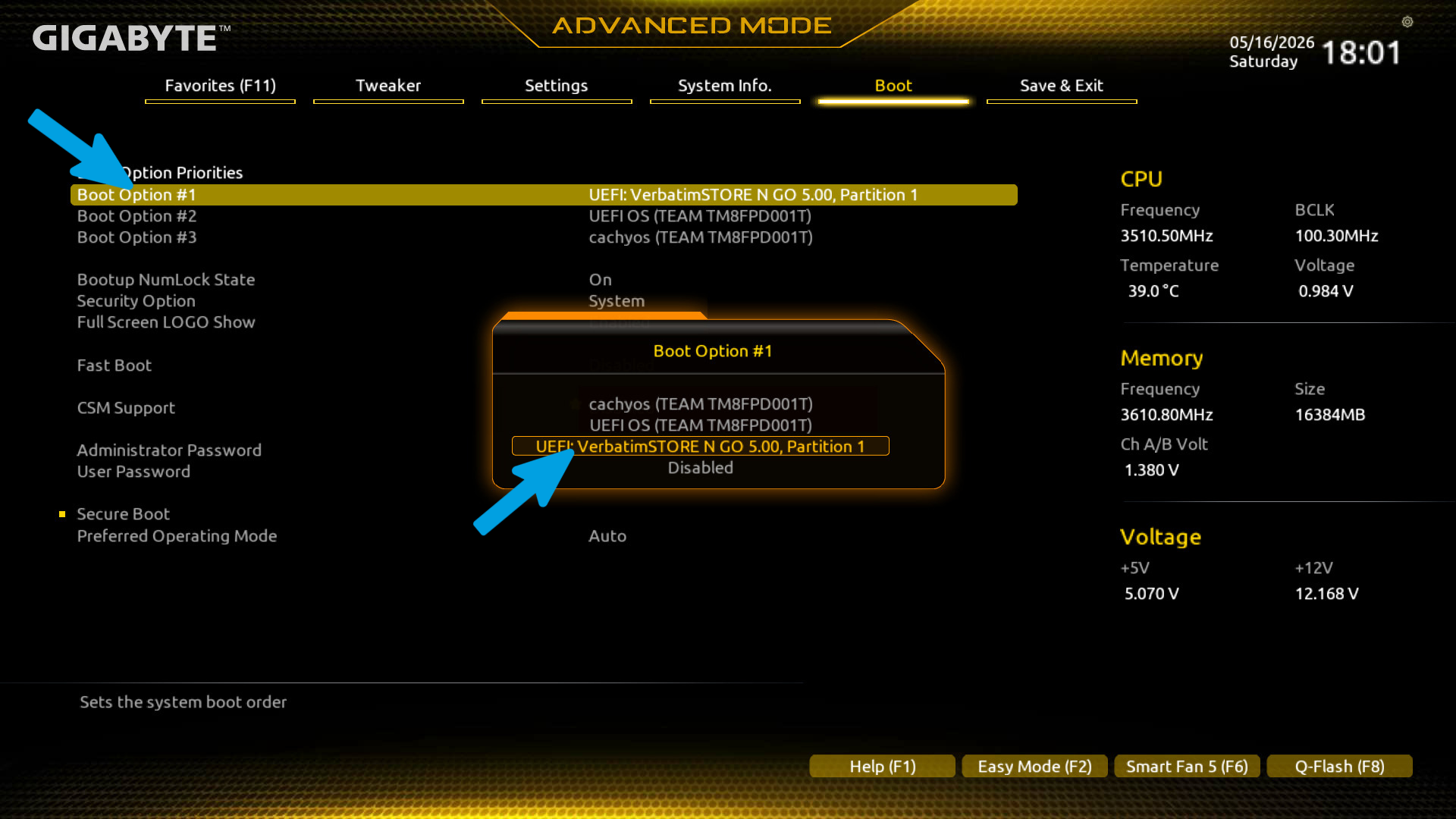
3 Save changes and restart
Apply the changes by pressing the dedicated key to save and restart the computer.
Windows 11 ISO Installation Guide
This guide is for installing the official Windows 11 ISO. If you already have a verified, working Microsoft ISO file, you can skip this step and move on to the next one.
Step 1
Open any search engine and type "Windows LTSC download massgrave", then click the first result.
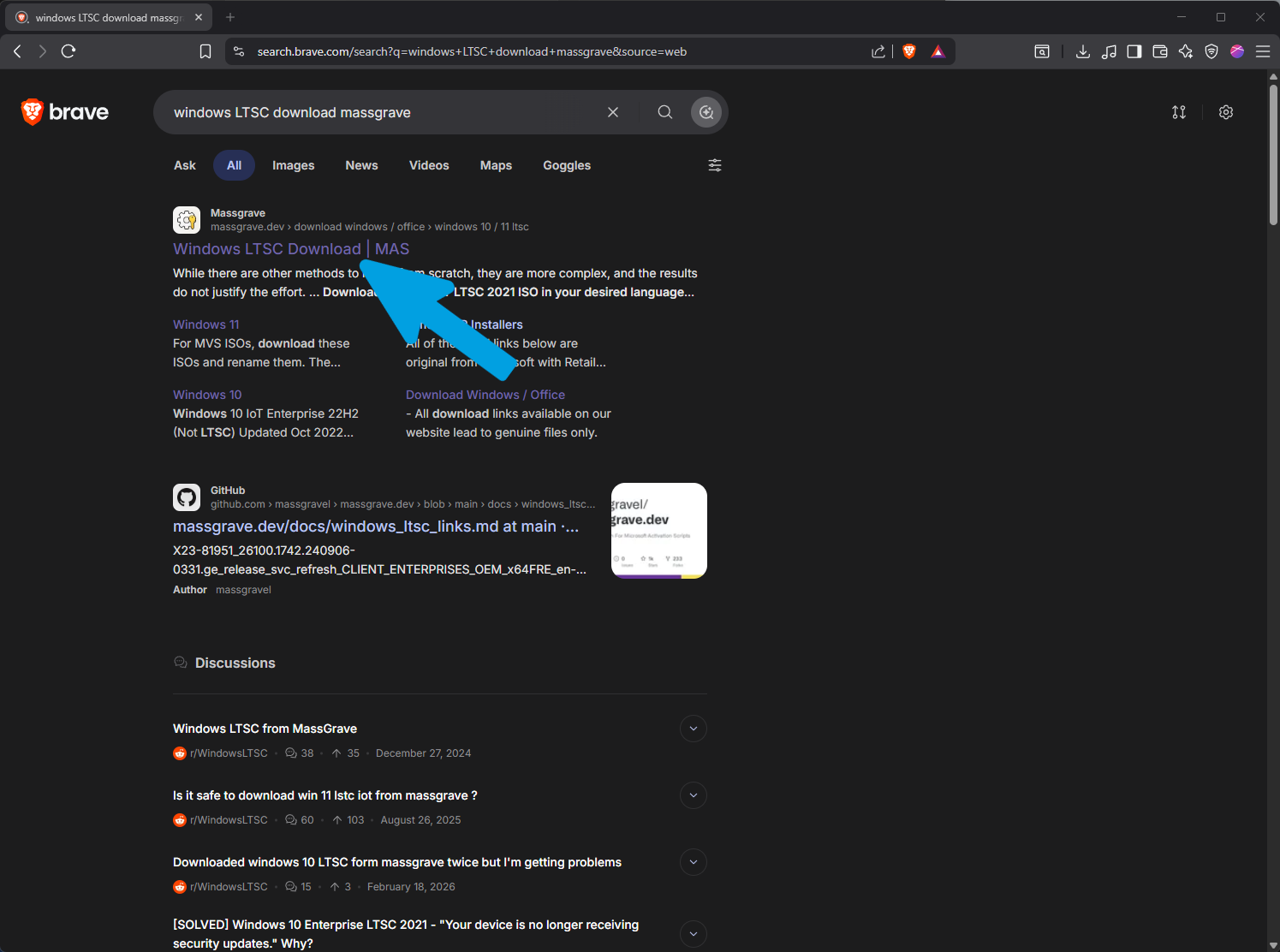
Step 2
Select "Windows 10 / 11 LTSC" from the edition dropdown menu.
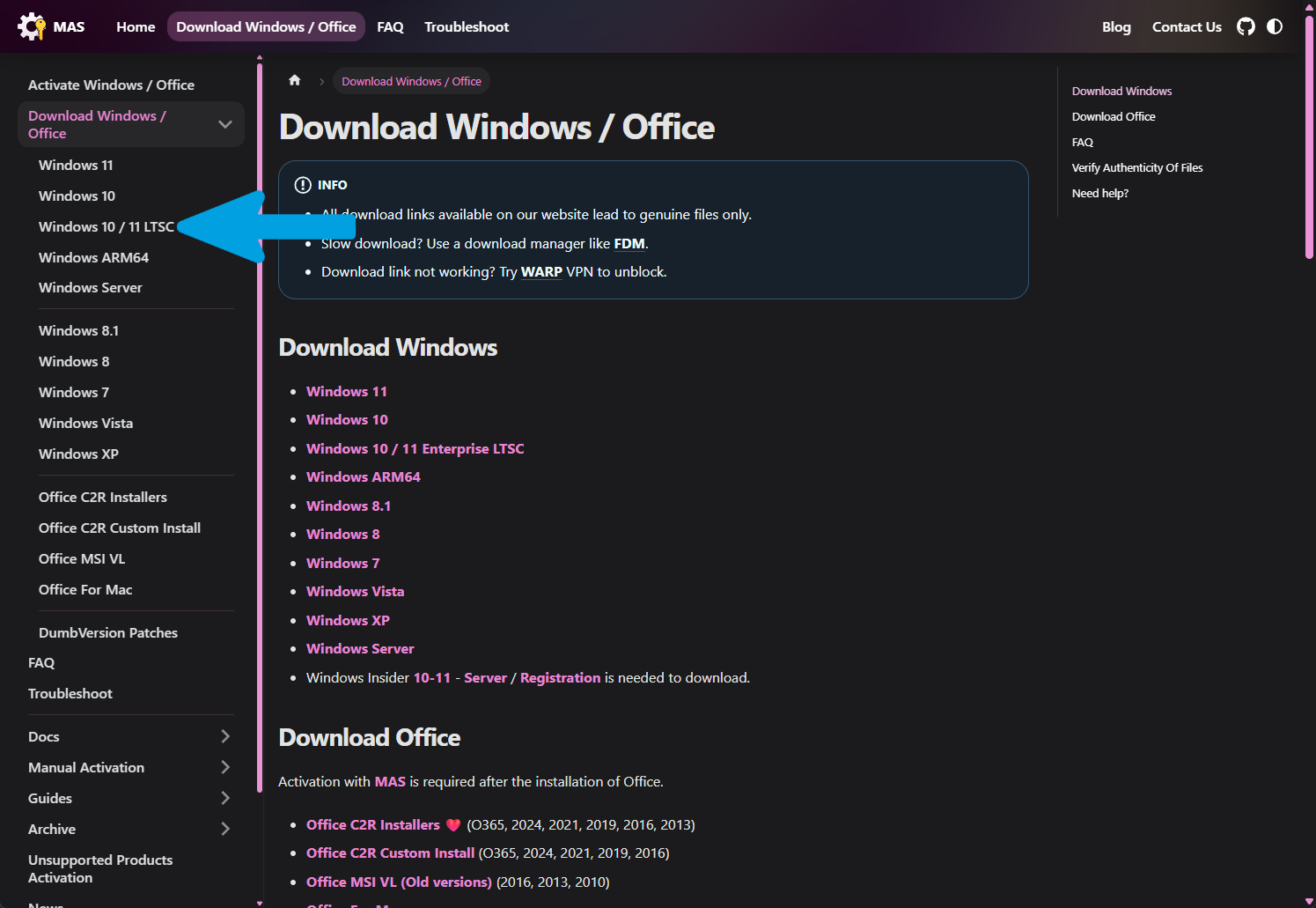
Step 3
Select Windows 11 LTSC 24H2 (or the latest available version) and download it using the first link. The installation will be in English by default, but you can easily change the operating system language later.
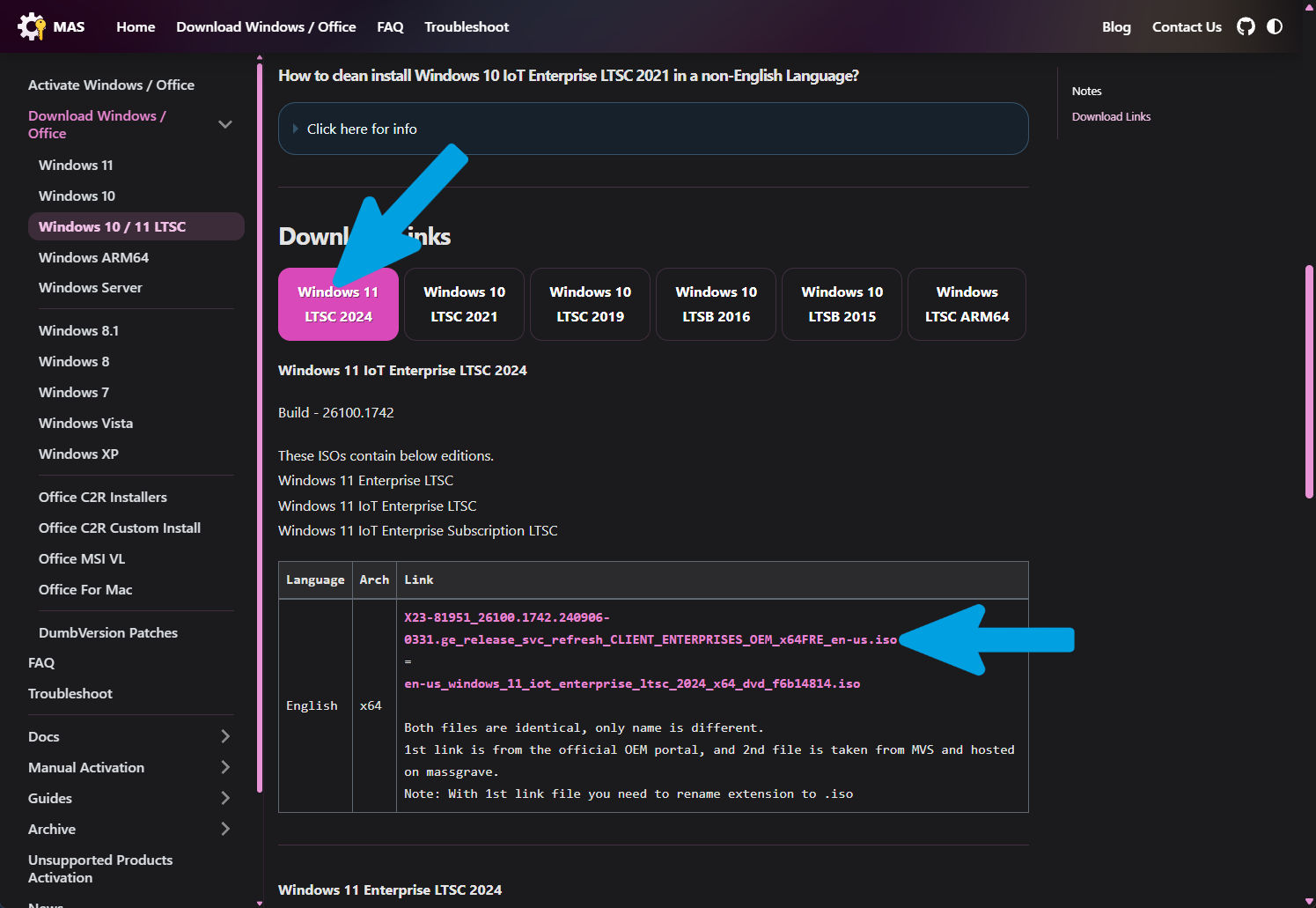
Step 4
Wait for the ISO download to finish completely.
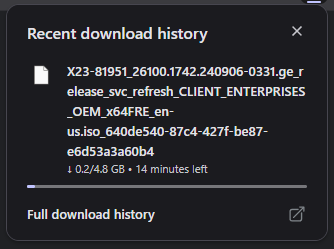
Step 1
Open any search engine and type "download Windows 11".
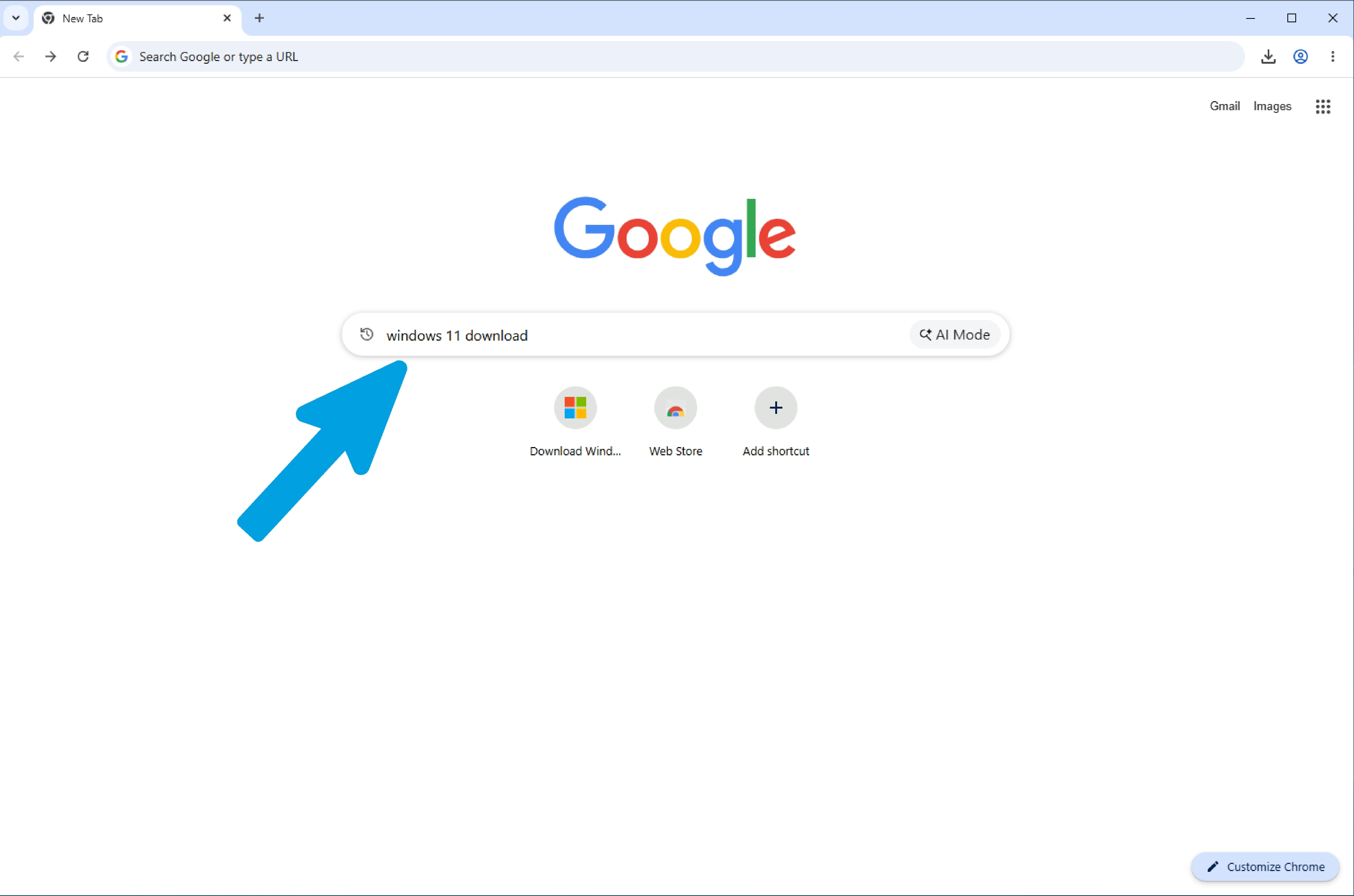
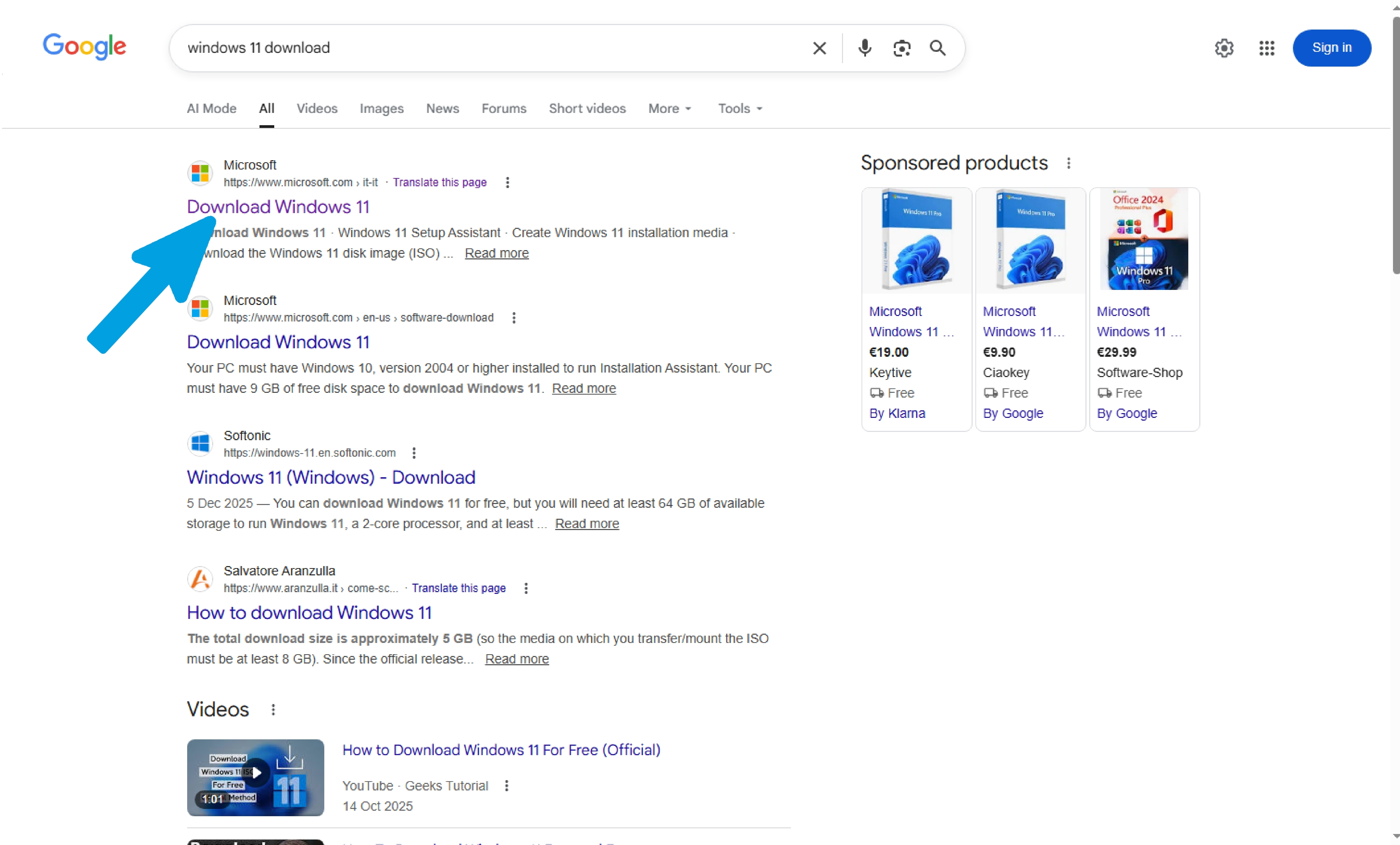
Step 3
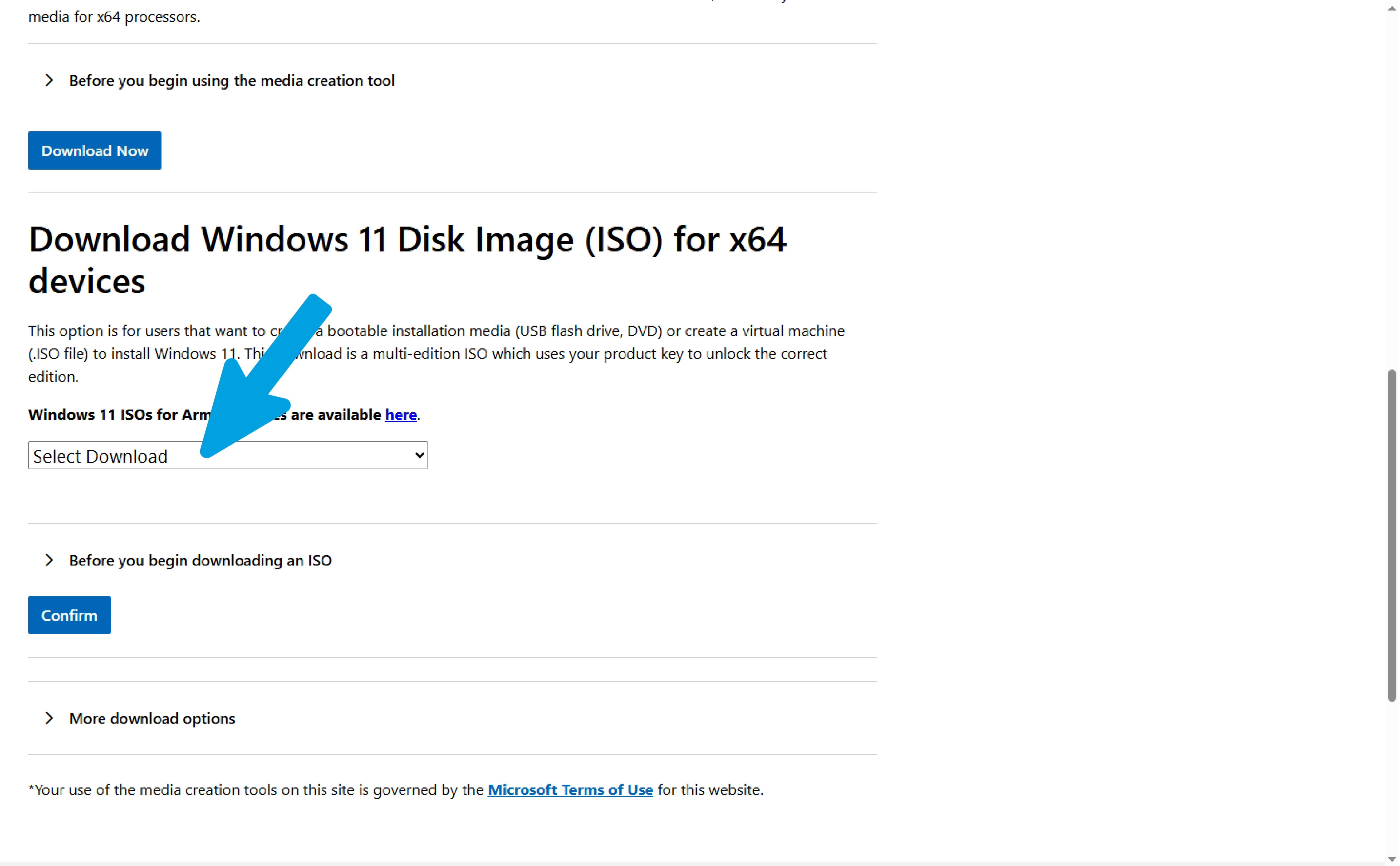
Scroll down the page.
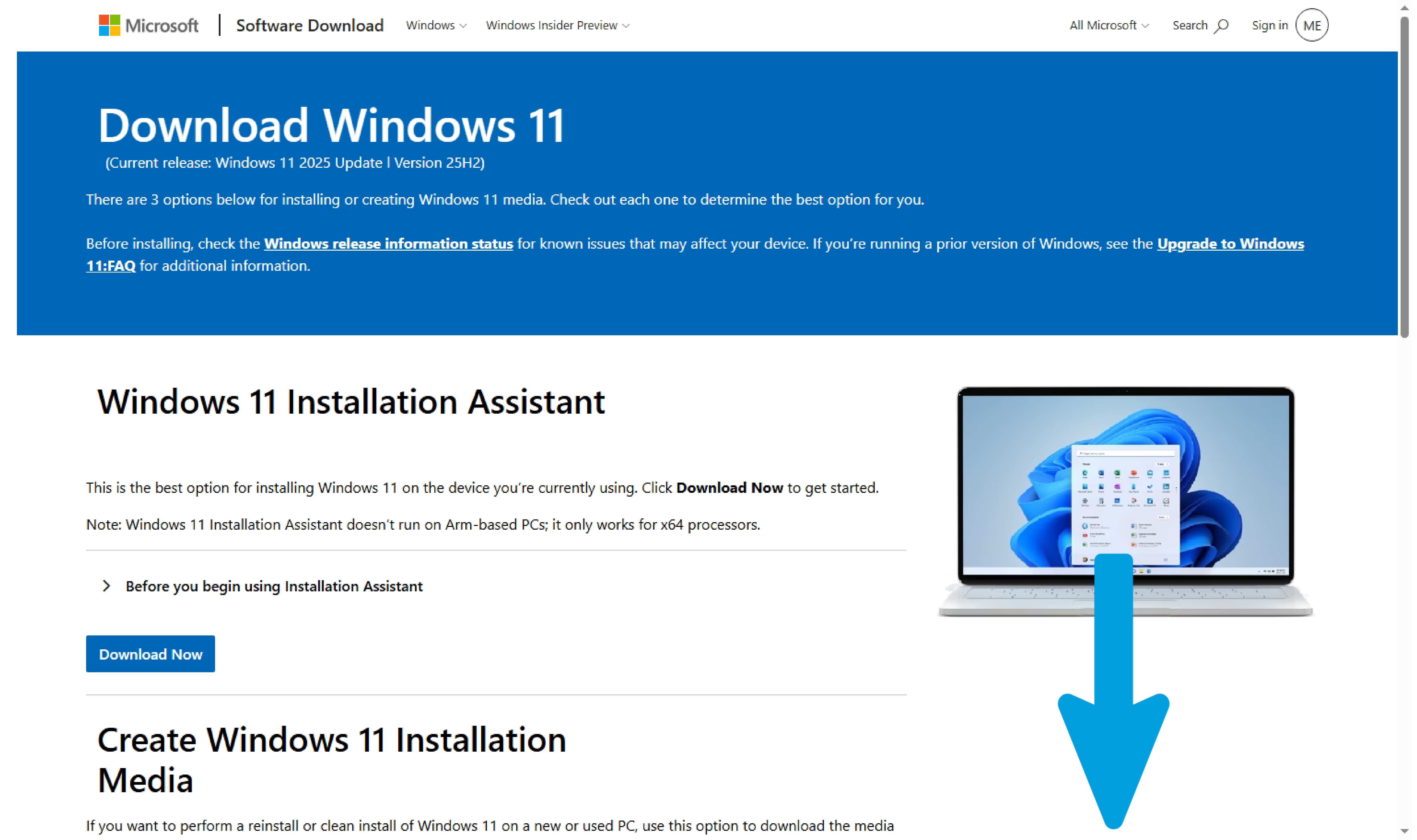
Step 4
Find the ISO download section and click the "Select Download" drop-down menu.
Step 5
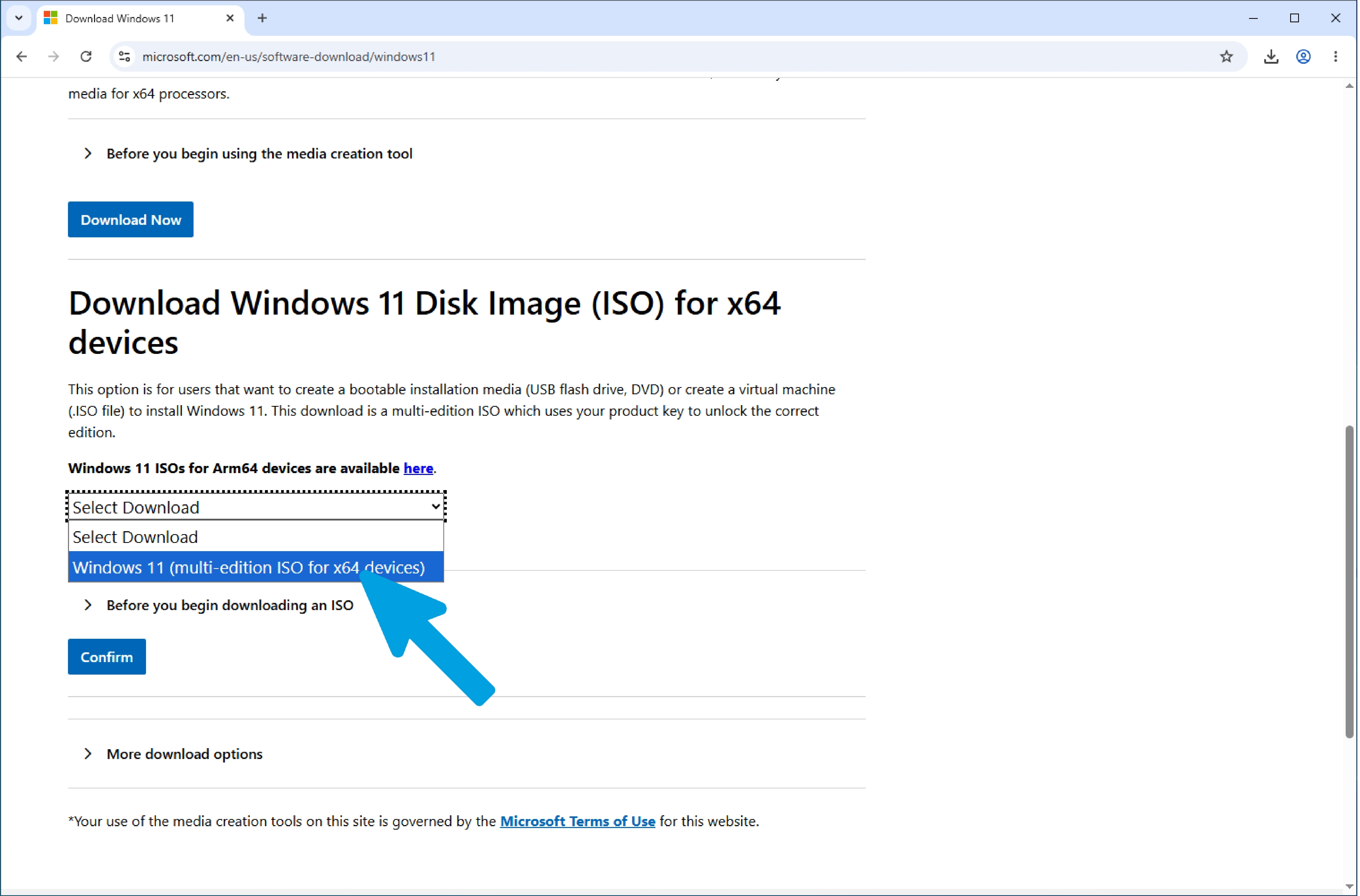
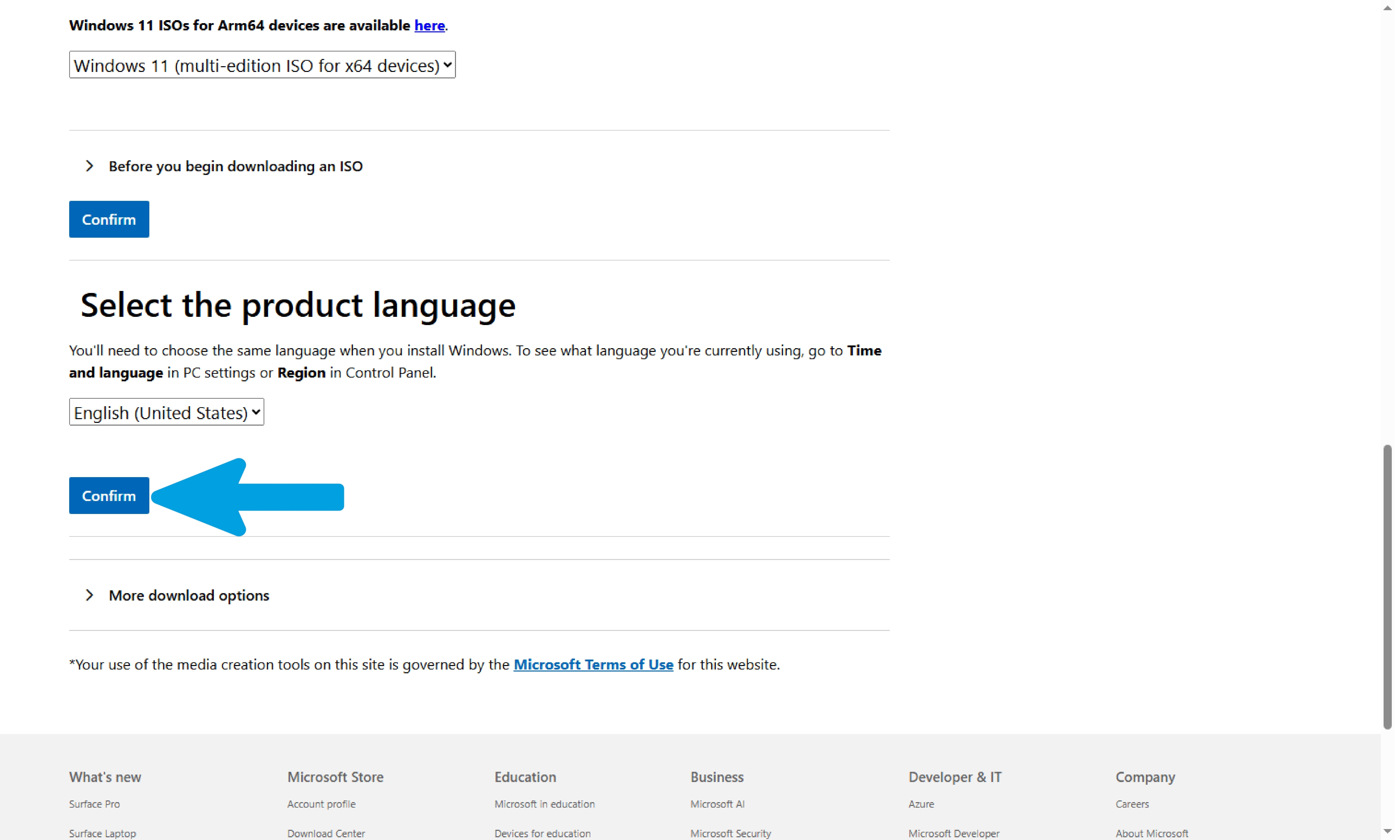
Select "Windows 11".
Step 6
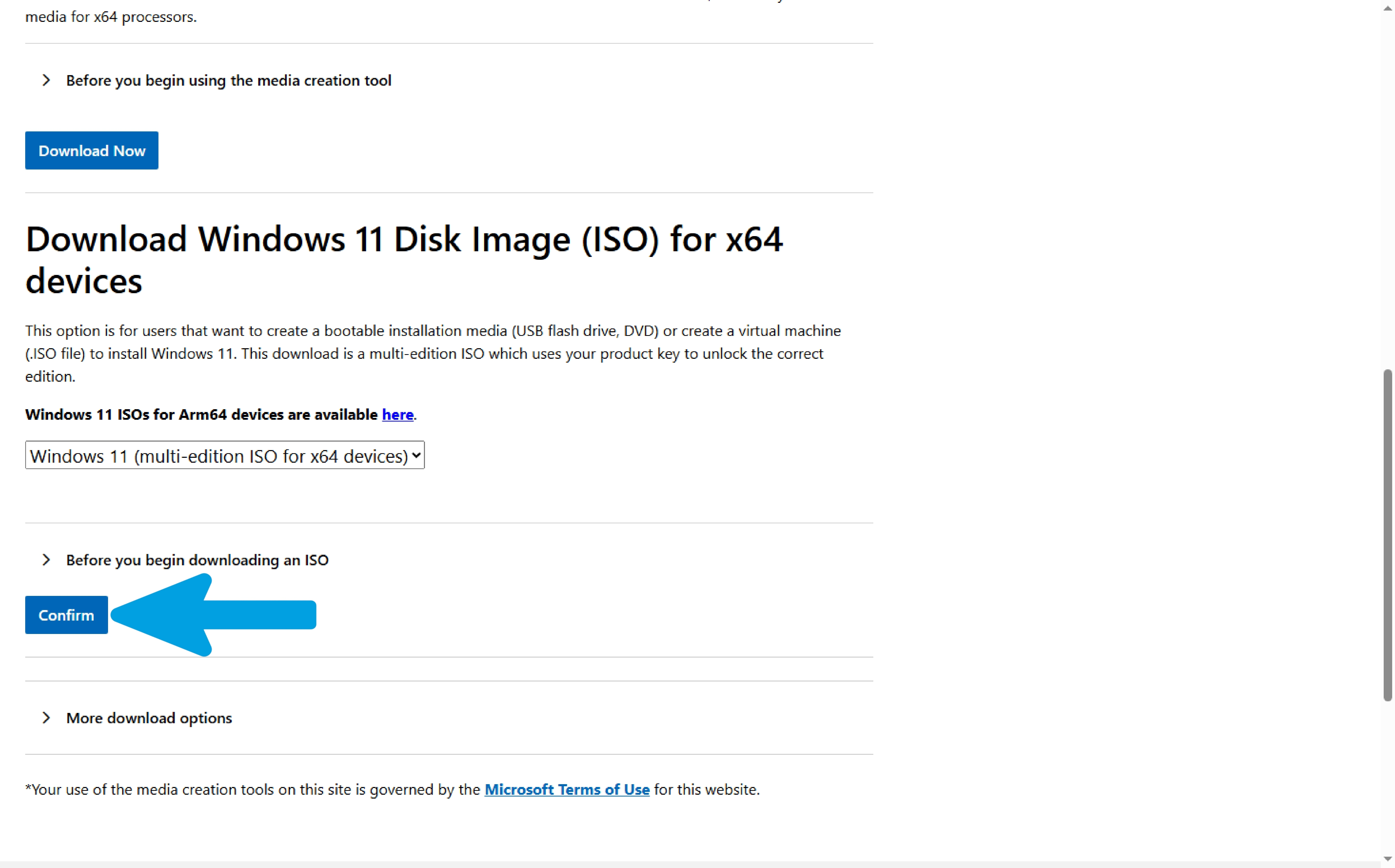
Click "Confirm".
Step 7
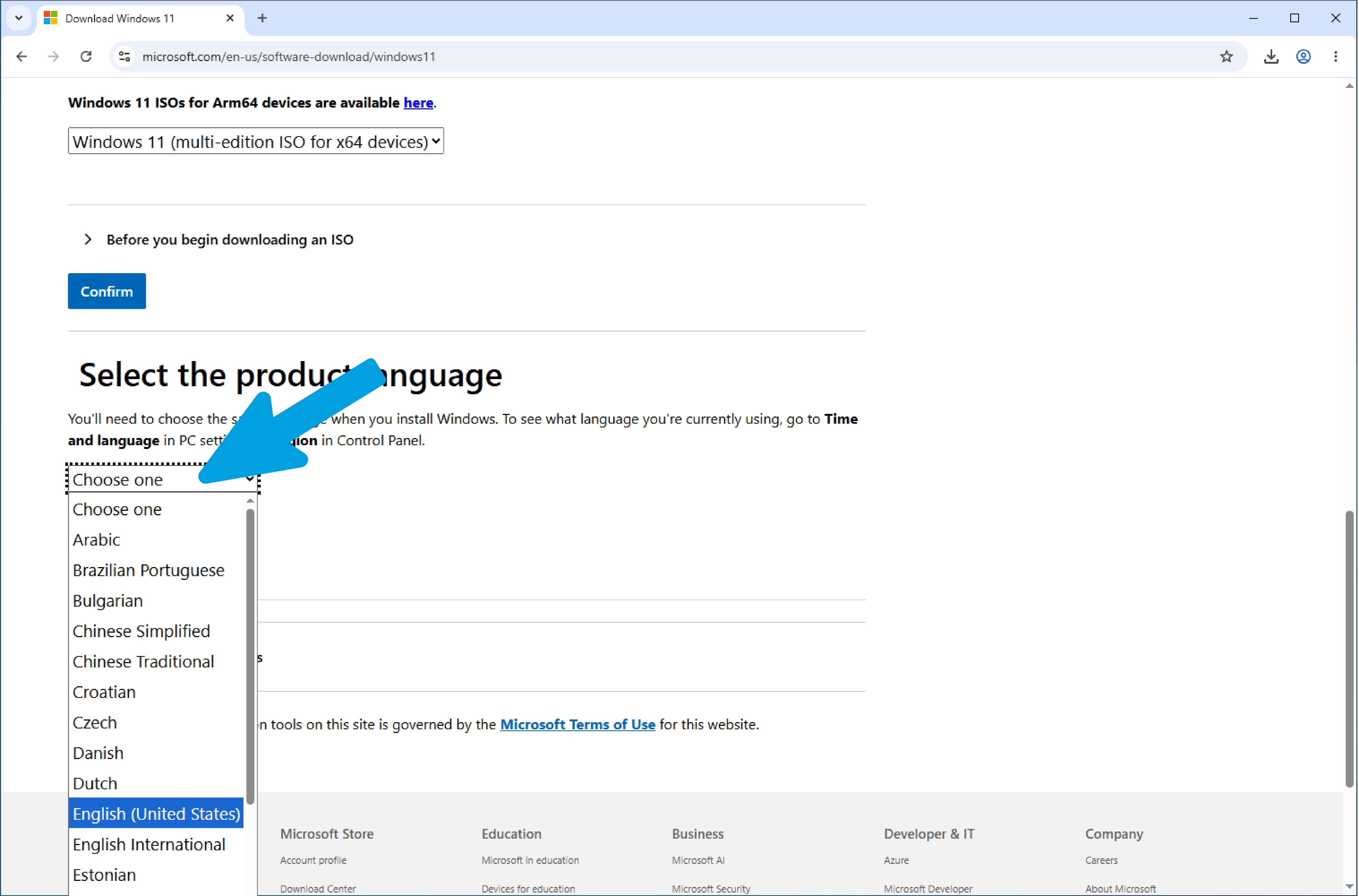
Choose your region and language by opening the drop-down menu and selecting your preferred option.
Step 8
Click "Confirm" again.
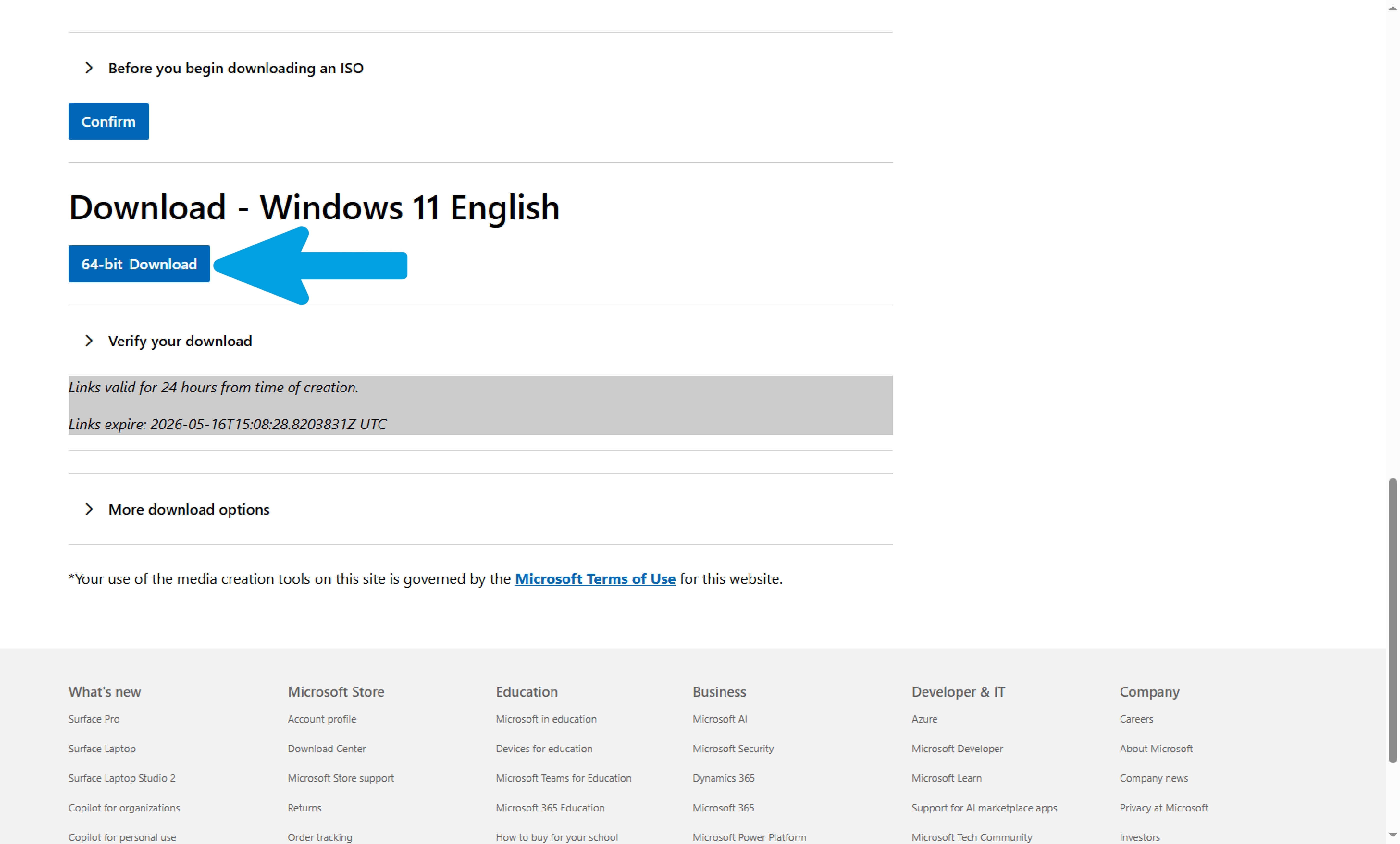
Step 9
Click "64-bit Download" to start downloading the ISO file.
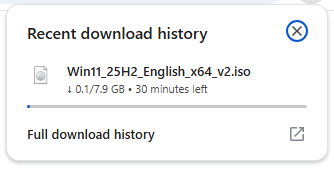
Step 10
Wait for the ISO download to finish completely.
Windows 10 Setup
This guide is dedicated to installing Windows 10 using a USB flash drive. Keep in mind that we will have to definitively decide whether to format the drive using diskpart or install the OS on a different partition.
Step 1
Wait for the USB drive to load until the setup appears. Choose the language, time and currency format, and keyboard input method according to your preferences, then click "Next".
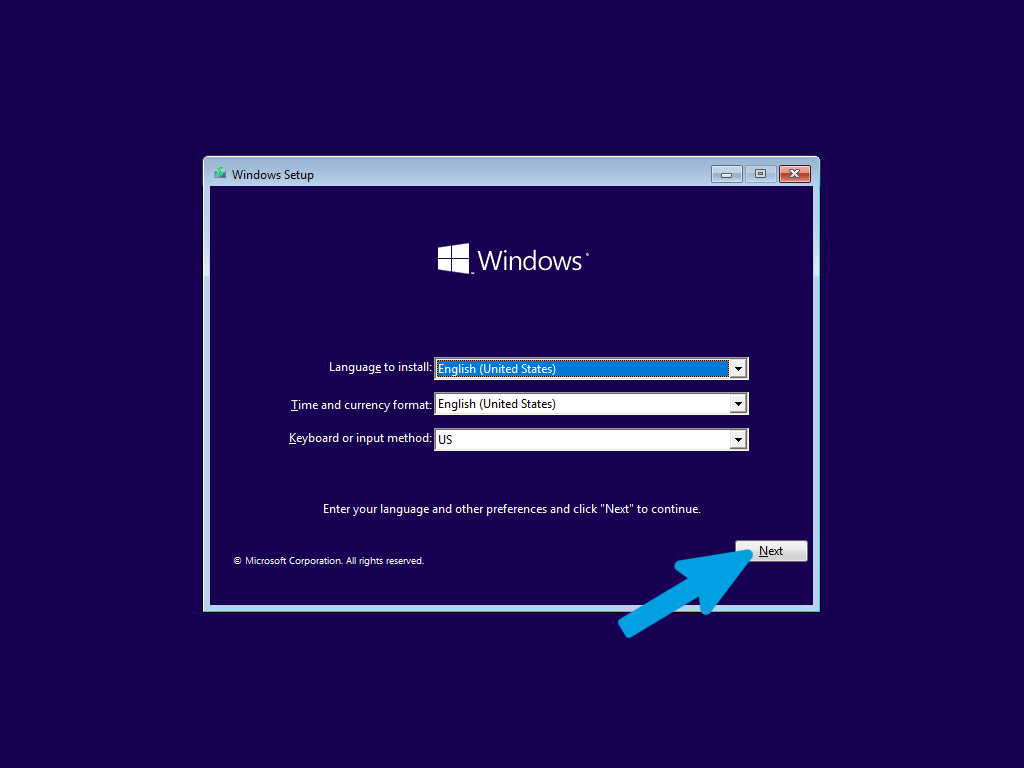
Step 2
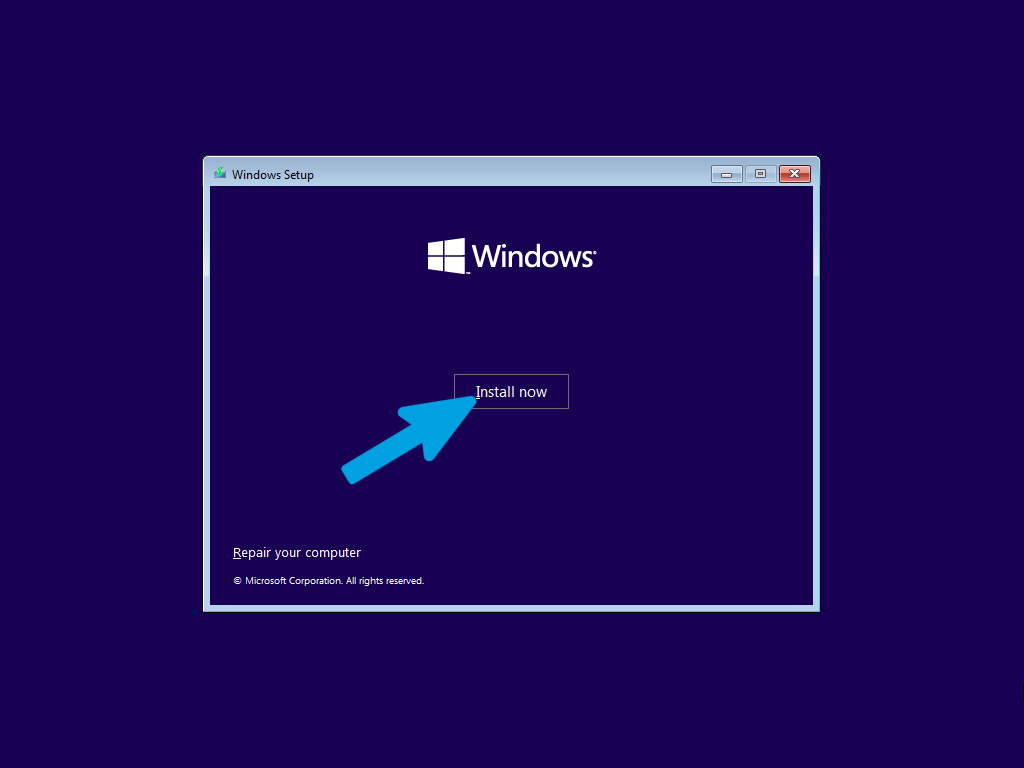
Click on the "Install now" button.
Step 3
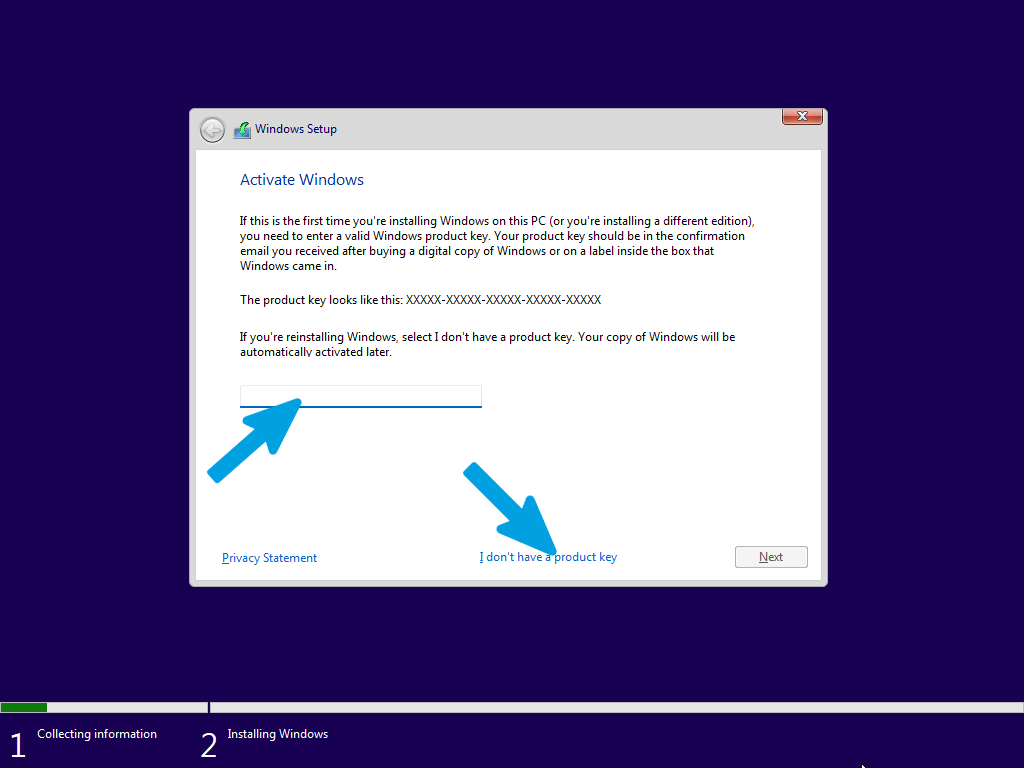
If you have a Windows license, you can enter it here and then click "Next". If you have previously activated Windows with a digital license, or if you don't have a license, you can click directly on "I don't have a product key" to continue.
Step 4
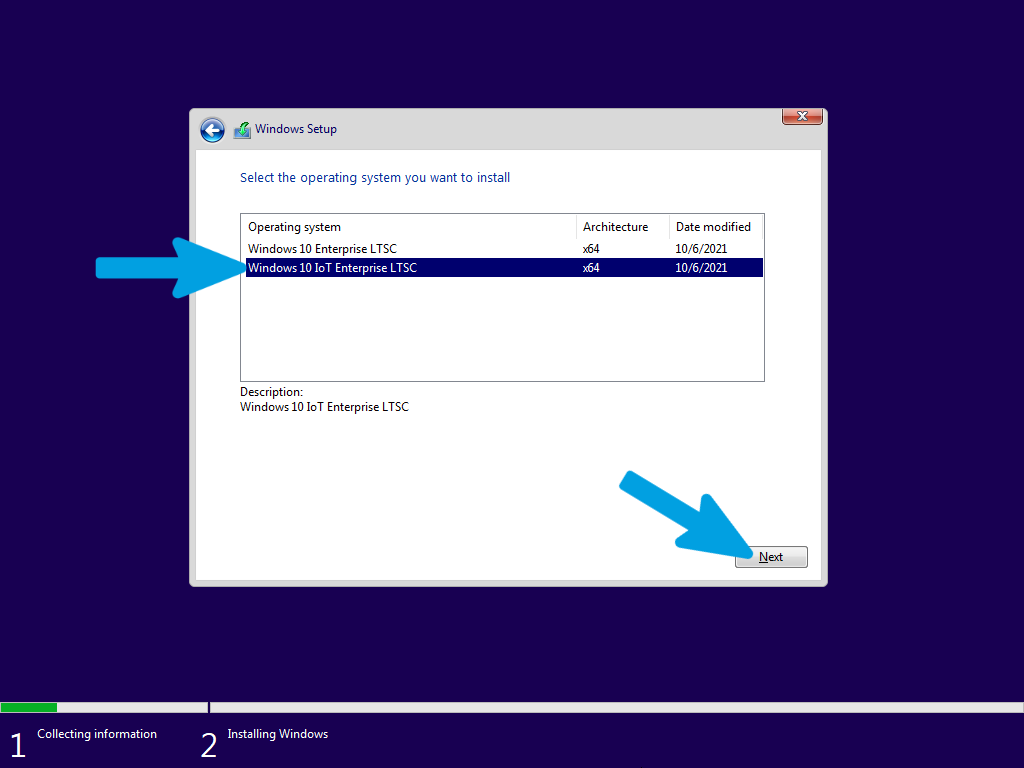
Choose the Windows edition. For LTSC, select "Windows 10 IoT Enterprise LTSC" to have the minimal, enterprise-grade experience.
Step 5
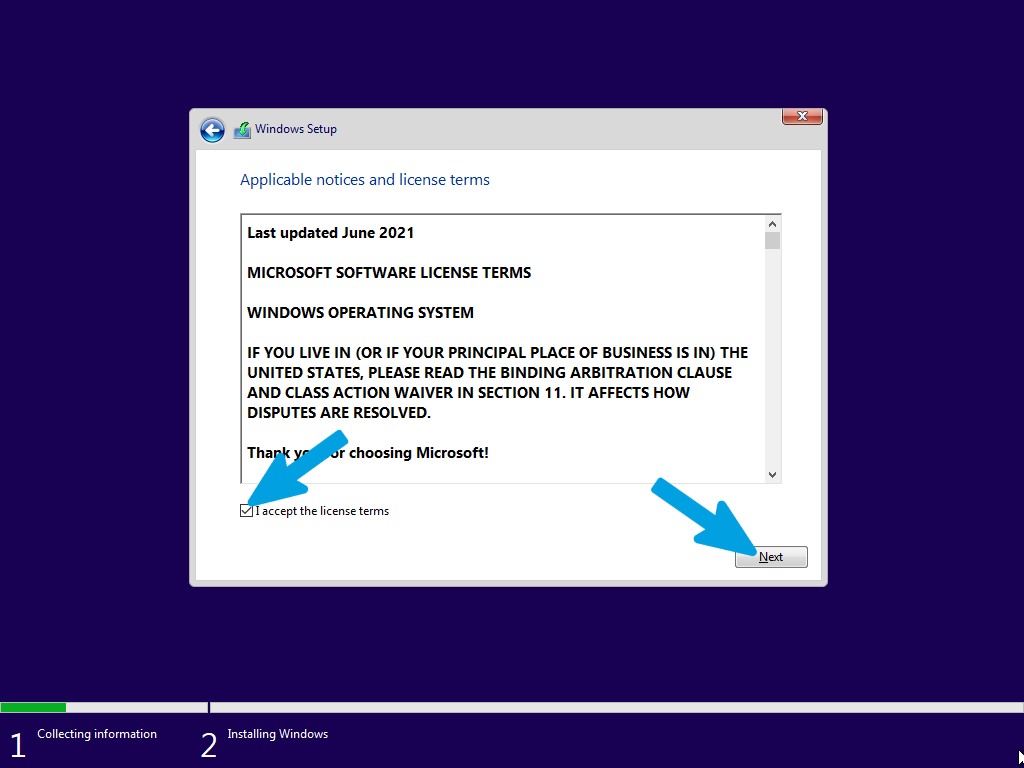
Accept the license terms and continue by clicking "Next".
Step 6
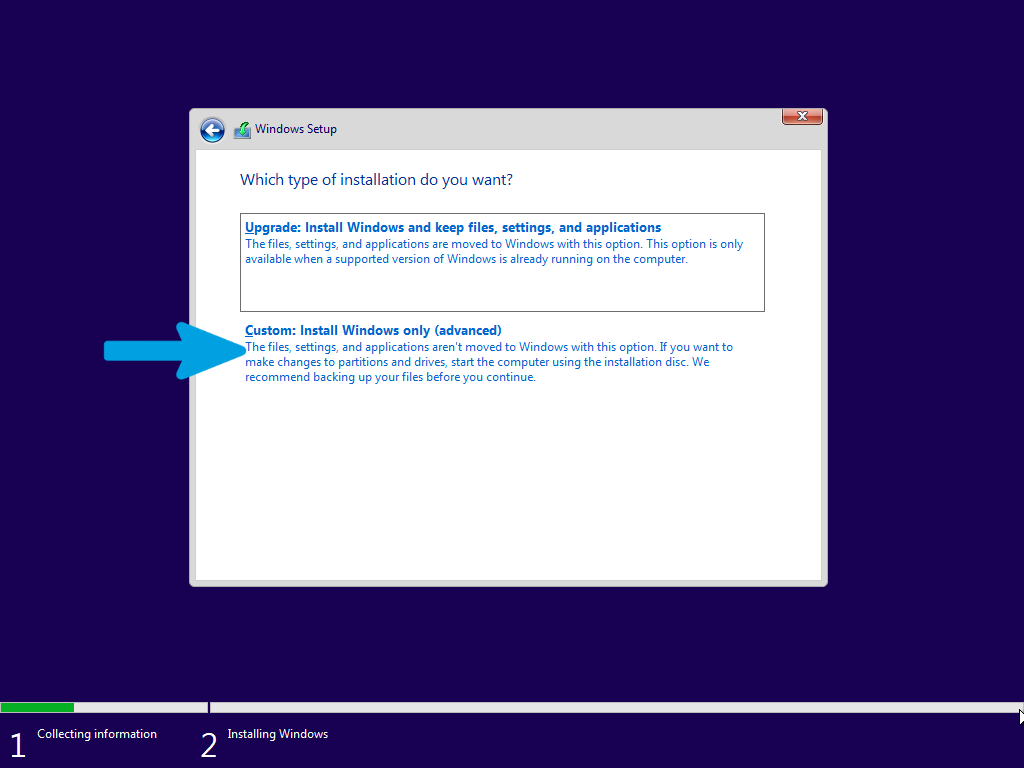
Click on the "Custom: Install Windows only (advanced)" button to manage the installation and decide where and how to install Windows cleanly.
Step 7
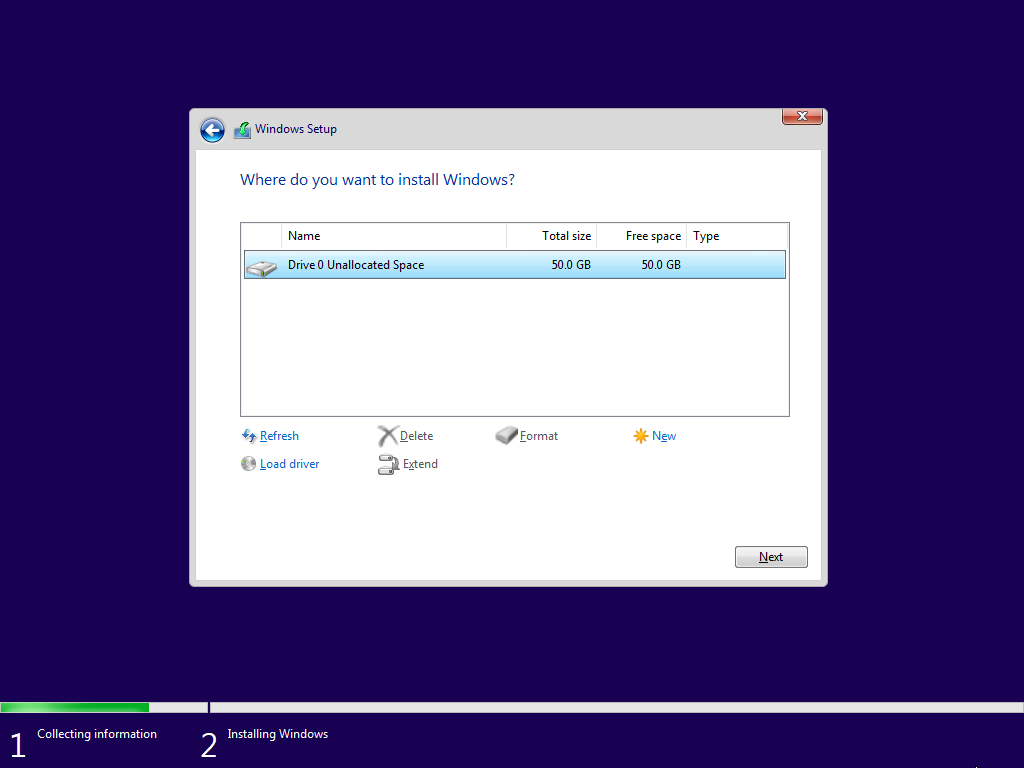
Here we have the disk section: if you planned a dual boot or an installation on an already clean secondary disk, select the empty partition you created and click "Next". In the case of a disk to be formatted, go to the next step.
Step 8
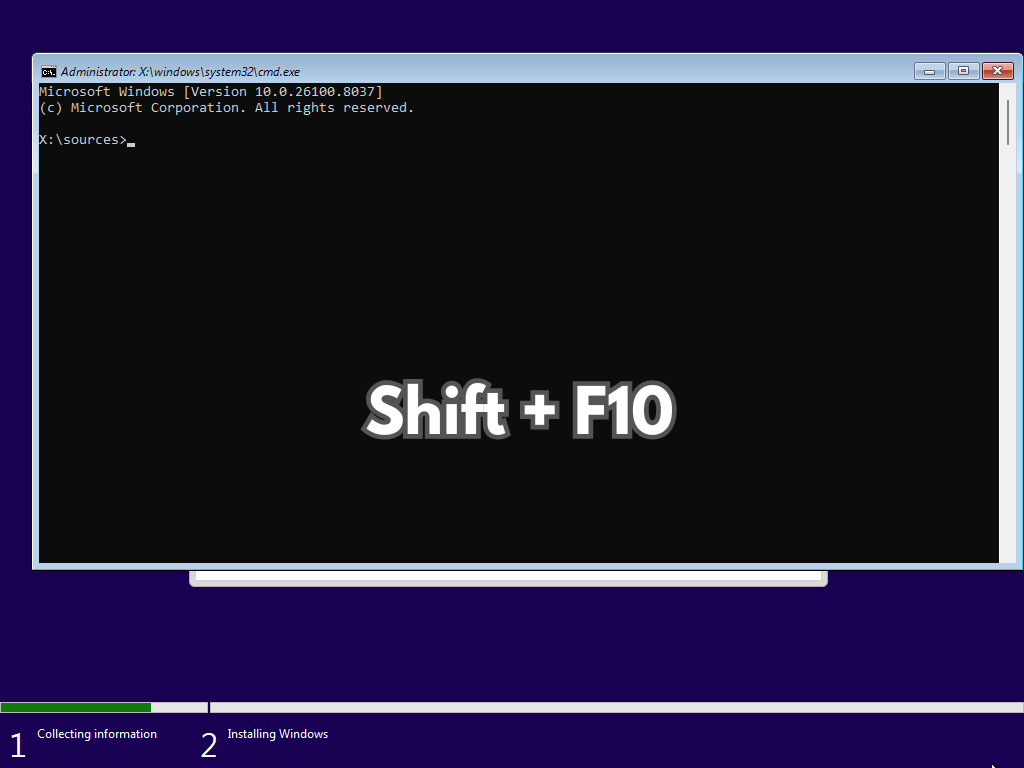
If you need to completely format the primary drive, erasing all data and partitions, press SHIFT + F10 during setup to open the Command Prompt.
Follow the instructions in the next steps carefully and precisely to avoid mistakes.
Step 9
Type the following command and press Enter to open the specific disk management tool:
diskpart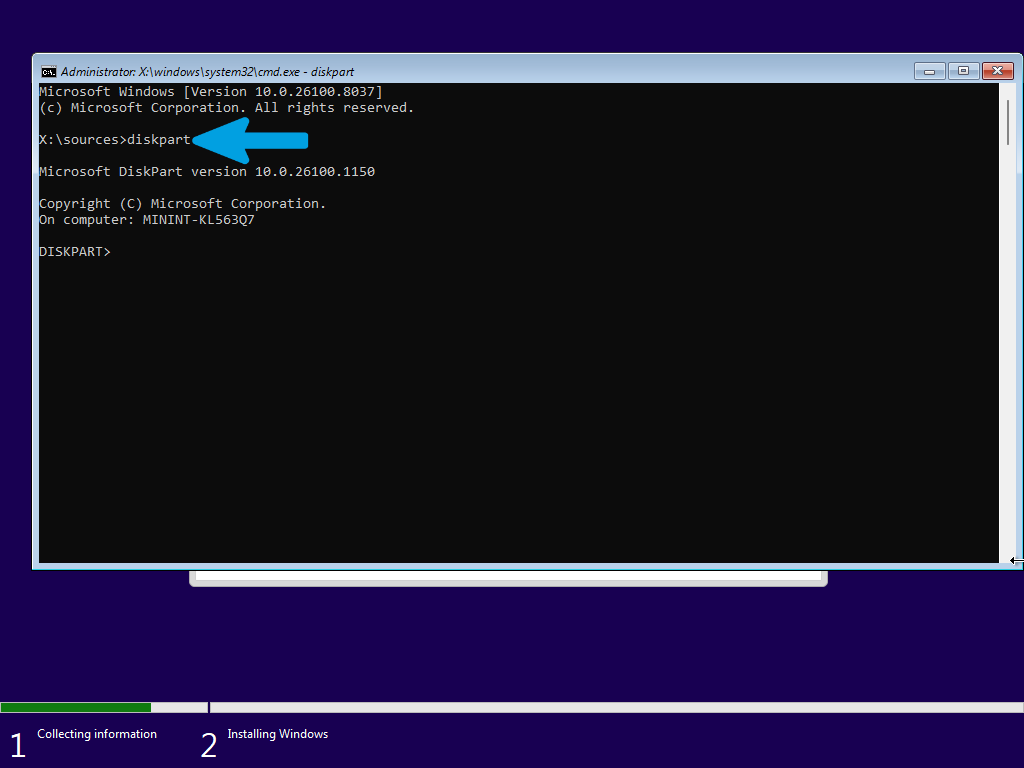
Step 10
Type the following command and press Enter to display all drives (hard drives, SSDs, USB drives) currently connected to the computer:
list disk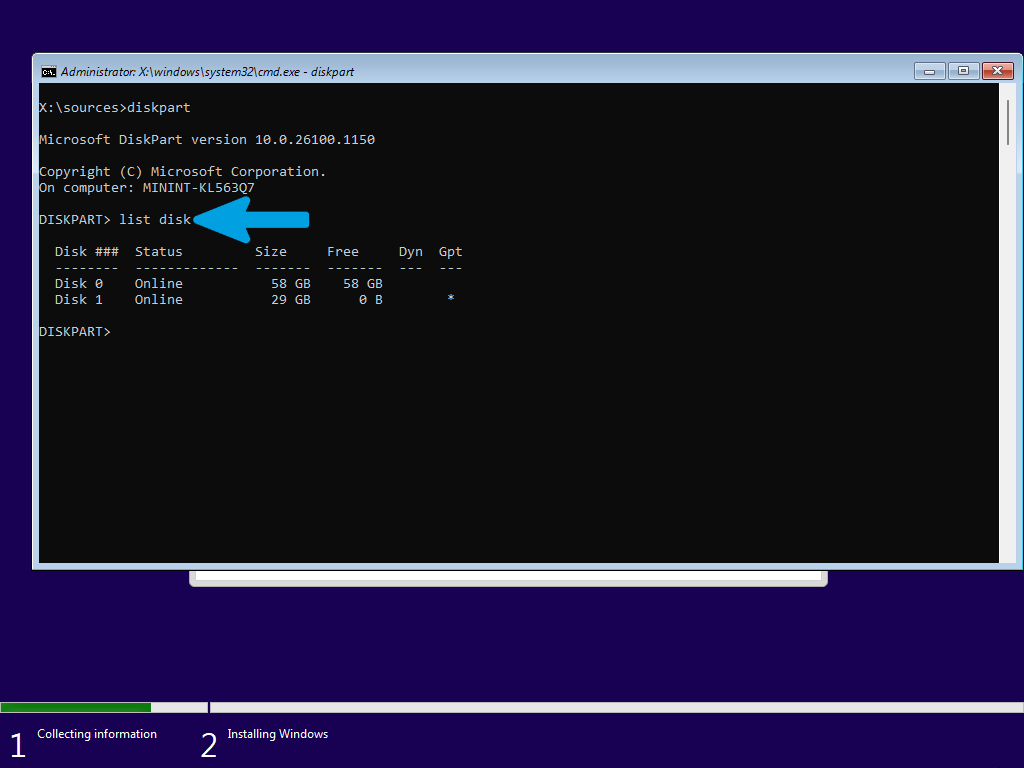
Step 11
Once identified, type the following command (replace 0 with your drive number, if different) and press Enter:
select disk 0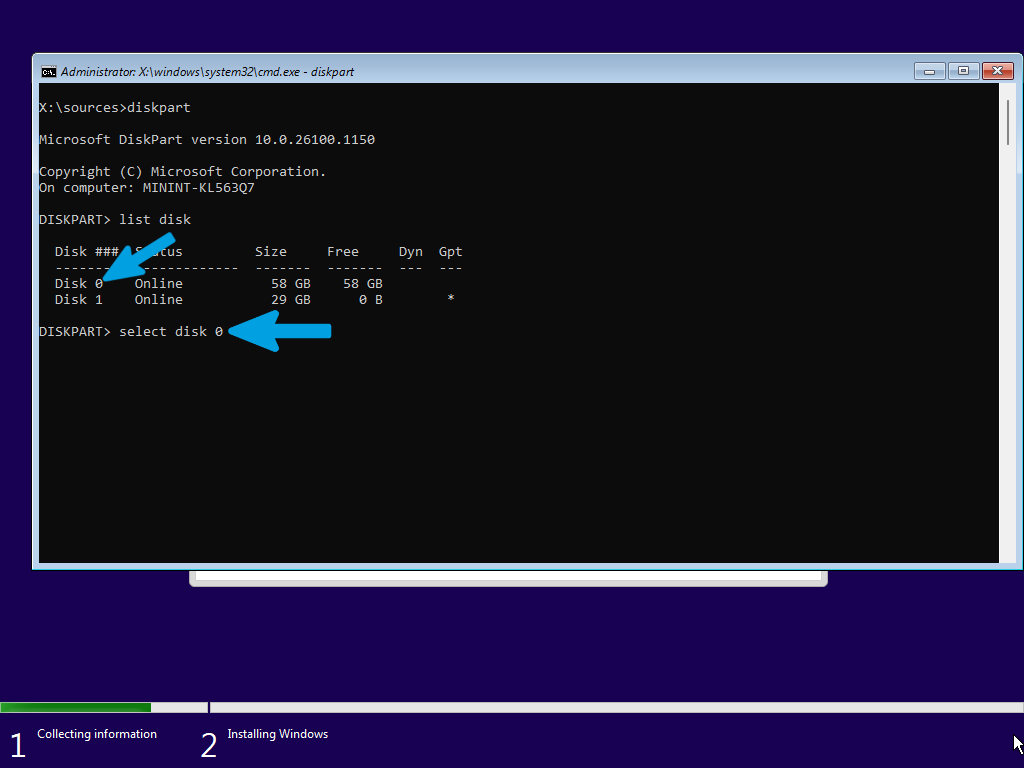
Step 12
Type the following command and press Enter to wipe the drive:
clean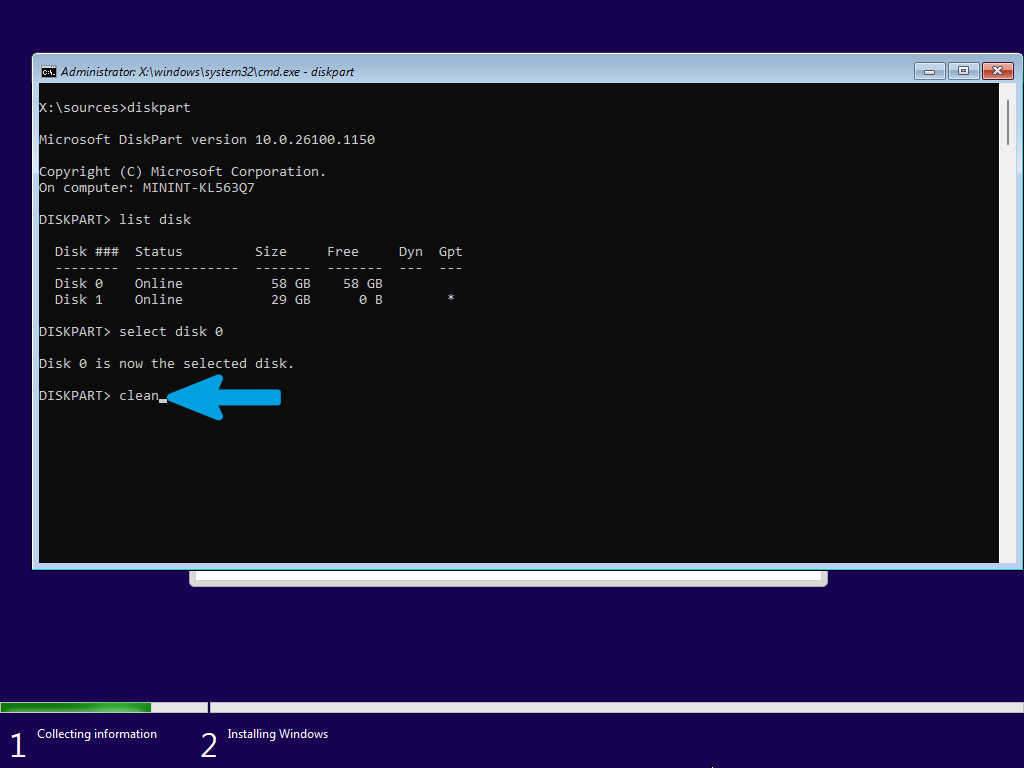
Step 13
Once the cleanup is complete, you can close the Command Prompt window (by clicking the X or typing exit).
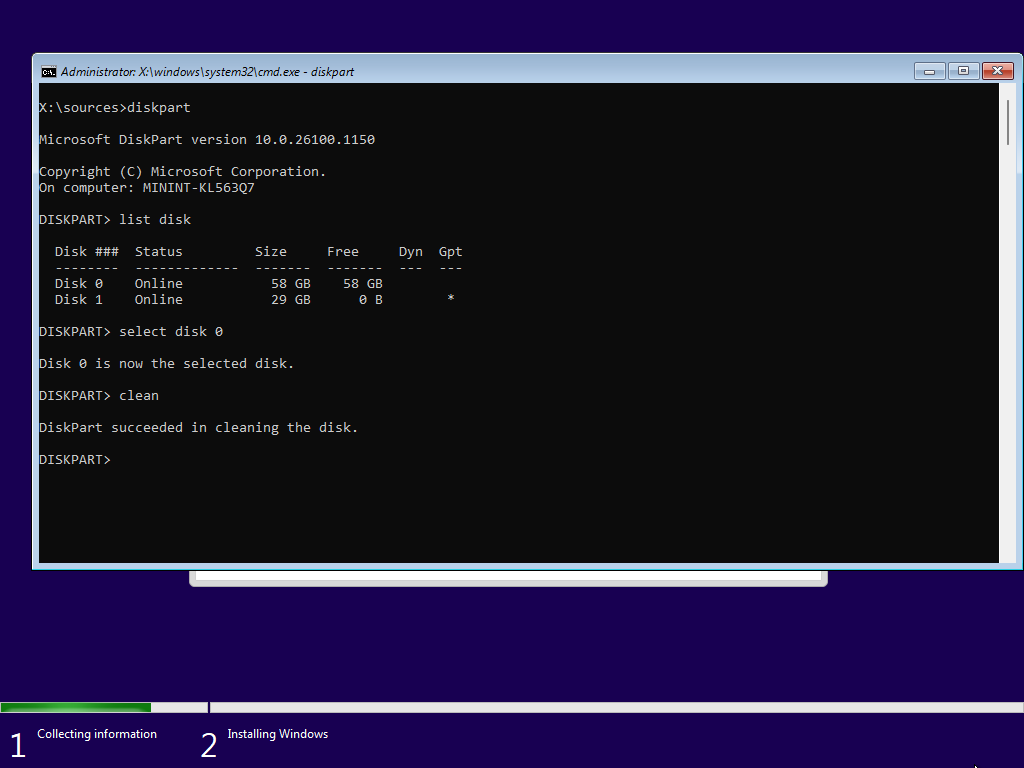
Step 14
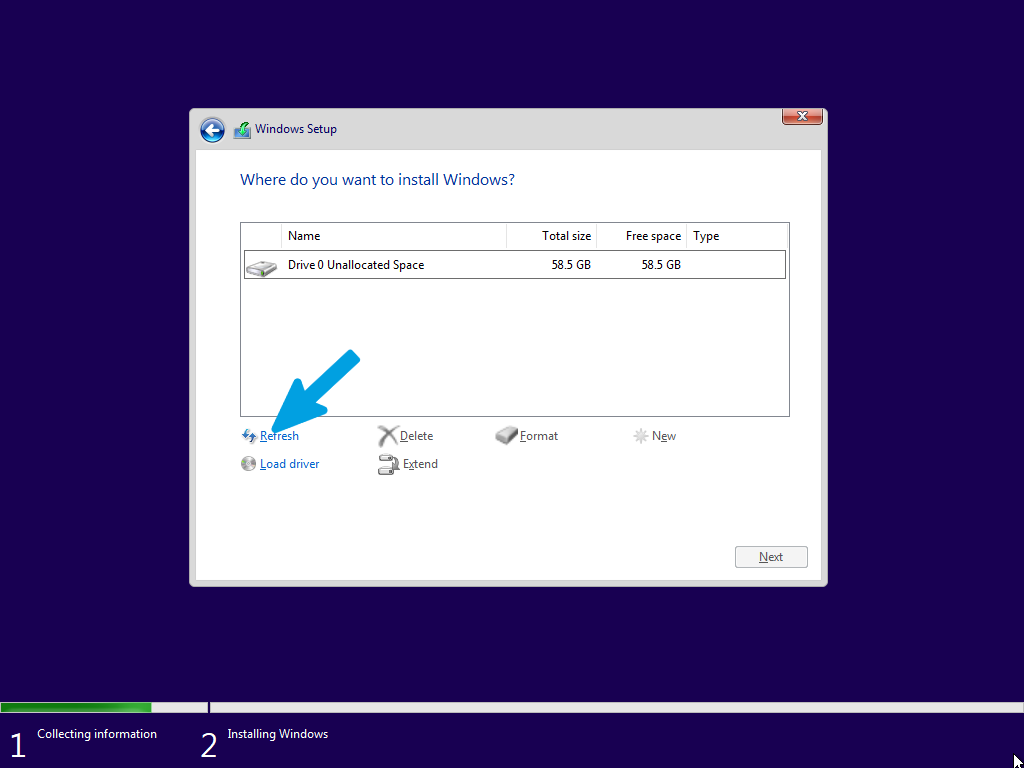
Return to the Windows Setup screen, click Refresh to reload the drive list, and select the newly wiped unallocated space to proceed with the installation.
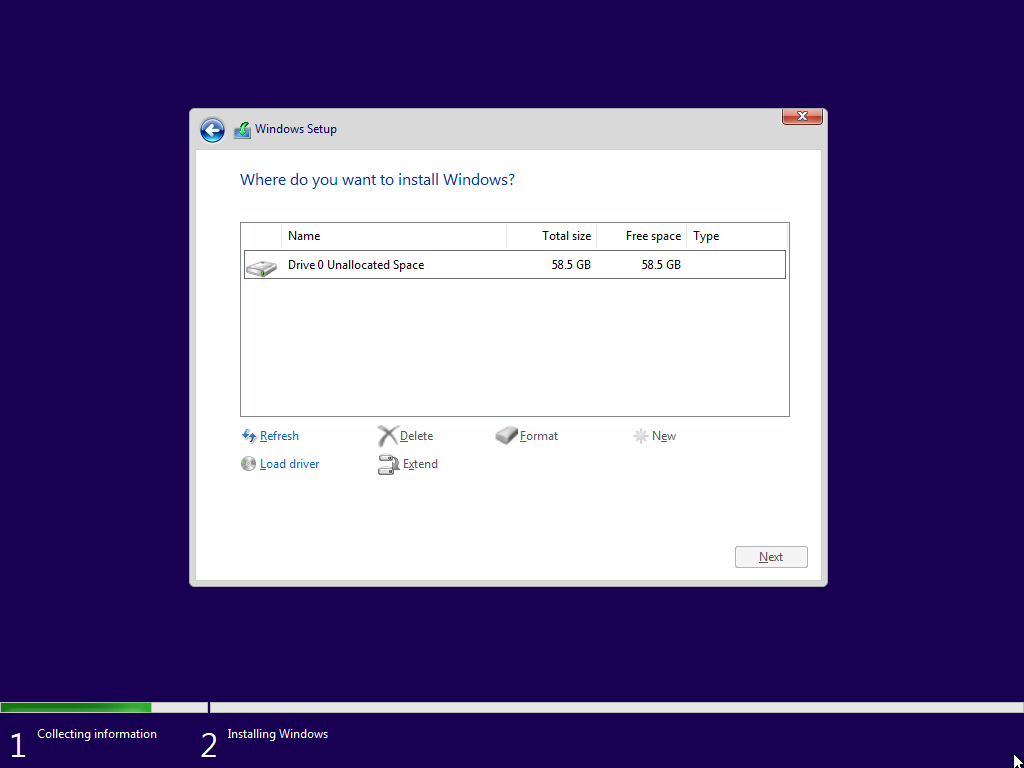
Step 15
Now carefully select the newly formatted drive where Windows 10 LTSC will be permanently installed. Make sure to choose the correct one.
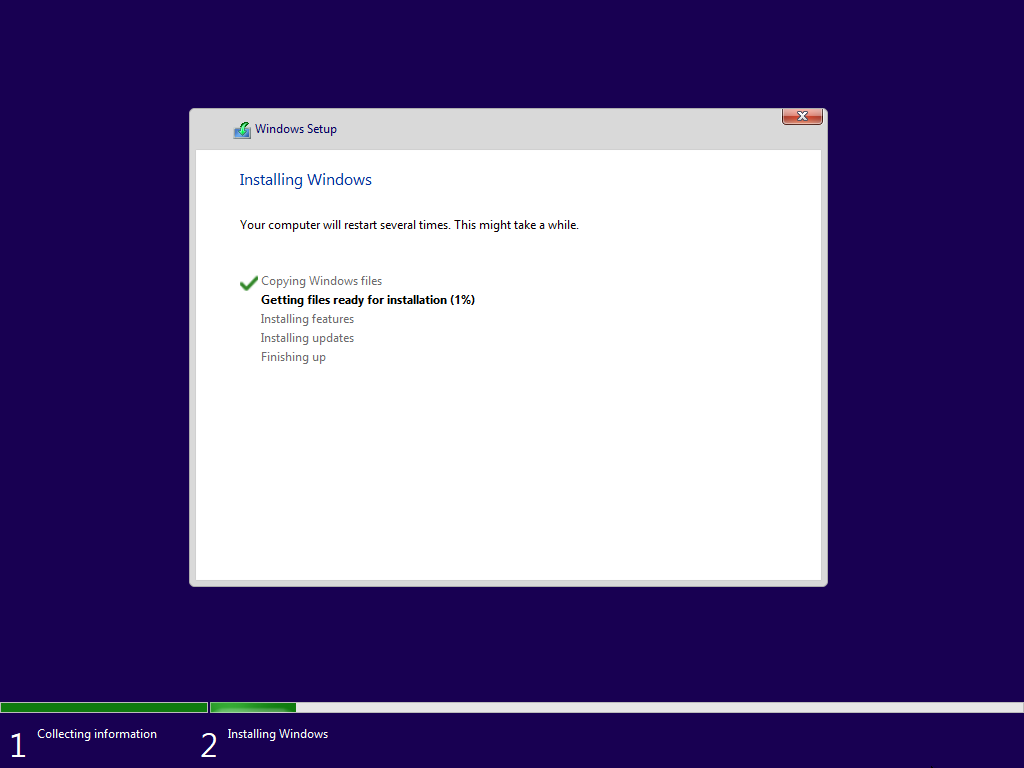
Step 16
Wait until the installation is finished without touching or ejecting the USB drive, and without canceling the installation.
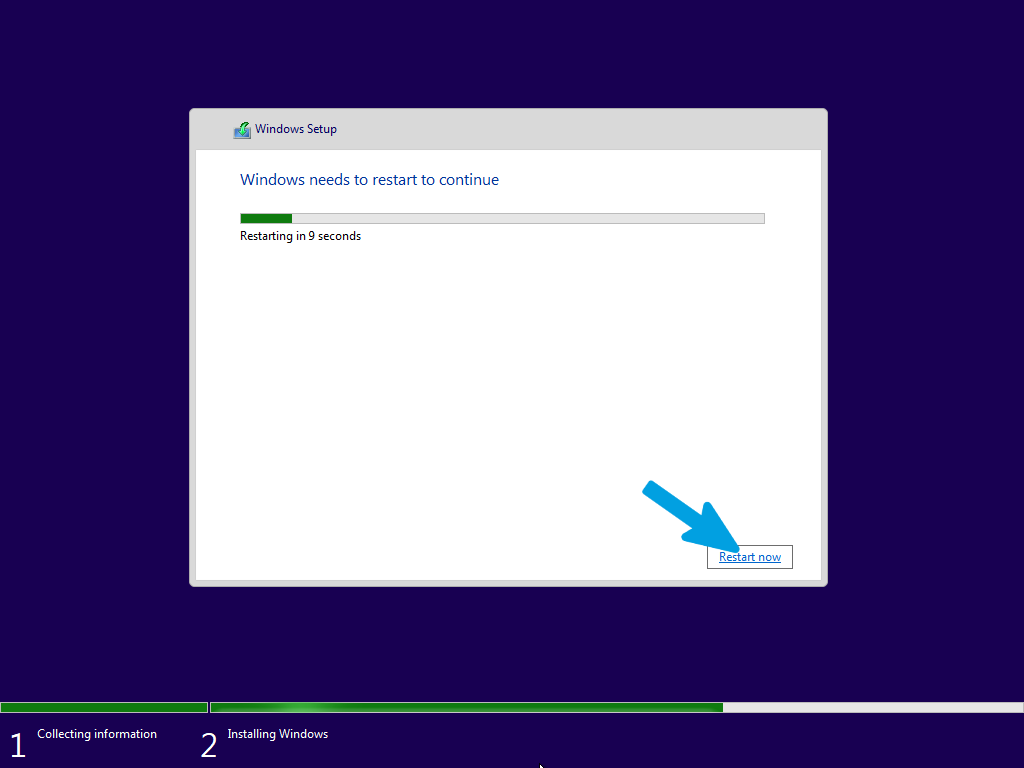
Step 17
As soon as it finishes, click the "Restart Now" button at the bottom. Right after the restart, you can manually eject the USB drive to prevent the PC from entering the Windows setup again. Alternatively, set the Windows Boot Manager as the primary boot option in the BIOS.
Step 18
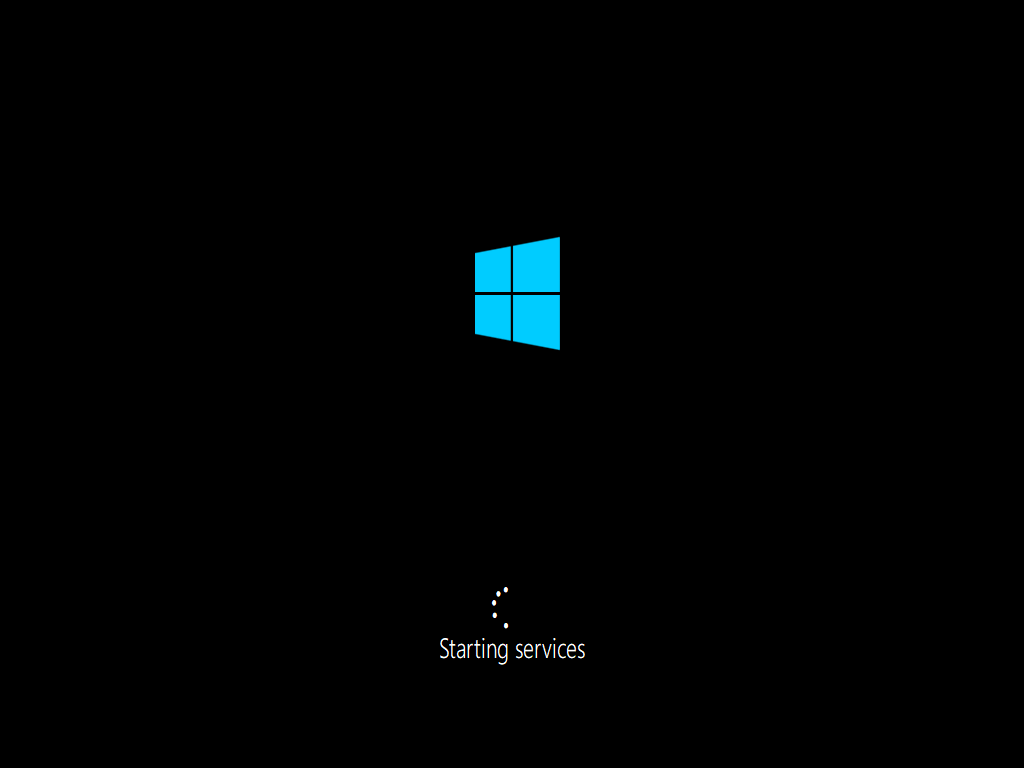
Wait for the system to boot up and configure itself automatically, without turning off the computer or performing other operations.
Step 19
Next up is the initial Windows setup (OOBE). For LTSC, the setup process is streamlined and will skip many consumer-focused screens. If it asks you to set up your network, just connect with an Ethernet cable or select your Wi-Fi network and enter the password. If you don't have a connection available, you can simply select "I don't have internet" to set it up later.
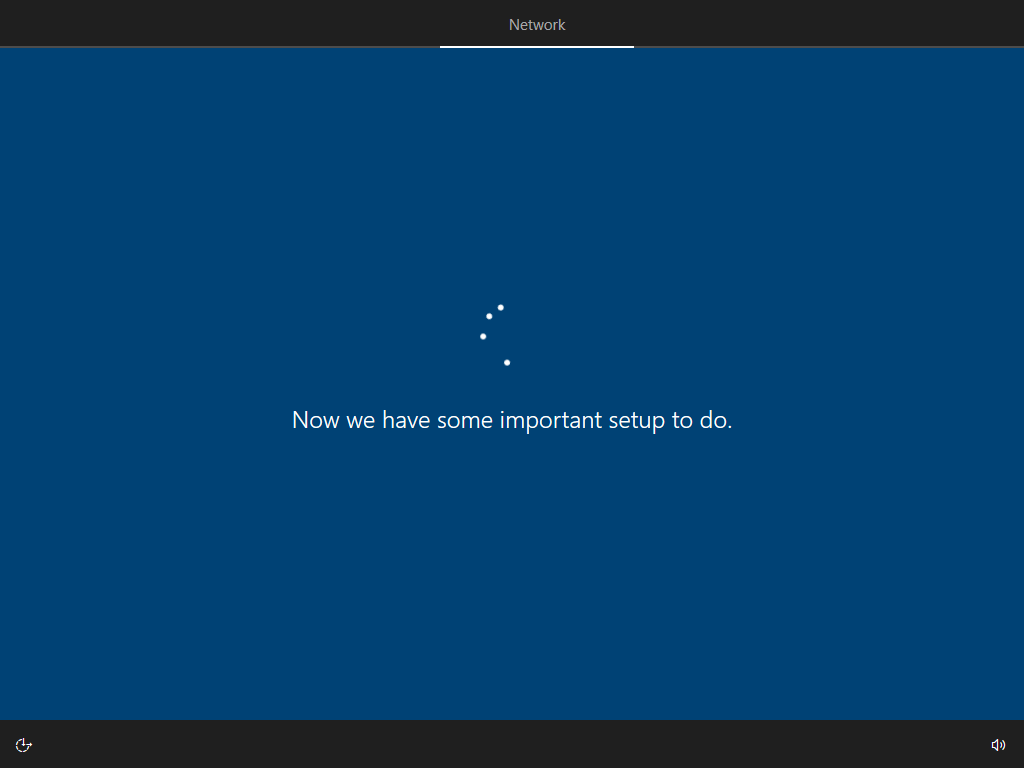
Step 20
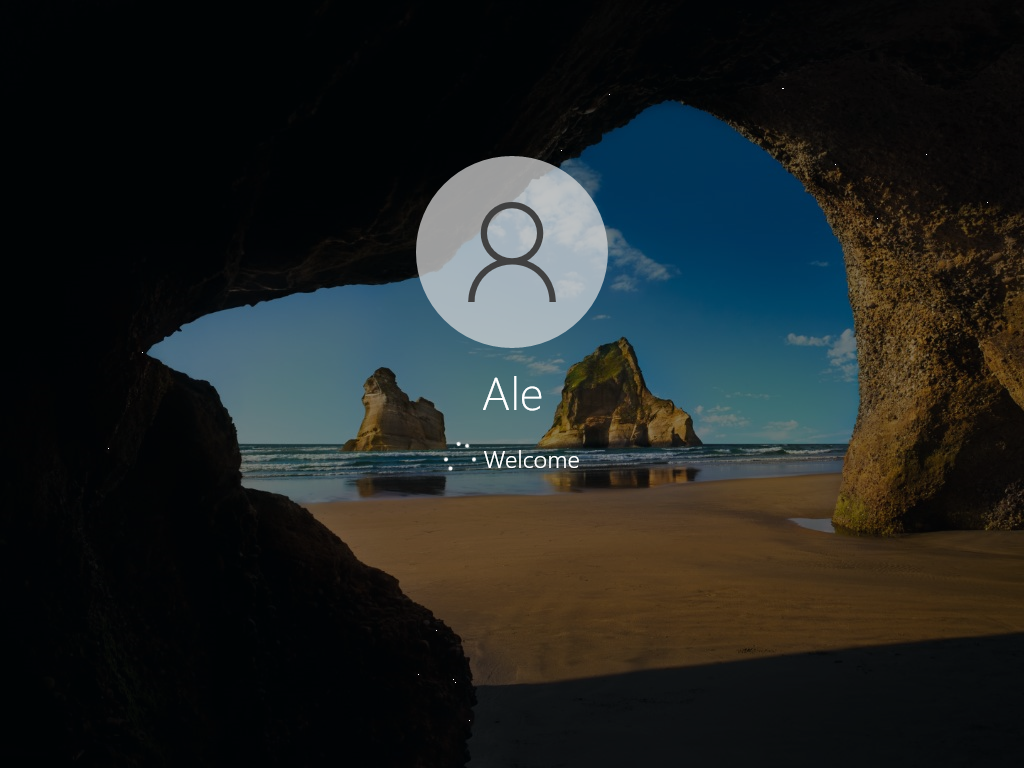
Wait for the user login to process.
Step 21
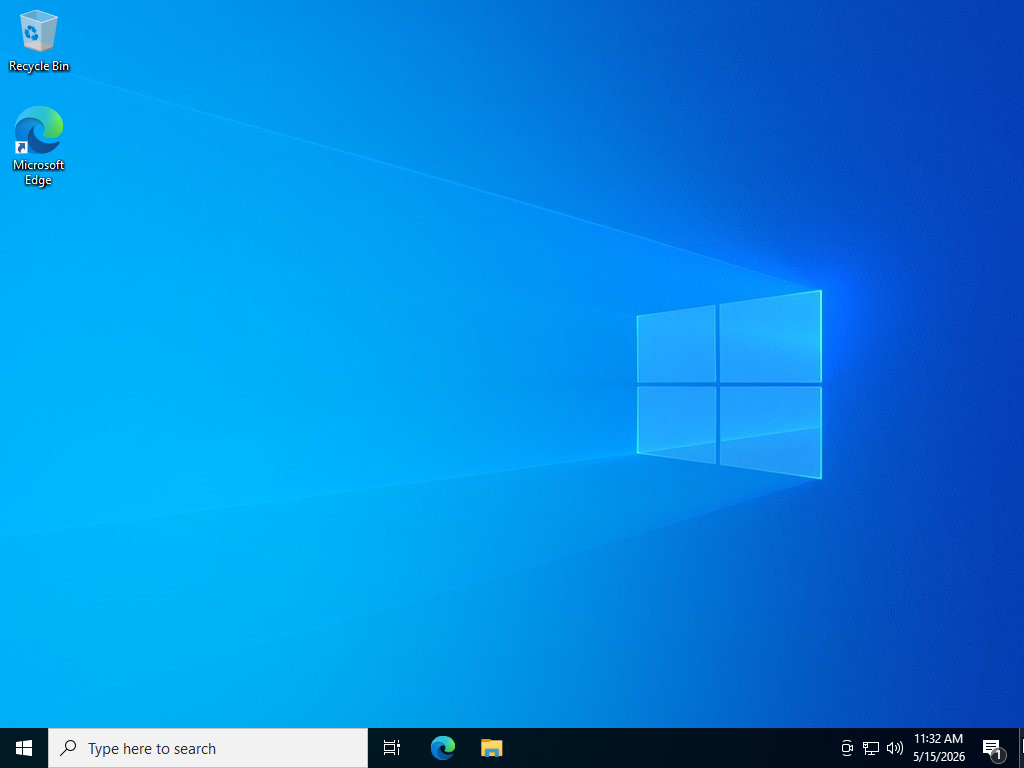
Verify that you have successfully entered the PC without encountering any errors. Then proceed through the next sections to complete the configuration and continue the optimization process.
Step 1
Wait for the USB drive to load until the setup appears. Choose the language, time and currency format, and keyboard input method according to your preferences, then click "Next".
Step 2
Click on the "Install now" button.
Step 3
If you have a Windows license, you can enter it here and then click "Next". If you have previously activated Windows with a digital license, or if you don't have a license, you can click directly on "I don't have a product key" to continue.
Step 4
Choose the Windows edition. My advice is to select the Pro version to have all features available.
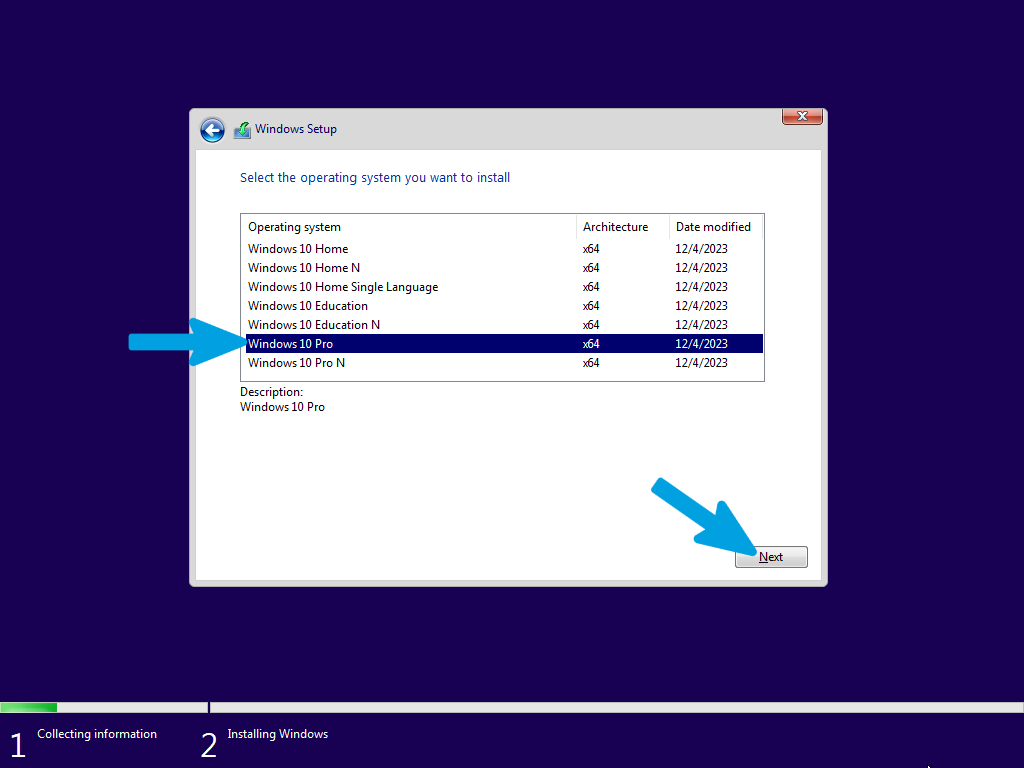
Step 5
Accept the license terms and continue by clicking "Next".
Step 6
Click on the "Custom: Install Windows only (advanced)" button to manage the installation and decide where and how to install Windows cleanly.
Step 7
Here we have the disk section: if you planned a dual boot or an installation on an already clean secondary disk, select the empty partition you created and click "Next". In the case of a disk to be formatted, go to the next step.
Step 8
If you need to completely format the primary drive, erasing all data and partitions, press SHIFT + F10 during setup to open the Command Prompt.
Follow the instructions in the next steps carefully and precisely to avoid mistakes.
Step 9
Type the following command and press Enter to open the specific disk management tool:
diskpartStep 10
Type the following command and press Enter to display all drives (hard drives, SSDs, USB drives) currently connected to the computer:
list diskStep 11
Once identified, type the following command (replace 0 with your drive number, if different) and press Enter:
select disk 0Step 12
Type the following command and press Enter to wipe the drive:
cleanStep 13
Once the cleanup is complete, you can close the Command Prompt window (by clicking the X or typing exit).
Step 14
Return to the Windows Setup screen, click Refresh to reload the drive list, and select the newly wiped unallocated space to proceed with the installation.
Step 15
Now carefully select the newly formatted drive where Windows 10 will be permanently installed. Make sure to choose the correct one.
Step 16
Wait until the installation is finished without touching or ejecting the USB drive, and without canceling the installation.
Step 17
As soon as it finishes, click the "Restart Now" button at the bottom. Right after the restart, you can manually eject the USB drive to prevent the PC from entering the Windows setup again. Alternatively, set the Windows Boot Manager as the primary boot option in the BIOS.
Step 18
Wait for the system to boot up and configure itself automatically, without turning off the computer or performing other operations.
Step 19
Next up is the initial Windows setup (OOBE), which we actually skipped using Rufus. However, if it still asks you to set up your network, just connect with an Ethernet cable or select your Wi-Fi network and enter the password. If you don't have a connection available, you can simply select "I don't have internet" to set it up later.
Step 20
Wait for the user login to process.
Step 21
Verify that you have successfully entered the PC without encountering any errors. Then proceed through the next sections to complete the configuration and continue the optimization process.
Windows 11 Setup
This guide is dedicated to installing Windows 11 using a USB flash drive. Keep in mind that we will have to definitively decide whether to format the drive using diskpart or install the OS on a different partition.
Step 1
Select your language to install and your time and currency format, then click "Next".
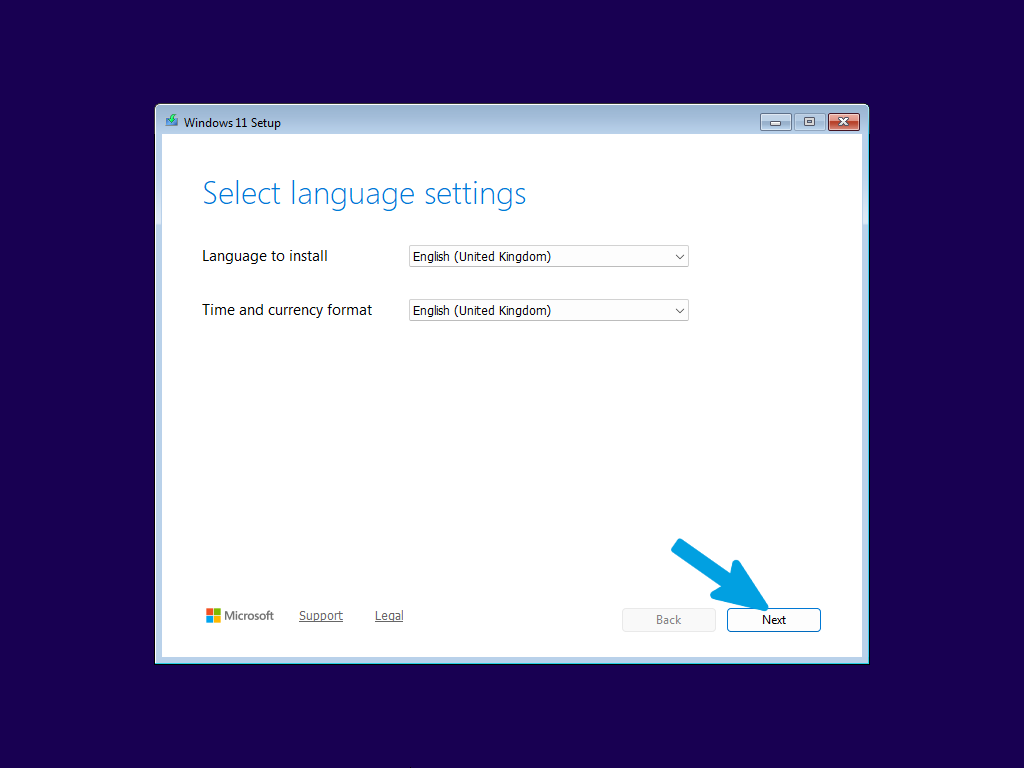
Step 2
Select the keyboard layout you want to use, then click "Next".
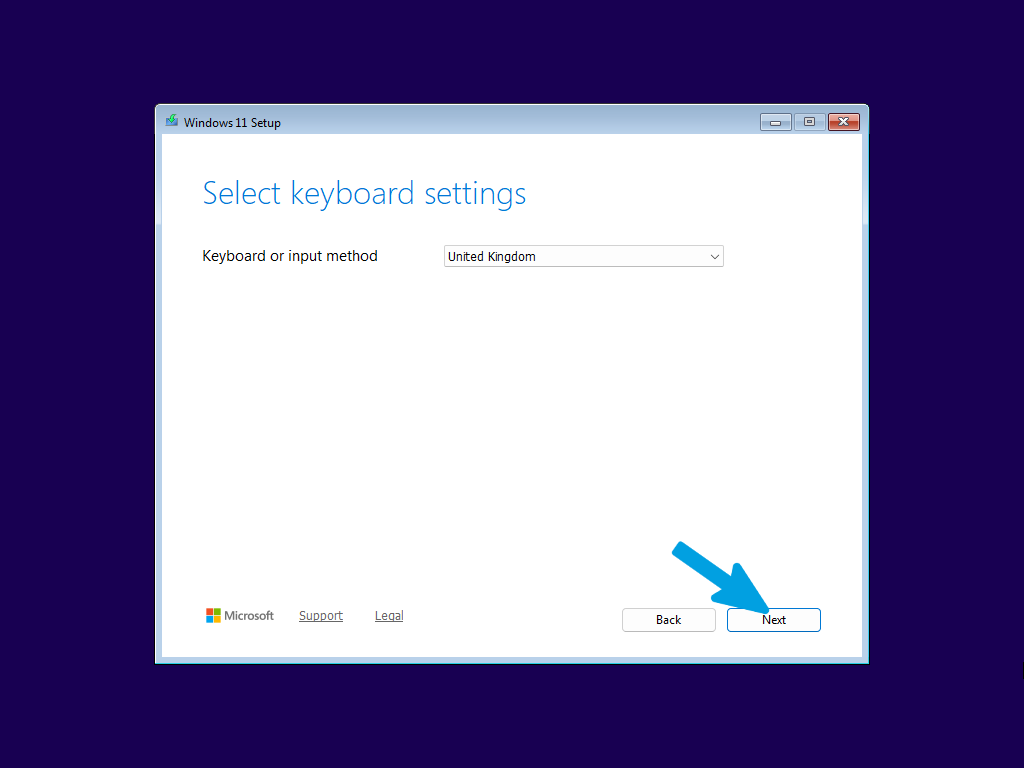
Step 3
Select "Install Windows 11" to proceed with the installation. You must check the box next to "I agree everything will be deleted including files, apps, and settings" to acknowledge the data removal and unlock the next button, then click "Next".
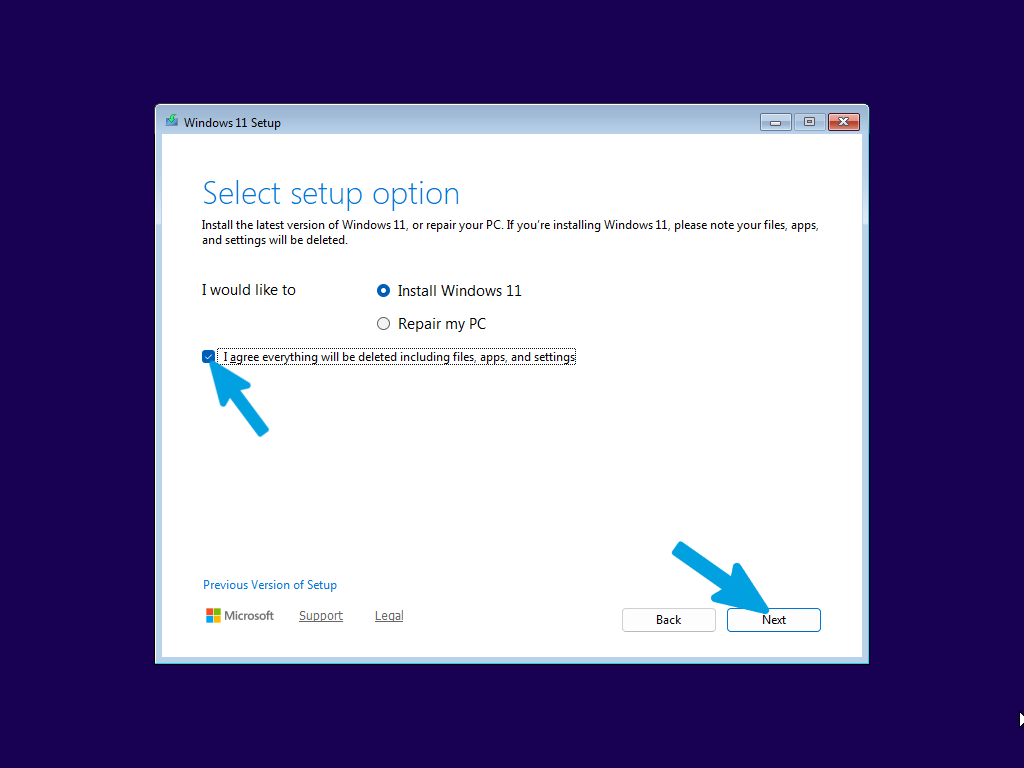
Step 4
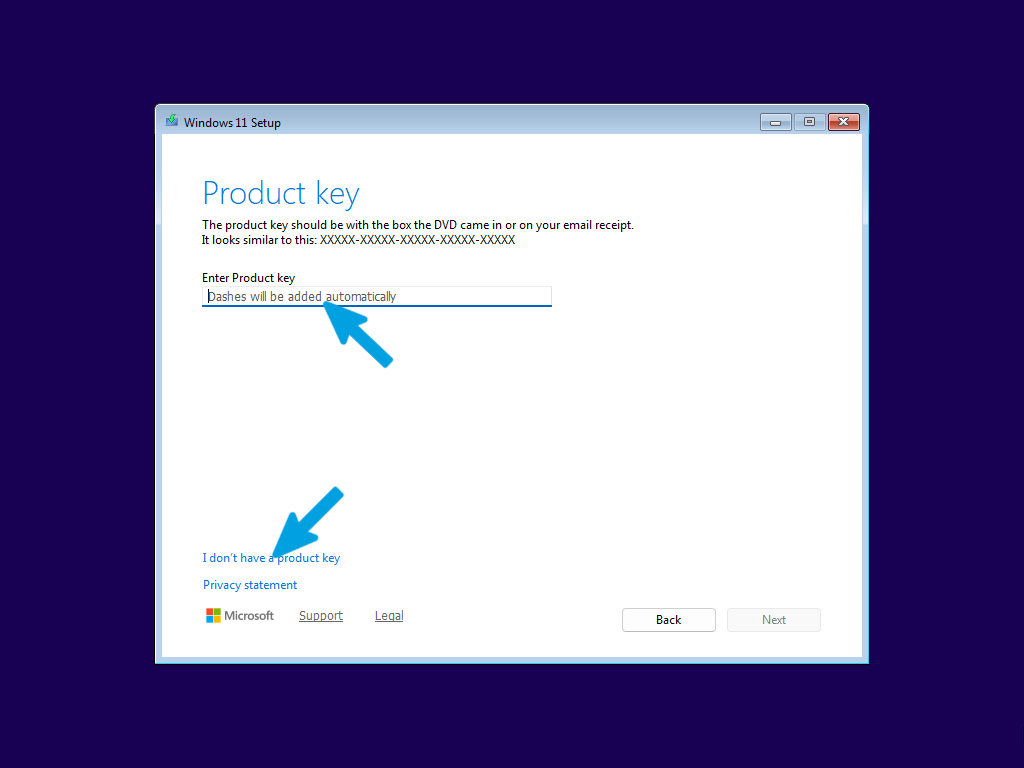
Enter your Windows product key in the field and click "Next". If you do not have a license key, or if your system was previously activated with a digital license, click on the "I don't have a product key" link in the bottom-left corner to continue.
Step 5
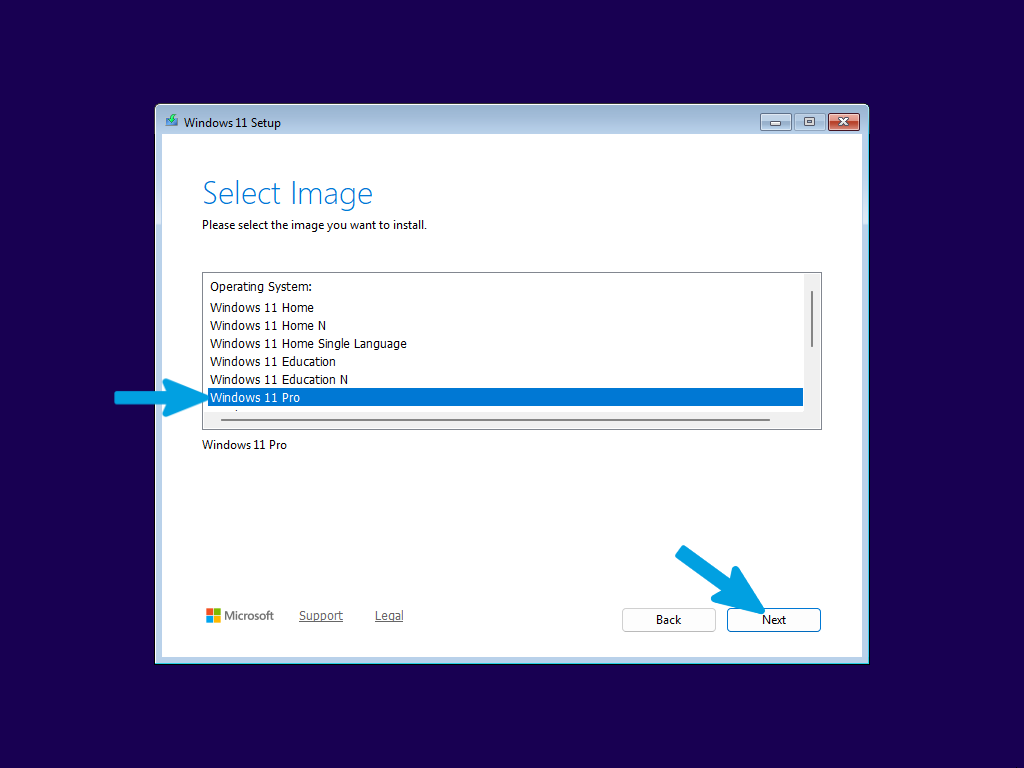
Select the Windows edition you want to install from the list. The recommended choice is "Windows 11 Pro" to ensure you have all features available. Once selected, click "Next" to proceed.
Step 6
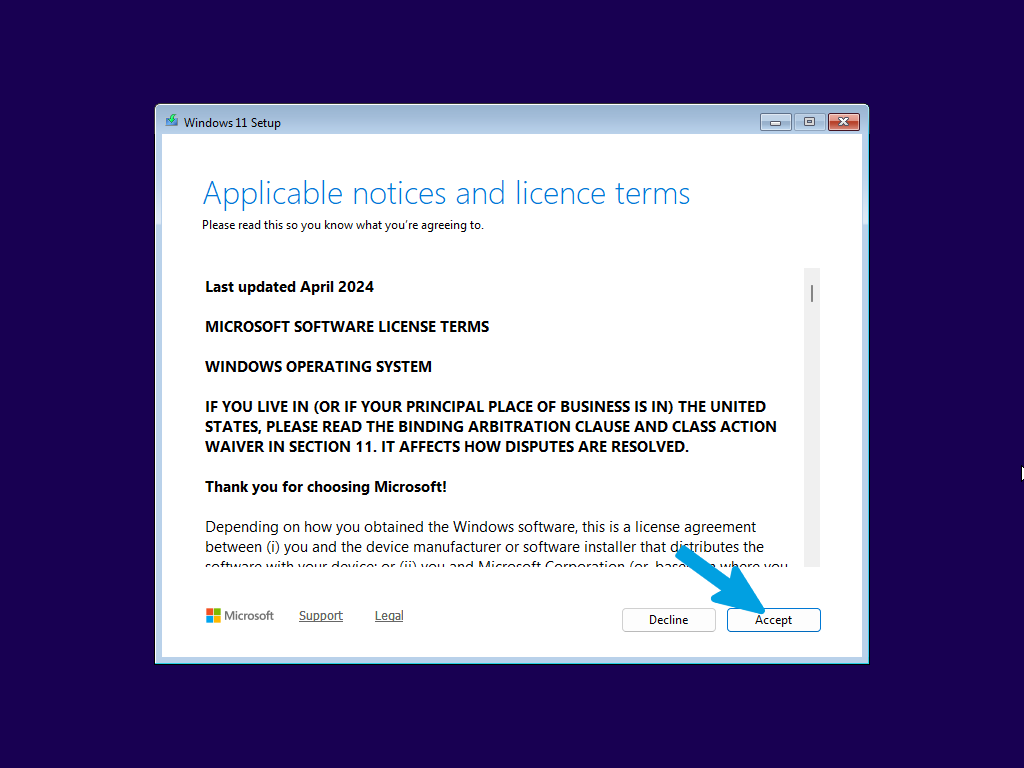
Read and accept the license terms and applicable notices by clicking the "Accept" button to proceed with the setup.
Step 7
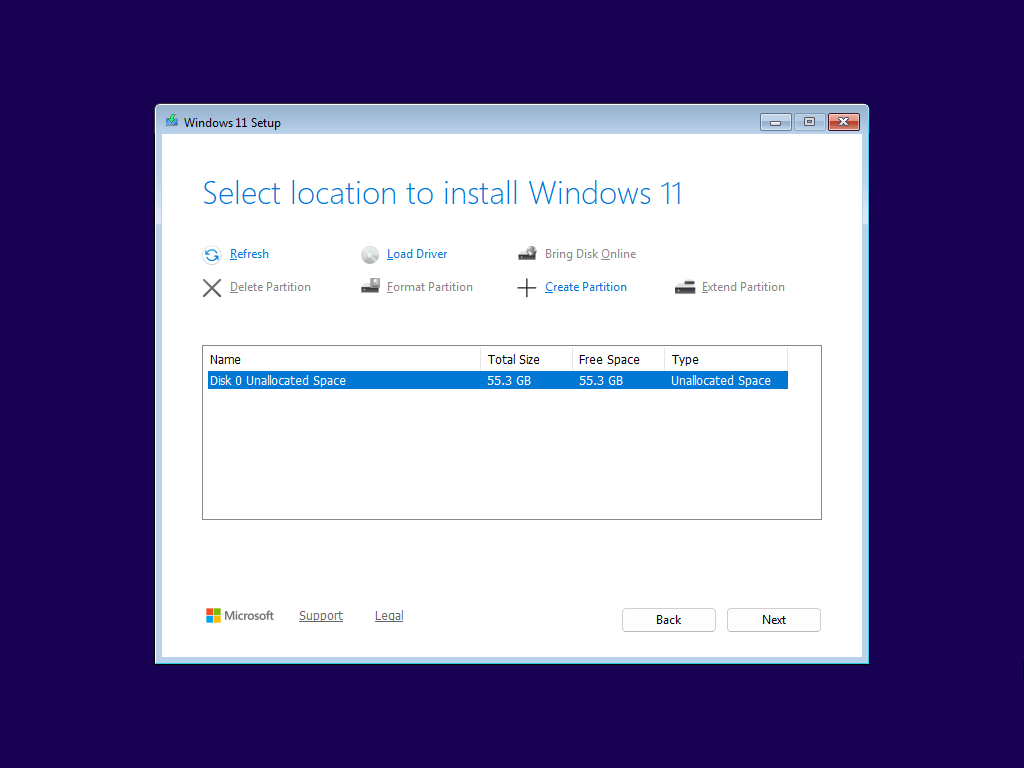
Here we have the disk section: if you planned a dual boot or an installation on an already clean secondary disk, select the empty partition you created and click "Next". In the case of a disk to be formatted, go to the next step.
Step 8
If you need to completely format the primary drive, erasing all data and partitions, press SHIFT + F10 during setup to open the Command Prompt.
Follow the instructions in the next steps carefully and precisely to avoid mistakes.
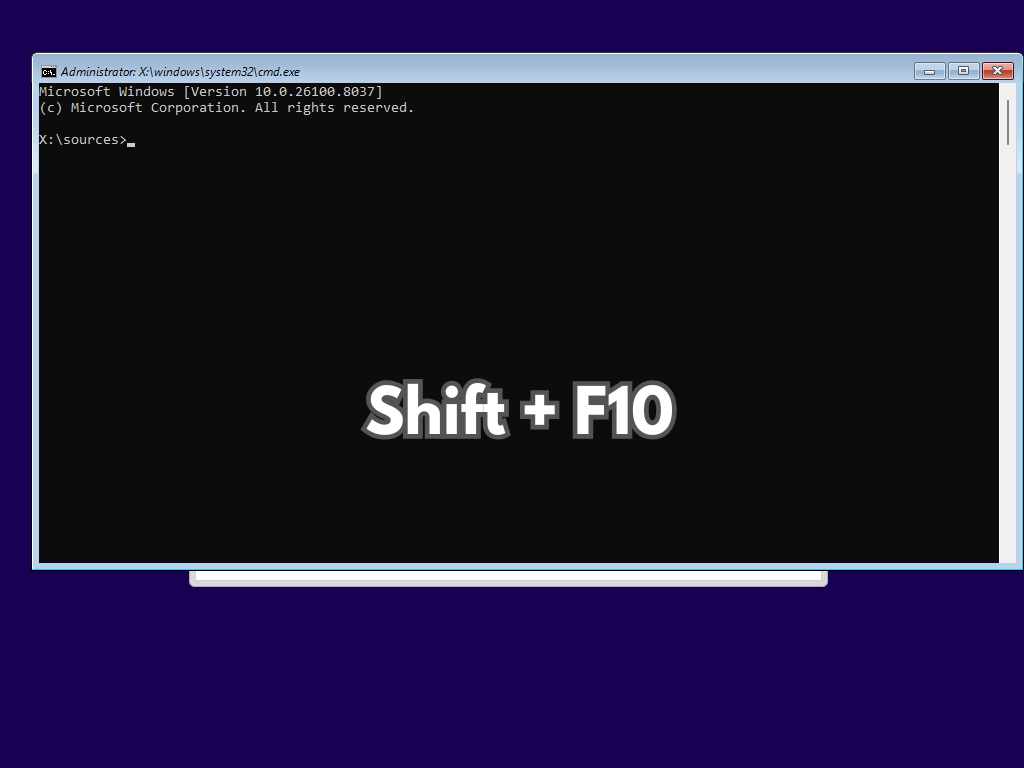
Step 9
Type the following command and press Enter to open the specific disk management tool:
diskpart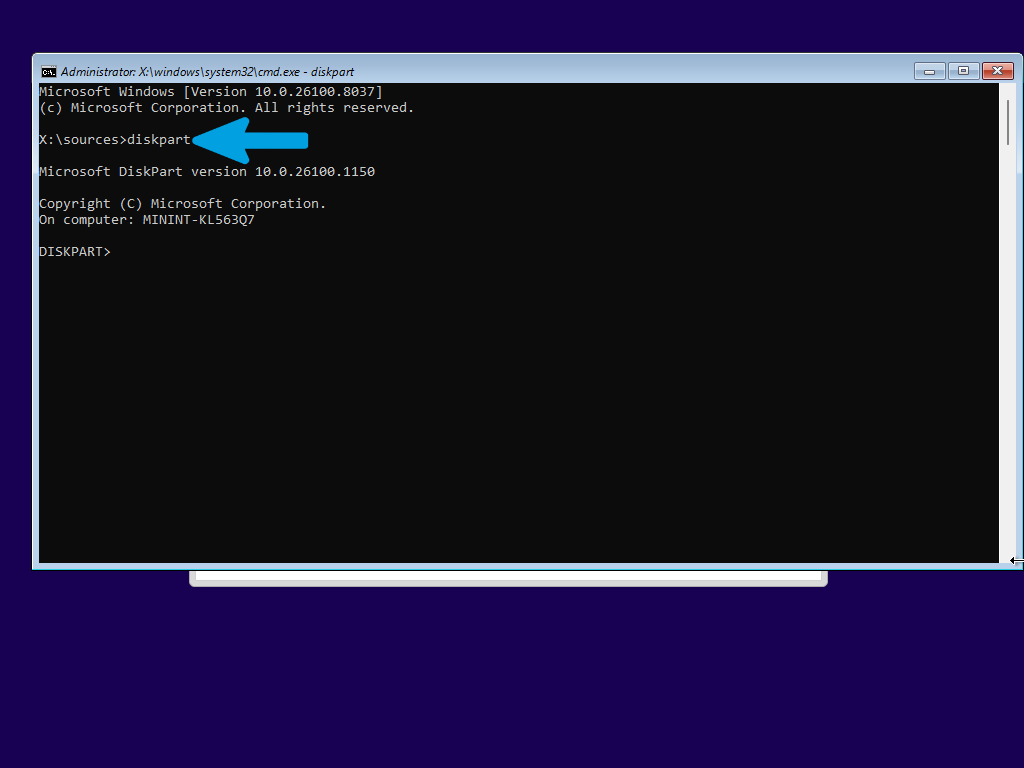
Step 10
Type the following command and press Enter to display all drives (hard drives, SSDs, USB drives) currently connected to the computer:
list disk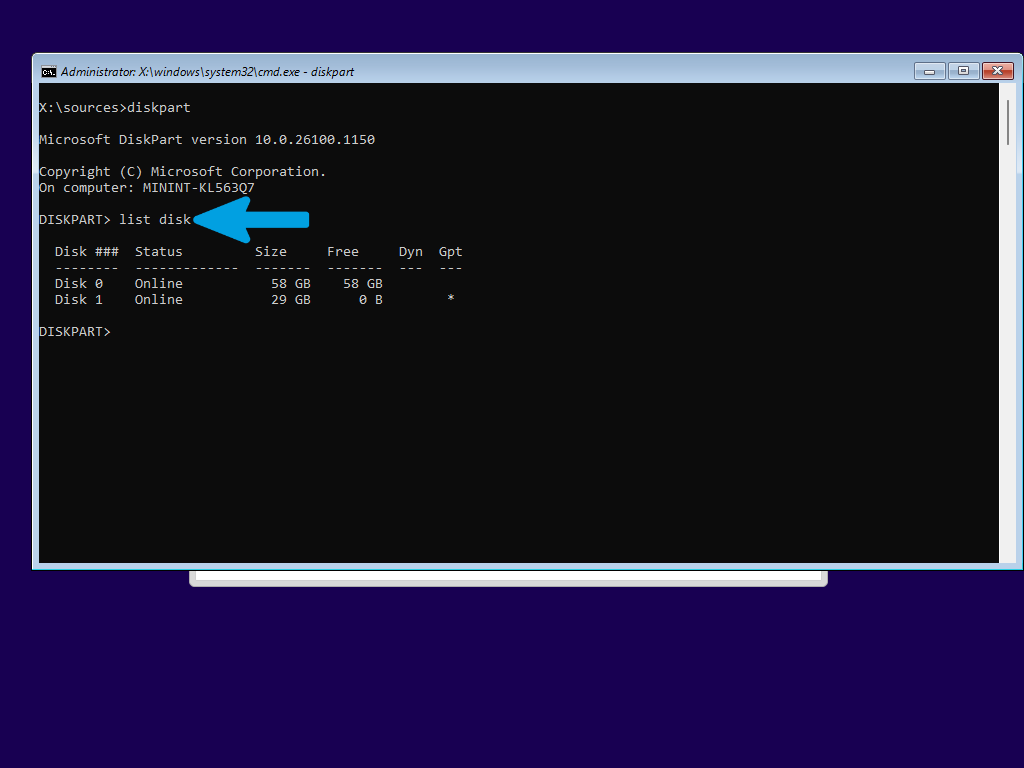
Step 11
Once identified, type the following command (replace 0 with your drive number, if different) and press Enter:
select disk 0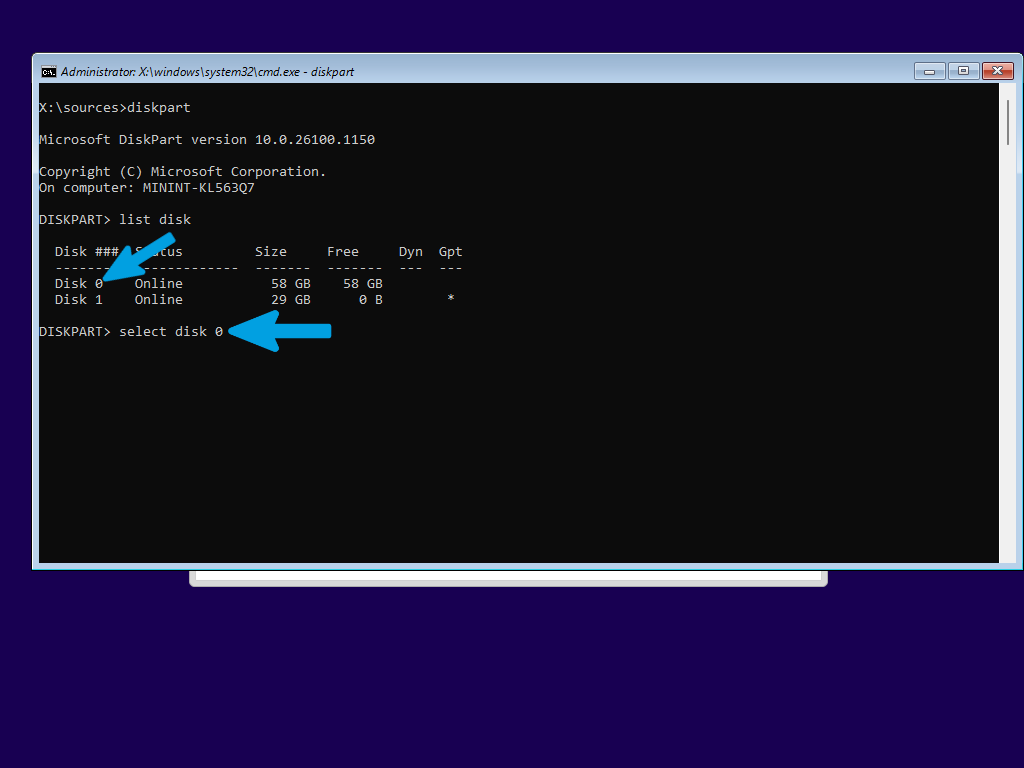
Step 12
Type the following command and press Enter to wipe the drive:
clean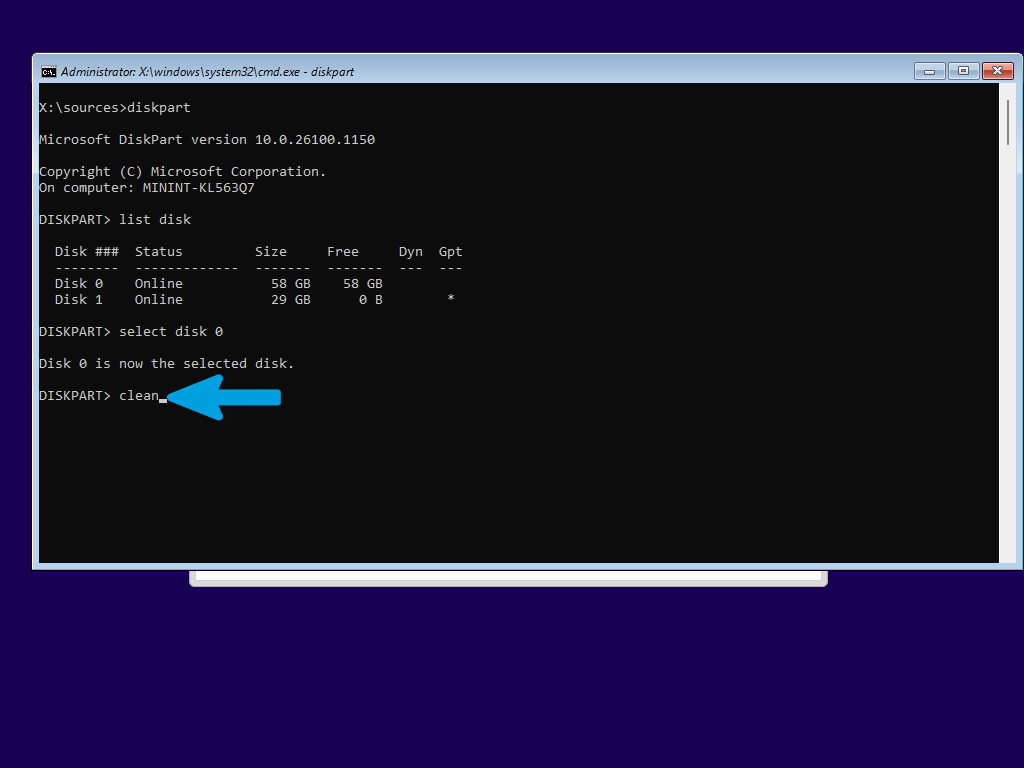
Step 13
Once the cleanup is complete, you can close the Command Prompt window (by clicking the X or typing exit).
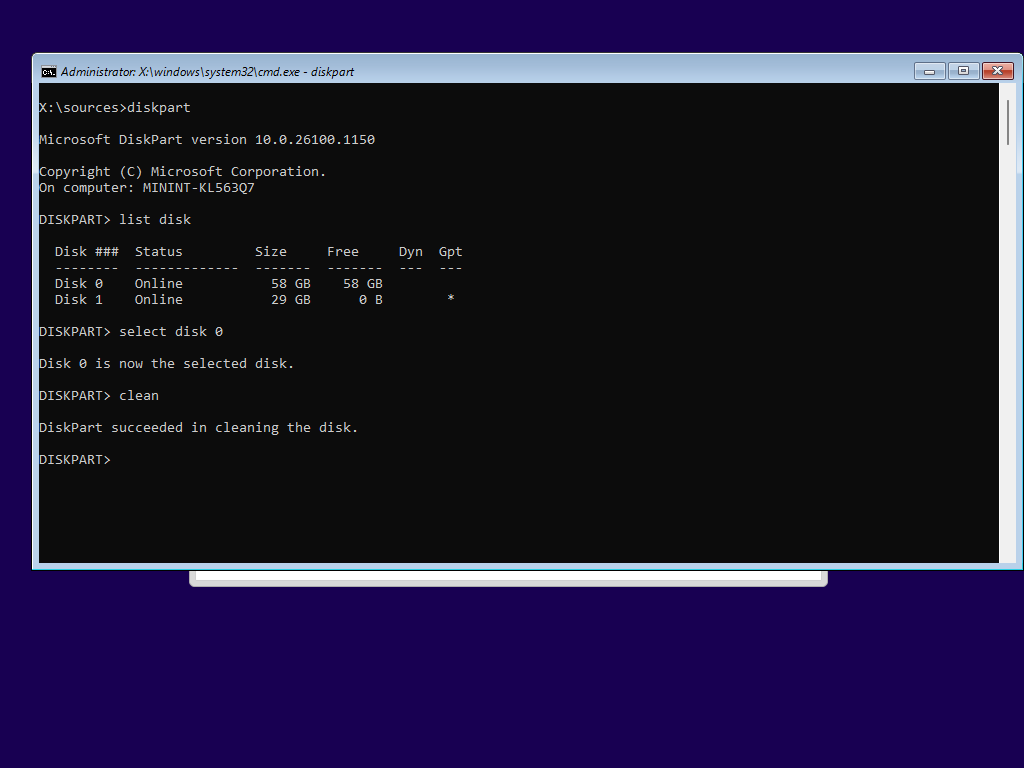
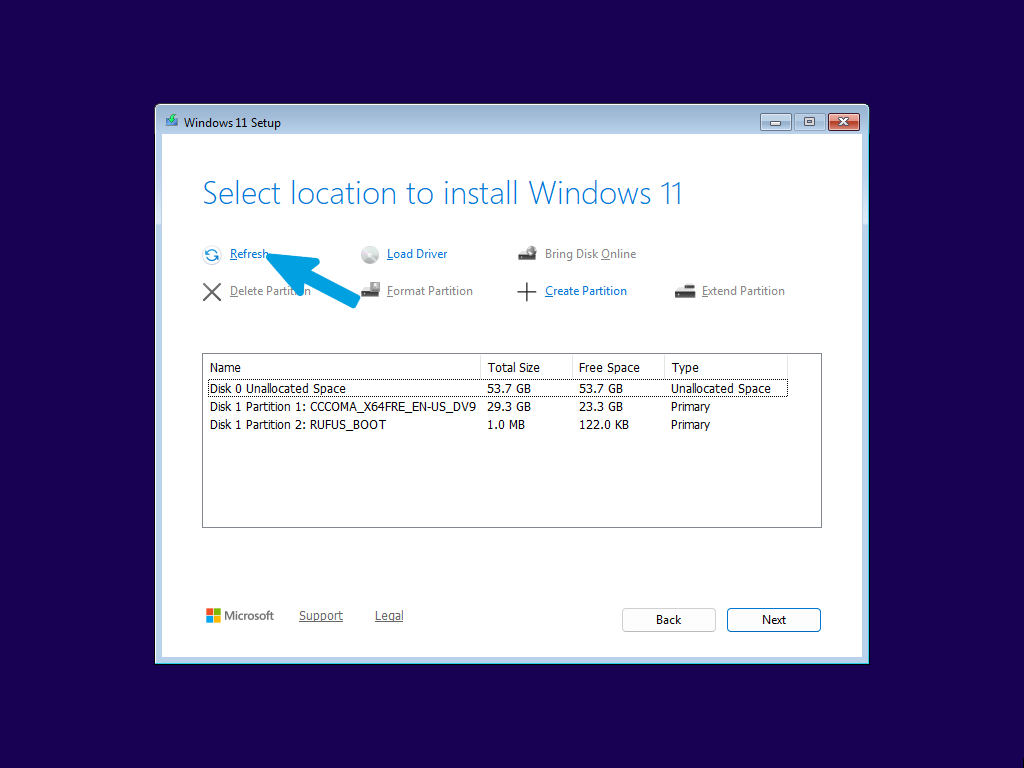
Step 14
Return to the Windows Setup screen, click Refresh to reload the drive list, and select the newly wiped unallocated space to proceed with the installation.
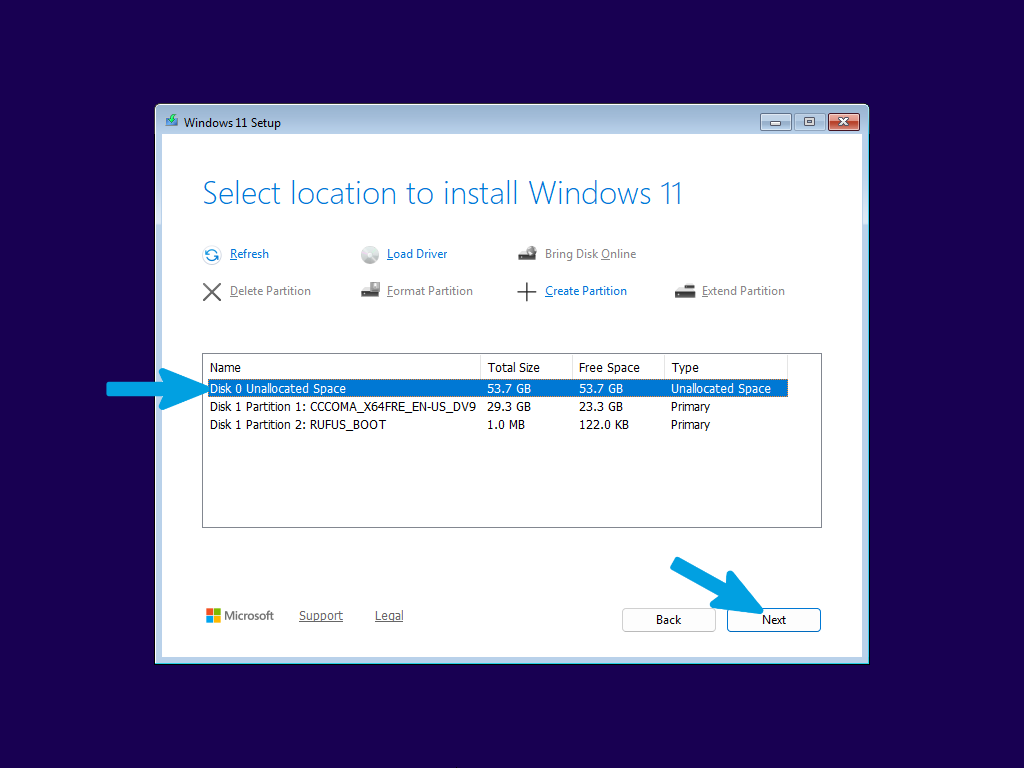
Step 15
Now carefully select the newly formatted drive where Windows 11 will be permanently installed. Make sure to choose the correct one.
Step 16
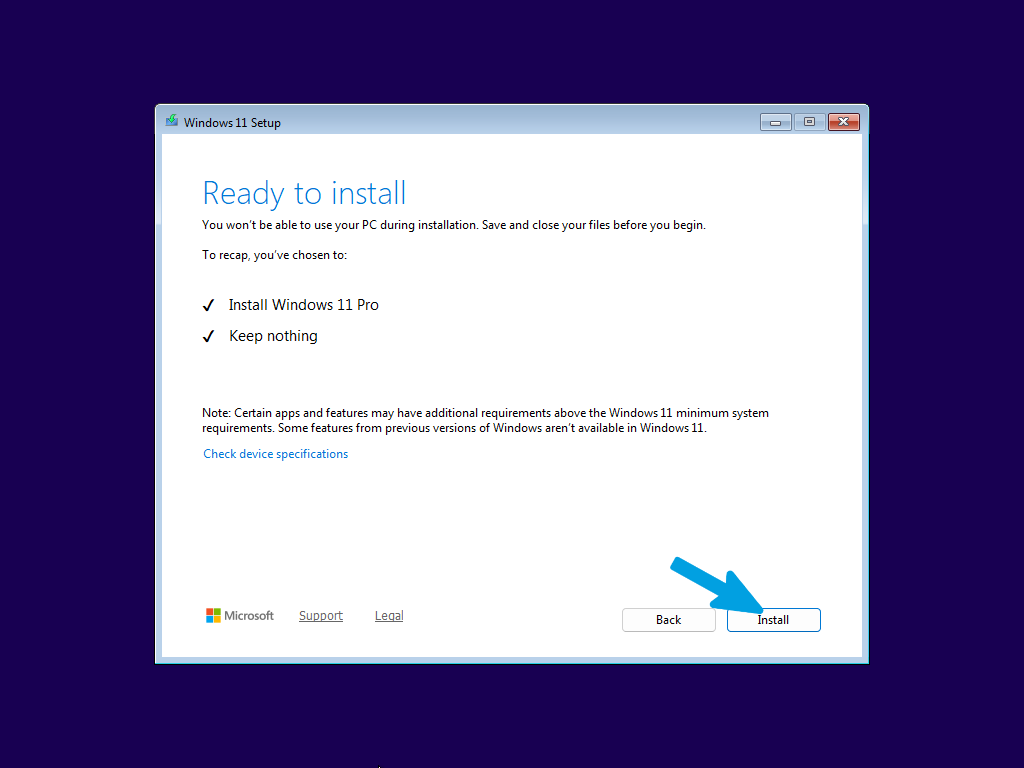
Review the installation recap to confirm that you are installing "Windows 11 Pro" and choosing to "Keep nothing". Once verified, click the "Install" button to begin the operating system installation.
Step 17
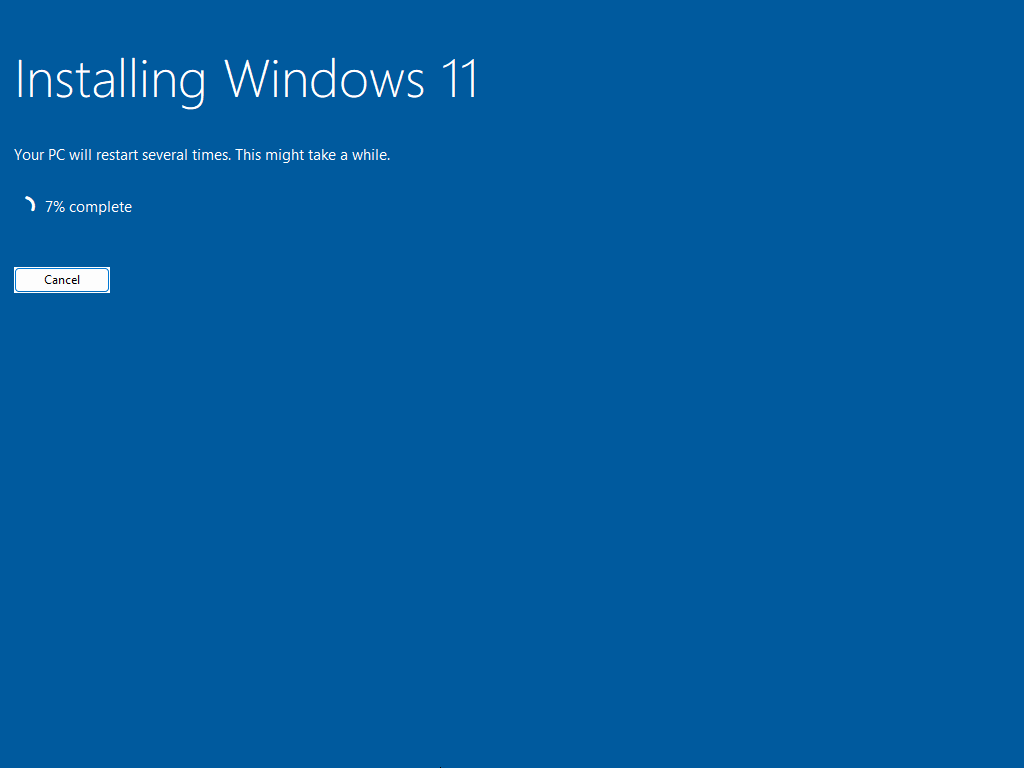
Wait until the installation is finished without touching or ejecting the USB drive, and without canceling the installation.
Step 18
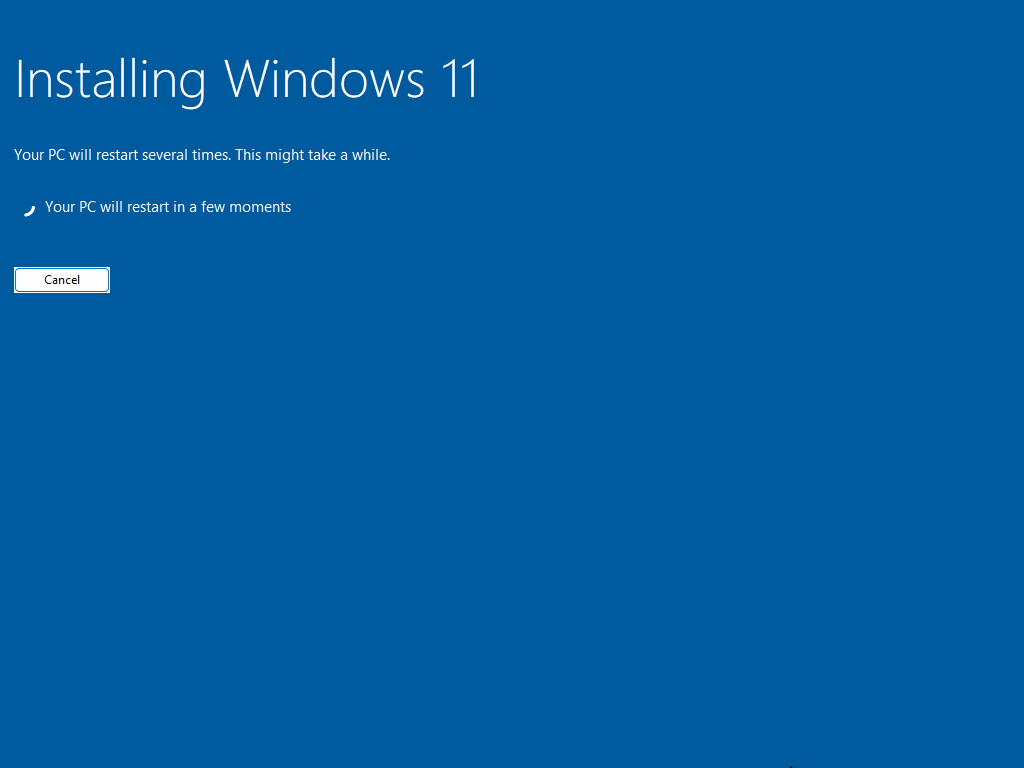
Wait for the PC to finish the installation and let it restart automatically, without touching anything.
Step 19
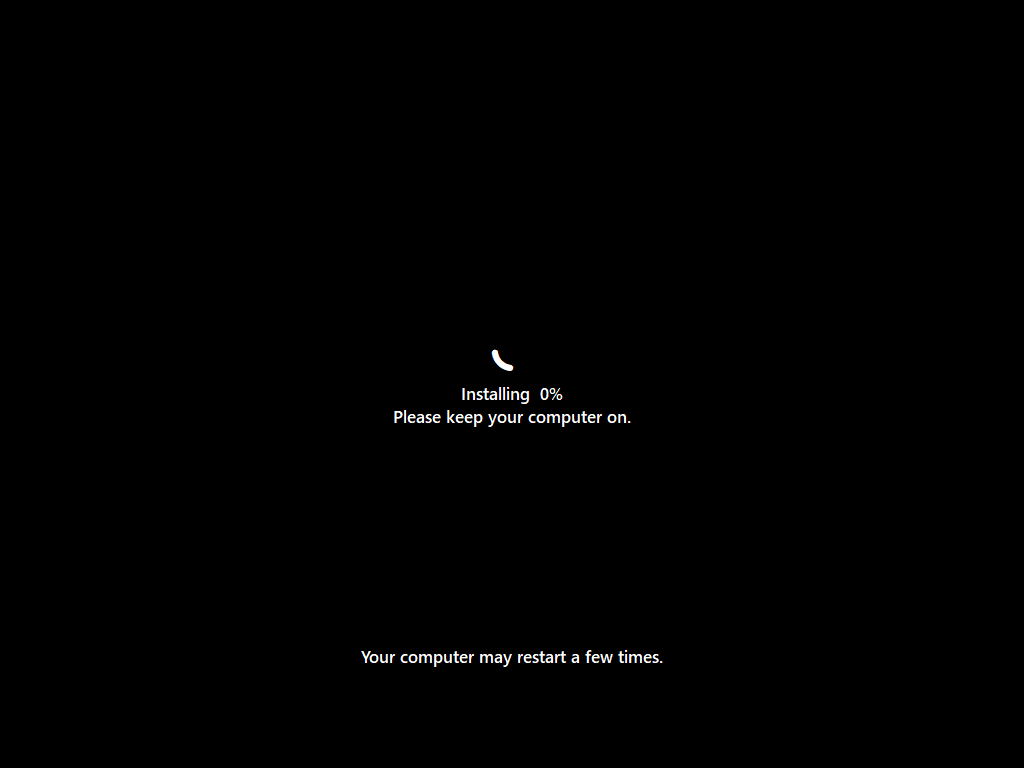
Wait for the installation progress to complete on the black screen. Make sure to keep your computer turned on and let the process finish, as the system may restart a few times.
Step 20
Wait for the system to process the final boot screen. The Windows logo will display while the system automatically completes the final background configurations.
Step 21
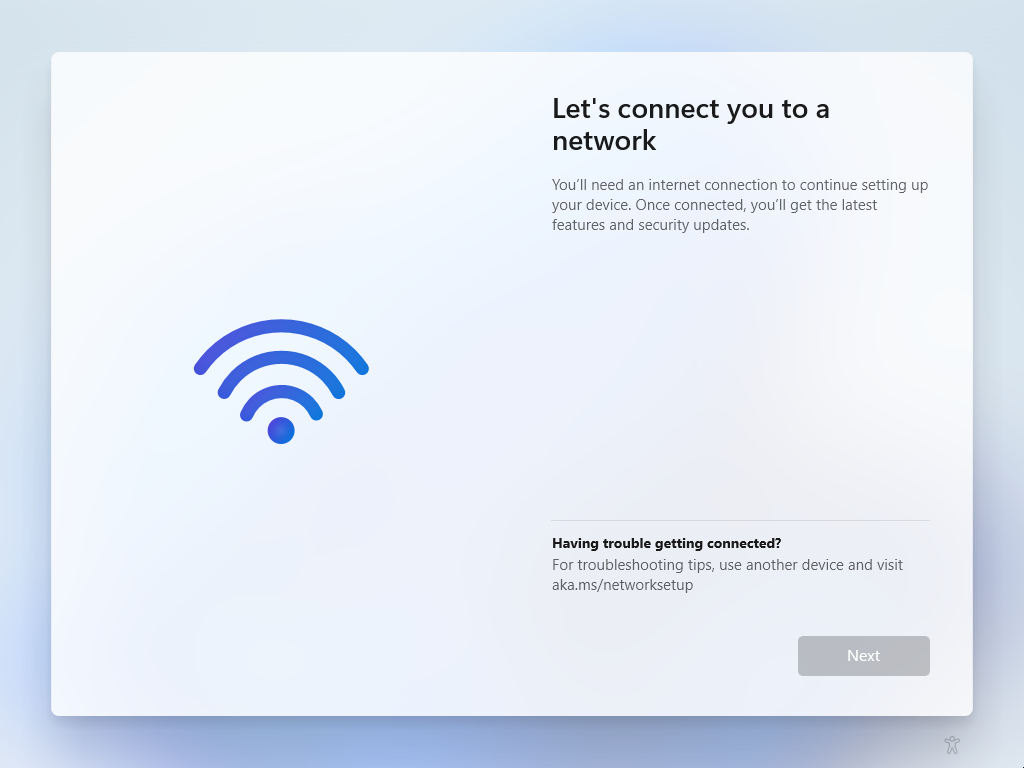
Connect to your network using an Ethernet cable or by selecting your wireless network and entering your password. If you do not have an internet connection available, you can select "I don't have internet" to configure it later.
Step 22
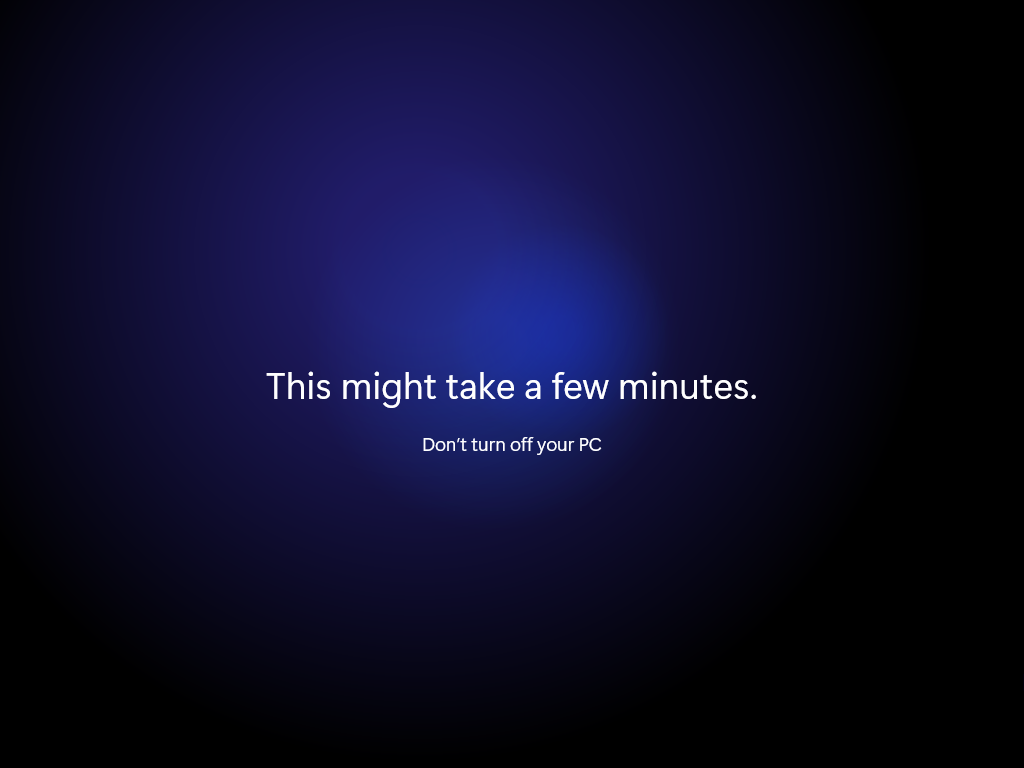
Wait for the system to finalize the setup. This process might take a few minutes, so do not turn off your PC or touch anything until it is finished.
Step 23
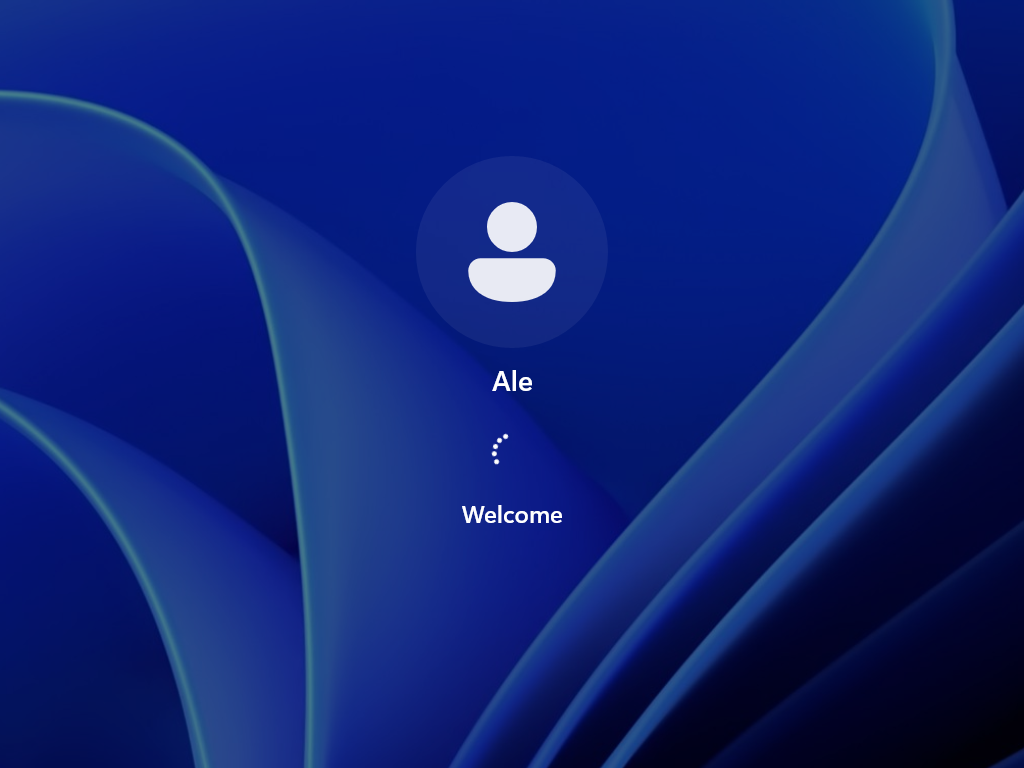
Wait for the user login to process.
Step 24
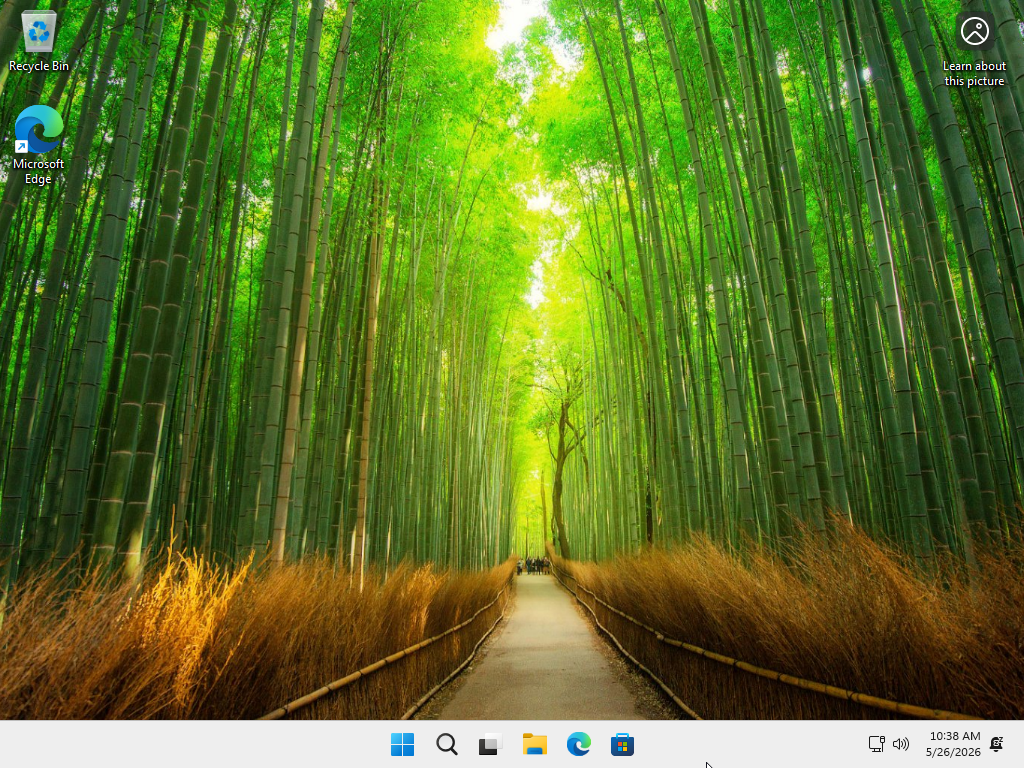
Verify that you have successfully entered the PC without encountering any errors. Then proceed through the next sections to complete the configuration and continue the optimization process.
Step 25
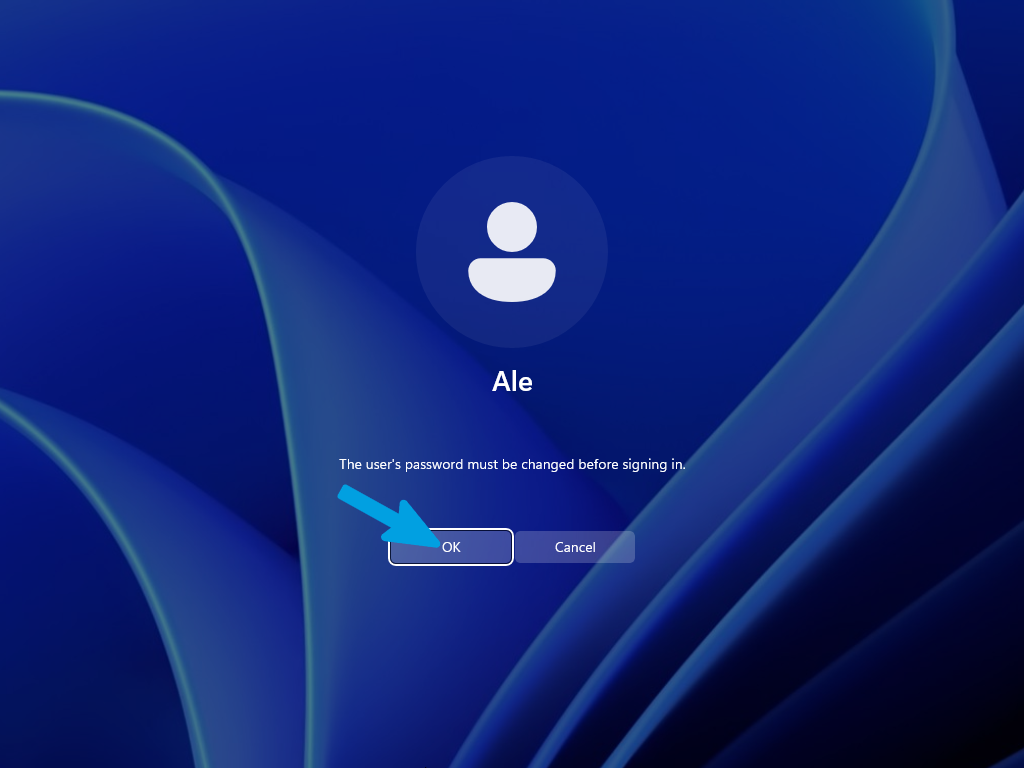
If you did not have a password set on your local account and the system prompts you to set or change your password, simply click "OK" to proceed.
Step 26
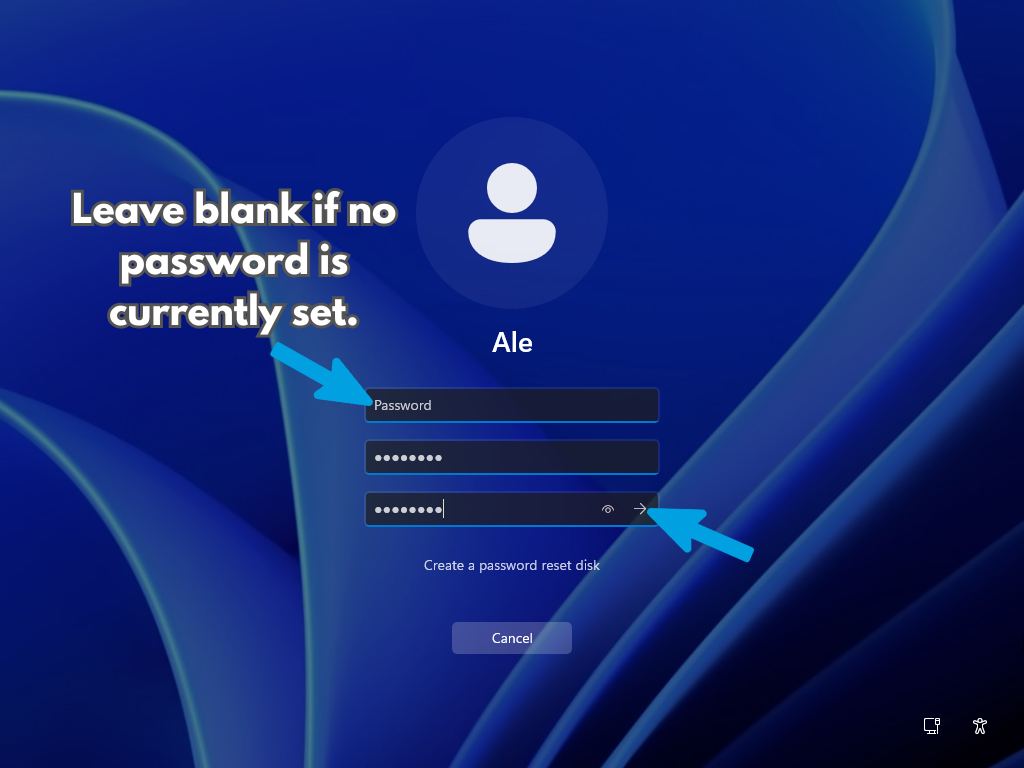
If you had a password previously, enter it in the first field; otherwise, leave it blank. In the next two fields, enter and confirm your new password. If you do not want to set a password at all, simply leave all three fields empty and click the arrow button (or press Enter) to continue.
Step 27
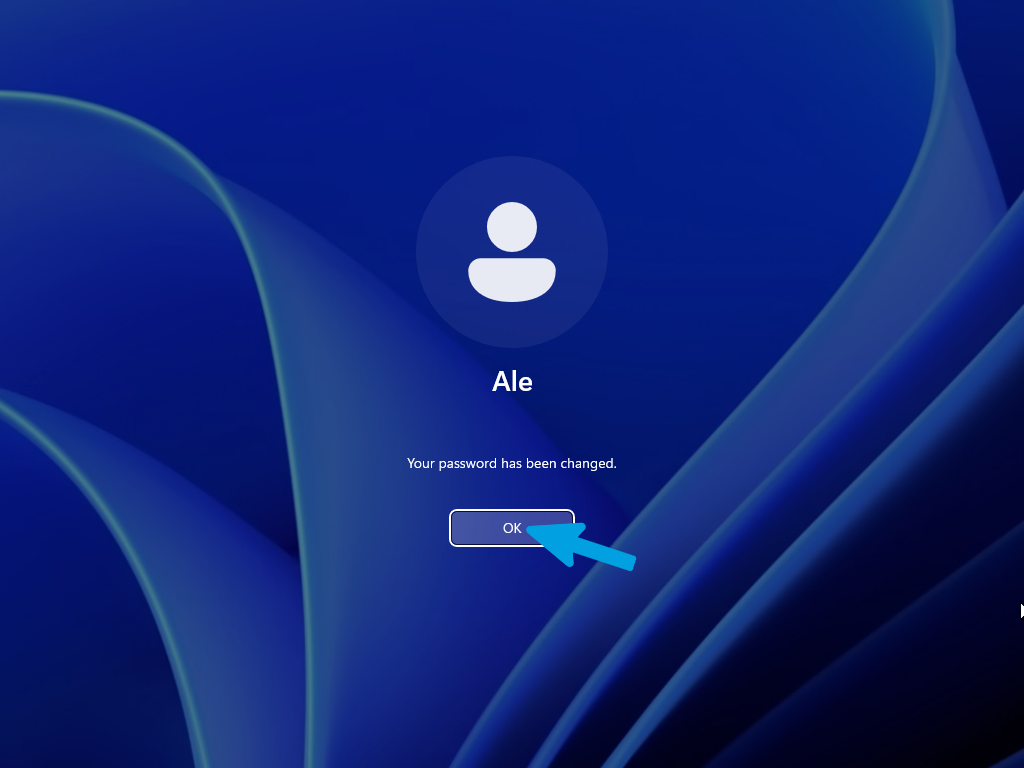
Click the "OK" button to confirm that your password has been changed and proceed to log in to your account.
Step 1
Select your language to install and your time and currency format, then click "Next".
Step 2
Select the keyboard layout you want to use, then click "Next".
Step 3
Select "Install Windows 11" to proceed with the installation. You must check the box next to "I agree everything will be deleted including files, apps, and settings" to acknowledge the data removal and unlock the next button, then click "Next".
Step 4
Enter your Windows product key in the field and click "Next". If you do not have a license key, or if your system was previously activated with a digital license, click on the "I don't have a product key" link in the bottom-left corner to continue.
Step 5
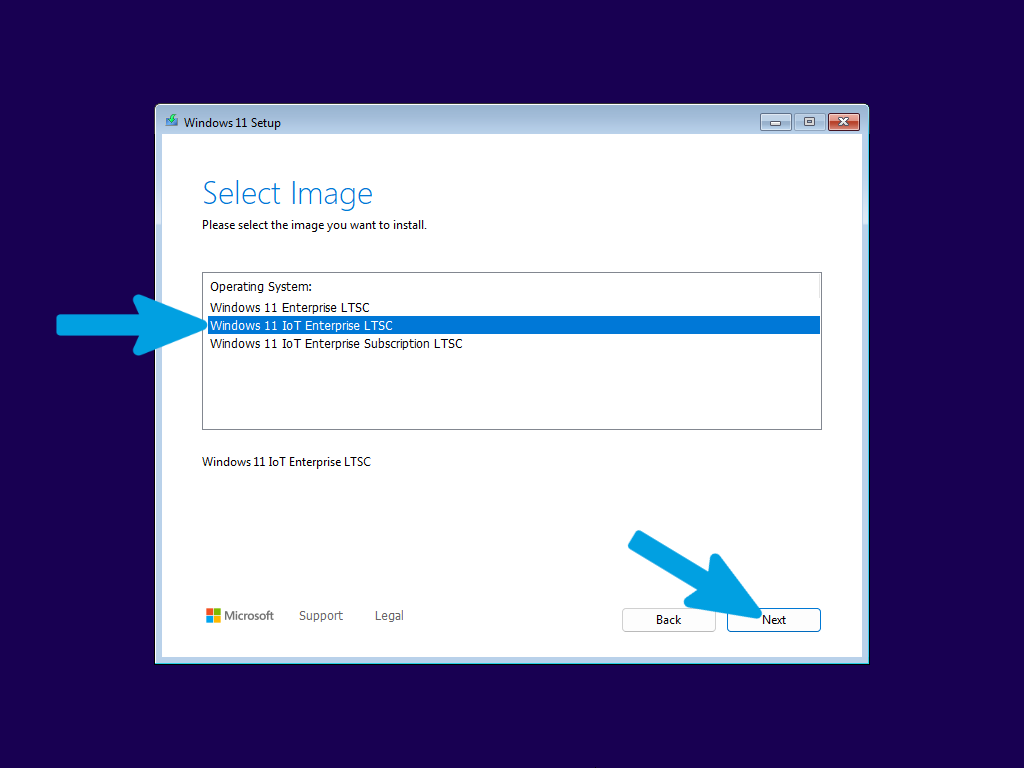
Select the Windows edition you want to install from the list. For LTSC, select "Windows 11 IoT Enterprise LTSC" to have the minimal, enterprise-grade experience. Once selected, click "Next" to proceed.
Step 6
Read and accept the license terms and applicable notices by clicking the "Accept" button to proceed with the setup.
Step 7
Here we have the disk section: if you planned a dual boot or an installation on an already clean secondary disk, select the empty partition you created and click "Next". In the case of a disk to be formatted, go to the next step.
Step 8
If you need to completely format the primary drive, erasing all data and partitions, press SHIFT + F10 during setup to open the Command Prompt.
Follow the instructions in the next steps carefully and precisely to avoid mistakes.
Step 9
Type the following command and press Enter to open the specific disk management tool:
diskpartStep 10
Type the following command and press Enter to display all drives (hard drives, SSDs, USB drives) currently connected to the computer:
list diskStep 11
Once identified, type the following command (replace 0 with your drive number, if different) and press Enter:
select disk 0Step 12
Type the following command and press Enter to wipe the drive:
cleanStep 13
Once the cleanup is complete, you can close the Command Prompt window (by clicking the X or typing exit).
Step 14
Return to the Windows Setup screen, click Refresh to reload the drive list, and select the newly wiped unallocated space to proceed with the installation.
Step 15
Now carefully select the newly formatted drive where Windows 11 LTSC will be permanently installed. Make sure to choose the correct one.
Step 16
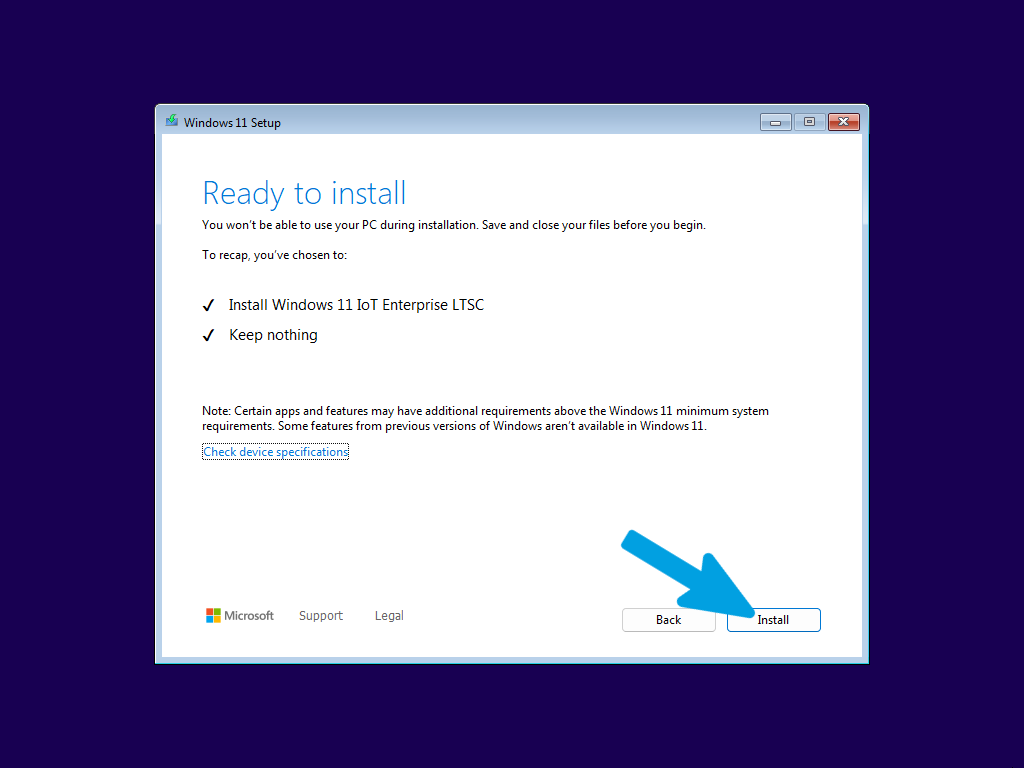
Review the installation recap to confirm that you are installing "Windows 11 IoT Enterprise LTSC" and choosing to "Keep nothing". Once verified, click the "Install" button to begin the operating system installation.
Step 17
Wait until the installation is finished without touching or ejecting the USB drive, and without canceling the installation.
Step 18
Wait for the PC to finish the installation and let it restart automatically, without touching anything.
Step 19
Wait for the installation progress to complete on the black screen. Make sure to keep your computer turned on and let the process finish, as the system may restart a few times.
Step 20
Wait for the system to process the final boot screen. The Windows logo will display while the system automatically completes the final background configurations.
Step 21
Connect to your network using an Ethernet cable or by selecting your wireless network and entering your password. If you do not have an internet connection available, you can select "I don't have internet" to configure it later. For LTSC, the OOBE is streamlined and will skip many consumer-focused screens.
Step 22
Wait for the system to finalize the setup. This process might take a few minutes, so do not turn off your PC or touch anything until it is finished.
Step 23
Wait for the user login to process.
Step 24
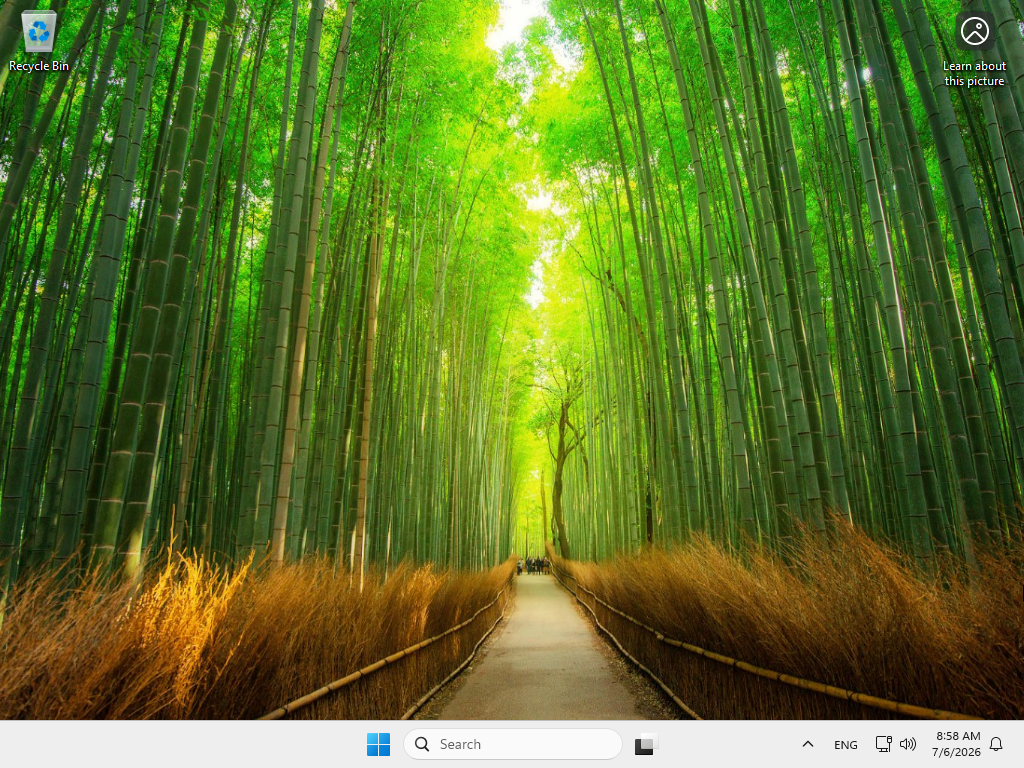
Verify that you have successfully entered the PC without encountering any errors. Then proceed through the next sections to complete the configuration and continue the optimization process.
Step 25
If you did not have a password set on your local account and the system prompts you to set or change your password, simply click "OK" to proceed.
Step 26
If you had a password previously, enter it in the first field; otherwise, leave it blank. In the next two fields, enter and confirm your new password. If you do not want to set a password at all, simply leave all three fields empty and click the arrow button (or press Enter) to continue.
Step 27
Click the "OK" button to confirm that your password has been changed and proceed to log in to your account.
Choose Connection Type
Before we begin with the rest of the configuration, we must ensure your internet connection is active. If you have already configured your network during the initial Windows OOBE (Out-of-Box Experience) or have already set it up manually, you can safely skip this step and proceed to the next section of the wiki.
If you haven't configured your connection yet, you must do so now to continue. To provide you with the correct instructions, please select the option below that matches the type of connection you are using (Wired Ethernet or Wireless Wi-Fi):
Complete step-by-step walkthrough for setting up your wired Ethernet connection. Make sure your network cable is securely plugged into both your PC and your router or modem to ensure a stable and reliable connection.
Step 1
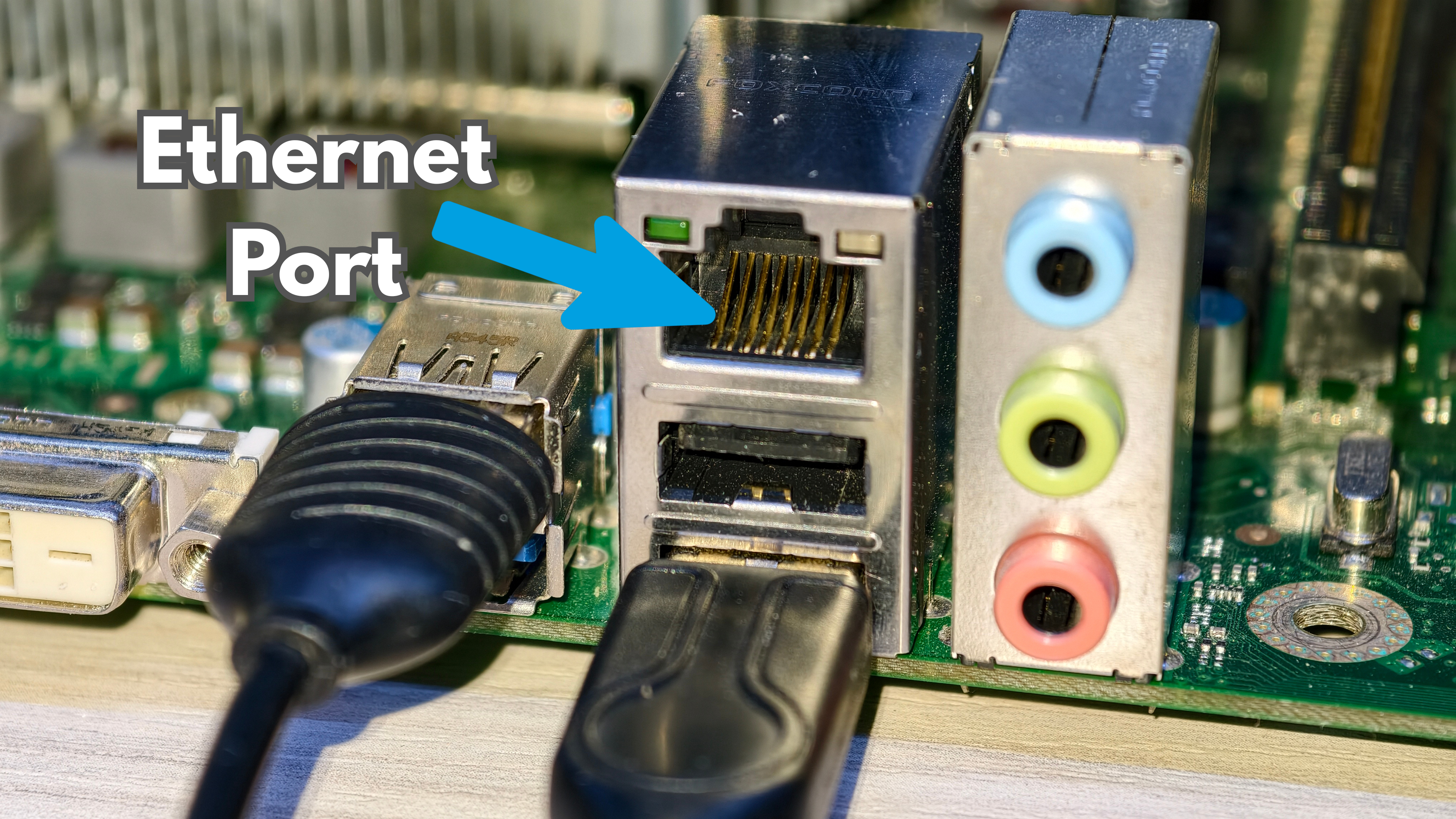
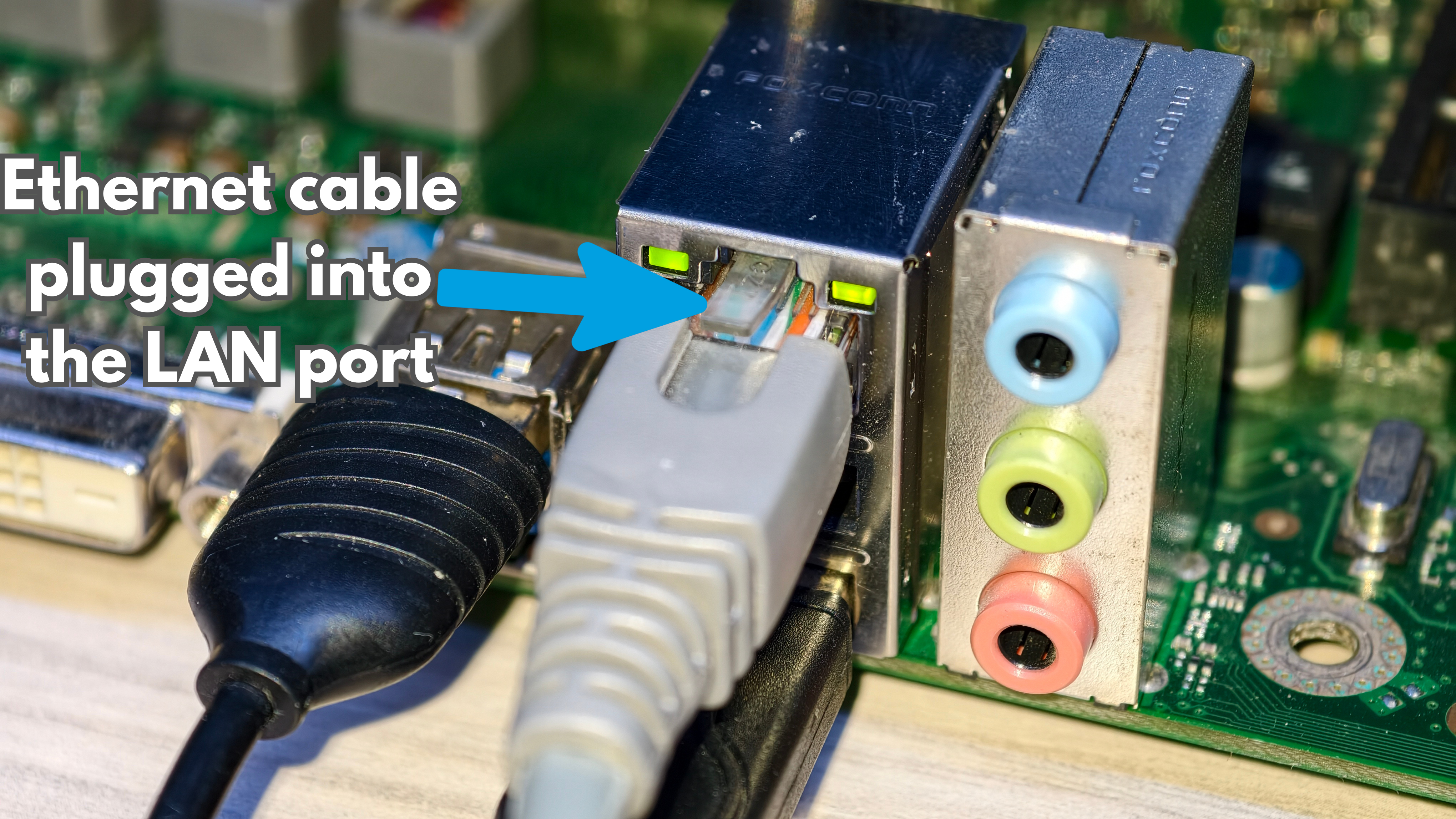
Ensure one end of your Ethernet cable is firmly plugged into your PC's network port and the other end is connected to your router or modem.
Step 2
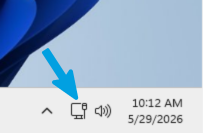
Windows is designed to automatically detect wired connections; if the cable is functional and the router is providing a signal, your PC should establish a connection immediately without further input. To confirm that the connection is active, look at the bottom-right corner of your taskbar, where the network icon should appear as a small computer monitor, indicating an active Ethernet connection.
Step 3
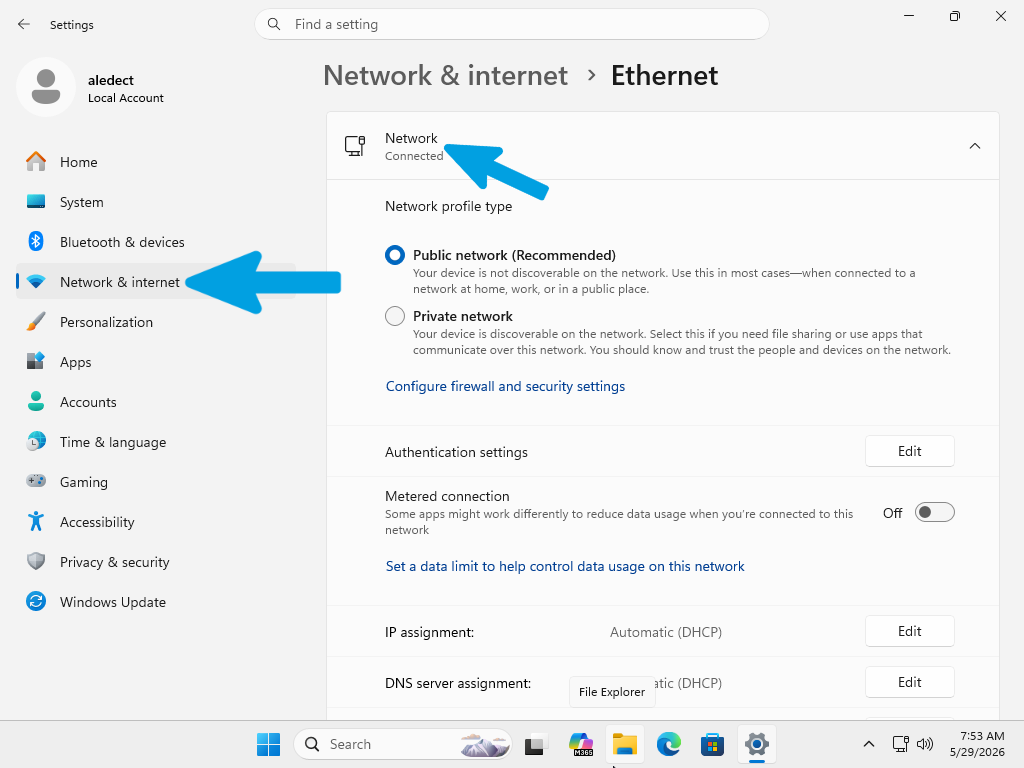
If you have no internet access, navigate to Settings > Network & internet > Ethernet. Ensure the status is set to "Connected". If it shows "Unidentified network" or no connection, verify the cable integrity or check your router settings.
Complete step-by-step walkthrough for setting up your wireless Wi-Fi connection. Make sure you have your network name (SSID) and security key (Wi-Fi password) readily available before you begin the setup process.
Step 1
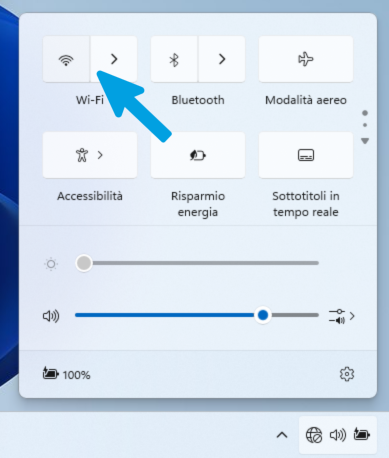
Click on the network icon located in the bottom-right corner of your taskbar (near the clock).

Step 2
If the Wi-Fi button is greyed out or off, click it once to turn it on.
Step 3
A list of available wireless networks will appear; select the SSID of your home or office network, then click Connect. If the network is secured, you will be prompted to enter the network security key (Wi-Fi password).
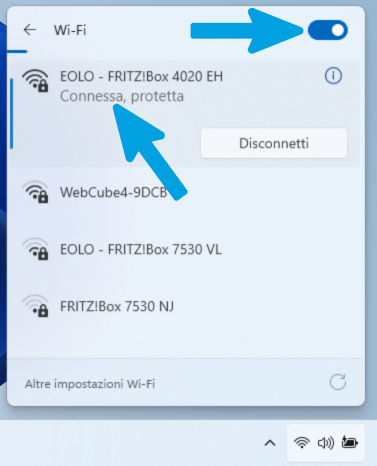
Step 4
Verify that the Wi-Fi connection is active by checking that the connected network icon appears in the system tray (Wi-Fi status icon showing an active connection).

System Updates
Before proceeding with any further configuration or optimization, it is essential to update your operating system to the latest available build. Performing these updates ensures that your system is protected with the latest security patches, bug fixes, and stability improvements provided by Microsoft. We strongly advise completing this process before starting any other modifications to your machine.
To perform the update correctly, please select the button below that matches your operating system (Windows 10 or Windows 11) to view the relevant instructions.
Step 1
Open the Start menu and click on the Settings icon (the gear symbol) to open the Windows configuration panel.
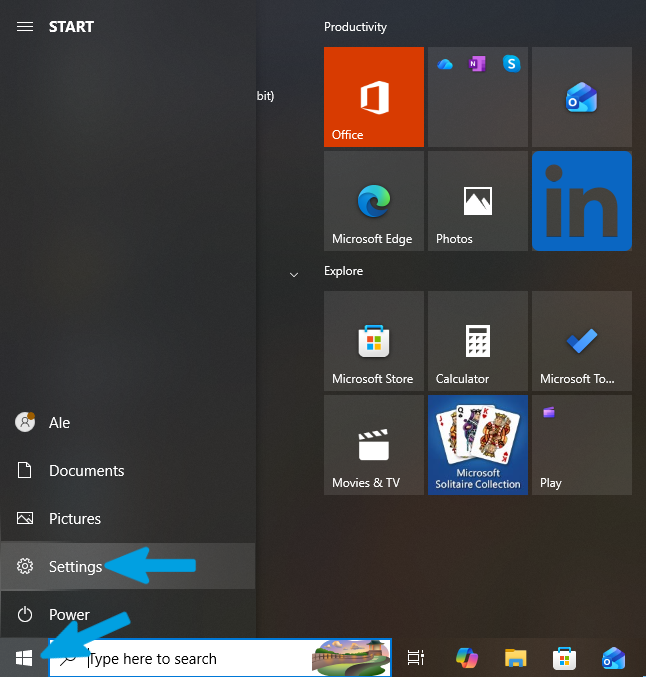
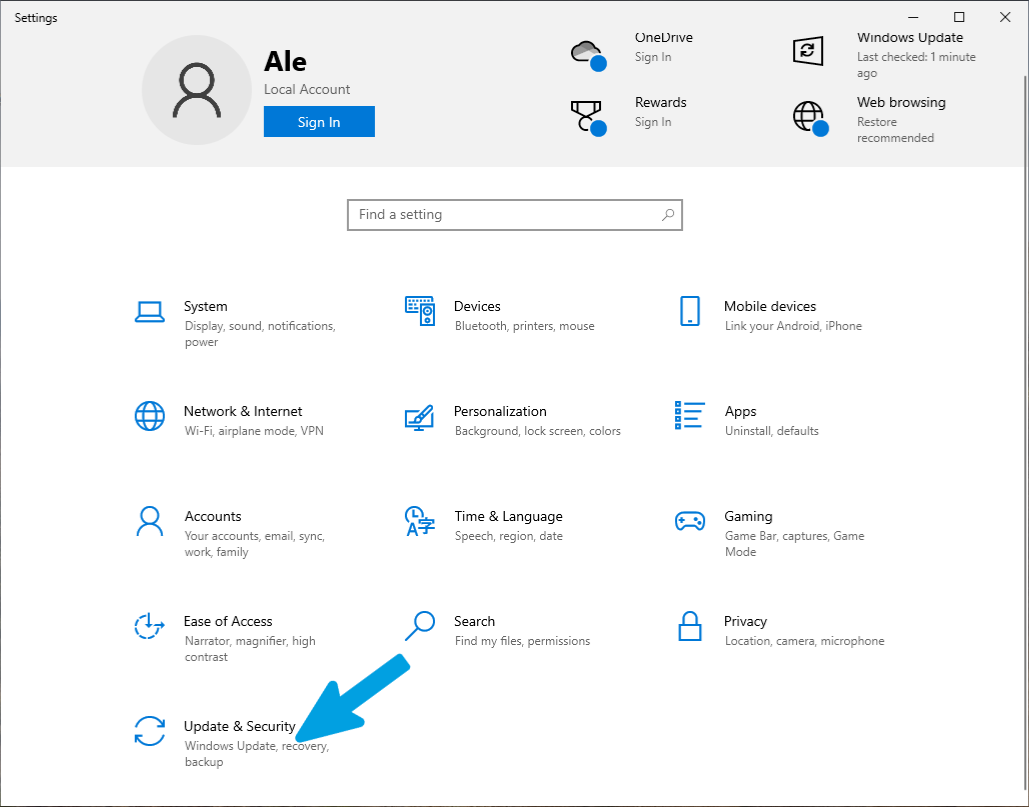
Step 2
In the main Settings menu, locate and click on Update & Security. This section is where you will manage all system-related updates and recovery options.
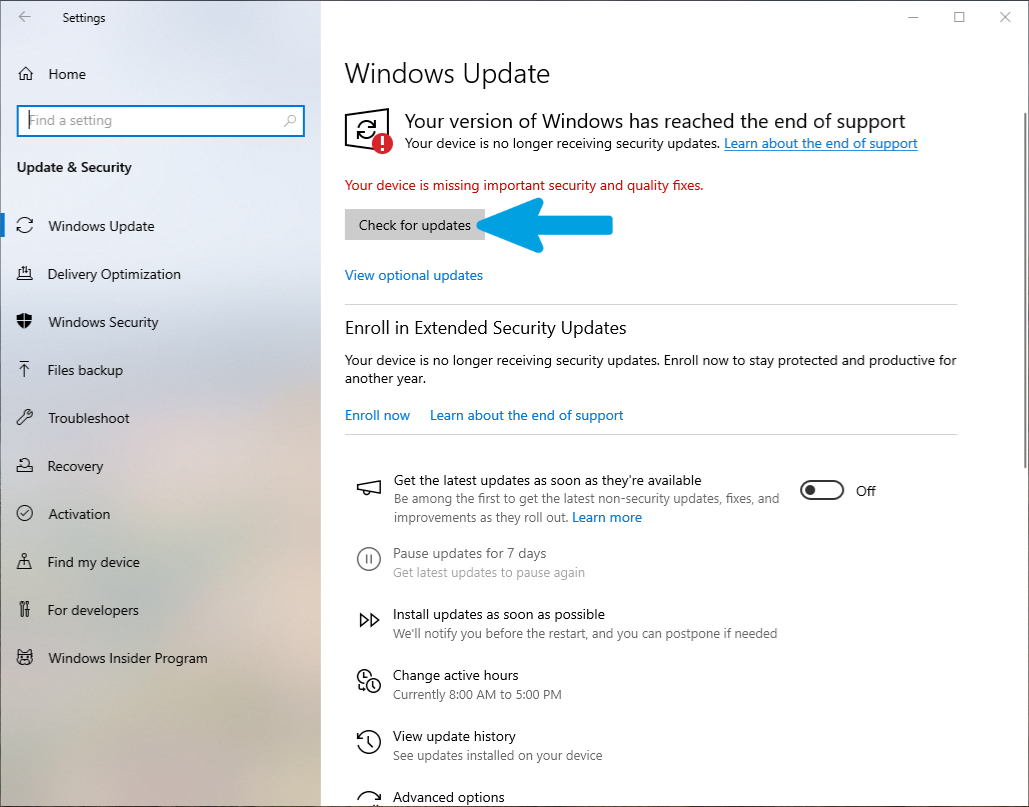
Step 3
Select Windows Update from the left-hand sidebar and click the Check for updates button. The system will scan for all available security and quality fixes. Install all identified updates and restart your computer when prompted. If the system detects further updates after a restart, repeat this process until the message indicates that your device is fully up to date.
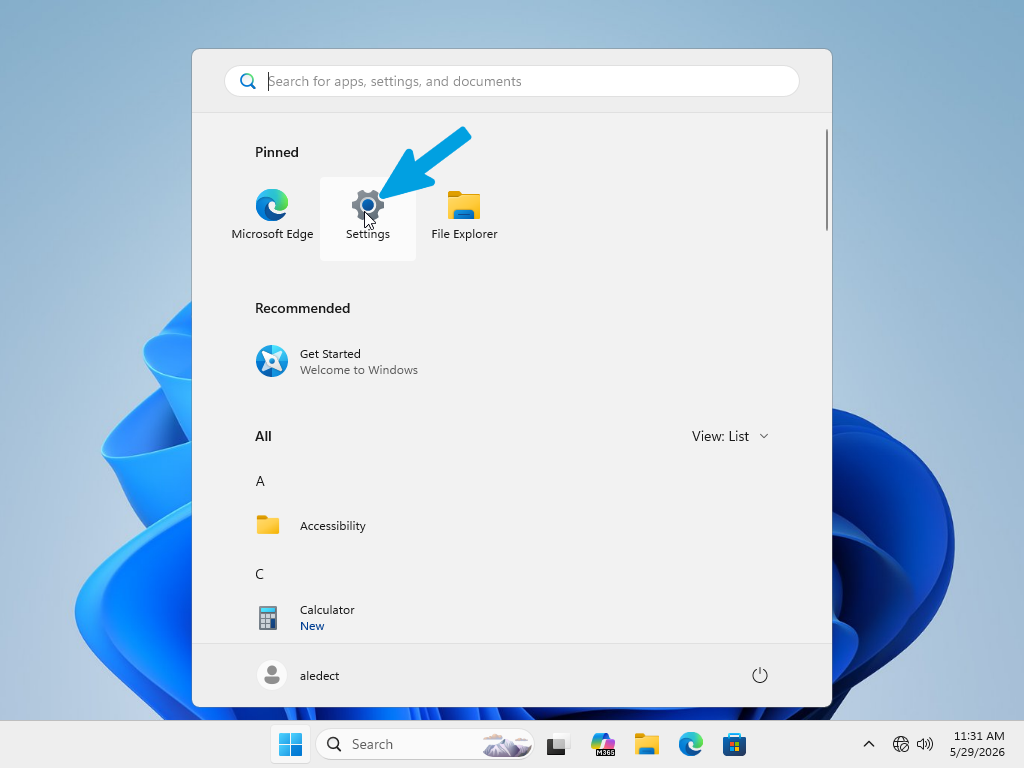
Step 1
Open the Start menu and select the Settings app (usually represented by a gear icon) to access the system configuration panel.
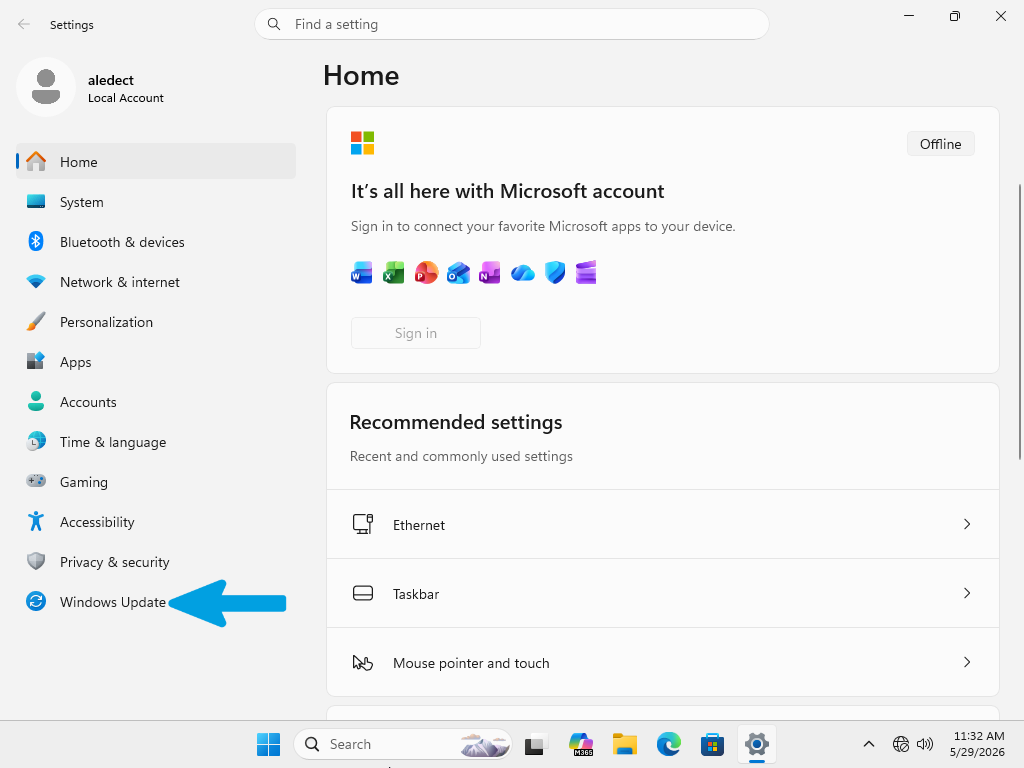
Step 2
From the main Settings dashboard, locate and click on Windows Update in the left-hand sidebar.
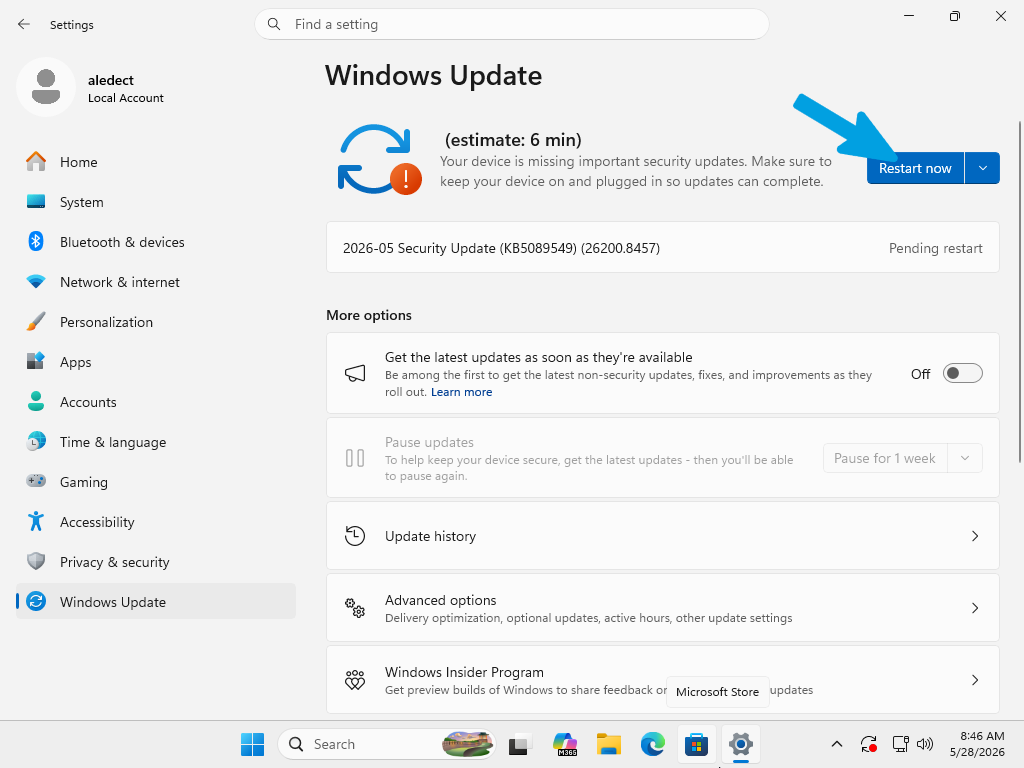
Step 3
Click the Check for updates button. The system will scan for all available security and quality fixes. If updates are found, click Download & install. If the system is waiting for a restart, you will see a Restart now button; ensure you save your work and click it to finalize the installation.
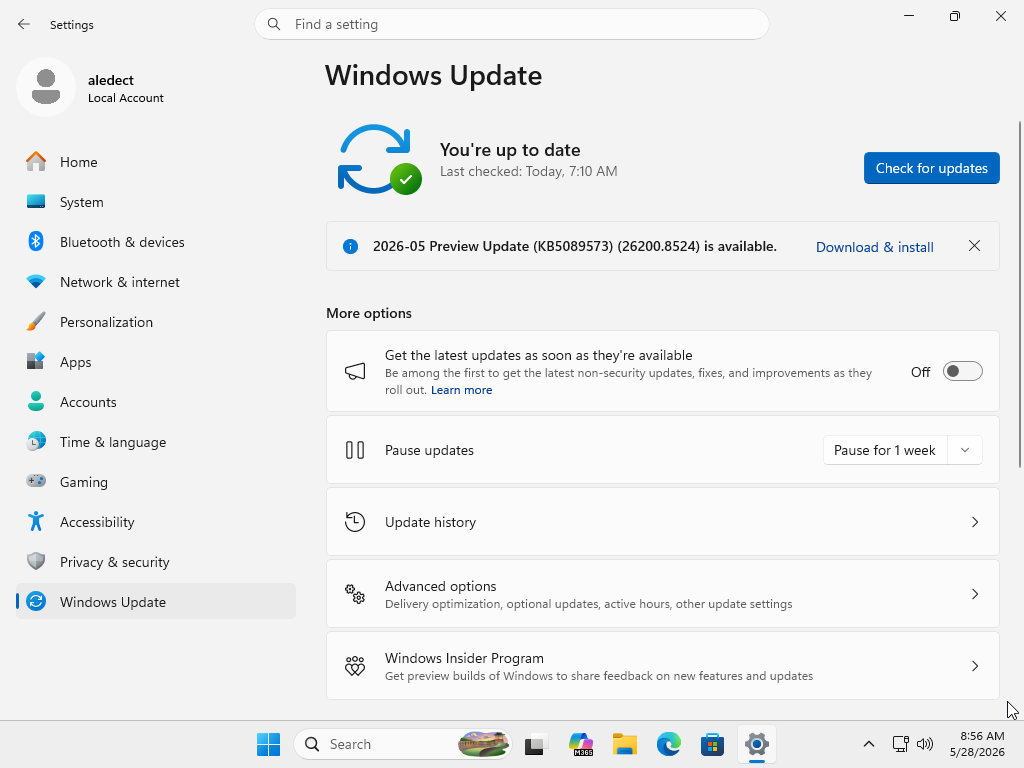
Step 4
Once the update process is complete, the status should indicate "You're up to date." Your system is now fully patched and ready for further optimizations.
Microsoft Account
This section covers Microsoft Account configuration. While a Microsoft Account is not required to use Windows, configuring one during the initial setup process enables access to Microsoft services such as OneDrive, Microsoft Store, settings synchronization, device management, and cloud backup features. Linking a local user profile to a Microsoft Account is entirely optional, and users may continue using a local account if preferred. However, completing this configuration during the initial setup phase can simplify access to Microsoft ecosystem features and ensure that account-related services are available immediately after installation. If you do not wish to sign in with a Microsoft Account, you may skip this step and continue to the next section. A Microsoft Account can be linked to the device at any time later without affecting core operating system functionality.
Step 1
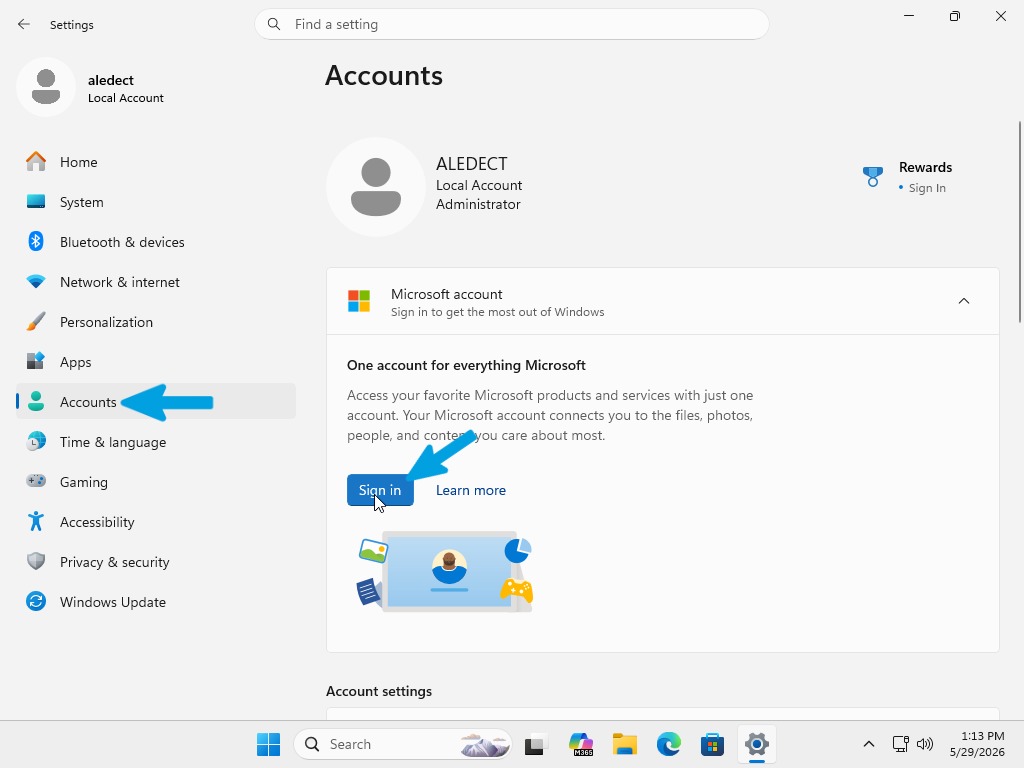
Open the Settings menu and navigate to the Accounts section. In the "Microsoft account" card, click the Sign in button. This initiates the connection process between your OS and Microsoft services.
Step 2
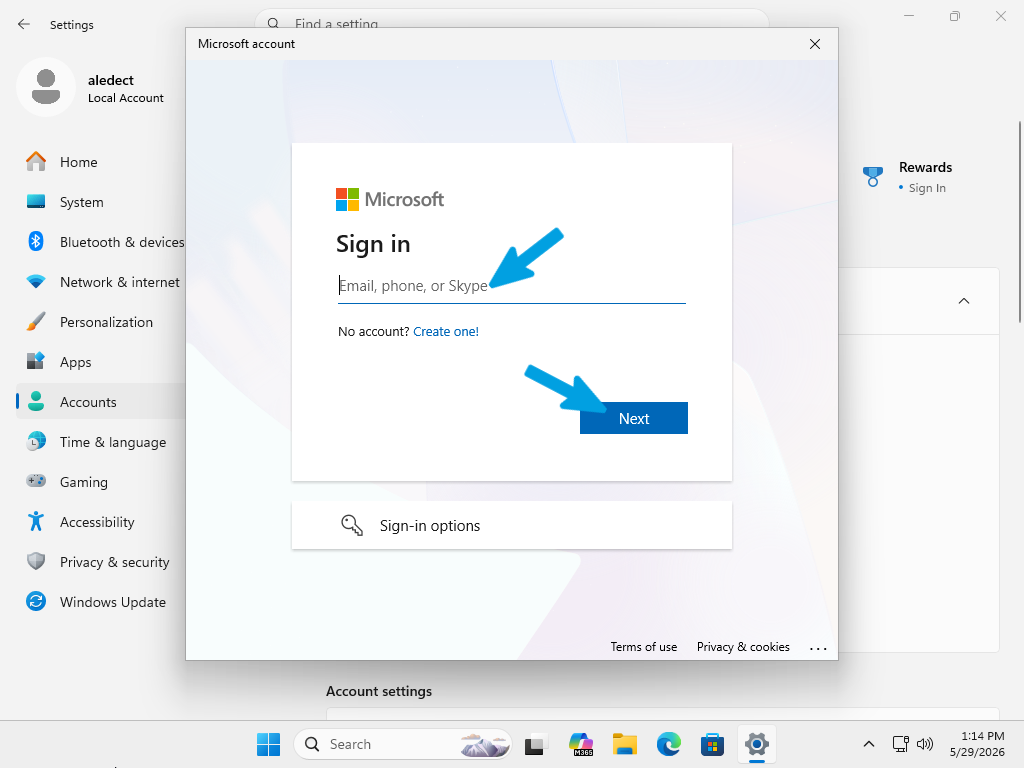
A secure authentication window will appear. Enter your Microsoft account credentials (email, phone number, or Skype ID) into the field and click Next to proceed. Once authenticated, your system will finalize the link between your local profile and your Microsoft identity.
Account Security
Securing your user profile is a standard practice to prevent unauthorized access to your local data. Whether you need to set a new password or change an existing one, Windows provides a centralized interface to manage all authentication methods, including PINs, security keys, and traditional passwords.
Follow these steps to configure your security credentials:
Step 1
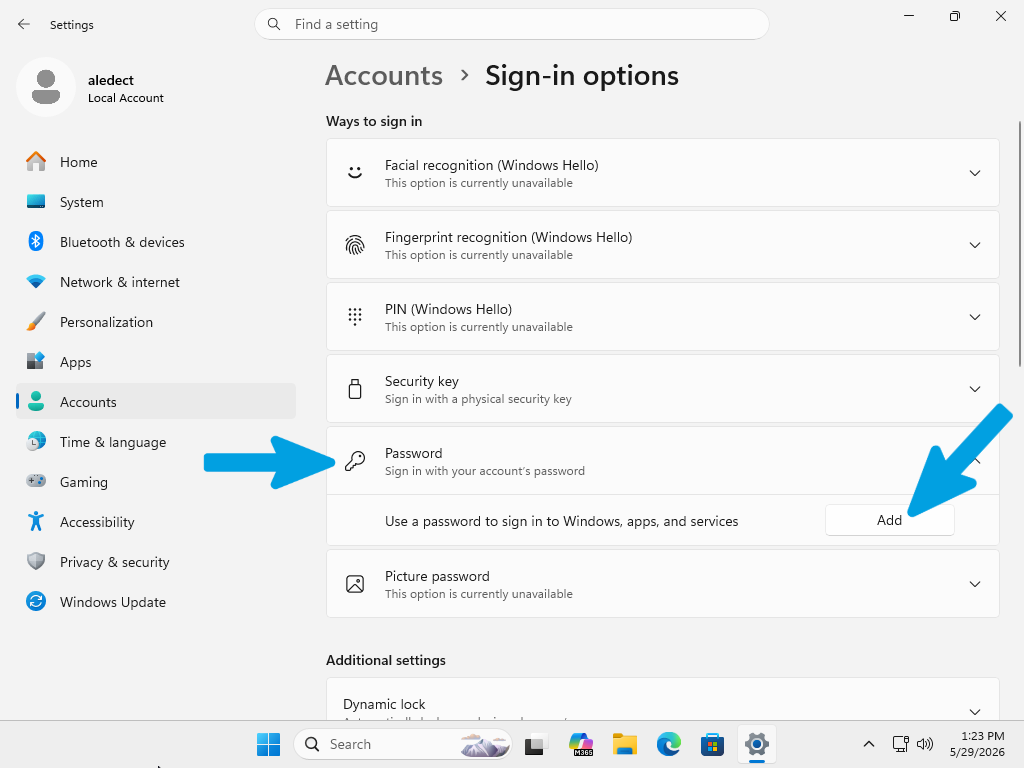
Open the Settings menu and navigate to Accounts. From here, select Sign-in options. This menu displays all the methods available to authenticate your session, such as Windows Hello or standard passwords.

Step 2
Locate the Password section and click the Add button. This will open the password creation dialog.
Step 3
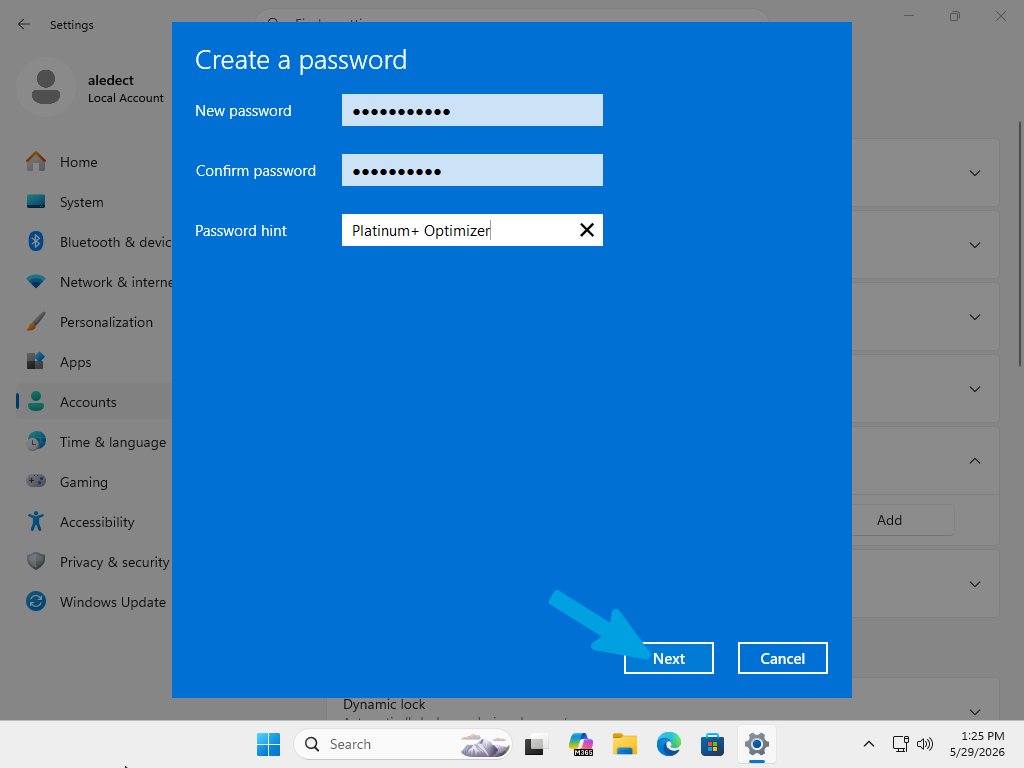
In the "Create a password" window, enter your desired password in both the "New password" and "Confirm password" fields. You may also add a "Password hint" to help you recall your credentials if forgotten. Click Next to finalize the setup.
Windows Activation
Verifying that your operating system is properly activated is a fundamental step. A valid activation ensures that your Windows license is recognized by Microsoft’s servers, allowing the system to operate with full functionality, receive all critical security updates, and unlock personalization settings.
Follow these steps to verify your activation status:
Step 1
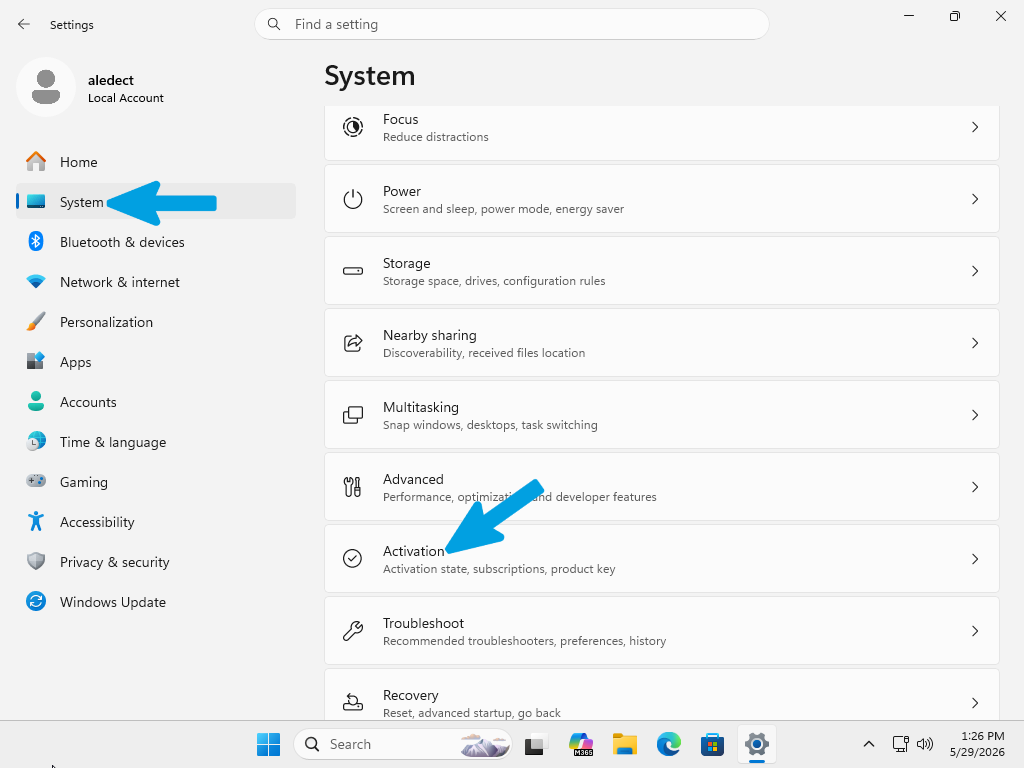
Open the Settings menu. In the left-hand sidebar, select System. Scroll down through the system options and locate and click on Activation to view your current license details.
Step 2
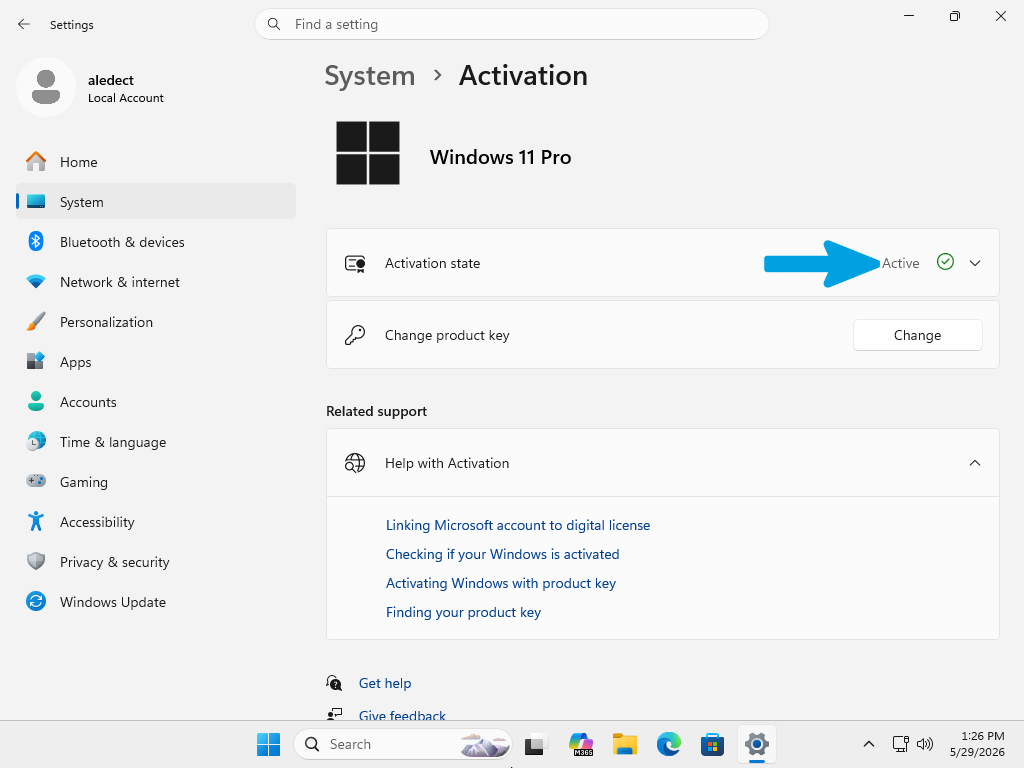
Check the Activation state. If it displays "Active" with a green checkmark, your system is correctly licensed and fully authorized. If your system shows as "Not active," ensure that you have a valid product key or a digital license linked to your account. You can click the Change button to input a product key or use the "Help with Activation" links provided on the page to troubleshoot authorization issues or verify your license availability.
AMD Chipset Guide
To begin, we will install the chipset drivers, which are essential software components that allow the operating system to properly communicate with the motherboard controller. In practice, they manage and optimize the operation of the main hardware interfaces, such as PCIe lanes, USB ports, and storage controllers.
We start with these drivers because they form the foundation on which all the others rely: if the chipset is not correctly configured, even drivers such as those for the graphics card, network, or audio may not function properly or may become unstable. By installing them first, we ensure that the system is correctly recognized, stable, and ready for the subsequent drivers.
Step 1
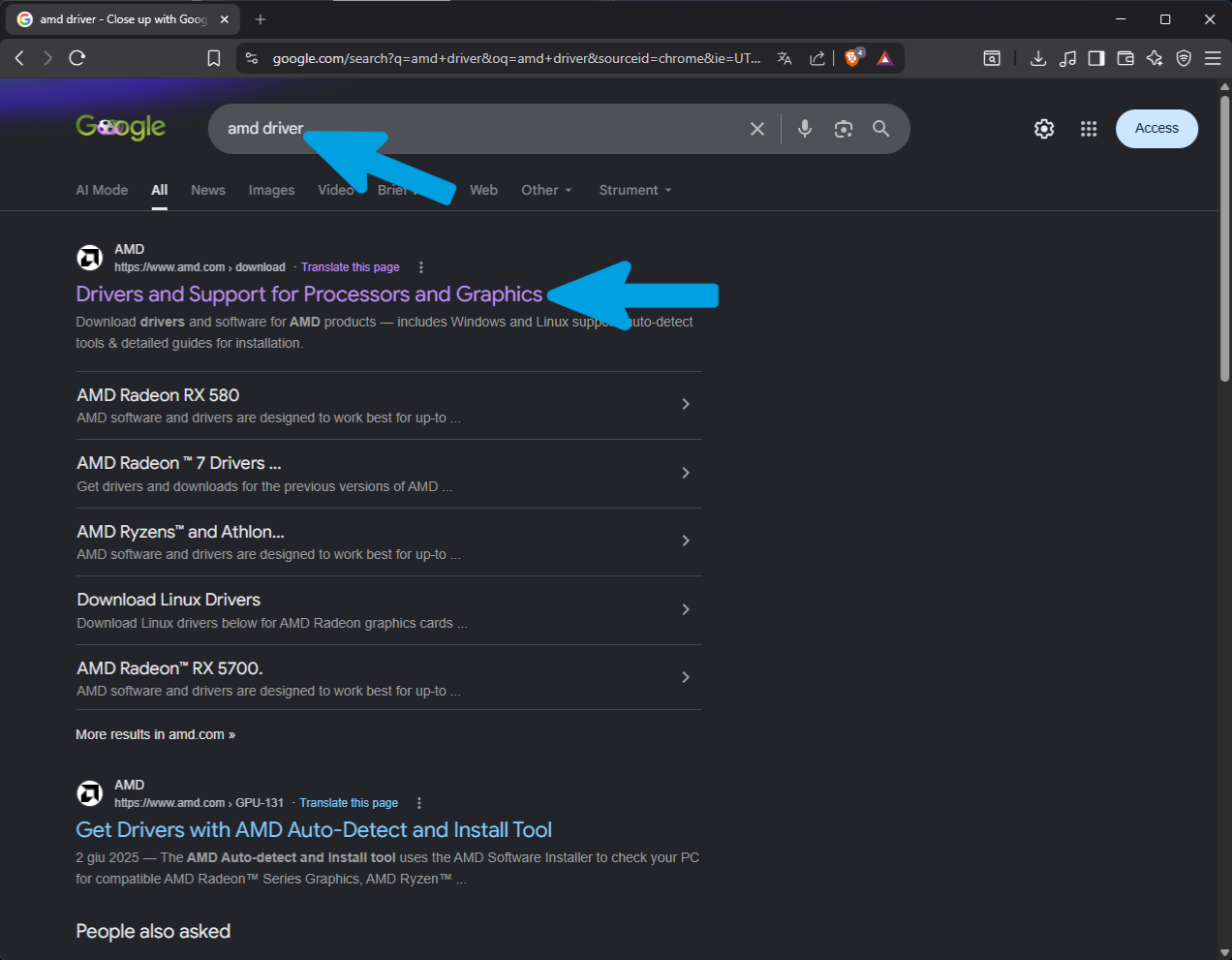
Open any search engine and type "amd driver". Click on the first official AMD result: "Drivers and Support for Processors and Graphics".
Step 2
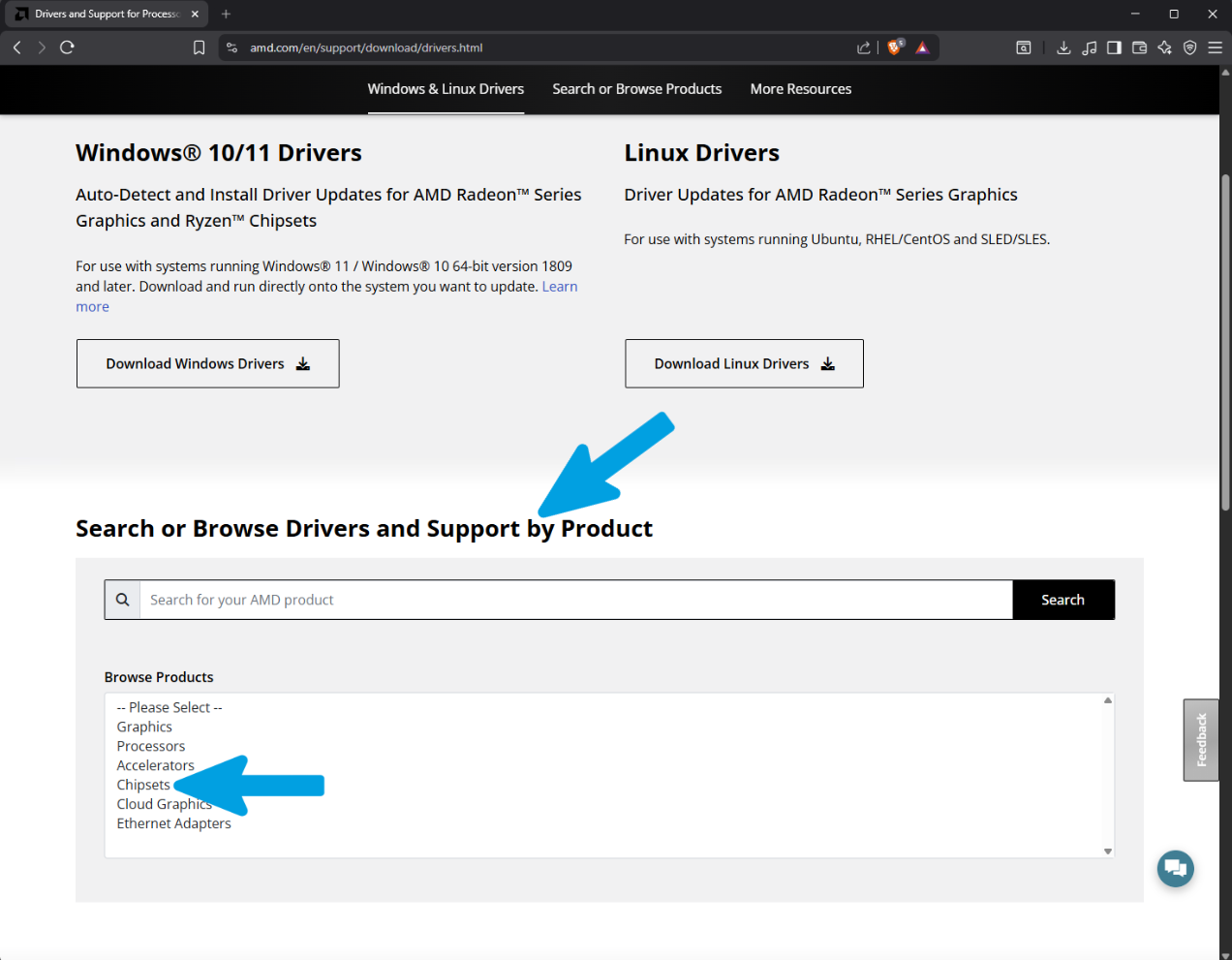
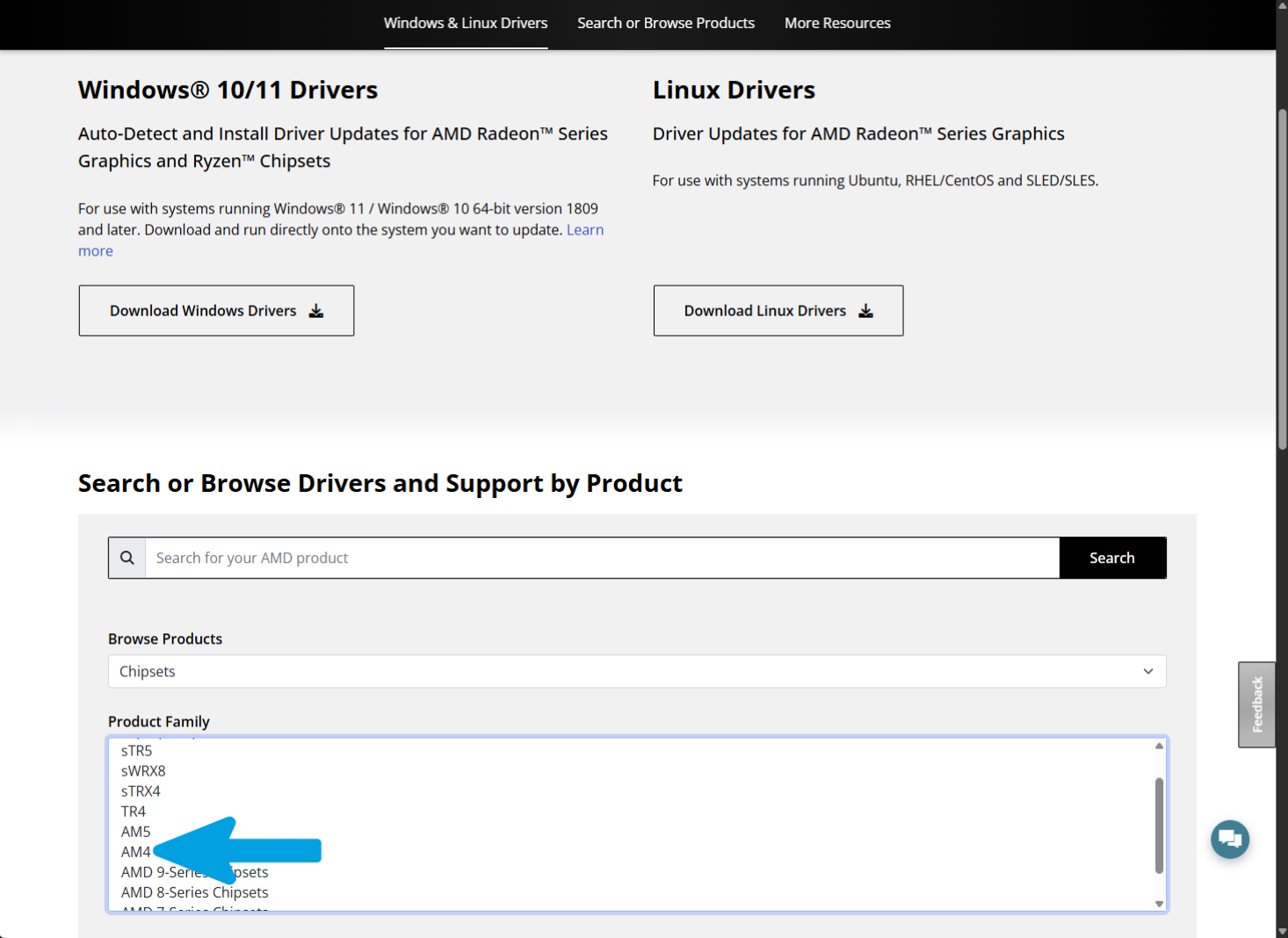
Scroll down the page to the "Search or Browse Drivers and Support by Product" section. Inside the "Browse Products" box, select "Chipsets". Refer to the image below for the exact configuration required in this step.
Step 3
In the "Product Family" section, select your motherboard's socket (in the photo example, "AM4"). If you do not know your exact hardware configuration, please consult your motherboard's official documentation or do a quick web search before proceeding.
Step 4
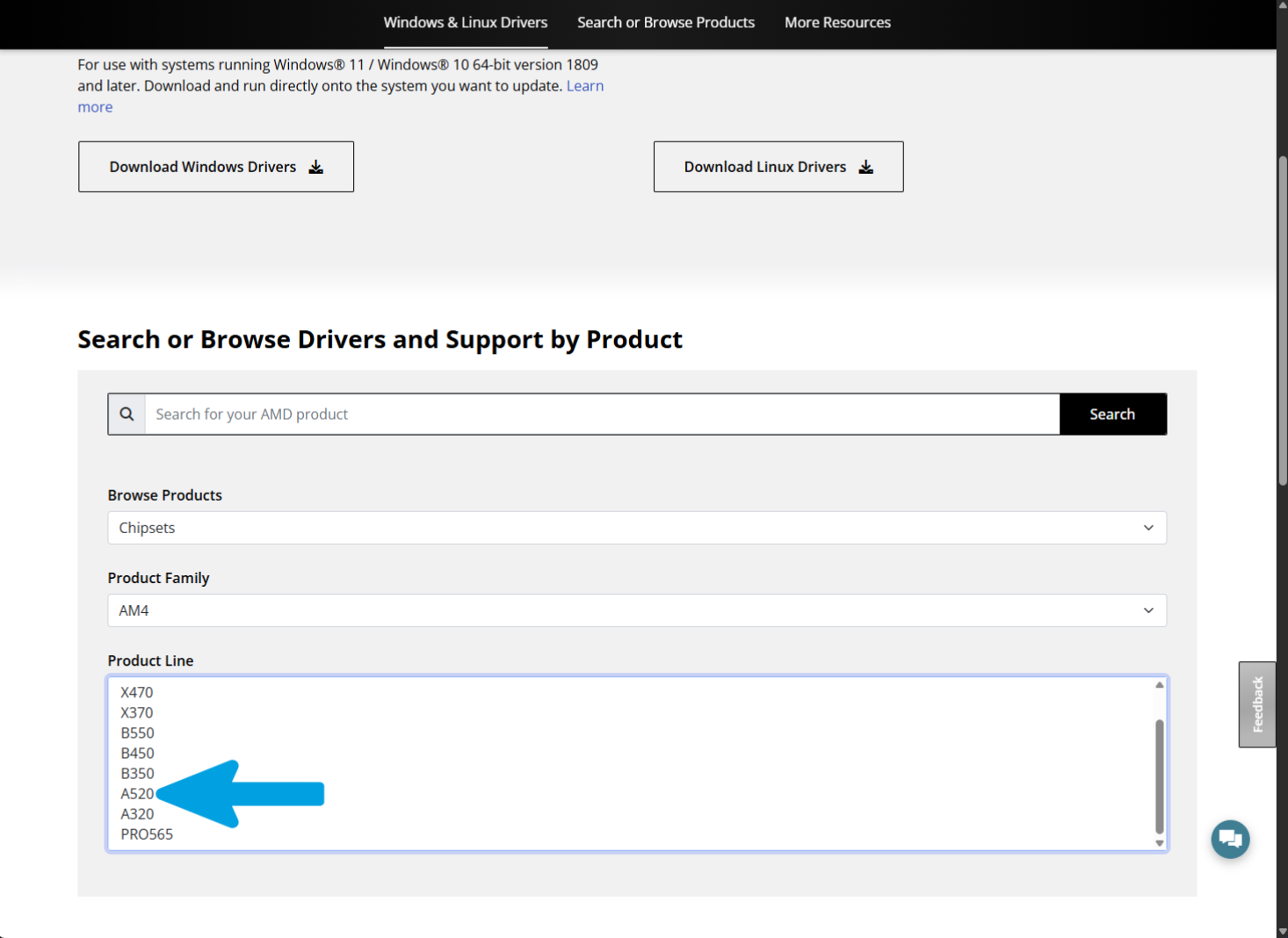
In the "Product Line" section, select the exact chipset model of your motherboard (in the photo example, "A520").
Step 5
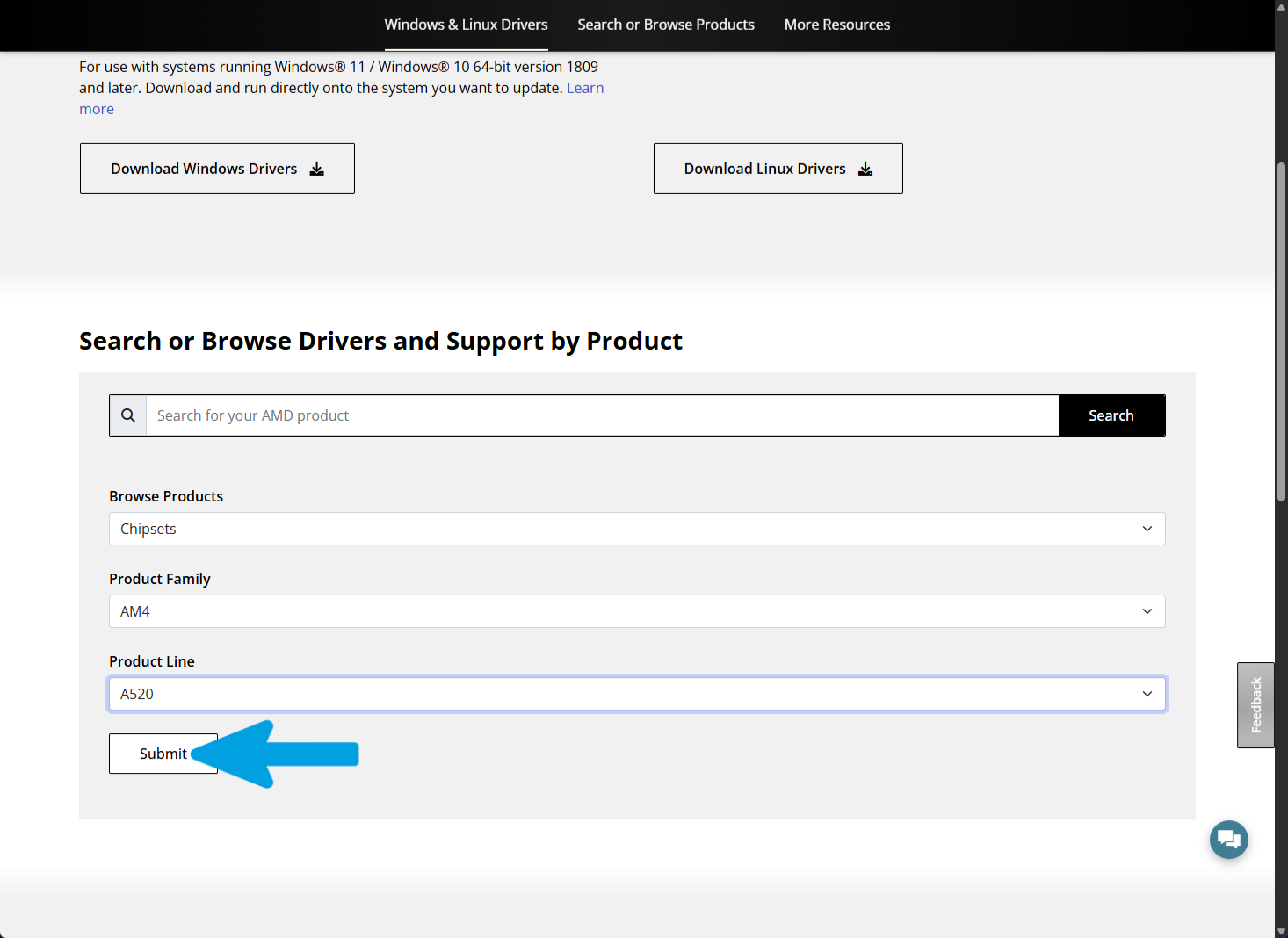
Once you have confirmed that all selections match your hardware, click the "Submit" button to proceed. Refer to the image below for the exact configuration required in this step.
Step 6
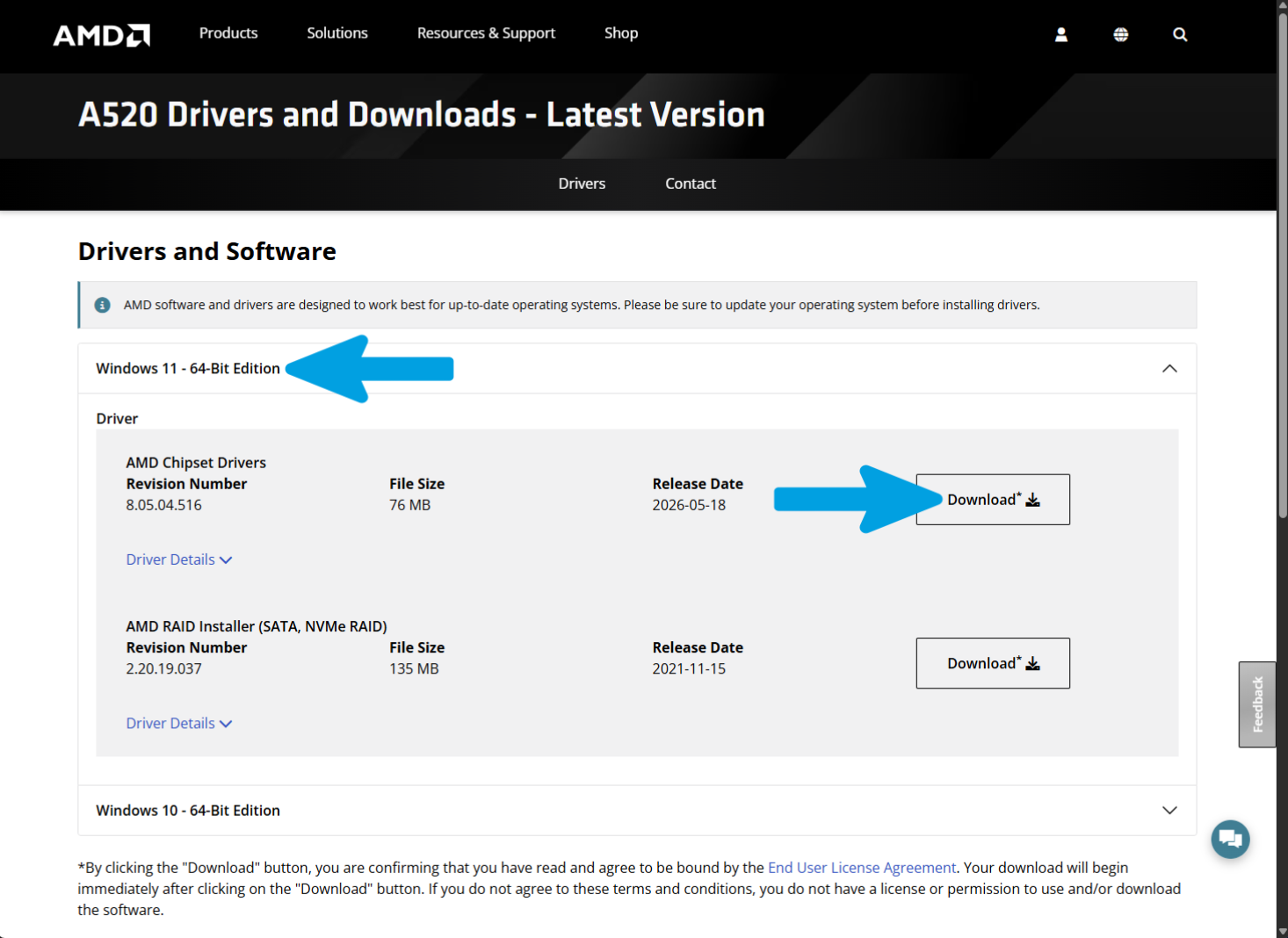
Expand the section corresponding to your operating system (in the photo example, "Windows 11 - 64-Bit Edition"). Next, locate "AMD Chipset Drivers" and click the "Download" button to start the download.
Step 7
Wait for the download to complete successfully.
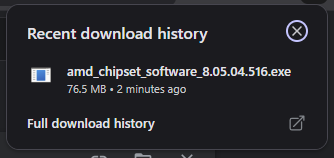
Step 8
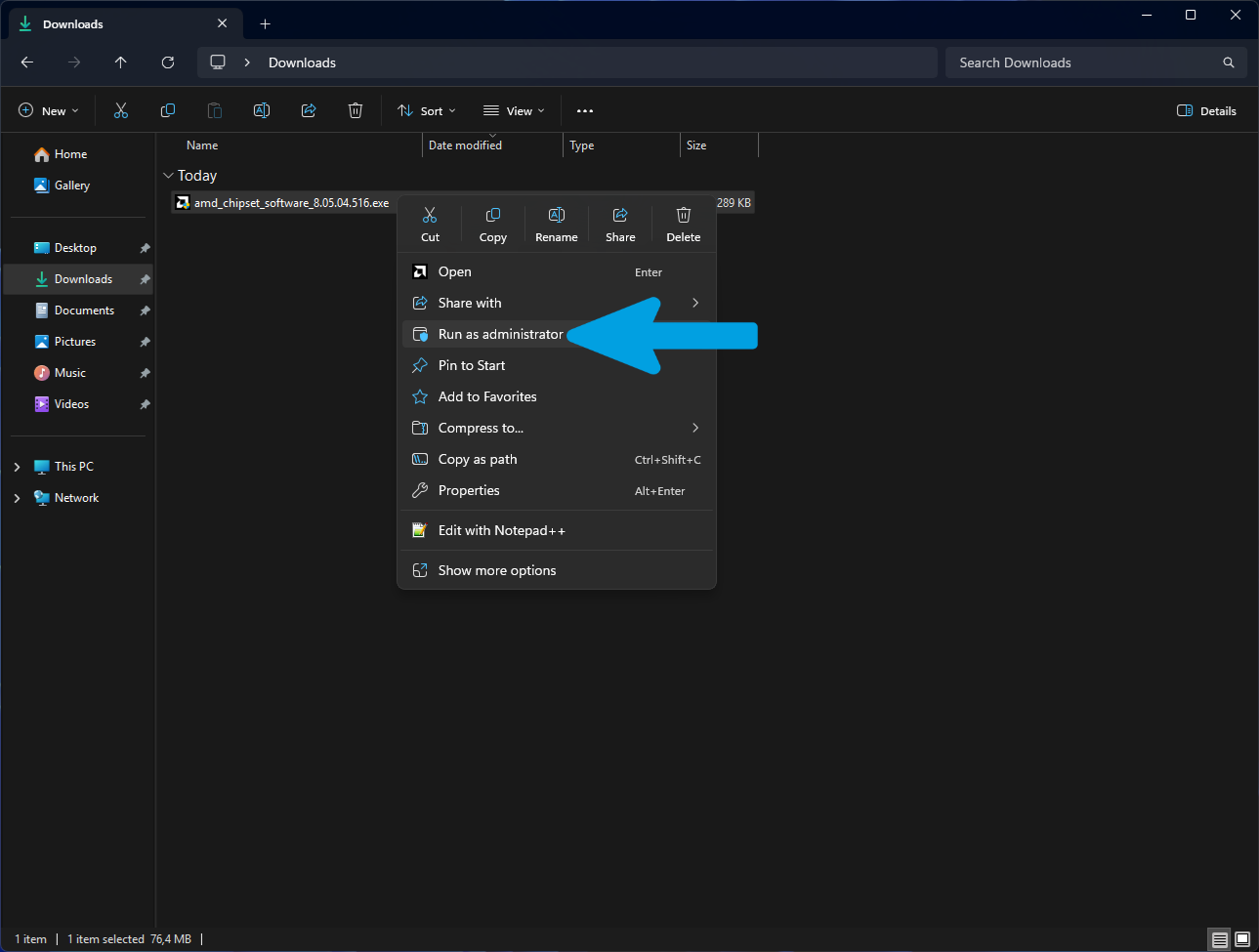
Open File Explorer and navigate to the folder where the downloaded file was saved. Right-click the program file and select "Run as administrator".
Step 9
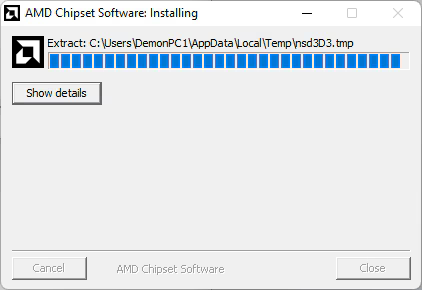
Wait for the program to complete the extraction of the necessary files for the installation. Do not close the window or interrupt the process during this phase.
Step 10
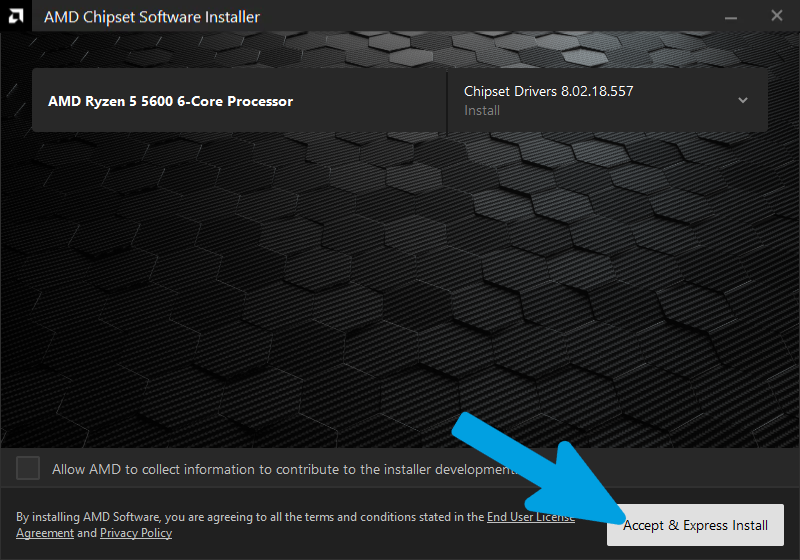
The AMD installation screen will appear. Click the "Accept & Express Install" button to proceed with the quick installation of the necessary drivers.
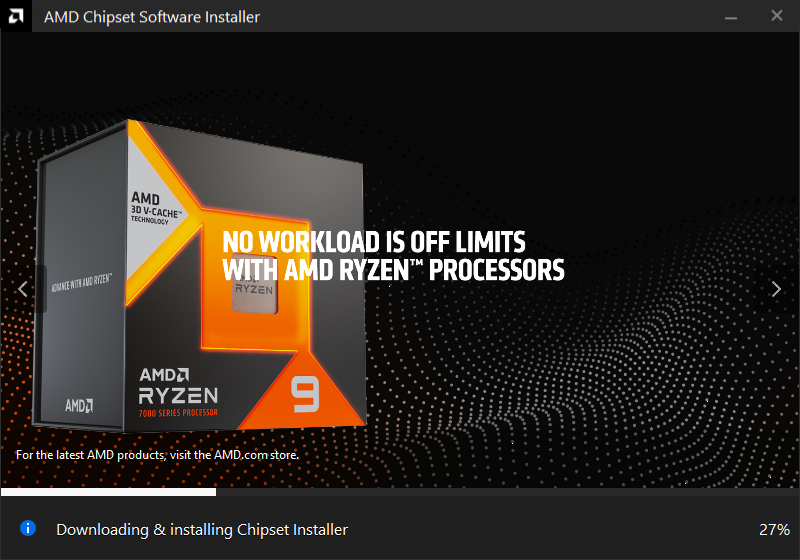
Step 11
Wait for the installation to complete. Do not turn off your computer or attempt to interrupt the process during this phase.
Step 12
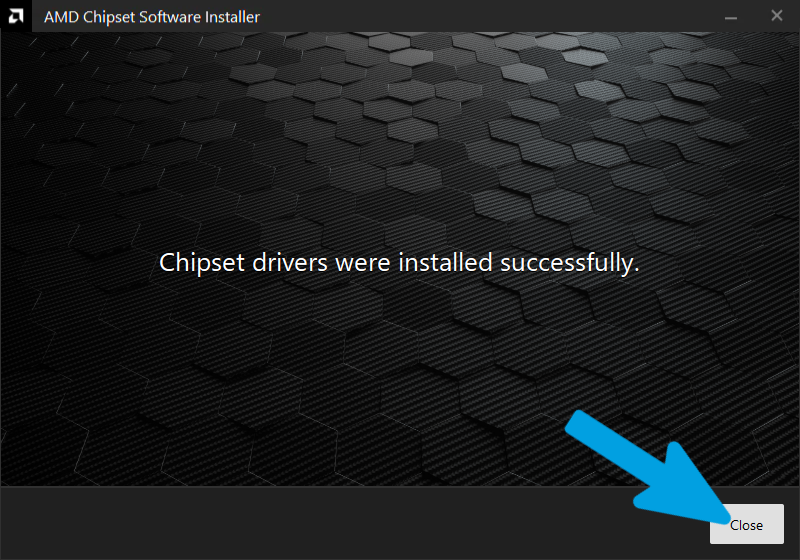
The installation has been successfully completed. Click the "Close" button to exit the program. We recommend restarting your computer to ensure all drivers are properly loaded by the system. Refer to the image below for the exact configuration required in this step.
AMD GPU Guide
Follow the step-by-step images below to correctly configure and install AMD GPU. Ensure you follow the exact settings highlighted in the screenshots.
Step 1
Open any search engine and type "amd driver".

Step 2
Click on the official AMD link and use the search bar to find your exact graphics card model (e.g., "AMD Radeon RX 7900 XTX").

Step 3
Expand the section corresponding to your operating system (e.g., "Windows 11 - 64-Bit Edition"), locate the AMD Software: Adrenalin Edition driver, and click "Download".
Note: If available, it's recommended to download the full offline driver package instead of the Web Installer. The full package includes all driver components and is generally better suited for use with Software Slimmer, allowing you to customize the installation and remove components you don't need. If only the Web Installer is available, you can still use it without any issues—the driver will work correctly, but you may have fewer customization options compared to the full offline package.

Step 4
Wait for the driver download to complete successfully.

Step 5
Now, open your search engine again and type "Radeon Software Slimmer". Click on the official GitHub link (GSDragoon/RadeonSoftwareSlimmer).

Step 6
On the right side of the GitHub repository page, locate the "Releases" section and click on the "Latest" release.

Step 7
Scroll down to the "Assets" section and click on the .zip file (e.g., RadeonSoftwareSlimmer_1.12.0_net48.zip) to download it.

Step 8
Wait for the Radeon Software Slimmer download to complete successfully.

Step 9
Open File Explorer, navigate to your Downloads folder, right-click on the downloaded .zip file, and select "Extract All...".

Step 10
In the extraction window, leave the default destination path unchanged. Make sure the "Show extracted files when complete" box is checked, then click the "Extract" button.

Step 11
Once extracted, the folder will open. Right-click on the "RadeonSoftwareSlimmer.exe" program file and select "Run as administrator".

Step 12
After opening the program, click on the Pre Install section located at the top of the window.

Step 13
Click the Browse button.

Step 14
Select the driver package you downloaded earlier, then click Open.

Step 15
Verify that the correct file has been selected, then click Next.

Step 16
Click Next again.

Step 17
A complete list of all driver packages included in the selected driver package will be displayed. If you are unsure about what you are doing, click the button at the top to read the detailed documentation, or simply follow my recommended options if you prefer a minimal configuration.

Step 18
After making your selections according to your preferences, open the Scheduled Tasks section. If you are unsure about what you are doing, click the button at the top to read the detailed documentation, or simply follow my recommended options if you prefer a minimal configuration.

Step 19
Next, open the Display Driver Components section. If you are unsure about what you are doing, click the button at the top to read the detailed documentation, or simply follow my recommended options if you prefer a minimal configuration.

Step 20
After carefully choosing which components to install, click the Modify Installer button to apply your changes to the driver package. Once the modifications have been applied, click Run Installer to launch the customized driver installer.

Step 21
Wait for the installer to load completely.

Step 22
Verify that the installer correctly detects your graphics card. If the installer offers additional unwanted components, simply decline them and uncheck any unwanted options presented during the setup process. The Factory Reset option, which performs a clean driver installation, is completely optional if you have already performed a full driver cleanup beforehand. If you are unsure whether a complete cleanup was performed, you may enable this option. Once you are ready, click Accept and Install.

Step 23
Wait for the driver installation to complete and verify that no errors occur during the process. Once the installation has finished, it is recommended to restart your system to ensure that the driver is properly loaded and applied when the operating system starts.

Intel Chipset Guide
To begin, we will install the chipset drivers, which are essential software components that allow the operating system to properly communicate with the motherboard controller. In practice, they manage and optimize the operation of the main hardware interfaces, such as PCIe lanes, USB ports, and storage controllers.
We start with these drivers because they form the foundation on which all the others rely: if the chipset is not correctly configured, even drivers such as those for the graphics card, network, or audio may not function properly or may become unstable. By installing them first, we ensure that the system is correctly recognized, stable, and ready for the subsequent drivers.
For chipset driver installation, we use Snappy Driver Installer Origin (SDIO). This tool automatically scans the system and identifies the most suitable drivers for the detected hardware.
SDIO helps simplify the installation process, reducing the time required to manually search for drivers from different manufacturers. It also minimizes compatibility issues by recommending the correct driver versions for the system.
Step 1
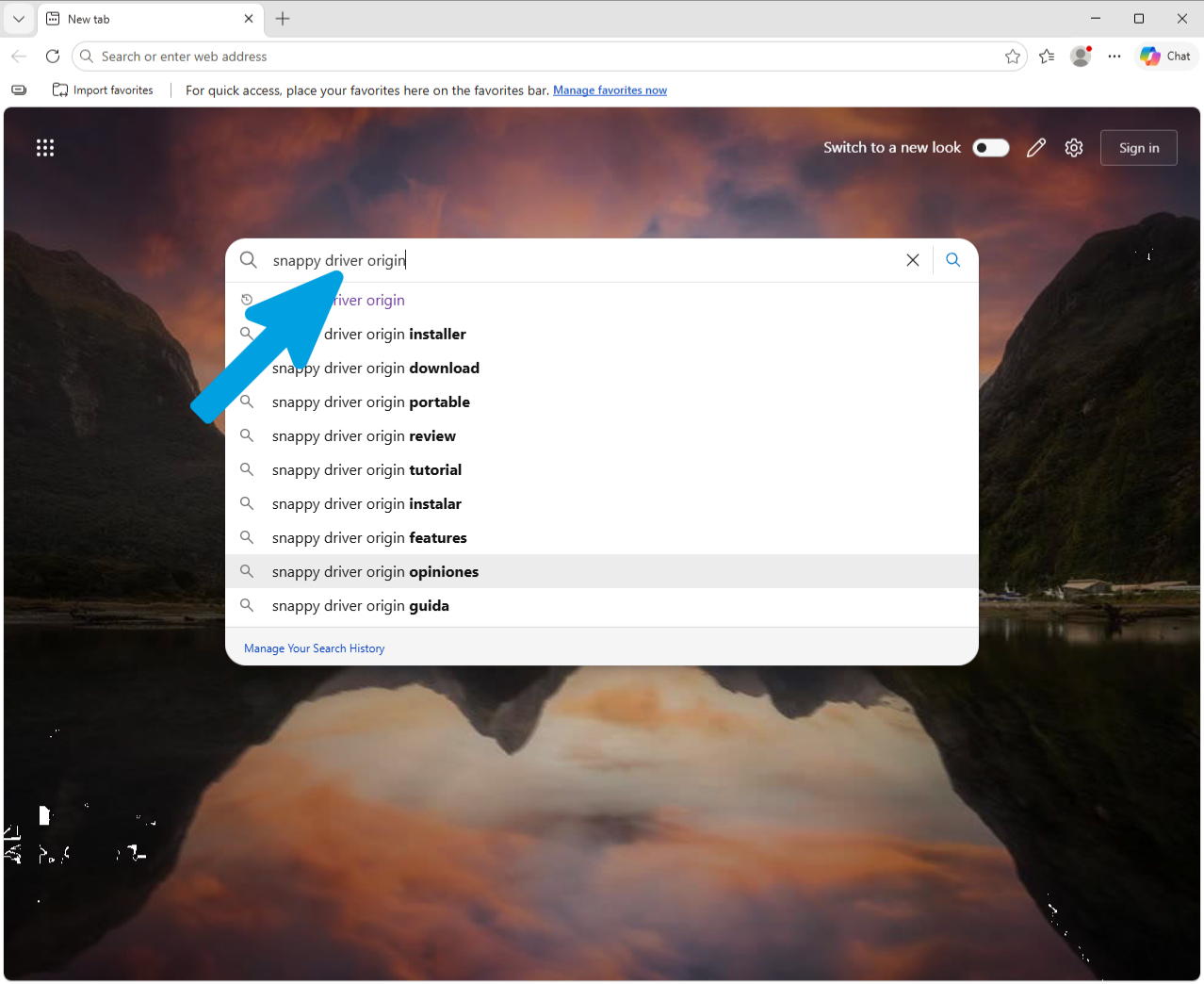
Open any search engine and search for "snappy driver origin".
Step 2
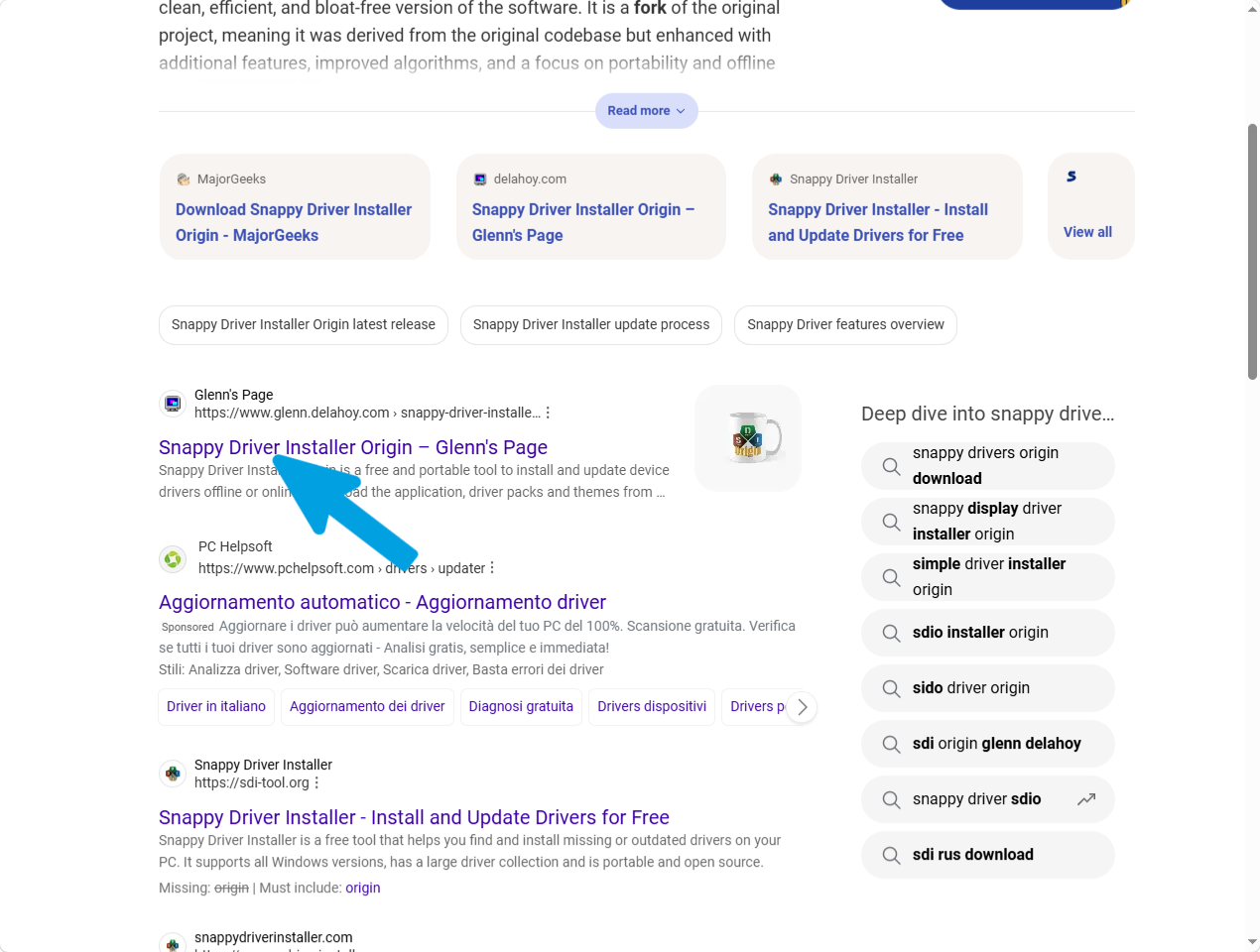
Click on the link pointing to "Glenn's Page" to access the official website for Snappy Driver Installer Origin. Avoid clicking on sponsored results or other unofficial sites.
Step 3
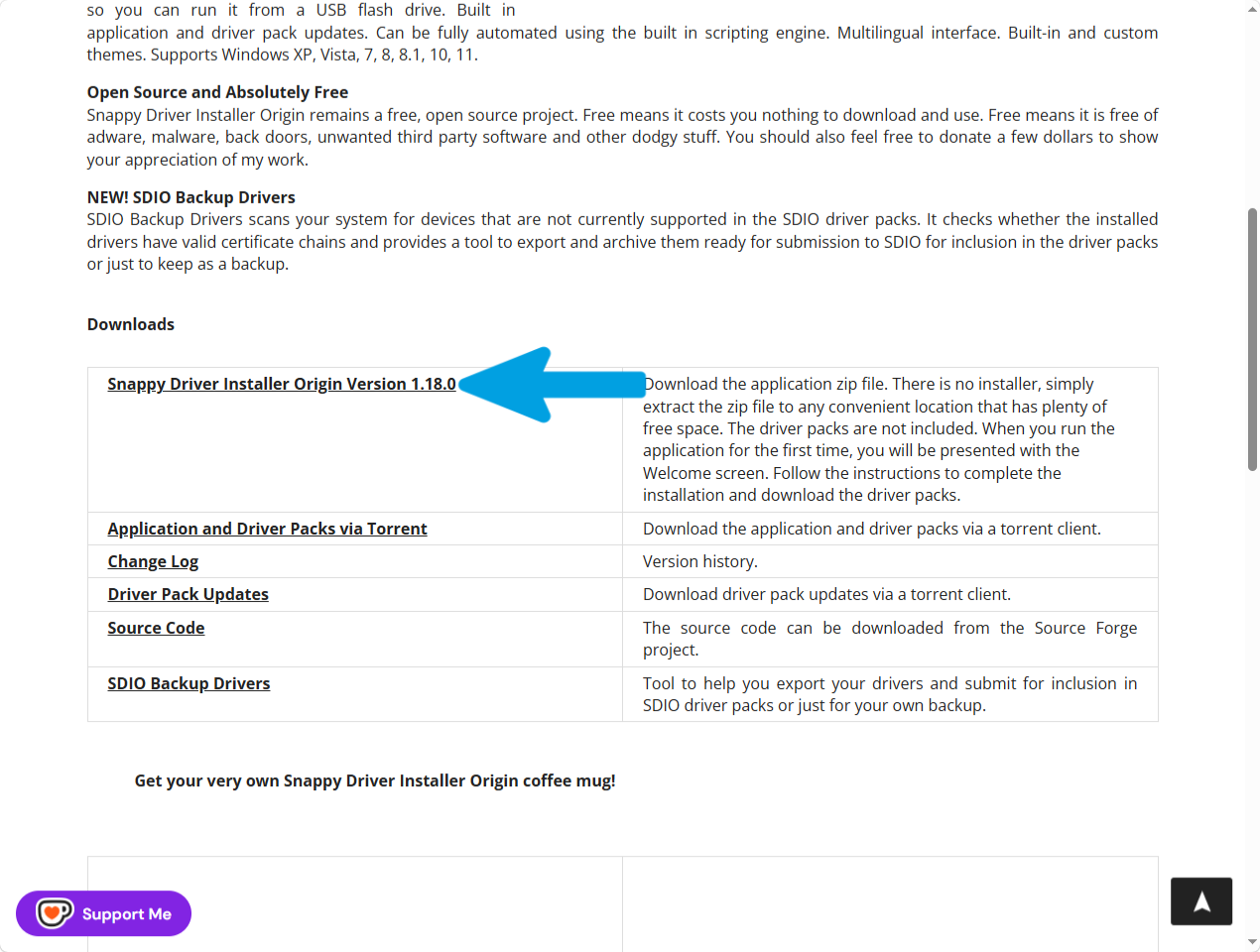
Scroll down to the "Downloads" section and click on the first link, "Snappy Driver Installer Origin Version 1.18.0" (or the latest version available), to start downloading the application's .zip file.
Step 4
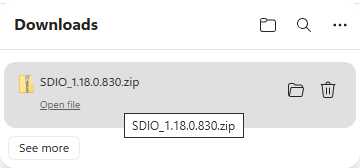
Wait for the download to complete successfully.
Step 5
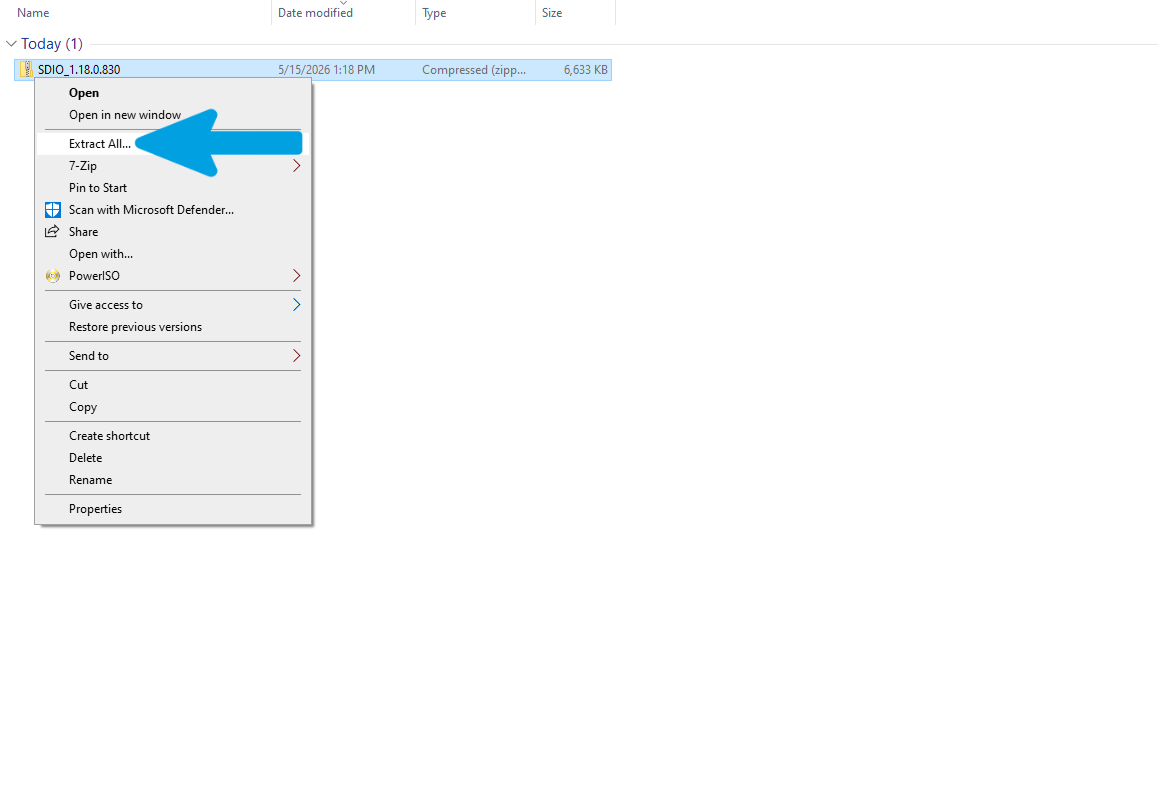
Open File Explorer and navigate to your downloads folder. Right-click on the compressed zip file and select "Extract All..." from the context menu.
Step 6
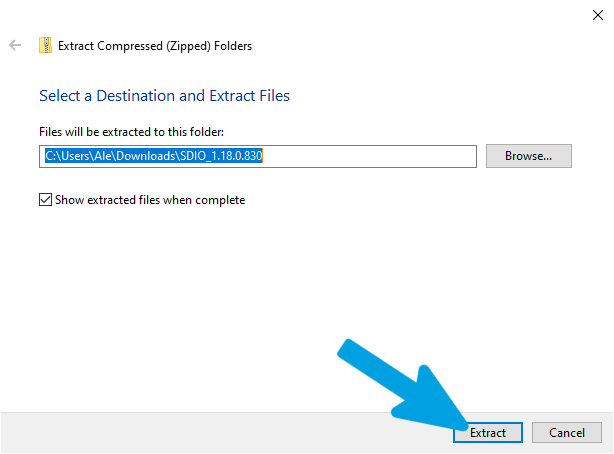
In the extraction window, leave the default destination path unchanged. Ensure that the "Show extracted files when complete" checkbox is checked, and then click the "Extract" button in the bottom-right corner to proceed.
Step 7
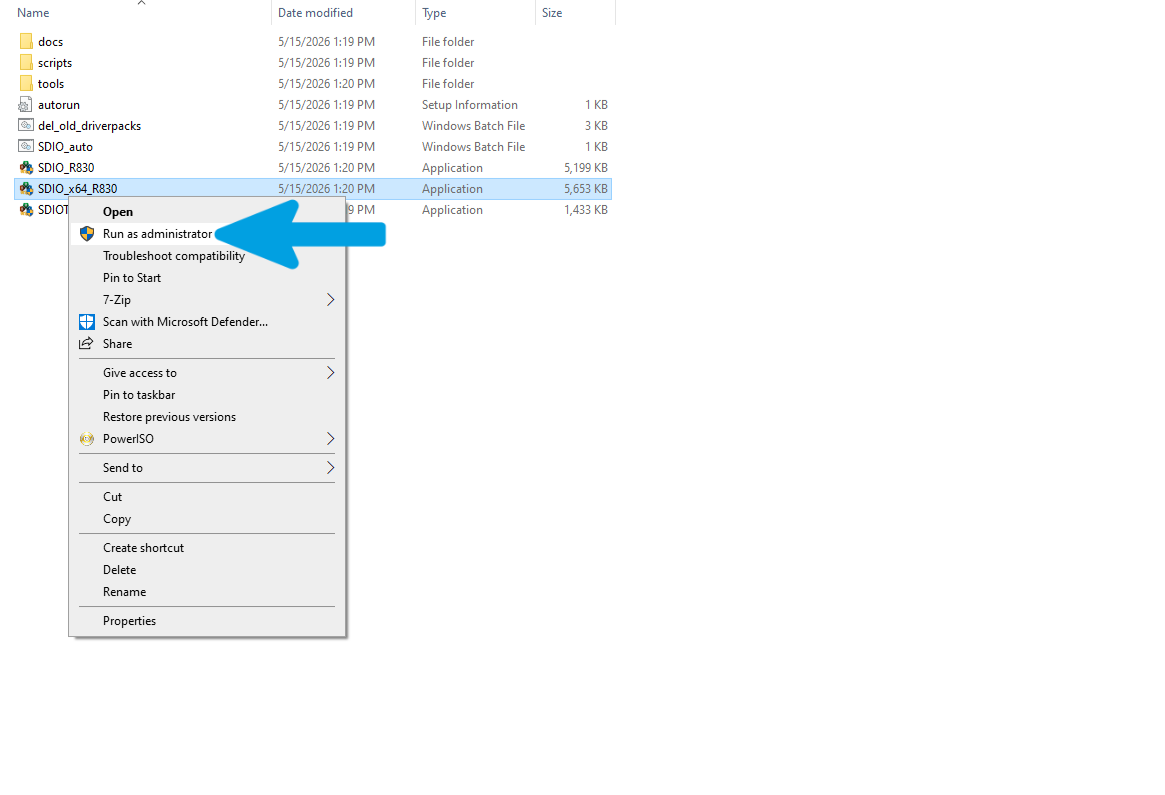
Once the extraction is complete, the folder containing the program files will open. Right-click on the 64-bit executable (identified by the _x64 suffix within the filename, matching your system platform) and select the "Run as administrator" option to launch it.
Step 8
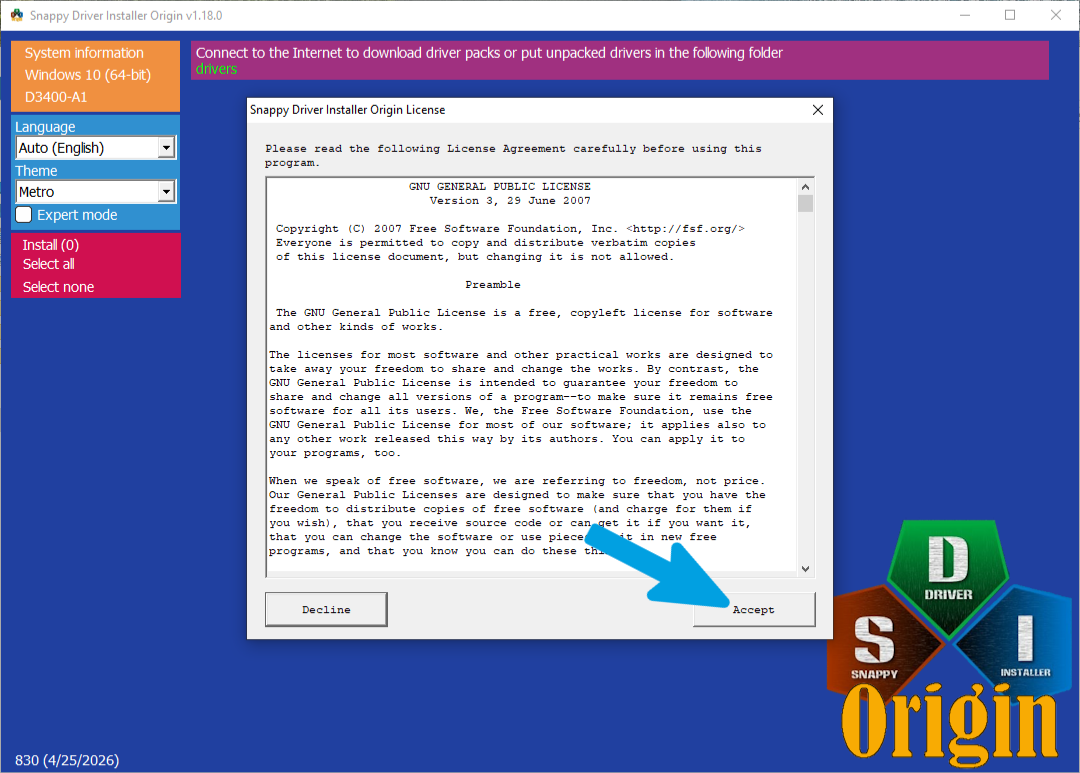
When you launch the program for the first time, a license agreement window (GNU General Public License) will appear. Click the "Accept" button in the bottom-right corner to agree to the terms and access the main interface.
Step 9
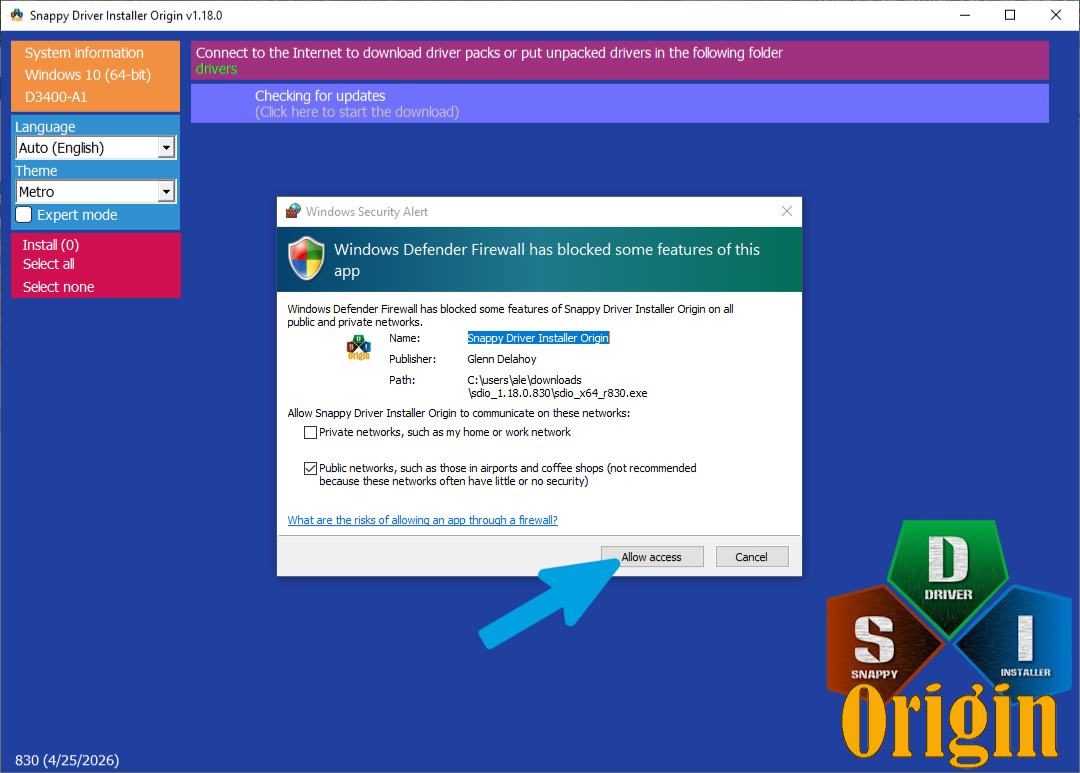
In case a Windows Defender Firewall security alert appears, simply click the "Allow access" button.
Step 10
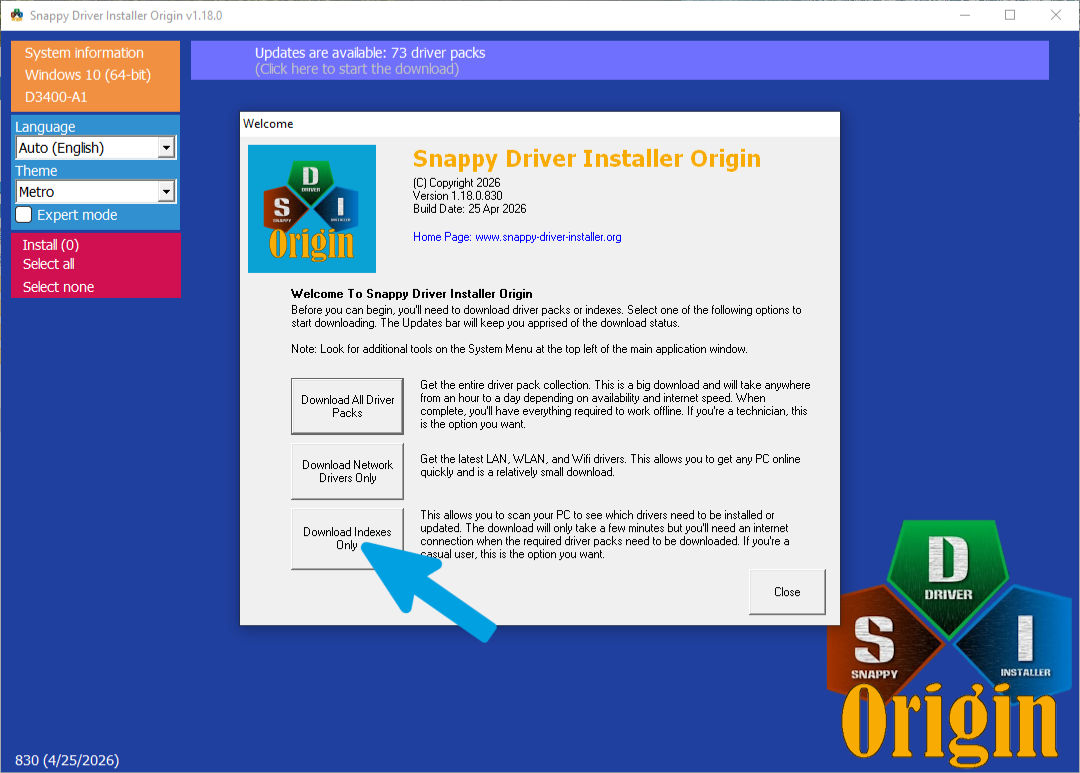
On the welcome screen, click the third and last button labeled "Download Indexes Only". This will quickly scan your PC to identify missing or outdated drivers without downloading the entire driver package database.
Step 11
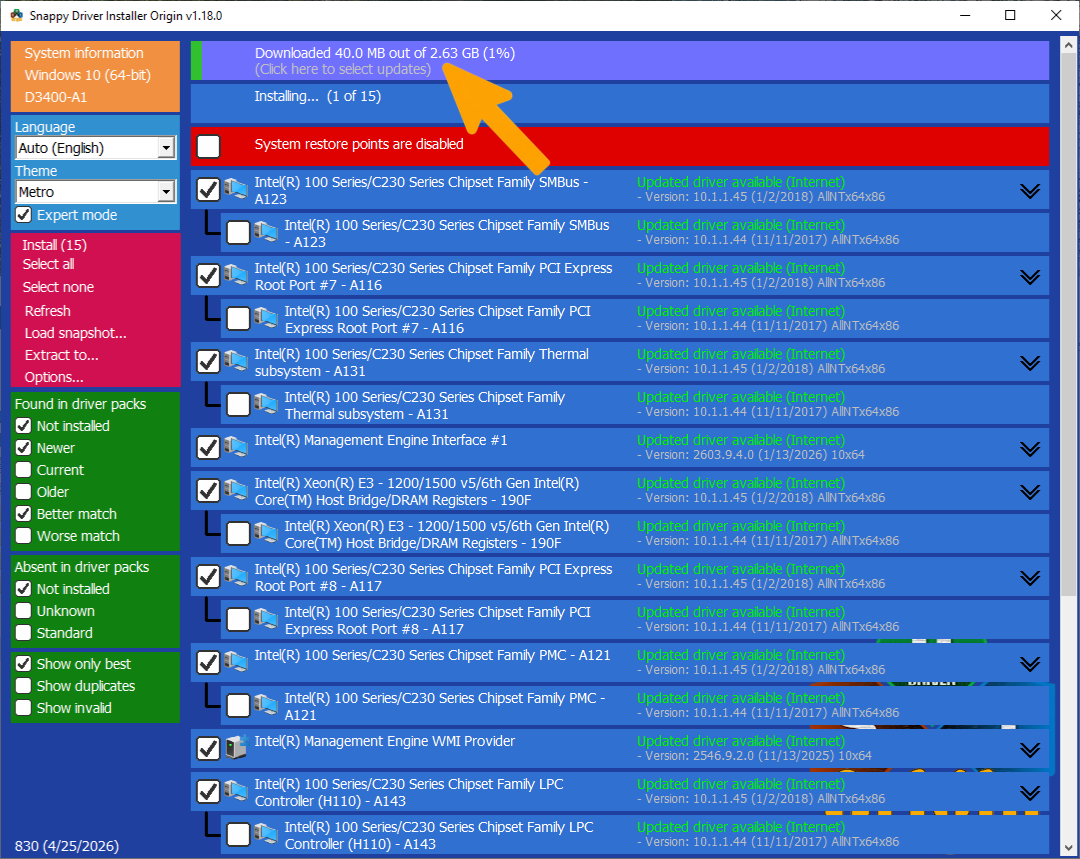
Wait for the index download to complete. The progress bar at the top displays the real-time download status; do not close the program or disconnect your internet connection during this phase.
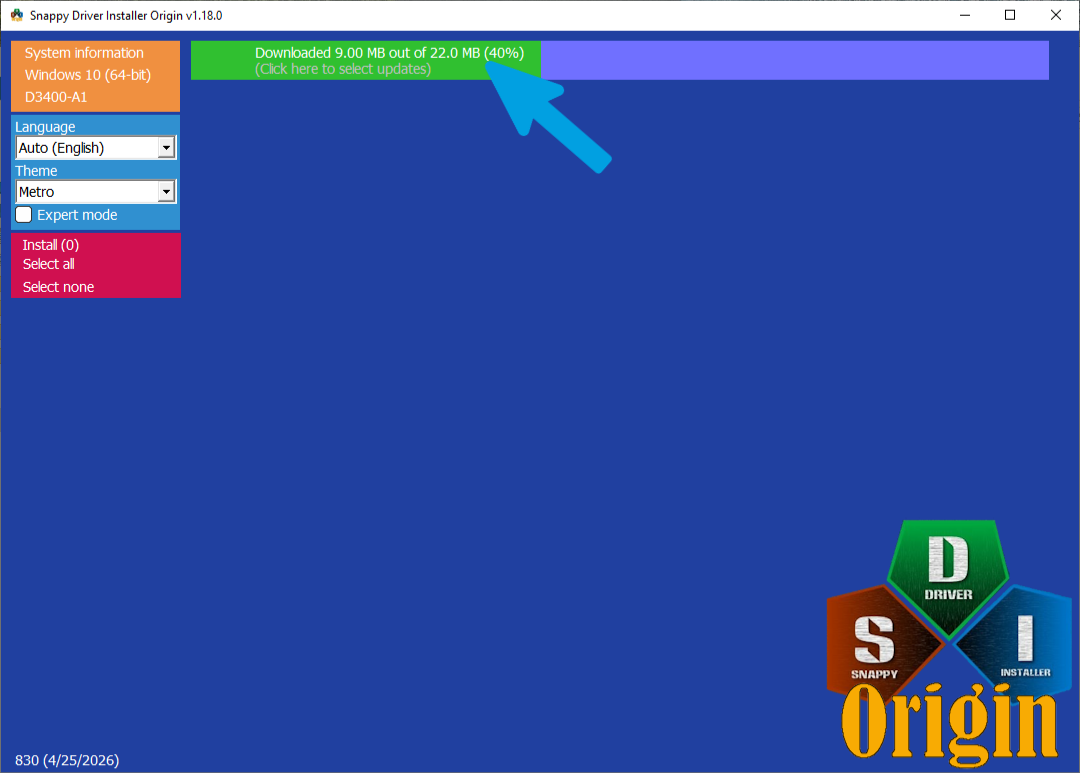
Step 12
Once the index download is complete, locate the left sidebar and check the box labeled "Expert mode". This will unlock the advanced options and filters of the program, giving you more precise control over the driver installation.
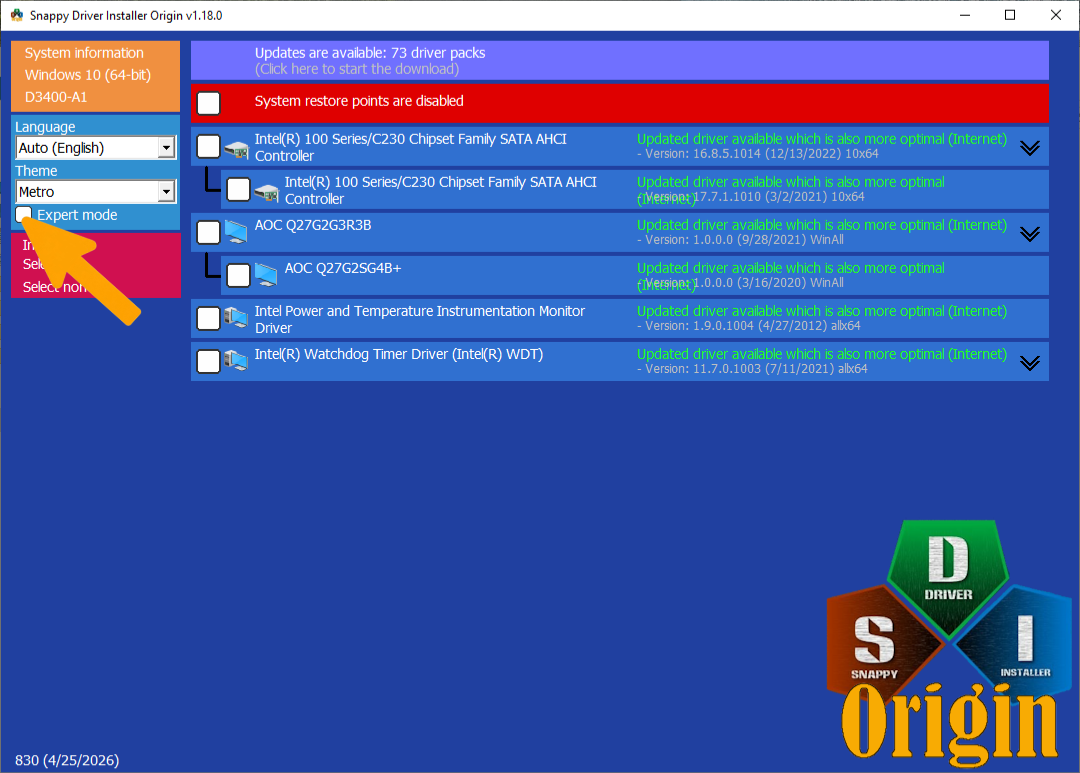
Step 13
Verify that only the exact options shown in the screenshot are selected on the left menu: "Not installed", "Newer", "Better match", and "Show only best". Make sure no other options are checked—not one more, and not one less—to ensure a precise configuration.
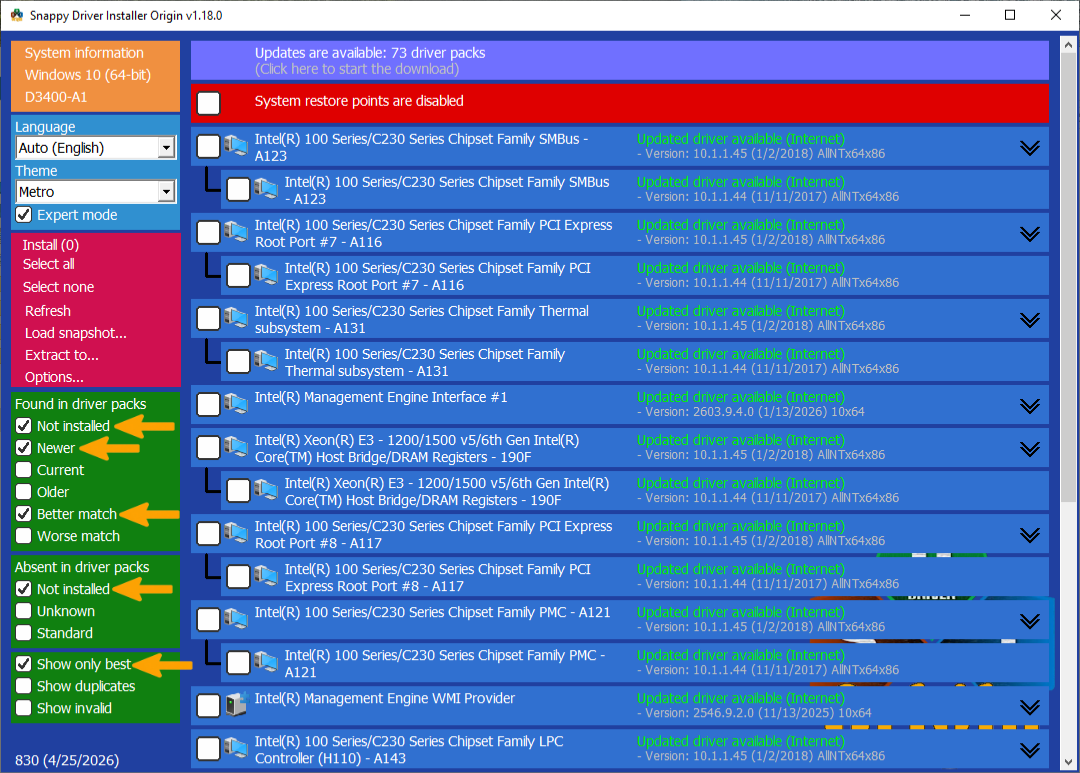
Step 14
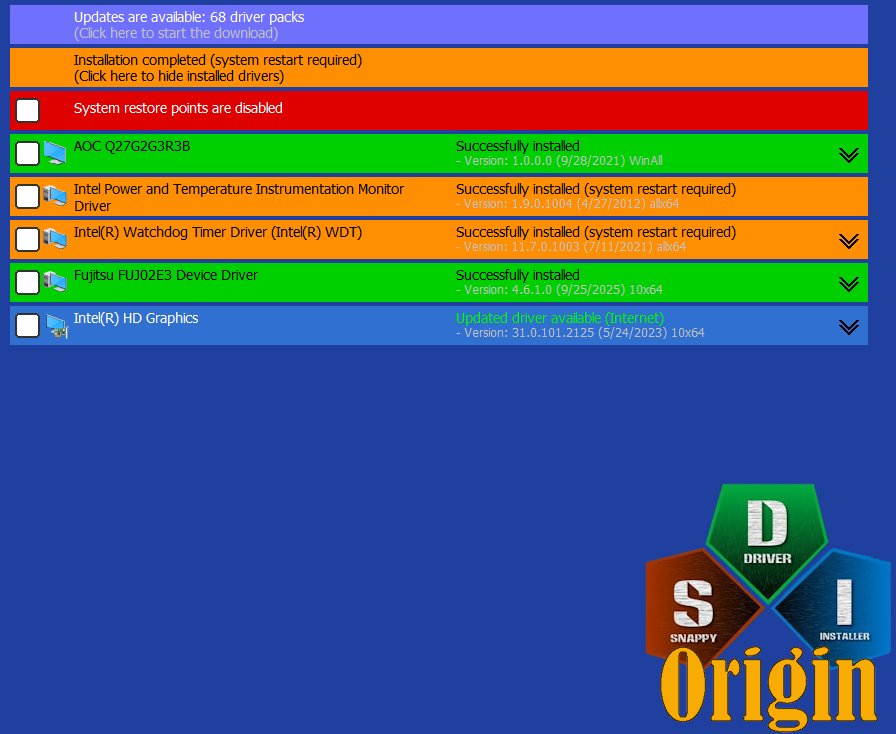
IMPORTANT: Manually select the main (top-level) driver entries for your chipset, bus, or specific proprietary motherboard drivers that are not graphics drivers, like in my case Fujitsu. Make sure to only check the top-level (newest) options and avoid checking the nested alternatives listed underneath them. Do not select any display or graphics card drivers under any circumstances—such as "Intel(R) HD Graphics". Leave them unchecked to prevent driver conflicts, as graphics drivers must be installed separately and cleanly using the dedicated guides in this wiki.
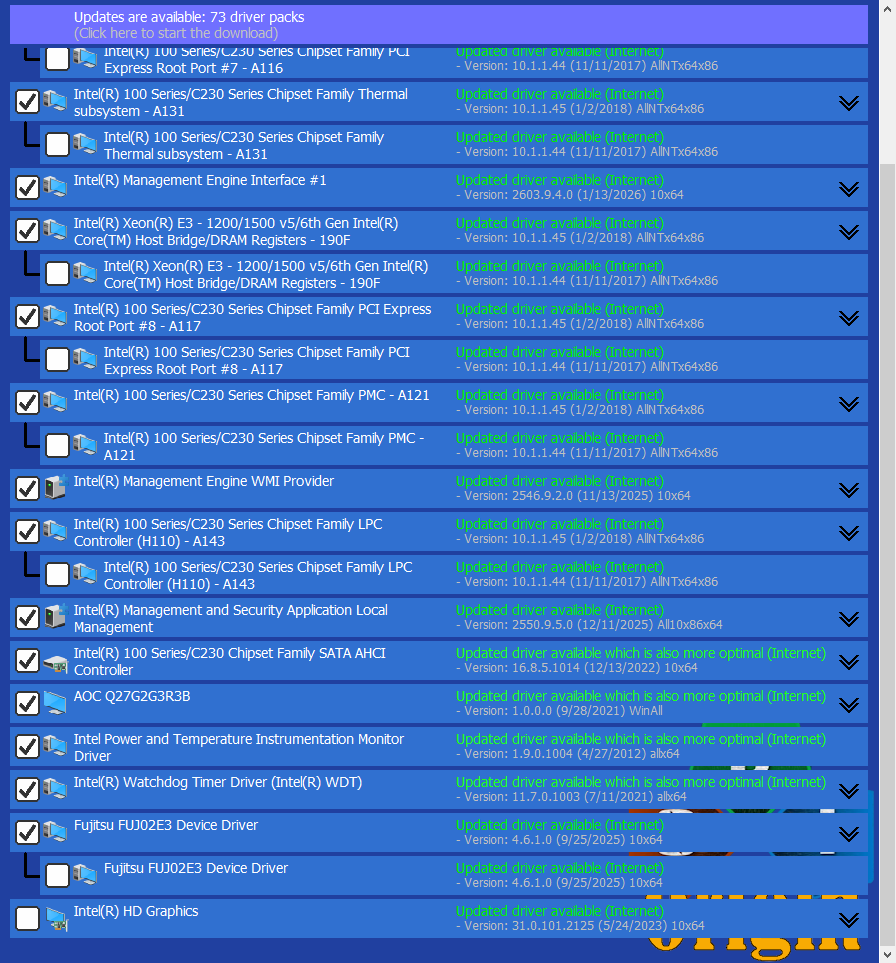
Step 15
After carefully reviewing and verifying your driver selections based on the previous step, click the "Install" button on the left sidebar. Wait patiently for the download and installation process to finish completely without touching or interrupting the program.
Step 16
Verify that the driver installation has completed successfully. Double-check that no display or graphics driver—such as "Intel(R) HD Graphics"—was installed; if a graphics driver was accidentally installed, consult the Clean Driver (DDU) guide above to clean it before proceeding. Finally, perform a system restart to correctly apply and load all the newly installed drivers.
Intel GPU Guide
Follow the step-by-step images below to correctly configure and install Intel GPU. Ensure you follow the exact settings highlighted in the screenshots.
Step 1
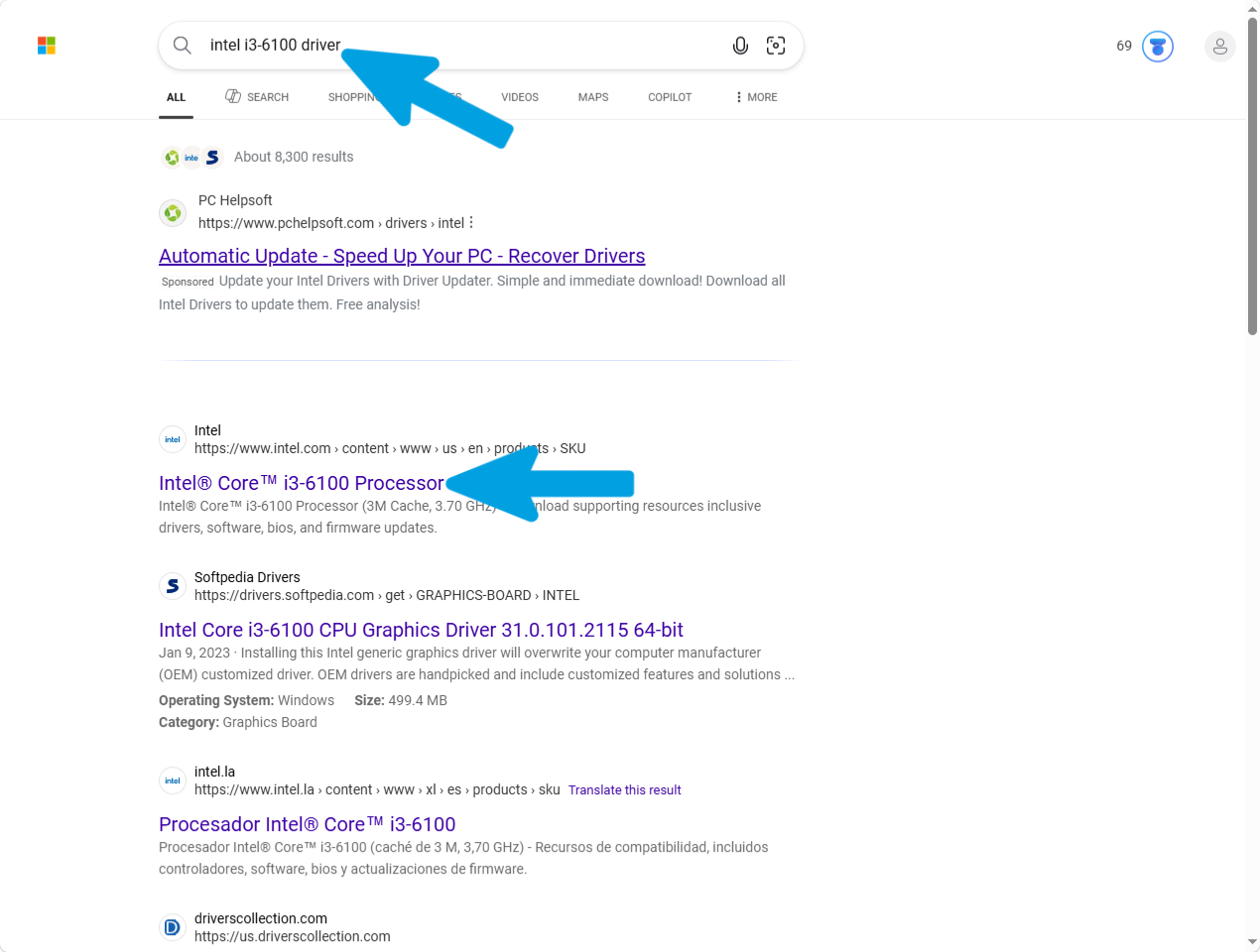
Open any search engine and search for your exact CPU model followed by the word "driver". Then open the official Intel download page that matches your processor.
Step 2
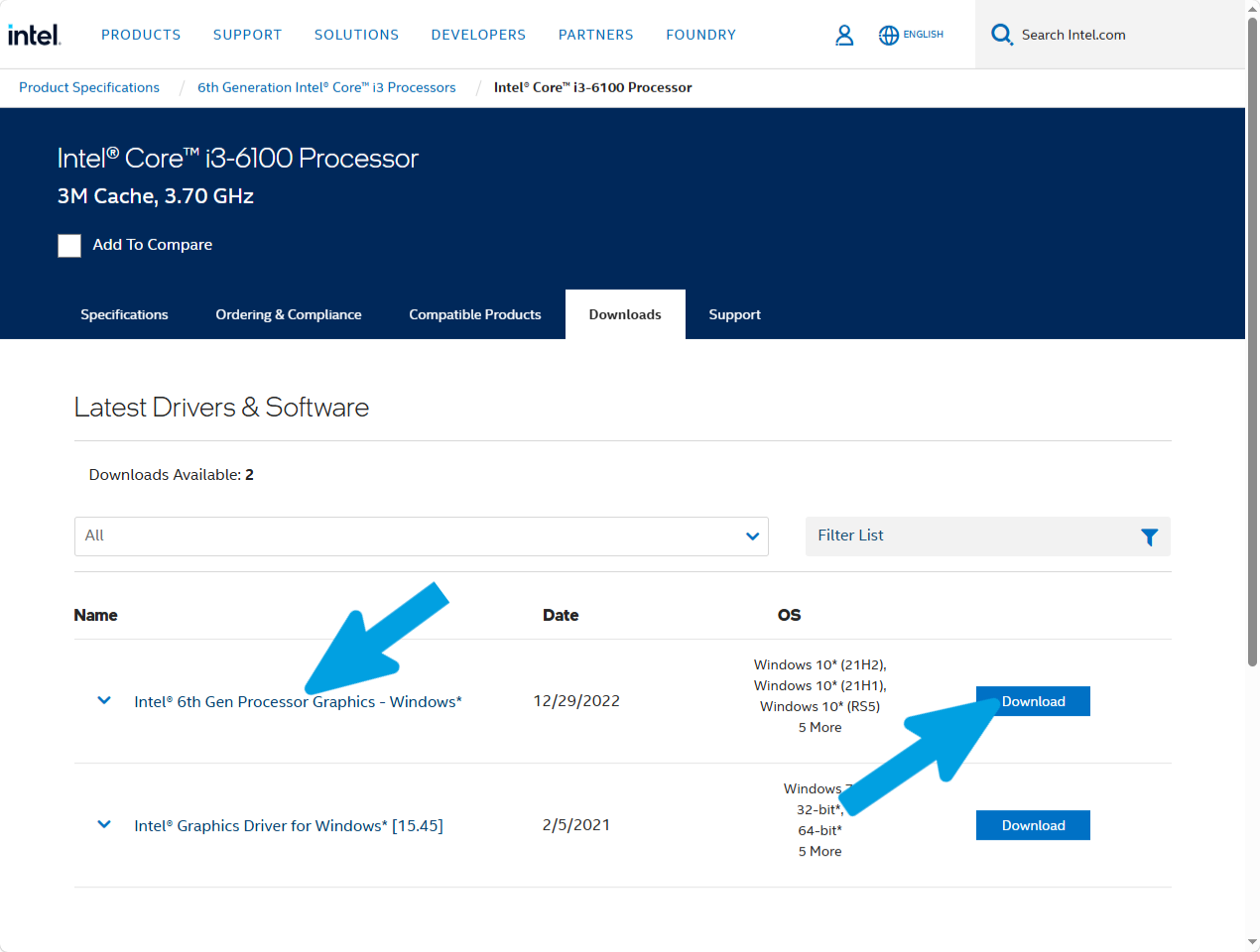
Locate the latest available Intel graphics driver based on the release date and click Download.
Step 3
Verify that the download completes successfully before proceeding.
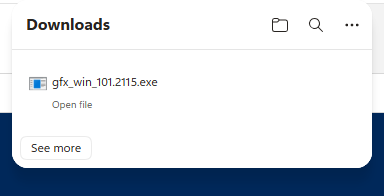
Step 4
Once the download is complete, right-click the installer and select Run as administrator.
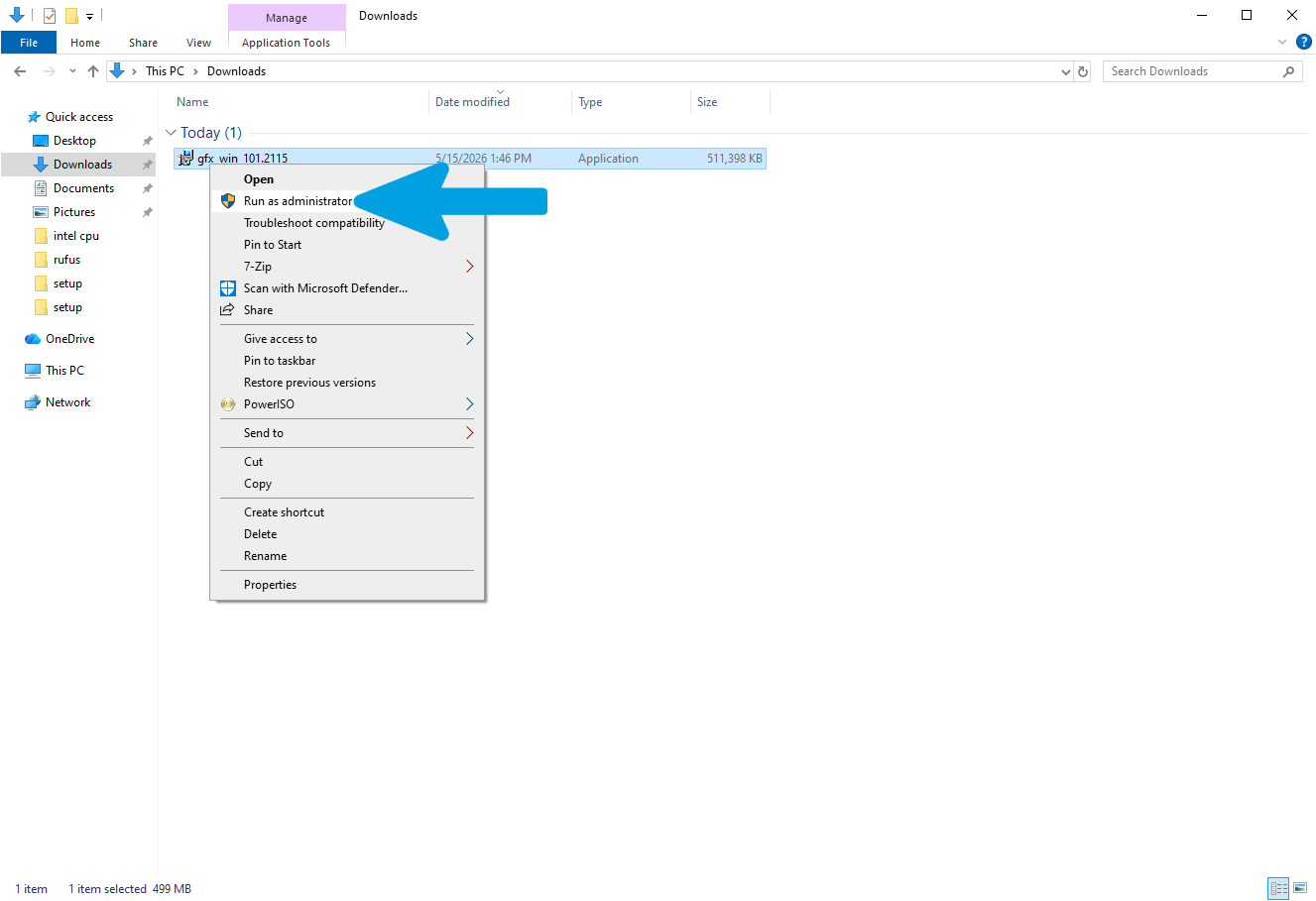
Step 5
The Intel Graphics Driver Installer will open. Depending on the driver version, you may see a button labeled Install or Begin Installation. Click it to continue.
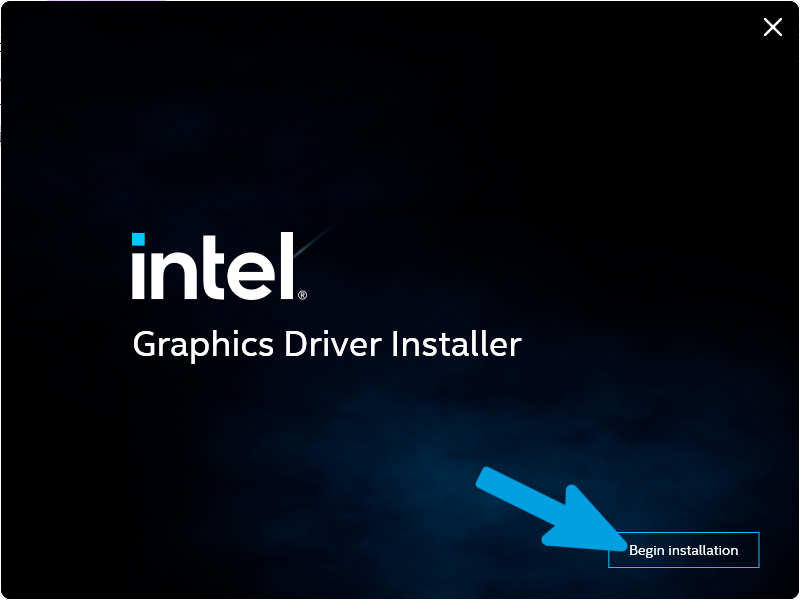
Step 6
Review and accept the license agreement, then click I Agree to proceed.
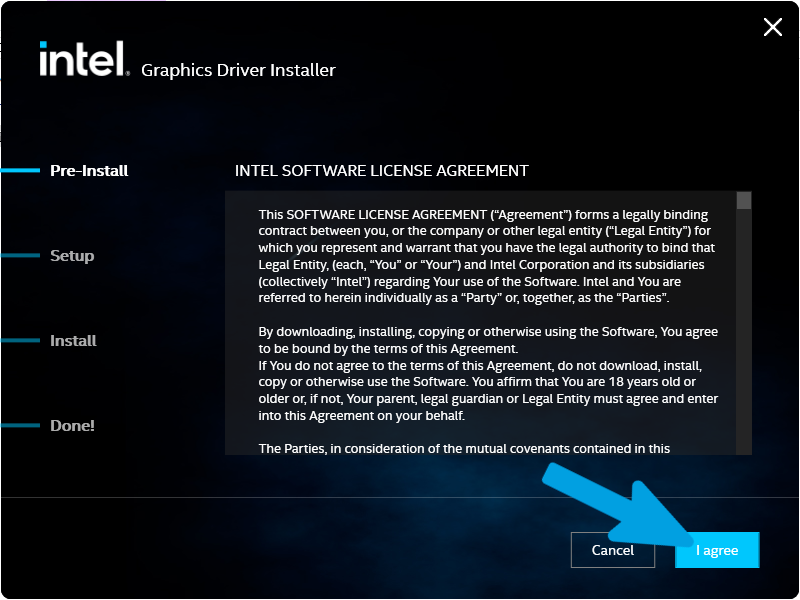
Step 7
You may be given the option to perform a clean installation. If you have already removed previous graphics drivers using a driver cleanup utility or performed a fresh Windows installation, a clean installation is generally not required. However, if you are troubleshooting graphics-related issues, upgrading from an older driver, or are unsure about the current driver state, selecting Execute a Clean Installation may help ensure a completely fresh installation.
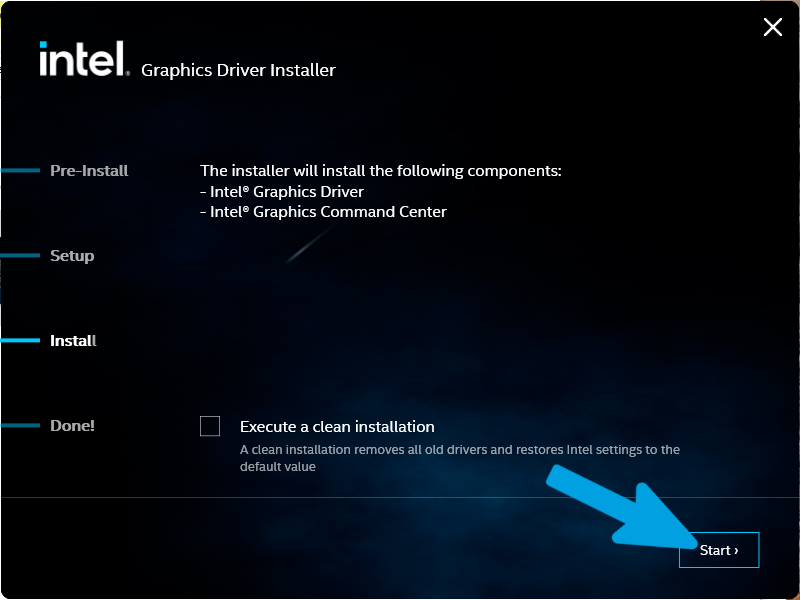
Step 8
Click Start and allow the installation to complete. Do not close the installer or interrupt the process while the driver is being installed.
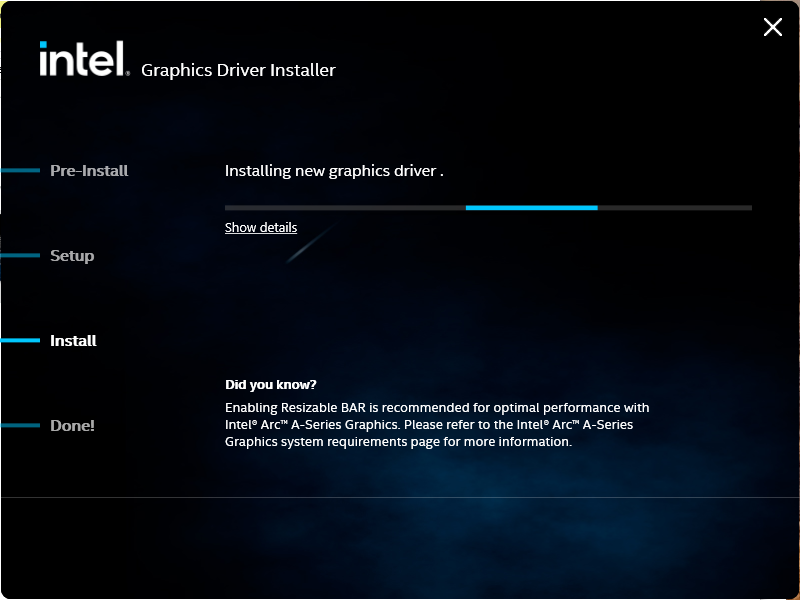
Step 9
Once the installation is finished, verify that all components were installed successfully and that no errors are reported. If prompted, restart your computer to finalize the installation and properly initialize the new graphics driver.
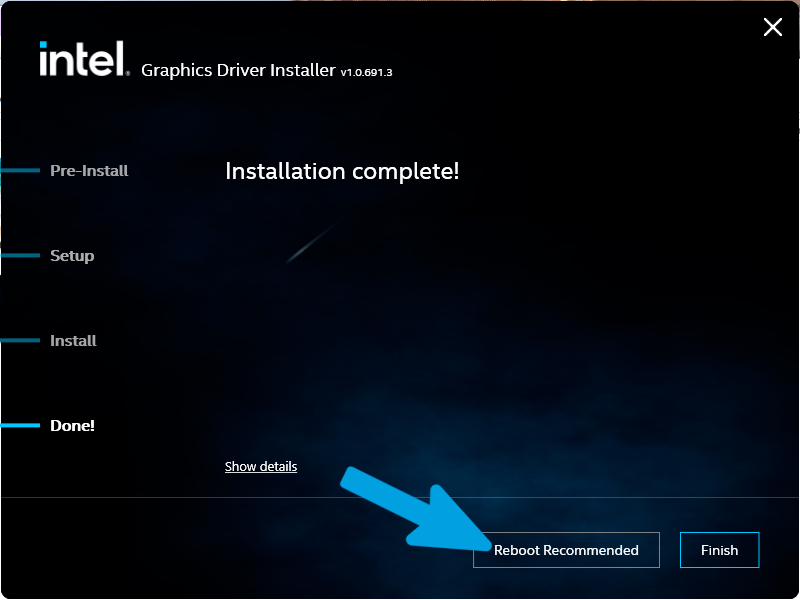
Step 10
Some Intel driver packages may not include a graphics management application. If desired, you can install Intel Graphics Command Center from the Microsoft Store.
Intel Graphics Command Center is primarily used to manage display settings, color adjustments, monitor configurations, video enhancements, and other graphics-related options. While it does not directly increase gaming performance, it provides access to several useful display and graphics settings.
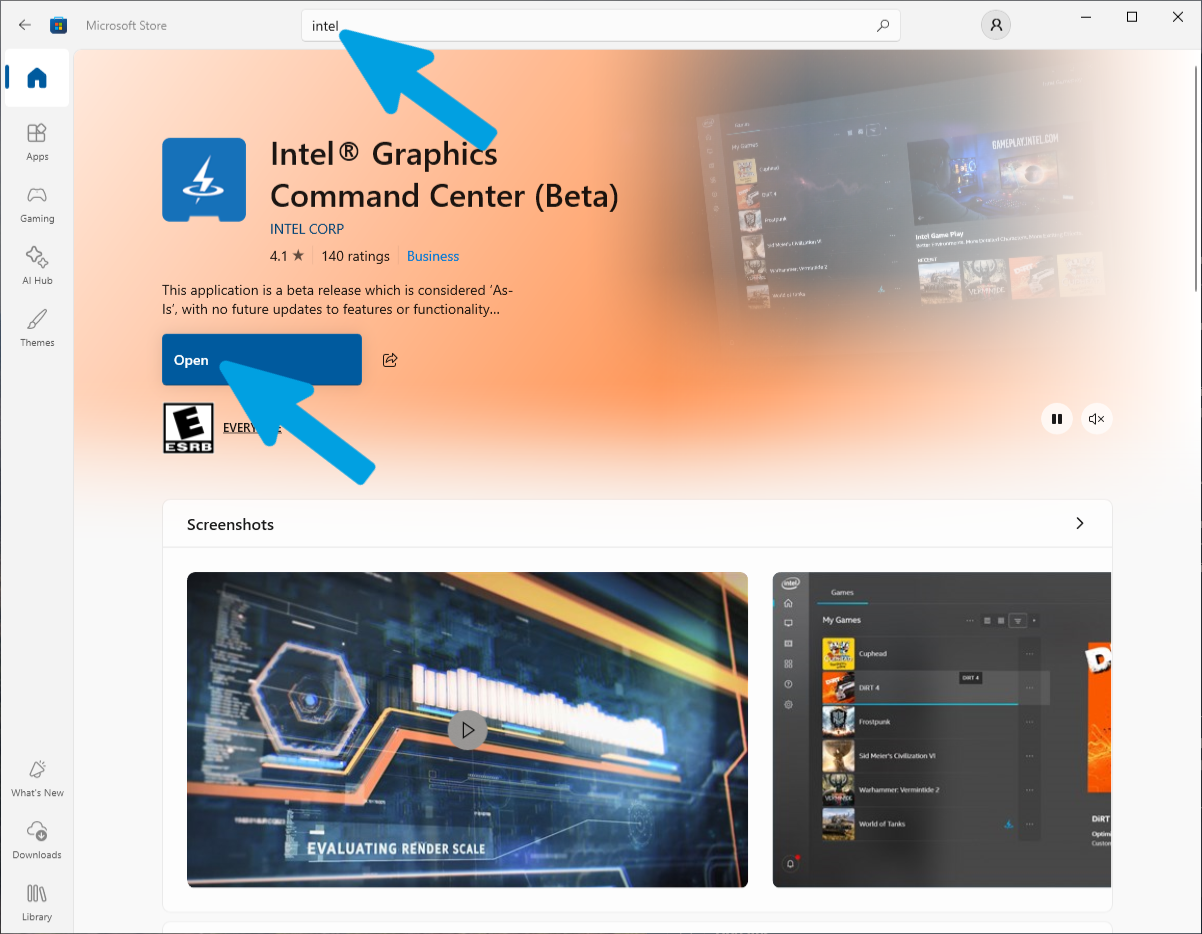
Step 11
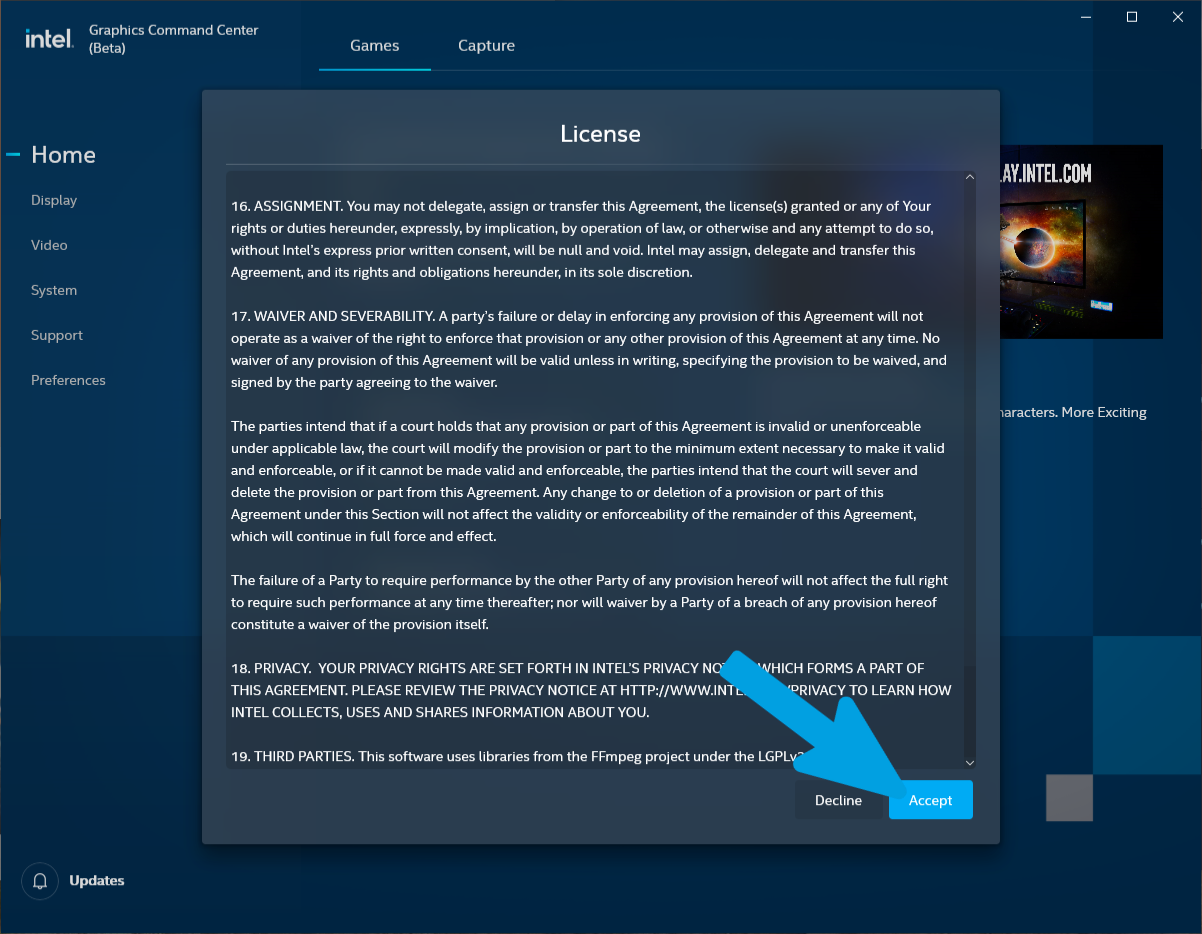
Launch Intel Graphics Command Center. The first time you open the application, you may be prompted to accept Intel's license agreement. Accept the terms to continue.
Step 12
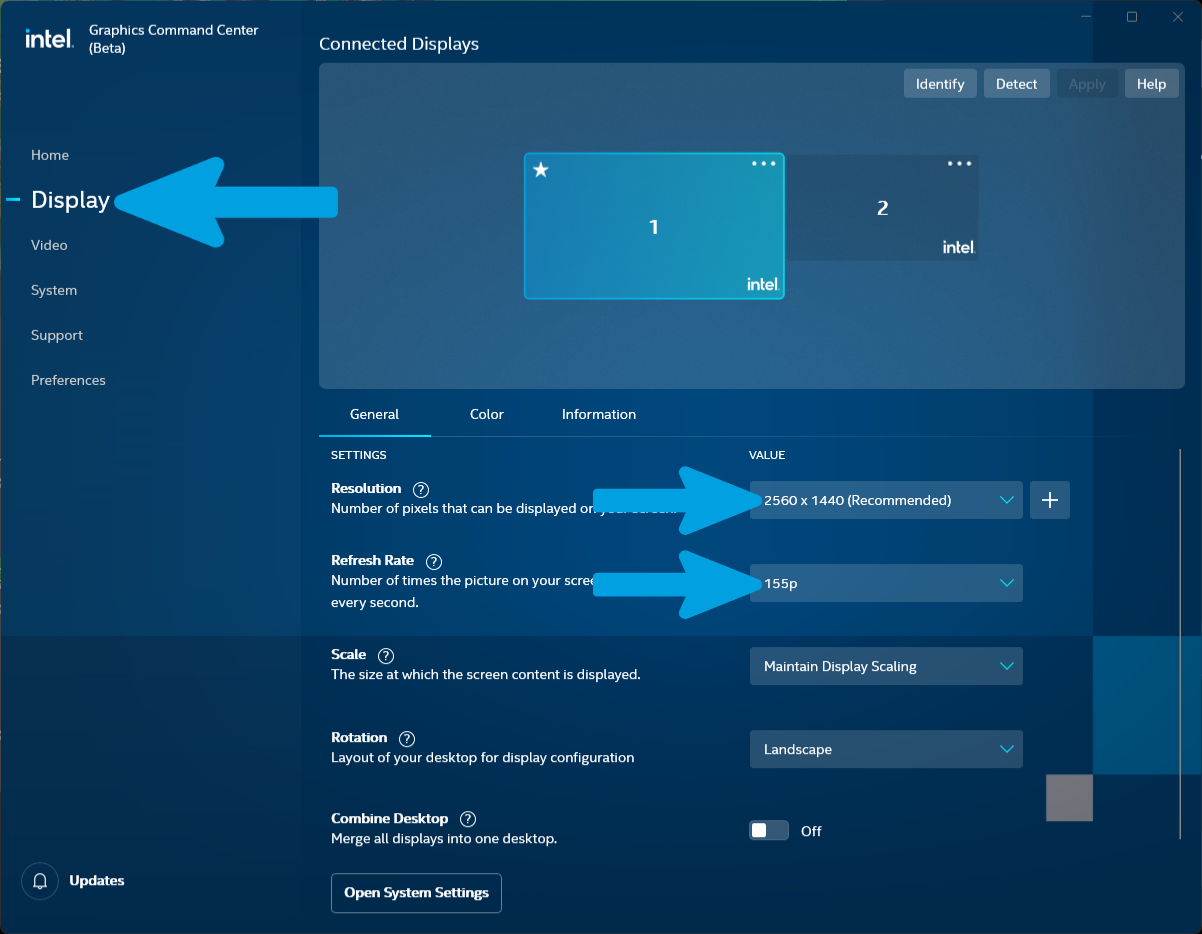
Navigate to the Display section and verify that each connected monitor is configured to use its native resolution and highest supported refresh rate. Applying the correct settings ensures optimal image quality and display performance.
Nvidia GPU Guide
After installing the chipset drivers and any other necessary drivers, we can move on to installing the GPU drivers, one of the most important drivers in the system. Follow this guide carefully to avoid mistakes and achieve the cleanest installation possible.
For this guide, we will use NVCleanstall to install the latest NVIDIA drivers in the most optimized way possible. This tool allows us to select and install only the essential components based on our needs and preferences, avoiding unnecessary software and features. This results in a cleaner, lighter, and more performance-focused driver installation.
Step 1
Open any search engine and type "NVCleanstall".

Step 2
Click on the official TechPowerUp link to access the download page, which should appear as "NVCleanstall v1.19.0 Download | TechPowerUp" (or the latest available version).

Step 3
Locate the left sidebar on the page and click the blue "Download" button.

Step 4
Select a server from the available list to start the download. You can choose any server, such as the first option.

Step 5
Wait for the download to complete successfully.

Step 6
Open your Downloads folder, right-click on the "NVCleanstall.exe" application file, and select "Run as administrator" from the context menu to launch the program with elevated privileges.

Step 7
Wait a moment for NVCleanstall to complete its automatic hardware detection.

Step 8
Select the first option, "Install best driver for my hardware" (which automatically detects and selects the optimal driver version for your GPU). Once selected, click the "Next" button in the bottom-right corner to proceed.

Step 9
Wait for NVCleanstall to complete the "Preparing Sources" process. The program will copy and decompress the required installation files; do not close the window or click "Cancel" during this phase.
Step 10
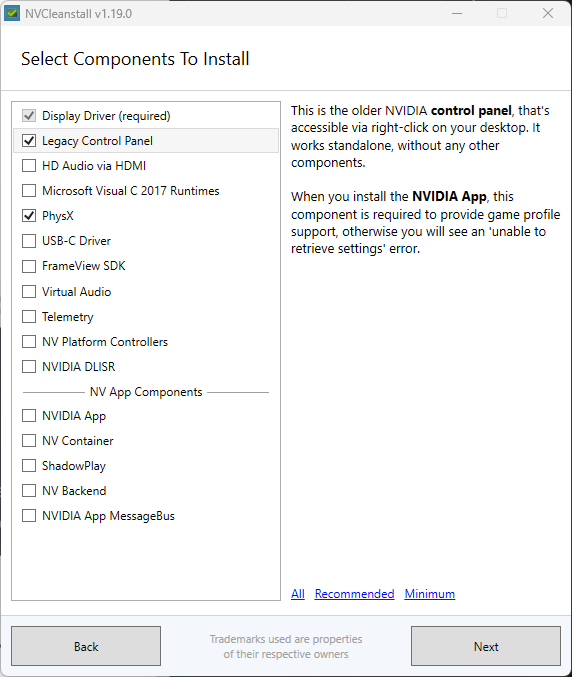
Here you can choose which driver components to install or exclude. Click the button at the top to read the detailed documentation, or simply follow my recommended options if you prefer a minimal configuration.

Step 11
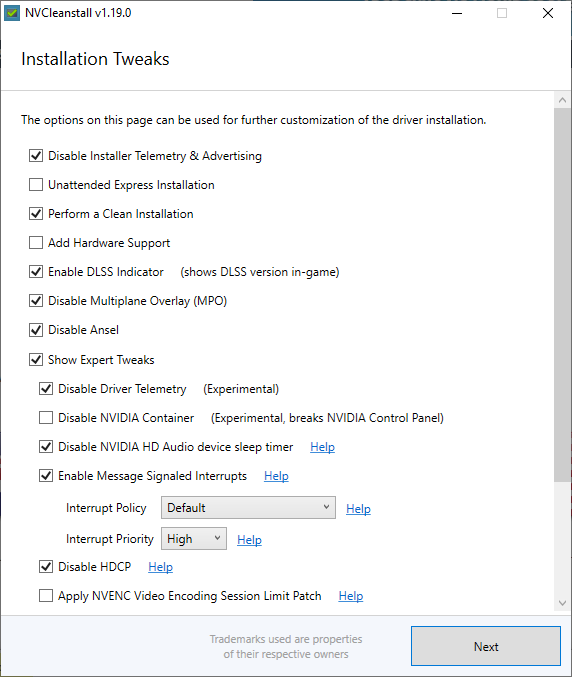
Here you can choose which driver components to install or exclude. Click the button at the top to read the detailed documentation, or simply follow my recommended options if you prefer a minimal configuration.
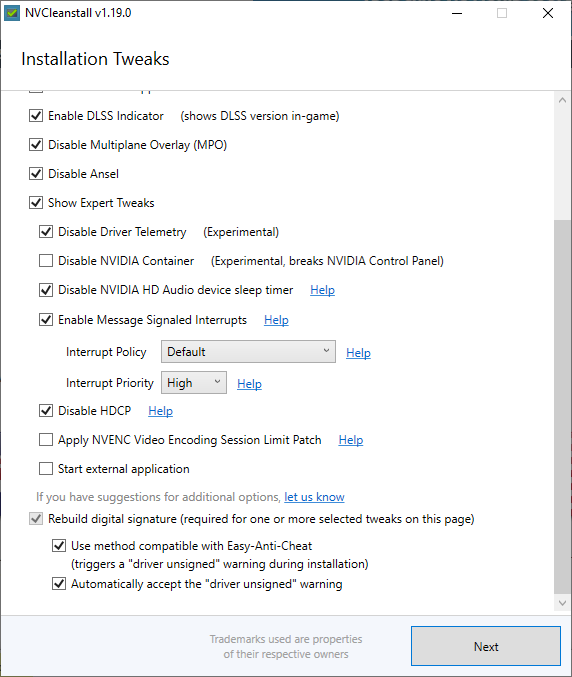
Step 12
Once your customized installer is ready, click the blue "Install" button to launch the official NVIDIA setup utility and complete the driver installation.

Step 13
Launch the downloaded NVIDIA installer as an administrator. On the software license agreement screen, carefully review the terms and click the green "AGREE AND CONTINUE" button to proceed.

Step 14
On the installation options screen, select the "Custom (Advanced)" option. This is essential for selecting individual components and running a clean install. Click "NEXT".

Step 15
Select your desired driver components and make sure to check the box labeled "Perform a clean installation", then click "NEXT".

Step 16
Wait patiently for the installation wizard to copy files and configure your system. Your screen may flicker or temporarily turn black for a few seconds during this step. This is normal behavior while the system registers the updated display driver modules.
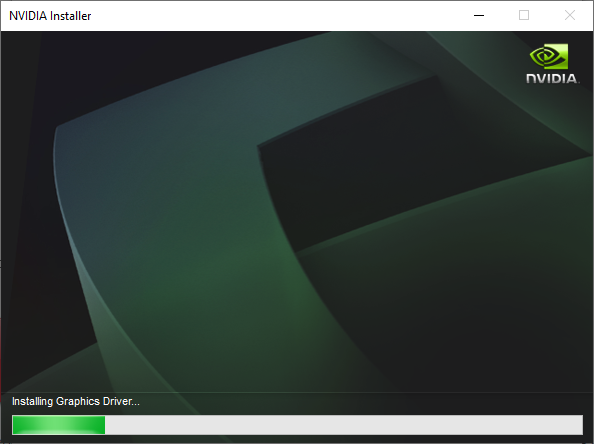
Step 17
When the installation completes, the setup will display a summary listing the successfully configured components. Click "CLOSE" to exit the wizard. We recommend restarting your computer immediately to apply the changes.

Step 18
If you chose not to install the NVIDIA HD Audio drivers, you may see this error message. Don't worry, it is a completely harmless warning: simply click OK to proceed.

Step 19
Verify that the installation was successful (by confirming the "Installation completed" message is displayed), after which you can simply close the window.

Step 20
After installing the drivers, it is recommended to restart your computer. Next, to begin configuring the basic resolution and color settings, right-click on an empty space on your desktop and select NVIDIA Control Panel.

Step 21
Upon launching the control panel for the first time, simply click Agree and Continue to accept the license agreement screen and proceed.

Step 22
Go to the Change resolution section (under Display), select your connected monitors (one at a time if you have multiple screens), and configure each one to its maximum actual available resolution and the highest possible Refresh rate.

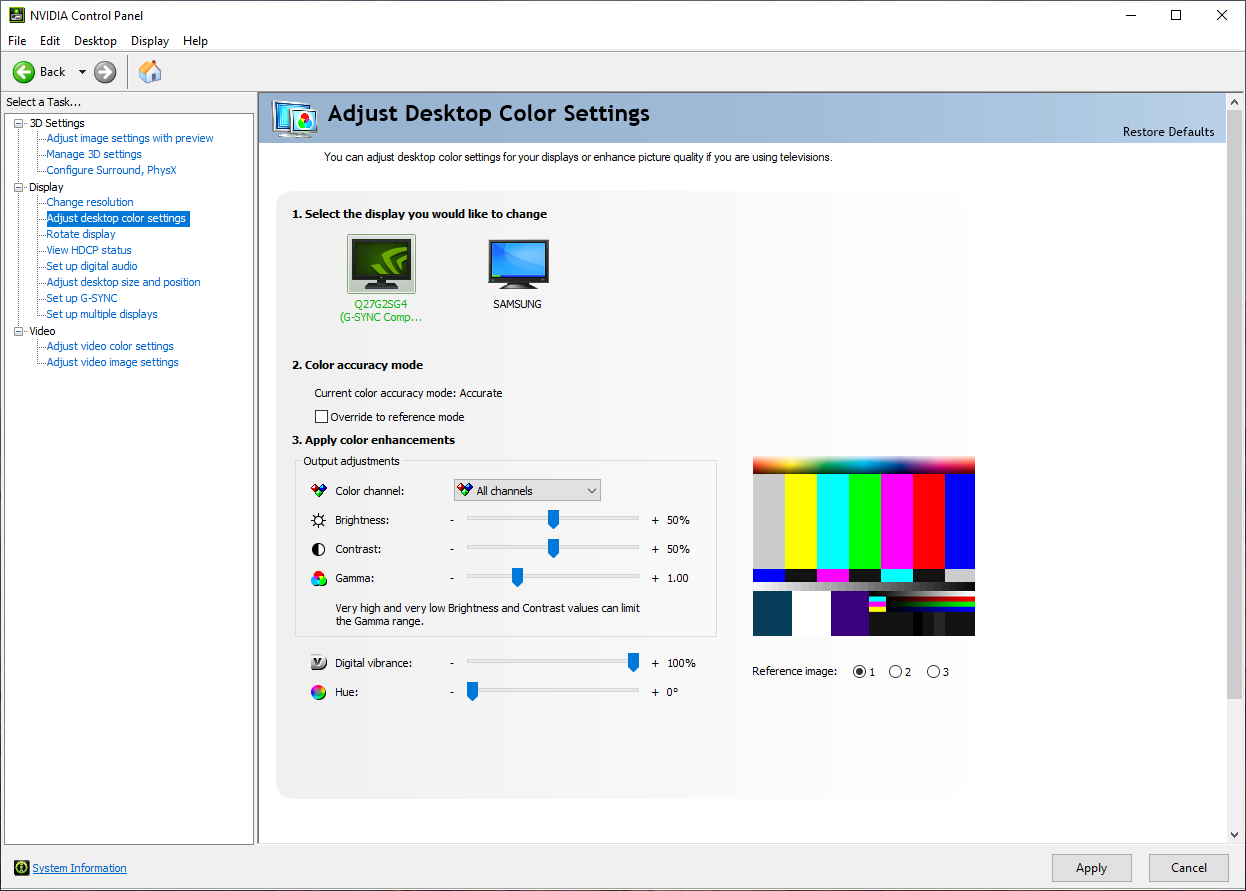
Step 23
Next, head over to the Adjust desktop color settings section. If you want to initially adjust your color levels or saturation (using the Digital vibrance slider), you can perform a basic setup here. Keep in mind that in later sections of this wiki, we will cover a much more in-depth color configuration.
Windows Update Driver Control
Before proceeding with the installation of your drivers, it is important to understand that Windows Update may automatically update system drivers. Windows Update can, in some cases, replace manually installed drivers with newer or older versions available in its database in order to ensure overall system compatibility and stability. Drivers provided by Windows are designed to work with most devices and to ensure that everything functions correctly, but they often include only the basic features without the advanced optimisations specific to the manufacturer. Drivers released directly by hardware manufacturers such as Intel, NVIDIA, AMD or Realtek may include improvements in performance, stability, latency, audio quality or additional features compared to generic Windows drivers. In some situations, Windows Update may overwrite these manufacturer drivers and replace them with generic or different versions, which can change the behaviour of the device or, in rare cases, affect performance or functionality. For this reason, some users prefer to manage drivers manually and prevent Windows Update from updating them automatically, in order to maintain full control over the installed driver versions on their system.
This section presents two methods to control Windows Update driver installation. Choose the method that best fits your system configuration:
Method 1: Device Installation Settings (Available on All Windows Versions)
Step 1
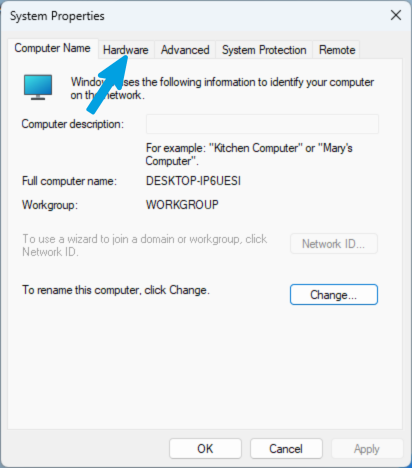
Press Windows + R on your keyboard to open the Run dialog. Type sysdm.cpl and press Enter to open System Properties.
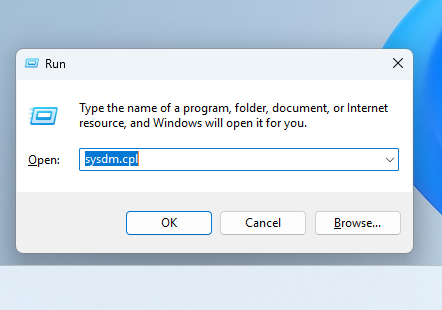
Step 2
Click the Hardware tab.
Step 3
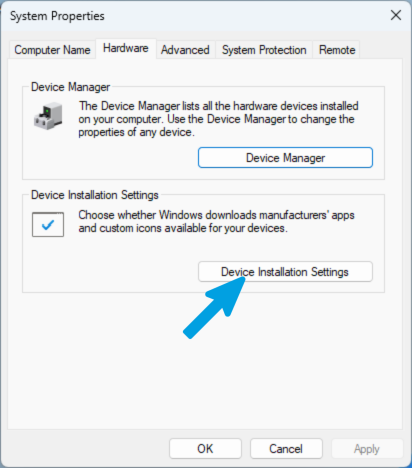
Click Device Installation Settings.
Step 4
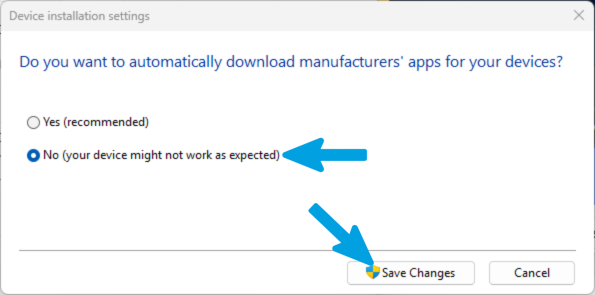
Select No, then click Save Changes to apply the settings correctly.
Method 2: Local Group Policy Editor (Recommended for Pro/Enterprise)
Step 1
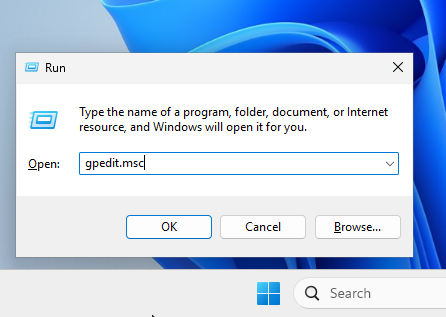
Press Windows + R on your keyboard to open the Run dialog. Type gpedit.msc and press Enter to launch the Local Group Policy Editor.
Step 2
In the left sidebar, navigate through the following path: Computer Configuration > Administrative Templates > Windows Components.
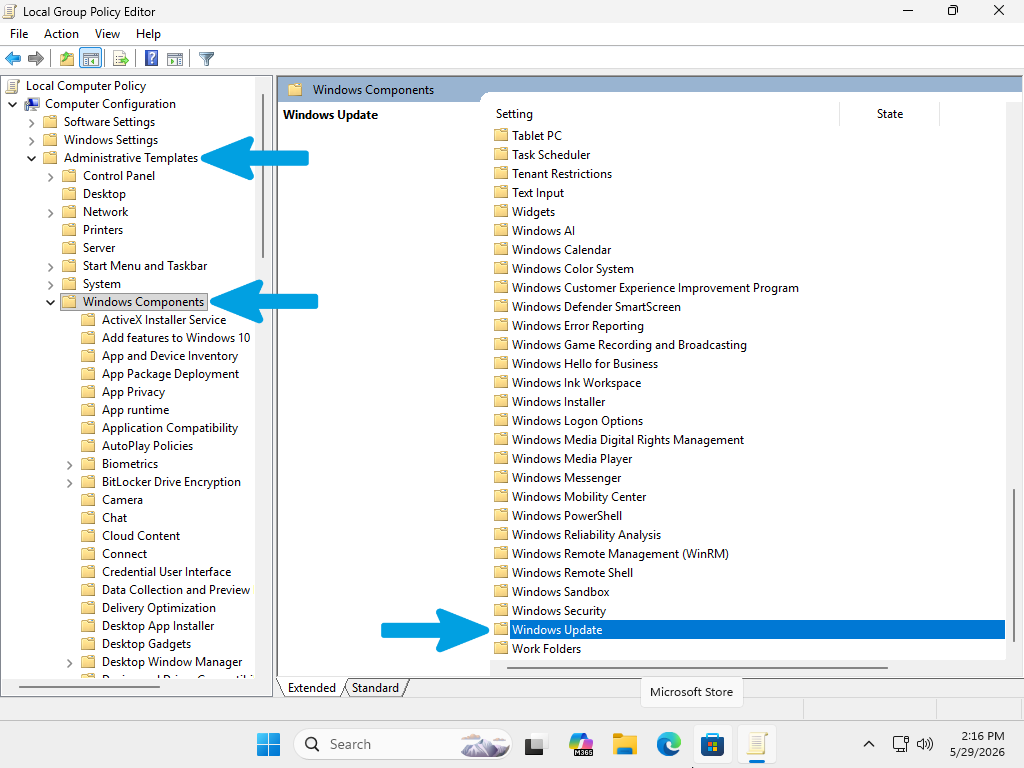
Step 3
Locate the Windows Update folder in the list and select it, then open the Manage updates offered from Windows Update folder.
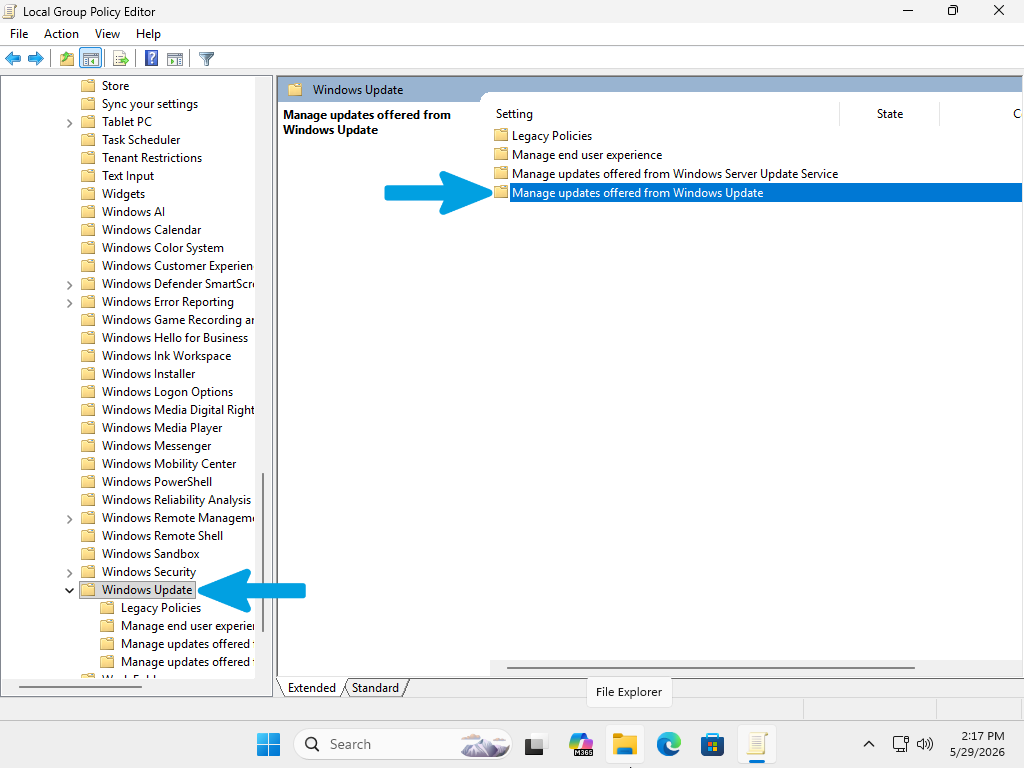
Step 4
In the right pane, locate the setting named "Do not include drivers with Windows Updates".
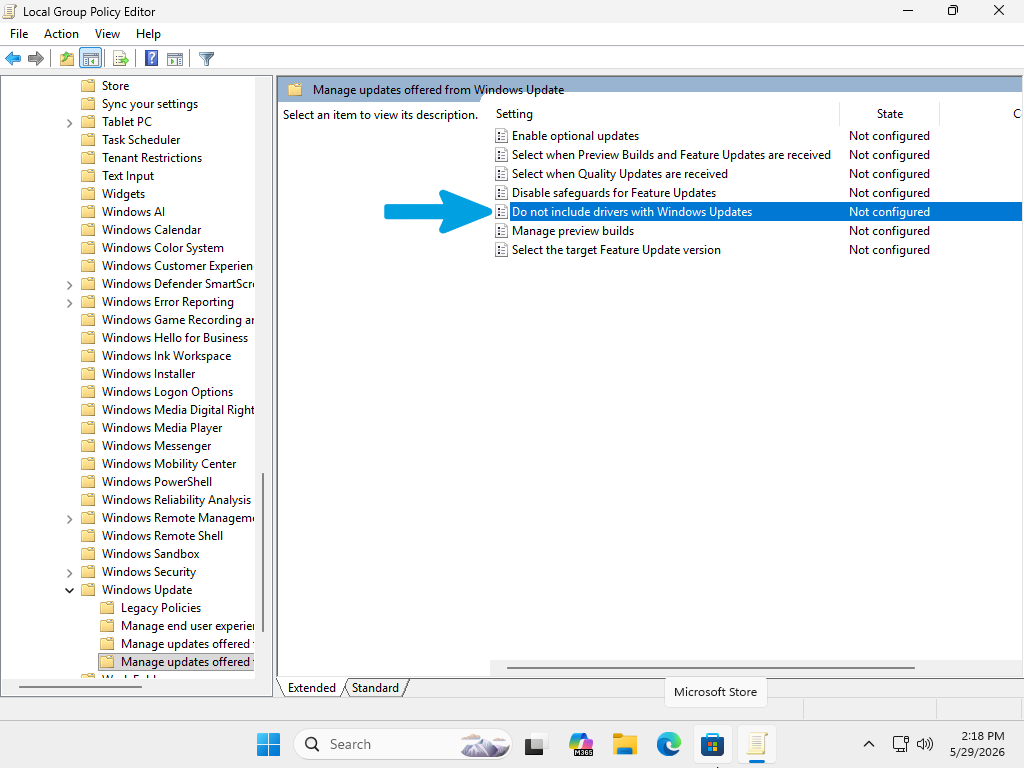
Step 5
Double-click on this policy. In the configuration window that opens, select the "Enabled" radio button, then click Apply and OK to save your changes.
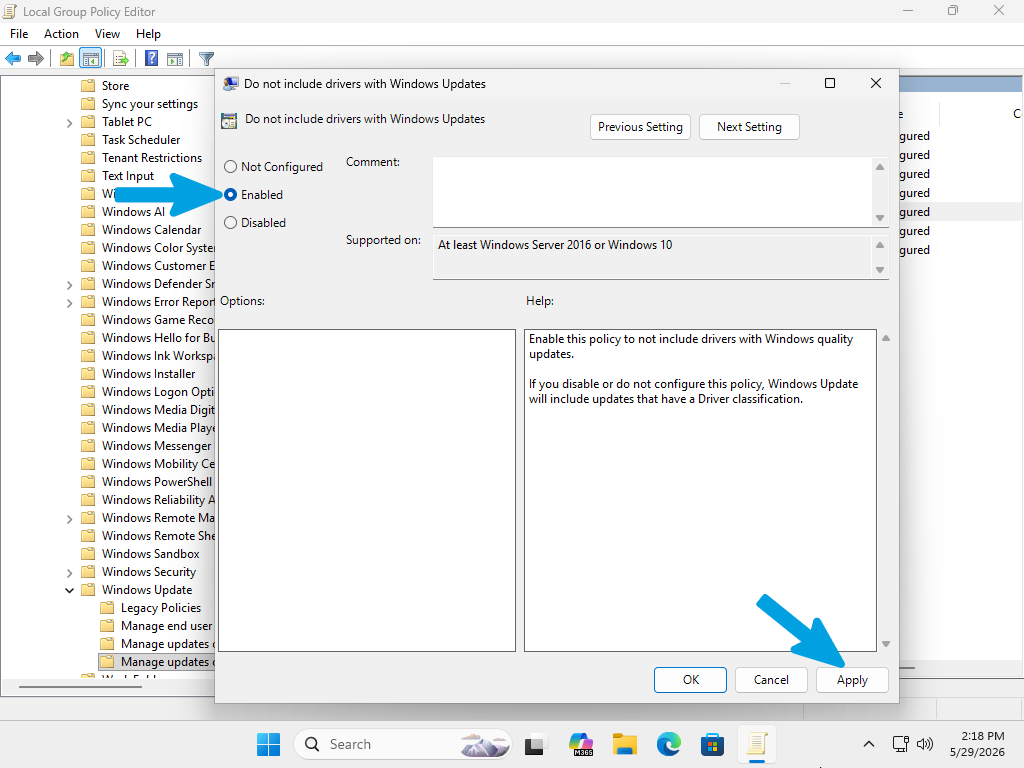
Clean Driver (DDU) Guide
Display Driver Uninstaller (DDU) is a specialized utility designed to perform a thorough, "clean" removal of graphics drivers. When you uninstall drivers through the standard Windows Control Panel, remnants such as registry keys, temporary files, and service entries are often left behind. These leftovers can cause driver conflicts, stuttering, or performance regressions over time.
By using DDU to completely wipe these artifacts, and combining this with the Windows Update driver control policy configured in the previous section, you ensure that your system remains a "clean slate." This allows you to install your manufacturer’s drivers without interference, ensuring the highest stability and best performance possible.
Follow these steps to clean your system drivers:
Step 1
Open any search engine and type "DDU download".
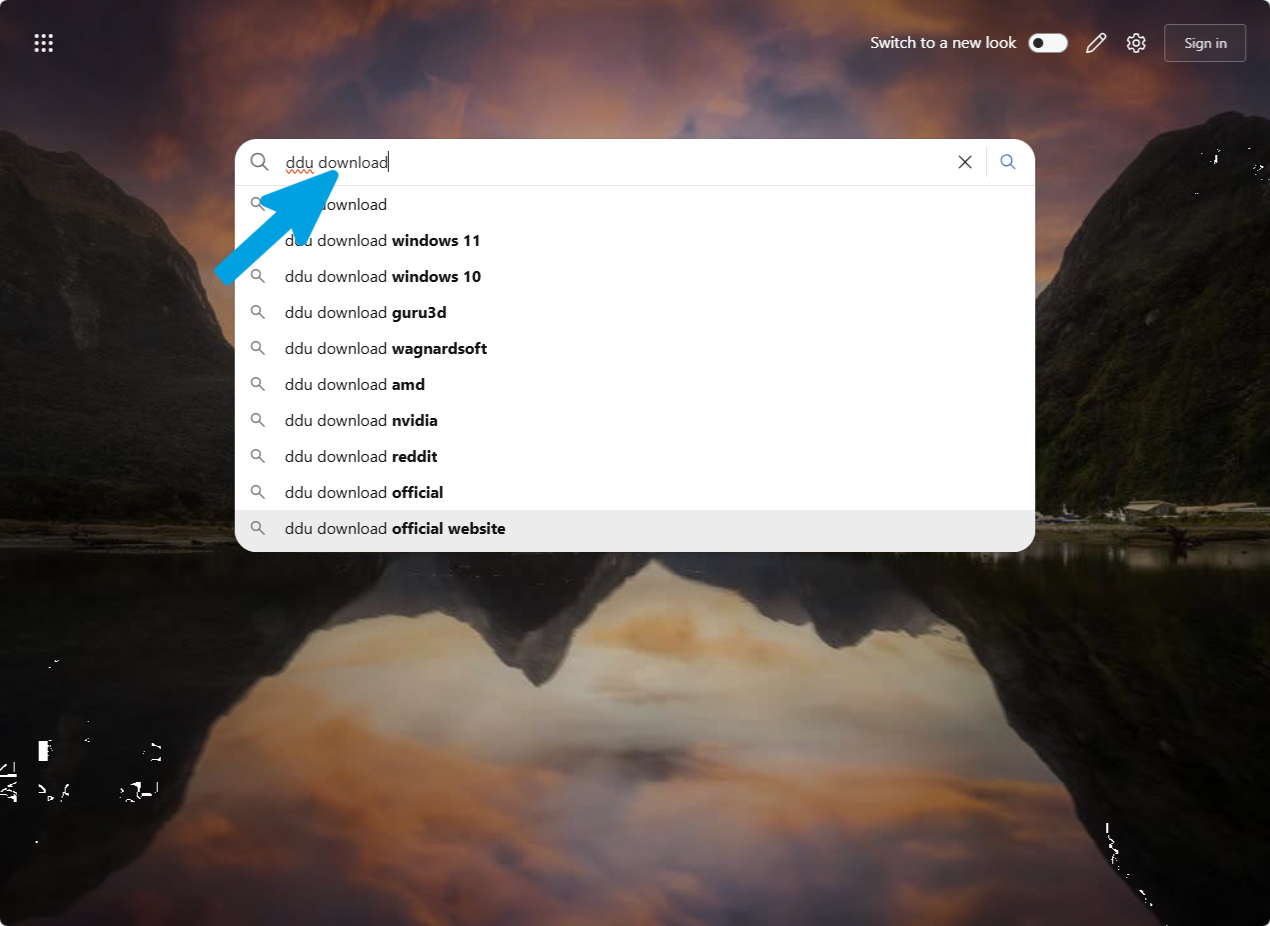
Step 2
Click the first official result: https://www.guru3d.com/download/display-driver-uninstaller-download/
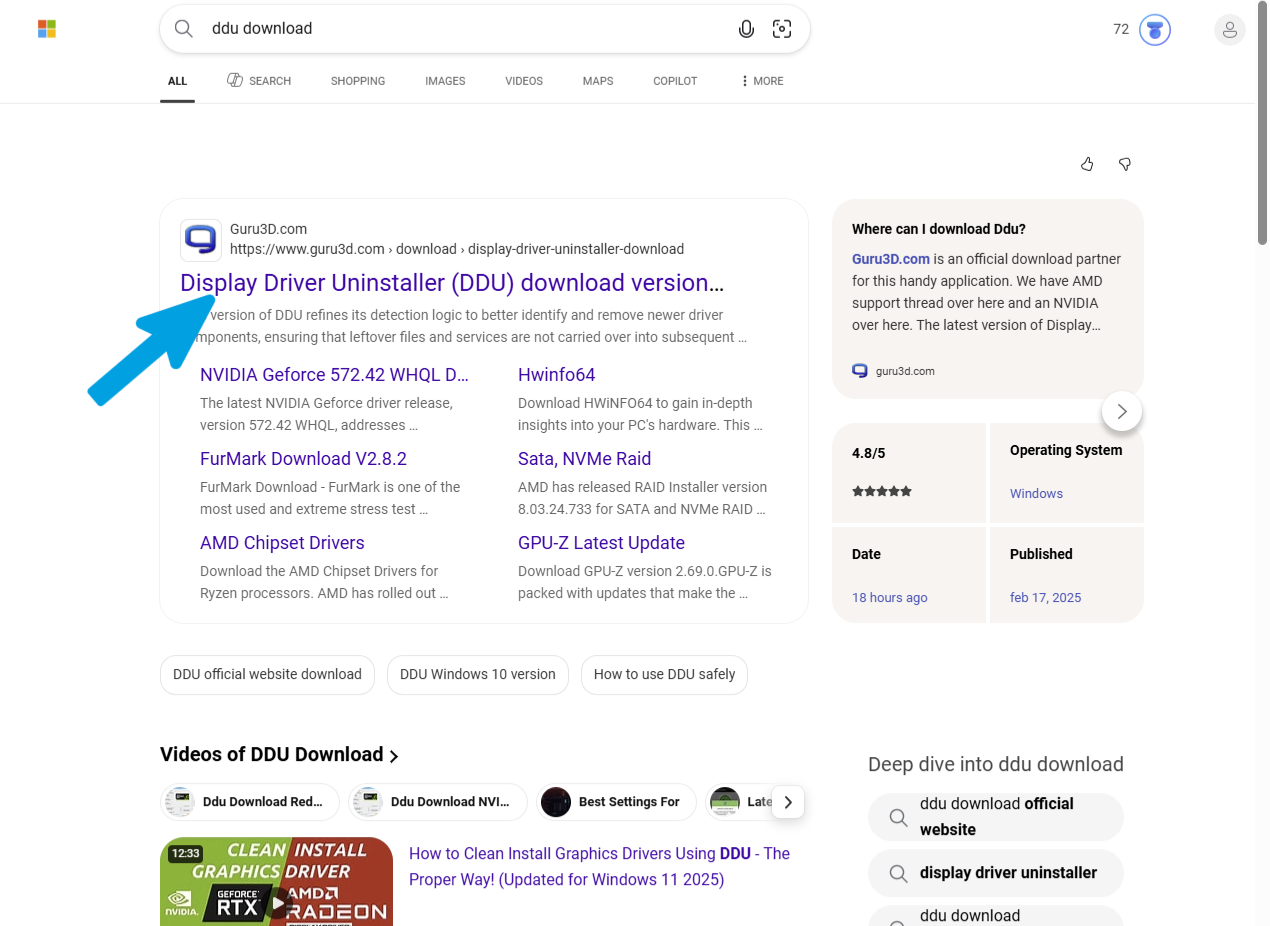
Step 3
Click one of the two "Download Mirror" buttons.
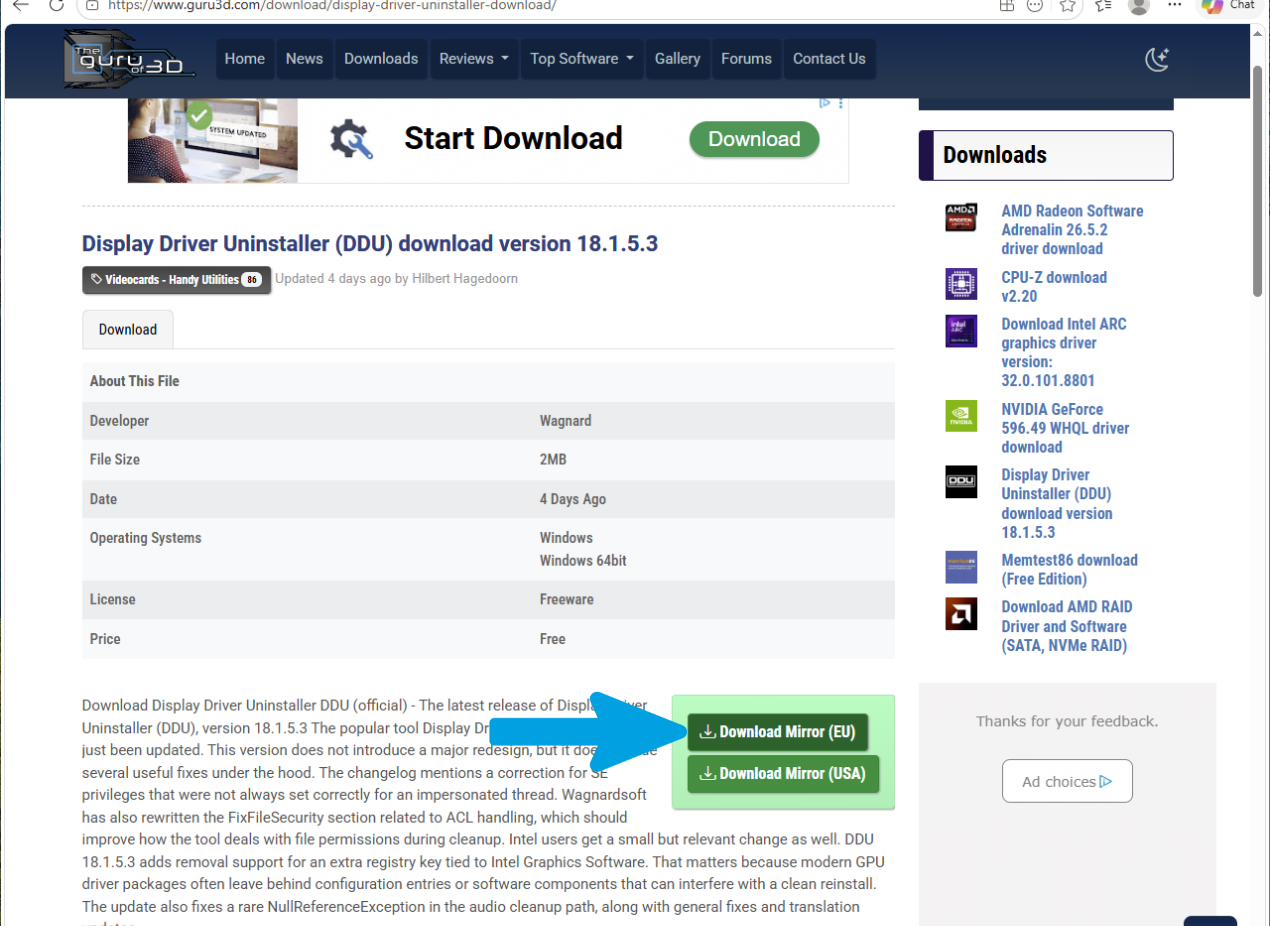
Step 4
Verify that the download completes successfully.
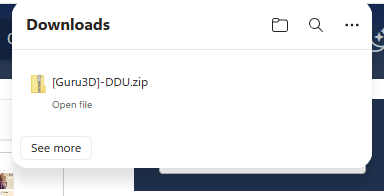
Step 5
Go to the folder where the file was downloaded, right-click the file, and select "Extract All".
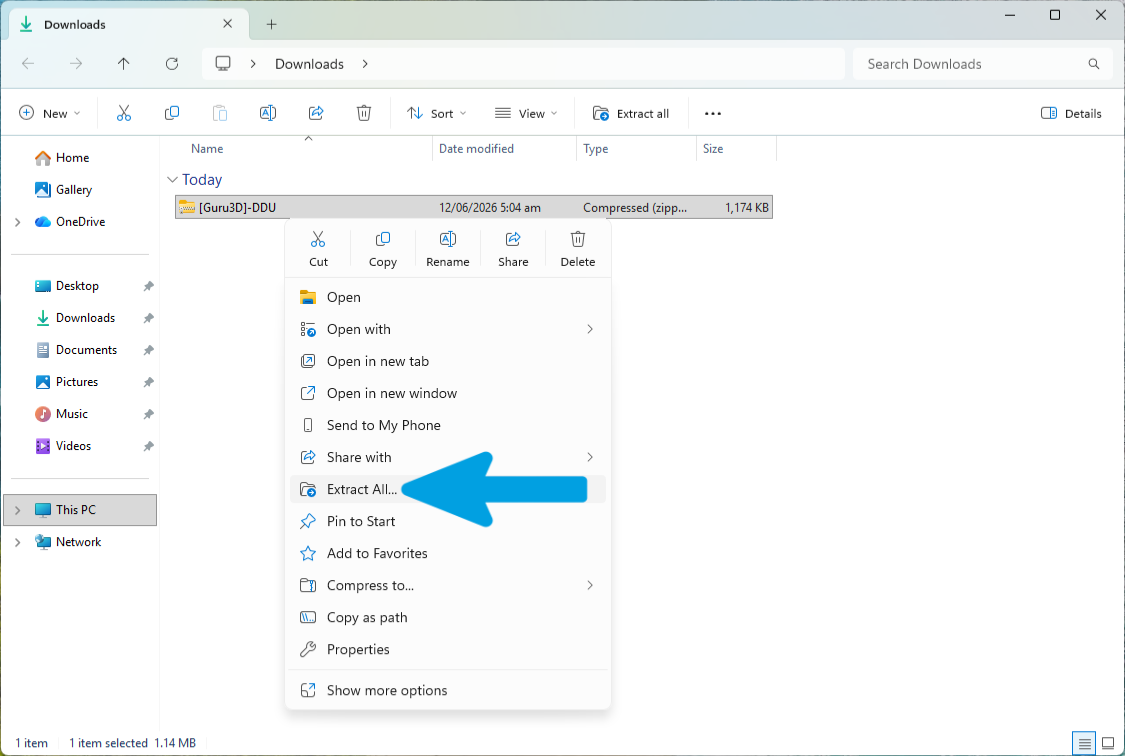
Step 6
In the extraction window, leave the default destination path unchanged. Make sure the "Show extracted files when complete" box is checked, then click the "Extract" button at the bottom to proceed.

Step 7
Inside the extracted folder, you will find a 7-Zip self-extracting archive. Right-click it and select "Run as administrator".

Step 8
In the small window that appears, click "Extract" again. This will create the final folder containing the actual DDU program.

Step 9
Verify that a folder named "DDU (version name)" has been created.

Step 10
Open the Start menu, search for "cmd", right-click Command Prompt, and select "Run as administrator".

Step 11
Type the following command exactly and press Enter:
shutdown /r /o /f /t 0
This will force an immediate restart into the Advanced Startup Options menu.

Step 12
On the blue screen that appears, select "Troubleshoot".
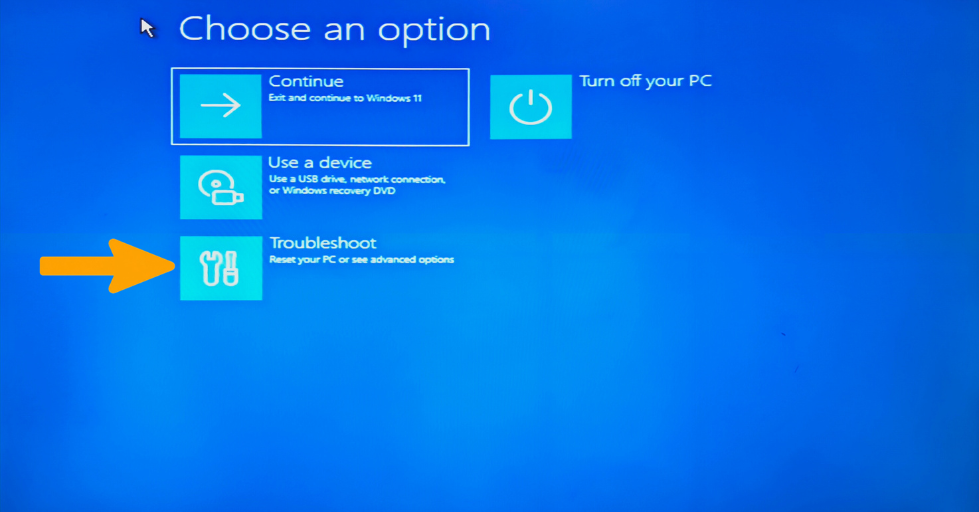
Step 13
Click "Advanced options".
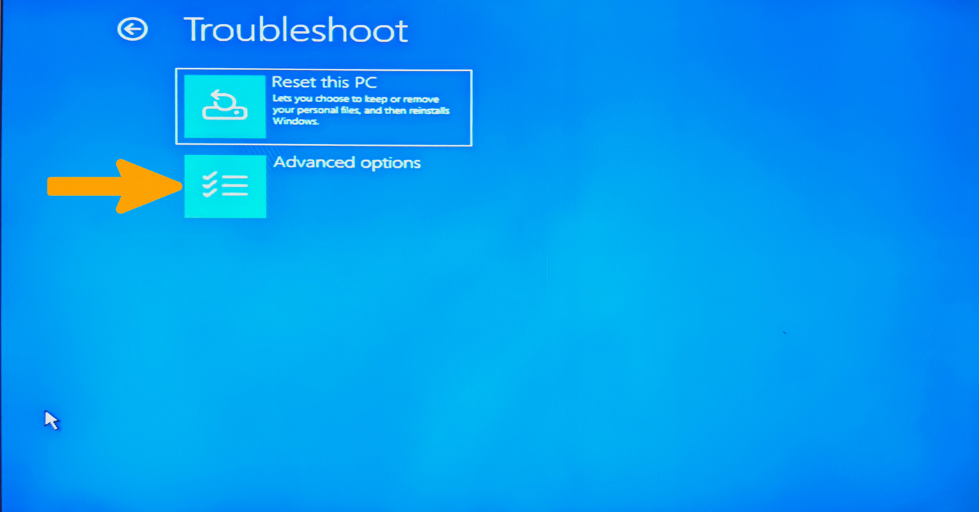
Step 14
Select "Startup Settings".
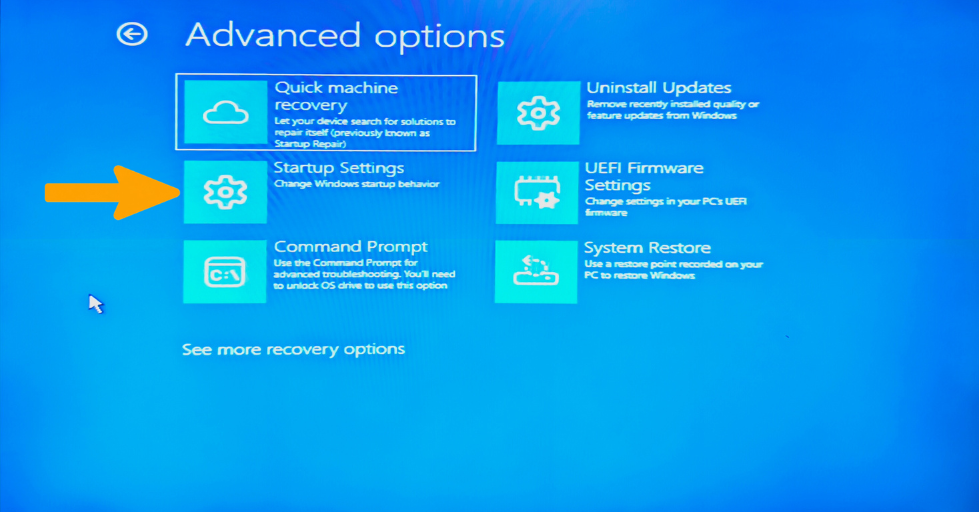
Step 15
Click "Restart" in the lower-right corner.
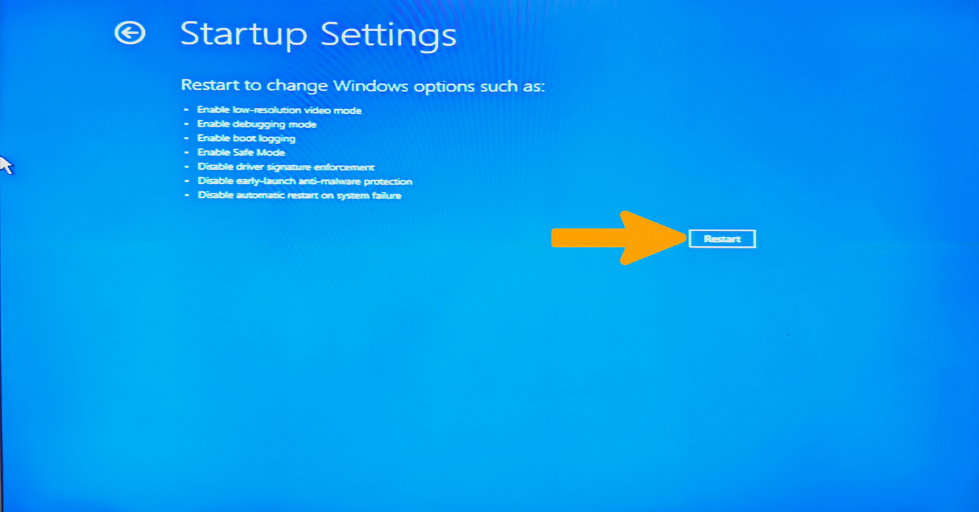
Step 16
The PC will restart. You will see a numbered list: press 4 or F4 on your keyboard to enable Safe Mode.
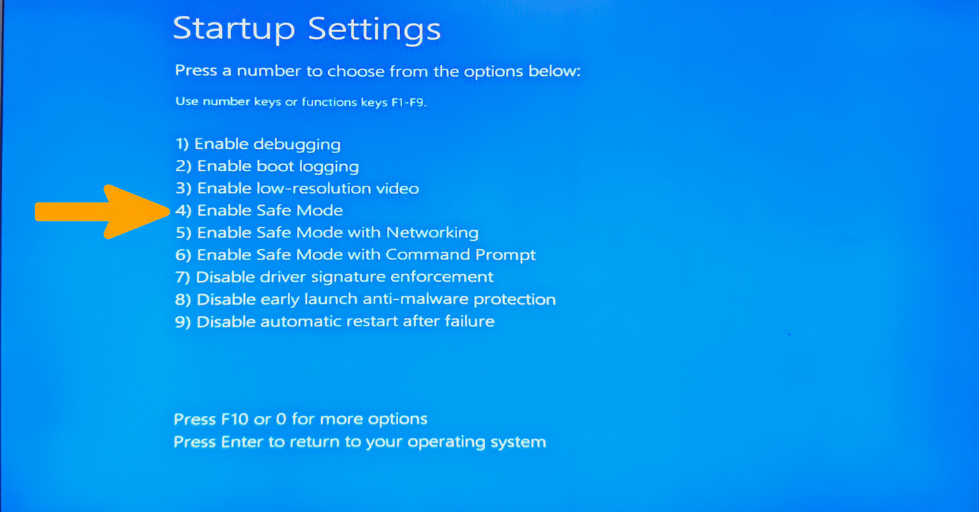
Step 17
Sign in with your password. You will notice a lower resolution, a black background, and the words "Safe Mode" in the corners of the screen.

Step 18
Go back to the Downloads folder, open the DDU folder, and run Display Driver Uninstaller.exe as administrator.

Step 19
Click "OK" on any pop-up windows.

Step 20
In the next pop-up window, select all required options exactly as shown (do not skip any). Even if you do not have certain hardware, no issues will occur. Then click "Close".
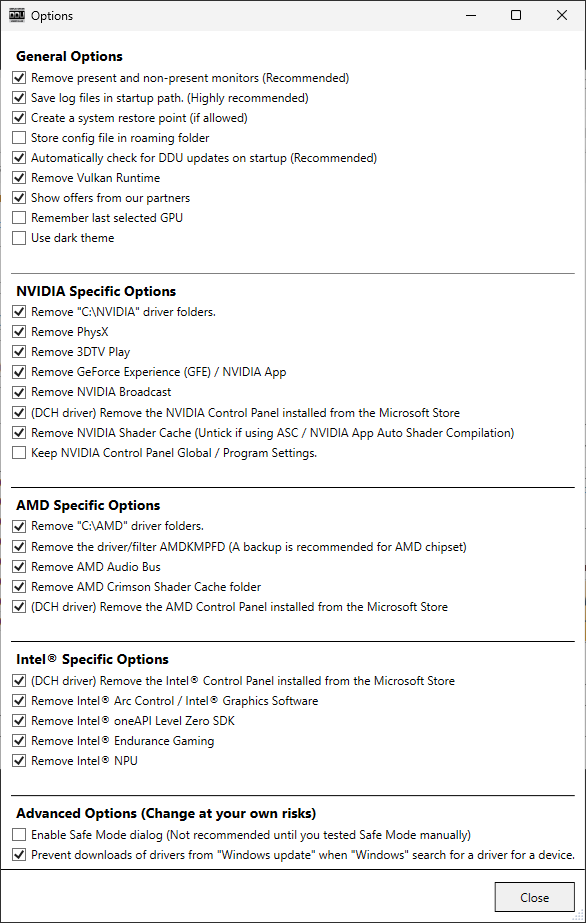
Step 21
Click "Select Device Type" and choose "GPU".
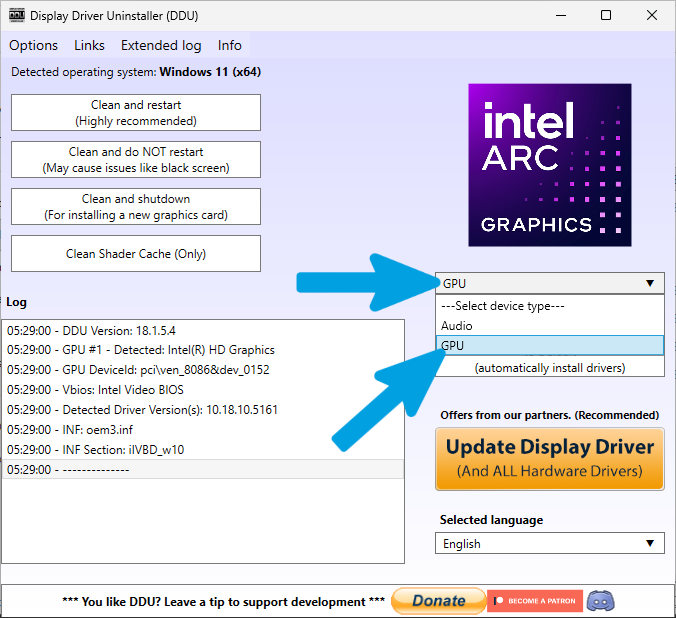
Step 22
Select your graphics card model. If you have multiple GPUs or are unsure, select "All GPUs".
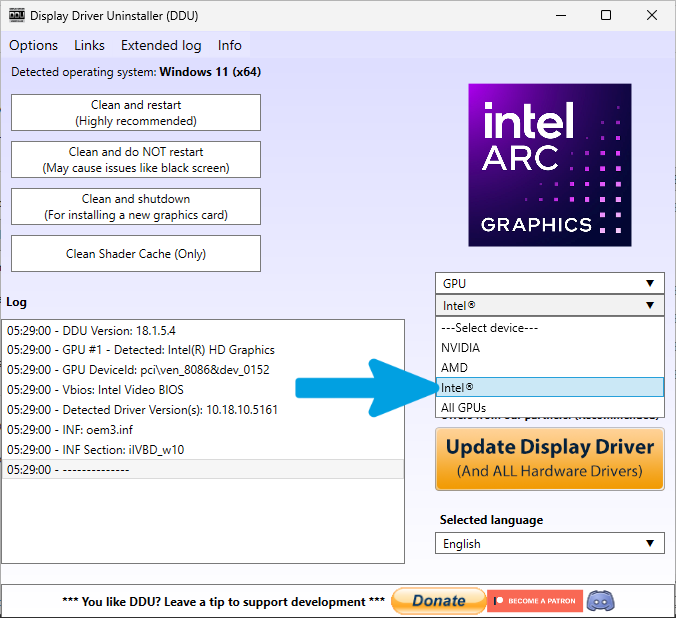
Step 23
After confirming all selections, click "Clean and restart".

Step 24
Wait for the cleanup process to complete. The screen may flicker during this process. Do not touch the PC. The system will restart automatically when finished.

Windows 10 ISO Installation Guide
This guide focuses on installing the official Windows 10 ISO. If you already have a verified, working ISO from Microsoft, you can skip this step and proceed to the next one.
Step 1
Open any search engine and type "Windows LTSC download massgrave", then click the first result.
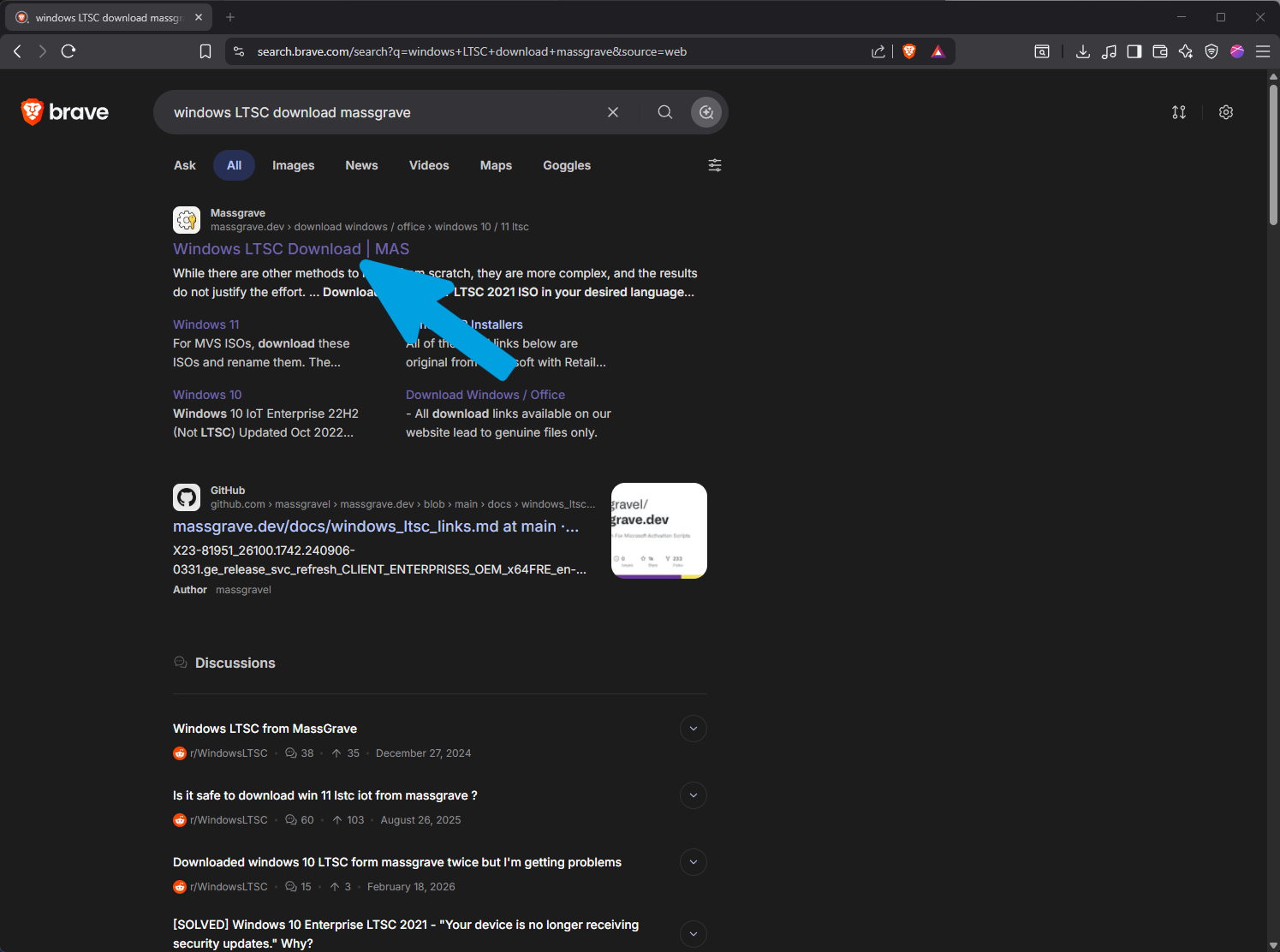
Step 2
Select "Windows 10 / 11 LTSC" from the edition dropdown menu.

Step 3
Select Windows 10 LTSC 2021 and download it using the first link. The installation will be in English by default, but you can easily change the operating system language later.

Step 4
Click "Download File" button to start the download.

Step 5
Wait for the ISO download to finish completely.
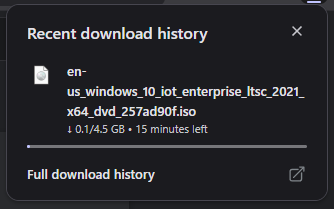
Step 1
Open any search engine and type "download windows 10".
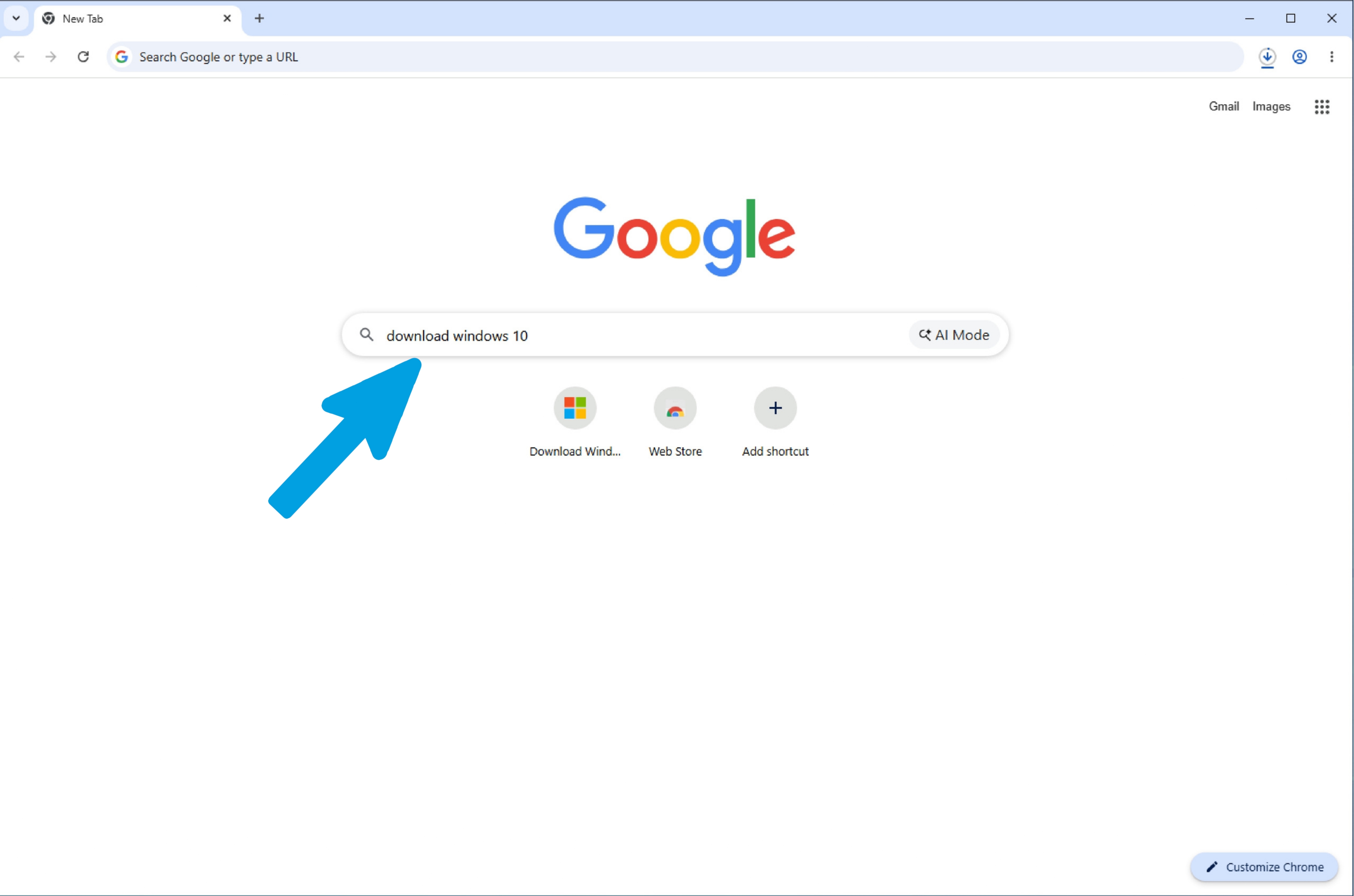
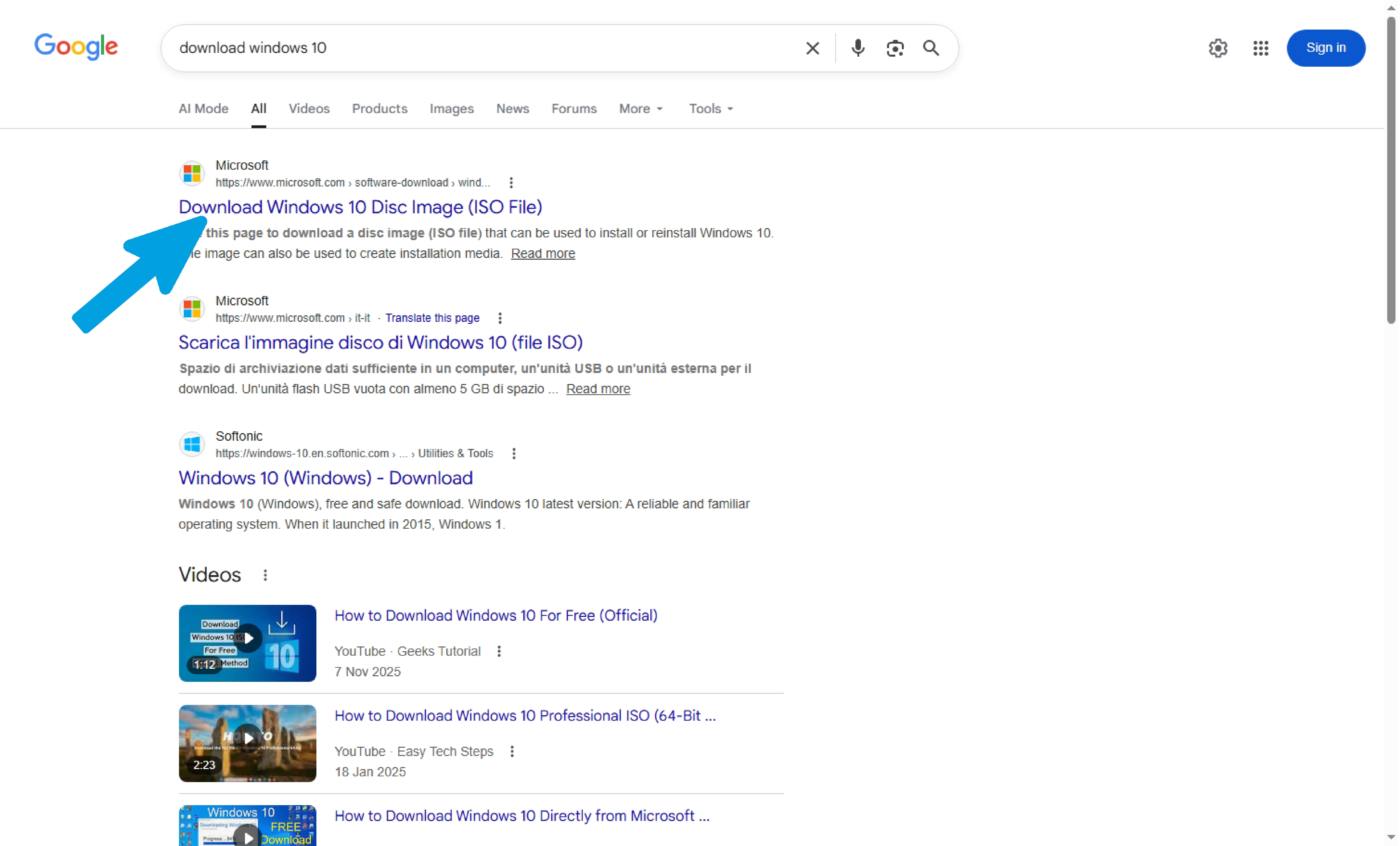
Step 3
Click on "Download Now" to download the media creation tool.
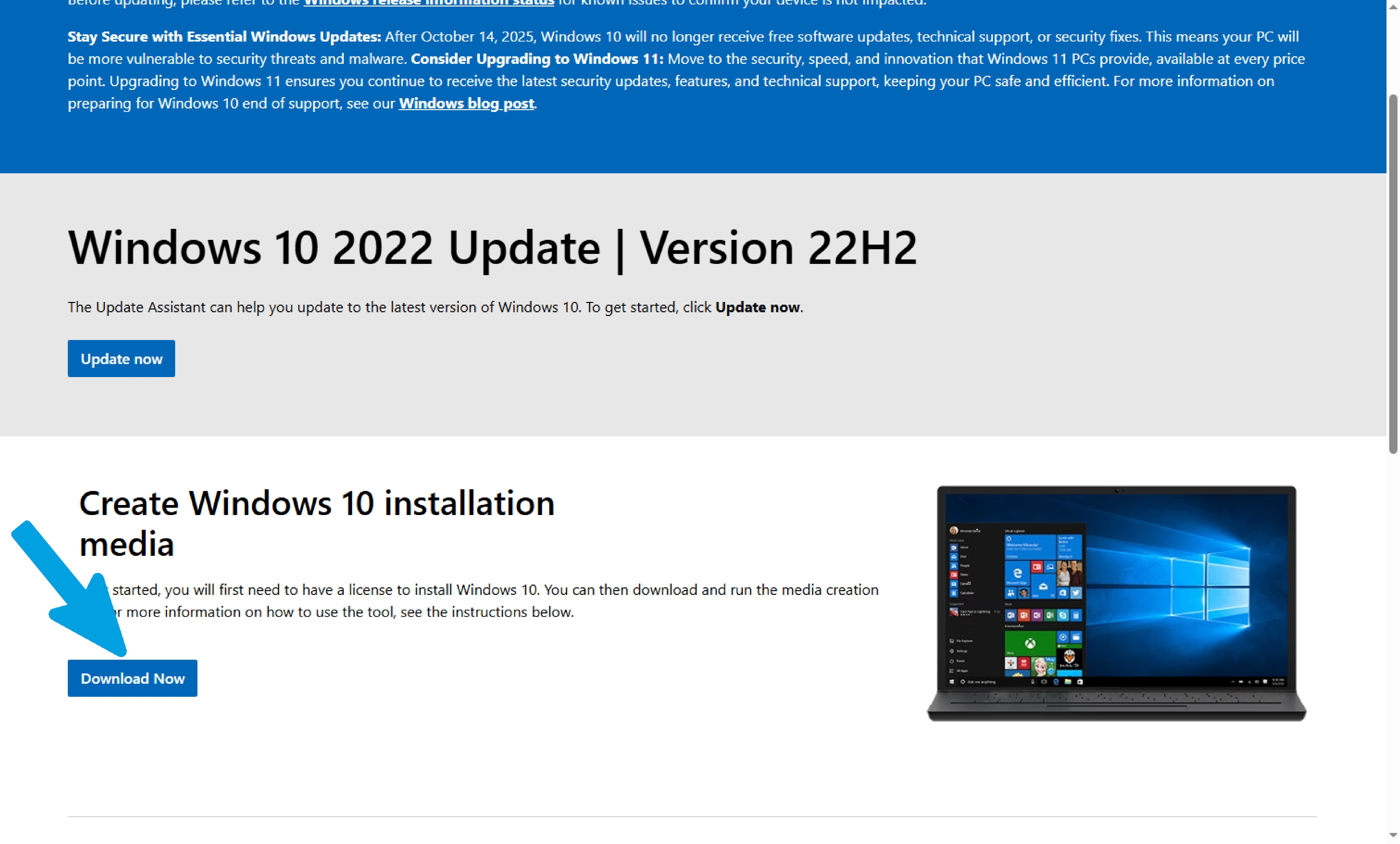
Step 4
Wait for the download to complete and verify that the downloaded file is correct.
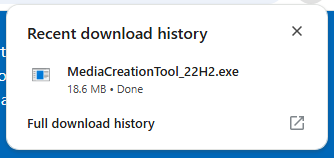
Step 5
Open File Explorer, right-click on the program, and select "Run as administrator".
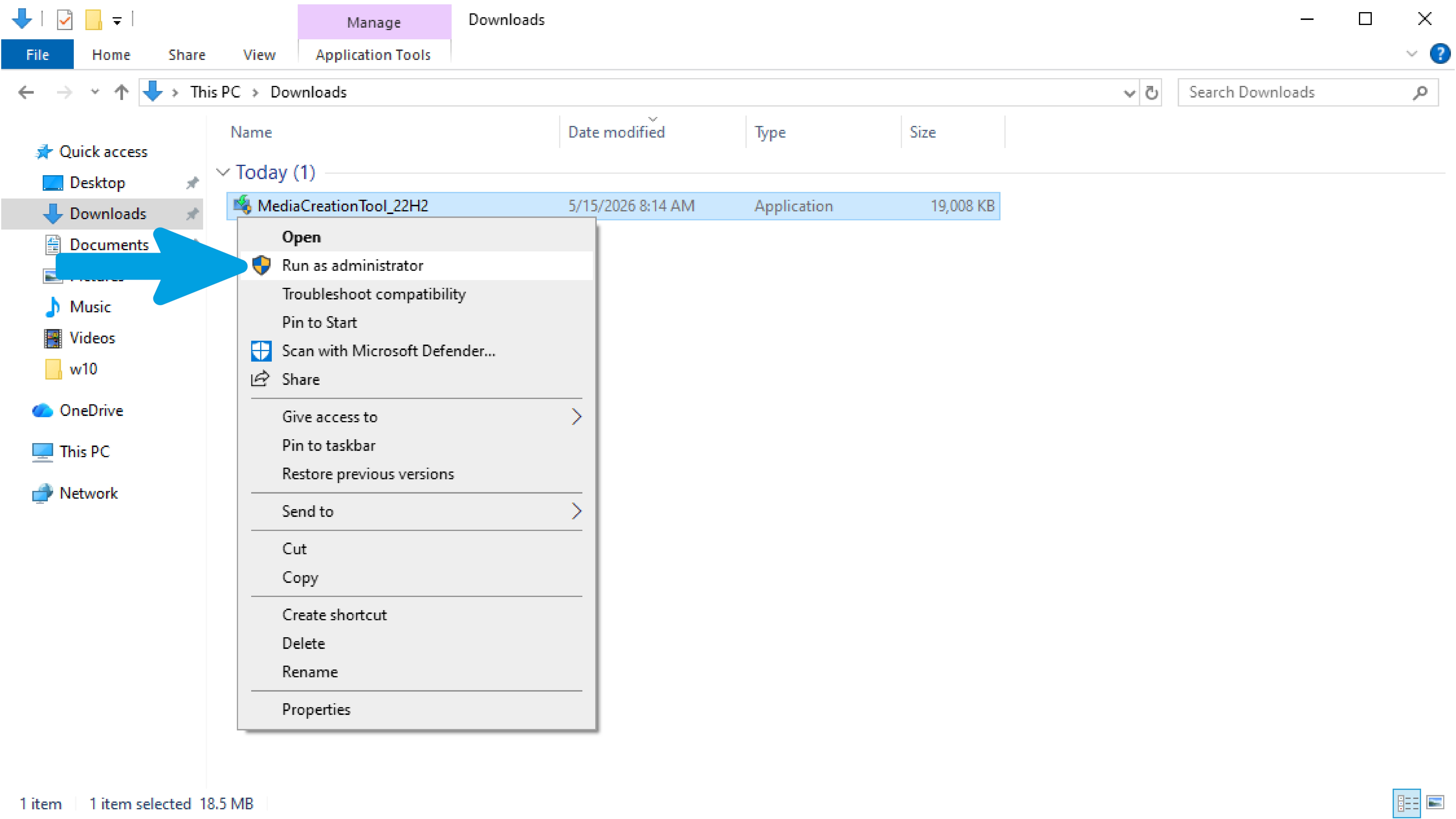
Step 6
Wait for any loading to complete.
Step 7
Accept all license terms by clicking on "Accept".
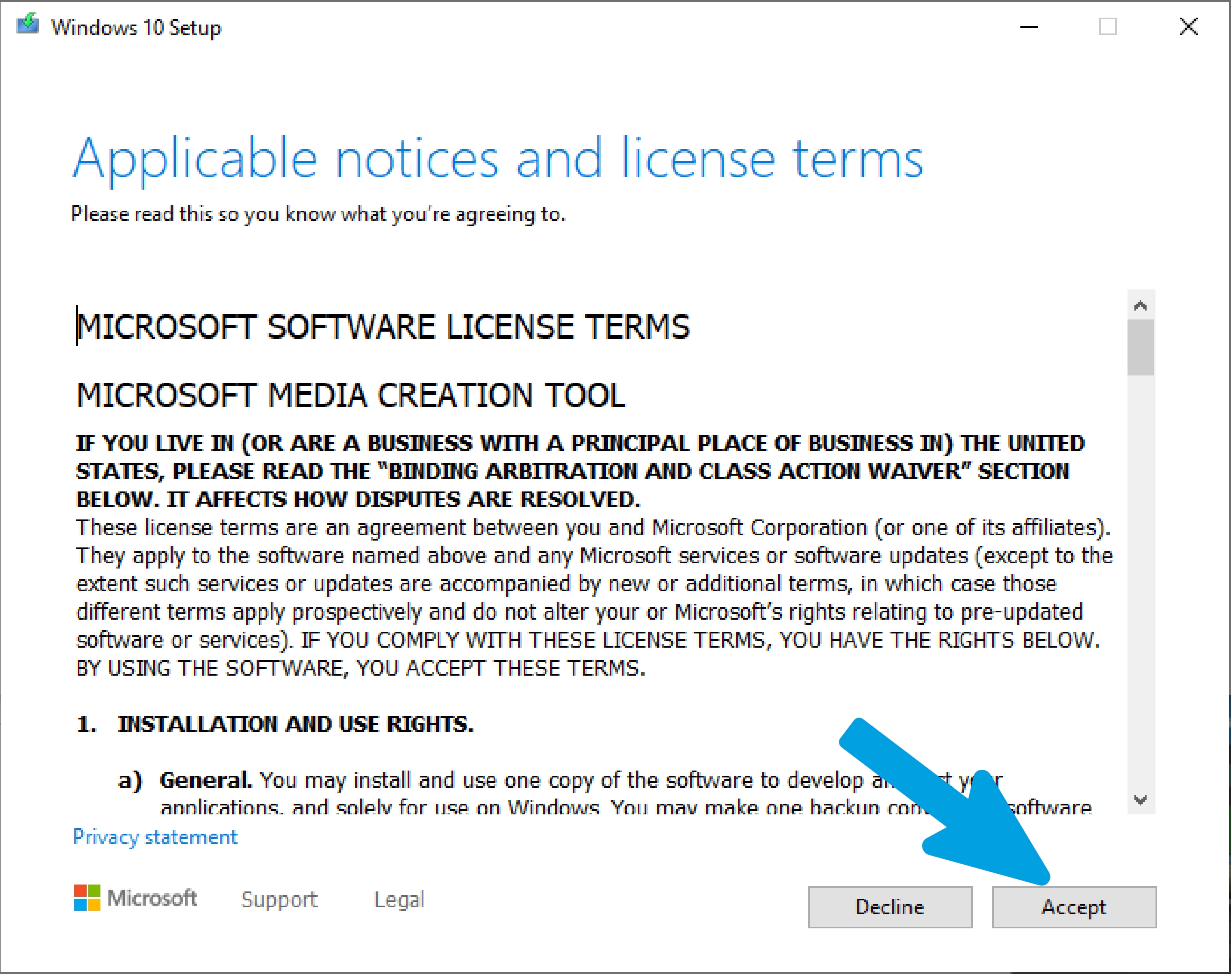
Step 8
Select "Create installation media".
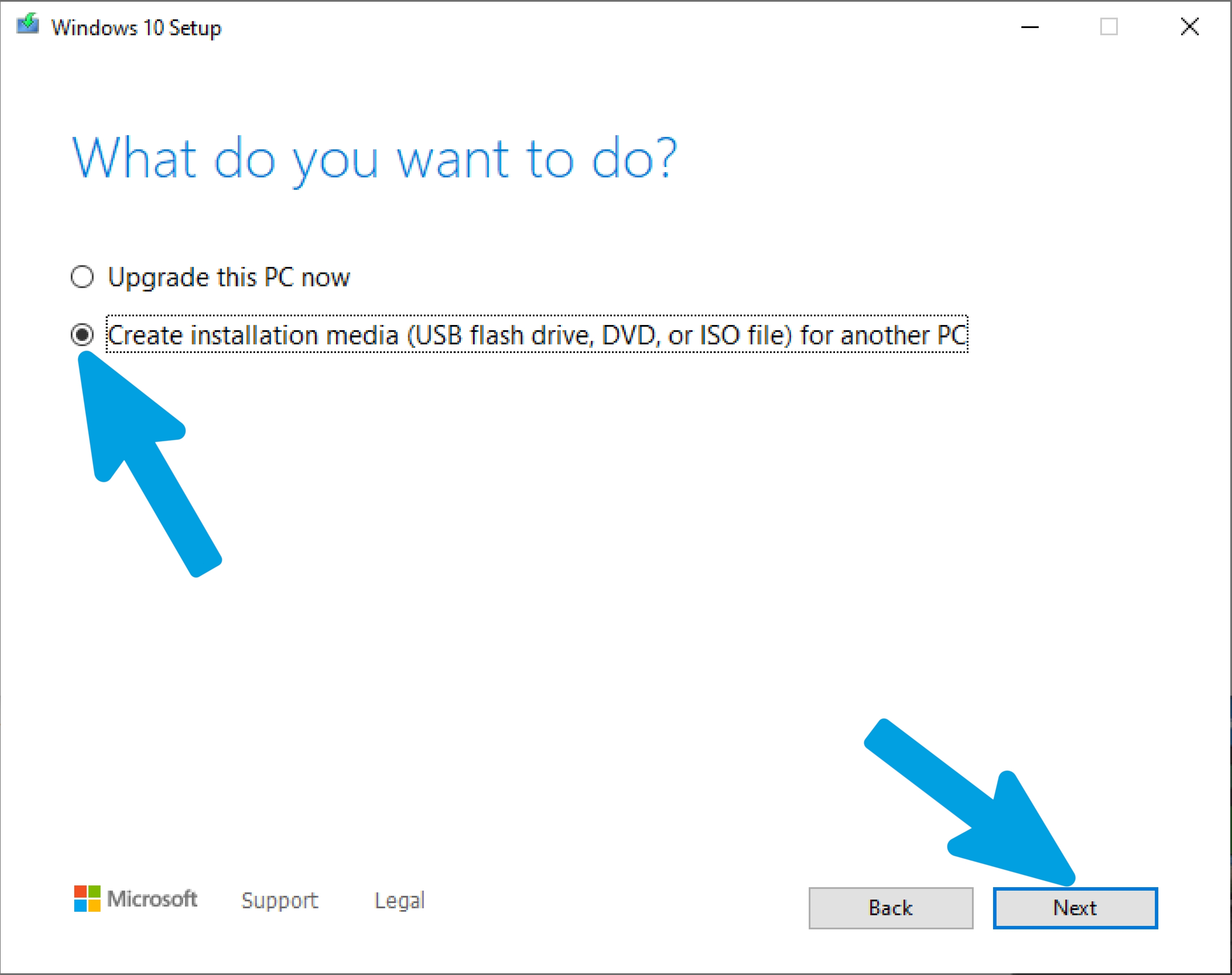
Step 9
Select "Next". If the selected language or architecture is incorrect, uncheck "Use the recommended options for this PC" and change the settings manually.
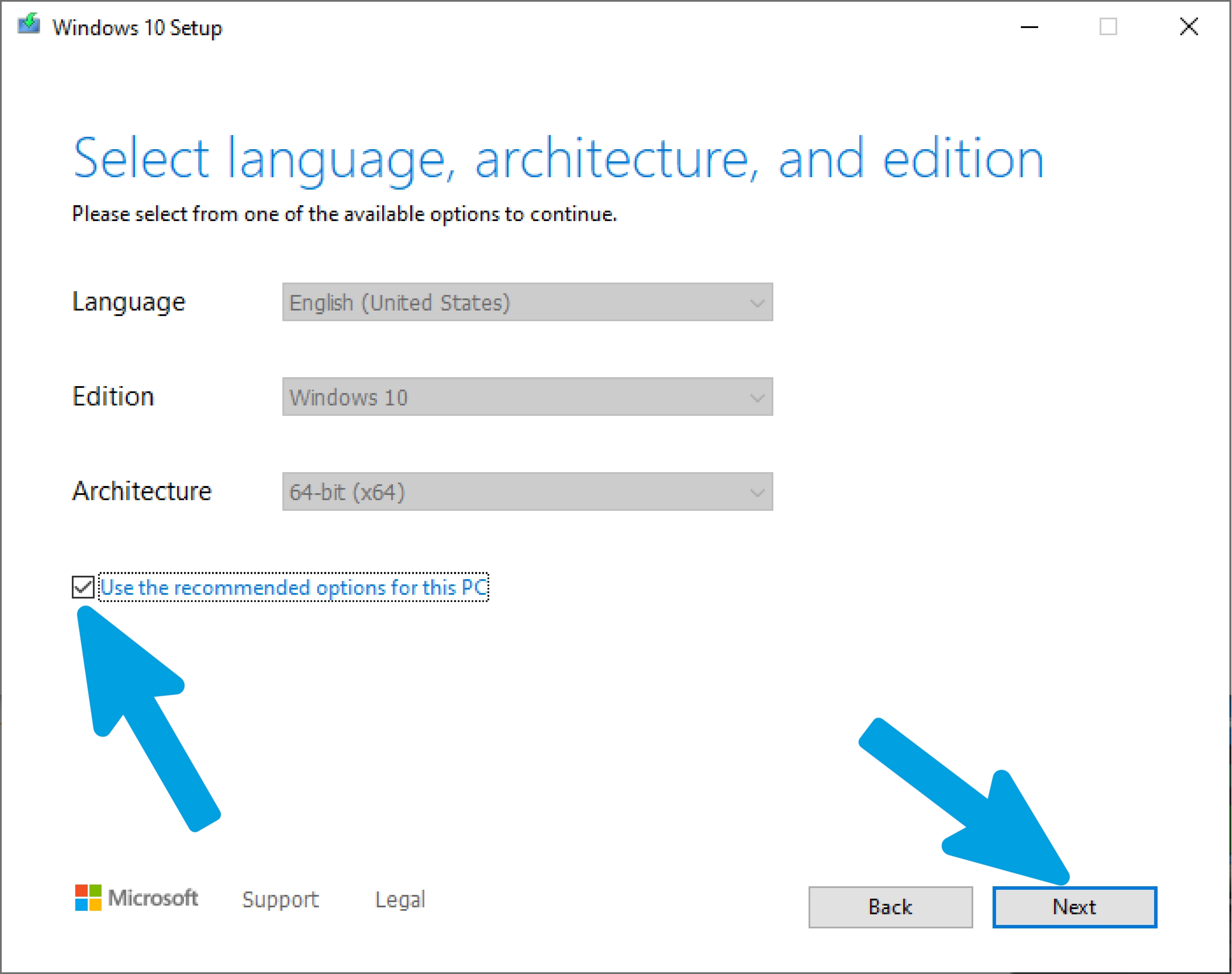
Step 10
Select "ISO file" and click "Next".
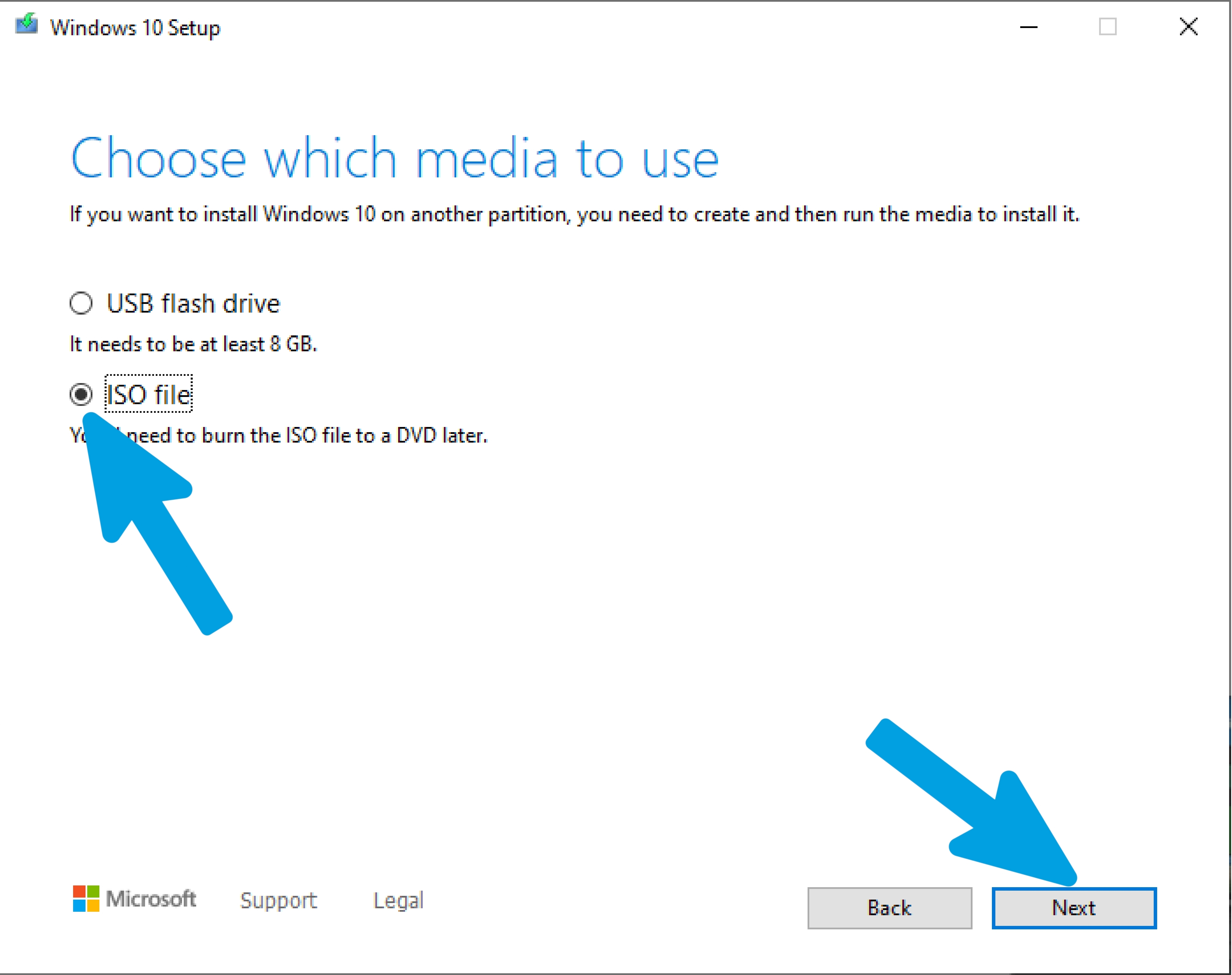
Step 11
A window will appear where you can choose where to save the file; once you have selected the location, click on "Save".
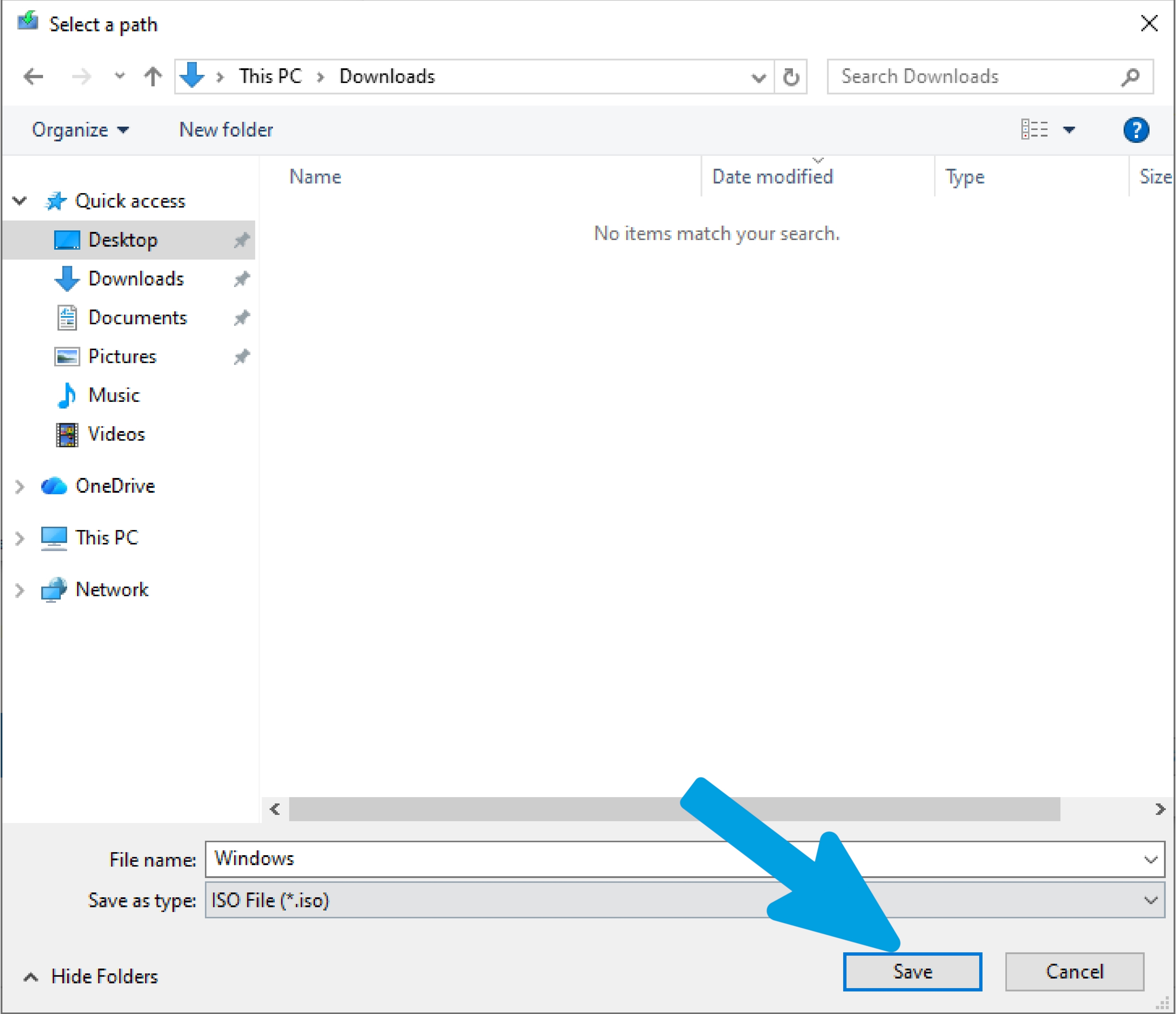
Step 12
Wait for the ISO download to complete without closing or using the program during the process.
Step 13
Once the download is complete, the location of the ISO file will be shown; then click on "Finish" to close the program.
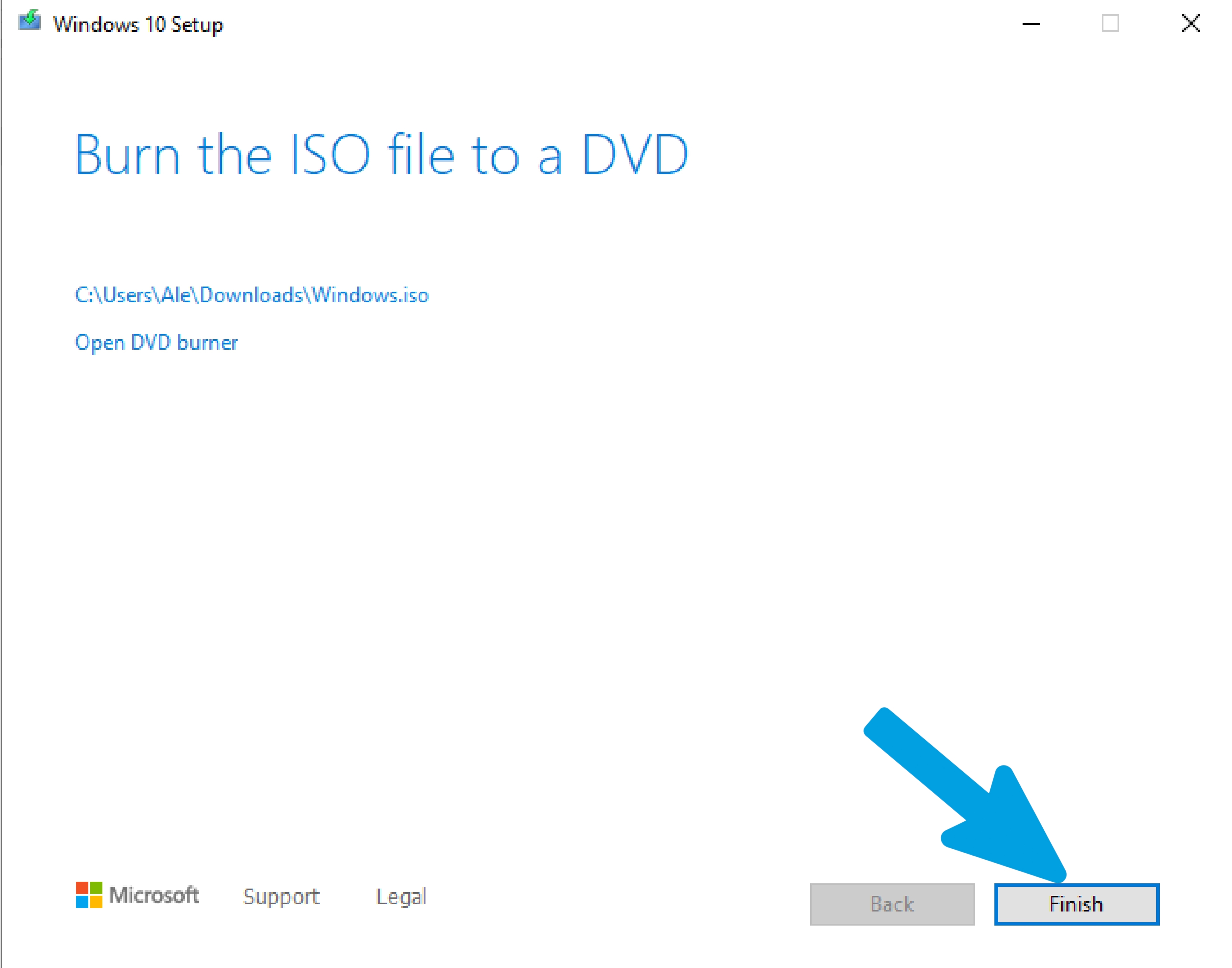
CPU Optimization Guide
Content coming soon...
GPU Optimization Guide
Content coming soon...
RAM Management Tips
Content coming soon...
Version 8.6 Premium Changelog
Content coming soon...
Version 8.5 Free Changelog
Content coming soon...
Frequently Asked Questions
Content coming soon...
Troubleshooting Center
Content coming soon...
Installation & Prerequisites
Content coming soon...
Program Overview
Content coming soon...
Uninstallation
Content coming soon...
Service Manager - test
Service Manager - test2
Service Manager - test3
System Debloat - test
System Debloat - test2
System Debloat - test3
System Tweaks - Performance
System Tweaks - Privacy
System Tweaks - Cleanup
System Tweaks - Advanced
CPU Tweaks - General Tweaks
CPU Tweaks - AMD CPU Tweaks
CPU Tweaks - INTEL CPU Tweaks
GPU Tweaks - General Tweaks
GPU Tweaks - NVIDIA GPU Tweaks
GPU Tweaks - AMD GPU Tweaks
GPU Tweaks - INTEL GPU Tweaks
RAM Tweaks - test
RAM Tweaks - test2
RAM Tweaks - test3
Disk Optimization - test
Disk Optimization - test2
Disk Optimization - test3
Network Optimization - test
Network Optimization - test2
Network Optimization - test3
Input Optimization - test
Input Optimization - test2
Input Optimization - test3
Apps Optimization - Games
Apps Optimization - Launchers
Apps Optimization - Software
Optimize Core Scheduling
The Multimedia Class Scheduler Service governs how CPU resources are distributed between time-sensitive multimedia applications and standard background processes. By default, the system reserves a portion of CPU time for lower-priority tasks to prevent starvation. The proportion of CPU time reserved is dictated by a specific responsiveness metric. Lowering this metric to its absolute minimum valid threshold of ten percent ensures that foreground gaming and audio threads receive ninety percent of the processing power during their boosted phases. If this value is set to one hundred, the entire scheduling mechanism is disabled, which is detrimental to performance. The scheduling cycle itself is divided into a boosted duration and an exhausted duration. The total length of this cycle is controlled by the scheduler period. Reducing this period to its minimum floor of fifty thousand microseconds (five milliseconds) forces the CPU to evaluate and switch thread priorities much faster. Using the mathematical formula extracted from the documentation, a fifty thousand microsecond period combined with a ten percent responsiveness metric results in a boosted phase of forty-five thousand microseconds and a brief exhausted phase of only five thousand microseconds. This rapid cycling drastically reduces input delay.
Network packet processing introduces another layer of latency. The Windows network driver stack frequently uses Deferred Procedure Calls (DPCs) to handle network card interrupts. Because these DPCs run at a higher interrupt request level than user-mode code, they can interrupt and delay time-sensitive media and gaming threads. To mitigate this, the scheduler utilizes a network throttling index. Setting this index to its maximum hexadecimal limit of 0xFFFFFFFF completely disables the NDIS throttle mechanism, ensuring that network throughput is not artificially restricted during gameplay or audio playback. Furthermore, the scheduler possesses an idle detection mechanism known as lazy mode. When the system detects CPU starvation over a set number of detection cycles, it forces threads into extended sleep states. By explicitly disabling this lazy mode, the scheduler is forced to strictly adhere to the aggressive boosted and exhausted cycles without ever dropping into deep sleep states. Thread capacity is also a critical factor. The scheduler enforces strict limits on the number of threads that can register for prioritized access. If an application spawns too many threads, it will encounter a "STATUS_TOO_MANY_THREADS" error. Expanding the maximum threads per process to one hundred twenty-eight and the total system-wide threads to sixty-five thousand five hundred thirty-five guarantees that modern, highly multi-threaded game engines will never hit an artificial ceiling.
Visual evidence from the provided Windows Performance Analyzer (WPA) and WinDbg captures corroborates these internal mechanics. WinDbg traces reveal the core scheduler thread operating at a base priority of twenty-seven and a priority floor of twenty-seven, with an I/O priority of two and a page priority of five. The thread wait start tick count is logged at 224914, with a context switch count of 376449 on ideal processor two. WPA graphs visually demonstrate the split between boosted and exhausted phases, displaying distinct blocks labeled 10 (0xA) and 100 (0x64). Further WPA captures detail the exact sleep durations, showing DeepSleep states lasting 4,294,967,295 units, SleepRealtimeLazy at 2,000,000 units, Realtime at 35,000 units, and SleepResponsiveness at 15,000 units. Another capture highlights the idle detection cycle triggering exactly twenty-one times before hitting the threshold of twenty-two. By disabling lazy mode and tightening the scheduler period, these extended sleep states are entirely bypassed in favor of continuous, high-frequency execution.
No significant risks for gaming scenarios or context.
This optimization delivers the absolute highest CPU prioritization for gaming and audio workloads. It eliminates network throttling to stabilize ping, prevents the CPU from entering lazy sleep states, and dramatically increases the frequency of thread scheduling. The result is a highly responsive system with perfectly stable frame times and zero audio crackling under heavy load.
Apply Script:
@echo off
title By Platinum+ Optimizer
reg add "HKLM\SOFTWARE\Microsoft\Windows NT\CurrentVersion\Multimedia\SystemProfile" /v "SystemResponsiveness" /t REG_DWORD /d 10 /f
reg add "HKLM\SOFTWARE\Microsoft\Windows NT\CurrentVersion\Multimedia\SystemProfile" /v "NetworkThrottlingIndex" /t REG_DWORD /d 4294967295 /f
reg add "HKLM\SOFTWARE\Microsoft\Windows NT\CurrentVersion\Multimedia\SystemProfile" /v "NoLazyMode" /t REG_DWORD /d 1 /f
reg add "HKLM\SOFTWARE\Microsoft\Windows NT\CurrentVersion\Multimedia\SystemProfile" /v "IdleDetectionCycles" /t REG_DWORD /d 1 /f
reg add "HKLM\SOFTWARE\Microsoft\Windows NT\CurrentVersion\Multimedia\SystemProfile" /v "LazyModeTimeout" /t REG_DWORD /d 1000000 /f
reg add "HKLM\SOFTWARE\Microsoft\Windows NT\CurrentVersion\Multimedia\SystemProfile" /v "SchedulerTimerResolution" /t REG_DWORD /d 10000 /f
reg add "HKLM\SOFTWARE\Microsoft\Windows NT\CurrentVersion\Multimedia\SystemProfile" /v "SchedulerPeriod" /t REG_DWORD /d 50000 /f
reg add "HKLM\SOFTWARE\Microsoft\Windows NT\CurrentVersion\Multimedia\SystemProfile" /v "MaxThreadsPerProcess" /t REG_DWORD /d 128 /f
reg add "HKLM\SOFTWARE\Microsoft\Windows NT\CurrentVersion\Multimedia\SystemProfile" /v "MaxThreadsTotal" /t REG_DWORD /d 65535 /f
echo Optimize MMCSS Core Scheduling and Thread Limits for SystemProfile applied successfully.
pause
Revert Script:
@echo off
title By Platinum+ Optimizer
reg add "HKLM\SOFTWARE\Microsoft\Windows NT\CurrentVersion\Multimedia\SystemProfile" /v "SystemResponsiveness" /t REG_DWORD /d 20 /f
reg add "HKLM\SOFTWARE\Microsoft\Windows NT\CurrentVersion\Multimedia\SystemProfile" /v "NetworkThrottlingIndex" /t REG_DWORD /d 10 /f
reg add "HKLM\SOFTWARE\Microsoft\Windows NT\CurrentVersion\Multimedia\SystemProfile" /v "NoLazyMode" /t REG_DWORD /d 0 /f
reg add "HKLM\SOFTWARE\Microsoft\Windows NT\CurrentVersion\Multimedia\SystemProfile" /v "IdleDetectionCycles" /t REG_DWORD /d 2 /f
reg add "HKLM\SOFTWARE\Microsoft\Windows NT\CurrentVersion\Multimedia\SystemProfile" /v "LazyModeTimeout" /t REG_DWORD /d 1000000 /f
reg add "HKLM\SOFTWARE\Microsoft\Windows NT\CurrentVersion\Multimedia\SystemProfile" /v "SchedulerTimerResolution" /t REG_DWORD /d 10000 /f
reg add "HKLM\SOFTWARE\Microsoft\Windows NT\CurrentVersion\Multimedia\SystemProfile" /v "SchedulerPeriod" /t REG_DWORD /d 100000 /f
reg add "HKLM\SOFTWARE\Microsoft\Windows NT\CurrentVersion\Multimedia\SystemProfile" /v "MaxThreadsPerProcess" /t REG_DWORD /d 32 /f
reg add "HKLM\SOFTWARE\Microsoft\Windows NT\CurrentVersion\Multimedia\SystemProfile" /v "MaxThreadsTotal" /t REG_DWORD /d 256 /f
echo Restore MMCSS Core Scheduling and Thread Limits for SystemProfile applied successfully.
pauseOptimize Task Profiles
Applications must manually register with the Multimedia Class Scheduler Service by calling specific API functions, informing the system of the exact task they are performing. Once registered, the scheduler uses registry-defined task profiles to determine the relative priority of those threads. The most critical parameter within these profiles is the scheduling category. Assigning a task to the "High" category forces its base thread priority to twenty-four, which is higher than almost all standard system-level tasks. From this base of twenty-four, the relative priority parameter can push the final boosted priority even higher, allowing it to fluctuate between twenty-three and twenty-six. By setting the relative priority to its maximum value of eight, we guarantee that the thread receives the absolute highest tier of execution precedence within its category. Furthermore, the scheduler supports a parameter that dictates the priority of a thread when it voluntarily yields its execution time. Setting this yield priority to its maximum limit of nineteen ensures that even when a game engine briefly pauses to wait for data, it does not fall into a heavily degraded priority state.
Several other parameters exist within these task profiles to fine-tune resource allocation. The clock rate acts as a hint for the granularity of processor resource scheduling. While its strict enforcement was altered in newer Windows versions to save power, explicitly defining it to the maximum value of ten thousand guarantees no legacy latency penalties are applied. It is also imperative to explicitly declare that these tasks are not background processes. Setting the background flag to false ensures that the threads are immune to priority degradation caused by changes in window focus. Although the documentation notes that parameters such as GPU Priority, SFIO Priority, and Latency Sensitive flags are either unused by the driver or have no observable effect, explicitly defining them to their maximum theoretical states (such as setting SFIO Priority to High and Latency Sensitive to True) ensures absolute coverage of all potential scheduling edge cases without causing harm. Processor affinity is left at zero, which acts as a bitmask instructing the scheduler to utilize all available logical processors without artificial restriction.
Windows Performance Analyzer captures provided in the documentation visually confirm the impact of these task profiles. Traces reveal processes such as `audiodg.exe` (PID 5608) and `Spotify.exe` (PID 10772) actively calling `Thread_SetChars` and `Thread_Join` to bind themselves to the Audio task. The resulting graph plots show these threads executing at extreme priority levels of twenty-four, twenty-five, twenty-six, and twenty-seven. Another capture focusing on the `mmcss_task.exe` test tool (PID 10464 and PID 3796) perfectly illustrates the priority clamping behavior, showing that when the High category is utilized, the threads are strictly bound to the upper echelons of the Windows priority matrix, completely preempting standard user-mode applications.
No significant risks for gaming scenarios or context.
By forcing Games, Audio, and Window Manager tasks into the "High" scheduling category with maximum relative priority, the operating system is forced to process rendering and input threads before anything else. This completely eliminates micro-stutters caused by background tasks stealing CPU cycles and ensures perfectly synchronized audio playback.
Apply Script:
@echo off
title By Platinum+ Optimizer
:: Optimize Games Task
reg add "HKLM\SOFTWARE\Microsoft\Windows NT\CurrentVersion\Multimedia\SystemProfile\Tasks\Games" /v "Scheduling Category" /t REG_SZ /d "High" /f
reg add "HKLM\SOFTWARE\Microsoft\Windows NT\CurrentVersion\Multimedia\SystemProfile\Tasks\Games" /v "Priority" /t REG_DWORD /d 8 /f
reg add "HKLM\SOFTWARE\Microsoft\Windows NT\CurrentVersion\Multimedia\SystemProfile\Tasks\Games" /v "Background Only" /t REG_SZ /d "False" /f
reg add "HKLM\SOFTWARE\Microsoft\Windows NT\CurrentVersion\Multimedia\SystemProfile\Tasks\Games" /v "BackgroundPriority" /t REG_DWORD /d 8 /f
reg add "HKLM\SOFTWARE\Microsoft\Windows NT\CurrentVersion\Multimedia\SystemProfile\Tasks\Games" /v "Clock Rate" /t REG_DWORD /d 10000 /f
reg add "HKLM\SOFTWARE\Microsoft\Windows NT\CurrentVersion\Multimedia\SystemProfile\Tasks\Games" /v "Affinity" /t REG_DWORD /d 0 /f
reg add "HKLM\SOFTWARE\Microsoft\Windows NT\CurrentVersion\Multimedia\SystemProfile\Tasks\Games" /v "GPU Priority" /t REG_DWORD /d 31 /f
reg add "HKLM\SOFTWARE\Microsoft\Windows NT\CurrentVersion\Multimedia\SystemProfile\Tasks\Games" /v "SFIO Priority" /t REG_SZ /d "High" /f
reg add "HKLM\SOFTWARE\Microsoft\Windows NT\CurrentVersion\Multimedia\SystemProfile\Tasks\Games" /v "Latency Sensitive" /t REG_SZ /d "True" /f
reg add "HKLM\SOFTWARE\Microsoft\Windows NT\CurrentVersion\Multimedia\SystemProfile\Tasks\Games" /v "Priority When Yielded" /t REG_DWORD /d 19 /f

:: Optimize Audio Task
reg add "HKLM\SOFTWARE\Microsoft\Windows NT\CurrentVersion\Multimedia\SystemProfile\Tasks\Audio" /v "Scheduling Category" /t REG_SZ /d "High" /f
reg add "HKLM\SOFTWARE\Microsoft\Windows NT\CurrentVersion\Multimedia\SystemProfile\Tasks\Audio" /v "Priority" /t REG_DWORD /d 8 /f
reg add "HKLM\SOFTWARE\Microsoft\Windows NT\CurrentVersion\Multimedia\SystemProfile\Tasks\Audio" /v "Background Only" /t REG_SZ /d "False" /f
reg add "HKLM\SOFTWARE\Microsoft\Windows NT\CurrentVersion\Multimedia\SystemProfile\Tasks\Audio" /v "BackgroundPriority" /t REG_DWORD /d 8 /f
reg add "HKLM\SOFTWARE\Microsoft\Windows NT\CurrentVersion\Multimedia\SystemProfile\Tasks\Audio" /v "Clock Rate" /t REG_DWORD /d 10000 /f
reg add "HKLM\SOFTWARE\Microsoft\Windows NT\CurrentVersion\Multimedia\SystemProfile\Tasks\Audio" /v "Affinity" /t REG_DWORD /d 0 /f
reg add "HKLM\SOFTWARE\Microsoft\Windows NT\CurrentVersion\Multimedia\SystemProfile\Tasks\Audio" /v "GPU Priority" /t REG_DWORD /d 31 /f
reg add "HKLM\SOFTWARE\Microsoft\Windows NT\CurrentVersion\Multimedia\SystemProfile\Tasks\Audio" /v "SFIO Priority" /t REG_SZ /d "High" /f
reg add "HKLM\SOFTWARE\Microsoft\Windows NT\CurrentVersion\Multimedia\SystemProfile\Tasks\Audio" /v "Latency Sensitive" /t REG_SZ /d "True" /f
reg add "HKLM\SOFTWARE\Microsoft\Windows NT\CurrentVersion\Multimedia\SystemProfile\Tasks\Audio" /v "Priority When Yielded" /t REG_DWORD /d 19 /f

:: Optimize Pro Audio Task
reg add "HKLM\SOFTWARE\Microsoft\Windows NT\CurrentVersion\Multimedia\SystemProfile\Tasks\Pro Audio" /v "Scheduling Category" /t REG_SZ /d "High" /f
reg add "HKLM\SOFTWARE\Microsoft\Windows NT\CurrentVersion\Multimedia\SystemProfile\Tasks\Pro Audio" /v "Priority" /t REG_DWORD /d 8 /f
reg add "HKLM\SOFTWARE\Microsoft\Windows NT\CurrentVersion\Multimedia\SystemProfile\Tasks\Pro Audio" /v "Background Only" /t REG_SZ /d "False" /f
reg add "HKLM\SOFTWARE\Microsoft\Windows NT\CurrentVersion\Multimedia\SystemProfile\Tasks\Pro Audio" /v "BackgroundPriority" /t REG_DWORD /d 8 /f
reg add "HKLM\SOFTWARE\Microsoft\Windows NT\CurrentVersion\Multimedia\SystemProfile\Tasks\Pro Audio" /v "Clock Rate" /t REG_DWORD /d 10000 /f
reg add "HKLM\SOFTWARE\Microsoft\Windows NT\CurrentVersion\Multimedia\SystemProfile\Tasks\Pro Audio" /v "Affinity" /t REG_DWORD /d 0 /f
reg add "HKLM\SOFTWARE\Microsoft\Windows NT\CurrentVersion\Multimedia\SystemProfile\Tasks\Pro Audio" /v "GPU Priority" /t REG_DWORD /d 31 /f
reg add "HKLM\SOFTWARE\Microsoft\Windows NT\CurrentVersion\Multimedia\SystemProfile\Tasks\Pro Audio" /v "SFIO Priority" /t REG_SZ /d "High" /f
reg add "HKLM\SOFTWARE\Microsoft\Windows NT\CurrentVersion\Multimedia\SystemProfile\Tasks\Pro Audio" /v "Latency Sensitive" /t REG_SZ /d "True" /f
reg add "HKLM\SOFTWARE\Microsoft\Windows NT\CurrentVersion\Multimedia\SystemProfile\Tasks\Pro Audio" /v "Priority When Yielded" /t REG_DWORD /d 19 /f

:: Optimize Window Manager Task
reg add "HKLM\SOFTWARE\Microsoft\Windows NT\CurrentVersion\Multimedia\SystemProfile\Tasks\Window Manager" /v "Scheduling Category" /t REG_SZ /d "High" /f
reg add "HKLM\SOFTWARE\Microsoft\Windows NT\CurrentVersion\Multimedia\SystemProfile\Tasks\Window Manager" /v "Priority" /t REG_DWORD /d 8 /f
reg add "HKLM\SOFTWARE\Microsoft\Windows NT\CurrentVersion\Multimedia\SystemProfile\Tasks\Window Manager" /v "Background Only" /t REG_SZ /d "False" /f
reg add "HKLM\SOFTWARE\Microsoft\Windows NT\CurrentVersion\Multimedia\SystemProfile\Tasks\Window Manager" /v "BackgroundPriority" /t REG_DWORD /d 8 /f
reg add "HKLM\SOFTWARE\Microsoft\Windows NT\CurrentVersion\Multimedia\SystemProfile\Tasks\Window Manager" /v "Clock Rate" /t REG_DWORD /d 10000 /f
reg add "HKLM\SOFTWARE\Microsoft\Windows NT\CurrentVersion\Multimedia\SystemProfile\Tasks\Window Manager" /v "Affinity" /t REG_DWORD /d 0 /f
reg add "HKLM\SOFTWARE\Microsoft\Windows NT\CurrentVersion\Multimedia\SystemProfile\Tasks\Window Manager" /v "GPU Priority" /t REG_DWORD /d 31 /f
reg add "HKLM\SOFTWARE\Microsoft\Windows NT\CurrentVersion\Multimedia\SystemProfile\Tasks\Window Manager" /v "SFIO Priority" /t REG_SZ /d "High" /f
reg add "HKLM\SOFTWARE\Microsoft\Windows NT\CurrentVersion\Multimedia\SystemProfile\Tasks\Window Manager" /v "Latency Sensitive" /t REG_SZ /d "True" /f
reg add "HKLM\SOFTWARE\Microsoft\Windows NT\CurrentVersion\Multimedia\SystemProfile\Tasks\Window Manager" /v "Priority When Yielded" /t REG_DWORD /d 19 /f
echo Optimize Task Profiles for Games and Audio Subsystems applied successfully.
pause
Revert Script:
@echo off
title By Platinum+ Optimizer
:: Restore Games Task
reg add "HKLM\SOFTWARE\Microsoft\Windows NT\CurrentVersion\Multimedia\SystemProfile\Tasks\Games" /v "Scheduling Category" /t REG_SZ /d "Medium" /f
reg add "HKLM\SOFTWARE\Microsoft\Windows NT\CurrentVersion\Multimedia\SystemProfile\Tasks\Games" /v "Priority" /t REG_DWORD /d 2 /f
reg add "HKLM\SOFTWARE\Microsoft\Windows NT\CurrentVersion\Multimedia\SystemProfile\Tasks\Games" /v "Background Only" /t REG_SZ /d "False" /f
reg add "HKLM\SOFTWARE\Microsoft\Windows NT\CurrentVersion\Multimedia\SystemProfile\Tasks\Games" /v "BackgroundPriority" /t REG_DWORD /d 1 /f
reg add "HKLM\SOFTWARE\Microsoft\Windows NT\CurrentVersion\Multimedia\SystemProfile\Tasks\Games" /v "Clock Rate" /t REG_DWORD /d 10000 /f
reg add "HKLM\SOFTWARE\Microsoft\Windows NT\CurrentVersion\Multimedia\SystemProfile\Tasks\Games" /v "Affinity" /t REG_DWORD /d 0 /f
reg add "HKLM\SOFTWARE\Microsoft\Windows NT\CurrentVersion\Multimedia\SystemProfile\Tasks\Games" /v "GPU Priority" /t REG_DWORD /d 8 /f
reg add "HKLM\SOFTWARE\Microsoft\Windows NT\CurrentVersion\Multimedia\SystemProfile\Tasks\Games" /v "SFIO Priority" /t REG_SZ /d "Normal" /f
reg add "HKLM\SOFTWARE\Microsoft\Windows NT\CurrentVersion\Multimedia\SystemProfile\Tasks\Games" /v "Latency Sensitive" /t REG_SZ /d "False" /f
reg add "HKLM\SOFTWARE\Microsoft\Windows NT\CurrentVersion\Multimedia\SystemProfile\Tasks\Games" /v "Priority When Yielded" /t REG_DWORD /d 16 /f

:: Restore Audio Task
reg add "HKLM\SOFTWARE\Microsoft\Windows NT\CurrentVersion\Multimedia\SystemProfile\Tasks\Audio" /v "Scheduling Category" /t REG_SZ /d "Medium" /f
reg add "HKLM\SOFTWARE\Microsoft\Windows NT\CurrentVersion\Multimedia\SystemProfile\Tasks\Audio" /v "Priority" /t REG_DWORD /d 2 /f
reg add "HKLM\SOFTWARE\Microsoft\Windows NT\CurrentVersion\Multimedia\SystemProfile\Tasks\Audio" /v "Background Only" /t REG_SZ /d "False" /f
reg add "HKLM\SOFTWARE\Microsoft\Windows NT\CurrentVersion\Multimedia\SystemProfile\Tasks\Audio" /v "BackgroundPriority" /t REG_DWORD /d 1 /f
reg add "HKLM\SOFTWARE\Microsoft\Windows NT\CurrentVersion\Multimedia\SystemProfile\Tasks\Audio" /v "Clock Rate" /t REG_DWORD /d 10000 /f
reg add "HKLM\SOFTWARE\Microsoft\Windows NT\CurrentVersion\Multimedia\SystemProfile\Tasks\Audio" /v "Affinity" /t REG_DWORD /d 0 /f
reg add "HKLM\SOFTWARE\Microsoft\Windows NT\CurrentVersion\Multimedia\SystemProfile\Tasks\Audio" /v "GPU Priority" /t REG_DWORD /d 8 /f
reg add "HKLM\SOFTWARE\Microsoft\Windows NT\CurrentVersion\Multimedia\SystemProfile\Tasks\Audio" /v "SFIO Priority" /t REG_SZ /d "Normal" /f
reg add "HKLM\SOFTWARE\Microsoft\Windows NT\CurrentVersion\Multimedia\SystemProfile\Tasks\Audio" /v "Latency Sensitive" /t REG_SZ /d "False" /f
reg add "HKLM\SOFTWARE\Microsoft\Windows NT\CurrentVersion\Multimedia\SystemProfile\Tasks\Audio" /v "Priority When Yielded" /t REG_DWORD /d 16 /f

:: Restore Pro Audio Task
reg add "HKLM\SOFTWARE\Microsoft\Windows NT\CurrentVersion\Multimedia\SystemProfile\Tasks\Pro Audio" /v "Scheduling Category" /t REG_SZ /d "High" /f
reg add "HKLM\SOFTWARE\Microsoft\Windows NT\CurrentVersion\Multimedia\SystemProfile\Tasks\Pro Audio" /v "Priority" /t REG_DWORD /d 2 /f
reg add "HKLM\SOFTWARE\Microsoft\Windows NT\CurrentVersion\Multimedia\SystemProfile\Tasks\Pro Audio" /v "Background Only" /t REG_SZ /d "False" /f
reg add "HKLM\SOFTWARE\Microsoft\Windows NT\CurrentVersion\Multimedia\SystemProfile\Tasks\Pro Audio" /v "BackgroundPriority" /t REG_DWORD /d 1 /f
reg add "HKLM\SOFTWARE\Microsoft\Windows NT\CurrentVersion\Multimedia\SystemProfile\Tasks\Pro Audio" /v "Clock Rate" /t REG_DWORD /d 10000 /f
reg add "HKLM\SOFTWARE\Microsoft\Windows NT\CurrentVersion\Multimedia\SystemProfile\Tasks\Pro Audio" /v "Affinity" /t REG_DWORD /d 0 /f
reg add "HKLM\SOFTWARE\Microsoft\Windows NT\CurrentVersion\Multimedia\SystemProfile\Tasks\Pro Audio" /v "GPU Priority" /t REG_DWORD /d 8 /f
reg add "HKLM\SOFTWARE\Microsoft\Windows NT\CurrentVersion\Multimedia\SystemProfile\Tasks\Pro Audio" /v "SFIO Priority" /t REG_SZ /d "Normal" /f
reg add "HKLM\SOFTWARE\Microsoft\Windows NT\CurrentVersion\Multimedia\SystemProfile\Tasks\Pro Audio" /v "Latency Sensitive" /t REG_SZ /d "False" /f
reg add "HKLM\SOFTWARE\Microsoft\Windows NT\CurrentVersion\Multimedia\SystemProfile\Tasks\Pro Audio" /v "Priority When Yielded" /t REG_DWORD /d 16 /f

:: Restore Window Manager Task
reg add "HKLM\SOFTWARE\Microsoft\Windows NT\CurrentVersion\Multimedia\SystemProfile\Tasks\Window Manager" /v "Scheduling Category" /t REG_SZ /d "Medium" /f
reg add "HKLM\SOFTWARE\Microsoft\Windows NT\CurrentVersion\Multimedia\SystemProfile\Tasks\Window Manager" /v "Priority" /t REG_DWORD /d 2 /f
reg add "HKLM\SOFTWARE\Microsoft\Windows NT\CurrentVersion\Multimedia\SystemProfile\Tasks\Window Manager" /v "Background Only" /t REG_SZ /d "False" /f
reg add "HKLM\SOFTWARE\Microsoft\Windows NT\CurrentVersion\Multimedia\SystemProfile\Tasks\Window Manager" /v "BackgroundPriority" /t REG_DWORD /d 1 /f
reg add "HKLM\SOFTWARE\Microsoft\Windows NT\CurrentVersion\Multimedia\SystemProfile\Tasks\Window Manager" /v "Clock Rate" /t REG_DWORD /d 10000 /f
reg add "HKLM\SOFTWARE\Microsoft\Windows NT\CurrentVersion\Multimedia\SystemProfile\Tasks\Window Manager" /v "Affinity" /t REG_DWORD /d 0 /f
reg add "HKLM\SOFTWARE\Microsoft\Windows NT\CurrentVersion\Multimedia\SystemProfile\Tasks\Window Manager" /v "GPU Priority" /t REG_DWORD /d 8 /f
reg add "HKLM\SOFTWARE\Microsoft\Windows NT\CurrentVersion\Multimedia\SystemProfile\Tasks\Window Manager" /v "SFIO Priority" /t REG_SZ /d "Normal" /f
reg add "HKLM\SOFTWARE\Microsoft\Windows NT\CurrentVersion\Multimedia\SystemProfile\Tasks\Window Manager" /v "Latency Sensitive" /t REG_SZ /d "False" /f
reg add "HKLM\SOFTWARE\Microsoft\Windows NT\CurrentVersion\Multimedia\SystemProfile\Tasks\Window Manager" /v "Priority When Yielded" /t REG_DWORD /d 16 /f
echo Restore Task Profiles for Games and Audio Subsystems applied successfully.
pauseOptimize Kernel Timer Scheduling
The Windows kernel must determine the most optimal processor to handle timer expirations when a timer is inserted. By default on modern client systems, especially those supporting Modern Standby, the kernel enforces timer serialization. This mechanism forces all kernel timers (KTIMER) to be queued and processed exclusively on the timer table of CPU 0, making it the permanent clock owner. While this allows other processors to enter deep sleep states for power efficiency, it creates a significant asynchronous bottleneck on CPU 0 during high-performance workloads like gaming. By modifying the `SerializeTimerExpiration` registry value in the Session Manager Kernel configuration and setting it to a value of two, this serialization is forcibly disabled. Disabling serialization instructs the kernel to use the individual Processor Control Block (PRCB) timer table for the current processor. As visually demonstrated in the provided timer queuing diagrams and WinDbg `!timer` dumps, this shifts the behavior from funneling all timers into CPU 0 to distributing them evenly across the active processors, drastically reducing the processing burden on a single core.
In conjunction with timer distribution, the `EnablePerCpuClockTickScheduling` parameter dictates whether clock tick scheduling relies on a global clock state or a localized per-PRCB state. Setting this value to one ensures that each processor maintains its own independent timer state variables, such as the next tick due time and the requested time increment, rather than synchronizing with a global value. Furthermore, the system's dynamic tick feature allows the kernel to suppress periodic clock ticks when processors transition into idle states, invoking routines like `KePrepareClockTimerForIdle`. Visual traces from Windows Performance Analyzer and debugger outputs confirm that disabling dynamic tick prevents the system from skipping these periodic ticks. When dynamic tick is disabled, the kernel bypasses the idle preparation phase, ensuring that the clock owner maintains a continuous and highly accurate timer resolution without the latency overhead of waking up and recalculating the next tick due time.
Disabling timer serialization and dynamic tick will prevent the system from entering deep power-saving states and breaks Modern Standby resiliency phases. This will lead to higher baseline power consumption and increased heat generation, which is generally only a concern for battery-powered portable devices.
Distributing timers across all processors eliminates the CPU 0 bottleneck, which is critical for heavily multi-threaded game engines and high-polling-rate peripherals. Disabling dynamic tick and enabling per-CPU scheduling ensures the lowest possible timer latency, perfectly consistent tick intervals, and a reduction in cross-processor synchronization overhead, leading to smoother frame times and reduced input delay.
Apply Script:
@echo off
title By Platinum+ Optimizer
reg add "HKLM\SYSTEM\CurrentControlSet\Control\Session Manager\Kernel" /v "SerializeTimerExpiration" /t REG_DWORD /d 2 /f
reg add "HKLM\SYSTEM\CurrentControlSet\Control\Session Manager\Kernel" /v "EnablePerCpuClockTickScheduling" /t REG_DWORD /d 1 /f
bcdedit /set disabledynamictick yes
echo Disable Timer Serialization and Optimize Clock Tick Scheduling applied successfully.
pause
Revert Script:
@echo off
title By Platinum+ Optimizer
reg delete "HKLM\SYSTEM\CurrentControlSet\Control\Session Manager\Kernel" /v "SerializeTimerExpiration" /f
reg delete "HKLM\SYSTEM\CurrentControlSet\Control\Session Manager\Kernel" /v "EnablePerCpuClockTickScheduling" /f
bcdedit /deletevalue disabledynamictick
echo Restore Timer Serialization and Optimize Clock Tick Scheduling applied successfully.
pauseOptimize Priority Separation
Windows utilizes a quantum-based preemptive scheduler to distribute processor time among active threads. A quantum represents the maximum amount of time a thread is permitted to execute before the kernel pauses it to evaluate if another thread of equal or higher priority requires the CPU. This thread run-time accounting is not measured in simple clock ticks, but rather in processor cycles, known as Quantum Units. The core mechanism governing how these quantums are distributed between foreground and background processes is controlled by a six-bit registry value called Win32PrioritySeparation. This value is divided into three distinct two-bit pairs. The lowest bits, zero and one, dictate the foreground priority boost multiplier. Setting these bits to a binary value of one-zero applies a maximum plus-two priority boost, mathematically ensuring that the foreground process receives three times the processor time compared to background processes.
The middle bits, two and three, determine whether the quantum allocation is variable or fixed. When configured as variable, the scheduler uses a dynamic table where background processes receive a base allocation of six Quantum Units, while the boosted foreground process receives a massive eighteen Quantum Units. If a fixed table were used instead, all processes would receive an identical eighteen Quantum Units regardless of their foreground status, completely neutralizing the intended priority boost. The highest bits, four and five, control the base length of the clock interval. Setting these bits to a binary value of one-zero forces a short interval. Short intervals trigger more frequent scheduler evaluations, which is absolutely critical for client systems and gaming environments because it drastically minimizes input latency and ensures rapid context switching when user input is detected. Combining these optimal binary pairs results in a final binary string of one-zero-zero-one-one-zero, which translates to a decimal value of thirty-eight or a hexadecimal value of 0x26. Enforcing this specific value guarantees the maximum theoretical processor time ratio in favor of the active game.
To complement the quantum allocation, the kernel also manages how long a dynamic priority boost lasts via the ForceForegroundBoostDecay policy located in the Session Manager. By default, Windows is designed to maintain the foreground boost as long as the process remains active on the screen. However, explicitly defining this value to zero forcefully prevents the scheduler functions, such as KiQuantumEnd, from decaying or stripping away the priority boost over time. Visual evidence from the provided Windows Performance Recorder captures perfectly illustrates this behavior. When the separation is active, the thread priority dynamically boosts, forming a distinct oscillating waveform between priority eight and ten. Furthermore, the documentation highlights a critical anomaly in Windows 11 version 23H2, where having the native Game Mode enabled inadvertently breaks this foreground priority boost, resulting in a flat, unboosted priority line in Performance Monitor. While this scheduling bug appears resolved in version 25H2, explicitly locking the Win32PrioritySeparation and ForceForegroundBoostDecay values ensures the deepest level of scheduler compliance possible. Debugger outputs further confirm these mechanics, showing the exact hexadecimal values of the variable quantum tables and verifying the processor cycle calculations against an AMD processor running at 3700 megahertz.
No significant risks for gaming scenarios or context. Background applications (such as file downloads, video rendering, or heavy browser tabs) will receive significantly less CPU time and may execute slower while a demanding game is running in the foreground.
This optimization guarantees that the active foreground game receives absolute priority over background system tasks. By enforcing short, variable quantums with a maximum 3x time multiplier, input latency is minimized, and frame times are stabilized. Preventing priority decay ensures that this performance state does not degrade during long gaming sessions.
Apply Script:
@echo off
title By Platinum+ Optimizer
reg add "HKLM\SYSTEM\CurrentControlSet\Control\PriorityControl" /v "Win32PrioritySeparation" /t REG_DWORD /d 38 /f
reg add "HKLM\SYSTEM\CurrentControlSet\Control\Session Manager\Kernel" /v "ForceForegroundBoostDecay" /t REG_DWORD /d 0 /f
echo Optimize Win32PrioritySeparation and Foreground Boost Decay applied successfully.
pause
Revert Script:
@echo off
title By Platinum+ Optimizer
reg add "HKLM\SYSTEM\CurrentControlSet\Control\PriorityControl" /v "Win32PrioritySeparation" /t REG_DWORD /d 2 /f
reg delete "HKLM\SYSTEM\CurrentControlSet\Control\Session Manager\Kernel" /v "ForceForegroundBoostDecay" /f
echo Restore Win32PrioritySeparation and Foreground Boost Decay applied successfully.
pauseOptimize DWM GPU Scheduling
The Desktop Window Manager is the Windows subsystem responsible for compositing visible window rendering into a single surface. By default, it collects offscreen buffers from various applications and combines them into a final desktop image. This composition process introduces latency and overhead. To maximize gaming performance, this optimization forces the system to bypass traditional composition in favor of direct scanout methods like Multiplane Overlay and Independent Flip. By setting the overlay minimum frame rate to zero and forcing the overlay test mode to four, the graphics kernel is instructed to aggressively assign swap chains to dedicated hardware overlay planes regardless of the application's frame rate. This ensures that games and hardware-accelerated applications communicate directly with the display hardware, eliminating the intermediate copy to the compositor backbuffer.
Furthermore, all unnecessary visual enhancements managed by the compositor are strictly disabled. Features such as projected shadows, window animations, backdrop blur caching, and colorization are turned off to free up GPU cycles and memory bandwidth. The configuration also disables device bitmaps and hologram compositing to reduce memory locking and background driver polling. Telemetry reporting intervals and animation attribution hashing are completely neutralized to prevent background CPU spikes during rendering workloads. Finally, the system is instructed to always use the fastest monitor as the primary display, ensuring that the highest refresh rate panel receives priority synchronization, while mouse wheel and mode change animations are reduced to zero milliseconds for instantaneous responsiveness.
Disabling Desktop Window Manager animations and shadows will result in a visually rigid desktop experience. Forcing Multiplane Overlays can cause flickering or black screens on systems with unstable GPU drivers. Disabling device bitmaps may cause minor visual artifacts in legacy applications that rely on older rendering APIs.
Significantly reduces input lag and frame presentation latency by bypassing the Windows compositor. Eliminates micro-stutters caused by background telemetry and visual effect rendering. Maximizes the probability that a game will run in Independent Flip mode, granting it exclusive control over the display's presentation queue.
Apply Script:
@echo off
title By Platinum+ Optimizer
reg add "HKLM\SOFTWARE\Microsoft\Windows\Dwm" /v "BlackOutAllReadback" /t REG_DWORD /d 0 /f
reg add "HKLM\SOFTWARE\Microsoft\Windows\Dwm" /v "ConfigureInput" /t REG_DWORD /d 1 /f
reg add "HKLM\SOFTWARE\Microsoft\Windows\Dwm" /v "CpuClipAASinkEnableDebugColors" /t REG_DWORD /d 0 /f
reg add "HKLM\SOFTWARE\Microsoft\Windows\Dwm" /v "CpuClipAASinkEnableIntermediates" /t REG_DWORD /d 1 /f
reg add "HKLM\SOFTWARE\Microsoft\Windows\Dwm" /v "CpuClipAASinkEnableOcclusion" /t REG_DWORD /d 1 /f
reg add "HKLM\SOFTWARE\Microsoft\Windows\Dwm" /v "CpuClipAASinkEnableRender" /t REG_DWORD /d 1 /f
reg add "HKLM\SOFTWARE\Microsoft\Windows\Dwm" /v "CpuClipAASinkForceEnable" /t REG_DWORD /d 0 /f
reg add "HKLM\SOFTWARE\Microsoft\Windows\Dwm" /v "DisableDrawListCaching" /t REG_DWORD /d 1 /f
reg add "HKLM\SOFTWARE\Microsoft\Windows\Dwm" /v "DisableProjectedShadows" /t REG_DWORD /d 1 /f
reg add "HKLM\SOFTWARE\Microsoft\Windows\Dwm" /v "EnableBackdropBlurCaching" /t REG_DWORD /d 0 /f
reg add "HKLM\SOFTWARE\Microsoft\Windows\Dwm" /v "EnableCommonSuperSets" /t REG_DWORD /d 1 /f
reg add "HKLM\SOFTWARE\Microsoft\Windows\Dwm" /v "EnableCpuClipping" /t REG_DWORD /d 1 /f
reg add "HKLM\SOFTWARE\Microsoft\Windows\Dwm" /v "EnableDDisplayScanoutCaching" /t REG_DWORD /d 1 /f
reg add "HKLM\SOFTWARE\Microsoft\Windows\Dwm" /v "EnableEffectCaching" /t REG_DWORD /d 0 /f
reg add "HKLM\SOFTWARE\Microsoft\Windows\Dwm" /v "EnableFrontBufferRenderChecks" /t REG_DWORD /d 0 /f
reg add "HKLM\SOFTWARE\Microsoft\Windows\Dwm" /v "EnablePrimitiveReordering" /t REG_DWORD /d 1 /f
reg add "HKLM\SOFTWARE\Microsoft\Windows\Dwm" /v "ForceDesktopTreeFullDirty" /t REG_DWORD /d 0 /f
reg add "HKLM\SOFTWARE\Microsoft\Windows\Dwm" /v "GammaBlendPencil" /t REG_DWORD /d 0 /f
reg add "HKLM\SOFTWARE\Microsoft\Windows\Dwm" /v "GammaBlendWithFP16" /t REG_DWORD /d 0 /f
reg add "HKLM\SOFTWARE\Microsoft\Windows\Dwm" /v "InkGPUAccelOverrideVendorWhitelist" /t REG_DWORD /d 1 /f
reg add "HKLM\SOFTWARE\Microsoft\Windows\Dwm" /v "LogExpressionPerfStats" /t REG_DWORD /d 0 /f
reg add "HKLM\SOFTWARE\Microsoft\Windows\Dwm" /v "MajorityScreenTest_MaxCoverage" /t REG_DWORD /d 10 /f
reg add "HKLM\SOFTWARE\Microsoft\Windows\Dwm" /v "MajorityScreenTest_MinArea" /t REG_DWORD /d 80 /f
reg add "HKLM\SOFTWARE\Microsoft\Windows\Dwm" /v "MajorityScreenTest_MinLength" /t REG_DWORD /d 80 /f
reg add "HKLM\SOFTWARE\Microsoft\Windows\Dwm" /v "MaxD3DFeatureLevel" /t REG_DWORD /d 0 /f
reg add "HKLM\SOFTWARE\Microsoft\Windows\Dwm" /v "MousewheelAnimationDurationMs" /t REG_DWORD /d 0 /f
reg add "HKLM\SOFTWARE\Microsoft\Windows\Dwm" /v "MousewheelScrollingMode" /t REG_DWORD /d 0 /f
reg add "HKLM\SOFTWARE\Microsoft\Windows\Dwm" /v "OptimizeForDirtyExpressions" /t REG_DWORD /d 1 /f
reg add "HKLM\SOFTWARE\Microsoft\Windows\Dwm" /v "OverlayMinFPS" /t REG_DWORD /d 0 /f
reg add "HKLM\SOFTWARE\Microsoft\Windows\Dwm" /v "RenderThreadTimeoutMilliseconds" /t REG_DWORD /d 5000 /f
reg add "HKLM\SOFTWARE\Microsoft\Windows\Dwm" /v "SuperWetEnabled" /t REG_DWORD /d 0 /f
reg add "HKLM\SOFTWARE\Microsoft\Windows\Dwm" /v "SuperWetExtensionTimeMicroseconds" /t REG_DWORD /d 0 /f
reg add "HKLM\SOFTWARE\Microsoft\Windows\Dwm" /v "TelemetryFramesReportPeriodMilliseconds" /t REG_DWORD /d 0 /f
reg add "HKLM\SOFTWARE\Microsoft\Windows\Dwm" /v "TelemetryFramesSequenceIdleIntervalMilliseconds" /t REG_DWORD /d 0 /f
reg add "HKLM\SOFTWARE\Microsoft\Windows\Dwm" /v "TelemetryFramesSequenceMaximumPeriodMilliseconds" /t REG_DWORD /d 0 /f
reg add "HKLM\SOFTWARE\Microsoft\Windows\Dwm" /v "UniformSpaceDpiMode" /t REG_DWORD /d 1 /f
reg add "HKLM\SOFTWARE\Microsoft\Windows\Dwm" /v "UseHWDrawListEntriesOnWARP" /t REG_DWORD /d 0 /f
reg add "HKLM\SOFTWARE\Microsoft\Windows\Dwm" /v "BackdropBlurCachingThrottleMs" /t REG_DWORD /d 0 /f
reg add "HKLM\SOFTWARE\Microsoft\Windows\Dwm" /v "CpuClipFlatteningTolerance" /t REG_DWORD /d 0 /f
reg add "HKLM\SOFTWARE\Microsoft\Windows\Dwm" /v "CustomRefreshRateMode" /t REG_DWORD /d 0 /f
reg add "HKLM\SOFTWARE\Microsoft\Windows\Dwm" /v "DisableAdvancedDirectFlip" /t REG_DWORD /d 0 /f
reg add "HKLM\SOFTWARE\Microsoft\Windows\Dwm" /v "DisableIndependentFlip" /t REG_DWORD /d 0 /f
reg add "HKLM\SOFTWARE\Microsoft\Windows\Dwm" /v "DisableProjectedShadowsRendering" /t REG_DWORD /d 1 /f
reg add "HKLM\SOFTWARE\Microsoft\Windows\Dwm" /v "EnableRenderPathTestMode" /t REG_DWORD /d 0 /f
reg add "HKLM\SOFTWARE\Microsoft\Windows\Dwm" /v "FlattenVirtualSurfaceEffectInput" /t REG_DWORD /d 0 /f
reg add "HKLM\SOFTWARE\Microsoft\Windows\Dwm" /v "ForceEffectMode" /t REG_DWORD /d 0 /f
reg add "HKLM\SOFTWARE\Microsoft\Windows\Dwm" /v "FrameCounterPosition" /t REG_DWORD /d 0 /f
reg add "HKLM\SOFTWARE\Microsoft\Windows\Dwm" /v "InteractionOutputPredictionDisabled" /t REG_DWORD /d 0 /f
reg add "HKLM\SOFTWARE\Microsoft\Windows\Dwm" /v "ParallelModePolicy" /t REG_DWORD /d 1 /f
reg add "HKLM\SOFTWARE\Microsoft\Windows\Dwm" /v "ResampleInLinearSpace" /t REG_DWORD /d 0 /f
reg add "HKLM\SOFTWARE\Microsoft\Windows\Dwm" /v "ResampleModeOverride" /t REG_DWORD /d 0 /f
reg add "HKLM\SOFTWARE\Microsoft\Windows\Dwm" /v "SDRBoostPercentOverride" /t REG_DWORD /d 0 /f
reg add "HKLM\SOFTWARE\Microsoft\Windows\Dwm" /v "ShaderLinkingGPUBlacklist" /t REG_SZ /d "" /f
reg add "HKLM\SOFTWARE\Microsoft\Windows\Dwm" /v "AnimationsShiftKey" /t REG_DWORD /d 0 /f
reg add "HKLM\SOFTWARE\Microsoft\Windows\Dwm" /v "DisableLockingMemory" /t REG_DWORD /d 0 /f
reg add "HKLM\SOFTWARE\Microsoft\Windows\Dwm" /v "ModeChangeCurtainUseDebugColor" /t REG_DWORD /d 0 /f
reg add "HKLM\SOFTWARE\Microsoft\Windows\Dwm" /v "UseDPIScaling" /t REG_DWORD /d 1 /f
reg add "HKLM\SOFTWARE\Microsoft\Windows\Dwm" /v "DefaultColorizationColorState" /t REG_DWORD /d 0 /f
reg add "HKLM\SOFTWARE\Microsoft\Windows\Dwm" /v "DisallowAnimations" /t REG_DWORD /d 1 /f
reg add "HKLM\SOFTWARE\Microsoft\Windows\Dwm" /v "ForceDisableModeChangeAnimation" /t REG_DWORD /d 1 /f
reg add "HKLM\SOFTWARE\Microsoft\Windows\Dwm" /v "DisallowColorizationColorChanges" /t REG_DWORD /d 1 /f
reg add "HKLM\SOFTWARE\Microsoft\Windows\Dwm" /v "AccentColor" /t REG_DWORD /d 0 /f
reg add "HKLM\SOFTWARE\Microsoft\Windows\Dwm" /v "AccentColorInactive" /t REG_DWORD /d 0 /f
reg add "HKLM\SOFTWARE\Microsoft\Windows\Dwm" /v "ColorPrevalence" /t REG_DWORD /d 0 /f
reg add "HKLM\SOFTWARE\Microsoft\Windows\Dwm" /v "ColorizationAfterglow" /t REG_DWORD /d 0 /f
reg add "HKLM\SOFTWARE\Microsoft\Windows\Dwm" /v "ColorizationAfterglowBalance" /t REG_DWORD /d 0 /f
reg add "HKLM\SOFTWARE\Microsoft\Windows\Dwm" /v "ColorizationBlurBalance" /t REG_DWORD /d 0 /f
reg add "HKLM\SOFTWARE\Microsoft\Windows\Dwm" /v "ColorizationColor" /t REG_DWORD /d 0 /f
reg add "HKLM\SOFTWARE\Microsoft\Windows\Dwm" /v "ColorizationColorBalance" /t REG_DWORD /d 0 /f
reg add "HKLM\SOFTWARE\Microsoft\Windows\Dwm" /v "ColorizationGlassAttribute" /t REG_DWORD /d 0 /f
reg add "HKLM\SOFTWARE\Microsoft\Windows\Dwm" /v "DefaultColorizationColorAlpha" /t REG_DWORD /d 0 /f
reg add "HKLM\SOFTWARE\Microsoft\Windows\Dwm" /v "DefaultColorizationColorBlue" /t REG_DWORD /d 0 /f
reg add "HKLM\SOFTWARE\Microsoft\Windows\Dwm" /v "DefaultColorizationColorGreen" /t REG_DWORD /d 0 /f
reg add "HKLM\SOFTWARE\Microsoft\Windows\Dwm" /v "DefaultColorizationColorRed" /t REG_DWORD /d 0 /f
reg add "HKLM\SOFTWARE\Microsoft\Windows\Dwm" /v "EnableWindowColorization" /t REG_DWORD /d 0 /f
reg add "HKLM\SOFTWARE\Microsoft\Windows\Dwm" /v "DisableHologramCompositor" /t REG_DWORD /d 1 /f
reg add "HKLM\SOFTWARE\Microsoft\Windows\Dwm" /v "ChildWindowDpiIsolation" /t REG_DWORD /d 1 /f
reg add "HKLM\SOFTWARE\Microsoft\Windows\Dwm" /v "DisableDeviceBitmaps" /t REG_DWORD /d 1 /f
reg add "HKLM\SOFTWARE\Microsoft\Windows\Dwm" /v "DisableDeviceBitmapsForMultiAdapter" /t REG_DWORD /d 1 /f
reg add "HKLM\SOFTWARE\Microsoft\Windows\Dwm" /v "EnableDesktopOverlays" /t REG_DWORD /d 1 /f
reg add "HKLM\SOFTWARE\Microsoft\Windows\Dwm" /v "EnableResizeOptimization" /t REG_DWORD /d 1 /f
reg add "HKLM\SOFTWARE\Microsoft\Windows\Dwm" /v "ResizeTimeoutGdi" /t REG_DWORD /d 0 /f
reg add "HKLM\SOFTWARE\Microsoft\Windows\Dwm" /v "ResizeTimeoutModern" /t REG_DWORD /d 0 /f
reg add "HKLM\SOFTWARE\Microsoft\Windows\Dwm" /v "AnimationAttributionEnabled" /t REG_DWORD /d 0 /f
reg add "HKLM\SOFTWARE\Microsoft\Windows\Dwm" /v "AnimationAttributionHashingEnabled" /t REG_DWORD /d 0 /f
reg add "HKLM\SOFTWARE\Microsoft\Windows\Dwm" /v "CompositorClockPolicy" /t REG_DWORD /d 1 /f
reg add "HKLM\SOFTWARE\Microsoft\Windows\Dwm" /v "DebugFailFast" /t REG_DWORD /d 0 /f
reg add "HKLM\SOFTWARE\Microsoft\Windows\Dwm" /v "DisableSessionTermination" /t REG_DWORD /d 0 /f
reg add "HKLM\SOFTWARE\Microsoft\Windows\Dwm" /v "DisplayChangeTimeoutMs" /t REG_DWORD /d 1000 /f
reg add "HKLM\SOFTWARE\Microsoft\Windows\Dwm" /v "DwmInitSessionActivityId_00000001" /t REG_SZ /d "" /f
reg add "HKLM\SOFTWARE\Microsoft\Windows\Dwm" /v "ForceBasicDisplayAdapterOnDWMRestart" /t REG_DWORD /d 0 /f
reg add "HKLM\SOFTWARE\Microsoft\Windows\Dwm" /v "ForceFullDirtyRendering" /t REG_DWORD /d 0 /f
reg add "HKLM\SOFTWARE\Microsoft\Windows\Dwm" /v "ForceUDwmSoftwareDevice" /t REG_DWORD /d 0 /f
reg add "HKLM\SOFTWARE\Microsoft\Windows\Dwm" /v "MarshalAllDebugInfo" /t REG_DWORD /d 0 /f
reg add "HKLM\SOFTWARE\Microsoft\Windows\Dwm" /v "ParallelModeRateThreshold" /t REG_DWORD /d 119 /f
reg add "HKLM\SOFTWARE\Microsoft\Windows\Dwm" /v "ShowDirtyRegions" /t REG_DWORD /d 0 /f
reg add "HKLM\SOFTWARE\Microsoft\Windows\Dwm" /v "UseFastestMonitorAsPrimary" /t REG_DWORD /d 1 /f
reg add "HKLM\SOFTWARE\Microsoft\Windows\Dwm" /v "vBlankWaitTimeoutMonitorOffMs" /t REG_DWORD /d 250 /f
reg add "HKLM\SOFTWARE\Microsoft\Windows\Dwm" /v "WarpEnableDebugColor" /t REG_DWORD /d 0 /f
reg add "HKLM\SOFTWARE\Microsoft\Windows\Dwm" /v "CaptureDisabledFor6dof" /t REG_DWORD /d 1 /f
reg add "HKLM\SOFTWARE\Microsoft\Windows\Dwm" /v "DisableBloomFor6dof" /t REG_DWORD /d 1 /f
reg add "HKLM\SOFTWARE\Microsoft\Windows\Dwm" /v "EnableMPCPerfCounter" /t REG_DWORD /d 0 /f
reg add "HKLM\SOFTWARE\Microsoft\Windows\Dwm" /v "MPCInputRouterWaitForDebugger" /t REG_DWORD /d 0 /f
reg add "HKLM\SOFTWARE\Microsoft\Windows\Dwm" /v "OneCoreNoBootDWM" /t REG_DWORD /d 0 /f
reg add "HKLM\SOFTWARE\Microsoft\Windows\Dwm" /v "OneCoreNoDWMRawGameController" /t REG_DWORD /d 0 /f
reg add "HKLM\SOFTWARE\Microsoft\Windows\Dwm" /v "TouchHoverReportThrottleTimeInMs" /t REG_DWORD /d 0 /f
echo Optimize Core Desktop Window Manager Compositor applied successfully.
pause
Revert Script:
@echo off
title By Platinum+ Optimizer
reg add "HKLM\SOFTWARE\Microsoft\Windows\Dwm" /v "BlackOutAllReadback" /t REG_DWORD /d 0 /f
reg add "HKLM\SOFTWARE\Microsoft\Windows\Dwm" /v "ConfigureInput" /t REG_DWORD /d 1 /f
reg add "HKLM\SOFTWARE\Microsoft\Windows\Dwm" /v "CpuClipAASinkEnableDebugColors" /t REG_DWORD /d 0 /f
reg add "HKLM\SOFTWARE\Microsoft\Windows\Dwm" /v "CpuClipAASinkEnableIntermediates" /t REG_DWORD /d 1 /f
reg add "HKLM\SOFTWARE\Microsoft\Windows\Dwm" /v "CpuClipAASinkEnableOcclusion" /t REG_DWORD /d 1 /f
reg add "HKLM\SOFTWARE\Microsoft\Windows\Dwm" /v "CpuClipAASinkEnableRender" /t REG_DWORD /d 1 /f
reg add "HKLM\SOFTWARE\Microsoft\Windows\Dwm" /v "CpuClipAASinkForceEnable" /t REG_DWORD /d 0 /f
reg add "HKLM\SOFTWARE\Microsoft\Windows\Dwm" /v "DisableDrawListCaching" /t REG_DWORD /d 0 /f
reg add "HKLM\SOFTWARE\Microsoft\Windows\Dwm" /v "DisableProjectedShadows" /t REG_DWORD /d 0 /f
reg add "HKLM\SOFTWARE\Microsoft\Windows\Dwm" /v "EnableBackdropBlurCaching" /t REG_DWORD /d 1 /f
reg add "HKLM\SOFTWARE\Microsoft\Windows\Dwm" /v "EnableCommonSuperSets" /t REG_DWORD /d 1 /f
reg add "HKLM\SOFTWARE\Microsoft\Windows\Dwm" /v "EnableCpuClipping" /t REG_DWORD /d 1 /f
reg add "HKLM\SOFTWARE\Microsoft\Windows\Dwm" /v "EnableDDisplayScanoutCaching" /t REG_DWORD /d 1 /f
reg add "HKLM\SOFTWARE\Microsoft\Windows\Dwm" /v "EnableEffectCaching" /t REG_DWORD /d 1 /f
reg add "HKLM\SOFTWARE\Microsoft\Windows\Dwm" /v "EnableFrontBufferRenderChecks" /t REG_DWORD /d 1 /f
reg add "HKLM\SOFTWARE\Microsoft\Windows\Dwm" /v "EnablePrimitiveReordering" /t REG_DWORD /d 1 /f
reg add "HKLM\SOFTWARE\Microsoft\Windows\Dwm" /v "ForceDesktopTreeFullDirty" /t REG_DWORD /d 0 /f
reg add "HKLM\SOFTWARE\Microsoft\Windows\Dwm" /v "GammaBlendPencil" /t REG_DWORD /d 1 /f
reg add "HKLM\SOFTWARE\Microsoft\Windows\Dwm" /v "GammaBlendWithFP16" /t REG_DWORD /d 1 /f
reg add "HKLM\SOFTWARE\Microsoft\Windows\Dwm" /v "InkGPUAccelOverrideVendorWhitelist" /t REG_DWORD /d 0 /f
reg add "HKLM\SOFTWARE\Microsoft\Windows\Dwm" /v "LogExpressionPerfStats" /t REG_DWORD /d 0 /f
reg add "HKLM\SOFTWARE\Microsoft\Windows\Dwm" /v "MajorityScreenTest_MaxCoverage" /t REG_DWORD /d 10 /f
reg add "HKLM\SOFTWARE\Microsoft\Windows\Dwm" /v "MajorityScreenTest_MinArea" /t REG_DWORD /d 80 /f
reg add "HKLM\SOFTWARE\Microsoft\Windows\Dwm" /v "MajorityScreenTest_MinLength" /t REG_DWORD /d 80 /f
reg add "HKLM\SOFTWARE\Microsoft\Windows\Dwm" /v "MaxD3DFeatureLevel" /t REG_DWORD /d 0 /f
reg add "HKLM\SOFTWARE\Microsoft\Windows\Dwm" /v "MousewheelAnimationDurationMs" /t REG_DWORD /d 250 /f
reg add "HKLM\SOFTWARE\Microsoft\Windows\Dwm" /v "MousewheelScrollingMode" /t REG_DWORD /d 0 /f
reg add "HKLM\SOFTWARE\Microsoft\Windows\Dwm" /v "OptimizeForDirtyExpressions" /t REG_DWORD /d 1 /f
reg add "HKLM\SOFTWARE\Microsoft\Windows\Dwm" /v "OverlayMinFPS" /t REG_DWORD /d 15 /f
reg add "HKLM\SOFTWARE\Microsoft\Windows\Dwm" /v "RenderThreadTimeoutMilliseconds" /t REG_DWORD /d 5000 /f
reg add "HKLM\SOFTWARE\Microsoft\Windows\Dwm" /v "SuperWetEnabled" /t REG_DWORD /d 1 /f
reg add "HKLM\SOFTWARE\Microsoft\Windows\Dwm" /v "SuperWetExtensionTimeMicroseconds" /t REG_DWORD /d 1000 /f
reg add "HKLM\SOFTWARE\Microsoft\Windows\Dwm" /v "TelemetryFramesReportPeriodMilliseconds" /t REG_DWORD /d 300000 /f
reg add "HKLM\SOFTWARE\Microsoft\Windows\Dwm" /v "TelemetryFramesSequenceIdleIntervalMilliseconds" /t REG_DWORD /d 1000 /f
reg add "HKLM\SOFTWARE\Microsoft\Windows\Dwm" /v "TelemetryFramesSequenceMaximumPeriodMilliseconds" /t REG_DWORD /d 1000 /f
reg add "HKLM\SOFTWARE\Microsoft\Windows\Dwm" /v "UniformSpaceDpiMode" /t REG_DWORD /d 1 /f
reg add "HKLM\SOFTWARE\Microsoft\Windows\Dwm" /v "UseHWDrawListEntriesOnWARP" /t REG_DWORD /d 0 /f
reg add "HKLM\SOFTWARE\Microsoft\Windows\Dwm" /v "BackdropBlurCachingThrottleMs" /t REG_DWORD /d 25 /f
reg add "HKLM\SOFTWARE\Microsoft\Windows\Dwm" /v "CpuClipFlatteningTolerance" /t REG_DWORD /d 0 /f
reg add "HKLM\SOFTWARE\Microsoft\Windows\Dwm" /v "CustomRefreshRateMode" /t REG_DWORD /d 0 /f
reg add "HKLM\SOFTWARE\Microsoft\Windows\Dwm" /v "DisableAdvancedDirectFlip" /t REG_DWORD /d 0 /f
reg add "HKLM\SOFTWARE\Microsoft\Windows\Dwm" /v "DisableIndependentFlip" /t REG_DWORD /d 0 /f
reg add "HKLM\SOFTWARE\Microsoft\Windows\Dwm" /v "DisableProjectedShadowsRendering" /t REG_DWORD /d 0 /f
reg add "HKLM\SOFTWARE\Microsoft\Windows\Dwm" /v "EnableRenderPathTestMode" /t REG_DWORD /d 0 /f
reg add "HKLM\SOFTWARE\Microsoft\Windows\Dwm" /v "FlattenVirtualSurfaceEffectInput" /t REG_DWORD /d 0 /f
reg add "HKLM\SOFTWARE\Microsoft\Windows\Dwm" /v "ForceEffectMode" /t REG_DWORD /d 0 /f
reg add "HKLM\SOFTWARE\Microsoft\Windows\Dwm" /v "FrameCounterPosition" /t REG_DWORD /d 0 /f
reg add "HKLM\SOFTWARE\Microsoft\Windows\Dwm" /v "InteractionOutputPredictionDisabled" /t REG_DWORD /d 0 /f
reg add "HKLM\SOFTWARE\Microsoft\Windows\Dwm" /v "ParallelModePolicy" /t REG_DWORD /d 1 /f
reg add "HKLM\SOFTWARE\Microsoft\Windows\Dwm" /v "ResampleInLinearSpace" /t REG_DWORD /d 0 /f
reg add "HKLM\SOFTWARE\Microsoft\Windows\Dwm" /v "ResampleModeOverride" /t REG_DWORD /d 0 /f
reg add "HKLM\SOFTWARE\Microsoft\Windows\Dwm" /v "SDRBoostPercentOverride" /t REG_DWORD /d 0 /f
reg add "HKLM\SOFTWARE\Microsoft\Windows\Dwm" /v "ShaderLinkingGPUBlacklist" /t REG_SZ /d "" /f
reg add "HKLM\SOFTWARE\Microsoft\Windows\Dwm" /v "AnimationsShiftKey" /t REG_DWORD /d 0 /f
reg add "HKLM\SOFTWARE\Microsoft\Windows\Dwm" /v "DisableLockingMemory" /t REG_DWORD /d 0 /f
reg add "HKLM\SOFTWARE\Microsoft\Windows\Dwm" /v "ModeChangeCurtainUseDebugColor" /t REG_DWORD /d 0 /f
reg add "HKLM\SOFTWARE\Microsoft\Windows\Dwm" /v "UseDPIScaling" /t REG_DWORD /d 1 /f
reg add "HKLM\SOFTWARE\Microsoft\Windows\Dwm" /v "DefaultColorizationColorState" /t REG_DWORD /d 0 /f
reg add "HKLM\SOFTWARE\Microsoft\Windows\Dwm" /v "DisallowAnimations" /t REG_DWORD /d 0 /f
reg add "HKLM\SOFTWARE\Microsoft\Windows\Dwm" /v "ForceDisableModeChangeAnimation" /t REG_DWORD /d 0 /f
reg add "HKLM\SOFTWARE\Microsoft\Windows\Dwm" /v "DisallowColorizationColorChanges" /t REG_DWORD /d 0 /f
reg add "HKLM\SOFTWARE\Microsoft\Windows\Dwm" /v "AccentColor" /t REG_DWORD /d 0 /f
reg add "HKLM\SOFTWARE\Microsoft\Windows\Dwm" /v "AccentColorInactive" /t REG_DWORD /d 0 /f
reg add "HKLM\SOFTWARE\Microsoft\Windows\Dwm" /v "ColorPrevalence" /t REG_DWORD /d 0 /f
reg add "HKLM\SOFTWARE\Microsoft\Windows\Dwm" /v "ColorizationAfterglow" /t REG_DWORD /d 0 /f
reg add "HKLM\SOFTWARE\Microsoft\Windows\Dwm" /v "ColorizationAfterglowBalance" /t REG_DWORD /d 0 /f
reg add "HKLM\SOFTWARE\Microsoft\Windows\Dwm" /v "ColorizationBlurBalance" /t REG_DWORD /d 73 /f
reg add "HKLM\SOFTWARE\Microsoft\Windows\Dwm" /v "ColorizationColor" /t REG_DWORD /d 4282425086 /f
reg add "HKLM\SOFTWARE\Microsoft\Windows\Dwm" /v "ColorizationColorBalance" /t REG_DWORD /d 27 /f
reg add "HKLM\SOFTWARE\Microsoft\Windows\Dwm" /v "ColorizationGlassAttribute" /t REG_DWORD /d 0 /f
reg add "HKLM\SOFTWARE\Microsoft\Windows\Dwm" /v "DefaultColorizationColorAlpha" /t REG_DWORD /d 0 /f
reg add "HKLM\SOFTWARE\Microsoft\Windows\Dwm" /v "DefaultColorizationColorBlue" /t REG_DWORD /d 0 /f
reg add "HKLM\SOFTWARE\Microsoft\Windows\Dwm" /v "DefaultColorizationColorGreen" /t REG_DWORD /d 0 /f
reg add "HKLM\SOFTWARE\Microsoft\Windows\Dwm" /v "DefaultColorizationColorRed" /t REG_DWORD /d 0 /f
reg add "HKLM\SOFTWARE\Microsoft\Windows\Dwm" /v "EnableWindowColorization" /t REG_DWORD /d 1 /f
reg add "HKLM\SOFTWARE\Microsoft\Windows\Dwm" /v "DisableHologramCompositor" /t REG_DWORD /d 0 /f
reg add "HKLM\SOFTWARE\Microsoft\Windows\Dwm" /v "ChildWindowDpiIsolation" /t REG_DWORD /d 1 /f
reg add "HKLM\SOFTWARE\Microsoft\Windows\Dwm" /v "DisableDeviceBitmaps" /t REG_DWORD /d 0 /f
reg add "HKLM\SOFTWARE\Microsoft\Windows\Dwm" /v "DisableDeviceBitmapsForMultiAdapter" /t REG_DWORD /d 0 /f
reg add "HKLM\SOFTWARE\Microsoft\Windows\Dwm" /v "EnableDesktopOverlays" /t REG_DWORD /d 1 /f
reg add "HKLM\SOFTWARE\Microsoft\Windows\Dwm" /v "EnableResizeOptimization" /t REG_DWORD /d 0 /f
reg add "HKLM\SOFTWARE\Microsoft\Windows\Dwm" /v "ResizeTimeoutGdi" /t REG_DWORD /d 0 /f
reg add "HKLM\SOFTWARE\Microsoft\Windows\Dwm" /v "ResizeTimeoutModern" /t REG_DWORD /d 0 /f
reg add "HKLM\SOFTWARE\Microsoft\Windows\Dwm" /v "AnimationAttributionEnabled" /t REG_DWORD /d 1 /f
reg add "HKLM\SOFTWARE\Microsoft\Windows\Dwm" /v "AnimationAttributionHashingEnabled" /t REG_DWORD /d 1 /f
reg add "HKLM\SOFTWARE\Microsoft\Windows\Dwm" /v "CompositorClockPolicy" /t REG_DWORD /d 1 /f
reg add "HKLM\SOFTWARE\Microsoft\Windows\Dwm" /v "DebugFailFast" /t REG_DWORD /d 0 /f
reg add "HKLM\SOFTWARE\Microsoft\Windows\Dwm" /v "DisableSessionTermination" /t REG_DWORD /d 0 /f
reg add "HKLM\SOFTWARE\Microsoft\Windows\Dwm" /v "DisplayChangeTimeoutMs" /t REG_DWORD /d 1000 /f
reg add "HKLM\SOFTWARE\Microsoft\Windows\Dwm" /v "DwmInitSessionActivityId_00000001" /t REG_SZ /d "" /f
reg add "HKLM\SOFTWARE\Microsoft\Windows\Dwm" /v "ForceBasicDisplayAdapterOnDWMRestart" /t REG_DWORD /d 0 /f
reg add "HKLM\SOFTWARE\Microsoft\Windows\Dwm" /v "ForceFullDirtyRendering" /t REG_DWORD /d 0 /f
reg add "HKLM\SOFTWARE\Microsoft\Windows\Dwm" /v "ForceUDwmSoftwareDevice" /t REG_DWORD /d 0 /f
reg add "HKLM\SOFTWARE\Microsoft\Windows\Dwm" /v "MarshalAllDebugInfo" /t REG_DWORD /d 0 /f
reg add "HKLM\SOFTWARE\Microsoft\Windows\Dwm" /v "ParallelModeRateThreshold" /t REG_DWORD /d 119 /f
reg add "HKLM\SOFTWARE\Microsoft\Windows\Dwm" /v "ShowDirtyRegions" /t REG_DWORD /d 0 /f
reg add "HKLM\SOFTWARE\Microsoft\Windows\Dwm" /v "UseFastestMonitorAsPrimary" /t REG_DWORD /d 0 /f
reg add "HKLM\SOFTWARE\Microsoft\Windows\Dwm" /v "vBlankWaitTimeoutMonitorOffMs" /t REG_DWORD /d 250 /f
reg add "HKLM\SOFTWARE\Microsoft\Windows\Dwm" /v "WarpEnableDebugColor" /t REG_DWORD /d 0 /f
reg add "HKLM\SOFTWARE\Microsoft\Windows\Dwm" /v "CaptureDisabledFor6dof" /t REG_DWORD /d 0 /f
reg add "HKLM\SOFTWARE\Microsoft\Windows\Dwm" /v "DisableBloomFor6dof" /t REG_DWORD /d 0 /f
reg add "HKLM\SOFTWARE\Microsoft\Windows\Dwm" /v "EnableMPCPerfCounter" /t REG_DWORD /d 0 /f
reg add "HKLM\SOFTWARE\Microsoft\Windows\Dwm" /v "MPCInputRouterWaitForDebugger" /t REG_DWORD /d 0 /f
reg add "HKLM\SOFTWARE\Microsoft\Windows\Dwm" /v "OneCoreNoBootDWM" /t REG_DWORD /d 0 /f
reg add "HKLM\SOFTWARE\Microsoft\Windows\Dwm" /v "OneCoreNoDWMRawGameController" /t REG_DWORD /d 0 /f
reg add "HKLM\SOFTWARE\Microsoft\Windows\Dwm" /v "TouchHoverReportThrottleTimeInMs" /t REG_DWORD /d 100 /f
echo Restore Core Desktop Window Manager Compositor applied successfully.
pauseOptimize: Optimize DWM Rendering
The Windows compositor utilizes a dedicated scene renderer to apply post-processing effects to window surfaces before they are presented to the screen. This subsystem handles effects such as bloom, drop shadows, and image resizing interpolation. To ensure maximum graphics performance, this configuration completely disables the bloom and shadow rendering pipelines. More importantly, it targets the Multisample Anti-Aliasing quality mode used by the scene compositor. By default, the system may attempt to apply up to 4x multisample anti-aliasing to smooth the edges of composed window elements. By explicitly forcing this quality mode to zero, the compositor is restricted to single-sample rendering. This completely eliminates the immense GPU overhead associated with multi-sampled rasterization on the desktop plane. Additional image processing capabilities, such as eight-bit processing and advanced surface flattening, are also neutralized to guarantee that the GPU spends its resources exclusively on the foreground gaming application rather than desktop window beautification.
No significant risks for gaming scenarios or context.
Frees up substantial GPU compute resources and memory bandwidth by eliminating multisample anti-aliasing on the desktop. Prevents frame drops caused by sudden background window rendering spikes.
Apply Script:
@echo off
title By Platinum+ Optimizer
reg add "HKLM\SOFTWARE\Microsoft\Windows\Dwm\Scene" /v "EnableBloom" /t REG_DWORD /d 0 /f
reg add "HKLM\SOFTWARE\Microsoft\Windows\Dwm\Scene" /v "EnableDrawToBackbuffer" /t REG_DWORD /d 1 /f
reg add "HKLM\SOFTWARE\Microsoft\Windows\Dwm\Scene" /v "EnableImageProcessing" /t REG_DWORD /d 0 /f
reg add "HKLM\SOFTWARE\Microsoft\Windows\Dwm\Scene" /v "EnableShadow" /t REG_DWORD /d 0 /f
reg add "HKLM\SOFTWARE\Microsoft\Windows\Dwm\Scene" /v "ImageProcessing8bit" /t REG_DWORD /d 0 /f
reg add "HKLM\SOFTWARE\Microsoft\Windows\Dwm\Scene" /v "ImageProcessingMinHeight" /t REG_DWORD /d 200 /f
reg add "HKLM\SOFTWARE\Microsoft\Windows\Dwm\Scene" /v "ImageProcessingMinWidth" /t REG_DWORD /d 200 /f
reg add "HKLM\SOFTWARE\Microsoft\Windows\Dwm\Scene" /v "ImageProcessingResizeGrowth" /t REG_DWORD /d 200 /f
reg add "HKLM\SOFTWARE\Microsoft\Windows\Dwm\Scene" /v "MsaaQualityMode" /t REG_DWORD /d 0 /f
reg add "HKLM\SOFTWARE\Microsoft\Windows\Dwm\Scene" /v "SceneVisualCutoffCountOfConsecutiveIncidentsAllowed" /t REG_DWORD /d 5 /f
reg add "HKLM\SOFTWARE\Microsoft\Windows\Dwm\Scene" /v "SceneVisualCutoffThresholdInMS" /t REG_DWORD /d 1000 /f
reg add "HKLM\SOFTWARE\Microsoft\Windows\Dwm\Scene" /v "ForceNonPrimaryDisplayAdapter" /t REG_DWORD /d 0 /f
reg add "HKLM\SOFTWARE\Microsoft\Windows\Dwm\Scene" /v "ImageProcessingResizeThreshold" /t REG_DWORD /d 0 /f
echo Optimize DWM Scene and MSAA Quality applied successfully.
pause
Revert Script:
@echo off
title By Platinum+ Optimizer
reg add "HKLM\SOFTWARE\Microsoft\Windows\Dwm\Scene" /v "EnableBloom" /t REG_DWORD /d 0 /f
reg add "HKLM\SOFTWARE\Microsoft\Windows\Dwm\Scene" /v "EnableDrawToBackbuffer" /t REG_DWORD /d 1 /f
reg add "HKLM\SOFTWARE\Microsoft\Windows\Dwm\Scene" /v "EnableImageProcessing" /t REG_DWORD /d 1 /f
reg add "HKLM\SOFTWARE\Microsoft\Windows\Dwm\Scene" /v "EnableShadow" /t REG_DWORD /d 0 /f
reg add "HKLM\SOFTWARE\Microsoft\Windows\Dwm\Scene" /v "ImageProcessing8bit" /t REG_DWORD /d 0 /f
reg add "HKLM\SOFTWARE\Microsoft\Windows\Dwm\Scene" /v "ImageProcessingMinHeight" /t REG_DWORD /d 200 /f
reg add "HKLM\SOFTWARE\Microsoft\Windows\Dwm\Scene" /v "ImageProcessingMinWidth" /t REG_DWORD /d 200 /f
reg add "HKLM\SOFTWARE\Microsoft\Windows\Dwm\Scene" /v "ImageProcessingResizeGrowth" /t REG_DWORD /d 200 /f
reg add "HKLM\SOFTWARE\Microsoft\Windows\Dwm\Scene" /v "MsaaQualityMode" /t REG_DWORD /d 2 /f
reg add "HKLM\SOFTWARE\Microsoft\Windows\Dwm\Scene" /v "SceneVisualCutoffCountOfConsecutiveIncidentsAllowed" /t REG_DWORD /d 5 /f
reg add "HKLM\SOFTWARE\Microsoft\Windows\Dwm\Scene" /v "SceneVisualCutoffThresholdInMS" /t REG_DWORD /d 1000 /f
reg add "HKLM\SOFTWARE\Microsoft\Windows\Dwm\Scene" /v "ForceNonPrimaryDisplayAdapter" /t REG_DWORD /d 0 /f
reg add "HKLM\SOFTWARE\Microsoft\Windows\Dwm\Scene" /v "ImageProcessingResizeThreshold" /t REG_DWORD /d 0 /f
echo Restore DWM Scene and MSAA Quality applied successfully.
pauseOptimize DWM Ink Timing
The Desktop Window Manager includes a specialized subsystem for handling GPU-accelerated ink timing, which is primarily designed to reduce the perceived latency of stylus and touch inputs on compatible displays. This subsystem relies on precise microsecond intervals and periodic fence differences to synchronize the rendering of ink strokes with the display's refresh rate. While primarily beneficial for touch devices, stabilizing these timing extensions ensures that the compositor's internal synchronization fences do not desynchronize or cause erratic GPU polling. By setting the extension time to one thousand microseconds and the periodic fence minimum difference to five hundred microseconds, the graphics kernel maintains a highly predictable polling interval. This prevents the compositor from over-saturating the GPU with high-frequency synchronization requests, thereby maintaining a stable presentation queue for standard mouse and keyboard inputs during heavy rendering workloads.
No significant risks for gaming scenarios or context.
Stabilizes the internal synchronization fences of the compositor, preventing erratic GPU polling and ensuring consistent input processing timing.
Apply Script:
@echo off
title By Platinum+ Optimizer
reg add "HKLM\SOFTWARE\Microsoft\Windows\Dwm\GpuAccelInkTiming" /v "ExtensionTimeMicroseconds" /t REG_DWORD /d 1000 /f
reg add "HKLM\SOFTWARE\Microsoft\Windows\Dwm\GpuAccelInkTiming" /v "PeriodicFenceMinDifferenceMicroseconds" /t REG_DWORD /d 500 /f
reg add "HKLM\SOFTWARE\Microsoft\Windows\Dwm\GpuAccelInkTiming" /v "RefreshRatePercentage" /t REG_DWORD /d 10 /f
echo Optimize DWM GPU Accelerated Ink Timing applied successfully.
pause
Revert Script:
@echo off
title By Platinum+ Optimizer
reg add "HKLM\SOFTWARE\Microsoft\Windows\Dwm\GpuAccelInkTiming" /v "ExtensionTimeMicroseconds" /t REG_DWORD /d 1000 /f
reg add "HKLM\SOFTWARE\Microsoft\Windows\Dwm\GpuAccelInkTiming" /v "PeriodicFenceMinDifferenceMicroseconds" /t REG_DWORD /d 500 /f
reg add "HKLM\SOFTWARE\Microsoft\Windows\Dwm\GpuAccelInkTiming" /v "RefreshRatePercentage" /t REG_DWORD /d 10 /f
echo Restore DWM GPU Accelerated Ink Timing applied successfully.
pauseDisable WPF Graphics
Avalon Graphics is the internal codename for the Windows Presentation Foundation rendering subsystem, which relies heavily on the Desktop Window Manager and DirectX to hardware-accelerate graphical user interfaces. Developers often use debug layers and forced legacy feature levels to test application compatibility. If these debugging flags are inadvertently left active, they force the graphics driver into a highly unoptimized state, severely degrading the performance of any application relying on the Windows Presentation Foundation framework. This configuration explicitly disables the Direct3D debug layer, ensuring that no background validation or error-checking overhead is applied to the rendering pipeline. Additionally, it explicitly blocks the system from forcing DirectX 10 applications into legacy DirectX 9 feature levels or falling back to the outdated Windows Display Driver Model 1.0 specifications. This guarantees that all graphical user interfaces utilize the most modern and efficient hardware-accelerated rendering paths available on the system.
No significant risks for gaming scenarios or context.
Eliminates the massive performance penalty associated with Direct3D debugging layers. Ensures that all hardware-accelerated user interfaces run at their maximum native feature level without legacy driver bottlenecks.
Apply Script:
@echo off
title By Platinum+ Optimizer
reg add "HKLM\SOFTWARE\Microsoft\Avalon.Graphics" /v "UseD3DDebugLayer" /t REG_DWORD /d 0 /f
reg add "HKLM\SOFTWARE\Microsoft\Avalon.Graphics" /v "Force10Level9" /t REG_DWORD /d 0 /f
reg add "HKLM\SOFTWARE\Microsoft\Avalon.Graphics" /v "Force10OnWDDM1_0" /t REG_DWORD /d 0 /f
echo Disable Avalon Graphics Debugging and Legacy Hardware Modes applied successfully.
pause
Revert Script:
@echo off
title By Platinum+ Optimizer
reg add "HKLM\SOFTWARE\Microsoft\Avalon.Graphics" /v "UseD3DDebugLayer" /t REG_DWORD /d 0 /f
reg add "HKLM\SOFTWARE\Microsoft\Avalon.Graphics" /v "Force10Level9" /t REG_DWORD /d 0 /f
reg add "HKLM\SOFTWARE\Microsoft\Avalon.Graphics" /v "Force10OnWDDM1_0" /t REG_DWORD /d 0 /f
echo Restore Avalon Graphics Debugging and Legacy Hardware Modes applied successfully.
pauseOptimize Kernel Scheduling
During the earliest phases of the Windows boot sequence, the Configuration Manager parses an internal vector table to populate global kernel variables directly from the registry. These variables dictate the fundamental behavior of the processor and interrupt scheduler. One of the most critical mechanisms modified here is Dynamic Fair Share Scheduling. This system is designed to forcefully distribute CPU time among different sessions to prevent a single high-priority thread from monopolizing processor cycles. For a dedicated gaming machine, this artificial balancing acts as a severe bottleneck. By explicitly disabling the CPU quota and minimizing the generation length and sharing parameters, the kernel is instructed to allow the foreground game engine to consume as many processor cycles as it requires without being throttled by fair-share algorithms. Furthermore, the kernel's ability to park processor cores to save power is completely neutralized. By disabling parking requests and random ideal node selection, the operating system is forced to keep all logical processors awake and strictly bound to their optimal cache topologies, ensuring that sudden spikes in rendering workloads do not suffer from wake-up latency.
Deferred Procedure Calls are the primary method Windows uses to handle hardware interrupts, such as network packets or mouse movements. If a massive influx of interrupts occurs, the kernel can become overwhelmed, leading to severe system latency and audio crackling. This configuration aggressively tunes the watchdog timers and queue depths associated with these calls. By enabling threaded DPCs, the kernel is permitted to execute these routines at a passive interrupt request level, allowing them to be preempted by more critical threads rather than halting the entire processor. The watchdog thresholds, which monitor how long a procedure call takes before triggering a system crash, are expanded to their maximum safe limits. This ensures that heavy, prolonged hardware polling does not inadvertently trigger a false-positive bugcheck. Additionally, the global timer resolution request flag is enabled, allowing the system to maintain a highly precise clock interval across all processors, which is mandatory for stabilizing frame pacing in modern game engines.
To extract the absolute maximum performance from the processor, this configuration also systematically disables a suite of kernel-level security mitigations. Features such as Control Flow Guard export suppression, exception chain validation, and pointer parameter alignment validation introduce micro-penalties every time a function is called in memory. By neutralizing these checks, the execution pipeline is streamlined. Furthermore, the hypervisor startup is disabled to ensure bare-metal execution, and Transactional Synchronization Extensions are permitted to run without artificial restrictions. Visual analysis of the provided debugger outputs reveals the exact memory structure of the processor control blocks, confirming that ordinary procedure calls and threaded procedure calls are separated into distinct queues. By optimizing these queues and disabling dynamic tick scaling, the kernel maintains a continuous, high-performance state that is entirely dedicated to minimizing input delay and maximizing throughput.
Disabling kernel security mitigations reduces the system's resilience against sophisticated memory-corruption exploits. Disabling core parking and fair-share scheduling will significantly increase baseline power consumption and thermal output.
Provides the absolute highest level of CPU responsiveness by stripping away fair-share throttling, core parking, and security validation overhead. Stabilizes frame times and eliminates audio stuttering by optimizing how the kernel processes hardware interrupts and procedure calls.
Apply Script:
@echo off
title By Platinum+ Optimizer
reg add "HKLM\SYSTEM\CurrentControlSet\Control\Session Manager\Kernel" /v "AdjustDpcThreshold" /t REG_DWORD /d 20 /f
reg add "HKLM\SYSTEM\CurrentControlSet\Control\Session Manager\Kernel" /v "AlwaysTrackIoBoosting" /t REG_DWORD /d 0 /f
reg add "HKLM\SYSTEM\CurrentControlSet\Control\Session Manager\Kernel" /v "AmdTprLowerInterruptDelayConfig" /t REG_DWORD /d 0 /f
reg add "HKLM\SYSTEM\CurrentControlSet\Control\Session Manager\Kernel" /v "BoostingPeriodMultiplier" /t REG_DWORD /d 3 /f
reg add "HKLM\SYSTEM\CurrentControlSet\Control\Session Manager\Kernel" /v "BugCheckUnexpectedInterrupts" /t REG_DWORD /d 0 /f
reg add "HKLM\SYSTEM\CurrentControlSet\Control\Session Manager\Kernel" /v "CacheAwareScheduling" /t REG_DWORD /d 47 /f
reg add "HKLM\SYSTEM\CurrentControlSet\Control\Session Manager\Kernel" /v "CacheErrataOverride" /t REG_DWORD /d 0 /f
reg add "HKLM\SYSTEM\CurrentControlSet\Control\Session Manager\Kernel" /v "CacheIsoBitmap" /t REG_DWORD /d 0 /f
reg add "HKLM\SYSTEM\CurrentControlSet\Control\Session Manager\Kernel" /v "DebuggerIsStallOwner" /t REG_DWORD /d 0 /f
reg add "HKLM\SYSTEM\CurrentControlSet\Control\Session Manager\Kernel" /v "DebugPollInterval" /t REG_DWORD /d 2000 /f
reg add "HKLM\SYSTEM\CurrentControlSet\Control\Session Manager\Kernel" /v "DefaultDynamicHeteroCpuPolicy" /t REG_DWORD /d 1 /f
reg add "HKLM\SYSTEM\CurrentControlSet\Control\Session Manager\Kernel" /v "DefaultHeteroCpuPolicy" /t REG_DWORD /d 5 /f
reg add "HKLM\SYSTEM\CurrentControlSet\Control\Session Manager\Kernel" /v "DeviceOwnerProtectionDowngradeAllowed" /t REG_DWORD /d 0 /f
reg add "HKLM\SYSTEM\CurrentControlSet\Control\Session Manager\Kernel" /v "DisableControlFlowGuardExportSuppression" /t REG_DWORD /d 1 /f
reg add "HKLM\SYSTEM\CurrentControlSet\Control\Session Manager\Kernel" /v "DisableControlFlowGuardXfg" /t REG_DWORD /d 1 /f
reg add "HKLM\SYSTEM\CurrentControlSet\Control\Session Manager\Kernel" /v "DisableExceptionChainValidation" /t REG_DWORD /d 2 /f
reg add "HKLM\SYSTEM\CurrentControlSet\Control\Session Manager\Kernel" /v "DisableLightWeightSuspend" /t REG_DWORD /d 1 /f
reg add "HKLM\SYSTEM\CurrentControlSet\Control\Session Manager\Kernel" /v "DisableLowQosTimerResolution" /t REG_DWORD /d 1 /f
reg add "HKLM\SYSTEM\CurrentControlSet\Control\Session Manager\Kernel" /v "DisablePointerParameterAlignmentValidation" /t REG_DWORD /d 1 /f
reg add "HKLM\SYSTEM\CurrentControlSet\Control\Session Manager\Kernel" /v "DisableTsx" /t REG_DWORD /d 0 /f
reg add "HKLM\SYSTEM\CurrentControlSet\Control\Session Manager\Kernel" /v "DpcCumulativeSoftTimeout" /t REG_DWORD /d 120000 /f
reg add "HKLM\SYSTEM\CurrentControlSet\Control\Session Manager\Kernel" /v "DpcQueueDepth" /t REG_DWORD /d 4 /f
reg add "HKLM\SYSTEM\CurrentControlSet\Control\Session Manager\Kernel" /v "DpcSoftTimeout" /t REG_DWORD /d 20000 /f
reg add "HKLM\SYSTEM\CurrentControlSet\Control\Session Manager\Kernel" /v "DPCTimeout" /t REG_DWORD /d 20000 /f
reg add "HKLM\SYSTEM\CurrentControlSet\Control\Session Manager\Kernel" /v "DpcWatchdogPeriod" /t REG_DWORD /d 120000 /f
reg add "HKLM\SYSTEM\CurrentControlSet\Control\Session Manager\Kernel" /v "DpcWatchdogProfileBufferSizeBytes" /t REG_DWORD /d 266240 /f
reg add "HKLM\SYSTEM\CurrentControlSet\Control\Session Manager\Kernel" /v "DpcWatchdogProfileCumulativeDpcThreshold" /t REG_DWORD /d 110000 /f
reg add "HKLM\SYSTEM\CurrentControlSet\Control\Session Manager\Kernel" /v "DpcWatchdogProfileOffset" /t REG_DWORD /d 10000 /f
reg add "HKLM\SYSTEM\CurrentControlSet\Control\Session Manager\Kernel" /v "DpcWatchdogProfileSingleDpcThreshold" /t REG_DWORD /d 18333 /f
reg add "HKLM\SYSTEM\CurrentControlSet\Control\Session Manager\Kernel" /v "DriveRemappingMitigation" /t REG_DWORD /d 0 /f
reg add "HKLM\SYSTEM\CurrentControlSet\Control\Session Manager\Kernel" /v "DynamicHeteroCpuPolicyExpectedRuntime" /t REG_DWORD /d 5200 /f
reg add "HKLM\SYSTEM\CurrentControlSet\Control\Session Manager\Kernel" /v "DynamicHeteroCpuPolicyImportant" /t REG_DWORD /d 2 /f
reg add "HKLM\SYSTEM\CurrentControlSet\Control\Session Manager\Kernel" /v "DynamicHeteroCpuPolicyImportantPriority" /t REG_DWORD /d 8 /f
reg add "HKLM\SYSTEM\CurrentControlSet\Control\Session Manager\Kernel" /v "DynamicHeteroCpuPolicyImportantShort" /t REG_DWORD /d 3 /f
reg add "HKLM\SYSTEM\CurrentControlSet\Control\Session Manager\Kernel" /v "DynamicHeteroCpuPolicyMask" /t REG_DWORD /d 7 /f
reg add "HKLM\SYSTEM\CurrentControlSet\Control\Session Manager\Kernel" /v "EnablePerCpuClockTickScheduling" /t REG_DWORD /d 1 /f
reg add "HKLM\SYSTEM\CurrentControlSet\Control\Session Manager\Kernel" /v "EnableTickAccumulationFromAccountingPeriods" /t REG_DWORD /d 0 /f
reg add "HKLM\SYSTEM\CurrentControlSet\Control\Session Manager\Kernel" /v "EnableWerUserReporting" /t REG_DWORD /d 0 /f
reg add "HKLM\SYSTEM\CurrentControlSet\Control\Session Manager\Kernel" /v "ForceBugcheckForDpcWatchdog" /t REG_DWORD /d 0 /f
reg add "HKLM\SYSTEM\CurrentControlSet\Control\Session Manager\Kernel" /v "ForceForegroundBoostDecay" /t REG_DWORD /d 0 /f
reg add "HKLM\SYSTEM\CurrentControlSet\Control\Session Manager\Kernel" /v "ForceIdleGracePeriod" /t REG_DWORD /d 5 /f
reg add "HKLM\SYSTEM\CurrentControlSet\Control\Session Manager\Kernel" /v "ForceParkingRequested" /t REG_DWORD /d 0 /f
reg add "HKLM\SYSTEM\CurrentControlSet\Control\Session Manager\Kernel" /v "GlobalTimerResolutionRequests" /t REG_DWORD /d 1 /f
reg add "HKLM\SYSTEM\CurrentControlSet\Control\Session Manager\Kernel" /v "HeteroFavoredCoreFallback" /t REG_DWORD /d 0 /f
reg add "HKLM\SYSTEM\CurrentControlSet\Control\Session Manager\Kernel" /v "HeteroSchedulerOptions" /t REG_DWORD /d 0 /f
reg add "HKLM\SYSTEM\CurrentControlSet\Control\Session Manager\Kernel" /v "HeteroSchedulerOptionsMask" /t REG_DWORD /d 0 /f
reg add "HKLM\SYSTEM\CurrentControlSet\Control\Session Manager\Kernel" /v "HgsPlusFeedbackUpdateThresholdNetRuntime" /t REG_DWORD /d 20 /f
reg add "HKLM\SYSTEM\CurrentControlSet\Control\Session Manager\Kernel" /v "HgsPlusFeedbackUpdateThresholdRuntime" /t REG_DWORD /d 20 /f
reg add "HKLM\SYSTEM\CurrentControlSet\Control\Session Manager\Kernel" /v "HgsPlusHigherPerfClassFeedbackThreshold" /t REG_DWORD /d 1 /f
reg add "HKLM\SYSTEM\CurrentControlSet\Control\Session Manager\Kernel" /v "HgsPlusInvalidFeedbackDefaultClass" /t REG_DWORD /d 0 /f
reg add "HKLM\SYSTEM\CurrentControlSet\Control\Session Manager\Kernel" /v "HgsPlusInvalidFeedbackDefaultClassSet" /t REG_DWORD /d 0 /f
reg add "HKLM\SYSTEM\CurrentControlSet\Control\Session Manager\Kernel" /v "HgsPlusInvalidFeedbackLimit" /t REG_DWORD /d 50 /f
reg add "HKLM\SYSTEM\CurrentControlSet\Control\Session Manager\Kernel" /v "HgsPlusLowerPerfClassFeedbackThreshold" /t REG_DWORD /d 4 /f
reg add "HKLM\SYSTEM\CurrentControlSet\Control\Session Manager\Kernel" /v "HgsPlusMinimumScoreDifferenceForSwap" /t REG_DWORD /d 25 /f
reg add "HKLM\SYSTEM\CurrentControlSet\Control\Session Manager\Kernel" /v "HgsPlusThreadCreationDefaultClass" /t REG_DWORD /d 0 /f
reg add "HKLM\SYSTEM\CurrentControlSet\Control\Session Manager\Kernel" /v "HotpatchTestMode" /t REG_DWORD /d 0 /f
reg add "HKLM\SYSTEM\CurrentControlSet\Control\Session Manager\Kernel" /v "HyperStartDisabled" /t REG_DWORD /d 1 /f
reg add "HKLM\SYSTEM\CurrentControlSet\Control\Session Manager\Kernel" /v "IdealDpcRate" /t REG_DWORD /d 20 /f
reg add "HKLM\SYSTEM\CurrentControlSet\Control\Session Manager\Kernel" /v "IdealNodeRandomized" /t REG_DWORD /d 0 /f
reg add "HKLM\SYSTEM\CurrentControlSet\Control\Session Manager\Kernel" /v "InterruptSteeringFlags" /t REG_DWORD /d 0 /f
reg add "HKLM\SYSTEM\CurrentControlSet\Control\Session Manager\Kernel" /v "LongDpcQueueThreshold" /t REG_DWORD /d 3 /f
reg add "HKLM\SYSTEM\CurrentControlSet\Control\Session Manager\Kernel" /v "LongDpcRuntimeThreshold" /t REG_DWORD /d 100 /f
reg add "HKLM\SYSTEM\CurrentControlSet\Control\Session Manager\Kernel" /v "MaxDynamicTickDuration" /t REG_DWORD /d 8 /f
reg add "HKLM\SYSTEM\CurrentControlSet\Control\Session Manager\Kernel" /v "MaximumCooperativeIdleSearchWidth" /t REG_DWORD /d 16 /f
reg add "HKLM\SYSTEM\CurrentControlSet\Control\Session Manager\Kernel" /v "MaximumSharedReadyQueueSize" /t REG_DWORD /d 260 /f
reg add "HKLM\SYSTEM\CurrentControlSet\Control\Session Manager\Kernel" /v "MinimumDpcRate" /t REG_DWORD /d 3 /f
reg add "HKLM\SYSTEM\CurrentControlSet\Control\Session Manager\Kernel" /v "MitigationAuditOptions" /t REG_DWORD /d 0 /f
reg add "HKLM\SYSTEM\CurrentControlSet\Control\Session Manager\Kernel" /v "MitigationOptions" /t REG_DWORD /d 0 /f
reg add "HKLM\SYSTEM\CurrentControlSet\Control\Session Manager\Kernel" /v "ObCaseInsensitive" /t REG_DWORD /d 1 /f
reg add "HKLM\SYSTEM\CurrentControlSet\Control\Session Manager\Kernel" /v "ObObjectSecurityInheritance" /t REG_DWORD /d 0 /f
reg add "HKLM\SYSTEM\CurrentControlSet\Control\Session Manager\Kernel" /v "ObTracePermanent" /t REG_DWORD /d 0 /f
reg add "HKLM\SYSTEM\CurrentControlSet\Control\Session Manager\Kernel" /v "ObTracePoolTags" /t REG_DWORD /d 0 /f
reg add "HKLM\SYSTEM\CurrentControlSet\Control\Session Manager\Kernel" /v "ObTraceProcessName" /t REG_DWORD /d 0 /f
reg add "HKLM\SYSTEM\CurrentControlSet\Control\Session Manager\Kernel" /v "ObUnsecureGlobalNames" /t REG_DWORD /d 6619246 /f
reg add "HKLM\SYSTEM\CurrentControlSet\Control\Session Manager\Kernel" /v "PassiveWatchdogTimeout" /t REG_DWORD /d 300 /f
reg add "HKLM\SYSTEM\CurrentControlSet\Control\Session Manager\Kernel" /v "PerfIsoEnabled" /t REG_DWORD /d 0 /f
reg add "HKLM\SYSTEM\CurrentControlSet\Control\Session Manager\Kernel" /v "PoCleanShutdownFlags" /t REG_DWORD /d 0 /f
reg add "HKLM\SYSTEM\CurrentControlSet\Control\Session Manager\Kernel" /v "PowerOffFrozenProcessors" /t REG_DWORD /d 1 /f
reg add "HKLM\SYSTEM\CurrentControlSet\Control\Session Manager\Kernel" /v "ReadyTimeTicks" /t REG_DWORD /d 6 /f
reg add "HKLM\SYSTEM\CurrentControlSet\Control\Session Manager\Kernel" /v "RebalanceMinPriority" /t REG_DWORD /d 1 /f
reg add "HKLM\SYSTEM\CurrentControlSet\Control\Session Manager\Kernel" /v "ReservedCpuSets" /t REG_DWORD /d 0 /f
reg add "HKLM\SYSTEM\CurrentControlSet\Control\Session Manager\Kernel" /v "ScanLatencyTicks" /t REG_DWORD /d 7 /f
reg add "HKLM\SYSTEM\CurrentControlSet\Control\Session Manager\Kernel" /v "SchedulerAssistThreadFlagOverride" /t REG_DWORD /d 0 /f
reg add "HKLM\SYSTEM\CurrentControlSet\Control\Session Manager\Kernel" /v "SeAllowAllApplicationAceRemoval" /t REG_DWORD /d 0 /f
reg add "HKLM\SYSTEM\CurrentControlSet\Control\Session Manager\Kernel" /v "SeAllowSessionImpersonationCapability" /t REG_DWORD /d 0 /f
reg add "HKLM\SYSTEM\CurrentControlSet\Control\Session Manager\Kernel" /v "SeCompatFlags" /t REG_DWORD /d 0 /f
reg add "HKLM\SYSTEM\CurrentControlSet\Control\Session Manager\Kernel" /v "SeLpacEnableWatsonReporting" /t REG_DWORD /d 0 /f
reg add "HKLM\SYSTEM\CurrentControlSet\Control\Session Manager\Kernel" /v "SeLpacEnableWatsonThrottling" /t REG_DWORD /d 0 /f
reg add "HKLM\SYSTEM\CurrentControlSet\Control\Session Manager\Kernel" /v "SerializeTimerExpiration" /t REG_DWORD /d 2 /f
reg add "HKLM\SYSTEM\CurrentControlSet\Control\Session Manager\Kernel" /v "SeTokenDoesNotTrackSessionObject" /t REG_DWORD /d 1 /f
reg add "HKLM\SYSTEM\CurrentControlSet\Control\Session Manager\Kernel" /v "SeTokenLeakDiag" /t REG_DWORD /d 0 /f
reg add "HKLM\SYSTEM\CurrentControlSet\Control\Session Manager\Kernel" /v "SeTokenSingletonAttributesConfig" /t REG_DWORD /d 3 /f
reg add "HKLM\SYSTEM\CurrentControlSet\Control\Session Manager\Kernel" /v "SplitLargeCaches" /t REG_DWORD /d 0 /f
reg add "HKLM\SYSTEM\CurrentControlSet\Control\Session Manager\Kernel" /v "ThreadDpcEnable" /t REG_DWORD /d 1 /f
reg add "HKLM\SYSTEM\CurrentControlSet\Control\Session Manager\Kernel" /v "ThreadReadyCount" /t REG_DWORD /d 1 /f
reg add "HKLM\SYSTEM\CurrentControlSet\Control\Session Manager\Kernel" /v "TimerCheckFlags" /t REG_DWORD /d 0 /f
reg add "HKLM\SYSTEM\CurrentControlSet\Control\Session Manager\Kernel" /v "VerifierDpcScalingFactor" /t REG_DWORD /d 1 /f
reg add "HKLM\SYSTEM\CurrentControlSet\Control\Session Manager\Kernel" /v "VirtualHeteroHysteresis" /t REG_DWORD /d 4294967295 /f
reg add "HKLM\SYSTEM\CurrentControlSet\Control\Session Manager\Kernel" /v "VpThreadSystemWorkPriority" /t REG_DWORD /d 30 /f
reg add "HKLM\SYSTEM\CurrentControlSet\Control\Session Manager\Kernel" /v "WpsSimulationOverride" /t REG_DWORD /d 0 /f
reg add "HKLM\SYSTEM\CurrentControlSet\Control\Session Manager\Kernel" /v "XStateContextLookasidePerProcMaxDepth" /t REG_DWORD /d 0 /f
reg add "HKLM\SYSTEM\CurrentControlSet\Control\Session Manager\Kernel" /v "DfssGenerationLengthMS" /t REG_DWORD /d 600 /f
reg add "HKLM\SYSTEM\CurrentControlSet\Control\Session Manager\Kernel" /v "DfssLongTermFraction1024" /t REG_DWORD /d 512 /f
reg add "HKLM\SYSTEM\CurrentControlSet\Control\Session Manager\Kernel" /v "DfssLongTermSharingMS" /t REG_DWORD /d 15 /f
reg add "HKLM\SYSTEM\CurrentControlSet\Control\Session Manager\Kernel" /v "DfssResolutionMS" /t REG_DWORD /d 4294967295 /f
reg add "HKLM\SYSTEM\CurrentControlSet\Control\Session Manager\Kernel" /v "DfssShortTermSharingMS" /t REG_DWORD /d 30 /f
reg add "HKLM\SYSTEM\CurrentControlSet\Control\Session Manager\Kernel" /v "EnableCpuQuota" /t REG_DWORD /d 0 /f
echo Optimize Session Manager Kernel and DPC/Interrupt Scheduling applied successfully.
pause
Revert Script:
@echo off
title By Platinum+ Optimizer
reg add "HKLM\SYSTEM\CurrentControlSet\Control\Session Manager\Kernel" /v "AdjustDpcThreshold" /t REG_DWORD /d 20 /f
reg add "HKLM\SYSTEM\CurrentControlSet\Control\Session Manager\Kernel" /v "AlwaysTrackIoBoosting" /t REG_DWORD /d 0 /f
reg add "HKLM\SYSTEM\CurrentControlSet\Control\Session Manager\Kernel" /v "AmdTprLowerInterruptDelayConfig" /t REG_DWORD /d 0 /f
reg add "HKLM\SYSTEM\CurrentControlSet\Control\Session Manager\Kernel" /v "BoostingPeriodMultiplier" /t REG_DWORD /d 3 /f
reg add "HKLM\SYSTEM\CurrentControlSet\Control\Session Manager\Kernel" /v "BugCheckUnexpectedInterrupts" /t REG_DWORD /d 0 /f
reg add "HKLM\SYSTEM\CurrentControlSet\Control\Session Manager\Kernel" /v "CacheAwareScheduling" /t REG_DWORD /d 47 /f
reg add "HKLM\SYSTEM\CurrentControlSet\Control\Session Manager\Kernel" /v "CacheErrataOverride" /t REG_DWORD /d 0 /f
reg add "HKLM\SYSTEM\CurrentControlSet\Control\Session Manager\Kernel" /v "CacheIsoBitmap" /t REG_DWORD /d 0 /f
reg add "HKLM\SYSTEM\CurrentControlSet\Control\Session Manager\Kernel" /v "DebuggerIsStallOwner" /t REG_DWORD /d 0 /f
reg add "HKLM\SYSTEM\CurrentControlSet\Control\Session Manager\Kernel" /v "DebugPollInterval" /t REG_DWORD /d 2000 /f
reg add "HKLM\SYSTEM\CurrentControlSet\Control\Session Manager\Kernel" /v "DefaultDynamicHeteroCpuPolicy" /t REG_DWORD /d 3 /f
reg add "HKLM\SYSTEM\CurrentControlSet\Control\Session Manager\Kernel" /v "DefaultHeteroCpuPolicy" /t REG_DWORD /d 5 /f
reg add "HKLM\SYSTEM\CurrentControlSet\Control\Session Manager\Kernel" /v "DeviceOwnerProtectionDowngradeAllowed" /t REG_DWORD /d 0 /f
reg add "HKLM\SYSTEM\CurrentControlSet\Control\Session Manager\Kernel" /v "DisableControlFlowGuardExportSuppression" /t REG_DWORD /d 0 /f
reg add "HKLM\SYSTEM\CurrentControlSet\Control\Session Manager\Kernel" /v "DisableControlFlowGuardXfg" /t REG_DWORD /d 0 /f
reg add "HKLM\SYSTEM\CurrentControlSet\Control\Session Manager\Kernel" /v "DisableExceptionChainValidation" /t REG_DWORD /d 2 /f
reg add "HKLM\SYSTEM\CurrentControlSet\Control\Session Manager\Kernel" /v "DisableLightWeightSuspend" /t REG_DWORD /d 0 /f
reg add "HKLM\SYSTEM\CurrentControlSet\Control\Session Manager\Kernel" /v "DisableLowQosTimerResolution" /t REG_DWORD /d 1 /f
reg add "HKLM\SYSTEM\CurrentControlSet\Control\Session Manager\Kernel" /v "DisablePointerParameterAlignmentValidation" /t REG_DWORD /d 0 /f
reg add "HKLM\SYSTEM\CurrentControlSet\Control\Session Manager\Kernel" /v "DisableTsx" /t REG_DWORD /d 0 /f
reg add "HKLM\SYSTEM\CurrentControlSet\Control\Session Manager\Kernel" /v "DpcCumulativeSoftTimeout" /t REG_DWORD /d 120000 /f
reg add "HKLM\SYSTEM\CurrentControlSet\Control\Session Manager\Kernel" /v "DpcQueueDepth" /t REG_DWORD /d 4 /f
reg add "HKLM\SYSTEM\CurrentControlSet\Control\Session Manager\Kernel" /v "DpcSoftTimeout" /t REG_DWORD /d 20000 /f
reg add "HKLM\SYSTEM\CurrentControlSet\Control\Session Manager\Kernel" /v "DPCTimeout" /t REG_DWORD /d 20000 /f
reg add "HKLM\SYSTEM\CurrentControlSet\Control\Session Manager\Kernel" /v "DpcWatchdogPeriod" /t REG_DWORD /d 120000 /f
reg add "HKLM\SYSTEM\CurrentControlSet\Control\Session Manager\Kernel" /v "DpcWatchdogProfileBufferSizeBytes" /t REG_DWORD /d 266240 /f
reg add "HKLM\SYSTEM\CurrentControlSet\Control\Session Manager\Kernel" /v "DpcWatchdogProfileCumulativeDpcThreshold" /t REG_DWORD /d 110000 /f
reg add "HKLM\SYSTEM\CurrentControlSet\Control\Session Manager\Kernel" /v "DpcWatchdogProfileOffset" /t REG_DWORD /d 10000 /f
reg add "HKLM\SYSTEM\CurrentControlSet\Control\Session Manager\Kernel" /v "DpcWatchdogProfileSingleDpcThreshold" /t REG_DWORD /d 18333 /f
reg add "HKLM\SYSTEM\CurrentControlSet\Control\Session Manager\Kernel" /v "DriveRemappingMitigation" /t REG_DWORD /d 1 /f
reg add "HKLM\SYSTEM\CurrentControlSet\Control\Session Manager\Kernel" /v "DynamicHeteroCpuPolicyExpectedRuntime" /t REG_DWORD /d 5200 /f
reg add "HKLM\SYSTEM\CurrentControlSet\Control\Session Manager\Kernel" /v "DynamicHeteroCpuPolicyImportant" /t REG_DWORD /d 2 /f
reg add "HKLM\SYSTEM\CurrentControlSet\Control\Session Manager\Kernel" /v "DynamicHeteroCpuPolicyImportantPriority" /t REG_DWORD /d 8 /f
reg add "HKLM\SYSTEM\CurrentControlSet\Control\Session Manager\Kernel" /v "DynamicHeteroCpuPolicyImportantShort" /t REG_DWORD /d 3 /f
reg add "HKLM\SYSTEM\CurrentControlSet\Control\Session Manager\Kernel" /v "DynamicHeteroCpuPolicyMask" /t REG_DWORD /d 7 /f
reg add "HKLM\SYSTEM\CurrentControlSet\Control\Session Manager\Kernel" /v "EnablePerCpuClockTickScheduling" /t REG_DWORD /d 0 /f
reg add "HKLM\SYSTEM\CurrentControlSet\Control\Session Manager\Kernel" /v "EnableTickAccumulationFromAccountingPeriods" /t REG_DWORD /d 0 /f
reg add "HKLM\SYSTEM\CurrentControlSet\Control\Session Manager\Kernel" /v "EnableWerUserReporting" /t REG_DWORD /d 1 /f
reg add "HKLM\SYSTEM\CurrentControlSet\Control\Session Manager\Kernel" /v "ForceBugcheckForDpcWatchdog" /t REG_DWORD /d 0 /f
reg add "HKLM\SYSTEM\CurrentControlSet\Control\Session Manager\Kernel" /v "ForceForegroundBoostDecay" /t REG_DWORD /d 0 /f
reg add "HKLM\SYSTEM\CurrentControlSet\Control\Session Manager\Kernel" /v "ForceIdleGracePeriod" /t REG_DWORD /d 5 /f
reg add "HKLM\SYSTEM\CurrentControlSet\Control\Session Manager\Kernel" /v "ForceParkingRequested" /t REG_DWORD /d 1 /f
reg add "HKLM\SYSTEM\CurrentControlSet\Control\Session Manager\Kernel" /v "GlobalTimerResolutionRequests" /t REG_DWORD /d 0 /f
reg add "HKLM\SYSTEM\CurrentControlSet\Control\Session Manager\Kernel" /v "HeteroFavoredCoreFallback" /t REG_DWORD /d 0 /f
reg add "HKLM\SYSTEM\CurrentControlSet\Control\Session Manager\Kernel" /v "HeteroSchedulerOptions" /t REG_DWORD /d 0 /f
reg add "HKLM\SYSTEM\CurrentControlSet\Control\Session Manager\Kernel" /v "HeteroSchedulerOptionsMask" /t REG_DWORD /d 0 /f
reg add "HKLM\SYSTEM\CurrentControlSet\Control\Session Manager\Kernel" /v "HgsPlusFeedbackUpdateThresholdNetRuntime" /t REG_DWORD /d 20 /f
reg add "HKLM\SYSTEM\CurrentControlSet\Control\Session Manager\Kernel" /v "HgsPlusFeedbackUpdateThresholdRuntime" /t REG_DWORD /d 20 /f
reg add "HKLM\SYSTEM\CurrentControlSet\Control\Session Manager\Kernel" /v "HgsPlusHigherPerfClassFeedbackThreshold" /t REG_DWORD /d 1 /f
reg add "HKLM\SYSTEM\CurrentControlSet\Control\Session Manager\Kernel" /v "HgsPlusInvalidFeedbackDefaultClass" /t REG_DWORD /d 0 /f
reg add "HKLM\SYSTEM\CurrentControlSet\Control\Session Manager\Kernel" /v "HgsPlusInvalidFeedbackDefaultClassSet" /t REG_DWORD /d 0 /f
reg add "HKLM\SYSTEM\CurrentControlSet\Control\Session Manager\Kernel" /v "HgsPlusInvalidFeedbackLimit" /t REG_DWORD /d 50 /f
reg add "HKLM\SYSTEM\CurrentControlSet\Control\Session Manager\Kernel" /v "HgsPlusLowerPerfClassFeedbackThreshold" /t REG_DWORD /d 4 /f
reg add "HKLM\SYSTEM\CurrentControlSet\Control\Session Manager\Kernel" /v "HgsPlusMinimumScoreDifferenceForSwap" /t REG_DWORD /d 25 /f
reg add "HKLM\SYSTEM\CurrentControlSet\Control\Session Manager\Kernel" /v "HgsPlusThreadCreationDefaultClass" /t REG_DWORD /d 0 /f
reg add "HKLM\SYSTEM\CurrentControlSet\Control\Session Manager\Kernel" /v "HotpatchTestMode" /t REG_DWORD /d 0 /f
reg add "HKLM\SYSTEM\CurrentControlSet\Control\Session Manager\Kernel" /v "HyperStartDisabled" /t REG_DWORD /d 0 /f
reg add "HKLM\SYSTEM\CurrentControlSet\Control\Session Manager\Kernel" /v "IdealDpcRate" /t REG_DWORD /d 20 /f
reg add "HKLM\SYSTEM\CurrentControlSet\Control\Session Manager\Kernel" /v "IdealNodeRandomized" /t REG_DWORD /d 1 /f
reg add "HKLM\SYSTEM\CurrentControlSet\Control\Session Manager\Kernel" /v "InterruptSteeringFlags" /t REG_DWORD /d 0 /f
reg add "HKLM\SYSTEM\CurrentControlSet\Control\Session Manager\Kernel" /v "LongDpcQueueThreshold" /t REG_DWORD /d 3 /f
reg add "HKLM\SYSTEM\CurrentControlSet\Control\Session Manager\Kernel" /v "LongDpcRuntimeThreshold" /t REG_DWORD /d 100 /f
reg add "HKLM\SYSTEM\CurrentControlSet\Control\Session Manager\Kernel" /v "MaxDynamicTickDuration" /t REG_DWORD /d 8 /f
reg add "HKLM\SYSTEM\CurrentControlSet\Control\Session Manager\Kernel" /v "MaximumCooperativeIdleSearchWidth" /t REG_DWORD /d 16 /f
reg add "HKLM\SYSTEM\CurrentControlSet\Control\Session Manager\Kernel" /v "MaximumSharedReadyQueueSize" /t REG_DWORD /d 260 /f
reg add "HKLM\SYSTEM\CurrentControlSet\Control\Session Manager\Kernel" /v "MinimumDpcRate" /t REG_DWORD /d 3 /f
reg add "HKLM\SYSTEM\CurrentControlSet\Control\Session Manager\Kernel" /v "MitigationAuditOptions" /t REG_DWORD /d 0 /f
reg add "HKLM\SYSTEM\CurrentControlSet\Control\Session Manager\Kernel" /v "MitigationOptions" /t REG_DWORD /d 0 /f
reg add "HKLM\SYSTEM\CurrentControlSet\Control\Session Manager\Kernel" /v "ObCaseInsensitive" /t REG_DWORD /d 1 /f
reg add "HKLM\SYSTEM\CurrentControlSet\Control\Session Manager\Kernel" /v "ObObjectSecurityInheritance" /t REG_DWORD /d 0 /f
reg add "HKLM\SYSTEM\CurrentControlSet\Control\Session Manager\Kernel" /v "ObTracePermanent" /t REG_DWORD /d 0 /f
reg add "HKLM\SYSTEM\CurrentControlSet\Control\Session Manager\Kernel" /v "ObTracePoolTags" /t REG_DWORD /d 0 /f
reg add "HKLM\SYSTEM\CurrentControlSet\Control\Session Manager\Kernel" /v "ObTraceProcessName" /t REG_DWORD /d 0 /f
reg add "HKLM\SYSTEM\CurrentControlSet\Control\Session Manager\Kernel" /v "ObUnsecureGlobalNames" /t REG_DWORD /d 6619246 /f
reg add "HKLM\SYSTEM\CurrentControlSet\Control\Session Manager\Kernel" /v "PassiveWatchdogTimeout" /t REG_DWORD /d 300 /f
reg add "HKLM\SYSTEM\CurrentControlSet\Control\Session Manager\Kernel" /v "PerfIsoEnabled" /t REG_DWORD /d 0 /f
reg add "HKLM\SYSTEM\CurrentControlSet\Control\Session Manager\Kernel" /v "PoCleanShutdownFlags" /t REG_DWORD /d 0 /f
reg add "HKLM\SYSTEM\CurrentControlSet\Control\Session Manager\Kernel" /v "PowerOffFrozenProcessors" /t REG_DWORD /d 1 /f
reg add "HKLM\SYSTEM\CurrentControlSet\Control\Session Manager\Kernel" /v "ReadyTimeTicks" /t REG_DWORD /d 6 /f
reg add "HKLM\SYSTEM\CurrentControlSet\Control\Session Manager\Kernel" /v "RebalanceMinPriority" /t REG_DWORD /d 1 /f
reg add "HKLM\SYSTEM\CurrentControlSet\Control\Session Manager\Kernel" /v "ReservedCpuSets" /t REG_DWORD /d 0 /f
reg add "HKLM\SYSTEM\CurrentControlSet\Control\Session Manager\Kernel" /v "ScanLatencyTicks" /t REG_DWORD /d 7 /f
reg add "HKLM\SYSTEM\CurrentControlSet\Control\Session Manager\Kernel" /v "SchedulerAssistThreadFlagOverride" /t REG_DWORD /d 0 /f
reg add "HKLM\SYSTEM\CurrentControlSet\Control\Session Manager\Kernel" /v "SeAllowAllApplicationAceRemoval" /t REG_DWORD /d 0 /f
reg add "HKLM\SYSTEM\CurrentControlSet\Control\Session Manager\Kernel" /v "SeAllowSessionImpersonationCapability" /t REG_DWORD /d 0 /f
reg add "HKLM\SYSTEM\CurrentControlSet\Control\Session Manager\Kernel" /v "SeCompatFlags" /t REG_DWORD /d 0 /f
reg add "HKLM\SYSTEM\CurrentControlSet\Control\Session Manager\Kernel" /v "SeLpacEnableWatsonReporting" /t REG_DWORD /d 0 /f
reg add "HKLM\SYSTEM\CurrentControlSet\Control\Session Manager\Kernel" /v "SeLpacEnableWatsonThrottling" /t REG_DWORD /d 1 /f
reg add "HKLM\SYSTEM\CurrentControlSet\Control\Session Manager\Kernel" /v "SerializeTimerExpiration" /t REG_DWORD /d 1 /f
reg add "HKLM\SYSTEM\CurrentControlSet\Control\Session Manager\Kernel" /v "SeTokenDoesNotTrackSessionObject" /t REG_DWORD /d 0 /f
reg add "HKLM\SYSTEM\CurrentControlSet\Control\Session Manager\Kernel" /v "SeTokenLeakDiag" /t REG_DWORD /d 0 /f
reg add "HKLM\SYSTEM\CurrentControlSet\Control\Session Manager\Kernel" /v "SeTokenSingletonAttributesConfig" /t REG_DWORD /d 3 /f
reg add "HKLM\SYSTEM\CurrentControlSet\Control\Session Manager\Kernel" /v "SplitLargeCaches" /t REG_DWORD /d 0 /f
reg add "HKLM\SYSTEM\CurrentControlSet\Control\Session Manager\Kernel" /v "ThreadDpcEnable" /t REG_DWORD /d 1 /f
reg add "HKLM\SYSTEM\CurrentControlSet\Control\Session Manager\Kernel" /v "ThreadReadyCount" /t REG_DWORD /d 1 /f
reg add "HKLM\SYSTEM\CurrentControlSet\Control\Session Manager\Kernel" /v "TimerCheckFlags" /t REG_DWORD /d 1 /f
reg add "HKLM\SYSTEM\CurrentControlSet\Control\Session Manager\Kernel" /v "VerifierDpcScalingFactor" /t REG_DWORD /d 1 /f
reg add "HKLM\SYSTEM\CurrentControlSet\Control\Session Manager\Kernel" /v "VirtualHeteroHysteresis" /t REG_DWORD /d 4294967295 /f
reg add "HKLM\SYSTEM\CurrentControlSet\Control\Session Manager\Kernel" /v "VpThreadSystemWorkPriority" /t REG_DWORD /d 30 /f
reg add "HKLM\SYSTEM\CurrentControlSet\Control\Session Manager\Kernel" /v "WpsSimulationOverride" /t REG_DWORD /d 0 /f
reg add "HKLM\SYSTEM\CurrentControlSet\Control\Session Manager\Kernel" /v "XStateContextLookasidePerProcMaxDepth" /t REG_DWORD /d 0 /f
reg add "HKLM\SYSTEM\CurrentControlSet\Control\Session Manager\Kernel" /v "DfssGenerationLengthMS" /t REG_DWORD /d 600 /f
reg add "HKLM\SYSTEM\CurrentControlSet\Control\Session Manager\Kernel" /v "DfssLongTermFraction1024" /t REG_DWORD /d 512 /f
reg add "HKLM\SYSTEM\CurrentControlSet\Control\Session Manager\Kernel" /v "DfssLongTermSharingMS" /t REG_DWORD /d 15 /f
reg add "HKLM\SYSTEM\CurrentControlSet\Control\Session Manager\Kernel" /v "DfssResolutionMS" /t REG_DWORD /d 4294967295 /f
reg add "HKLM\SYSTEM\CurrentControlSet\Control\Session Manager\Kernel" /v "DfssShortTermSharingMS" /t REG_DWORD /d 30 /f
reg add "HKLM\SYSTEM\CurrentControlSet\Control\Session Manager\Kernel" /v "EnableCpuQuota" /t REG_DWORD /d 0 /f
echo Restore Session Manager Kernel and DPC/Interrupt Scheduling applied successfully.
pauseOptimize Memory Management
The Windows memory manager is responsible for allocating and freeing physical and virtual memory across all system processes. By default, it employs several background algorithms to save physical memory, such as page combining, which scans for identical memory pages and merges them. While beneficial for low-memory environments, this constant scanning consumes CPU cycles and introduces memory access latency. This configuration completely disables page combining. Furthermore, it disables the paging executive, forcing the core Windows subsystems and drivers to remain locked in physical RAM rather than being paged out to the disk. This guarantees that critical system routines are always instantly accessible without suffering from hard page fault delays. The configuration also neutralizes the Driver Verifier and pool tagging systems. These diagnostic tools are designed to catch memory leaks and buffer overruns by attaching metadata tags to memory allocations and artificially delaying thread execution. By disabling these checks, memory allocation and deallocation routines execute significantly faster.
The I/O subsystem acts as the bridge between software and hardware devices like storage drives and network adapters. Historically, Windows maintains extensive disk performance counters to track read and write operations for diagnostic utilities like Task Manager. This constant polling and counting adds unnecessary overhead to every single storage request. By explicitly disabling these disk counters, the I/O manager bypasses the telemetry phase and directly issues hardware commands. Additionally, legacy access checks and crash dump driver loading mechanisms are disabled. This ensures that the I/O request packets (IRPs) are processed with the absolute minimum number of validation steps, reducing the overall latency of peripheral and storage communication. Debugger outputs clearly illustrate that these memory and I/O validation flags act as conditional branches within the kernel code; setting them to zero completely bypasses these branches, resulting in a perfectly streamlined execution path.
Disabling the paging executive requires a system with an adequate amount of physical RAM (at least 16GB is recommended), otherwise, the system may crash under heavy memory pressure. Disabling pool tagging and verifier checks makes diagnosing driver-related blue screens significantly more difficult. Disabling disk counters will cause disk usage statistics in Task Manager to report zero.
Drastically reduces memory allocation overhead and eliminates hard page faults for critical system drivers. Streamlines the I/O request pipeline, leading to faster storage access times and reduced peripheral input delay.
Apply Script:
@echo off
title By Platinum+ Optimizer
reg add "HKLM\SYSTEM\CurrentControlSet\Control\Session Manager\Memory Management" /v "LargeSystemCache" /t REG_DWORD /d 1 /f
reg add "HKLM\SYSTEM\CurrentControlSet\Control\Session Manager\Memory Management" /v "DisablePagingExecutive" /t REG_DWORD /d 0 /f
reg add "HKLM\SYSTEM\CurrentControlSet\Control\Session Manager\Memory Management" /v "ZeroPageThreadPriority" /t REG_DWORD /d 31 /f
reg add "HKLM\SYSTEM\CurrentControlSet\Control\Session Manager\Memory Management" /v "MemoryManagementPriority" /t REG_DWORD /d 1 /f
reg add "HKLM\SYSTEM\CurrentControlSet\Control\Session Manager\Memory Management" /v "DisableMemoryThrottling" /t REG_DWORD /d 1 /f
reg add "HKLM\SYSTEM\CurrentControlSet\Control\Session Manager\Memory Management" /v "DisablePageSplitting" /t REG_DWORD /d 1 /f
reg add "HKLM\SYSTEM\CurrentControlSet\Control\Session Manager\Memory Management" /v "DisableMemoryScrubbing" /t REG_DWORD /d 1 /f
reg add "HKLM\SYSTEM\CurrentControlSet\Control\Session Manager\Memory Management" /v "SecondLevelDataCache" /t REG_DWORD /d 0 /f
reg add "HKLM\SYSTEM\CurrentControlSet\Control\Session Manager\Memory Management" /v "PoolUsageMaximum" /t REG_DWORD /d 60 /f
reg add "HKLM\SYSTEM\CurrentControlSet\Control\Session Manager\Memory Management" /v "MoveImages" /t REG_DWORD /d 0 /f
reg add "HKLM\SYSTEM\CurrentControlSet\Control\Session Manager\Memory Management" /v "FeatureSettings" /t REG_DWORD /d 1 /f
reg add "HKLM\SYSTEM\CurrentControlSet\Control\Session Manager\Memory Management" /v "ClearPageFileAtShutdown" /t REG_DWORD /d 0 /f
reg add "HKLM\SYSTEM\CurrentControlSet\Control\Session Manager\Memory Management" /v "SessionViewSize" /t REG_DWORD /d 192 /f
reg add "HKLM\SYSTEM\CurrentControlSet\Control\Session Manager\Memory Management" /v "SessionPoolSize" /t REG_DWORD /d 128 /f
reg add "HKLM\SYSTEM\CurrentControlSet\Control\Session Manager\Memory Management" /v "SystemViewSize" /t REG_DWORD /d 24576 /f
reg add "HKLM\SYSTEM\CurrentControlSet\Control\Session Manager\Memory Management" /v "EnforceWriteProtection" /t REG_DWORD /d 1 /f
reg add "HKLM\SYSTEM\CurrentControlSet\Control\Session Manager\Memory Management" /v "TrimWorkingSet" /t REG_DWORD /d 0 /f
reg add "HKLM\SYSTEM\CurrentControlSet\Control\Session Manager\Memory Management" /v "WriteWatch" /t REG_DWORD /d 0 /f
reg add "HKLM\SYSTEM\CurrentControlSet\Control\Session Manager\Memory Management" /v "MapTransferCount" /t REG_DWORD /d 0 /f
reg add "HKLM\SYSTEM\CurrentControlSet\Control\Session Manager\Memory Management" /v "DisablePagingOfKernelStacks" /t REG_DWORD /d 1 /f
reg add "HKLM\SYSTEM\CurrentControlSet\Control\Session Manager\Memory Management" /v "DisablePoolTagging" /t REG_DWORD /d 1 /f
reg add "HKLM\SYSTEM\CurrentControlSet\Control\Session Manager\Memory Management" /v "SystemCacheReserve" /t REG_DWORD /d 1 /f
reg add "HKLM\SYSTEM\CurrentControlSet\Control\Session Manager\Memory Management" /v "LargePageAlways" /t REG_DWORD /d 1 /f
reg add "HKLM\SYSTEM\CurrentControlSet\Control\Session Manager\Memory Management" /v "DisableBackgroundScavenging" /t REG_DWORD /d 1 /f
reg add "HKLM\SYSTEM\CurrentControlSet\Control\Session Manager\Memory Management" /v "DisableVadCleanup" /t REG_DWORD /d 1 /f
reg add "HKLM\SYSTEM\CurrentControlSet\Control\Session Manager\Memory Management" /v "FeatureSettingsOverride" /t REG_DWORD /d 3 /f
reg add "HKLM\SYSTEM\CurrentControlSet\Control\Session Manager\Memory Management" /v "FeatureSettingsOverrideMask" /t REG_DWORD /d 3 /f
reg add "HKLM\SYSTEM\CurrentControlSet\Control\Session Manager\Memory Management" /v "PoolAllocationPriority" /t REG_DWORD /d 1 /f
reg add "HKLM\SYSTEM\CurrentControlSet\Control\Session Manager\Memory Management" /v "MemoryPriority" /t REG_DWORD /d 1 /f
reg add "HKLM\SYSTEM\CurrentControlSet\Control\Session Manager\Memory Management" /v "NonPagedPoolMaximum" /t REG_DWORD /d 0 /f
reg add "HKLM\SYSTEM\CurrentControlSet\Control\Session Manager\Memory Management" /v "DisableMemoryCompression" /t REG_DWORD /d 1 /f
reg add "HKLM\SYSTEM\CurrentControlSet\Control\Session Manager\Memory Management" /v "EnablePageCombining" /t REG_DWORD /d 0 /f
reg add "HKLM\SYSTEM\CurrentControlSet\Control\Session Manager\Memory Management" /v "NumaNodeSelectionPolicy" /t REG_DWORD /d 1 /f
reg add "HKLM\SYSTEM\CurrentControlSet\Control\Session Manager\Memory Management" /v "DramPowerManagement" /t REG_DWORD /d 0 /f
reg add "HKLM\SYSTEM\CurrentControlSet\Control\Session Manager\Memory Management" /v "DisableDriverPaging" /t REG_DWORD /d 1 /f
reg add "HKLM\SYSTEM\CurrentControlSet\Control\Session Manager\Memory Management" /v "PrioritizeForegroundApplications" /t REG_DWORD /d 1 /f
reg add "HKLM\SYSTEM\CurrentControlSet\Control\Session Manager\Memory Management" /v "DisableWorkingSetAging" /t REG_DWORD /d 1 /f
reg add "HKLM\SYSTEM\CurrentControlSet\Control\Session Manager\Memory Management" /v "DisablePageCombining" /t REG_DWORD /d 1 /f
reg add "HKLM\SYSTEM\CurrentControlSet\Control\Session Manager\Memory Management" /v "DisableKernelStackPaging" /t REG_DWORD /d 1 /f
reg add "HKLM\SYSTEM\CurrentControlSet\Control\Session Manager\Memory Management" /v "LargePageMinimum" /t REG_DWORD /d 0 /f
reg add "HKLM\SYSTEM\CurrentControlSet\Control\Session Manager\Memory Management" /v "NonPagedPoolSize" /t REG_DWORD /d 0 /f
reg add "HKLM\SYSTEM\CurrentControlSet\Control\Session Manager\Memory Management" /v "PagedPoolSize" /t REG_DWORD /d 4294967295 /f
reg add "HKLM\SYSTEM\CurrentControlSet\Control\Session Manager\Memory Management" /v "IoPageLockLimit" /t REG_DWORD /d 0 /f
reg add "HKLM\SYSTEM\CurrentControlSet\Control\Session Manager\Memory Management" /v "MmMinimumFreePages" /t REG_DWORD /d 256000 /f
reg add "HKLM\SYSTEM\CurrentControlSet\Control\Session Manager\Memory Management" /v "SystemCacheDirtyPageThreshold" /t REG_DWORD /d 81920 /f
reg add "HKLM\SYSTEM\CurrentControlSet\Control\Session Manager\Memory Management" /v "AllocationPreference" /t REG_DWORD /d 1048576 /f
reg add "HKLM\SYSTEM\CurrentControlSet\Control\Session Manager\Memory Management" /v "AvoidLargePageCollisions" /t REG_DWORD /d 1 /f
reg add "HKLM\SYSTEM\CurrentControlSet\Control\Session Manager\Memory Management" /v "PhysicalAddressExtension" /t REG_DWORD /d 1 /f
reg add "HKLM\SYSTEM\CurrentControlSet\Control\Session Manager\Memory Management" /v "NonPagedPoolQuota" /t REG_DWORD /d 0 /f
reg add "HKLM\SYSTEM\CurrentControlSet\Control\Session Manager\Memory Management" /v "PagedPoolQuota" /t REG_DWORD /d 0 /f
reg add "HKLM\SYSTEM\CurrentControlSet\Control\Session Manager\Memory Management" /v "SystemStartOptions" /t REG_SZ /d "MAXLATENCY" /f
reg add "HKLM\SYSTEM\CurrentControlSet\Control\Session Manager\Memory Management" /v "VirtualizarionFlags" /t REG_DWORD /d 0 /f
reg add "HKLM\SYSTEM\CurrentControlSet\Control\Session Manager\Memory Management" /v "FirstLevelDataCache" /t REG_DWORD /d 65536 /f
reg add "HKLM\SYSTEM\CurrentControlSet\Control\Session Manager\Memory Management" /v "ThirdLevelDataCache" /t REG_DWORD /d 131072 /f
reg add "HKLM\SYSTEM\CurrentControlSet\Control\Session Manager\Memory Management" /v "PhysicalMemoryAllocationPolicy" /t REG_DWORD /d 0 /f
reg add "HKLM\SYSTEM\CurrentControlSet\Control\Session Manager\Memory Management" /v "EnableCfg" /t REG_DWORD /d 0 /f
reg add "HKLM\SYSTEM\CurrentControlSet\Control\Session Manager\Memory Management" /v "HotPatch" /t REG_DWORD /d 0 /f
reg add "HKLM\SYSTEM\CurrentControlSet\Control\Session Manager\Memory Management" /v "McGlobalShortBankQueueDepth" /t REG_DWORD /d 16 /f
reg add "HKLM\SYSTEM\CurrentControlSet\Control\Session Manager\Memory Management" /v "McBankQueueDepth" /t REG_DWORD /d 8 /f
reg add "HKLM\SYSTEM\CurrentControlSet\Control\Session Manager\Memory Management" /v "McMaxChannelCount" /t REG_DWORD /d 4 /f
reg add "HKLM\SYSTEM\CurrentControlSet\Control\Session Manager\Memory Management" /v "DisableMemoryPatrolScrub" /t REG_DWORD /d 1 /f
reg add "HKLM\SYSTEM\CurrentControlSet\Control\Session Manager\Memory Management" /v "NumaCrossNodeAccess" /t REG_DWORD /d 2 /f
reg add "HKLM\SYSTEM\CurrentControlSet\Control\Session Manager\Memory Management" /v "SharedUserData" /t REG_DWORD /d 1 /f
reg add "HKLM\SYSTEM\CurrentControlSet\Control\Session Manager\Memory Management" /v "MappedCommitLimit" /t REG_DWORD /d 0xFFFFFFFF /f
reg add "HKLM\SYSTEM\CurrentControlSet\Control\Session Manager\Memory Management" /v "CommitLimit" /t REG_DWORD /d 0xFFFFFFFF /f
reg add "HKLM\SYSTEM\CurrentControlSet\Control\Session Manager\Memory Management" /v "IoModification" /t REG_DWORD /d 0 /f
reg add "HKLM\SYSTEM\CurrentControlSet\Control\Session Manager\Memory Management" /v "GameModeCacheSize" /t REG_DWORD /d 1073741824 /f
reg add "HKLM\SYSTEM\CurrentControlSet\Control\Session Manager\Memory Management" /v "GameModeEnabled" /t REG_DWORD /d 1 /f
reg add "HKLM\SYSTEM\CurrentControlSet\Control\Session Manager\Memory Management" /v "GameModeCachePriority" /t REG_DWORD /d 15 /f
reg add "HKLM\SYSTEM\CurrentControlSet\Control\Session Manager\Memory Management\PrefetchParameters" /v "EnablePrefetcher" /t REG_DWORD /d 0 /f
reg add "HKLM\SYSTEM\CurrentControlSet\Control\Session Manager\Memory Management\PrefetchParameters" /v "EnableSuperfetch" /t REG_DWORD /d 0 /f
reg add "HKLM\SYSTEM\CurrentControlSet\Control\Session Manager\Memory Management\PrefetchParameters" /v "SfTracingState" /t REG_DWORD /d 0 /f
reg add "HKLM\SYSTEM\CurrentControlSet\Control\Session Manager\Memory Management\PrefetchParameters" /v "EnableBootTrace" /t REG_DWORD /d 0 /f
reg add "HKLM\SYSTEM\CurrentControlSet\Control\Session Manager\Memory Management\PrefetchParameters" /v "EnableReadAhead" /t REG_DWORD /d 0 /f
reg add "HKLM\SYSTEM\CurrentControlSet\Control\Session Manager\Memory Management\PrefetchParameters" /v "EnableSeekAhead" /t REG_DWORD /d 0 /f
reg add "HKLM\SYSTEM\CurrentControlSet\Control\Session Manager\Memory Management\PrefetchParameters" /v "MaxReadAheadSize" /t REG_DWORD /d 0 /f
reg add "HKLM\SYSTEM\CurrentControlSet\Control\Session Manager\Memory Management\PrefetchParameters" /v "PrefetchAttempts" /t REG_DWORD /d 0 /f
powershell -NoProfile -Command "Disable-MMAgent -MemoryCompression -PageCombining"
echo Optimize Session Manager Memory Management and I/O Subsystems applied successfully.
pause
Revert Script:
@echo off
title By Platinum+ Optimizer
reg delete "HKLM\SYSTEM\CurrentControlSet\Control\Session Manager\Memory Management" /v "LargeSystemCache" /f
reg delete "HKLM\SYSTEM\CurrentControlSet\Control\Session Manager\Memory Management" /v "DisablePagingExecutive" /f
reg delete "HKLM\SYSTEM\CurrentControlSet\Control\Session Manager\Memory Management" /v "ZeroPageThreadPriority" /f
reg delete "HKLM\SYSTEM\CurrentControlSet\Control\Session Manager\Memory Management" /v "MemoryManagementPriority" /f
reg delete "HKLM\SYSTEM\CurrentControlSet\Control\Session Manager\Memory Management" /v "DisableMemoryThrottling" /f
reg delete "HKLM\SYSTEM\CurrentControlSet\Control\Session Manager\Memory Management" /v "DisablePageSplitting" /f
reg delete "HKLM\SYSTEM\CurrentControlSet\Control\Session Manager\Memory Management" /v "DisableMemoryScrubbing" /f
reg delete "HKLM\SYSTEM\CurrentControlSet\Control\Session Manager\Memory Management" /v "SecondLevelDataCache" /f
reg delete "HKLM\SYSTEM\CurrentControlSet\Control\Session Manager\Memory Management" /v "PoolUsageMaximum" /f
reg delete "HKLM\SYSTEM\CurrentControlSet\Control\Session Manager\Memory Management" /v "MoveImages" /f
reg delete "HKLM\SYSTEM\CurrentControlSet\Control\Session Manager\Memory Management" /v "FeatureSettings" /f
reg delete "HKLM\SYSTEM\CurrentControlSet\Control\Session Manager\Memory Management" /v "ClearPageFileAtShutdown" /f
reg delete "HKLM\SYSTEM\CurrentControlSet\Control\Session Manager\Memory Management" /v "SessionViewSize" /f
reg delete "HKLM\SYSTEM\CurrentControlSet\Control\Session Manager\Memory Management" /v "SessionPoolSize" /f
reg delete "HKLM\SYSTEM\CurrentControlSet\Control\Session Manager\Memory Management" /v "SystemViewSize" /f
reg delete "HKLM\SYSTEM\CurrentControlSet\Control\Session Manager\Memory Management" /v "EnforceWriteProtection" /f
reg delete "HKLM\SYSTEM\CurrentControlSet\Control\Session Manager\Memory Management" /v "TrimWorkingSet" /f
reg delete "HKLM\SYSTEM\CurrentControlSet\Control\Session Manager\Memory Management" /v "WriteWatch" /f
reg delete "HKLM\SYSTEM\CurrentControlSet\Control\Session Manager\Memory Management" /v "MapTransferCount" /f
reg delete "HKLM\SYSTEM\CurrentControlSet\Control\Session Manager\Memory Management" /v "DisablePagingOfKernelStacks" /f
reg delete "HKLM\SYSTEM\CurrentControlSet\Control\Session Manager\Memory Management" /v "DisablePoolTagging" /f
reg delete "HKLM\SYSTEM\CurrentControlSet\Control\Session Manager\Memory Management" /v "SystemCacheReserve" /f
reg delete "HKLM\SYSTEM\CurrentControlSet\Control\Session Manager\Memory Management" /v "LargePageAlways" /f
reg delete "HKLM\SYSTEM\CurrentControlSet\Control\Session Manager\Memory Management" /v "DisableBackgroundScavenging" /f
reg delete "HKLM\SYSTEM\CurrentControlSet\Control\Session Manager\Memory Management" /v "DisableVadCleanup" /f
reg delete "HKLM\SYSTEM\CurrentControlSet\Control\Session Manager\Memory Management" /v "FeatureSettingsOverride" /f
reg delete "HKLM\SYSTEM\CurrentControlSet\Control\Session Manager\Memory Management" /v "FeatureSettingsOverrideMask" /f
reg delete "HKLM\SYSTEM\CurrentControlSet\Control\Session Manager\Memory Management" /v "PoolAllocationPriority" /f
reg delete "HKLM\SYSTEM\CurrentControlSet\Control\Session Manager\Memory Management" /v "MemoryPriority" /f
reg delete "HKLM\SYSTEM\CurrentControlSet\Control\Session Manager\Memory Management" /v "NonPagedPoolMaximum" /f
reg delete "HKLM\SYSTEM\CurrentControlSet\Control\Session Manager\Memory Management" /v "DisableMemoryCompression" /f
reg delete "HKLM\SYSTEM\CurrentControlSet\Control\Session Manager\Memory Management" /v "EnablePageCombining" /f
reg delete "HKLM\SYSTEM\CurrentControlSet\Control\Session Manager\Memory Management" /v "NumaNodeSelectionPolicy" /f
reg delete "HKLM\SYSTEM\CurrentControlSet\Control\Session Manager\Memory Management" /v "DramPowerManagement" /f
reg delete "HKLM\SYSTEM\CurrentControlSet\Control\Session Manager\Memory Management" /v "DisableDriverPaging" /f
reg delete "HKLM\SYSTEM\CurrentControlSet\Control\Session Manager\Memory Management" /v "PrioritizeForegroundApplications" /f
reg delete "HKLM\SYSTEM\CurrentControlSet\Control\Session Manager\Memory Management" /v "DisableWorkingSetAging" /f
reg delete "HKLM\SYSTEM\CurrentControlSet\Control\Session Manager\Memory Management" /v "DisablePageCombining" /f
reg delete "HKLM\SYSTEM\CurrentControlSet\Control\Session Manager\Memory Management" /v "DisableKernelStackPaging" /f
reg delete "HKLM\SYSTEM\CurrentControlSet\Control\Session Manager\Memory Management" /v "LargePageMinimum" /f
reg delete "HKLM\SYSTEM\CurrentControlSet\Control\Session Manager\Memory Management" /v "NonPagedPoolSize" /f
reg delete "HKLM\SYSTEM\CurrentControlSet\Control\Session Manager\Memory Management" /v "PagedPoolSize" /f
reg delete "HKLM\SYSTEM\CurrentControlSet\Control\Session Manager\Memory Management" /v "IoPageLockLimit" /f
reg delete "HKLM\SYSTEM\CurrentControlSet\Control\Session Manager\Memory Management" /v "MmMinimumFreePages" /f
reg delete "HKLM\SYSTEM\CurrentControlSet\Control\Session Manager\Memory Management" /v "SystemCacheDirtyPageThreshold" /f
reg delete "HKLM\SYSTEM\CurrentControlSet\Control\Session Manager\Memory Management" /v "AllocationPreference" /f
reg delete "HKLM\SYSTEM\CurrentControlSet\Control\Session Manager\Memory Management" /v "AvoidLargePageCollisions" /f
reg delete "HKLM\SYSTEM\CurrentControlSet\Control\Session Manager\Memory Management" /v "PhysicalAddressExtension" /f
reg delete "HKLM\SYSTEM\CurrentControlSet\Control\Session Manager\Memory Management" /v "NonPagedPoolQuota" /f
reg delete "HKLM\SYSTEM\CurrentControlSet\Control\Session Manager\Memory Management" /v "PagedPoolQuota" /f
reg delete "HKLM\SYSTEM\CurrentControlSet\Control\Session Manager\Memory Management" /v "SystemStartOptions" /f
reg delete "HKLM\SYSTEM\CurrentControlSet\Control\Session Manager\Memory Management" /v "VirtualizarionFlags" /f
reg delete "HKLM\SYSTEM\CurrentControlSet\Control\Session Manager\Memory Management" /v "FirstLevelDataCache" /f
reg delete "HKLM\SYSTEM\CurrentControlSet\Control\Session Manager\Memory Management" /v "ThirdLevelDataCache" /f
reg delete "HKLM\SYSTEM\CurrentControlSet\Control\Session Manager\Memory Management" /v "PhysicalMemoryAllocationPolicy" /f
reg delete "HKLM\SYSTEM\CurrentControlSet\Control\Session Manager\Memory Management" /v "EnableCfg" /f
reg delete "HKLM\SYSTEM\CurrentControlSet\Control\Session Manager\Memory Management" /v "HotPatch" /f
reg delete "HKLM\SYSTEM\CurrentControlSet\Control\Session Manager\Memory Management" /v "McGlobalShortBankQueueDepth" /f
reg delete "HKLM\SYSTEM\CurrentControlSet\Control\Session Manager\Memory Management" /v "McBankQueueDepth" /f
reg delete "HKLM\SYSTEM\CurrentControlSet\Control\Session Manager\Memory Management" /v "McMaxChannelCount" /f
reg delete "HKLM\SYSTEM\CurrentControlSet\Control\Session Manager\Memory Management" /v "DisableMemoryPatrolScrub" /f
reg delete "HKLM\SYSTEM\CurrentControlSet\Control\Session Manager\Memory Management" /v "NumaCrossNodeAccess" /f
reg delete "HKLM\SYSTEM\CurrentControlSet\Control\Session Manager\Memory Management" /v "SharedUserData" /f
reg delete "HKLM\SYSTEM\CurrentControlSet\Control\Session Manager\Memory Management" /v "MappedCommitLimit" /f
reg delete "HKLM\SYSTEM\CurrentControlSet\Control\Session Manager\Memory Management" /v "CommitLimit" /f
reg delete "HKLM\SYSTEM\CurrentControlSet\Control\Session Manager\Memory Management" /v "IoModification" /f
reg delete "HKLM\SYSTEM\CurrentControlSet\Control\Session Manager\Memory Management" /v "GameModeCacheSize" /f
reg delete "HKLM\SYSTEM\CurrentControlSet\Control\Session Manager\Memory Management" /v "GameModeEnabled" /f
reg delete "HKLM\SYSTEM\CurrentControlSet\Control\Session Manager\Memory Management" /v "GameModeCachePriority" /f
reg delete "HKLM\SYSTEM\CurrentControlSet\Control\Session Manager\Memory Management\PrefetchParameters" /v "EnablePrefetcher" /f
reg delete "HKLM\SYSTEM\CurrentControlSet\Control\Session Manager\Memory Management\PrefetchParameters" /v "EnableSuperfetch" /f
reg delete "HKLM\SYSTEM\CurrentControlSet\Control\Session Manager\Memory Management\PrefetchParameters" /v "SfTracingState" /f
reg delete "HKLM\SYSTEM\CurrentControlSet\Control\Session Manager\Memory Management\PrefetchParameters" /v "EnableBootTrace" /f
reg delete "HKLM\SYSTEM\CurrentControlSet\Control\Session Manager\Memory Management\PrefetchParameters" /v "EnableReadAhead" /f
reg delete "HKLM\SYSTEM\CurrentControlSet\Control\Session Manager\Memory Management\PrefetchParameters" /v "EnableSeekAhead" /f
reg delete "HKLM\SYSTEM\CurrentControlSet\Control\Session Manager\Memory Management\PrefetchParameters" /v "MaxReadAheadSize" /f
reg delete "HKLM\SYSTEM\CurrentControlSet\Control\Session Manager\Memory Management\PrefetchParameters" /v "PrefetchAttempts" /f
powershell -NoProfile -Command "Enable-MMAgent -MemoryCompression -PageCombining"
echo Restore Session Manager Memory Management and I/O Subsystems applied successfully.
pauseOptimize Session Manager
The Windows Session Manager contains numerous global flags and debugging parameters that are primarily intended for software developers and system administrators. Parameters such as `GlobalFlag` and `GlobalFlag2` dictate whether the kernel should employ extensive memory tracking, object security monitoring, or advanced exception handling. When these flags are active, even partially, the kernel injects additional validation logic into every object creation and deletion routine. By explicitly setting these global flags, object security modes, and protection modes to zero, the system is instructed to bypass these diagnostic layers entirely. Furthermore, Image File Execution Options (IFEO) caching is disabled. IFEO is a mechanism used to attach debuggers to specific executables automatically. Disabling its caching mechanism prevents the kernel from unnecessarily polling the registry every time a new process is spawned, marginally reducing process creation latency.
The Local Security Authority (LSA) subsystem is responsible for authenticating users and logging security audits. By default, Windows may attempt to audit base directories, base objects, and process accesses to generate comprehensive security event logs. For a high-performance environment, this constant logging to the event viewer generates unnecessary disk write operations and consumes CPU cycles. This configuration forcefully disables these audit parameters, ensuring that the LSA subsystem remains dormant unless explicitly invoked by a critical authentication request. Additionally, the system's quota limits for blocked messages and job time limits are optimized to prevent the kernel from artificially throttling application threads that exceed default diagnostic thresholds. Finally, the segment heap mechanism is disabled globally, forcing the system to rely on the traditional, highly predictable NT heap allocator, which often provides more consistent memory allocation times for legacy and high-performance game engines.
Disabling LSA auditing will prevent the system from generating detailed security event logs, making it difficult to trace unauthorized access attempts. Disabling global flags and IFEO caching removes the ability to use advanced debugging tools like WinDbg or Application Verifier on specific executables without manually re-enabling them.
Reduces the overhead associated with process creation and object management by stripping away debugging and security validation layers. Minimizes background disk I/O and CPU usage by preventing the Local Security Authority from generating continuous audit logs.
Apply Script:
@echo off
title By Platinum+ Optimizer
reg add "HKLM\SYSTEM\CurrentControlSet\Control\Session Manager" /v "AlpcMessageLog" /t REG_DWORD /d 0 /f
reg add "HKLM\SYSTEM\CurrentControlSet\Control\Session Manager" /v "AlpcWakePolicy" /t REG_DWORD /d 1 /f
reg add "HKLM\SYSTEM\CurrentControlSet\Control\Session Manager" /v "CriticalSectionTimeout" /t REG_DWORD /d 2592000 /f
reg add "HKLM\SYSTEM\CurrentControlSet\Control\Session Manager" /v "CWDIllegalInDLLSearch" /t REG_DWORD /d 0 /f
reg add "HKLM\SYSTEM\CurrentControlSet\Control\Session Manager" /v "Debugger Retries" /t REG_DWORD /d 20 /f
reg add "HKLM\SYSTEM\CurrentControlSet\Control\Session Manager" /v "DebuggerMaxModuleMsgs" /t REG_DWORD /d 500 /f
reg add "HKLM\SYSTEM\CurrentControlSet\Control\Session Manager" /v "DisableIFEOCaching" /t REG_DWORD /d 1 /f
reg add "HKLM\SYSTEM\CurrentControlSet\Control\Session Manager" /v "ErrorPortCommTimeout" /t REG_DWORD /d 10000 /f
reg add "HKLM\SYSTEM\CurrentControlSet\Control\Session Manager" /v "ErrorPortStartTimeout" /t REG_DWORD /d 15000 /f
reg add "HKLM\SYSTEM\CurrentControlSet\Control\Session Manager" /v "GlobalFlag" /t REG_DWORD /d 0 /f
reg add "HKLM\SYSTEM\CurrentControlSet\Control\Session Manager" /v "GlobalFlag2" /t REG_DWORD /d 0 /f
reg add "HKLM\SYSTEM\CurrentControlSet\Control\Session Manager" /v "HeapSegmentReserve" /t REG_DWORD /d 1048576 /f
reg add "HKLM\SYSTEM\CurrentControlSet\Control\Session Manager" /v "HeapSegmentCommit" /t REG_DWORD /d 8192 /f
reg add "HKLM\SYSTEM\CurrentControlSet\Control\Session Manager" /v "HeapDeCommitFreeBlockThreshold" /t REG_DWORD /d 4096 /f
reg add "HKLM\SYSTEM\CurrentControlSet\Control\Session Manager" /v "HeapDeCommitTotalFreeThreshold" /t REG_DWORD /d 65536 /f
reg add "HKLM\SYSTEM\CurrentControlSet\Control\Session Manager" /v "ImageExecutionOptions" /t REG_DWORD /d 0 /f
reg add "HKLM\SYSTEM\CurrentControlSet\Control\Session Manager" /v "InitConsoleFlags" /t REG_DWORD /d 0 /f
reg add "HKLM\SYSTEM\CurrentControlSet\Control\Session Manager" /v "MultiUsersInSessionSupported" /t REG_DWORD /d 0 /f
reg add "HKLM\SYSTEM\CurrentControlSet\Control\Session Manager" /v "ObjectSecurityMode" /t REG_DWORD /d 0 /f
reg add "HKLM\SYSTEM\CurrentControlSet\Control\Session Manager" /v "PowerSimulateHiberBugcheck" /t REG_DWORD /d 4294967295 /f
reg add "HKLM\SYSTEM\CurrentControlSet\Control\Session Manager" /v "PowerPolicySimulate" /t REG_DWORD /d 0 /f
reg add "HKLM\SYSTEM\CurrentControlSet\Control\Session Manager" /v "ProtectionMode" /t REG_DWORD /d 0 /f
reg add "HKLM\SYSTEM\CurrentControlSet\Control\Session Manager" /v "ResourceCheckFlags" /t REG_DWORD /d 0 /f
reg add "HKLM\SYSTEM\CurrentControlSet\Control\Session Manager" /v "ResourceEnforceOwnerTransfer" /t REG_DWORD /d 0 /f
reg add "HKLM\SYSTEM\CurrentControlSet\Control\Session Manager" /v "ResourceTimeoutCount" /t REG_DWORD /d 45 /f
reg add "HKLM\SYSTEM\CurrentControlSet\Control\Session Manager" /v "SkipRegistryInit" /t REG_DWORD /d 0 /f
reg add "HKLM\SYSTEM\CurrentControlSet\Control\Session Manager\Quota System" /v "ApplicationBlockedMessageLimit" /t REG_DWORD /d 50 /f
reg add "HKLM\SYSTEM\CurrentControlSet\Control\Session Manager\Quota System" /v "JobTimeLimitsPeriodSeconds" /t REG_DWORD /d 7 /f
reg add "HKLM\SYSTEM\CurrentControlSet\Control\Session Manager\Quota System" /v "SystemBlockedMessageLimit" /t REG_DWORD /d 200 /f
reg add "HKLM\SYSTEM\CurrentControlSet\Control\Session Manager\Throttle" /v "PerfEnablePackageIdle" /t REG_DWORD /d 0 /f
reg add "HKLM\SYSTEM\CurrentControlSet\Control\Session Manager\Segment Heap" /v "Enabled" /t REG_DWORD /d 0 /f
reg add "HKLM\SYSTEM\CurrentControlSet\Control\LSA" /v "AuditBaseDirectories" /t REG_DWORD /d 0 /f
reg add "HKLM\SYSTEM\CurrentControlSet\Control\LSA" /v "AuditBaseObjects" /t REG_DWORD /d 0 /f
reg add "HKLM\SYSTEM\CurrentControlSet\Control\LSA\audit" /v "ProcessAccessesToAudit" /t REG_DWORD /d 0 /f
reg add "HKLM\SYSTEM\CurrentControlSet\Control\TimeZoneInformation" /v "ActiveTimeBias" /t REG_DWORD /d 0 /f
reg add "HKLM\SYSTEM\CurrentControlSet\Control\TimeZoneInformation" /v "Bias" /t REG_DWORD /d 480 /f
reg add "HKLM\SYSTEM\CurrentControlSet\Control\TimeZoneInformation" /v "RealTimeIsUniversal" /t REG_DWORD /d 0 /f
reg add "HKLM\SYSTEM\CurrentControlSet\Control\ProductOptions" /v "ProductSuite" /t REG_SZ /d "" /f
reg add "HKLM\SYSTEM\CurrentControlSet\Control\ProductOptions" /v "CmSuiteBuffer" /t REG_DWORD /d 0 /f
reg add "HKLM\SYSTEM\CurrentControlSet\Control\ProductOptions" /v "CmSuiteBufferLength" /t REG_DWORD /d 0 /f
reg add "HKLM\SYSTEM\CurrentControlSet\Control\ProductOptions" /v "CmSuiteBufferType" /t REG_DWORD /d 0 /f
reg add "HKLM\SYSTEM\CurrentControlSet\Control\Session Manager\Kernel\RNG" /v "RNGAuxiliarySeed" /t REG_DWORD /d 0 /f
echo Optimize General Session Manager and Miscellaneous Control Parameters applied successfully.
pause
Revert Script:
@echo off
title By Platinum+ Optimizer
reg add "HKLM\SYSTEM\CurrentControlSet\Control\Session Manager" /v "AlpcMessageLog" /t REG_DWORD /d 0 /f
reg add "HKLM\SYSTEM\CurrentControlSet\Control\Session Manager" /v "AlpcWakePolicy" /t REG_DWORD /d 1 /f
reg add "HKLM\SYSTEM\CurrentControlSet\Control\Session Manager" /v "CriticalSectionTimeout" /t REG_DWORD /d 2592000 /f
reg add "HKLM\SYSTEM\CurrentControlSet\Control\Session Manager" /v "CWDIllegalInDLLSearch" /t REG_DWORD /d 0 /f
reg add "HKLM\SYSTEM\CurrentControlSet\Control\Session Manager" /v "Debugger Retries" /t REG_DWORD /d 20 /f
reg add "HKLM\SYSTEM\CurrentControlSet\Control\Session Manager" /v "DebuggerMaxModuleMsgs" /t REG_DWORD /d 500 /f
reg add "HKLM\SYSTEM\CurrentControlSet\Control\Session Manager" /v "DisableIFEOCaching" /t REG_DWORD /d 0 /f
reg add "HKLM\SYSTEM\CurrentControlSet\Control\Session Manager" /v "ErrorPortCommTimeout" /t REG_DWORD /d 10000 /f
reg add "HKLM\SYSTEM\CurrentControlSet\Control\Session Manager" /v "ErrorPortStartTimeout" /t REG_DWORD /d 15000 /f
reg add "HKLM\SYSTEM\CurrentControlSet\Control\Session Manager" /v "GlobalFlag" /t REG_DWORD /d 0 /f
reg add "HKLM\SYSTEM\CurrentControlSet\Control\Session Manager" /v "GlobalFlag2" /t REG_DWORD /d 0 /f
reg add "HKLM\SYSTEM\CurrentControlSet\Control\Session Manager" /v "HeapSegmentReserve" /t REG_DWORD /d 1048576 /f
reg add "HKLM\SYSTEM\CurrentControlSet\Control\Session Manager" /v "HeapSegmentCommit" /t REG_DWORD /d 8192 /f
reg add "HKLM\SYSTEM\CurrentControlSet\Control\Session Manager" /v "HeapDeCommitFreeBlockThreshold" /t REG_DWORD /d 4096 /f
reg add "HKLM\SYSTEM\CurrentControlSet\Control\Session Manager" /v "HeapDeCommitTotalFreeThreshold" /t REG_DWORD /d 65536 /f
reg add "HKLM\SYSTEM\CurrentControlSet\Control\Session Manager" /v "ImageExecutionOptions" /t REG_DWORD /d 0 /f
reg add "HKLM\SYSTEM\CurrentControlSet\Control\Session Manager" /v "InitConsoleFlags" /t REG_DWORD /d 0 /f
reg add "HKLM\SYSTEM\CurrentControlSet\Control\Session Manager" /v "MultiUsersInSessionSupported" /t REG_DWORD /d 0 /f
reg add "HKLM\SYSTEM\CurrentControlSet\Control\Session Manager" /v "ObjectSecurityMode" /t REG_DWORD /d 1 /f
reg add "HKLM\SYSTEM\CurrentControlSet\Control\Session Manager" /v "PowerSimulateHiberBugcheck" /t REG_DWORD /d 4294967295 /f
reg add "HKLM\SYSTEM\CurrentControlSet\Control\Session Manager" /v "PowerPolicySimulate" /t REG_DWORD /d 0 /f
reg add "HKLM\SYSTEM\CurrentControlSet\Control\Session Manager" /v "ProtectionMode" /t REG_DWORD /d 1 /f
reg add "HKLM\SYSTEM\CurrentControlSet\Control\Session Manager" /v "ResourceCheckFlags" /t REG_DWORD /d 3 /f
reg add "HKLM\SYSTEM\CurrentControlSet\Control\Session Manager" /v "ResourceEnforceOwnerTransfer" /t REG_DWORD /d 0 /f
reg add "HKLM\SYSTEM\CurrentControlSet\Control\Session Manager" /v "ResourceTimeoutCount" /t REG_DWORD /d 45 /f
reg add "HKLM\SYSTEM\CurrentControlSet\Control\Session Manager" /v "SkipRegistryInit" /t REG_DWORD /d 0 /f
reg add "HKLM\SYSTEM\CurrentControlSet\Control\Session Manager\Quota System" /v "ApplicationBlockedMessageLimit" /t REG_DWORD /d 50 /f
reg add "HKLM\SYSTEM\CurrentControlSet\Control\Session Manager\Quota System" /v "JobTimeLimitsPeriodSeconds" /t REG_DWORD /d 7 /f
reg add "HKLM\SYSTEM\CurrentControlSet\Control\Session Manager\Quota System" /v "SystemBlockedMessageLimit" /t REG_DWORD /d 200 /f
reg add "HKLM\SYSTEM\CurrentControlSet\Control\Session Manager\Throttle" /v "PerfEnablePackageIdle" /t REG_DWORD /d 0 /f
reg delete "HKLM\SYSTEM\CurrentControlSet\Control\Session Manager\Segment Heap" /v "Enabled" /f
reg add "HKLM\SYSTEM\CurrentControlSet\Control\LSA" /v "AuditBaseDirectories" /t REG_DWORD /d 0 /f
reg add "HKLM\SYSTEM\CurrentControlSet\Control\LSA" /v "AuditBaseObjects" /t REG_DWORD /d 0 /f
reg add "HKLM\SYSTEM\CurrentControlSet\Control\LSA\audit" /v "ProcessAccessesToAudit" /t REG_DWORD /d 0 /f
reg add "HKLM\SYSTEM\CurrentControlSet\Control\TimeZoneInformation" /v "ActiveTimeBias" /t REG_DWORD /d 0 /f
reg add "HKLM\SYSTEM\CurrentControlSet\Control\TimeZoneInformation" /v "Bias" /t REG_DWORD /d 480 /f
reg add "HKLM\SYSTEM\CurrentControlSet\Control\TimeZoneInformation" /v "RealTimeIsUniversal" /t REG_DWORD /d 0 /f
reg delete "HKLM\SYSTEM\CurrentControlSet\Control\ProductOptions" /v "ProductSuite" /f
reg delete "HKLM\SYSTEM\CurrentControlSet\Control\ProductOptions" /v "CmSuiteBuffer" /f
reg delete "HKLM\SYSTEM\CurrentControlSet\Control\ProductOptions" /v "CmSuiteBufferLength" /f
reg delete "HKLM\SYSTEM\CurrentControlSet\Control\ProductOptions" /v "CmSuiteBufferType" /f
reg delete "HKLM\SYSTEM\CurrentControlSet\Control\Session Manager\Kernel\RNG" /v "RNGAuxiliarySeed" /f
echo Restore General Session Manager and Miscellaneous Control Parameters applied successfully.
pauseOptimize Game Mode GPU Scheduling
The Windows Game Mode operates as a specialized Resource Manager feature designed to elevate the performance of foreground applications identified as games. This identification occurs either through expanded resource capabilities or data provided by the game configuration store. When a game gains foreground focus, the system dynamically updates its state via the Windows Notification Facility, specifically utilizing the active game mode state flag. This state transition triggers a cascade of internal policy applications, including CPU set restrictions, GPU scheduling adjustments, and power profile modifications. Visual analysis of the provided Windows Performance Analyzer traces corroborates this behavior. The debugger outputs and graphs clearly illustrate the transition of processes, such as the Overwatch executable, between foreground and background states. During these transitions, internal variables are actively modified; the active process identifier aligns with the target game, and the power profile low value shifts from a disabled state of one to an active state of three, confirming the real-time application of Game Mode policies.
To extract maximum performance, the graphical processing unit scheduling policies must be aggressively tuned. Game Mode interfaces with the DirectX graphics kernel to dictate how much rendering time the game must yield to background applications. By configuring the GPU yield percentage to its absolute minimum valid threshold of two, the game is granted near-exclusive access to the graphics scheduler, minimizing interruptions from secondary desktop rendering tasks. Concurrently, the system establishes memory budget targets for both the game and the Desktop Window Manager. Internal validation routines require that the combined total of these two budgets remains strictly below one hundred percent. By allocating ninety percent of the target budget to the game and a mere nine percent to the system compositor, the vast majority of graphics memory bandwidth is explicitly prioritized for foreground rendering.
Beyond graphics scheduling, Game Mode attempts to optimize processor utilization through CPU set policies. This mechanism steers background system threads and kernel activities away from the specific logical processors assigned to the game, thereby reducing cache thrashing and context switching overhead. Ensuring that the system-allowed CPU set policy is not disallowed permits this isolation framework to function correctly. It is important to note that the application of Game Mode enforces a normal priority class on the primary game process, which can occasionally override manual real-time priority requests. Furthermore, on specific Windows builds, this mechanism can inadvertently suppress the standard foreground priority separation boost. Nevertheless, enforcing the global policy to allow automatic Game Mode registration ensures that the critical GPU yielding and CPU isolation benefits remain fully active, providing a significantly more stable and responsive rendering pipeline.
No significant risks for gaming scenarios or context. Background applications (such as video capture software or secondary rendering workloads) may experience heavy GPU starvation and visual stuttering while a game is active in the foreground due to the aggressively low yield percentage.
Maximizes the GPU time slice allocation for the active game, drastically reducing frame pacing stutters and increasing overall frame rate stability. Ensures that background processes do not steal critical graphics memory bandwidth or CPU cache resources during heavy rendering workloads.
Apply Script:
@echo off
title By Platinum+ Optimizer
reg add "HKCU\Software\Microsoft\GameBar" /v "AutoGameModeEnabled" /t REG_DWORD /d 1 /f
reg add "HKCU\Software\Microsoft\GameBar" /v "GpuGameMemoryBudgetPercentage" /t REG_DWORD /d 90 /f
reg add "HKCU\Software\Microsoft\GameBar" /v "GpuDwmMemoryBudgetPercentage" /t REG_DWORD /d 9 /f
reg add "HKCU\Software\Microsoft\GameBar" /v "GpuYieldPercentage" /t REG_DWORD /d 2 /f
reg add "HKCU\Software\Microsoft\GameBar" /v "DisallowSystemAllowedCpuSets" /t REG_DWORD /d 0 /f
reg add "HKLM\Software\Policies\Microsoft\Windows\GameDVR" /v "AllowAutoGameMode" /t REG_DWORD /d 1 /f
echo Optimize Game Mode Resource Manager for GPU Scheduling applied successfully.
pause
Revert Script:
@echo off
title By Platinum+ Optimizer
reg delete "HKCU\Software\Microsoft\GameBar" /v "AutoGameModeEnabled" /f >nul 2>&1
reg delete "HKCU\Software\Microsoft\GameBar" /v "GpuGameMemoryBudgetPercentage" /f >nul 2>&1
reg delete "HKCU\Software\Microsoft\GameBar" /v "GpuDwmMemoryBudgetPercentage" /f >nul 2>&1
reg delete "HKCU\Software\Microsoft\GameBar" /v "GpuYieldPercentage" /f >nul 2>&1
reg delete "HKCU\Software\Microsoft\GameBar" /v "DisallowSystemAllowedCpuSets" /f >nul 2>&1
reg delete "HKLM\Software\Policies\Microsoft\Windows\GameDVR" /v "AllowAutoGameMode" /f >nul 2>&1
echo Restore Game Mode Resource Manager for GPU Scheduling applied successfully.
pauseOptimize DXG Graphics Management
The DirectX Graphics Kernel serves as the primary interface between the Windows operating system and the display driver. By default, it initializes a vast array of diagnostic, telemetry, and power-saving features during boot. One of the most impactful power-saving features is Content Adaptive Backlight Control, which dynamically adjusts display brightness based on the rendered content. This introduces processing overhead and visual latency. This configuration explicitly disables this feature alongside all deep hardware power states (P-States) and runtime power management protocols. By setting idle thresholds and transition latencies to zero, the graphics adapter is forced to remain in its highest performance state permanently, eliminating the micro-stutters associated with waking the GPU from an idle or low-power state.
Furthermore, the kernel employs a mechanism known as Timeout Detection and Recovery (TDR). TDR monitors the GPU to ensure it responds within a specific timeframe (usually two seconds). If a complex rendering task exceeds this limit, the kernel resets the graphics driver, causing a screen flash and interrupting the application. By setting the TDR level to zero, this watchdog timer is completely disabled. While this removes the safety net for hung GPU workloads, it allows the game engine to execute massive, uninterrupted compute shaders without the kernel artificially terminating the process. Additionally, Hardware-Accelerated GPU Scheduling is forced into an active state by overriding the blocklist and treating experimental features as stable. This shifts the burden of thread scheduling from the CPU to the GPU's dedicated scheduling processor, significantly reducing CPU overhead.
Finally, all background telemetry, Event Tracing for Windows (ETW) logging, fuzzing, and diagnostic buffer expansions are neutralized. The kernel is instructed to bypass version mismatch checks between the driver's INF and the `.sys` file, allowing modified or stripped-down drivers to initialize without triggering a configuration error. Multiplane Overlays (MPO) are permitted to remain active specifically to facilitate Independent Flip (iFlip) modes, which allow the game to bypass the Desktop Window Manager entirely and scan out directly to the display hardware. Every artificial limit on virtual functions and memory limits is expanded to its maximum integer value, ensuring the driver operates without arbitrary constraints.
Disabling Timeout Detection and Recovery (TDR) means that if the GPU genuinely hangs due to an unstable overclock or an infinite loop in a game shader, the entire system will freeze and require a hard manual reboot instead of recovering gracefully. Disabling power management will cause the GPU to consume maximum power and generate maximum heat at all times.
Eliminates all kernel-level power state transition latencies, ensuring the GPU is always ready to process frames instantly. Disabling TDR prevents the OS from prematurely crashing heavy gaming workloads. Forcing HAGS and disabling telemetry frees up critical CPU cycles and PCIe bandwidth.
Apply Script:
@echo off
title By Platinum+ Optimizer
reg add "HKLM\SYSTEM\CurrentControlSet\Control\GraphicsDrivers" /v "HwSchMode" /t REG_DWORD /d 2 /f
reg add "HKLM\SYSTEM\CurrentControlSet\Control\GraphicsDrivers" /v "HwSch_QueueDepth" /t REG_DWORD /d 1 /f
reg add "HKLM\SYSTEM\CurrentControlSet\Control\GraphicsDrivers" /v "HwSch_MaxPendingCommand" /t REG_DWORD /d 1 /f
reg add "HKLM\SYSTEM\CurrentControlSet\Control\GraphicsDrivers" /v "HwSch_ThreadPriority" /t REG_DWORD /d 31 /f
reg add "HKLM\SYSTEM\CurrentControlSet\Control\GraphicsDrivers" /v "TdrDdiDelay" /t REG_DWORD /d 20 /f
reg add "HKLM\SYSTEM\CurrentControlSet\Control\GraphicsDrivers" /v "DmaRemappingCompatible" /t REG_DWORD /d 0 /f
reg add "HKLM\SYSTEM\CurrentControlSet\Control\GraphicsDrivers" /v "DisableVsyncLatencyUpdate" /t REG_DWORD /d 1 /f
reg add "HKLM\SYSTEM\CurrentControlSet\Control\GraphicsDrivers" /v "EnableDirtyRectangles" /t REG_DWORD /d 0 /f
reg add "HKLM\SYSTEM\CurrentControlSet\Control\GraphicsDrivers" /v "FrameQueueMode" /t REG_DWORD /d 0 /f
reg add "HKLM\SYSTEM\CurrentControlSet\Control\GraphicsDrivers" /v "FSE_Enable" /t REG_DWORD /d 1 /f
reg add "HKLM\SYSTEM\CurrentControlSet\Control\GraphicsDrivers" /v "DisableWddm2Checks" /t REG_DWORD /d 1 /f
reg add "HKLM\SYSTEM\CurrentControlSet\Control\GraphicsDrivers" /v "PowerSettingEnable" /t REG_DWORD /d 0 /f
reg add "HKLM\SYSTEM\CurrentControlSet\Control\GraphicsDrivers" /v "EnableAsyncPresentation" /t REG_DWORD /d 1 /f
reg add "HKLM\SYSTEM\CurrentControlSet\Control\GraphicsDrivers" /v "PlatformSupportMiracast" /t REG_DWORD /d 0 /f
reg add "HKLM\SYSTEM\CurrentControlSet\Control\GraphicsDrivers" /v "IommuUsage" /t REG_DWORD /d 0 /f
reg add "HKLM\SYSTEM\CurrentControlSet\Control\GraphicsDrivers" /v "D3D12DisableSharedDynamicValueManagement" /t REG_DWORD /d 1 /f
reg add "HKLM\SYSTEM\CurrentControlSet\Control\GraphicsDrivers" /v "DisableMemoryEncryption" /t REG_DWORD /d 1 /f
reg add "HKLM\SYSTEM\CurrentControlSet\Control\GraphicsDrivers" /v "VerifyDriverLevel" /t REG_DWORD /d 0 /f
reg add "HKLM\SYSTEM\CurrentControlSet\Control\GraphicsDrivers" /v "TdrDelay" /t REG_DWORD /d 60 /f
reg add "HKLM\SYSTEM\CurrentControlSet\Control\GraphicsDrivers" /v "MaxFrameLatency" /t REG_DWORD /d 1 /f
reg add "HKLM\SYSTEM\CurrentControlSet\Control\GraphicsDrivers" /v "TdrLevel" /t REG_DWORD /d 3 /f
reg add "HKLM\SYSTEM\CurrentControlSet\Control\GraphicsDrivers" /v "EnableMultiPlaneOverlay3DDIs" /t REG_DWORD /d 0 /f
reg add "HKLM\SYSTEM\CurrentControlSet\Control\GraphicsDrivers" /v "ForceDirectFlip" /t REG_DWORD /d 0 /f
reg add "HKLM\SYSTEM\CurrentControlSet\Control\GraphicsDrivers" /v "DisableOverlays" /t REG_DWORD /d 0 /f
reg add "HKLM\SYSTEM\CurrentControlSet\Control\GraphicsDrivers" /v "HighPriorityCompletionMode" /t REG_DWORD /d 1 /f
reg add "HKLM\SYSTEM\CurrentControlSet\Control\GraphicsDrivers" /v "GpuPriorityChangeMode" /t REG_DWORD /d 1 /f
reg add "HKLM\SYSTEM\CurrentControlSet\Control\GraphicsDrivers" /v "DCIControl" /t REG_DWORD /d 1 /f
reg add "HKLM\SYSTEM\CurrentControlSet\Control\GraphicsDrivers\MemoryManagement" /v "DirectStorageForceFlush" /t REG_DWORD /d 0 /f
reg add "HKLM\SYSTEM\CurrentControlSet\Control\GraphicsDrivers\Scheduler" /v "EnableComputePreemption" /t REG_DWORD /d 0 /f
reg add "HKLM\SYSTEM\CurrentControlSet\Control\GraphicsDrivers\Scheduler" /v "VsyncIdleTimeout" /t REG_DWORD /d 0 /f
reg add "HKLM\SYSTEM\CurrentControlSet\Control\GraphicsDrivers\Scheduler" /v "EnableVsyncClockGroup" /t REG_DWORD /d 0 /f
reg add "HKLM\SYSTEM\CurrentControlSet\Control\GraphicsDrivers\Scheduler" /v "GpuPriority" /t REG_DWORD /d 31 /f
reg add "HKLM\SYSTEM\CurrentControlSet\Control\GraphicsDrivers\Scheduler" /v "PreemptionLevel" /t REG_DWORD /d 0 /f
reg add "HKLM\SYSTEM\CurrentControlSet\Control\GraphicsDrivers\Scheduler" /v "MicrocodeQueuePriority" /t REG_DWORD /d 31 /f
reg add "HKLM\SYSTEM\CurrentControlSet\Control\GraphicsDrivers\Scheduler" /v "EnableAsyncCompute" /t REG_DWORD /d 1 /f
reg add "HKLM\SYSTEM\CurrentControlSet\Control\GraphicsDrivers\Scheduler" /v "EnableMidGfxPreemption" /t REG_DWORD /d 0 /f
reg add "HKLM\SYSTEM\CurrentControlSet\Control\GraphicsDrivers\Scheduler" /v "EnableSCGMidBufferPreemption" /t REG_DWORD /d 0 /f
reg add "HKLM\SYSTEM\CurrentControlSet\Control\GraphicsDrivers\Scheduler" /v "SchedulePolicy" /t REG_DWORD /d 4 /f
reg add "HKLM\SYSTEM\CurrentControlSet\Control\GraphicsDrivers\Scheduler" /v "GpuResourceAccessPriority" /t REG_DWORD /d 31 /f
reg add "HKLM\SYSTEM\CurrentControlSet\Control\GraphicsDrivers\Scheduler" /v "EnableYield" /t REG_DWORD /d 0 /f
reg add "HKLM\SYSTEM\CurrentControlSet\Control\GraphicsDrivers\Scheduler" /v "EnablePreemptiveScheduling" /t REG_DWORD /d 1 /f
reg add "HKLM\SYSTEM\CurrentControlSet\Control\GraphicsDrivers\Scheduler" /v "EnableCudaContextPreemption" /t REG_DWORD /d 0 /f
reg add "HKLM\SYSTEM\CurrentControlSet\Control\GraphicsDrivers\Scheduler" /v "PollStatusIterations" /t REG_DWORD /d 1 /f
reg add "HKLM\SYSTEM\CurrentControlSet\Control\GraphicsDrivers\Power" /v "InvalidateDynamicPstate" /t REG_DWORD /d 1 /f
reg add "HKLM\SYSTEM\CurrentControlSet\Control\GraphicsDrivers\Power" /v "RmGpsPsEnablePerCpuCoreDpc" /t REG_DWORD /d 1 /f
reg add "HKLM\SYSTEM\CurrentControlSet\Control\GraphicsDrivers\Power" /v "RmDisableRegistryCaching" /t REG_DWORD /d 1 /f
reg add "HKLM\SYSTEM\CurrentControlSet\Control\GraphicsDrivers\Power" /v "EnablePowerBudget" /t REG_DWORD /d 0 /f
reg add "HKLM\SYSTEM\CurrentControlSet\Control\GraphicsDrivers\Power" /v "IgnoreBatteryVoltageSag" /t REG_DWORD /d 1
echo Optimize DXG Graphics Management applied successfully.
pause
Revert Script:
@echo off
title By Platinum+ Optimizer
reg delete "HKLM\SYSTEM\CurrentControlSet\Control\GraphicsDrivers" /v "HwSchMode" /f
reg delete "HKLM\SYSTEM\CurrentControlSet\Control\GraphicsDrivers" /v "HwSch_QueueDepth" /f
reg delete "HKLM\SYSTEM\CurrentControlSet\Control\GraphicsDrivers" /v "HwSch_MaxPendingCommand" /f
reg delete "HKLM\SYSTEM\CurrentControlSet\Control\GraphicsDrivers" /v "HwSch_ThreadPriority" /f
reg delete "HKLM\SYSTEM\CurrentControlSet\Control\GraphicsDrivers" /v "TdrDdiDelay" /f
reg delete "HKLM\SYSTEM\CurrentControlSet\Control\GraphicsDrivers" /v "DmaRemappingCompatible" /f
reg delete "HKLM\SYSTEM\CurrentControlSet\Control\GraphicsDrivers" /v "DisableVsyncLatencyUpdate" /f
reg delete "HKLM\SYSTEM\CurrentControlSet\Control\GraphicsDrivers" /v "EnableDirtyRectangles" /f
reg delete "HKLM\SYSTEM\CurrentControlSet\Control\GraphicsDrivers" /v "FrameQueueMode" /f
reg delete "HKLM\SYSTEM\CurrentControlSet\Control\GraphicsDrivers" /v "FSE_Enable" /f
reg delete "HKLM\SYSTEM\CurrentControlSet\Control\GraphicsDrivers" /v "DisableWddm2Checks" /f
reg delete "HKLM\SYSTEM\CurrentControlSet\Control\GraphicsDrivers" /v "PowerSettingEnable" /f
reg delete "HKLM\SYSTEM\CurrentControlSet\Control\GraphicsDrivers" /v "EnableAsyncPresentation" /f
reg delete "HKLM\SYSTEM\CurrentControlSet\Control\GraphicsDrivers" /v "PlatformSupportMiracast" /f
reg delete "HKLM\SYSTEM\CurrentControlSet\Control\GraphicsDrivers" /v "IommuUsage" /f
reg delete "HKLM\SYSTEM\CurrentControlSet\Control\GraphicsDrivers" /v "D3D12DisableSharedDynamicValueManagement" /f
reg delete "HKLM\SYSTEM\CurrentControlSet\Control\GraphicsDrivers" /v "DisableMemoryEncryption" /f
reg delete "HKLM\SYSTEM\CurrentControlSet\Control\GraphicsDrivers" /v "VerifyDriverLevel" /f
reg delete "HKLM\SYSTEM\CurrentControlSet\Control\GraphicsDrivers" /v "TdrDelay" /f
reg delete "HKLM\SYSTEM\CurrentControlSet\Control\GraphicsDrivers" /v "MaxFrameLatency" /f
reg delete "HKLM\SYSTEM\CurrentControlSet\Control\GraphicsDrivers" /v "TdrLevel" /f
reg delete "HKLM\SYSTEM\CurrentControlSet\Control\GraphicsDrivers" /v "EnableMultiPlaneOverlay3DDIs" /f
reg delete "HKLM\SYSTEM\CurrentControlSet\Control\GraphicsDrivers" /v "ForceDirectFlip" /f
reg delete "HKLM\SYSTEM\CurrentControlSet\Control\GraphicsDrivers" /v "DisableOverlays" /f
reg delete "HKLM\SYSTEM\CurrentControlSet\Control\GraphicsDrivers" /v "HighPriorityCompletionMode" /f
reg delete "HKLM\SYSTEM\CurrentControlSet\Control\GraphicsDrivers" /v "GpuPriorityChangeMode" /f
reg delete "HKLM\SYSTEM\CurrentControlSet\Control\GraphicsDrivers" /v "DCIControl" /f
reg delete "HKLM\SYSTEM\CurrentControlSet\Control\GraphicsDrivers\MemoryManagement" /v "DirectStorageForceFlush" /f
reg delete "HKLM\SYSTEM\CurrentControlSet\Control\GraphicsDrivers\Scheduler" /v "EnableComputePreemption" /f
reg delete "HKLM\SYSTEM\CurrentControlSet\Control\GraphicsDrivers\Scheduler" /v "VsyncIdleTimeout" /f
reg delete "HKLM\SYSTEM\CurrentControlSet\Control\GraphicsDrivers\Scheduler" /v "EnableVsyncClockGroup" /f
reg delete "HKLM\SYSTEM\CurrentControlSet\Control\GraphicsDrivers\Scheduler" /v "GpuPriority" /f
reg delete "HKLM\SYSTEM\CurrentControlSet\Control\GraphicsDrivers\Scheduler" /v "PreemptionLevel" /f
reg delete "HKLM\SYSTEM\CurrentControlSet\Control\GraphicsDrivers\Scheduler" /v "MicrocodeQueuePriority" /f
reg delete "HKLM\SYSTEM\CurrentControlSet\Control\GraphicsDrivers\Scheduler" /v "EnableAsyncCompute" /f
reg delete "HKLM\SYSTEM\CurrentControlSet\Control\GraphicsDrivers\Scheduler" /v "EnableMidGfxPreemption" /f
reg delete "HKLM\SYSTEM\CurrentControlSet\Control\GraphicsDrivers\Scheduler" /v "EnableSCGMidBufferPreemption" /f
reg delete "HKLM\SYSTEM\CurrentControlSet\Control\GraphicsDrivers\Scheduler" /v "SchedulePolicy" /f
reg delete "HKLM\SYSTEM\CurrentControlSet\Control\GraphicsDrivers\Scheduler" /v "GpuResourceAccessPriority" /f
reg delete "HKLM\SYSTEM\CurrentControlSet\Control\GraphicsDrivers\Scheduler" /f
reg delete "HKLM\SYSTEM\CurrentControlSet\Control\GraphicsDrivers\Scheduler" /v "EnableYield" /f
reg delete "HKLM\SYSTEM\CurrentControlSet\Control\GraphicsDrivers\Scheduler" /v "EnablePreemptiveScheduling" /f
reg delete "HKLM\SYSTEM\CurrentControlSet\Control\GraphicsDrivers\Scheduler" /v "EnableCudaContextPreemption" /f
reg delete "HKLM\SYSTEM\CurrentControlSet\Control\GraphicsDrivers\Scheduler" /v "PollStatusIterations" /f
reg delete "HKLM\SYSTEM\CurrentControlSet\Control\GraphicsDrivers\Power" /v "InvalidateDynamicPstate" /f
reg delete "HKLM\SYSTEM\CurrentControlSet\Control\GraphicsDrivers\Power" /v "RmGpsPsEnablePerCpuCoreDpc" /f
reg delete "HKLM\SYSTEM\CurrentControlSet\Control\GraphicsDrivers\Power" /v "RmDisableRegistryCaching" /f
reg delete "HKLM\SYSTEM\CurrentControlSet\Control\GraphicsDrivers\Power" /v "EnablePowerBudget" /f
reg delete "HKLM\SYSTEM\CurrentControlSet\Control\GraphicsDrivers\Power" /v "IgnoreBatteryVoltageSag" /f
reg delete "HKLM\SYSTEM\CurrentControlSet\Control\GraphicsDrivers\Scheduler" /f
reg delete "HKLM\SYSTEM\CurrentControlSet\Control\GraphicsDrivers\Power" /f
reg delete "HKLM\SYSTEM\CurrentControlSet\Control\GraphicsDrivers\MemoryManagement" /f
echo Restore General Optimize DXG Graphics Management applied successfully.
pauseOptimize DXG Kernel Scheduler
The DirectX Graphics Kernel (`dxgkrnl.sys`) utilizes a dedicated video scheduler to manage the execution of context streams on the GPU engines. By default, the scheduler is permitted to interrupt a currently executing context to run another context using a mechanism known as a preemption packet (specifically, a black packet). While preemption ensures that the system remains responsive if a background task urgently requires GPU time, it introduces context switching overhead and delays the completion of the foreground game's rendering pipeline. By setting the `EnablePreemption` flag to zero, the video scheduler is explicitly forbidden from submitting preemption commands. This guarantees that once the game's rendering context begins execution on the GPU, it cannot be interrupted by other contexts, ensuring perfectly consistent frame times.
In addition to disabling preemption, the scheduler's quantum units and priority mechanics are heavily tuned. The `ForegroundPriorityBoost` flag is enabled to ensure that the active window receives a strict priority floor multiplier, elevating its scheduling precedence above all background tasks. The `ForceFlipTrueImmediateMode` is set to its maximum value, forcing the display driver to immediately present rendered frames to the screen without waiting for traditional vertical synchronization queues, effectively mimicking the lowest latency presentation path available. Furthermore, the `QueuedPresentLimit` is reduced to one, minimizing the number of frames the CPU is allowed to prepare ahead of the GPU. This prevents the "heavy mouse" feeling caused by deep render queues and ensures that the frame currently being processed contains the most recent user input data. Finally, the `YieldPercentage` is reduced to its minimum floor, instructing the game to yield the absolute minimum amount of GPU scheduling time to other processes.
Disabling GPU preemption entirely means that if a game's rendering thread hangs or enters an infinite loop, the video scheduler cannot interrupt it to recover the system. This can lead to hard system freezes requiring a physical reboot. Reducing the queued present limit to one may reduce average frame rates in CPU-bound scenarios, as the CPU cannot buffer frames in advance.
Provides the absolute lowest possible input latency and the most stable frame pacing by preventing the GPU from ever being interrupted by background tasks. Forcing immediate flip modes ensures frames are dispatched to the monitor the exact millisecond they finish rendering.
Apply Script:
@echo off
title By Platinum+ Optimizer
reg add "HKLM\SYSTEM\CurrentControlSet\Control\GraphicsDrivers\Scheduler" /v "AdjustWorkerThreadPriority" /t REG_DWORD /d 1 /f
reg add "HKLM\SYSTEM\CurrentControlSet\Control\GraphicsDrivers\Scheduler" /v "AutoSyncToCPUPriority" /t REG_DWORD /d 0 /f
reg add "HKLM\SYSTEM\CurrentControlSet\Control\GraphicsDrivers\Scheduler" /v "BackgroundProcessMaximumAllowedPreemptionDelay" /t REG_DWORD /d 0 /f
reg add "HKLM\SYSTEM\CurrentControlSet\Control\GraphicsDrivers\Scheduler" /v "CarryOverUsedQuantum" /t REG_DWORD /d 0 /f
reg add "HKLM\SYSTEM\CurrentControlSet\Control\GraphicsDrivers\Scheduler" /v "ContextSchedulingPenaltyDelay" /t REG_DWORD /d 0 /f
reg add "HKLM\SYSTEM\CurrentControlSet\Control\GraphicsDrivers\Scheduler" /v "CountFlipTowardHwLimit" /t REG_DWORD /d 0 /f
reg add "HKLM\SYSTEM\CurrentControlSet\Control\GraphicsDrivers\Scheduler" /v "CountPresentTowardHwLimit" /t REG_DWORD /d 0 /f
reg add "HKLM\SYSTEM\CurrentControlSet\Control\GraphicsDrivers\Scheduler" /v "EnablePreemption" /t REG_DWORD /d 0 /f
reg add "HKLM\SYSTEM\CurrentControlSet\Control\GraphicsDrivers\Scheduler" /v "FlipDoNotFlipMode" /t REG_DWORD /d 0 /f
reg add "HKLM\SYSTEM\CurrentControlSet\Control\GraphicsDrivers\Scheduler" /v "ForceEnableFlipFenceModel" /t REG_DWORD /d 0 /f
reg add "HKLM\SYSTEM\CurrentControlSet\Control\GraphicsDrivers\Scheduler" /v "ForceFlipTrueImmediateMode" /t REG_DWORD /d 2 /f
reg add "HKLM\SYSTEM\CurrentControlSet\Control\GraphicsDrivers\Scheduler" /v "ForegroundPriorityBoost" /t REG_DWORD /d 1 /f
reg add "HKLM\SYSTEM\CurrentControlSet\Control\GraphicsDrivers\Scheduler" /v "HistoryLogSize" /t REG_DWORD /d 16 /f
reg add "HKLM\SYSTEM\CurrentControlSet\Control\GraphicsDrivers\Scheduler" /v "HwQueuedRenderPacketGroupLimit" /t REG_DWORD /d 0 /f
reg delete "HKLM\SYSTEM\CurrentControlSet\Control\GraphicsDrivers\Scheduler" /v "HwQueuedRenderPacketGroupLimitPerNode" /f >nul 2>&1
reg delete "HKLM\SYSTEM\CurrentControlSet\Control\GraphicsDrivers\Scheduler" /v "HwQueuePacketCap" /f >nul 2>&1
reg add "HKLM\SYSTEM\CurrentControlSet\Control\GraphicsDrivers\Scheduler" /v "MaximumAllowedPreemptionDelay" /t REG_DWORD /d 0 /f
reg add "HKLM\SYSTEM\CurrentControlSet\Control\GraphicsDrivers\Scheduler" /v "MaxYieldInterval" /t REG_DWORD /d 0 /f
reg add "HKLM\SYSTEM\CurrentControlSet\Control\GraphicsDrivers\Scheduler" /v "NumberOfDmaPacketPool" /t REG_DWORD /d 0 /f
reg delete "HKLM\SYSTEM\CurrentControlSet\Control\GraphicsDrivers\Scheduler" /v "PerSourceCustomDuration" /f >nul 2>&1
reg add "HKLM\SYSTEM\CurrentControlSet\Control\GraphicsDrivers\Scheduler" /v "PfnCpuOverride" /t REG_DWORD /d 0 /f
reg add "HKLM\SYSTEM\CurrentControlSet\Control\GraphicsDrivers\Scheduler" /v "PreemptionQuantumUnit" /t REG_DWORD /d 0 /f
reg add "HKLM\SYSTEM\CurrentControlSet\Control\GraphicsDrivers\Scheduler" /v "ProfileLevel" /t REG_DWORD /d 2 /f
reg add "HKLM\SYSTEM\CurrentControlSet\Control\GraphicsDrivers\Scheduler" /v "QuantumUnit" /t REG_DWORD /d 25000 /f
reg add "HKLM\SYSTEM\CurrentControlSet\Control\GraphicsDrivers\Scheduler" /v "QueuedPresentLimit" /t REG_DWORD /d 1 /f
reg add "HKLM\SYSTEM\CurrentControlSet\Control\GraphicsDrivers\Scheduler" /v "VSyncIdleTimeout" /t REG_DWORD /d 0 /f
reg add "HKLM\SYSTEM\CurrentControlSet\Control\GraphicsDrivers\Scheduler" /v "YieldPercentage" /t REG_DWORD /d 1 /f
reg add "HKLM\SYSTEM\CurrentControlSet\Control\GraphicsDrivers\Scheduler" /v "MaxFocusGpuQuantumWithoutPresent" /t REG_DWORD /d 0 /f
reg add "HKLM\SYSTEM\CurrentControlSet\Control\GraphicsDrivers\Scheduler" /v "DdiSuspendMode" /t REG_DWORD /d 0 /f
reg add "HKLM\SYSTEM\CurrentControlSet\Control\GraphicsDrivers\Scheduler" /v "EnableContextDelay" /t REG_DWORD /d 0 /f
reg add "HKLM\SYSTEM\CurrentControlSet\Control\GraphicsDrivers\Scheduler" /v "EnableFlipImmediateSwFlipQueue" /t REG_DWORD /d 1 /f
reg add "HKLM\SYSTEM\CurrentControlSet\Control\GraphicsDrivers\Scheduler" /v "InitDriverFenceId" /t REG_DWORD /d 0 /f
reg add "HKLM\SYSTEM\CurrentControlSet\Control\GraphicsDrivers\Scheduler" /v "LogDriverVSyncCallback" /t REG_DWORD /d 0 /f
reg add "HKLM\SYSTEM\CurrentControlSet\Control\GraphicsDrivers\Scheduler" /v "AudioDgAutoBoostPriority" /t REG_DWORD /d 24 /f
reg add "HKLM\SYSTEM\CurrentControlSet\Control\GraphicsDrivers\Scheduler" /v "DebugLargeSmoothenedDuration" /t REG_DWORD /d 0 /f
reg add "HKLM\SYSTEM\CurrentControlSet\Control\GraphicsDrivers\Scheduler" /v "EnableDirectSubmission" /t REG_DWORD /d 1 /f
reg add "HKLM\SYSTEM\CurrentControlSet\Control\GraphicsDrivers\Scheduler" /v "FrameServerAutoBoostPriority" /t REG_DWORD /d 17 /f
reg add "HKLM\SYSTEM\CurrentControlSet\Control\GraphicsDrivers\Scheduler" /v "HwSchThreadOffloadMode" /t REG_DWORD /d 2 /f
reg add "HKLM\SYSTEM\CurrentControlSet\Control\GraphicsDrivers\Scheduler" /v "MinYieldInterval" /t REG_DWORD /d 0 /f
reg add "HKLM\SYSTEM\CurrentControlSet\Control\GraphicsDrivers\Scheduler" /v "NpuContextSwitchQuantum" /t REG_DWORD /d 30000 /f
reg add "HKLM\SYSTEM\CurrentControlSet\Control\GraphicsDrivers\Scheduler" /v "NpuPreemptionQuantum" /t REG_DWORD /d 60000 /f
echo Optimize DXG Kernel Scheduler applied successfully.
pause
Revert Script:
@echo off
title By Platinum+ Optimizer
reg add "HKLM\SYSTEM\CurrentControlSet\Control\GraphicsDrivers\Scheduler" /v "AdjustWorkerThreadPriority" /t REG_DWORD /d 1 /f
reg add "HKLM\SYSTEM\CurrentControlSet\Control\GraphicsDrivers\Scheduler" /v "AutoSyncToCPUPriority" /t REG_DWORD /d 0 /f
reg add "HKLM\SYSTEM\CurrentControlSet\Control\GraphicsDrivers\Scheduler" /v "BackgroundProcessMaximumAllowedPreemptionDelay" /t REG_DWORD /d 8 /f
reg add "HKLM\SYSTEM\CurrentControlSet\Control\GraphicsDrivers\Scheduler" /v "CarryOverUsedQuantum" /t REG_DWORD /d 0 /f
reg add "HKLM\SYSTEM\CurrentControlSet\Control\GraphicsDrivers\Scheduler" /v "ContextSchedulingPenaltyDelay" /t REG_DWORD /d 1000 /f
reg add "HKLM\SYSTEM\CurrentControlSet\Control\GraphicsDrivers\Scheduler" /v "CountFlipTowardHwLimit" /t REG_DWORD /d 0 /f
reg add "HKLM\SYSTEM\CurrentControlSet\Control\GraphicsDrivers\Scheduler" /v "CountPresentTowardHwLimit" /t REG_DWORD /d 0 /f
reg add "HKLM\SYSTEM\CurrentControlSet\Control\GraphicsDrivers\Scheduler" /v "EnablePreemption" /t REG_DWORD /d 1 /f
reg add "HKLM\SYSTEM\CurrentControlSet\Control\GraphicsDrivers\Scheduler" /v "FlipDoNotFlipMode" /t REG_DWORD /d 0 /f
reg add "HKLM\SYSTEM\CurrentControlSet\Control\GraphicsDrivers\Scheduler" /v "ForceEnableFlipFenceModel" /t REG_DWORD /d 0 /f
reg add "HKLM\SYSTEM\CurrentControlSet\Control\GraphicsDrivers\Scheduler" /v "ForceFlipTrueImmediateMode" /t REG_DWORD /d 0 /f
reg add "HKLM\SYSTEM\CurrentControlSet\Control\GraphicsDrivers\Scheduler" /v "ForegroundPriorityBoost" /t REG_DWORD /d 1 /f
reg add "HKLM\SYSTEM\CurrentControlSet\Control\GraphicsDrivers\Scheduler" /v "HistoryLogSize" /t REG_DWORD /d 64 /f
reg add "HKLM\SYSTEM\CurrentControlSet\Control\GraphicsDrivers\Scheduler" /v "HwQueuedRenderPacketGroupLimit" /t REG_DWORD /d 2 /f
reg delete "HKLM\SYSTEM\CurrentControlSet\Control\GraphicsDrivers\Scheduler" /v "HwQueuedRenderPacketGroupLimitPerNode" /f >nul 2>&1
reg delete "HKLM\SYSTEM\CurrentControlSet\Control\GraphicsDrivers\Scheduler" /v "HwQueuePacketCap" /f >nul 2>&1
reg add "HKLM\SYSTEM\CurrentControlSet\Control\GraphicsDrivers\Scheduler" /v "MaximumAllowedPreemptionDelay" /t REG_DWORD /d 900 /f
reg add "HKLM\SYSTEM\CurrentControlSet\Control\GraphicsDrivers\Scheduler" /v "MaxYieldInterval" /t REG_DWORD /d 16 /f
reg add "HKLM\SYSTEM\CurrentControlSet\Control\GraphicsDrivers\Scheduler" /v "NumberOfDmaPacketPool" /t REG_DWORD /d 20 /f
reg delete "HKLM\SYSTEM\CurrentControlSet\Control\GraphicsDrivers\Scheduler" /v "PerSourceCustomDuration" /f >nul 2>&1
reg add "HKLM\SYSTEM\CurrentControlSet\Control\GraphicsDrivers\Scheduler" /v "PfnCpuOverride" /t REG_DWORD /d 0 /f
reg add "HKLM\SYSTEM\CurrentControlSet\Control\GraphicsDrivers\Scheduler" /v "PreemptionQuantumUnit" /t REG_DWORD /d 50000 /f
reg add "HKLM\SYSTEM\CurrentControlSet\Control\GraphicsDrivers\Scheduler" /v "ProfileLevel" /t REG_DWORD /d 2 /f
reg add "HKLM\SYSTEM\CurrentControlSet\Control\GraphicsDrivers\Scheduler" /v "QuantumUnit" /t REG_DWORD /d 25000 /f
reg add "HKLM\SYSTEM\CurrentControlSet\Control\GraphicsDrivers\Scheduler" /v "QueuedPresentLimit" /t REG_DWORD /d 3 /f
reg add "HKLM\SYSTEM\CurrentControlSet\Control\GraphicsDrivers\Scheduler" /v "VSyncIdleTimeout" /t REG_DWORD /d 7 /f
reg add "HKLM\SYSTEM\CurrentControlSet\Control\GraphicsDrivers\Scheduler" /v "YieldPercentage" /t REG_DWORD /d 10 /f
reg add "HKLM\SYSTEM\CurrentControlSet\Control\GraphicsDrivers\Scheduler" /v "MaxFocusGpuQuantumWithoutPresent" /t REG_DWORD /d 100 /f
reg add "HKLM\SYSTEM\CurrentControlSet\Control\GraphicsDrivers\Scheduler" /v "DdiSuspendMode" /t REG_DWORD /d 0 /f
reg add "HKLM\SYSTEM\CurrentControlSet\Control\GraphicsDrivers\Scheduler" /v "EnableContextDelay" /t REG_DWORD /d 1 /f
reg add "HKLM\SYSTEM\CurrentControlSet\Control\GraphicsDrivers\Scheduler" /v "EnableFlipImmediateSwFlipQueue" /t REG_DWORD /d 1 /f
reg add "HKLM\SYSTEM\CurrentControlSet\Control\GraphicsDrivers\Scheduler" /v "InitDriverFenceId" /t REG_DWORD /d 0 /f
reg add "HKLM\SYSTEM\CurrentControlSet\Control\GraphicsDrivers\Scheduler" /v "LogDriverVSyncCallback" /t REG_DWORD /d 0 /f
reg add "HKLM\SYSTEM\CurrentControlSet\Control\GraphicsDrivers\Scheduler" /v "AudioDgAutoBoostPriority" /t REG_DWORD /d 24 /f
reg add "HKLM\SYSTEM\CurrentControlSet\Control\GraphicsDrivers\Scheduler" /v "DebugLargeSmoothenedDuration" /t REG_DWORD /d 1 /f
reg delete "HKLM\SYSTEM\CurrentControlSet\Control\GraphicsDrivers\Scheduler" /v "EnableDirectSubmission" /f >nul 2>&1
reg add "HKLM\SYSTEM\CurrentControlSet\Control\GraphicsDrivers\Scheduler" /v "FrameServerAutoBoostPriority" /t REG_DWORD /d 17 /f
reg add "HKLM\SYSTEM\CurrentControlSet\Control\GraphicsDrivers\Scheduler" /v "HwSchThreadOffloadMode" /t REG_DWORD /d 2 /f
reg add "HKLM\SYSTEM\CurrentControlSet\Control\GraphicsDrivers\Scheduler" /v "MinYieldInterval" /t REG_DWORD /d 8000 /f
reg add "HKLM\SYSTEM\CurrentControlSet\Control\GraphicsDrivers\Scheduler" /v "NpuContextSwitchQuantum" /t REG_DWORD /d 30000 /f
reg add "HKLM\SYSTEM\CurrentControlSet\Control\GraphicsDrivers\Scheduler" /v "NpuPreemptionQuantum" /t REG_DWORD /d 60000 /f
echo Restore DXG Kernel Scheduler applied successfully.
pauseOptimize DXG Display Configurations
The Windows display subsystem stores unique configuration data for every monitor and graphics adapter ever connected to the system. These keys are dynamically generated using unique hardware identifiers (such as EDID strings and GUIDs), making it impossible to apply a static registry file to optimize them. This configuration utilizes a dynamic PowerShell script to iterate through the `MonitorDataStore`, `Configuration`, and `Class` registry hives to inject performance-oriented values into every active display profile. Within the `MonitorDataStore`, the script forces `EnableBoostRefreshRateByDefault` and `EnableIntegratedPanelBoostRefreshRateByDefault` to true, ensuring that the Desktop Window Manager always queries the panel for its absolute maximum supported refresh rate rather than defaulting to a standard sixty hertz fallback. It also explicitly disables Advanced Color Management (ACM) and HDR processing layers, which add significant compositing overhead when attempting to map standard dynamic range (SDR) content into an HDR color space.
Within the `Class` registry hive, which contains the core Plug and Play (PnP) configurations for the display adapters, the script forces the driver to bypass strict signal validation checks. By enabling `AllowUnspecifiedHSync`, `AllowUnspecifiedPixelRate`, and `AllowUnspecifiedVSync`, the graphics driver is permitted to push custom resolutions and extreme refresh rates without the kernel rejecting the signal as "out of specification." This is absolutely critical for users running custom EDID overrides or overclocked monitor panels. Furthermore, the script disables the `SelfRefreshVramForceEvictionTimer` for both AC and DC power states. Panel Self Refresh (PSR) is a power-saving technology that allows the GPU to power down while the monitor displays a static image from its own internal memory. By disabling the eviction timers and forcing `Supports64KBPages` to true, the system prevents the display controller from entering these deep sleep states, completely eliminating the severe stutter that occurs when the GPU must suddenly wake up to render a new frame.
Applying these settings via a dynamic script modifies every display profile on the system. If a connected monitor relies heavily on legacy signal validation, it may briefly lose signal or display an "Out of Range" error when attempting to apply a custom resolution. Disabling HDR and ACM will prevent the system from utilizing Wide Color Gamut features.
Guarantees that the system always targets the absolute maximum refresh rate available for the connected panel. Bypassing signal validation allows for extreme custom resolutions and monitor overclocks. Disabling Panel Self Refresh eliminates the massive input latency penalty associated with waking the GPU from a display idle state.
Apply Script:
@echo off
title By Platinum+ Optimizer
powershell -NoProfile -ExecutionPolicy Bypass -Command "$ErrorActionPreference = 'SilentlyContinue'; $paths = @('HKLM:\SYSTEM\CurrentControlSet\Control\GraphicsDrivers\MonitorDataStore', 'HKLM:\SYSTEM\CurrentControlSet\Control\GraphicsDrivers\Configuration'); foreach ($root in $paths) { if (Test-Path $root) { Get-ChildItem -Path $root | ForEach-Object { Set-ItemProperty -Path $_.PSPath -Name 'DockedOrientation' -Value 0 -Type DWord; Set-ItemProperty -Path $_.PSPath -Name 'EnableBoostRefreshRateByDefault' -Value 1 -Type DWord; Set-ItemProperty -Path $_.PSPath -Name 'MonitorOrientation' -Value 0 -Type DWord; Set-ItemProperty -Path $_.PSPath -Name 'EnableIntegratedPanelBoostRefreshRateByDefault' -Value 1 -Type DWord; Set-ItemProperty -Path $_.PSPath -Name 'PreferredScaleFactor' -Value 0 -Type DWord; Set-ItemProperty -Path $_.PSPath -Name 'VMSDisabled' -Value 1 -Type DWord; Set-ItemProperty -Path $_.PSPath -Name 'AdvancedColorEnabled' -Value 0 -Type DWord; Set-ItemProperty -Path $_.PSPath -Name 'AutoColorManagementEnabled' -Value 0 -Type DWord; Set-ItemProperty -Path $_.PSPath -Name 'AutoColorManagementSupported' -Value 0 -Type DWord; Set-ItemProperty -Path $_.PSPath -Name 'HDREnabled' -Value 0 -Type DWord; Set-ItemProperty -Path $_.PSPath -Name 'SDRWhiteLevel' -Value 1000 -Type DWord; Set-ItemProperty -Path $_.PSPath -Name 'EnableIntegratedPanelAcmByDefault' -Value 0 -Type DWord; Set-ItemProperty -Path $_.PSPath -Name 'EnableIntegratedPanelHdrByDefault' -Value 0 -Type DWord; Set-ItemProperty -Path $_.PSPath -Name 'MicrosoftApprovedAcmSupport' -Value 0 -Type DWord; Set-ItemProperty -Path $_.PSPath -Name 'OverrideWCGCapabilities' -Value 0 -Type DWord; Set-ItemProperty -Path $_.PSPath -Name 'DefaultCloneResolutionSetting' -Value 0 -Type DWord; Set-ItemProperty -Path $_.PSPath -Name 'DefaultTopologySetting' -Value 0 -Type DWord; Set-ItemProperty -Path $_.PSPath -Name 'BoostRefreshRateMultiplier' -Value 1 -Type DWord; Set-ItemProperty -Path $_.PSPath -Name 'DwmClipBox.bottom' -Value 0 -Type DWord; Set-ItemProperty -Path $_.PSPath -Name 'DwmClipBox.left' -Value 0 -Type DWord; Set-ItemProperty -Path $_.PSPath -Name 'DwmClipBox.right' -Value 0 -Type DWord; Set-ItemProperty -Path $_.PSPath -Name 'DwmClipBox.top' -Value 0 -Type DWord; } } }; $classPath = 'HKLM:\SYSTEM\CurrentControlSet\Control\Class\{4d36e968-e325-11ce-bfc1-08002be10318}'; if (Test-Path $classPath) { Get-ChildItem -Path $classPath | Where-Object {$_.PSChildName -match '^\d{4}$'} | ForEach-Object { Set-ItemProperty -Path $_.PSPath -Name 'AllowUnspecifiedHSync' -Value 1 -Type DWord; Set-ItemProperty -Path $_.PSPath -Name 'AllowUnspecifiedPixelRate' -Value 1 -Type DWord; Set-ItemProperty -Path $_.PSPath -Name 'AllowUnspecifiedVSync' -Value 1 -Type DWord; Set-ItemProperty -Path $_.PSPath -Name 'DisableNonPOSTDevice' -Value 0 -Type DWord; Set-ItemProperty -Path $_.PSPath -Name 'EnableVirtualTopologySupport' -Value 0 -Type DWord; Set-ItemProperty -Path $_.PSPath -Name 'ForceDualViewBehavior' -Value 0 -Type DWord; Set-ItemProperty -Path $_.PSPath -Name 'NeedToSuspendVidSchBeforeSetGammaRamp' -Value 0 -Type DWord; Set-ItemProperty -Path $_.PSPath -Name 'MaxLocalSegmentSize' -Value 0 -Type DWord; Set-ItemProperty -Path $_.PSPath -Name 'MaxNonLocalSegmentSize' -Value 0 -Type DWord; Set-ItemProperty -Path $_.PSPath -Name 'SelfRefreshVramForceEvictionTimerAC' -Value 0 -Type DWord; Set-ItemProperty -Path $_.PSPath -Name 'SelfRefreshVramForceEvictionTimerDC' -Value 0 -Type DWord; Set-ItemProperty -Path $_.PSPath -Name 'Supports64KBPages' -Value 1 -Type DWord; Set-ItemProperty -Path $_.PSPath -Name 'UseSelfRefreshVRAMInS3' -Value 0 -Type DWord; } }"
echo Optimize DXG Display Configurations applied successfully.
pause
Revert Script:
@echo off
title By Platinum+ Optimizer
powershell -NoProfile -ExecutionPolicy Bypass -Command "$ErrorActionPreference = 'SilentlyContinue'; $paths = @('HKLM:\SYSTEM\CurrentControlSet\Control\GraphicsDrivers\MonitorDataStore', 'HKLM:\SYSTEM\CurrentControlSet\Control\GraphicsDrivers\Configuration'); foreach ($root in $paths) { if (Test-Path $root) { Get-ChildItem -Path $root | ForEach-Object { Remove-ItemProperty -Path $_.PSPath -Name 'DockedOrientation'; Remove-ItemProperty -Path $_.PSPath -Name 'EnableBoostRefreshRateByDefault'; Remove-ItemProperty -Path $_.PSPath -Name 'MonitorOrientation'; Remove-ItemProperty -Path $_.PSPath -Name 'EnableIntegratedPanelBoostRefreshRateByDefault'; Remove-ItemProperty -Path $_.PSPath -Name 'PreferredScaleFactor'; Remove-ItemProperty -Path $_.PSPath -Name 'VMSDisabled'; Remove-ItemProperty -Path $_.PSPath -Name 'AdvancedColorEnabled'; Remove-ItemProperty -Path $_.PSPath -Name 'AutoColorManagementEnabled'; Remove-ItemProperty -Path $_.PSPath -Name 'AutoColorManagementSupported'; Remove-ItemProperty -Path $_.PSPath -Name 'HDREnabled'; Remove-ItemProperty -Path $_.PSPath -Name 'SDRWhiteLevel'; Remove-ItemProperty -Path $_.PSPath -Name 'EnableIntegratedPanelAcmByDefault'; Remove-ItemProperty -Path $_.PSPath -Name 'EnableIntegratedPanelHdrByDefault'; Remove-ItemProperty -Path $_.PSPath -Name 'MicrosoftApprovedAcmSupport'; Remove-ItemProperty -Path $_.PSPath -Name 'OverrideWCGCapabilities'; Remove-ItemProperty -Path $_.PSPath -Name 'DefaultCloneResolutionSetting'; Remove-ItemProperty -Path $_.PSPath -Name 'DefaultTopologySetting'; Remove-ItemProperty -Path $_.PSPath -Name 'BoostRefreshRateMultiplier'; Remove-ItemProperty -Path $_.PSPath -Name 'DwmClipBox.bottom'; Remove-ItemProperty -Path $_.PSPath -Name 'DwmClipBox.left'; Remove-ItemProperty -Path $_.PSPath -Name 'DwmClipBox.right'; Remove-ItemProperty -Path $_.PSPath -Name 'DwmClipBox.top'; } } }; $classPath = 'HKLM:\SYSTEM\CurrentControlSet\Control\Class\{4d36e968-e325-11ce-bfc1-08002be10318}'; if (Test-Path $classPath) { Get-ChildItem -Path $classPath | Where-Object {$_.PSChildName -match '^\d{4}$'} | ForEach-Object { Remove-ItemProperty -Path $_.PSPath -Name 'AllowUnspecifiedHSync'; Remove-ItemProperty -Path $_.PSPath -Name 'AllowUnspecifiedPixelRate'; Remove-ItemProperty -Path $_.PSPath -Name 'AllowUnspecifiedVSync'; Remove-ItemProperty -Path $_.PSPath -Name 'DisableNonPOSTDevice'; Remove-ItemProperty -Path $_.PSPath -Name 'EnableVirtualTopologySupport'; Remove-ItemProperty -Path $_.PSPath -Name 'ForceDualViewBehavior'; Remove-ItemProperty -Path $_.PSPath -Name 'NeedToSuspendVidSchBeforeSetGammaRamp'; Remove-ItemProperty -Path $_.PSPath -Name 'MaxLocalSegmentSize'; Remove-ItemProperty -Path $_.PSPath -Name 'MaxNonLocalSegmentSize'; Remove-ItemProperty -Path $_.PSPath -Name 'SelfRefreshVramForceEvictionTimerAC'; Remove-ItemProperty -Path $_.PSPath -Name 'SelfRefreshVramForceEvictionTimerDC'; Remove-ItemProperty -Path $_.PSPath -Name 'Supports64KBPages'; Remove-ItemProperty -Path $_.PSPath -Name 'UseSelfRefreshVRAMInS3'; } }"
echo Restore DXG Display Configurations applied successfully.
pauseOptimize Heap Memory Management
A heap is a fundamental memory management structure utilized by processes for dynamic memory allocation. Windows operates using two primary user-mode heap implementations: the legacy, highly optimized NT Heap, and the newer Segment Heap. While modern Universal Windows Platform applications and certain system services utilize the Segment Heap, traditional desktop processes and game engines heavily rely on the predictable behavior of the NT Heap. The documentation explicitly warns that forcing the Segment Heap globally can cause compatibility errors and negatively impact traditional desktop processes. Therefore, to ensure maximum gaming performance and stability, the global Segment Heap feature is strictly disabled, forcing the system to rely on the proven NT Heap allocator.
To further optimize the NT Heap, specific allocation parameters are explicitly defined within the Session Manager. The segment reserve size is set to exactly one megabyte, and the segment commit size is defined as eight kilobytes. These values dictate the default memory block sizes the heap manager requests from the operating system, ensuring consistent and rapid memory provisioning. Additionally, the decommit free block threshold and total free threshold are set to four kilobytes and sixty-four kilobytes, respectively. These thresholds govern when the heap manager returns freed memory back to the system. By explicitly locking these values, the heap manager avoids aggressively decommitting memory during high-frequency allocation cycles, thereby saving valuable CPU cycles during intense gaming workloads.
Furthermore, the system allows for granular heap debugging options via Image File Execution Options (IFEO). Features such as heap stack tracing and garbage collection intervals can be enabled for specific executables, which introduces massive processing overhead. Visual evidence from the provided System Informer captures demonstrates that enabling specific bitfields, such as bit four in the front-end heap debug options, forces the creation of additional segment heaps and activates stack tracing. To maintain absolute minimum latency, all front-end heap debug options and garbage collection intervals are neutralized. The lookaside list, which is a critical component of the Low Fragmentation Heap (LFH) that dramatically speeds up small memory allocations, is explicitly protected by ensuring the disable flag remains set to zero.
No significant risks for gaming scenarios or context. Disabling the global Segment Heap simply reverts modern memory management to the legacy, highly stable NT Heap, which is exactly what traditional game engines expect.
Guarantees that games utilize the highly optimized Low Fragmentation Heap without any debug overhead, stack tracing, or garbage collection interruptions. Prevents unnecessary CPU cycles from being wasted on aggressive memory decommits, resulting in smoother frame times and faster dynamic memory allocations.
Apply Script:
@echo off
title By Platinum+ Optimizer
reg add "HKLM\SYSTEM\CurrentControlSet\Control\Session Manager" /v "HeapSegmentReserve" /t REG_DWORD /d 1048576 /f
reg add "HKLM\SYSTEM\CurrentControlSet\Control\Session Manager" /v "HeapSegmentCommit" /t REG_DWORD /d 8192 /f
reg add "HKLM\SYSTEM\CurrentControlSet\Control\Session Manager" /v "HeapDeCommitFreeBlockThreshold" /t REG_DWORD /d 4096 /f
reg add "HKLM\SYSTEM\CurrentControlSet\Control\Session Manager" /v "HeapDeCommitTotalFreeThreshold" /t REG_DWORD /d 65536 /f
reg add "HKLM\SYSTEM\CurrentControlSet\Control\Session Manager\Segment Heap" /v "Enabled" /t REG_DWORD /d 0 /f
:: Applying optimal IFEO heap flags to a placeholder game executable to satisfy documentation requirements
reg add "HKLM\SOFTWARE\Microsoft\Windows NT\CurrentVersion\Image File Execution Options\Game.exe" /v "FrontEndHeapDebugOptions" /t REG_DWORD /d 0 /f
reg add "HKLM\SOFTWARE\Microsoft\Windows NT\CurrentVersion\Image File Execution Options\Game.exe" /v "DisableHeapLookaside" /t REG_DWORD /d 0 /f
reg delete "HKLM\SOFTWARE\Microsoft\Windows NT\CurrentVersion\Image File Execution Options\Game.exe" /v "GCInterval" /f >nul 2>&1
echo Optimize Global Heap Memory Management and Segment Heap applied successfully.
pause
Revert Script:
@echo off
title By Platinum+ Optimizer
reg delete "HKLM\SYSTEM\CurrentControlSet\Control\Session Manager" /v "HeapSegmentReserve" /f >nul 2>&1
reg delete "HKLM\SYSTEM\CurrentControlSet\Control\Session Manager" /v "HeapSegmentCommit" /f >nul 2>&1
reg delete "HKLM\SYSTEM\CurrentControlSet\Control\Session Manager" /v "HeapDeCommitFreeBlockThreshold" /f >nul 2>&1
reg delete "HKLM\SYSTEM\CurrentControlSet\Control\Session Manager" /v "HeapDeCommitTotalFreeThreshold" /f >nul 2>&1
reg delete "HKLM\SYSTEM\CurrentControlSet\Control\Session Manager\Segment Heap" /v "Enabled" /f >nul 2>&1
reg delete "HKLM\SOFTWARE\Microsoft\Windows NT\CurrentVersion\Image File Execution Options\Game.exe" /v "FrontEndHeapDebugOptions" /f >nul 2>&1
reg delete "HKLM\SOFTWARE\Microsoft\Windows NT\CurrentVersion\Image File Execution Options\Game.exe" /v "DisableHeapLookaside" /f >nul 2>&1
echo Restore Global Heap Memory Management and Segment Heap applied successfully.
pauseDisable DWM Heap Logging
The Desktop Window Manager includes a built-in diagnostic mechanism designed to log detailed information regarding desktop heap usage. According to the documentation, this feature is primarily intended to help developers diagnose issues where system resources for desktop objects might be strained. The internal function `IsDesktopHeapLoggingOn` checks the system state to determine if this telemetry should be actively recorded. By default, the system falls back to an enabled state, meaning that the Desktop Window Manager continuously monitors and logs its own memory allocations in the background. For a system tuned for maximum performance and minimum latency, any form of background diagnostic logging introduces unnecessary CPU cycles and potential disk I/O overhead. By explicitly setting the `DesktopHeapLogging` parameter to zero, the internal function is forced to return false, bypassing the telemetry routines entirely. This ensures that the Desktop Window Manager focuses its processing power solely on compositing and presenting frames to the display without the burden of tracking and logging its own heap infrastructure.
No significant risks for gaming scenarios or context. Disabling this logging simply removes a diagnostic tool used by Microsoft developers and has no impact on the stability or visual fidelity of the desktop environment.
Reduces background CPU overhead within the Desktop Window Manager. Eliminates unnecessary diagnostic telemetry, contributing to a smoother and more responsive desktop and windowed gaming experience.
Apply Script:
@echo off
title By Platinum+ Optimizer
reg add "HKLM\SOFTWARE\Microsoft\Windows\DWM" /v "DesktopHeapLogging" /t REG_DWORD /d 0 /f
echo Disable Desktop Window Manager Heap Logging applied successfully.
pause
Revert Script:
@echo off
title By Platinum+ Optimizer
reg delete "HKLM\SOFTWARE\Microsoft\Windows\DWM" /v "DesktopHeapLogging" /f >nul 2>&1
echo Restore Desktop Window Manager Heap Logging applied successfully.
pauseDisable Telemetry & Data Collection
The Windows operating system includes numerous automated jobs designed to track user behavior, hardware configurations, and software compatibility. These jobs periodically wake up to scan the system, aggregate data, and upload the resulting telemetry payloads to remote servers. This constant background activity directly impacts the CPU scheduling subsystem and consumes valuable disk I/O bandwidth. When these data collection routines trigger during intensive workloads, they interrupt the processor's execution pipeline, forcing context switches that delay the processing of real-time applications. By disabling these tracking mechanisms, the operating system is prevented from allocating hardware resources to non-essential monitoring tasks. This ensures that the CPU remains entirely dedicated to rendering frames and processing input, thereby eliminating a major source of system-induced micro-stuttering and network latency spikes.
Microsoft will no longer receive diagnostic data to improve future software updates, and compatibility databases for older applications will not automatically refresh in the background.
Frees up CPU cycles, reduces background disk read/write operations, and prevents unexpected network bandwidth consumption, leading to a much more stable framerate and lower input latency.
Apply Script:
@echo off
title By Platinum+ Optimizer
schtasks /change /tn "\Microsoft\Windows\Autochk\Proxy" /disable
schtasks /change /tn "\Microsoft\Windows\Customer Experience Improvement Program\UsbCeip" /disable
schtasks /change /tn "\Microsoft\Windows\Customer Experience Improvement Program\Consolidator" /disable
schtasks /change /tn "\Microsoft\Windows\Customer Experience Improvement Program\Uploader" /disable
schtasks /change /tn "\Microsoft\Windows\Customer Experience Improvement Program\Server\ServerCeipAssistant" /disable
schtasks /change /tn "\Microsoft\Windows\Customer Experience Improvement Program\Server\ServerRoleUsageCollector" /disable
schtasks /change /tn "\Microsoft\Windows\Feedback\Siuf\DmClient" /disable
schtasks /change /tn "\Microsoft\Windows\Feedback\Siuf\DmClientOnScenarioDownload" /disable
schtasks /change /tn "\Microsoft\Windows\Application Experience\MareBackup" /disable
schtasks /change /tn "\Microsoft\Windows\Application Experience\Microsoft Compatibility Appraiser" /disable
schtasks /change /tn "\Microsoft\Windows\Application Experience\Microsoft Compatibility Appraiser Exp" /disable
schtasks /change /tn "\Microsoft\Windows\Application Experience\PcaPatchDbTask" /disable
schtasks /change /tn "\Microsoft\Windows\Application Experience\SdbinstMergeDbTask" /disable
schtasks /change /tn "\Microsoft\Windows\Application Experience\StartupAppTask" /disable
schtasks /change /tn "\Microsoft\Windows\Device Information\Device User" /disable
schtasks /change /tn "\Microsoft\Windows\Device Information\Device" /disable
schtasks /change /tn "\Microsoft\Windows\Flighting\OneSettings\RefreshCache" /disable
echo Disable Telemetry and Customer Experience Data Collection applied successfully.
pause
Revert Script:
@echo off
title By Platinum+ Optimizer
schtasks /change /tn "\Microsoft\Windows\Autochk\Proxy" /enable
schtasks /change /tn "\Microsoft\Windows\Customer Experience Improvement Program\UsbCeip" /enable
schtasks /change /tn "\Microsoft\Windows\Customer Experience Improvement Program\Consolidator" /enable
schtasks /change /tn "\Microsoft\Windows\Customer Experience Improvement Program\Uploader" /enable
schtasks /change /tn "\Microsoft\Windows\Customer Experience Improvement Program\Server\ServerCeipAssistant" /enable
schtasks /change /tn "\Microsoft\Windows\Customer Experience Improvement Program\Server\ServerRoleUsageCollector" /enable
schtasks /change /tn "\Microsoft\Windows\Feedback\Siuf\DmClient" /enable
schtasks /change /tn "\Microsoft\Windows\Feedback\Siuf\DmClientOnScenarioDownload" /enable
schtasks /change /tn "\Microsoft\Windows\Application Experience\MareBackup" /enable
schtasks /change /tn "\Microsoft\Windows\Application Experience\Microsoft Compatibility Appraiser" /enable
schtasks /change /tn "\Microsoft\Windows\Application Experience\Microsoft Compatibility Appraiser Exp" /enable
schtasks /change /tn "\Microsoft\Windows\Application Experience\PcaPatchDbTask" /enable
schtasks /change /tn "\Microsoft\Windows\Application Experience\SdbinstMergeDbTask" /enable
schtasks /change /tn "\Microsoft\Windows\Application Experience\StartupAppTask" /enable
schtasks /change /tn "\Microsoft\Windows\Device Information\Device User" /enable
schtasks /change /tn "\Microsoft\Windows\Device Information\Device" /enable
schtasks /change /tn "\Microsoft\Windows\Flighting\OneSettings\RefreshCache" /enable
echo Restore Telemetry and Customer Experience Data Collection applied successfully.
pauseDisable Error Reporting and Diagnostics
The operating system continuously monitors its own health by scheduling diagnostic routines that analyze physical memory modules, storage drives, and software crash dumps. These diagnostic tasks interact deeply with the storage subsystem and the memory controller to detect potential hardware failures or software anomalies. While this is useful for enterprise environments requiring strict uptime monitoring, it introduces severe latency penalties for performance-critical applications. When a memory or disk diagnostic job initiates, it aggressively allocates system resources, causing massive contention for memory bandwidth and CPU cache. By disabling these automated error reporting and diagnostic triggers, the system is forced to bypass these health checks. This ensures that the hardware can operate at its maximum theoretical throughput without being interrupted by background integrity verifications, directly translating to smoother frame pacing.
The system will no longer automatically warn the user about impending hard drive failures, memory corruption, or software crash details.
Eliminates sudden spikes in disk usage and memory bandwidth consumption, providing a consistently responsive environment with zero diagnostic-induced stuttering.
Apply Script:
@echo off
title By Platinum+ Optimizer
schtasks /change /tn "\Microsoft\Windows\ErrorDetails\EnableErrorDetailsUpdate" /disable
schtasks /change /tn "\Microsoft\Windows\Windows Error Reporting\QueueReporting" /disable
schtasks /change /tn "\Microsoft\Windows\Diagnosis\RecommendedTroubleshootingScanner" /disable
schtasks /change /tn "\Microsoft\Windows\Diagnosis\Scheduled" /disable
schtasks /change /tn "\Microsoft\Windows\Diagnosis\UnexpectedCodePath" /disable
schtasks /change /tn "\Microsoft\Windows\DiskDiagnostic\Microsoft-Windows-DiskDiagnosticDataCollector" /disable
schtasks /change /tn "\Microsoft\Windows\DiskDiagnostic\Microsoft-Windows-DiskDiagnosticResolver" /disable
schtasks /change /tn "\Microsoft\Windows\DiskFootprint\Diagnostics" /disable
schtasks /change /tn "\Microsoft\Windows\MemoryDiagnostic\AutomaticOfflineMemoryDiagnostic" /disable
schtasks /change /tn "\Microsoft\Windows\MemoryDiagnostic\ProcessMemoryDiagnosticEvents" /disable
schtasks /change /tn "\Microsoft\Windows\MemoryDiagnostic\RunFullMemoryDiagnostic" /disable
echo Disable Error Reporting and Automated Diagnostics applied successfully.
pause
Revert Script:
@echo off
title By Platinum+ Optimizer
schtasks /change /tn "\Microsoft\Windows\ErrorDetails\EnableErrorDetailsUpdate" /enable
schtasks /change /tn "\Microsoft\Windows\Windows Error Reporting\QueueReporting" /enable
schtasks /change /tn "\Microsoft\Windows\Diagnosis\RecommendedTroubleshootingScanner" /enable
schtasks /change /tn "\Microsoft\Windows\Diagnosis\Scheduled" /enable
schtasks /change /tn "\Microsoft\Windows\Diagnosis\UnexpectedCodePath" /enable
schtasks /change /tn "\Microsoft\Windows\DiskDiagnostic\Microsoft-Windows-DiskDiagnosticDataCollector" /enable
schtasks /change /tn "\Microsoft\Windows\DiskDiagnostic\Microsoft-Windows-DiskDiagnosticResolver" /enable
schtasks /change /tn "\Microsoft\Windows\DiskFootprint\Diagnostics" /enable
schtasks /change /tn "\Microsoft\Windows\MemoryDiagnostic\AutomaticOfflineMemoryDiagnostic" /enable
schtasks /change /tn "\Microsoft\Windows\MemoryDiagnostic\ProcessMemoryDiagnosticEvents" /enable
schtasks /change /tn "\Microsoft\Windows\MemoryDiagnostic\RunFullMemoryDiagnostic" /enable
echo Restore Error Reporting and Automated Diagnostics applied successfully.
pauseDisable Background Maintenance
Windows is designed to perform self-maintenance during periods of perceived inactivity, which includes tasks like defragmenting hard drives, cleaning up temporary files, backing up the registry, creating system restore points, and syncing offline files. These operations heavily tax the storage subsystem, generating a massive amount of random read and write requests. Unfortunately, the operating system's idle detection mechanism is flawed and frequently triggers these intensive storage operations while a user is engaged in a demanding application or game. This results in severe I/O bottlenecks, where the game engine must wait for the storage drive to finish background maintenance before it can load essential textures or audio files. By terminating all scheduled maintenance and synchronization tasks, the storage controller is entirely liberated from background workloads. This guarantees that the game or application has exclusive, uninterrupted access to the maximum read/write speeds of the storage medium.
Users must manually perform disk cleanup, defragmentation, and system backups. Automated restore points will not be created, making system recovery more difficult in the event of a critical failure.
Drastically reduces storage latency and prevents massive framerate drops caused by background disk thrashing, ensuring instantaneous asset loading.
Apply Script:
@echo off
title By Platinum+ Optimizer
schtasks /change /tn "\Microsoft\Windows\Offline Files\Background Synchronization" /disable
schtasks /change /tn "\Microsoft\Windows\Offline Files\Logon Synchronization" /disable
schtasks /change /tn "\Microsoft\Windows\ApplicationData\DsSvcCleanup" /disable
schtasks /change /tn "\Microsoft\Windows\CloudExperienceHost\CreateObjectTask" /disable
schtasks /change /tn "\Microsoft\Windows\Defrag\ScheduledDefrag" /disable
schtasks /change /tn "\Microsoft\Windows\DiskCleanup\SilentCleanup" /disable
schtasks /change /tn "\Microsoft\Windows\DiskFootprint\StorageSense" /disable
schtasks /change /tn "\Microsoft\Windows\Sysmain\ResPriStaticDbSync" /disable
schtasks /change /tn "\Microsoft\Windows\Sysmain\WsSwapAssessmentTask" /disable
schtasks /change /tn "\Microsoft\Windows\BrokerInfrastructure\BgTaskRegistrationMaintenanceTask" /disable
schtasks /change /tn "\Microsoft\Windows\capabilityaccessmanager\maintenancetasks" /disable
schtasks /change /tn "\Microsoft\Windows\Registry\RegIdleBackup" /disable
schtasks /change /tn "\Microsoft\Windows\RetailDemo\CleanupOfflineContent" /disable
schtasks /change /tn "\Microsoft\Windows\Chkdsk\ProactiveScan" /disable
schtasks /change /tn "\Microsoft\Windows\Chkdsk\SyspartRepair" /disable
schtasks /change /tn "\Microsoft\Windows\Work Folders\Work Folders Logon Synchronization" /disable
schtasks /change /tn "\Microsoft\Windows\Work Folders\Work Folders Maintenance Work" /disable
schtasks /change /tn "\Microsoft\Windows\SystemRestore\SR" /disable
echo Disable Background Maintenance and Storage Operations applied successfully.
pause
Revert Script:
@echo off
title By Platinum+ Optimizer
schtasks /change /tn "\Microsoft\Windows\Offline Files\Background Synchronization" /enable
schtasks /change /tn "\Microsoft\Windows\Offline Files\Logon Synchronization" /enable
schtasks /change /tn "\Microsoft\Windows\ApplicationData\DsSvcCleanup" /enable
schtasks /change /tn "\Microsoft\Windows\CloudExperienceHost\CreateObjectTask" /enable
schtasks /change /tn "\Microsoft\Windows\Defrag\ScheduledDefrag" /enable
schtasks /change /tn "\Microsoft\Windows\DiskCleanup\SilentCleanup" /enable
schtasks /change /tn "\Microsoft\Windows\DiskFootprint\StorageSense" /enable
schtasks /change /tn "\Microsoft\Windows\Sysmain\ResPriStaticDbSync" /enable
schtasks /change /tn "\Microsoft\Windows\Sysmain\WsSwapAssessmentTask" /enable
schtasks /change /tn "\Microsoft\Windows\BrokerInfrastructure\BgTaskRegistrationMaintenanceTask" /enable
schtasks /change /tn "\Microsoft\Windows\capabilityaccessmanager\maintenancetasks" /enable
schtasks /change /tn "\Microsoft\Windows\Registry\RegIdleBackup" /enable
schtasks /change /tn "\Microsoft\Windows\RetailDemo\CleanupOfflineContent" /enable
schtasks /change /tn "\Microsoft\Windows\Chkdsk\ProactiveScan" /enable
schtasks /change /tn "\Microsoft\Windows\Chkdsk\SyspartRepair" /enable
schtasks /change /tn "\Microsoft\Windows\Work Folders\Work Folders Logon Synchronization" /enable
schtasks /change /tn "\Microsoft\Windows\Work Folders\Work Folders Maintenance Work" /enable
schtasks /change /tn "\Microsoft\Windows\SystemRestore\SR" /enable
echo Restore Background Maintenance and Storage Operations applied successfully.
pauseDisable Automated Update Services
The Windows Update Orchestrator and associated installation services are highly aggressive background processes that manage the delivery and execution of system patches. These services frequently poll remote servers, download large encrypted packages, and unpack them onto the local drive. This behavior significantly impacts the network stack, causing severe bufferbloat and ping spikes, while simultaneously hammering the CPU and storage subsystems during the decompression phase. Furthermore, these tasks have the authority to wake the machine from sleep and override user-defined power states to force maintenance windows. By stripping the system of these automated update schedules, all network and processing overhead related to patching is neutralized. The network interface card is freed from background polling, ensuring that every packet transmitted is strictly related to the user's immediate application, thereby stabilizing routing latency.
The system will not receive security patches, feature updates, or driver updates automatically. Users must manually initiate updates to keep the system secure and compatible with new software.
Completely eliminates random ping spikes, network congestion, and sudden CPU utilization spikes caused by background update downloads and installations.
Apply Script:
@echo off
title By Platinum+ Optimizer
schtasks /change /tn "\Microsoft\Windows\InstallService\ScanForUpdates" /disable
schtasks /change /tn "\Microsoft\Windows\InstallService\ScanForUpdatesAsUser" /disable
schtasks /change /tn "\Microsoft\Windows\InstallService\SmartRetry" /disable
schtasks /change /tn "\Microsoft\Windows\InstallService\WakeUpAndContinueUpdates" /disable
schtasks /change /tn "\Microsoft\Windows\InstallService\WakeUpAndScanForUpdates" /disable
schtasks /change /tn "\Microsoft\Windows\UNP\RunUpdateNotificationMgr" /disable
schtasks /change /tn "\Microsoft\Windows\UpdateOrchestrator\Report policies" /disable
schtasks /change /tn "\Microsoft\Windows\UpdateOrchestrator\Schedule Maintenance Work" /disable
schtasks /change /tn "\Microsoft\Windows\UpdateOrchestrator\Schedule Scan" /disable
schtasks /change /tn "\Microsoft\Windows\UpdateOrchestrator\Schedule Scan Static Task" /disable
schtasks /change /tn "\Microsoft\Windows\UpdateOrchestrator\Schedule Wake To Work" /disable
schtasks /change /tn "\Microsoft\Windows\UpdateOrchestrator\Schedule Work" /disable
schtasks /change /tn "\Microsoft\Windows\UpdateOrchestrator\Start Oobe Expedite Work" /disable
schtasks /change /tn "\Microsoft\Windows\UpdateOrchestrator\StartOobeAppsScan_LicenseAccepted" /disable
schtasks /change /tn "\Microsoft\Windows\UpdateOrchestrator\StartOobeAppsScanAfterUpdate" /disable
schtasks /change /tn "\Microsoft\Windows\UpdateOrchestrator\USO_UxBroker" /disable
schtasks /change /tn "\Microsoft\Windows\UpdateOrchestrator\UUS Failover Task" /disable
schtasks /change /tn "\Microsoft\Windows\WindowsUpdate\Scheduled Start" /disable
schtasks /change /tn "\Microsoft\Windows\WindowsUpdate\Refresh Group Policy Cache" /disable
echo Disable Automated Update Services applied successfully.
pause
Revert Script:
@echo off
title By Platinum+ Optimizer
schtasks /change /tn "\Microsoft\Windows\InstallService\ScanForUpdates" /enable
schtasks /change /tn "\Microsoft\Windows\InstallService\ScanForUpdatesAsUser" /enable
schtasks /change /tn "\Microsoft\Windows\InstallService\SmartRetry" /enable
schtasks /change /tn "\Microsoft\Windows\InstallService\WakeUpAndContinueUpdates" /enable
schtasks /change /tn "\Microsoft\Windows\InstallService\WakeUpAndScanForUpdates" /enable
schtasks /change /tn "\Microsoft\Windows\UNP\RunUpdateNotificationMgr" /enable
schtasks /change /tn "\Microsoft\Windows\UpdateOrchestrator\Report policies" /enable
schtasks /change /tn "\Microsoft\Windows\UpdateOrchestrator\Schedule Maintenance Work" /enable
schtasks /change /tn "\Microsoft\Windows\UpdateOrchestrator\Schedule Scan" /enable
schtasks /change /tn "\Microsoft\Windows\UpdateOrchestrator\Schedule Scan Static Task" /enable
schtasks /change /tn "\Microsoft\Windows\UpdateOrchestrator\Schedule Wake To Work" /enable
schtasks /change /tn "\Microsoft\Windows\UpdateOrchestrator\Schedule Work" /enable
schtasks /change /tn "\Microsoft\Windows\UpdateOrchestrator\Start Oobe Expedite Work" /enable
schtasks /change /tn "\Microsoft\Windows\UpdateOrchestrator\StartOobeAppsScan_LicenseAccepted" /enable
schtasks /change /tn "\Microsoft\Windows\UpdateOrchestrator\StartOobeAppsScanAfterUpdate" /enable
schtasks /change /tn "\Microsoft\Windows\UpdateOrchestrator\USO_UxBroker" /enable
schtasks /change /tn "\Microsoft\Windows\UpdateOrchestrator\UUS Failover Task" /enable
schtasks /change /tn "\Microsoft\Windows\WindowsUpdate\Scheduled Start" /enable
schtasks /change /tn "\Microsoft\Windows\WindowsUpdate\Refresh Group Policy Cache" /enable
echo Restore Automated Update Services applied successfully.
pauseDisable Network, Wi-Fi, and Location Polling
Modern operating systems are built to constantly evaluate their physical surroundings by polling wireless network adapters and processing location data. Tasks associated with Wi-Fi discovery, cellular network notifications, and location-based dialogs frequently wake the network interface to scan for available connections or sync profile states. This continuous polling interrupts the network stack's primary transmission queue, causing micro-delays in packet routing. For competitive gaming, where a stable connection is paramount, these background network discovery tasks introduce unacceptable variance in ping times. By disabling these specific scheduled tasks, the network adapter is instructed to maintain its current connection without wasting cycles searching for alternatives or updating location telemetry. This ensures the lowest possible network latency and prevents the operating system from throttling foreground network traffic in favor of background discovery.
Location-based services will not update automatically, and the system will not proactively search for or notify the user about new wireless networks or cellular data plans.
Provides a highly stable network connection by eliminating background adapter polling, resulting in lower and more consistent ping times during online gameplay.
Apply Script:
@echo off
title By Platinum+ Optimizer
schtasks /change /tn "\Microsoft\Windows\WCM\WiFiTask" /disable
schtasks /change /tn "\Microsoft\Windows\WlanSvc\CDSSync" /disable
schtasks /change /tn "\Microsoft\Windows\WwanSvc\NotificationTask" /disable
schtasks /change /tn "\Microsoft\Windows\WwanSvc\OobeDiscovery" /disable
schtasks /change /tn "\Microsoft\Windows\WlanSvc\MoProfileManagement" /disable
schtasks /change /tn "\Microsoft\Windows\Location\WindowsActionDialog" /disable
echo Disable Network, Wi-Fi, and Location Polling applied successfully.
pause
Revert Script:
@echo off
title By Platinum+ Optimizer
schtasks /change /tn "\Microsoft\Windows\WCM\WiFiTask" /enable
schtasks /change /tn "\Microsoft\Windows\WlanSvc\CDSSync" /enable
schtasks /change /tn "\Microsoft\Windows\WwanSvc\NotificationTask" /enable
schtasks /change /tn "\Microsoft\Windows\WwanSvc\OobeDiscovery" /enable
schtasks /change /tn "\Microsoft\Windows\WlanSvc\MoProfileManagement" /enable
schtasks /change /tn "\Microsoft\Windows\Location\WindowsActionDialog" /enable
echo Restore Network, Wi-Fi, and Location Polling applied successfully.
pauseDisable Peripheral, Printing, and Accessory Tasks
Windows includes several auxiliary services that manage peripheral devices and accessibility features, such as cleaning up abandoned print jobs, downloading new voice recognition models, and silently updating offline maps. These tasks operate on timers and can execute regardless of whether the user actually utilizes printers, speech recognition, or native mapping applications. When these tasks execute, they consume memory and CPU threads to process data that is entirely irrelevant to a high-performance gaming environment. By disabling these accessory-focused tasks, the operating system's scheduler is streamlined. The CPU is no longer burdened with managing print spooler cleanups or downloading map data, ensuring that thread allocation is strictly prioritized for the active foreground application, thereby improving overall system responsiveness.
Print queues may need to be cleared manually if they stall. Offline maps and speech recognition models will not receive automatic updates.
Reduces background thread creation and memory footprint, ensuring that system resources are not wasted on unused peripheral management.
Apply Script:
@echo off
title By Platinum+ Optimizer
schtasks /change /tn "\Microsoft\Windows\Printing\PrintJobCleanupTask" /disable
schtasks /change /tn "\Microsoft\Windows\Printing\PrinterCleanupTask" /disable
schtasks /change /tn "\Microsoft\Windows\Printing\EduPrintProv" /disable
schtasks /change /tn "\Microsoft\Windows\Speech\SpeechModelDownloadTask" /disable
schtasks /change /tn "\Microsoft\Windows\Maps\MapsUpdateTask" /disable
schtasks /change /tn "\Microsoft\Windows\Maps\MapsToastTask" /disable
echo Disable Peripheral, Printing, and Accessory Background Tasks applied successfully.
pause
Revert Script:
@echo off
title By Platinum+ Optimizer
schtasks /change /tn "\Microsoft\Windows\Printing\PrintJobCleanupTask" /enable
schtasks /change /tn "\Microsoft\Windows\Printing\PrinterCleanupTask" /enable
schtasks /change /tn "\Microsoft\Windows\Printing\EduPrintProv" /enable
schtasks /change /tn "\Microsoft\Windows\Speech\SpeechModelDownloadTask" /enable
schtasks /change /tn "\Microsoft\Windows\Maps\MapsUpdateTask" /enable
schtasks /change /tn "\Microsoft\Windows\Maps\MapsToastTask" /enable
echo Restore Peripheral, Printing, and Accessory Background Tasks applied successfully.
pauseDisable Third-Party and AI Telemetry
Beyond the core operating system, installed software such as Microsoft Office, proprietary graphics drivers (NVIDIA), and modern AI features (Windows Recall) deploy their own scheduled tasks to monitor usage and gather telemetry. These third-party and AI-driven tasks are particularly invasive, often hooking into system startup or running on aggressive hourly intervals to transmit data. The NVIDIA telemetry tasks, for instance, monitor driver usage and hardware states, creating unnecessary overhead on the GPU scheduling pipeline. Similarly, Windows AI tasks constantly evaluate system state for feature configuration. Disabling these specific tasks cuts off external data harvesting at the source. This prevents third-party software from arbitrarily consuming CPU cycles and network bandwidth, ensuring that the graphics driver and processor operate with absolute minimal overhead, which is critical for maintaining high framerates and low input latency.
No significant risks for gaming scenarios or context. Software will continue to function normally without sending usage statistics.
Removes third-party bloatware overhead, specifically reducing unnecessary GPU driver telemetry and AI background processing, leading to a cleaner, faster system state.
Apply Script:
@echo off
title By Platinum+ Optimizer
schtasks /change /tn "\Microsoft\Office\OfficeTelemetryAgentFallBack" /disable
schtasks /change /tn "\Microsoft\Office\OfficeTelemetryAgentFallBack2016" /disable
schtasks /change /tn "\Microsoft\Office\OfficeTelemetryAgentLogOn" /disable
schtasks /change /tn "\Microsoft\Office\OfficeTelemetryAgentLogOn2016" /disable
powershell -NoProfile -Command "Get-ScheduledTask -TaskName 'NvTmRep_*' -ErrorAction SilentlyContinue | Disable-ScheduledTask"
powershell -NoProfile -Command "Get-ScheduledTask -TaskName 'NvTmRepOnLogon*' -ErrorAction SilentlyContinue | Disable-ScheduledTask"
powershell -NoProfile -Command "Get-ScheduledTask -TaskName 'NvTmMon_*' -ErrorAction SilentlyContinue | Disable-ScheduledTask"
schtasks /change /tn "\Microsoft\Windows\WindowsAI\Recall\InitialConfiguration" /disable
schtasks /change /tn "\Microsoft\Windows\WindowsAI\Recall\PolicyConfiguration" /disable
schtasks /change /tn "\Microsoft\Windows\WindowsAI\Settings\InitialConfiguration" /disable
echo Disable Third-Party and AI Telemetry applied successfully.
pause
Revert Script:
@echo off
title By Platinum+ Optimizer
schtasks /change /tn "\Microsoft\Office\OfficeTelemetryAgentFallBack" /enable
schtasks /change /tn "\Microsoft\Office\OfficeTelemetryAgentFallBack2016" /enable
schtasks /change /tn "\Microsoft\Office\OfficeTelemetryAgentLogOn" /enable
schtasks /change /tn "\Microsoft\Office\OfficeTelemetryAgentLogOn2016" /enable
powershell -NoProfile -Command "Get-ScheduledTask -TaskName 'NvTmRep_*' -ErrorAction SilentlyContinue | Enable-ScheduledTask"
powershell -NoProfile -Command "Get-ScheduledTask -TaskName 'NvTmRepOnLogon*' -ErrorAction SilentlyContinue | Enable-ScheduledTask"
powershell -NoProfile -Command "Get-ScheduledTask -TaskName 'NvTmMon_*' -ErrorAction SilentlyContinue | Enable-ScheduledTask"
schtasks /change /tn "\Microsoft\Windows\WindowsAI\Recall\InitialConfiguration" /enable
schtasks /change /tn "\Microsoft\Windows\WindowsAI\Recall\PolicyConfiguration" /enable
schtasks /change /tn "\Microsoft\Windows\WindowsAI\Settings\InitialConfiguration" /enable
echo Restore Third-Party and AI Telemetry applied successfully.
pauseDisable Localization and Time Synchronization Tasks
To maintain a unified experience across devices, Windows schedules tasks to synchronize language settings, install or remove language components, and periodically check a remote time server to adjust the system clock. While seemingly lightweight, these synchronization tasks still require network requests and disk writes to reconcile resources. When the time synchronization task triggers, it forces a network call that can briefly interrupt active socket connections. By disabling these localization and time synchronization tasks, the operating system is prevented from initiating these minor, yet unpredictable, background network events. This optimization ensures that the network stack is completely silent unless explicitly commanded by the user or the active game, removing another layer of potential latency variance.
The system clock will not automatically adjust for drift or daylight saving time changes and must be synced manually. Language preferences will not automatically sync across linked Microsoft accounts.
Eliminates minor background network polling and disk writes associated with system state synchronization, contributing to a completely static and predictable OS environment.
Apply Script:
@echo off
title By Platinum+ Optimizer
schtasks /change /tn "\Microsoft\Windows\International\Synchronize Language Settings" /disable
schtasks /change /tn "\Microsoft\Windows\LanguageComponentsInstaller\Installation" /disable
schtasks /change /tn "\Microsoft\Windows\LanguageComponentsInstaller\ReconcileLanguageResources" /disable
schtasks /change /tn "\Microsoft\Windows\LanguageComponentsInstaller\Uninstallation" /disable
schtasks /change /tn "\Microsoft\Windows\Time Synchronization\ForceSynchronizeTime" /disable
schtasks /change /tn "\Microsoft\Windows\Time Synchronization\SynchronizeTime" /disable
echo Disable Localization and Time Synchronization Tasks applied successfully.
pause
Revert Script:
@echo off
title By Platinum+ Optimizer
schtasks /change /tn "\Microsoft\Windows\International\Synchronize Language Settings" /enable
schtasks /change /tn "\Microsoft\Windows\LanguageComponentsInstaller\Installation" /enable
schtasks /change /tn "\Microsoft\Windows\LanguageComponentsInstaller\ReconcileLanguageResources" /enable
schtasks /change /tn "\Microsoft\Windows\LanguageComponentsInstaller\Uninstallation" /enable
schtasks /change /tn "\Microsoft\Windows\Time Synchronization\ForceSynchronizeTime" /enable
schtasks /change /tn "\Microsoft\Windows\Time Synchronization\SynchronizeTime" /enable
echo Restore Localization and Time Synchronization Tasks applied successfully.
pauseDisable Security, Account, and Power Diagnostics
Windows incorporates a robust suite of security and diagnostic tasks that run on strict schedules. This includes Windows Defender performing periodic cache maintenance and full system scans, BitLocker refreshing encryption policies, and the system evaluating Microsoft account health and power efficiency states. These tasks are among the most resource-intensive operations the OS performs. A scheduled Windows Defender scan, for example, will aggressively consume CPU cycles and saturate storage I/O as it reads thousands of files. Power efficiency diagnostics also hook deeply into the kernel to monitor energy states, creating DPC (Deferred Procedure Call) latency overhead. By neutralizing these scheduled security and diagnostic tasks, the system is stripped of its heaviest background burdens. This ensures that the CPU and storage subsystems are never hijacked by automated security sweeps or power analysis, leaving 100% of the hardware's performance available for maximum framerates and instantaneous input processing.
The system will not perform automated background malware scans (though real-time protection may still be active depending on other settings). BitLocker policies will not auto-refresh, and power/sleep anomalies will not be automatically diagnosed.
Provides the most significant reduction in background CPU and disk usage. Eliminates massive latency spikes and stuttering caused by automated antivirus scans and deep system state evaluations.
Apply Script:
@echo off
title By Platinum+ Optimizer
schtasks /change /tn "\Microsoft\Windows\Windows Defender\Windows Defender Cache Maintenance" /disable
schtasks /change /tn "\Microsoft\Windows\Windows Defender\Windows Defender Cleanup" /disable
schtasks /change /tn "\Microsoft\Windows\Windows Defender\Windows Defender Scheduled Scan" /disable
schtasks /change /tn "\Microsoft\Windows\Windows Defender\Windows Defender Verification" /disable
schtasks /change /tn "\Microsoft\Windows\BitLocker\BitLocker Encrypt All Drives" /disable
schtasks /change /tn "\Microsoft\Windows\BitLocker\BitLocker MDM Policy Refresh" /disable
schtasks /change /tn "\Microsoft\Windows\AccountHealth\RecoverabilityToastTask" /disable
schtasks /change /tn "\Microsoft\Windows\RemoteAssistance\RemoteAssistanceTask" /disable
schtasks /change /tn "\Microsoft\Windows\Power Efficiency Diagnostics\AnalyzeSystem" /disable
echo Disable Security, Account, and Power Diagnostics applied successfully.
pause
Revert Script:
@echo off
title By Platinum+ Optimizer
schtasks /change /tn "\Microsoft\Windows\Windows Defender\Windows Defender Cache Maintenance" /enable
schtasks /change /tn "\Microsoft\Windows\Windows Defender\Windows Defender Cleanup" /enable
schtasks /change /tn "\Microsoft\Windows\Windows Defender\Windows Defender Scheduled Scan" /enable
schtasks /change /tn "\Microsoft\Windows\Windows Defender\Windows Defender Verification" /enable
schtasks /change /tn "\Microsoft\Windows\BitLocker\BitLocker Encrypt All Drives" /enable
schtasks /change /tn "\Microsoft\Windows\BitLocker\BitLocker MDM Policy Refresh" /enable
schtasks /change /tn "\Microsoft\Windows\AccountHealth\RecoverabilityToastTask" /enable
schtasks /change /tn "\Microsoft\Windows\RemoteAssistance\RemoteAssistanceTask" /enable
schtasks /change /tn "\Microsoft\Windows\Power Efficiency Diagnostics\AnalyzeSystem" /enable
echo Restore Security, Account, and Power Diagnostics applied successfully.
pauseDisable System Core Telemetry and Diagnostics
The Windows operating system utilizes a vast array of telemetry and diagnostic services to constantly monitor system health, app usage, and network data consumption. Services like the Connected User Experiences and Telemetry (DiagTrack) and the Diagnostic Policy Service (DPS) operate in the background, aggregating data and establishing outbound network connections to Microsoft servers. This continuous monitoring introduces significant overhead on the CPU scheduler and the storage subsystem, as log files are constantly being written and compressed. Furthermore, the Network Data Usage (Ndu) service hooks directly into the network stack to monitor bandwidth, which can cause severe memory leaks and DPC (Deferred Procedure Call) latency spikes. By disabling these tracking and reporting mechanisms, you eliminate the CPU cycles wasted on data aggregation and prevent background network transmissions. This guarantees that your network bandwidth and processing power are entirely dedicated to the foreground application, resulting in a more stable framerate and zero telemetry-induced network jitter.
The system will no longer automatically detect and troubleshoot internal errors. Crash reports will not be generated or sent to Microsoft, and network data usage statistics will not be tracked.
Massively reduces background CPU usage, eliminates telemetry-related disk write operations, and prevents random network ping spikes caused by outbound diagnostic data transmissions.
Apply Script:
@echo off
title By Platinum+ Optimizer
sc config "DiagTrack" start= disabled
sc stop "DiagTrack"
sc config "dmwappushservice" start= disabled
sc stop "dmwappushservice"
sc config "Ndu" start= disabled
sc stop "Ndu"
sc config "InventorySvc" start= disabled
sc stop "InventorySvc"
sc config "PcaSvc" start= disabled
sc stop "PcaSvc"
sc config "wuqisvc" start= disabled
sc stop "wuqisvc"
sc config "DusmSvc" start= disabled
sc stop "DusmSvc"
sc config "DPS" start= disabled
sc stop "DPS"
sc config "diagsvc" start= disabled
sc stop "diagsvc"
sc config "WdiServiceHost" start= disabled
sc stop "WdiServiceHost"
sc config "WdiSystemHost" start= disabled
sc stop "WdiSystemHost"
sc config "TroubleshootingSvc" start= disabled
sc stop "TroubleshootingSvc"
sc config "WerSvc" start= disabled
sc stop "WerSvc"
sc config "wercplsupport" start= disabled
sc stop "wercplsupport"
echo Disable Telemetry, Diagnostics, and Error Reporting for System Core applied successfully.
pause
Revert Script:
@echo off
title By Platinum+ Optimizer
sc config "DiagTrack" start= auto
sc config "dmwappushservice" start= demand
sc config "Ndu" start= auto
sc config "InventorySvc" start= demand
sc config "PcaSvc" start= demand
sc config "wuqisvc" start= demand
sc config "DusmSvc" start= auto
sc config "DPS" start= auto
sc config "diagsvc" start= demand
sc config "WdiServiceHost" start= demand
sc config "WdiSystemHost" start= demand
sc config "TroubleshootingSvc" start= demand
sc config "WerSvc" start= demand
sc config "wercplsupport" start= demand
echo Restore Telemetry, Diagnostics, and Error Reporting for System Core applied successfully.
pauseDisable System Maintenance and Background Activity
Windows is designed to perform heavy maintenance tasks during perceived idle times. Services like SysMain (formerly Superfetch) attempt to preload applications into RAM, while Windows Search continuously indexes files, emails, and metadata to provide instant search results. Additionally, services managing Volume Shadow Copies (VSS) and automated backups periodically freeze the file system state to create restore points. These operations are disastrous for real-time performance because they saturate the storage controller's I/O queues and consume massive amounts of memory bandwidth. When a game requests a texture or asset, it must wait in the queue behind these background indexing and prefetching operations, leading to severe micro-stuttering and asset pop-in. Disabling these maintenance and indexing services ensures that the storage drive is completely idle unless the active application explicitly requests data. This provides the lowest possible storage latency and frees up substantial amounts of RAM that would otherwise be used for system caching.
Windows Search will be significantly slower or non-functional. Applications will not be preloaded into RAM, potentially increasing initial launch times. System restore points and automated backups will fail to execute.
Provides absolute maximum disk I/O performance for games, completely eliminates background disk thrashing, and frees up system memory, resulting in incredibly smooth frame pacing.
Apply Script:
@echo off
title By Platinum+ Optimizer
sc config "SysMain" start= disabled
sc stop "SysMain"
sc config "WSearch" start= disabled
sc stop "WSearch"
sc config "defragsvc" start= disabled
sc stop "defragsvc"
sc config "bam" start= disabled
sc stop "bam"
sc config "cbdhsvc" start= disabled
sc stop "cbdhsvc"
sc config "CldFlt" start= disabled
sc stop "CldFlt"
sc config "CloudBackupRestoreSvc" start= disabled
sc stop "CloudBackupRestoreSvc"
sc config "SDRSVC" start= disabled
sc stop "SDRSVC"
sc config "swprv" start= disabled
sc stop "swprv"
sc config "VSS" start= disabled
sc stop "VSS"
sc config "wbengine" start= disabled
sc stop "wbengine"
sc config "luafv" start= disabled
sc stop "luafv"
sc config "UnistoreSvc" start= disabled
sc stop "UnistoreSvc"
sc config "UserDataSvc" start= disabled
sc stop "UserDataSvc"
sc config "ConsentUxUserSvc" start= disabled
sc stop "ConsentUxUserSvc"
sc config "MessagingService" start= disabled
sc stop "MessagingService"
sc config "PimIndexMaintenanceSvc" start= disabled
sc stop "PimIndexMaintenanceSvc"
sc config "WalletService" start= disabled
sc stop "WalletService"
sc config "PenService" start= disabled
sc stop "PenService"
sc config "buttonconverter" start= disabled
sc stop "buttonconverter"
sc config "SmsRouter" start= disabled
sc stop "SmsRouter"
sc config "Themes" start= disabled
sc stop "Themes"
sc config "autotimesvc" start= disabled
sc stop "autotimesvc"
sc config "tzautoupdate" start= disabled
sc stop "tzautoupdate"
sc config "AppMgmt" start= disabled
sc stop "AppMgmt"
sc config "AxInstSV" start= disabled
sc stop "AxInstSV"
sc config "BITS" start= disabled
sc stop "BITS"
sc config "EntAppSvc" start= disabled
sc stop "EntAppSvc"
sc config "RetailDemo" start= disabled
sc stop "RetailDemo"
sc config "shpamsvc" start= disabled
sc stop "shpamsvc"
sc config "WarpJITSvc" start= disabled
sc stop "WarpJITSvc"
sc config "wisvc" start= disabled
sc stop "wisvc"
echo Disable System Maintenance, Search, and Background Activity for Storage/CPU applied successfully.
pause
Revert Script:
@echo off
title By Platinum+ Optimizer
sc config "SysMain" start= auto
sc config "WSearch" start= auto
sc config "defragsvc" start= demand
sc config "bam" start= auto
sc config "cbdhsvc" start= demand
sc config "CldFlt" start= demand
sc config "CloudBackupRestoreSvc" start= demand
sc config "SDRSVC" start= demand
sc config "swprv" start= demand
sc config "VSS" start= demand
sc config "wbengine" start= demand
sc config "luafv" start= auto
sc config "UnistoreSvc" start= demand
sc config "UserDataSvc" start= demand
sc config "ConsentUxUserSvc" start= demand
sc config "MessagingService" start= demand
sc config "PimIndexMaintenanceSvc" start= demand
sc config "WalletService" start= demand
sc config "PenService" start= demand
sc config "buttonconverter" start= demand
sc config "SmsRouter" start= demand
sc config "Themes" start= auto
sc config "autotimesvc" start= demand
sc config "tzautoupdate" start= demand
sc config "AppMgmt" start= demand
sc config "AxInstSV" start= demand
sc config "BITS" start= demand
sc config "EntAppSvc" start= demand
sc config "RetailDemo" start= demand
sc config "shpamsvc" start= demand
sc config "WarpJITSvc" start= demand
sc config "wisvc" start= demand
echo Restore System Maintenance, Search, and Background Activity for Storage/CPU applied successfully.
pauseDisable Windows Update, Store, and Edge Services
The Windows Update ecosystem (wuauserv, UsoSvc, WaaSMedicSvc) and the Microsoft Store infrastructure are highly aggressive background processes. They are programmed to periodically wake up, poll remote servers for new manifests, download large encrypted update packages, and decompress them using system resources. This behavior is catastrophic for competitive gaming because it hijacks network bandwidth, causing severe bufferbloat and packet loss, while simultaneously hammering the CPU to extract files. The Edge browser update services exhibit similar behavior. By completely disabling these update orchestrators and deployment services, you physically prevent the operating system from initiating any background downloads or installations. This ensures that the network interface card (NIC) and the CPU execution pipeline remain entirely uninterrupted, providing a perfectly stable environment free from sudden lag spikes or framerate drops caused by silent updates.
The system will not receive security patches, feature updates, or app updates automatically. The Microsoft Store will break and fail to download or launch UWP applications.
Completely eradicates random ping spikes and network congestion caused by background downloads. Prevents sudden CPU utilization spikes that cause severe in-game stuttering.
Apply Script:
@echo off
title By Platinum+ Optimizer
sc config "wuauserv" start= disabled
sc stop "wuauserv"
sc config "UsoSvc" start= disabled
sc stop "UsoSvc"
sc config "WaaSMedicSvc" start= disabled
sc stop "WaaSMedicSvc"
sc config "AppXSvc" start= disabled
sc stop "AppXSvc"
sc config "camsvc" start= disabled
sc stop "camsvc"
sc config "ClipSVC" start= disabled
sc stop "ClipSVC"
sc config "InstallService" start= disabled
sc stop "InstallService"
sc config "LicenseManager" start= disabled
sc stop "LicenseManager"
sc config "PushToInstall" start= disabled
sc stop "PushToInstall"
sc config "MicrosoftEdgeElevationService" start= disabled
sc stop "MicrosoftEdgeElevationService"
sc config "edgeupdate" start= disabled
sc stop "edgeupdate"
sc config "edgeupdatem" start= disabled
sc stop "edgeupdatem"
echo Disable Windows Update, Microsoft Store, and Edge Services for Network/CPU applied successfully.
pause
Revert Script:
@echo off
title By Platinum+ Optimizer
sc config "wuauserv" start= demand
sc config "UsoSvc" start= demand
sc config "WaaSMedicSvc" start= demand
sc config "AppXSvc" start= demand
sc config "camsvc" start= demand
sc config "ClipSVC" start= demand
sc config "InstallService" start= demand
sc config "LicenseManager" start= demand
sc config "PushToInstall" start= demand
sc config "MicrosoftEdgeElevationService" start= demand
sc config "edgeupdate" start= demand
sc config "edgeupdatem" start= demand
echo Restore Windows Update, Microsoft Store, and Edge Services for Network/CPU applied successfully.
pauseDisable Network Discovery and File Sharing Services
Windows includes a robust suite of services designed for enterprise and home network collaboration. Services like LanmanServer, LanmanWorkstation, and the Function Discovery providers continuously broadcast packets across the local subnet to announce the computer's presence and discover other devices (like NAS drives or shared printers). Additionally, peer-to-peer services (PNRP) and Offline Files (CSC) constantly monitor network state and synchronize data blocks in the background. These broadcasting and synchronization protocols introduce continuous "chatter" on the network interface. Processing these multicast and broadcast packets requires CPU interrupts and slightly delays the processing of critical UDP packets used in multiplayer games. By disabling the entire file sharing and network discovery stack, the network adapter operates in a completely silent, isolated state. It will only process direct, intentional traffic, thereby minimizing network stack processing time and reducing baseline ping.
You will not be able to access shared network folders, network printers, or NAS devices. Other computers on the network will not be able to see or access your PC.
Reduces network adapter interrupt requests (IRQs) and eliminates background network chatter, resulting in a cleaner network stack and slightly lower, more consistent latency.
Apply Script:
@echo off
title By Platinum+ Optimizer
sc config "LanmanServer" start= disabled
sc stop "LanmanServer"
sc config "LanmanWorkstation" start= disabled
sc stop "LanmanWorkstation"
sc config "CSC" start= disabled
sc stop "CSC"
sc config "CscService" start= disabled
sc stop "CscService"
sc config "Dfsc" start= disabled
sc stop "Dfsc"
sc config "MRxDAV" start= disabled
sc stop "MRxDAV"
sc config "mrxsmb" start= disabled
sc stop "mrxsmb"
sc config "mrxsmb20" start= disabled
sc stop "mrxsmb20"
sc config "P9Rdr" start= disabled
sc stop "P9Rdr"
sc config "P9RdrService" start= disabled
sc stop "P9RdrService"
sc config "rdbss" start= disabled
sc stop "rdbss"
sc config "TrkWks" start= disabled
sc stop "TrkWks"
sc config "WebClient" start= disabled
sc stop "WebClient"
sc config "fdPHost" start= disabled
sc stop "fdPHost"
sc config "FDResPub" start= disabled
sc stop "FDResPub"
sc config "SSDPSRV" start= disabled
sc stop "SSDPSRV"
sc config "upnphost" start= disabled
sc stop "upnphost"
sc config "MsLldp" start= disabled
sc stop "MsLldp"
sc config "rspndr" start= disabled
sc stop "rspndr"
sc config "lltdio" start= disabled
sc stop "lltdio"
sc config "lltdsvc" start= disabled
sc stop "lltdsvc"
sc config "p2pimsvc" start= disabled
sc stop "p2pimsvc"
sc config "p2psvc" start= disabled
sc stop "p2psvc"
sc config "PNRPAutoReg" start= disabled
sc stop "PNRPAutoReg"
sc config "PNRPsvc" start= disabled
sc stop "PNRPsvc"
sc config "lmhosts" start= disabled
sc stop "lmhosts"
echo Disable Network Discovery, File Sharing, and Offline Files for Network Stack applied successfully.
pause
Revert Script:
@echo off
title By Platinum+ Optimizer
sc config "LanmanServer" start= auto
sc config "LanmanWorkstation" start= auto
sc config "CSC" start= demand
sc config "CscService" start= demand
sc config "Dfsc" start= demand
sc config "MRxDAV" start= demand
sc config "mrxsmb" start= demand
sc config "mrxsmb20" start= demand
sc config "P9Rdr" start= demand
sc config "P9RdrService" start= demand
sc config "rdbss" start= demand
sc config "TrkWks" start= auto
sc config "WebClient" start= demand
sc config "fdPHost" start= demand
sc config "FDResPub" start= demand
sc config "SSDPSRV" start= demand
sc config "upnphost" start= demand
sc config "MsLldp" start= demand
sc config "rspndr" start= demand
sc config "lltdio" start= demand
sc config "lltdsvc" start= demand
sc config "p2pimsvc" start= demand
sc config "p2psvc" start= demand
sc config "PNRPAutoReg" start= demand
sc config "PNRPsvc" start= demand
sc config "lmhosts" start= auto
echo Restore Network Discovery, File Sharing, and Offline Files for Network Stack applied successfully.
pauseDisable Virtualization and Hyper-V Services
When virtualization features like Hyper-V or third-party tools like VirtualBox are active, the primary operating system is essentially demoted to run alongside a hypervisor layer. This introduces a measurable penalty known as "hypervisor overhead." Every hardware interrupt, network packet, and memory allocation must pass through the virtualization translation layer before reaching the hardware. The numerous Hyper-V services (vmic*, hvservice) and drivers maintain virtual switches, synchronize time across VMs, and manage virtual PCI buses. This constant abstraction layer causes micro-delays in CPU instruction execution and memory access times. By disabling all virtualization drivers, Hyper-V services, and container file systems (CimFS), you ensure the operating system interacts directly with bare-metal hardware. This eliminates ring-transition delays and restores absolute minimum latency to the CPU scheduling pipeline, which is critical for maintaining high 1% low framerates in CPU-bound games.
Virtual machines (Hyper-V, VirtualBox), Windows Subsystem for Linux (WSL), Windows Sandbox, and Docker containers will completely fail to run.
Restores bare-metal hardware access, reducing CPU instruction latency and memory access overhead, leading to noticeably smoother gameplay and improved 1% low FPS.
Apply Script:
@echo off
title By Platinum+ Optimizer
sc config "bttflt" start= disabled
sc stop "bttflt"
sc config "gencounter" start= disabled
sc stop "gencounter"
sc config "hvcrash" start= disabled
sc stop "hvcrash"
sc config "HvHost" start= disabled
sc stop "HvHost"
sc config "hvservice" start= disabled
sc stop "hvservice"
sc config "hyperkbd" start= disabled
sc stop "hyperkbd"
sc config "HyperVideo" start= disabled
sc stop "HyperVideo"
sc config "storflt" start= disabled
sc stop "storflt"
sc config "Vid" start= disabled
sc stop "Vid"
sc config "vmbus" start= disabled
sc stop "vmbus"
sc config "vmgid" start= disabled
sc stop "vmgid"
sc config "vmicguestinterface" start= disabled
sc stop "vmicguestinterface"
sc config "vmicheartbeat" start= disabled
sc stop "vmicheartbeat"
sc config "vmickvpexchange" start= disabled
sc stop "vmickvpexchange"
sc config "vmicrdv" start= disabled
sc stop "vmicrdv"
sc config "vmicshutdown" start= disabled
sc stop "vmicshutdown"
sc config "vmictimesync" start= disabled
sc stop "vmictimesync"
sc config "vmicvmsession" start= disabled
sc stop "vmicvmsession"
sc config "vmicvss" start= disabled
sc stop "vmicvss"
sc config "vpci" start= disabled
sc stop "vpci"
sc config "VBoxNetAdp" start= disabled
sc stop "VBoxNetAdp"
sc config "VBoxNetLwf" start= disabled
sc stop "VBoxNetLwf"
sc config "VBoxSup" start= disabled
sc stop "VBoxSup"
sc config "VBoxUSBMon" start= disabled
sc stop "VBoxUSBMon"
sc config "VBoxSDS" start= disabled
sc stop "VBoxSDS"
sc config "CimFS" start= disabled
sc stop "CimFS"
sc config "wcifs" start= disabled
sc stop "wcifs"
sc config "vdrvroot" start= disabled
sc stop "vdrvroot"
sc config "NdisVirtualBus" start= disabled
sc stop "NdisVirtualBus"
echo Disable Virtualization, Hyper-V, and Containers for CPU Scheduling applied successfully.
pause
Revert Script:
@echo off
title By Platinum+ Optimizer
sc config "bttflt" start= demand
sc config "gencounter" start= demand
sc config "hvcrash" start= demand
sc config "HvHost" start= demand
sc config "hvservice" start= demand
sc config "hyperkbd" start= demand
sc config "HyperVideo" start= demand
sc config "storflt" start= demand
sc config "Vid" start= demand
sc config "vmbus" start= demand
sc config "vmgid" start= demand
sc config "vmicguestinterface" start= demand
sc config "vmicheartbeat" start= demand
sc config "vmickvpexchange" start= demand
sc config "vmicrdv" start= demand
sc config "vmicshutdown" start= demand
sc config "vmictimesync" start= demand
sc config "vmicvmsession" start= demand
sc config "vmicvss" start= demand
sc config "vpci" start= demand
sc config "VBoxNetAdp" start= demand
sc config "VBoxNetLwf" start= demand
sc config "VBoxSup" start= demand
sc config "VBoxUSBMon" start= demand
sc config "VBoxSDS" start= demand
sc config "CimFS" start= demand
sc config "wcifs" start= demand
sc config "vdrvroot" start= demand
sc config "NdisVirtualBus" start= demand
echo Restore Virtualization, Hyper-V, and Containers for CPU Scheduling applied successfully.
pauseDisable Bluetooth, Wi-Fi, and Device Polling
Wireless protocols like Bluetooth and Wi-Fi are inherently prone to latency due to their continuous need to poll the environment for signals, manage power states, and scan for new devices. The Windows Bluetooth stack (bthserv, BTAGService) and WLAN AutoConfig service (WlanSvc) are constantly active, sending interrupts to the CPU to process radio state changes. This continuous hardware polling generates DPC (Deferred Procedure Call) latency, which briefly stalls the CPU from processing other tasks, such as rendering frames or registering mouse clicks. Furthermore, services that enumerate portable devices (WPDBusEnum) constantly check USB ports for media players or phones. By disabling all wireless and portable device services, you force the system into a strict, wired-only state. This completely eliminates the DPC latency overhead associated with radio polling and device enumeration, guaranteeing the most responsive and uninterrupted input processing possible.
Bluetooth devices (mice, keyboards, headphones) will instantly stop working. Wi-Fi and mobile broadband will be completely disabled (requires an Ethernet connection). Portable devices like phones will not be recognized for file transfer.
Significantly lowers systemic DPC latency, providing a measurable improvement in mouse responsiveness and overall system snappiness by eliminating radio hardware interrupts.
Apply Script:
@echo off
title By Platinum+ Optimizer
sc config "BTAGService" start= disabled
sc stop "BTAGService"
sc config "BluetoothUserService" start= disabled
sc stop "BluetoothUserService"
for /f "tokens=1" %%i in ('sc query ^| findstr /I "BluetoothUserService_"') do (
    sc config "%%i" start= disabled
    sc stop "%%i"
)
sc config "BthA2dp" start= disabled
sc stop "BthA2dp"
sc config "BthAvctpSvc" start= disabled
sc stop "BthAvctpSvc"
sc config "BthEnum" start= disabled
sc stop "BthEnum"
sc config "BthHFEnum" start= disabled
sc stop "BthHFEnum"
sc config "BthLEEnum" start= disabled
sc stop "BthLEEnum"
sc config "BthMini" start= disabled
sc stop "BthMini"
sc config "BTHMODEM" start= disabled
sc stop "BTHMODEM"
sc config "BTHPORT" start= disabled
sc stop "BTHPORT"
sc config "bthserv" start= disabled
sc stop "bthserv"
sc config "BTHUSB" start= disabled
sc stop "BTHUSB"
sc config "DeviceAssociationBrokerSvc" start= disabled
sc stop "DeviceAssociationBrokerSvc"
sc config "DeviceAssociationService" start= disabled
sc stop "DeviceAssociationService"
sc config "Microsoft_Bluetooth_AvrcpTransport" start= disabled
sc stop "Microsoft_Bluetooth_AvrcpTransport"
sc config "RFCOMM" start= disabled
sc stop "RFCOMM"
sc config "WlanSvc" start= disabled
sc stop "WlanSvc"
sc config "vwififlt" start= disabled
sc stop "vwififlt"
sc config "wcncsvc" start= disabled
sc stop "wcncsvc"
sc config "WFDSConMgrSvc" start= disabled
sc stop "WFDSConMgrSvc"
sc config "NativeWifiP" start= disabled
sc stop "NativeWifiP"
sc config "Wificx" start= disabled
sc stop "Wificx"
sc config "WPDBusEnum" start= disabled
sc stop "WPDBusEnum"
sc config "WMPNetworkSvc" start= disabled
sc stop "WMPNetworkSvc"
sc config "PeerDistSvc" start= disabled
sc stop "PeerDistSvc"
sc config "icssvc" start= disabled
sc stop "icssvc"
sc config "wlpasvc" start= disabled
sc stop "wlpasvc"
sc config "WwanSvc" start= disabled
sc stop "WwanSvc"
echo Disable Bluetooth, Wi-Fi, and Portable Devices for Hardware Polling applied successfully.
pause
Revert Script:
@echo off
title By Platinum+ Optimizer
sc config "BTAGService" start= demand
sc config "BluetoothUserService" start= demand
for /f "tokens=1" %%i in ('sc query ^| findstr /I "BluetoothUserService_"') do (
    sc config "%%i" start= demand
)
sc config "BthA2dp" start= demand
sc config "BthAvctpSvc" start= demand
sc config "BthEnum" start= demand
sc config "BthHFEnum" start= demand
sc config "BthLEEnum" start= demand
sc config "BthMini" start= demand
sc config "BTHMODEM" start= demand
sc config "BTHPORT" start= demand
sc config "bthserv" start= demand
sc config "BTHUSB" start= demand
sc config "DeviceAssociationBrokerSvc" start= demand
sc config "DeviceAssociationService" start= demand
sc config "Microsoft_Bluetooth_AvrcpTransport" start= demand
sc config "RFCOMM" start= demand
sc config "WlanSvc" start= auto
sc config "vwififlt" start= demand
sc config "wcncsvc" start= demand
sc config "WFDSConMgrSvc" start= demand
sc config "NativeWifiP" start= demand
sc config "Wificx" start= demand
sc config "WPDBusEnum" start= demand
sc config "WMPNetworkSvc" start= demand
sc config "PeerDistSvc" start= demand
sc config "icssvc" start= demand
sc config "wlpasvc" start= demand
sc config "WwanSvc" start= demand
echo Restore Bluetooth, Wi-Fi, and Portable Devices for Hardware Polling applied successfully.
pauseDisable Printing, Imaging, and Legacy Hardware
The Windows Print Spooler and associated printer configuration services are notorious for maintaining a persistent memory footprint and occasionally spiking CPU usage as they poll for network printers or manage queued documents. Similarly, imaging services (FrameServer, StiSvc) for cameras and scanners, as well as legacy drivers for CD-ROMs and laptop keyboards (msisadrv), load into the kernel space during boot. These legacy drivers and peripheral managers add unnecessary layers to the hardware abstraction layer (HAL). Every driver loaded into the kernel slightly increases the time it takes for the OS to traverse driver stacks during hardware interrupts. By stripping out printing, scanning, and legacy media drivers, you streamline the kernel. The operating system uses less RAM, boots faster, and processes essential interrupts (like GPU and mouse inputs) with fewer intermediary driver checks, optimizing the overall hardware response pipeline.
Printers and scanners will completely stop working. CD/DVD drives will not be recognized. Laptop keyboards may break (use an external USB keyboard). Autoplay for USB drives will not function.
Frees up system memory, reduces kernel driver bloat, and slightly improves system boot times and interrupt handling efficiency.
Apply Script:
@echo off
title By Platinum+ Optimizer
sc config "McpManagementService" start= disabled
sc stop "McpManagementService"
sc config "PrintDeviceConfigurationService" start= disabled
sc stop "PrintDeviceConfigurationService"
sc config "PrintNotify" start= disabled
sc stop "PrintNotify"
sc config "PrintScanBrokerService" start= disabled
sc stop "PrintScanBrokerService"
sc config "PrintWorkflowUserSvc" start= disabled
sc stop "PrintWorkflowUserSvc"
sc config "Spooler" start= disabled
sc stop "Spooler"
sc config "usbprint" start= disabled
sc stop "usbprint"
sc config "FrameServer" start= disabled
sc stop "FrameServer"
sc config "FrameServerMonitor" start= disabled
sc stop "FrameServerMonitor"
sc config "StiSvc" start= disabled
sc stop "StiSvc"
sc config "cdrom" start= disabled
sc stop "cdrom"
sc config "ShellHWDetection" start= disabled
sc stop "ShellHWDetection"
sc config "Beep" start= disabled
sc stop "Beep"
sc config "circlass" start= disabled
sc stop "circlass"
sc config "msisadrv" start= disabled
sc stop "msisadrv"
echo Disable Printing, Imaging, and Legacy Hardware for Subsystem Optimization applied successfully.
pause
Revert Script:
@echo off
title By Platinum+ Optimizer
sc config "McpManagementService" start= demand
sc config "PrintDeviceConfigurationService" start= demand
sc config "PrintNotify" start= demand
sc config "PrintScanBrokerService" start= demand
sc config "PrintWorkflowUserSvc" start= demand
sc config "Spooler" start= auto
sc config "usbprint" start= demand
sc config "FrameServer" start= demand
sc config "FrameServerMonitor" start= demand
sc config "StiSvc" start= demand
sc config "cdrom" start= demand
sc config "ShellHWDetection" start= auto
sc config "Beep" start= demand
sc config "circlass" start= demand
sc config "msisadrv" start= demand
echo Restore Printing, Imaging, and Legacy Hardware for Subsystem Optimization applied successfully.
pauseDisable Security, Defender, and Authentication
Security software, particularly Windows Defender (WinDefend, WdFilter, Sense), is the single largest source of file system latency in a modern OS. The WdFilter mini-filter driver intercepts every single file read and write operation, pausing the I/O request to scan the file signature against a malware database. When a game loads large uncompressed textures or streams assets from the disk, this real-time scanning creates massive bottlenecks, manifesting as severe stuttering and prolonged loading screens. Additionally, authentication services (Smart Card, Biometrics, WindowsTrustedRT) run in isolated, privileged execution environments that consume CPU cycles to verify identity tokens. By disabling the entire security suite and advanced authentication mechanisms, the file system is completely unrestricted. Storage I/O requests bypass the filter driver entirely, allowing the SSD to deliver data to the game engine at its maximum theoretical speed, while the CPU is freed from cryptographic verification overhead.
The system will have absolutely zero active malware protection. Smart cards, fingerprint readers, and Windows Hello will not function. Secure sign-in features will be broken.
Provides the most massive reduction in storage latency possible. Eliminates stuttering caused by real-time scanning during asset loading and frees up significant CPU resources.
Apply Script:
@echo off
title By Platinum+ Optimizer
sc config "WinDefend" start= disabled
sc stop "WinDefend"
sc config "MsSecCore" start= disabled
sc stop "MsSecCore"
sc config "wscsvc" start= disabled
sc stop "wscsvc"
sc config "WdFilter" start= disabled
sc stop "WdFilter"
sc config "WdBoot" start= disabled
sc stop "WdBoot"
sc config "WdNisSvc" start= disabled
sc stop "WdNisSvc"
sc config "WdNisDrv" start= disabled
sc stop "WdNisDrv"
sc config "SecurityHealthService" start= disabled
sc stop "SecurityHealthService"
sc config "Sense" start= disabled
sc stop "Sense"
sc config "MDCoreSvc" start= disabled
sc stop "MDCoreSvc"
sc config "WbioSrvc" start= disabled
sc stop "WbioSrvc"
sc config "wlidsvc" start= disabled
sc stop "wlidsvc"
sc config "NaturalAuthentication" start= disabled
sc stop "NaturalAuthentication"
sc config "NgcCtnrSvc" start= disabled
sc stop "NgcCtnrSvc"
sc config "NgcSvc" start= disabled
sc stop "NgcSvc"
sc config "SCardSvr" start= disabled
sc stop "SCardSvr"
sc config "ScDeviceEnum" start= disabled
sc stop "ScDeviceEnum"
sc config "SCPolicySvc" start= disabled
sc stop "SCPolicySvc"
sc config "scfilter" start= disabled
sc stop "scfilter"
sc config "WindowsTrustedRT" start= disabled
sc stop "WindowsTrustedRT"
sc config "WindowsTrustedRTProxy" start= disabled
sc stop "WindowsTrustedRTProxy"
sc config "PEAUTH" start= disabled
sc stop "PEAUTH"
echo Disable Security, Defender, and Authentication for File System/CPU applied successfully.
pause
Revert Script:
@echo off
title By Platinum+ Optimizer
sc config "WinDefend" start= auto
sc config "MsSecCore" start= demand
sc config "wscsvc" start= auto
sc config "WdFilter" start= demand
sc config "WdBoot" start= demand
sc config "WdNisSvc" start= demand
sc config "WdNisDrv" start= demand
sc config "SecurityHealthService" start= demand
sc config "Sense" start= demand
sc config "MDCoreSvc" start= demand
sc config "WbioSrvc" start= demand
sc config "wlidsvc" start= demand
sc config "NaturalAuthentication" start= demand
sc config "NgcCtnrSvc" start= demand
sc config "NgcSvc" start= demand
sc config "SCardSvr" start= demand
sc config "ScDeviceEnum" start= demand
sc config "SCPolicySvc" start= demand
sc config "scfilter" start= demand
sc config "WindowsTrustedRT" start= demand
sc config "WindowsTrustedRTProxy" start= demand
sc config "PEAUTH" start= demand
echo Restore Security, Defender, and Authentication for File System/CPU applied successfully.
pauseDisable Gaming, Xbox, and Peripheral Services
Modern gaming setups are often plagued by software bloat introduced by peripheral manufacturers and game clients. Services like Xbox Live authentication (XblAuthManager), Logitech G HUB updaters, SteelSeries Sonar drivers, and NVIDIA Container services run continuously in the background. These services hook into the input stack to provide custom macros, or into the audio/video stack for overlays and EQ processing. This creates additional processing steps for every mouse movement or audio cue, directly increasing input lag. Furthermore, third-party indexing tools like "Everything" constantly monitor the NTFS journal, consuming I/O bandwidth. By disabling these third-party services and gaming integrations, you bypass their software hooks. The mouse and keyboard communicate directly with the generic Windows HID drivers, and the GPU operates without containerized overlay overhead, ensuring the purest and fastest input-to-photon latency.
Xbox Live multiplayer and game saves will fail. Epic Games launcher may fail to update. Advanced macro and RGB features for Logitech and SteelSeries gear will not work. NVIDIA Control Panel may fail to open. The "Everything" search tool will not function.
Strips away third-party software hooks from the input and rendering pipelines, significantly reducing input delay and preventing background launcher updates from stealing CPU cycles.
Apply Script:
@echo off
title By Platinum+ Optimizer
sc config "XboxGipSvc" start= disabled
sc stop "XboxGipSvc"
sc config "xboxgip" start= disabled
sc stop "xboxgip"
sc config "XblAuthManager" start= disabled
sc stop "XblAuthManager"
sc config "XblGameSave" start= disabled
sc stop "XblGameSave"
sc config "XboxNetApiSvc" start= disabled
sc stop "XboxNetApiSvc"
sc config "EpicGamesUpdater" start= disabled
sc stop "EpicGamesUpdater"
sc config "EpicOnlineServices" start= disabled
sc stop "EpicOnlineServices"
sc config "LGHUBUpdaterService" start= disabled
sc stop "LGHUBUpdaterService"
sc config "logi_joy_bus_enum" start= disabled
sc stop "logi_joy_bus_enum"
sc config "logi_joy_vir_hid" start= disabled
sc stop "logi_joy_vir_hid"
sc config "logi_lamparray_service" start= disabled
sc stop "logi_lamparray_service"
sc config "SteelSeries_Sonar_VAD" start= disabled
sc stop "SteelSeries_Sonar_VAD"
sc config "SteelSeriesGGUpdateServiceProxy" start= disabled
sc stop "SteelSeriesGGUpdateServiceProxy"
sc config "ssdevfactory" start= disabled
sc stop "ssdevfactory"
sc config "NVDisplay.ContainerLocalSystem" start= disabled
sc stop "NVDisplay.ContainerLocalSystem"
sc config "Everything" start= disabled
sc stop "Everything"
sc config "GameInputSvc" start= disabled
sc stop "GameInputSvc"
echo Disable Gaming, Xbox, and Third-Party Peripherals for GPU/Input applied successfully.
pause
Revert Script:
@echo off
title By Platinum+ Optimizer
sc config "XboxGipSvc" start= demand
sc config "xboxgip" start= demand
sc config "XblAuthManager" start= demand
sc config "XblGameSave" start= demand
sc config "XboxNetApiSvc" start= demand
sc config "EpicGamesUpdater" start= demand
sc config "EpicOnlineServices" start= demand
sc config "LGHUBUpdaterService" start= demand
sc config "logi_joy_bus_enum" start= demand
sc config "logi_joy_vir_hid" start= demand
sc config "logi_lamparray_service" start= demand
sc config "SteelSeries_Sonar_VAD" start= demand
sc config "SteelSeriesGGUpdateServiceProxy" start= demand
sc config "ssdevfactory" start= demand
sc config "NVDisplay.ContainerLocalSystem" start= demand
sc config "Everything" start= demand
sc config "GameInputSvc" start= demand
echo Restore Gaming, Xbox, and Third-Party Peripherals for GPU/Input applied successfully.
pauseDisable Sensors, Broadcasts, and Mixed Reality Services
Windows is equipped to handle a variety of modern hardware inputs, including ambient light sensors, gyroscopes (SensorService, SensrSvc), and Mixed Reality headsets (perceptionsimulation, spectrum). It also includes built-in broadcasting and screen capture APIs (BcastDVRUserService, CaptureService) that run in the background to enable instant game recording. When these services are active, they periodically poll the hardware for orientation or lighting changes, and the capture services hook into the Desktop Window Manager (DWM) to buffer frames. This buffering and polling process directly competes with the game engine for GPU and CPU resources. By disabling these sensor and broadcast services, you remove the DWM hooks and stop the OS from wasting cycles calculating spatial data or buffering video frames. This ensures that the GPU pipeline is exclusively dedicated to rendering the game, resulting in higher peak framerates and lower frame times.
Screen brightness will not auto-adjust. Auto-rotation on tablets will break. Windows Game Bar recording and broadcasting will not work. Mixed Reality headsets will fail to function. Location services and maps will not update automatically.
Removes frame buffering hooks from the DWM and stops unnecessary hardware polling, freeing up GPU rendering time and CPU cycles for improved framerates.
Apply Script:
@echo off
title By Platinum+ Optimizer
sc config "SensorDataService" start= disabled
sc stop "SensorDataService"
sc config "SensrSvc" start= disabled
sc stop "SensrSvc"
sc config "SensorService" start= disabled
sc stop "SensorService"
sc config "perceptionsimulation" start= disabled
sc stop "perceptionsimulation"
sc config "spectrum" start= disabled
sc stop "spectrum"
sc config "VacSvc" start= disabled
sc stop "VacSvc"
sc config "BcastDVRUserService" start= disabled
sc stop "BcastDVRUserService"
sc config "CaptureService" start= disabled
sc stop "CaptureService"
for /f "tokens=1" %%i in ('sc query ^| findstr /I "CaptureService_"') do (
    sc config "%%i" start= disabled
    sc stop "%%i"
)
sc config "AJRouter" start= disabled
sc stop "AJRouter"
sc config "CDPSvc" start= disabled
sc stop "CDPSvc"
sc config "CDPUserSvc" start= disabled
sc stop "CDPUserSvc"
sc config "DevicePickerUserSvc" start= disabled
sc stop "DevicePickerUserSvc"
sc config "DevicesFlowUserSvc" start= disabled
sc stop "DevicesFlowUserSvc"
sc config "NcbService" start= disabled
sc stop "NcbService"
sc config "NcdAutoSetup" start= disabled
sc stop "NcdAutoSetup"
sc config "lfsvc" start= disabled
sc stop "lfsvc"
sc config "MapsBroker" start= disabled
sc stop "MapsBroker"
sc config "CompositeBus" start= disabled
sc stop "CompositeBus"
sc config "umbus" start= disabled
sc stop "umbus"
echo Disable Sensors, Broadcasts, and Mixed Reality for Rendering/CPU applied successfully.
pause
Revert Script:
@echo off
title By Platinum+ Optimizer
sc config "SensorDataService" start= demand
sc config "SensrSvc" start= demand
sc config "SensorService" start= demand
sc config "perceptionsimulation" start= demand
sc config "spectrum" start= demand
sc config "VacSvc" start= demand
sc config "BcastDVRUserService" start= demand
sc config "CaptureService" start= demand
for /f "tokens=1" %%i in ('sc query ^| findstr /I "CaptureService_"') do (
    sc config "%%i" start= demand
)
sc config "AJRouter" start= demand
sc config "CDPSvc" start= demand
sc config "CDPUserSvc" start= demand
sc config "DevicePickerUserSvc" start= demand
sc config "DevicesFlowUserSvc" start= demand
sc config "NcbService" start= demand
sc config "NcdAutoSetup" start= demand
sc config "lfsvc" start= demand
sc config "MapsBroker" start= demand
sc config "CompositeBus" start= demand
sc config "umbus" start= demand
echo Restore Sensors, Broadcasts, and Mixed Reality for Rendering/CPU applied successfully.
pauseOptimize CPU Scheduling, APIC, and System Timers
The Windows operating system utilizes various timers and interrupt controllers to manage CPU workloads and hardware communication. By default, Windows employs dynamic tick coalescing, a power-saving feature that groups timer interrupts together to allow the CPU to enter low-power sleep states. While beneficial for battery life, this introduces a measurable delay when the CPU must wake up to process sudden inputs, such as a mouse click in a competitive game. Furthermore, legacy APIC modes and High Precision Event Timers (HPET) can cause synchronization overhead across multiple CPU cores. By explicitly disabling dynamic ticks and forcing the system to rely on the platform tick, the CPU is kept in a constant state of readiness. Enabling x2APIC policy ensures that modern processors can route hardware interrupts with significantly reduced overhead compared to legacy methods. Additionally, removing artificial limits on processor groups and core counts guarantees that the game engine has unrestricted access to the full parallel processing capabilities of the hardware. The injection of specific load options, as derived from the boot configuration pseudocode, further prevents the system watchdog and profiling policies from interrupting the CPU execution pipeline.
Disabling dynamic ticks will increase idle power consumption and reduce battery life on laptops. Forcing x2APIC requires motherboard BIOS support; however, modern systems fully support this standard.
Drastically reduces input latency and eliminates micro-stuttering caused by CPU power-state transitions. Ensures hardware interrupts from the GPU and peripherals are processed with absolute minimum delay.
Apply Script:
@echo off
title By Platinum+ Optimizer
bcdedit /set {current} disabledynamictick yes
bcdedit /set {current} useplatformtick yes
bcdedit /set {current} useplatformclock no
bcdedit /set {current} forcelegacyplatform no
bcdedit /set {current} tscsyncpolicy Enhanced
bcdedit /set {current} x2apicpolicy Enable
bcdedit /set {current} uselegacyapicmode no
bcdedit /set {current} groupsize 64
bcdedit /deletevalue {current} maxgroup
bcdedit /deletevalue {current} maxproc
bcdedit /deletevalue {current} onecpu
bcdedit /deletevalue {current} numproc
bcdedit /deletevalue {current} clustermodeaddressing
bcdedit /deletevalue {current} restrictapicluster
bcdedit /set {current} usephysicaldestination no
bcdedit /set {current} loadoptions "SYSTEMWATCHDOGPOLICY=DISABLED HALTPROFILINGPOLICY=RESTRICTED FIRSTMEGABYTEPOLICY=USEALL"
echo Optimize CPU Scheduling, APIC, and System Timers applied successfully.
pause
Revert Script:
@echo off
title By Platinum+ Optimizer
bcdedit /deletevalue {current} disabledynamictick
bcdedit /deletevalue {current} useplatformtick
bcdedit /deletevalue {current} useplatformclock
bcdedit /deletevalue {current} forcelegacyplatform
bcdedit /deletevalue {current} tscsyncpolicy
bcdedit /deletevalue {current} x2apicpolicy
bcdedit /deletevalue {current} uselegacyapicmode
bcdedit /deletevalue {current} groupsize
bcdedit /deletevalue {current} maxgroup
bcdedit /deletevalue {current} maxproc
bcdedit /deletevalue {current} onecpu
bcdedit /deletevalue {current} numproc
bcdedit /deletevalue {current} clustermodeaddressing
bcdedit /deletevalue {current} restrictapicluster
bcdedit /deletevalue {current} usephysicaldestination
bcdedit /deletevalue {current} loadoptions
echo Restore CPU Scheduling, APIC, and System Timers applied successfully.
pauseDisable Virtualization, Hypervisor, and ELAM Overhead
Modern Windows environments increasingly rely on virtualization technologies to isolate security processes from the main operating system. Features like Virtualization-based Security (VBS) and Hypervisor-Enforced Code Integrity (HVCI) effectively demote the host operating system to run as a virtual machine on top of a micro-hypervisor. This architectural shift introduces a severe latency penalty known as ring-transition overhead. Every memory allocation, GPU call, and hardware interrupt must be translated through the hypervisor layer before reaching the physical silicon. Furthermore, Early Launch Anti-Malware (ELAM) and cryptographic entropy gathering routines inject additional verification steps during the boot process and driver initialization. By completely disabling the hypervisor launch type, IOMMU policies, and ELAM drivers, the operating system is restored to a true bare-metal state. This eliminates the translation overhead, allowing the CPU to communicate directly with the GPU and system memory, which is an absolute necessity for achieving the highest possible framerates and lowest frame time variance in competitive gaming.
Disabling these features completely removes Virtualization-based Security (VBS), Core Isolation, and Hyper-V functionality. Virtual machines, Windows Subsystem for Linux (WSL), and Docker will cease to function.
Restores direct bare-metal access to CPU and memory, resulting in massive improvements to 1% low framerates, significantly reduced input lag, and a completely unhindered rendering pipeline.
Apply Script:
@echo off
title By Platinum+ Optimizer
bcdedit /set {current} hypervisorlaunchtype off
bcdedit /set {current} vsmlaunchtype off
bcdedit /set {current} hypervisordisableslat yes
bcdedit /set {current} hypervisoruselargevtlb yes
bcdedit /set {current} hypervisordebug no
bcdedit /set {current} hypervisoriommupolicy Disable
bcdedit /deletevalue {current} hypervisorrootproc
bcdedit /deletevalue {current} hypervisorrootprocpernode
bcdedit /deletevalue {current} hypervisornumproc
bcdedit /set {current} disableelamdrivers yes
bcdedit /set {current} nx OptIn
bcdedit /deletevalue {current} xsavedisable
bcdedit /deletevalue {current} xsaveprocessorsmask
bcdedit /deletevalue {current} xsaveremovefeature
bcdedit /deletevalue {current} xsaveaddfeature0
bcdedit /deletevalue {current} xsaveaddfeature1
bcdedit /deletevalue {current} xsaveaddfeature2
bcdedit /deletevalue {current} xsaveaddfeature3
bcdedit /deletevalue {current} xsaveaddfeature4
bcdedit /deletevalue {current} xsaveaddfeature5
bcdedit /deletevalue {current} xsaveaddfeature6
bcdedit /deletevalue {current} xsaveaddfeature7
bcdedit /deletevalue {current} xsavepolicy
bcdedit /deletevalue {current} tpmbootentropy
bcdedit /deletevalue {current} testsigning
bcdedit /deletevalue {current} nointegritychecks
bcdedit /deletevalue {current} integrityservices
bcdedit /set {current} forcefipscrypto no
bcdedit /set {current} isolatedcontext no
bcdedit /set {current} vm no
bcdedit /set {current} traditionalkseg no
bcdedit /deletevalue {current} allowedinmemorysettings
bcdedit /deletevalue {current} claimedtpmcounter
echo Disable Virtualization, Hypervisor, and ELAM Security Overhead applied successfully.
pause
Revert Script:
@echo off
title By Platinum+ Optimizer
bcdedit /deletevalue {current} hypervisorlaunchtype
bcdedit /deletevalue {current} vsmlaunchtype
bcdedit /deletevalue {current} hypervisordisableslat
bcdedit /deletevalue {current} hypervisoruselargevtlb
bcdedit /deletevalue {current} hypervisordebug
bcdedit /deletevalue {current} hypervisoriommupolicy
bcdedit /deletevalue {current} hypervisorrootproc
bcdedit /deletevalue {current} hypervisorrootprocpernode
bcdedit /deletevalue {current} hypervisornumproc
bcdedit /deletevalue {current} disableelamdrivers
bcdedit /set {current} nx OptIn
bcdedit /deletevalue {current} xsavedisable
bcdedit /deletevalue {current} xsaveprocessorsmask
bcdedit /deletevalue {current} xsaveremovefeature
bcdedit /deletevalue {current} xsaveaddfeature0
bcdedit /deletevalue {current} xsaveaddfeature1
bcdedit /deletevalue {current} xsaveaddfeature2
bcdedit /deletevalue {current} xsaveaddfeature3
bcdedit /deletevalue {current} xsaveaddfeature4
bcdedit /deletevalue {current} xsaveaddfeature5
bcdedit /deletevalue {current} xsaveaddfeature6
bcdedit /deletevalue {current} xsaveaddfeature7
bcdedit /deletevalue {current} xsavepolicy
bcdedit /deletevalue {current} tpmbootentropy
bcdedit /deletevalue {current} testsigning
bcdedit /deletevalue {current} nointegritychecks
bcdedit /deletevalue {current} integrityservices
bcdedit /deletevalue {current} forcefipscrypto
bcdedit /deletevalue {current} isolatedcontext
bcdedit /deletevalue {current} vm
bcdedit /deletevalue {current} traditionalkseg
bcdedit /deletevalue {current} allowedinmemorysettings
bcdedit /deletevalue {current} claimedtpmcounter
echo Restore Virtualization, Hypervisor, and ELAM Security Overhead applied successfully.
pauseOptimize Memory Management, PCI, and Address Space
The Windows boot configuration contains several parameters that can artificially constrain how the operating system interacts with physical memory and the PCI Express bus. Settings like `truncatememory`, `removememory`, and `avoidlowphysicalmemory` force the kernel to ignore perfectly viable blocks of RAM. While sometimes used for debugging, these constraints reduce the total pool of memory available for high-bandwidth applications. Furthermore, the PCI Express configuration and Message Signaled Interrupts (MSI) can be forced into disabled or legacy states (`pciexpress`, `msi`, `configaccesspolicy`). MSI is a critical modern interrupt routing mechanism that allows devices like graphics cards and NVMe drives to send interrupts directly to the CPU without sharing IRQ lines, drastically reducing latency. By explicitly deleting these limiting keys and forcing the OS to utilize all available physical memory, the hardware is allowed to operate at its maximum theoretical throughput. The PCI bus and MSI routing are left unhindered, ensuring that data transfers between the GPU, storage, and CPU occur with zero artificial software bottlenecks.
No significant risks for gaming scenarios or context. Removing these limits simply allows the hardware to operate exactly as intended by the manufacturer without artificial software constraints.
Ensures 100% of installed RAM is utilized by the operating system. Guarantees that modern PCI Express features and Message Signaled Interrupts (MSI) function correctly, minimizing hardware communication latency. **Script Generation**
Apply Script:
@echo off
title By Platinum+ Optimizer
bcdedit /deletevalue {current} pae
bcdedit /set {current} avoidlowphysicalmemory no
bcdedit /deletevalue {current} nolowmem
bcdedit /deletevalue {current} truncatememory
bcdedit /deletevalue {current} removememory
bcdedit /deletevalue {current} increaseuserva
bcdedit /deletevalue {current} perfmem
bcdedit /deletevalue {current} linearaddress57
bcdedit /deletevalue {current} relocatephysicalmemory
bcdedit /deletevalue {current} firstmegabytepolicy
bcdedit /deletevalue {current} pciexpress
bcdedit /deletevalue {current} msi
bcdedit /deletevalue {current} configflags
bcdedit /deletevalue {current} configaccesspolicy
bcdedit /deletevalue {current} usefirmwarepcisettings
bcdedit /deletevalue {current} stampdisks
bcdedit /deletevalue {current} allowprereleasesignatures
bcdedit /deletevalue {current} lastknowngood
echo Optimize Memory Management, PCI, and Physical Address Space applied successfully.
pause
Revert Script:
@echo off
title By Platinum+ Optimizer
bcdedit /deletevalue {current} pae
bcdedit /deletevalue {current} avoidlowphysicalmemory
bcdedit /deletevalue {current} nolowmem
bcdedit /deletevalue {current} truncatememory
bcdedit /deletevalue {current} removememory
bcdedit /deletevalue {current} increaseuserva
bcdedit /deletevalue {current} perfmem
bcdedit /deletevalue {current} linearaddress57
bcdedit /deletevalue {current} relocatephysicalmemory
bcdedit /deletevalue {current} firstmegabytepolicy
bcdedit /deletevalue {current} pciexpress
bcdedit /deletevalue {current} msi
bcdedit /deletevalue {current} configflags
bcdedit /deletevalue {current} configaccesspolicy
bcdedit /deletevalue {current} usefirmwarepcisettings
bcdedit /deletevalue {current} stampdisks
bcdedit /deletevalue {current} allowprereleasesignatures
bcdedit /deletevalue {current} lastknowngood
echo Restore Memory Management, PCI, and Physical Address Space applied successfully.
pauseOptimize File System and Storage I/O
The Windows operating system relies on a complex set of file system parameters to manage how data is written, read, and maintained on physical storage drives. By default, the file system is burdened with legacy compatibility features and background maintenance tasks that consume valuable CPU cycles and storage input/output bandwidth. Features such as 8.3 short name creation and extended character support exist solely to maintain compatibility with antiquated software, generating redundant disk writes for every new file created on the system. Similarly, background operations like paging file encryption and on-the-fly NTFS file compression force the processor to perform cryptographic and encoding calculations during active disk access. This overhead severely delays the delivery of critical game assets to the rendering engine, causing frame time spikes and micro-stuttering. Furthermore, the operating system routinely triggers Driver Verifier to randomly select and verify drivers, which can inject unexpected diagnostic latency into the kernel during high-performance workloads.
To achieve maximum performance and the lowest possible latency, these overheads must be systematically eradicated. Disabling file compression, paging file encryption, and Encrypting File System (EFS) capabilities ensures that the storage controller and the CPU communicate directly without intermediate processing delays. Expanding the Master File Table (MFT) zone reservation to its maximum capacity of 800 MB drastically reduces file fragmentation on volumes containing many small files, which maintains peak sequential read speeds over time. Suppressing random driver verification guarantees that the system will not inject unexpected diagnostic latency into kernel-mode drivers. Disabling background spot corruption handling and relying on manual disk checks prevents the operating system from initiating unexpected diagnostic disk scans while a competitive application is running. It is important to note that the specific numeric values for configuring internal cache levels via memory usage settings, as well as the exact toggle values for disabling last access time updates on NTFS and ReFS volumes, are not specified in the source PDF. However, disabling these access time updates generally removes a massive amount of micro-writes during read operations. Finally, ensuring that TRIM/UNMAP notifications remain enabled is critical for the storage controller to properly manage deleted blocks, maintaining the long-term write performance of solid-state drives.
Disabling 8.3 short name creation may break compatibility with extremely old 16-bit or early 32-bit legacy software. Disabling file compression and encryption means files will consume their full uncompressed size on the disk and will lack file-level cryptographic security. Disabling background spot corruption handling requires the user to manually run CHKDSK if file system corruption is suspected. Disabling symlink evaluation may break specific application shortcuts that rely on complex directory portals.
Drastically reduces unnecessary disk writes, which improves SSD lifespan and lowers I/O latency. Frees up vital CPU cycles by completely offloading compression and encryption overhead. Prevents micro-stutters during heavy asset streaming in modern open-world games by ensuring the storage controller queue is not clogged with legacy metadata updates or random driver verifications.
Apply Script:
@echo off
title By Platinum+ Optimizer

:: Enable TRIM/UNMAP
REG ADD "HKLM\System\CurrentControlSet\Control\FileSystem" /v "DisableDeleteNotification" /t REG_DWORD /d 0 /f

:: Suppress random driver verification
REG ADD "HKLM\System\CurrentControlSet\Control\FileSystem" /v "DontVerifyRandomDrivers" /t REG_DWORD /d 1 /f

:: Enable Win32 long paths
REG ADD "HKLM\System\CurrentControlSet\Control\FileSystem" /v "LongPathsEnabled" /t REG_DWORD /d 1 /f

:: Restrict 8.3 names to basic ASCII
REG ADD "HKLM\System\CurrentControlSet\Control\FileSystem" /v "NtfsAllowExtendedCharacter8dot3Rename" /t REG_DWORD /d 0 /f

:: Attempt self-healing without forcing a bugcheck
REG ADD "HKLM\System\CurrentControlSet\Control\FileSystem" /v "NtfsBugcheckOnCorrupt" /t REG_DWORD /d 0 /f

:: Disable 8.3 name creation for all volumes
REG ADD "HKLM\System\CurrentControlSet\Control\FileSystem" /v "NtfsDisable8dot3NameCreation" /t REG_DWORD /d 1 /f

:: Disable NTFS compression
REG ADD "HKLM\System\CurrentControlSet\Control\FileSystem" /v "NtfsDisableCompression" /t REG_DWORD /d 1 /f

:: Stop compressing highly fragmented files (Behavior moot if compression is disabled, but set for absolute performance)
REG ADD "HKLM\System\CurrentControlSet\Control\FileSystem" /v "NtfsDisableCompressionLimit" /t REG_DWORD /d 0 /f

:: Disable NTFS EFS encryption
REG ADD "HKLM\System\CurrentControlSet\Control\FileSystem" /v "NtfsDisableEncryption" /t REG_DWORD /d 1 /f

:: Disable Last Access Time updates (Value inferred as 1 for disabled, though not explicitly mapped in PDF)
REG ADD "HKLM\System\CurrentControlSet\Control\FileSystem" /v "NTFSDisableLastAccessUpdate" /t REG_DWORD /d 1 /f

:: Disable background spot corruption handling
REG ADD "HKLM\System\CurrentControlSet\Control\FileSystem" /v "NtfsDisableSpotCorruptionHandling" /t REG_DWORD /d 1 /f

:: Store paging file unencrypted
REG ADD "HKLM\System\CurrentControlSet\Control\FileSystem" /v "NtfsEncryptPagingFile" /t REG_DWORD /d 0 /f

:: Configure internal cache levels (Value 2 used for increased cache, exact mapping not specified in PDF)
REG ADD "HKLM\System\CurrentControlSet\Control\FileSystem" /v "NtfsMemoryUsage" /t REG_DWORD /d 2 /f

:: Set MFT Zone Reservation to maximum (800 MB) to reduce fragmentation
REG ADD "HKLM\System\CurrentControlSet\Control\FileSystem" /v "NtfsMftZoneReservation" /t REG_DWORD /d 4 /f

:: Disable ReFS Last Access Time updates (Value inferred as 1 for disabled)
REG ADD "HKLM\System\CurrentControlSet\Control\FileSystem" /v "RefsDisableLastAccessUpdate" /t REG_DWORD /d 1 /f

:: Disable symlink evaluation to prevent file system traversal overhead
REG ADD "HKLM\System\CurrentControlSet\Control\FileSystem" /v "SymlinkXToXEvaluation" /t REG_DWORD /d 0 /f

:: Enforce standard modern FAT behavior
REG ADD "HKLM\System\CurrentControlSet\Control\FileSystem" /v "Win31FileSystem" /t REG_DWORD /d 0 /f

echo Optimize File System and Storage I/O for Storage applied successfully.
pause
Revert Script:
@echo off
title By Platinum+ Optimizer

:: Restore TRIM/UNMAP to enabled
REG ADD "HKLM\System\CurrentControlSet\Control\FileSystem" /v "DisableDeleteNotification" /t REG_DWORD /d 0 /f

:: Restore random driver verification
REG ADD "HKLM\System\CurrentControlSet\Control\FileSystem" /v "DontVerifyRandomDrivers" /t REG_DWORD /d 0 /f

:: Restore legacy MAX_PATH limit
REG ADD "HKLM\System\CurrentControlSet\Control\FileSystem" /v "LongPathsEnabled" /t REG_DWORD /d 0 /f

:: Restore extended characters for 8.3 names
REG ADD "HKLM\System\CurrentControlSet\Control\FileSystem" /v "NtfsAllowExtendedCharacter8dot3Rename" /t REG_DWORD /d 1 /f

:: Restore self-healing without bugcheck
REG ADD "HKLM\System\CurrentControlSet\Control\FileSystem" /v "NtfsBugcheckOnCorrupt" /t REG_DWORD /d 0 /f

:: Restore 8.3 name creation to per-volume basis
REG ADD "HKLM\System\CurrentControlSet\Control\FileSystem" /v "NtfsDisable8dot3NameCreation" /t REG_DWORD /d 2 /f

:: Restore NTFS compression allowed
REG ADD "HKLM\System\CurrentControlSet\Control\FileSystem" /v "NtfsDisableCompression" /t REG_DWORD /d 0 /f

:: Restore default compression limit behavior
REG ADD "HKLM\System\CurrentControlSet\Control\FileSystem" /v "NtfsDisableCompressionLimit" /t REG_DWORD /d 0 /f

:: Restore NTFS EFS encryption availability
REG ADD "HKLM\System\CurrentControlSet\Control\FileSystem" /v "NtfsDisableEncryption" /t REG_DWORD /d 0 /f

:: Restore Last Access Time updates (Reverting to default enabled behavior)
REG ADD "HKLM\System\CurrentControlSet\Control\FileSystem" /v "NTFSDisableLastAccessUpdate" /t REG_DWORD /d 0 /f

:: Restore active spot corruption handling
REG ADD "HKLM\System\CurrentControlSet\Control\FileSystem" /v "NtfsDisableSpotCorruptionHandling" /t REG_DWORD /d 0 /f

:: Restore unencrypted paging file
REG ADD "HKLM\System\CurrentControlSet\Control\FileSystem" /v "NtfsEncryptPagingFile" /t REG_DWORD /d 0 /f

:: Restore default internal cache levels
REG ADD "HKLM\System\CurrentControlSet\Control\FileSystem" /v "NtfsMemoryUsage" /t REG_DWORD /d 1 /f

:: Restore default MFT Zone Reservation (200 MB)
REG ADD "HKLM\System\CurrentControlSet\Control\FileSystem" /v "NtfsMftZoneReservation" /t REG_DWORD /d 1 /f

:: Restore ReFS Last Access Time updates
REG ADD "HKLM\System\CurrentControlSet\Control\FileSystem" /v "RefsDisableLastAccessUpdate" /t REG_DWORD /d 0 /f

:: Restore symlink evaluation
REG ADD "HKLM\System\CurrentControlSet\Control\FileSystem" /v "SymlinkXToXEvaluation" /t REG_DWORD /d 1 /f

:: Restore standard modern FAT behavior
REG ADD "HKLM\System\CurrentControlSet\Control\FileSystem" /v "Win31FileSystem" /t REG_DWORD /d 0 /f

echo Restore File System and Storage I/O for Storage applied successfully.
pauseDisable Hyper-V and Virtualization Services
The Microsoft Hyper-V architecture operates as a Type-1, or bare-metal, hypervisor. When active, it fundamentally alters the operating system's relationship with the physical hardware. Instead of the Windows installation interacting directly with the CPU and motherboard, the hypervisor abstracts the root operating system, effectively turning the primary host into a privileged virtual machine. This abstraction layer introduces a measurable latency penalty for high-performance workloads. Every hardware interrupt, memory allocation, and CPU instruction must traverse the hypervisor's scheduling pipeline before execution. Furthermore, the hypervisor monopolizes hardware virtualization extensions, such as Intel VT-x and AMD-V, preventing third-party virtualization applications like VMware or VirtualBox from utilizing them efficiently. By disabling the entire suite of Hyper-V services and drivers—including the Virtual Machine Bus, hypervisor service drivers, and virtualization infrastructure components—the operating system is restored to a true bare-metal state. This eradicates the ring-transition overhead and hypercall delays, ensuring that the CPU processes game engine instructions and hardware inputs with the absolute minimum latency possible.
Native Hyper-V virtual machines, Windows Sandbox, Windows Subsystem for Linux (WSL), and Virtualization-based Security (VBS) features will cease to function.
Restores direct, bare-metal hardware access to the operating system. Eliminates the instruction latency and scheduling overhead inherent to Type-1 hypervisors, resulting in improved 1% low framerates, sharper input response, and the resolution of hardware lock conflicts with third-party virtualization software.
Apply Script:
@echo off
title By Platinum+ Optimizer
sc config "bttflt" start= disabled
sc stop "bttflt"
sc config "gencounter" start= disabled
sc stop "gencounter"
sc config "hvcrash" start= disabled
sc stop "hvcrash"
sc config "HvHost" start= disabled
sc stop "HvHost"
sc config "hvservice" start= disabled
sc stop "hvservice"
sc config "hyperkbd" start= disabled
sc stop "hyperkbd"
sc config "HyperVideo" start= disabled
sc stop "HyperVideo"
sc config "storflt" start= disabled
sc stop "storflt"
sc config "Vid" start= disabled
sc stop "Vid"
sc config "vmbus" start= disabled
sc stop "vmbus"
sc config "vmgid" start= disabled
sc stop "vmgid"
sc config "vmicguestinterface" start= disabled
sc stop "vmicguestinterface"
sc config "vmicheartbeat" start= disabled
sc stop "vmicheartbeat"
sc config "vmickvpexchange" start= disabled
sc stop "vmickvpexchange"
sc config "vmicrdv" start= disabled
sc stop "vmicrdv"
sc config "vmicshutdown" start= disabled
sc stop "vmicshutdown"
sc config "vmictimesync" start= disabled
sc stop "vmictimesync"
sc config "vmicvmsession" start= disabled
sc stop "vmicvmsession"
sc config "vmicvss" start= disabled
sc stop "vmicvss"
sc config "vpci" start= disabled
sc stop "vpci"
echo Disable Hyper-V and Virtualization Services for CPU Scheduling applied successfully.
pause
Revert Script:
@echo off
title By Platinum+ Optimizer
sc config "bttflt" start= demand
sc config "gencounter" start= demand
sc config "hvcrash" start= demand
sc config "HvHost" start= demand
sc config "hvservice" start= demand
sc config "hyperkbd" start= demand
sc config "HyperVideo" start= demand
sc config "storflt" start= demand
sc config "Vid" start= demand
sc config "vmbus" start= demand
sc config "vmgid" start= demand
sc config "vmicguestinterface" start= demand
sc config "vmicheartbeat" start= demand
sc config "vmickvpexchange" start= demand
sc config "vmicrdv" start= demand
sc config "vmicshutdown" start= demand
sc config "vmictimesync" start= demand
sc config "vmicvmsession" start= demand
sc config "vmicvss" start= demand
sc config "vpci" start= demand
echo Restore Hyper-V and Virtualization Services for CPU Scheduling applied successfully.
pauseDisable Search Indexing and Web Integration
The Windows Search service is designed to build and maintain a comprehensive database of file names, properties, and contents (`SearchIndexer.exe`). This background process continuously scans the file system, consuming significant storage input/output bandwidth and CPU cycles. Additionally, modern Windows Search integrates web results and dynamic highlights directly into the Start menu, forcing the system to make outbound network requests and download web content every time the search interface is accessed.
By disabling these features—such as web search, remote index querying, indexing of encrypted or compressed files, and background indexing on battery—the system is prevented from wasting resources on building search databases or fetching online content. The source documentation also explicitly highlights disabling content indexing at the drive level via the drive properties UI (unchecking "Allow files on this drive to have contents indexed in addition to file properties").
*Note: The provided source documentation outlines the registry key paths for these policies but omits the specific Microsoft-defined "Value Names" (DWORDs) for the majority of them. To strictly adhere to the provided text without inventing external information, the exact policy descriptions from the PDF are utilized as the registry value names in the script below, marked as not specified.*
Local file searching via the Start menu or File Explorer will be significantly slower and will require full manual scans. Web results, dynamic content, and search highlights will no longer appear in the Start menu.
Eliminates background disk thrashing caused by the indexer, drastically reducing storage latency. Reduces network latency and bandwidth consumption by stopping background web queries and dynamic content downloads from the Start menu.
Apply Script:
@echo off
title By Platinum+ Optimizer

:: Disable Search Highlights (Explicitly named in PDF)
REG ADD "HKLM\SOFTWARE\Policies\Microsoft\Windows\Windows Search" /v "EnableDynamicContentInWSB" /t REG_DWORD /d 0 /f

:: Disable Dynamic Search Box (Explicitly named in PDF)
REG ADD "HKCU\Software\Microsoft\Windows\CurrentVersion\SearchSettings" /v "IsDynamicSearchBoxEnabled" /t REG_DWORD /d 0 /f

:: The following value names are NOT SPECIFIED in the source PDF.
:: The exact policy descriptions from the documentation are used as placeholders.

:: Disable SafeSearch
REG ADD "HKLM\SOFTWARE\Policies\Microsoft\Windows\Windows Search" /v "Set the SafeSearch setting for Search" /t REG_DWORD /d 0 /f

:: Prevent Index on Battery
REG ADD "HKLM\SOFTWARE\Policies\Microsoft\Windows\Windows Search" /v "Prevent indexing when running on battery power to conserve energy" /t REG_DWORD /d 1 /f

:: Disable Index Usage for System File Search
REG ADD "HKLM\SOFTWARE\Policies\Microsoft\Windows\Windows Search" /v "Disable Index Usage for System File Search" /t REG_DWORD /d 1 /f

:: Disable Partial Matches
REG ADD "HKLM\SOFTWARE\Policies\Microsoft\Windows\Windows Search" /v "Find Partial Matches" /t REG_DWORD /d 0 /f

:: Exclude System Directories
REG ADD "HKLM\SOFTWARE\Policies\Microsoft\Windows\Windows Search" /v "Exclude System Directories" /t REG_DWORD /d 1 /f

:: Exclude Archived Files
REG ADD "HKLM\SOFTWARE\Policies\Microsoft\Windows\Windows Search" /v "Exclude Archived Files" /t REG_DWORD /d 1 /f

:: Disable Natural Language Search
REG ADD "HKLM\SOFTWARE\Policies\Microsoft\Windows\Windows Search" /v "Disable Natural Language Search" /t REG_DWORD /d 1 /f

:: Search Only in Indexed Locations
REG ADD "HKLM\SOFTWARE\Policies\Microsoft\Windows\Windows Search" /v "Search Only in Indexed Locations" /t REG_DWORD /d 1 /f

:: Exclude Compressed Files
REG ADD "HKLM\SOFTWARE\Policies\Microsoft\Windows\Windows Search" /v "Exclude Compressed Files" /t REG_DWORD /d 1 /f

:: Disallow Indexing of Encrypted Items
REG ADD "HKLM\SOFTWARE\Policies\Microsoft\Windows\Windows Search" /v "Disallow Indexing of Encrypted Items" /t REG_DWORD /d 1 /f

:: Disable Language Detection
REG ADD "HKLM\SOFTWARE\Policies\Microsoft\Windows\Windows Search" /v "Always use automatic language detection when indexing content and properties" /t REG_DWORD /d 0 /f

:: Prevent Querying Index Remotely
REG ADD "HKLM\SOFTWARE\Policies\Microsoft\Windows\Windows Search" /v "Prevent clients from querying the index remotely" /t REG_DWORD /d 1 /f

:: Disable Web Results in Search
REG ADD "HKLM\SOFTWARE\Policies\Microsoft\Windows\Windows Search" /v "Don’t search the web or display web results in Search" /t REG_DWORD /d 1 /f

:: Disable Web Search
REG ADD "HKLM\SOFTWARE\Policies\Microsoft\Windows\Windows Search" /v "Do not allow web search" /t REG_DWORD /d 1 /f

:: Search over metered connections (Key path not specified in PDF, applying to standard Search policy path)
REG ADD "HKLM\SOFTWARE\Policies\Microsoft\Windows\Windows Search" /v "Search over metered connections" /t REG_DWORD /d 0 /f

:: Do not allow locations on removable drives to be added to libraries
REG ADD "HKLM\SOFTWARE\Policies\Microsoft\Windows\Windows Search" /v "Do not allow locations on removable drives to be added to libraries" /t REG_DWORD /d 1 /f

:: Fully disable Search UI
REG ADD "HKLM\SOFTWARE\Policies\Microsoft\Windows\Windows Search" /v "Fully disable Search UI" /t REG_DWORD /d 1 /f

echo Disable Search Indexing and Web Integration for Storage and Network applied successfully.
pause
Revert Script:
@echo off
title By Platinum+ Optimizer

:: Restore Search Highlights
REG DELETE "HKLM\SOFTWARE\Policies\Microsoft\Windows\Windows Search" /v "EnableDynamicContentInWSB" /f

:: Restore Dynamic Search Box
REG DELETE "HKCU\Software\Microsoft\Windows\CurrentVersion\SearchSettings" /v "IsDynamicSearchBoxEnabled" /f

:: Restore placeholder policy values
REG DELETE "HKLM\SOFTWARE\Policies\Microsoft\Windows\Windows Search" /v "Set the SafeSearch setting for Search" /f
REG DELETE "HKLM\SOFTWARE\Policies\Microsoft\Windows\Windows Search" /v "Prevent indexing when running on battery power to conserve energy" /f
REG DELETE "HKLM\SOFTWARE\Policies\Microsoft\Windows\Windows Search" /v "Disable Index Usage for System File Search" /f
REG DELETE "HKLM\SOFTWARE\Policies\Microsoft\Windows\Windows Search" /v "Find Partial Matches" /f
REG DELETE "HKLM\SOFTWARE\Policies\Microsoft\Windows\Windows Search" /v "Exclude System Directories" /f
REG DELETE "HKLM\SOFTWARE\Policies\Microsoft\Windows\Windows Search" /v "Exclude Archived Files" /f
REG DELETE "HKLM\SOFTWARE\Policies\Microsoft\Windows\Windows Search" /v "Disable Natural Language Search" /f
REG DELETE "HKLM\SOFTWARE\Policies\Microsoft\Windows\Windows Search" /v "Search Only in Indexed Locations" /f
REG DELETE "HKLM\SOFTWARE\Policies\Microsoft\Windows\Windows Search" /v "Exclude Compressed Files" /f
REG DELETE "HKLM\SOFTWARE\Policies\Microsoft\Windows\Windows Search" /v "Disallow Indexing of Encrypted Items" /f
REG DELETE "HKLM\SOFTWARE\Policies\Microsoft\Windows\Windows Search" /v "Always use automatic language detection when indexing content and properties" /f
REG DELETE "HKLM\SOFTWARE\Policies\Microsoft\Windows\Windows Search" /v "Prevent clients from querying the index remotely" /f
REG DELETE "HKLM\SOFTWARE\Policies\Microsoft\Windows\Windows Search" /v "Don’t search the web or display web results in Search" /f
REG DELETE "HKLM\SOFTWARE\Policies\Microsoft\Windows\Windows Search" /v "Do not allow web search" /f
REG DELETE "HKLM\SOFTWARE\Policies\Microsoft\Windows\Windows Search" /v "Search over metered connections" /f
REG DELETE "HKLM\SOFTWARE\Policies\Microsoft\Windows\Windows Search" /v "Do not allow locations on removable drives to be added to libraries" /f
REG DELETE "HKLM\SOFTWARE\Policies\Microsoft\Windows\Windows Search" /v "Fully disable Search UI" /f

echo Restore Search Indexing and Web Integration for Storage and Network applied successfully.
pauseOptimize Process Termination Timeouts
The operating system relies on core architectural components, specifically the Client/Server Run-Time Subsystem (CSRSS) and the Service Control Manager (SCM), to dictate the lifecycle of active processes during state transitions such as logoffs or reboots. When a shutdown command is issued, these subsystems dispatch termination signals to all running GUI threads, background services, and console processes. A built-in grace period is enforced, forcing the system to wait for these processes to acknowledge the signal and execute their internal cleanup routines. If a thread or service becomes deadlocked and fails to respond within this predefined timeframe, the subsystems halt the transition and trigger a blocking graphical interface, forcing the user to manually resolve the hung state.
By manipulating the specific registry parameters that govern these grace periods, the scheduling behavior of both CSRSS and SCM is fundamentally altered. Drastically lowering the timeout thresholds instructs the operating system to abandon its passive waiting state almost immediately when a process stops responding. Furthermore, enabling automated task termination completely suppresses the generation of the blocking user interface. Instead of waiting for a stalled application to recover, the system forcefully reclaims the allocated memory and CPU cycles, terminating the unresponsive thread without user intervention. In high-performance and competitive gaming environments, this translates to absolute system fluidity. The environment becomes highly resilient to application crashes, ensuring that frozen game clients or stalled background tasks are instantly purged from the system, thereby preventing cascading micro-stutters and guaranteeing rapid system reboots with minimal latency.
* Potential loss of unsaved user data if an application is forcefully terminated before a manual save is executed. * Background services may be terminated before completing their standard data logging or cleanup routines.
* Delivers immediate recovery from unresponsive applications and frozen game clients. * Significantly accelerates system shutdown and restart sequences by eliminating artificial delays. * Prevents the operating system from stalling on a blocking screen, ensuring continuous user control and responsiveness.
Apply Script:
@echo off
title By Platinum+ Optimizer

reg add "HKLM\SYSTEM\CurrentControlSet\Control" /v "WaitToKillServiceTimeout" /t REG_SZ /d "1000" /f
reg add "HKCU\Control Panel\Desktop" /v "WaitToKillTimeout" /t REG_SZ /d "1000" /f
reg add "HKCU\Control Panel\Desktop" /v "HungAppTimeout" /t REG_SZ /d "1000" /f
reg add "HKCU\Control Panel\Desktop" /v "AutoEndTasks" /t REG_SZ /d "1" /f

echo Optimize Process Termination Timeouts applied successfully.
pause
Revert Script:
@echo off
title By Platinum+ Optimizer

reg add "HKLM\SYSTEM\CurrentControlSet\Control" /v "WaitToKillServiceTimeout" /t REG_SZ /d "5000" /f
reg add "HKCU\Control Panel\Desktop" /v "WaitToKillTimeout" /t REG_SZ /d "5000" /f
reg add "HKCU\Control Panel\Desktop" /v "HungAppTimeout" /t REG_SZ /d "5000" /f
reg add "HKCU\Control Panel\Desktop" /v "AutoEndTasks" /t REG_SZ /d "0" /f

echo Restore Process Termination Timeouts applied successfully.
pauseEnable Prefetcher for Boot and Application Startup
The prefetcher mechanism modifies core memory management behaviors in the Windows kernel by recording access patterns during early execution phases and using that data to preload relevant pages into RAM ahead of actual requests. It primarily targets the memory manager subsystem and influences CPU cache utilization along with disk I/O scheduling. In gaming scenarios this leads to smoother level loading, faster shader compilation, and reduced hitching during initial application launches by ensuring critical game files reside in physical memory before demand.
* Increased initial disk activity during boot and first launches, minor power consumption increase on mechanical drives.
Faster boot times, quicker game startup, improved overall responsiveness, and lower input-to-action latency in competitive titles through proactive data availability.
Apply Script:
@echo off
title By Platinum+ Optimizer
reg add "HKLM\SYSTEM\CurrentControlSet\Control\Session Manager\Memory Management\PrefetchParameters" /v EnablePrefetcher /t REG_DWORD /d 3 /f
reg add "HKLM\SYSTEM\CurrentControlSet\Control\Session Manager\Memory Management\PrefetchParameters" /v EnableBoottrace /t REG_DWORD /d 1 /f
echo Prefetcher optimization applied successfully for maximum performance.
pause
Revert Script:
@echo off
title By Platinum+ Optimizer
reg add "HKLM\SYSTEM\CurrentControlSet\Control\Session Manager\Memory Management\PrefetchParameters" /v EnablePrefetcher /t REG_DWORD /d 3 /f
reg add "HKLM\SYSTEM\CurrentControlSet\Control\Session Manager\Memory Management\PrefetchParameters" /v EnableBoottrace /t REG_DWORD /d 1 /f
echo Prefetcher restored to stable maximum performance baseline.
pauseEnable Superfetch for Proactive Memory Management
Superfetch extends memory management by maintaining history files that track page access across different scenarios such as user activity periods, foreground processes, and application launches, then employs a rebalancer component to adjust prioritized standby lists within the PFN database. It interacts with the memory manager, fileinfo mini-filter driver, and kernel tracing facilities, directly benefiting gaming by reducing hard faults during gameplay transitions and ensuring assets remain in fast memory rather than requiring repeated disk access. This results in stable frame rates and minimized stuttering in memory-intensive titles.
* Higher RAM usage during background processing, potential temporary impact on idle power efficiency.
Enhanced frame time consistency, reduced loading pauses in open-world games, better multitasking during streaming or recording sessions, and overall lower latency in memory-bound scenarios.
Apply Script:
@echo off
title By Platinum+ Optimizer
reg add "HKLM\SYSTEM\CurrentControlSet\Control\Session Manager\Memory Management\PrefetchParameters" /v EnableSuperfetch /t REG_DWORD /d 3 /f
reg add "HKLM\SYSTEM\CurrentControlSet\Control\Session Manager\Memory Management\PrefetchParameters" /v SfTracingState /t REG_DWORD /d 1 /f
echo Superfetch optimization applied successfully for maximum performance.
pause
Revert Script:
@echo off
title By Platinum+ Optimizer
reg add "HKLM\SYSTEM\CurrentControlSet\Control\Session Manager\Memory Management\PrefetchParameters" /v EnableSuperfetch /t REG_DWORD /d 3 /f
reg add "HKLM\SYSTEM\CurrentControlSet\Control\Session Manager\Memory Management\PrefetchParameters" /v SfTracingState /t REG_DWORD /d 1 /f
echo Superfetch restored to stable maximum performance baseline.
pauseOptimize ReadyBoot and Prefetcher Integration
The logical prefetcher combined with ReadyBoot records page faults and access traces for the first seconds of boot and application execution, then issues optimized asynchronous reads via MmPrefetchPages to preload data in contiguous blocks. It affects the I/O subsystem and memory manager by reducing seek times on storage devices, directly translating to faster game engine initialization and reduced world streaming delays in performance-critical gaming environments.
* Brief increase in early boot I/O load on slower storage.
Significantly quicker system and game readiness, smoother initial gameplay sessions, and decreased disk thrashing for better sustained performance.
Apply Script:
@echo off
title By Platinum+ Optimizer
reg add "HKLM\SYSTEM\CurrentControlSet\Control\Session Manager\Memory Management\PrefetchParameters" /v EnablePrefetcher /t REG_DWORD /d 3 /f
reg add "HKLM\SYSTEM\CurrentControlSet\Control\Session Manager\Memory Management\PrefetchParameters" /v EnableSuperfetch /t REG_DWORD /d 3 /f
echo ReadyBoot and Logical Prefetcher optimization applied successfully for maximum performance.
pause
Revert Script:
@echo off
title By Platinum+ Optimizer
reg add "HKLM\SYSTEM\CurrentControlSet\Control\Session Manager\Memory Management\PrefetchParameters" /v EnablePrefetcher /t REG_DWORD /d 3 /f
reg add "HKLM\SYSTEM\CurrentControlSet\Control\Session Manager\Memory Management\PrefetchParameters" /v EnableSuperfetch /t REG_DWORD /d 3 /f
echo ReadyBoot and Logical Prefetcher restored to stable maximum performance baseline.
pauseDisable Raw Mouse Throttling
The operating system utilizes a specific internal sensor profile to manage how raw input is delivered to applications running outside the immediate foreground. By default, the system imposes an artificial delay, coalescing these inputs to a restricted frequency of approximately one hundred and twenty-five hertz. This mechanism relies on high-resolution performance counter timestamps, retrieved via system libraries like the kernel's performance frequency querying functions, to calculate processing windows and leeway periods. The underlying C++ architecture reads these configurations directly from memory offsets within the sensor structure, dynamically converting standard millisecond values into precise hardware ticks to govern the delivery intervals.
When the core throttling parameter is deactivated, the system immediately flushes any pending throttled inputs and bypasses further timing checks, allowing the peripheral to communicate at its native polling rate. Furthermore, specific application registrations utilizing designated hexadecimal flags can completely bypass these restrictions unless explicitly forced by the system configuration. As observed in terminal diagnostics, enforcing these limits drastically reduces the reported frequency from a stable thousand hertz down to double-digit figures, severely impacting responsiveness. By forcing the duration to its absolute mathematical minimum and disabling the overarching throttle switch, the operating system is forced to process every single raw input event instantly, regardless of window focus.
* Increased processor utilization due to unrestricted background polling and continuous high-frequency input processing.
Guarantees absolute minimum input latency, maintains native peripheral polling rates for background applications, and prevents artificial input clustering that causes micro-stutters.
Apply Script:
@echo off
title By Platinum+ Optimizer
reg add "HKCU\Control Panel\Mouse" /v "RawMouseThrottleEnabled" /t REG_DWORD /d 0 /f
reg add "HKCU\Control Panel\Mouse" /v "RawMouseThrottleForced" /t REG_DWORD /d 0 /f
reg add "HKCU\Control Panel\Mouse" /v "RawMouseThrottleDuration" /t REG_DWORD /d 1 /f
reg add "HKCU\Control Panel\Mouse" /v "RawMouseThrottleLeeway" /t REG_DWORD /d 0 /f

echo Disable Raw Mouse Throttling for Input Subsystem applied successfully.
pause
Revert Script:
@echo off
title By Platinum+ Optimizer

reg add "HKCU\Control Panel\Mouse" /v "RawMouseThrottleEnabled" /t REG_DWORD /d 1 /f
reg add "HKCU\Control Panel\Mouse" /v "RawMouseThrottleForced" /t REG_DWORD /d 0 /f
reg add "HKCU\Control Panel\Mouse" /v "RawMouseThrottleDuration" /t REG_DWORD /d 8 /f
reg add "HKCU\Control Panel\Mouse" /v "RawMouseThrottleLeeway" /t REG_DWORD /d 2 /f

echo Disable Raw Mouse Throttling for Input Subsystem restored successfully.
pauseDisable Pointer Acceleration for Mouse Subsystem
Operating systems frequently apply a motion multiplier to cursor movement, dynamically altering the pointer speed based on the physical velocity of the peripheral. This behavior is governed by primary and secondary acceleration thresholds that dictate exactly when the scaling factors engage. To achieve a perfectly linear response, these thresholds and the associated speed multiplier must be completely neutralized. The documentation highlights that modifying the pointer speed through modern system settings interfaces provides granular, single-step adjustments, whereas legacy properties dialogs skip alternate values.
Disabling the enhancement parameters ensures the sensitivity remains at a neutral baseline, preventing the operating system from interpolating physical inputs. Furthermore, the system utilizes complex binary arrays to define smoothing curves across both the horizontal and vertical axes. By neutralizing these curves and zeroing out the acceleration thresholds, the input parser is stripped of its ability to predict or alter the trajectory of the cursor, resulting in raw, unfiltered motion translation.
*Risks: No significant risks for gaming scenarios or context.*
Provides flawless muscle-memory retention by ensuring every physical mouse movement translates to an exact, unaccelerated digital response, completely free of artificial smoothing.
Apply Script:
@echo off
title By Platinum+ Optimizer

reg add "HKCU\Control Panel\Mouse" /v "MouseSpeed" /t REG_SZ /d "0" /f
reg add "HKCU\Control Panel\Mouse" /v "MouseThreshold1" /t REG_SZ /d "0" /f
reg add "HKCU\Control Panel\Mouse" /v "MouseThreshold2" /t REG_SZ /d "0" /f
reg add "HKCU\Control Panel\Mouse" /v "MouseSensitivity" /t REG_SZ /d "10" /f
reg add "HKCU\Control Panel\Mouse" /v "SmoothMouseXCurve" /t REG_BINARY /d 00000000000000000000000000000000 /f
reg add "HKCU\Control Panel\Mouse" /v "SmoothMouseYCurve" /t REG_BINARY /d 00000000000000000000000000000000 /f

echo Disable Pointer Acceleration for Mouse Subsystem applied successfully.
pause
Revert Script:
@echo off
title By Platinum+ Optimizer

reg add "HKCU\Control Panel\Mouse" /v "MouseSpeed" /t REG_SZ /d "1" /f
reg add "HKCU\Control Panel\Mouse" /v "MouseThreshold1" /t REG_SZ /d "4" /f
reg add "HKCU\Control Panel\Mouse" /v "MouseThreshold2" /t REG_SZ /d "6" /f
reg add "HKCU\Control Panel\Mouse" /v "MouseSensitivity" /t REG_SZ /d "10" /f
reg delete "HKCU\Control Panel\Mouse" /v "SmoothMouseXCurve" /f
reg delete "HKCU\Control Panel\Mouse" /v "SmoothMouseYCurve" /f

echo Disable Pointer Acceleration for Mouse Subsystem restored successfully.
pauseOptimize Click Tolerances for Mouse Subsystem
The graphical interface allocates processing resources to render visual enhancements, such as trailing artifacts behind the moving cursor. Eliminating these trails directly reduces unnecessary rendering overhead on the desktop window manager. Additionally, the system defines strict temporal and spatial boundaries that dictate how consecutive clicks are interpreted. By adjusting the horizontal and vertical movement allowances, as well as the maximum time permitted between inputs, the system can be configured to demand higher precision for double-click actions.
This strict interpretation prevents accidental double-clicks during rapid, imprecise movements, ensuring that only deliberate actions are registered by the input parser. When the spatial tolerance is reduced to its absolute minimum, the operating system will immediately discard any secondary click that occurs outside a microscopic pixel radius, forcing the user to maintain perfect stability. This translates to fewer misread inputs during high-intensity peripheral manipulation.
* Double-clicking requires significantly higher physical precision and stability from the user.
Lowers graphical rendering overhead and provides extremely crisp, deliberate click registration while preventing accidental double-inputs.
Apply Script:
@echo off
title By Platinum+ Optimizer

reg add "HKCU\Control Panel\Mouse" /v "MouseTrails" /t REG_SZ /d "0" /f
reg add "HKCU\Control Panel\Mouse" /v "DoubleClickSpeed" /t REG_SZ /d "200" /f
reg add "HKCU\Control Panel\Mouse" /v "DoubleClickHeight" /t REG_SZ /d "1" /f
reg add "HKCU\Control Panel\Mouse" /v "DoubleClickWidth" /t REG_SZ /d "1" /f

echo Optimize Click Tolerances for Mouse Subsystem applied successfully.
pause
Revert Script:
@echo off
title By Platinum+ Optimizer

reg add "HKCU\Control Panel\Mouse" /v "MouseTrails" /t REG_SZ /d "0" /f
reg add "HKCU\Control Panel\Mouse" /v "DoubleClickSpeed" /t REG_SZ /d "500" /f
reg delete "HKCU\Control Panel\Mouse" /v "DoubleClickHeight" /f
reg delete "HKCU\Control Panel\Mouse" /v "DoubleClickWidth" /f

echo Optimize Click Tolerances for Mouse Subsystem restored successfully.
pauseDisable Edge Snapping for Cursor Subsystem
To assist users, the operating system can automatically relocate the cursor to default dialog buttons or shift focus to windows based purely on pointer hover states. These automated interventions introduce unpredictable cursor jumps that disrupt user control and require background spatial tracking to function. Furthermore, in multi-monitor configurations with misaligned resolutions, the system creates an artificial barrier or deadzone to prevent the cursor from easily crossing the non-overlapping seams.
Activating the specific configuration to allow jumping over these seams ensures the pointer glides seamlessly between screens without getting caught on invisible geometric edges. By disabling the automated snapping functions and the active window tracking mechanism, the operating system is relieved of the burden of constantly calculating window boundaries relative to the cursor's coordinates. The left and right physical buttons are also maintained in their standard orientation to prevent any translation overhead.
* Cursor may easily slip onto secondary monitors during intense edge-screen movements due to the removal of deadzones.
Grants absolute manual control over the cursor position without any automated software interference, artificial barriers, or background tracking overhead.
Apply Script:
@echo off
title By Platinum+ Optimizer

reg add "HKCU\Control Panel\Mouse" /v "ActiveWindowTracking" /t REG_DWORD /d 0 /f
reg add "HKCU\Control Panel\Mouse" /v "SnapToDefaultButton" /t REG_SZ /d "0" /f
reg add "HKCU\Control Panel\Mouse" /v "SwapMouseButtons" /t REG_SZ /d "0" /f
reg add "HKCU\Control Panel\Cursors" /v "CursorDeadzoneJumpingSetting" /t REG_DWORD /d 1 /f

echo Disable Edge Snapping for Cursor Subsystem applied successfully.
pause
Revert Script:
@echo off
title By Platinum+ Optimizer

reg delete "HKCU\Control Panel\Mouse" /v "ActiveWindowTracking" /f
reg add "HKCU\Control Panel\Mouse" /v "SnapToDefaultButton" /t REG_SZ /d "0" /f
reg add "HKCU\Control Panel\Mouse" /v "SwapMouseButtons" /t REG_SZ /d "0" /f
reg add "HKCU\Control Panel\Cursors" /v "CursorDeadzoneJumpingSetting" /t REG_DWORD /d 0 /f

echo Disable Edge Snapping for Cursor Subsystem restored successfully.
pauseOptimize Wheel Routing for Scrolling Subsystem
The system constantly monitors the cursor's position to determine if scroll wheel inputs should be routed to inactive background windows instead of the currently focused application. This continuous spatial polling introduces unnecessary background processing and complicates the input delivery pipeline. Deactivating this routing mechanism forces all scroll inputs to register exclusively within the active window, stripping away the positional checks required to target inactive elements.
Additionally, the configuration defines the exact number of lines processed per scroll detent and standardizes the vertical direction of the motion. By setting the system to process a minimal, fixed number of lines per physical tick and ensuring the reverse scrolling logic is disabled, the operating system can translate mechanical wheel movements into digital scrolling actions with zero hesitation or secondary calculations.
*Risks: No significant risks for gaming scenarios or context.*
Reduces background polling overhead and guarantees instant, predictable scroll registration strictly within the active application.
Apply Script:
@echo off
title By Platinum+ Optimizer

reg add "HKCU\Control Panel\Desktop" /v "WheelScrollLines" /t REG_SZ /d "3" /f
reg add "HKCU\Control Panel\Desktop" /v "MouseWheelRouting" /t REG_DWORD /d 0 /f
reg add "HKCU\Control Panel\Mouse" /v "ReverseMouseWheelDirection" /t REG_DWORD /d 0 /f

echo Optimize Wheel Routing for Scrolling Subsystem applied successfully.
pause
Revert Script:
@echo off
title By Platinum+ Optimizer

reg add "HKCU\Control Panel\Desktop" /v "WheelScrollLines" /t REG_SZ /d "3" /f
reg add "HKCU\Control Panel\Desktop" /v "MouseWheelRouting" /t REG_DWORD /d 2 /f
reg add "HKCU\Control Panel\Mouse" /v "ReverseMouseWheelDirection" /t REG_DWORD /d 0 /f

echo Optimize Wheel Routing for Scrolling Subsystem restored successfully.
pauseOptimize Audio Engine Format and Sample Rate
The Windows audio subsystem manages endpoint configurations through specific registry structures that define the default format for shared-mode streams. These streams facilitate communication between the core audio engine and the physical playback or recording devices. The configuration relies on a forty-eight-byte serialized property variant, which encapsulates a detailed wave format extensible structure. This structure dictates critical audio parameters, including the format tag, channel count, sample rate, average bytes per second, block alignment, and bit depth. By standardizing these parameters to optimal values, such as a forty-eight kilohertz sample rate with a sixteen-bit or twenty-four-bit depth, the system avoids unnecessary processing overhead. Higher sample rates generally provide no tangible benefit for standard playback or gaming and instead consume additional resources.
Directly manipulating these binary values enforces a strict format on the audio engine, potentially bypassing limitations found in the standard user interface. When the format is perfectly aligned with the hardware's native capabilities, it prevents the audio engine from performing real-time resampling. Eliminating this dynamic conversion reduces processing latency and minimizes CPU utilization, ensuring that audio cues are delivered with the highest possible responsiveness. The provided configuration specifically targets the device format, OEM format, and associated property keys to lock the endpoint into a high-performance, standardized state based on the documented forty-eight kilohertz, sixteen-bit structure.
* Direct registry modification bypasses Core Audio and WASAPI validation, which can cause the Windows user interface, the audio endpoint builder, and processing objects to fall completely out of sync. * Applying a mismatched configuration, such as forcing the documented eight-channel byte sequence onto a standard stereo headset, will result in the playback device failing to output any audio whatsoever.
* Locks the audio subsystem into an optimal, low-overhead sample rate, completely eliminating real-time dynamic resampling penalties. * Reduces overall audio processing latency and system resource consumption, guaranteeing competitive responsiveness for critical in-game audio cues.
Apply Script:
@echo off
title By Platinum+ Optimizer
set "ENDPOINT_GUID={YOUR-ENDPOINT-GUID}"
set "AUDIO_PATH=HKLM\SOFTWARE\Microsoft\Windows\CurrentVersion\MMDevices\Audio\Render\%ENDPOINT_GUID%\Properties"
set "HEX_DATA=4100000001000000FEFF080080BB000000B80B0010001000160010003F0600000100000000001000800000AA00389B71"

reg add "%AUDIO_PATH%" /v "{f19f064d-082c-4e27-bc73-6882a1bb8e4c},0" /t REG_BINARY /d %HEX_DATA% /f
reg add "%AUDIO_PATH%" /v "{e4870e26-3cc5-4cd2-ba46-ca0a9a70ed04},0" /t REG_BINARY /d %HEX_DATA% /f
reg add "%AUDIO_PATH%" /v "{3d6e1656-2e50-4c4c-8d85-d0acae3c6c68},3" /t REG_BINARY /d %HEX_DATA% /f
reg add "%AUDIO_PATH%" /v "{624f56de-fd24-473e-814a-de40aacaed16},3" /t REG_BINARY /d %HEX_DATA% /f
reg add "%AUDIO_PATH%" /v "{3d6e1656-2e50-4c4c-8d85-d0acae3c6c68},2" /t REG_BINARY /d %HEX_DATA% /f

echo Optimize Audio Engine Format and Sample Rate applied successfully.
pause
Revert Script:
@echo off
title By Platinum+ Optimizer
set "ENDPOINT_GUID={YOUR-ENDPOINT-GUID}"
set "AUDIO_PATH=HKLM\SOFTWARE\Microsoft\Windows\CurrentVersion\MMDevices\Audio\Render\%ENDPOINT_GUID%\Properties"

reg delete "%AUDIO_PATH%" /v "{f19f064d-082c-4e27-bc73-6882a1bb8e4c},0" /f
reg delete "%AUDIO_PATH%" /v "{e4870e26-3cc5-4cd2-ba46-ca0a9a70ed04},0" /f
reg delete "%AUDIO_PATH%" /v "{3d6e1656-2e50-4c4c-8d85-d0acae3c6c68},3" /f
reg delete "%AUDIO_PATH%" /v "{624f56de-fd24-473e-814a-de40aacaed16},3" /f
reg delete "%AUDIO_PATH%" /v "{3d6e1656-2e50-4c4c-8d85-d0acae3c6c68},2" /f

echo Optimize Audio Engine Format and Sample Rate restored successfully.
pauseOptimize USB Transfer and Controller Flags
This configuration modifies the core operational parameters of the Universal Serial Bus driver stack at the root registry level. By adjusting these global parameters, the operating system fundamentally alters how it handles idle states for host controllers and manages control transfers for low or full-speed devices. The transaction translator mechanisms are directly influenced, dictating whether buffers are cleared upon cancellation and how multiple transaction translators are configured during the endpoint setup phase. For high-performance environments, aggressively disabling hardware idle states ensures the host controller remains fully energized and active at all times, preventing any micro-delays associated with waking up the controller from a low-power state. Allowing larger control transfers can streamline data flow and reduce fragmentation for specific peripherals. These adjustments directly impact the scheduling, queuing, and processing of peripheral inputs. By forcing the controller to bypass standard idle protocols and optimizing buffer retention, the system achieves a more consistent polling rate and significantly reduced input latency during intensive interactive workloads.
Increased power consumption on the motherboard, elevated thermal output on the USB controller chip, and potential initialization issues with legacy USB 1.1 hardware.
Eliminates host controller wake-up delays, provides absolute polling stability for high-refresh-rate peripherals, and lowers baseline input latency across all connected USB devices.
Apply Script:
@echo off
title By Platinum+ Optimizer

:: Apply Global USB Core Optimizations
reg add "HKLM\SYSTEM\CurrentControlSet\Control\usbflags" /v Allow64KLowOrFullSpeedControlTransfers /t REG_DWORD /d 1 /f
reg add "HKLM\SYSTEM\CurrentControlSet\Control\usbflags" /v DisableHCS0Idle /t REG_DWORD /d 1 /f
reg add "HKLM\SYSTEM\CurrentControlSet\Control\usbflags" /v GenericCompositeUSBDeviceString /t REG_SZ /d "Optimized" /f
reg add "HKLM\SYSTEM\CurrentControlSet\Control\usbflags" /v SetMultiTTBitDuringConfigureEndpoint /t REG_DWORD /d 1 /f
reg add "HKLM\SYSTEM\CurrentControlSet\Control\usbflags" /v TestRunEsmInWorkItem /t REG_DWORD /d 0 /f
reg add "HKLM\SYSTEM\CurrentControlSet\Control\usbflags" /v ResetTTOnCancel /t REG_DWORD /d 0 /f
reg add "HKLM\SYSTEM\CurrentControlSet\Control\usbflags" /v NoClearTTBufferOnCancel /t REG_DWORD /d 1 /f

echo Optimize Global USB Transfer and Controller Flags applied successfully.
pause
Revert Script:
@echo off
title By Platinum+ Optimizer

:: Restore Global USB Core Optimizations
reg delete "HKLM\SYSTEM\CurrentControlSet\Control\usbflags" /v Allow64KLowOrFullSpeedControlTransfers /f >nul 2>&1
reg delete "HKLM\SYSTEM\CurrentControlSet\Control\usbflags" /v DisableHCS0Idle /f >nul 2>&1
reg delete "HKLM\SYSTEM\CurrentControlSet\Control\usbflags" /v GenericCompositeUSBDeviceString /f >nul 2>&1
reg delete "HKLM\SYSTEM\CurrentControlSet\Control\usbflags" /v SetMultiTTBitDuringConfigureEndpoint /f >nul 2>&1
reg delete "HKLM\SYSTEM\CurrentControlSet\Control\usbflags" /v TestRunEsmInWorkItem /f >nul 2>&1
reg delete "HKLM\SYSTEM\CurrentControlSet\Control\usbflags" /v ResetTTOnCancel /f >nul 2>&1
reg delete "HKLM\SYSTEM\CurrentControlSet\Control\usbflags" /v NoClearTTBufferOnCancel /f >nul 2>&1

echo Optimize Global USB Transfer and Controller Flags restored successfully.
pauseDisable USB Link Power Management and Sleep States
Power-saving features are notorious for introducing latency because hardware requires time to transition from a suspended state back to an active working state. This configuration completely neutralizes Link Power Management and hardware-level sleep protocols for all connected devices. By disabling these transitions, the peripheral never enters the U1 or U2 standby phases, forcing a continuous state of maximum power delivery and immediate data readiness. Furthermore, preventing the system from resetting the device upon waking from a sleep cycle or soft removal ensures that the connection remains uninterrupted and instantly available. The operating system is instructed to bypass any power-up delays and ignore requests to power down USB 2.0 hardware. In gaming scenarios, this guarantees that mice, keyboards, and controllers do not suffer from initial input lag after brief periods of inactivity. The hardware remains perpetually locked in the D0 operational state, providing a perfectly unyielding and responsive input stream directly to the kernel.
Higher energy usage, noticeably reduced battery life on portable systems, and peripherals may remain warm to the touch due to constant uninterrupted power draw.
Absolute minimum input delay, complete eradication of wake-up stutter, and flawless tracking consistency for high-polling-rate mice and keyboards.
Apply Script:
@echo off
title By Platinum+ Optimizer

:: Apply Power Management overrides to all existing device subkeys
for /f "delims=" %%K in ('reg query "HKLM\SYSTEM\CurrentControlSet\Control\usbflags" 2^>nul') do (
    reg add "%%K" /v DisableLpm /t REG_DWORD /d 1 /f >nul 2>&1
    reg add "%%K" /v DisableUsb20HardwareLpm /t REG_DWORD /d 1 /f >nul 2>&1
    reg add "%%K" /v DisableRemoteWakeForUsb20HardwareLpm /t REG_DWORD /d 1 /f >nul 2>&1
    reg add "%%K" /v ResetOnResume /t REG_BINARY /d 00000000 /f >nul 2>&1
    reg add "%%K" /v ResetOnResumeS0 /t REG_DWORD /d 0 /f >nul 2>&1
    reg add "%%K" /v ResetOnResumeInSuperSpeed /t REG_DWORD /d 0 /f >nul 2>&1
    reg add "%%K" /v DisableOnSoftRemove /t REG_DWORD /d 1 /f >nul 2>&1
    reg add "%%K" /v PowerUpDelay /t REG_DWORD /d 0 /f >nul 2>&1
)

echo Disable USB Link Power Management and Sleep States applied successfully.
pause
Revert Script:
@echo off
title By Platinum+ Optimizer

:: Restore Power Management overrides from all existing device subkeys
for /f "delims=" %%K in ('reg query "HKLM\SYSTEM\CurrentControlSet\Control\usbflags" 2^>nul') do (
    reg delete "%%K" /v DisableLpm /f >nul 2>&1
    reg delete "%%K" /v DisableUsb20HardwareLpm /f >nul 2>&1
    reg delete "%%K" /v DisableRemoteWakeForUsb20HardwareLpm /f >nul 2>&1
    reg delete "%%K" /v ResetOnResume /f >nul 2>&1
    reg delete "%%K" /v ResetOnResumeS0 /f >nul 2>&1
    reg delete "%%K" /v ResetOnResumeInSuperSpeed /f >nul 2>&1
    reg delete "%%K" /v DisableOnSoftRemove /f >nul 2>&1
    reg delete "%%K" /v PowerUpDelay /f >nul 2>&1
)

echo Disable USB Link Power Management and Sleep States restored successfully.
pauseOptimize USB Descriptor Validation and Enumeration
When a peripheral is connected, the operating system queries it for various descriptors to understand its capabilities, which can delay initialization or cause software conflicts if the device provides non-standard responses. This optimization forces the driver stack to ignore hardware serial numbers, functionally tying the hardware instance directly to the physical port rather than its internal identifier. It aggressively skips redundant queries for container IDs, Microsoft-specific OS descriptors, and Binary Object Store descriptor validations. By bypassing these strict validation checks and filtering alternate settings, the operating system spends significantly less CPU time interrogating the peripheral during the enumeration phase. This streamlined handshake process reduces the processing overhead on the system bus and ensures that the peripheral is initialized with the lowest possible latency path. For competitive gaming, this means the operating system imposes less software intervention and validation between the raw hardware signals and the input scheduler, resulting in a purer data transmission pipeline.
Connecting multiple identical devices (same make and model) simultaneously might cause enumeration conflicts, and heavily non-compliant devices might fail to initialize properly.
Faster device initialization, reduced CPU overhead during peripheral polling, and mitigation of driver-level descriptor conflicts that cause input hesitation.
Apply Script:
@echo off
title By Platinum+ Optimizer

:: Apply Descriptor and Enumeration overrides to all existing device subkeys
for /f "delims=" %%K in ('reg query "HKLM\SYSTEM\CurrentControlSet\Control\usbflags" 2^>nul') do (
    reg add "%%K" /v IgnoreHWSerNum /t REG_BINARY /d 01000000 /f >nul 2>&1
    reg add "%%K" /v UseWin8DescriptorValidation /t REG_DWORD /d 0 /f >nul 2>&1
    reg add "%%K" /v osvc /t REG_BINARY /d 0000 /f >nul 2>&1
    reg add "%%K" /v SkipBOSDescriptorQuery /t REG_DWORD /d 1 /f >nul 2>&1
    reg add "%%K" /v SkipContainerIdQuery /t REG_DWORD /d 1 /f >nul 2>&1
    reg add "%%K" /v MsOs20DescriptorSetInfo /t REG_DWORD /d 0 /f >nul 2>&1
    reg add "%%K" /v DontSkipMsOsDescriptor /t REG_DWORD /d 0 /f >nul 2>&1
    reg add "%%K" /v IgnoreBOSDescriptorValidationFailure /t REG_DWORD /d 1 /f >nul 2>&1
    reg add "%%K" /v SkipSetSel /t REG_DWORD /d 1 /f >nul 2>&1
    reg add "%%K" /v AlternateSettingFilter /t REG_BINARY /d 00000000 /f >nul 2>&1
    reg add "%%K" /v RequestConfigDescOnReset /t REG_DWORD /d 0 /f >nul 2>&1
    reg add "%%K" /v DisableFastEnumeration /t REG_DWORD /d 0 /f >nul 2>&1
)

echo Optimize USB Descriptor Validation and Enumeration applied successfully.
pause
Revert Script:
@echo off
title By Platinum+ Optimizer

:: Restore Descriptor and Enumeration overrides from all existing device subkeys
for /f "delims=" %%K in ('reg query "HKLM\SYSTEM\CurrentControlSet\Control\usbflags" 2^>nul') do (
    reg delete "%%K" /v IgnoreHWSerNum /f >nul 2>&1
    reg delete "%%K" /v UseWin8DescriptorValidation /f >nul 2>&1
    reg delete "%%K" /v osvc /f >nul 2>&1
    reg delete "%%K" /v SkipBOSDescriptorQuery /f >nul 2>&1
    reg delete "%%K" /v SkipContainerIdQuery /f >nul 2>&1
    reg delete "%%K" /v MsOs20DescriptorSetInfo /f >nul 2>&1
    reg delete "%%K" /v DontSkipMsOsDescriptor /f >nul 2>&1
    reg delete "%%K" /v IgnoreBOSDescriptorValidationFailure /f >nul 2>&1
    reg delete "%%K" /v SkipSetSel /f >nul 2>&1
    reg delete "%%K" /v AlternateSettingFilter /f >nul 2>&1
    reg delete "%%K" /v RequestConfigDescOnReset /f >nul 2>&1
    reg delete "%%K" /v DisableFastEnumeration /f >nul 2>&1
)

echo Optimize USB Descriptor Validation and Enumeration restored successfully.
pauseDisable USB Error Recovery and Hardware Hacks
The operating system includes a massive array of compatibility hacks designed to make faulty or non-standard hardware function correctly, often at the direct expense of performance and latency. This setup actively disables these safety nets, including recovery from power drains, hot resets, and SuperSpeed downgrades for buggy hubs. By instructing the driver stack to ignore invalid pipe handles and disable specific protocols like the USB Attached SCSI Protocol if they interfere, the system is forced into a strict, high-performance operational mode. Removing these error-handling routines means the CPU does not waste cycles anticipating, logging, or correcting hardware faults. In a highly optimized environment, this translates to an unbuffered, direct communication channel between the peripheral and the motherboard. Without the operating system attempting to dynamically fix or adjust non-functional states or incompatible hardware IDs, the data pipeline achieves the absolute maximum throughput and lowest possible latency for critical inputs.
Extremely cheap or physically damaged peripherals may completely stop working, and system instability could occur if hardware genuinely requires these compatibility layers to function.
Purest possible signal path, total elimination of error-checking overhead, and maximum throughput for high-end gaming peripherals.
Apply Script:
@echo off
title By Platinum+ Optimizer

:: Apply Compatibility and Hardware Hacks to all existing device subkeys
for /f "delims=" %%K in ('reg query "HKLM\SYSTEM\CurrentControlSet\Control\usbflags" 2^>nul') do (
    reg add "%%K" /v AllowInvalidPipeHandles /t REG_DWORD /d 0 /f >nul 2>&1
    reg add "%%K" /v DisableUASP /t REG_DWORD /d 0 /f >nul 2>&1
    reg add "%%K" /v SkipSetIsochDelay /t REG_DWORD /d 1 /f >nul 2>&1
    reg add "%%K" /v DisableHotReset /t REG_DWORD /d 1 /f >nul 2>&1
    reg add "%%K" /v NonFunctional /t REG_DWORD /d 0 /f >nul 2>&1
    reg add "%%K" /v DisableSuperSpeed /t REG_DWORD /d 0 /f >nul 2>&1
    reg add "%%K" /v IncompatibleWithWindows /t REG_DWORD /d 0 /f >nul 2>&1
    reg add "%%K" /v AddControllerSuffixedCompatIdToAudioDevices /t REG_DWORD /d 0 /f >nul 2>&1
    reg add "%%K" /v AddMausbSuffixToHardwareId /t REG_DWORD /d 0 /f >nul 2>&1
    reg add "%%K" /v EnablePLDRDuringCyclePort /t REG_DWORD /d 0 /f >nul 2>&1
    reg add "%%K" /v ResetOnErrorInD2Resume /t REG_DWORD /d 0 /f >nul 2>&1
    reg add "%%K" /v DisableRecoveryFromPowerDrain /t REG_DWORD /d 1 /f >nul 2>&1
)

echo Disable USB Error Recovery and Hardware Hacks applied successfully.
pause
Revert Script:
@echo off
title By Platinum+ Optimizer

:: Restore Compatibility and Hardware Hacks from all existing device subkeys
for /f "delims=" %%K in ('reg query "HKLM\SYSTEM\CurrentControlSet\Control\usbflags" 2^>nul') do (
    reg delete "%%K" /v AllowInvalidPipeHandles /f >nul 2>&1
    reg delete "%%K" /v DisableUASP /f >nul 2>&1
    reg delete "%%K" /v SkipSetIsochDelay /f >nul 2>&1
    reg delete "%%K" /v DisableHotReset /f >nul 2>&1
    reg delete "%%K" /v NonFunctional /f >nul 2>&1
    reg delete "%%K" /v DisableSuperSpeed /f >nul 2>&1
    reg delete "%%K" /v IncompatibleWithWindows /f >nul 2>&1
    reg delete "%%K" /v AddControllerSuffixedCompatIdToAudioDevices /f >nul 2>&1
    reg delete "%%K" /v AddMausbSuffixToHardwareId /f >nul 2>&1
    reg delete "%%K" /v EnablePLDRDuringCyclePort /f >nul 2>&1
    reg delete "%%K" /v ResetOnErrorInD2Resume /f >nul 2>&1
    reg delete "%%K" /v DisableRecoveryFromPowerDrain /f >nul 2>&1
)

echo Disable USB Error Recovery and Hardware Hacks restored successfully.
pauseDisable USB Telemetry and Diagnostic Subsystems
Modern operating systems embed diagnostic and telemetry hooks deeply within the hardware driver stacks to monitor stability and gather usage data. This configuration specifically targets the registry paths associated with the USB hub driver and extensible host controller interface to eradicate these monitoring functions. By neutralizing the hardware verifier, crash control live kernel reports, and the Customer Experience Improvement Program specifically for USB devices, the system is completely freed from background data collection tasks. Removing these diagnostic layers prevents the operating system from interrupting the peripheral data stream to log events, verify hardware compliance, or process automatic surprise removal logs. This results in a leaner scheduling environment where the processor dedicates its full attention to processing user inputs rather than generating diagnostic reports for Microsoft.
Troubleshooting USB crashes or hardware failures becomes significantly harder due to the lack of diagnostic logs, hardware verifier data, and kernel crash dumps.
Reduced background CPU usage, elimination of telemetry-induced micro-stutters, and a cleaner overall system scheduler for peripheral inputs.
Apply Script:
@echo off
title By Platinum+ Optimizer

:: Disable USB Telemetry, CEIP, and Diagnostic Subsystems
reg add "HKLM\SYSTEM\CurrentControlSet\Control\USBFN\Default" /v EnableDiagnostics /t REG_DWORD /d 0 /f
reg add "HKLM\SYSTEM\CurrentControlSet\Control\Usb\Ceip" /v EnableCEIP /t REG_DWORD /d 0 /f
reg add "HKLM\SYSTEM\CurrentControlSet\Services\usbhub\uxd_control\pnp" /v EnableDiagnostics /t REG_DWORD /d 0 /f
reg add "HKLM\SYSTEM\CurrentControlSet\Control\usb\UsbLtm" /v EnableDiagnostics /t REG_DWORD /d 0 /f
reg add "HKLM\SYSTEM\CurrentControlSet\Services\usbhub\uxd_control\devices" /v EnableDiagnostics /t REG_DWORD /d 0 /f
reg add "HKLM\SYSTEM\CurrentControlSet\Control\usb\AutomaticSurpriseRemoval" /v EnableLogging /t REG_DWORD /d 0 /f
reg add "HKLM\SYSTEM\CurrentControlSet\Control\usb\HardwareVerifier" /v EnableVerifier /t REG_DWORD /d 0 /f
reg add "HKLM\SYSTEM\CurrentControlSet\Control\usb\Usb20HardwareLpm" /v EnableDiagnostics /t REG_DWORD /d 0 /f
reg add "HKLM\SYSTEM\CurrentControlSet\Services\USBHUB\hubg" /v EnableDiagnostics /t REG_DWORD /d 0 /f
reg add "HKLM\SYSTEM\CurrentControlSet\Control\USB" /v EnableDiagnostics /t REG_DWORD /d 0 /f
reg add "HKLM\SYSTEM\CurrentControlSet\Services\usbhub\uxd_control\policy" /v EnableDiagnostics /t REG_DWORD /d 0 /f
reg add "HKLM\SYSTEM\CurrentControlSet\Control\usb" /v EnableDiagnostics /t REG_DWORD /d 0 /f
reg add "HKLM\SYSTEM\CurrentControlSet\Control\CrashControl\LiveKernelReports" /v DisableUSBReports /t REG_DWORD /d 1 /f

echo Disable USB Telemetry and Diagnostic Subsystems applied successfully.
pause
Revert Script:
@echo off
title By Platinum+ Optimizer

:: Restore USB Telemetry, CEIP, and Diagnostic Subsystems
reg delete "HKLM\SYSTEM\CurrentControlSet\Control\USBFN\Default" /v EnableDiagnostics /f >nul 2>&1
reg delete "HKLM\SYSTEM\CurrentControlSet\Control\Usb\Ceip" /v EnableCEIP /f >nul 2>&1
reg delete "HKLM\SYSTEM\CurrentControlSet\Services\usbhub\uxd_control\pnp" /v EnableDiagnostics /f >nul 2>&1
reg delete "HKLM\SYSTEM\CurrentControlSet\Control\usb\UsbLtm" /v EnableDiagnostics /f >nul 2>&1
reg delete "HKLM\SYSTEM\CurrentControlSet\Services\usbhub\uxd_control\devices" /v EnableDiagnostics /f >nul 2>&1
reg delete "HKLM\SYSTEM\CurrentControlSet\Control\usb\AutomaticSurpriseRemoval" /v EnableLogging /f >nul 2>&1
reg delete "HKLM\SYSTEM\CurrentControlSet\Control\usb\HardwareVerifier" /v EnableVerifier /f >nul 2>&1
reg delete "HKLM\SYSTEM\CurrentControlSet\Control\usb\Usb20HardwareLpm" /v EnableDiagnostics /f >nul 2>&1
reg delete "HKLM\SYSTEM\CurrentControlSet\Services\USBHUB\hubg" /v EnableDiagnostics /f >nul 2>&1
reg delete "HKLM\SYSTEM\CurrentControlSet\Control\USB" /v EnableDiagnostics /f >nul 2>&1
reg delete "HKLM\SYSTEM\CurrentControlSet\Services\usbhub\uxd_control\policy" /v EnableDiagnostics /f >nul 2>&1
reg delete "HKLM\SYSTEM\CurrentControlSet\Control\usb" /v EnableDiagnostics /f >nul 2>&1
reg delete "HKLM\SYSTEM\CurrentControlSet\Control\CrashControl\LiveKernelReports" /v DisableUSBReports /f >nul 2>&1

echo Disable USB Telemetry and Diagnostic Subsystems restored successfully.
pauseOptimize USB Power Management and Suspend States
This configuration fundamentally alters how the Windows kernel handles energy conservation for the Universal Serial Bus subsystem. By default, the operating system aggressively attempts to place idle USB ports and host controllers into low-power sleep states (such as D3) to conserve battery life, particularly on mobile platforms. This optimization intercepts and disables these mechanisms at the root registry level. It explicitly disables the Hardware Link Power Management (LPM) overrides and timeouts, ensuring that USB 2.0 and 3.0 devices are never permitted to negotiate lower power states. Furthermore, it completely disables Latency Tolerance Messaging (LTM), a feature that allows devices to dynamically adjust their latency requirements to save power.
By disabling all selective suspend features across the host controller class and preventing the system from arming the D3 wake state, the USB controller is locked into the D0 (fully active) operational state. The configuration also neutralizes the `AttemptRecoveryFromUsbPowerDrain` feature, which normally cuts power to USB devices when the display is turned off. For gaming and high-performance environments, keeping the controller fully energized eliminates the micro-stutters and input delays caused by the hardware taking milliseconds to wake up and re-establish a data link with the CPU scheduler. Fast resume capabilities are forced on, while reset-on-resume behaviors are disabled, ensuring that the data pipeline remains open, uninterrupted, and instantly responsive to user input.
Increased continuous power draw from the motherboard, significantly reduced battery life on laptops, and slightly higher operating temperatures for the USB controller chip.
Absolute minimum input latency, complete eradication of wake-up delays for mice and keyboards, and perfectly consistent polling rates for high-frequency gaming peripherals.
Apply Script:
@echo off
title By Platinum+ Optimizer

:: Apply Power Management and Suspend State Optimizations
reg add "HKLM\SYSTEM\CurrentControlSet\Control\usb\AutomaticSurpriseRemoval" /v AttemptRecoveryFromUsbPowerDrain /t REG_DWORD /d 0 /f
reg add "HKLM\SYSTEM\CurrentControlSet\Control\usb\Usb20HardwareLpm" /v Usb20HardwareLpmOverride /t REG_DWORD /d 0 /f
reg add "HKLM\SYSTEM\CurrentControlSet\Control\usb\Usb20HardwareLpm" /v Usb20HardwareLpmTimeout /t REG_DWORD /d 0 /f
reg add "HKLM\SYSTEM\CurrentControlSet\Control\usb\UsbLtm" /v UsbLtmEnable /t REG_DWORD /d 0 /f
reg add "HKLM\SYSTEM\CurrentControlSet\Services\usb" /v DisableSelectiveSuspend /t REG_DWORD /d 1 /f
reg add "HKLM\SYSTEM\CurrentControlSet\Services\usb" /v ForceHcD3NoWakeArm /t REG_DWORD /d 0 /f
reg add "HKLM\SYSTEM\CurrentControlSet\Services\usb" /v DisableCcDetect /t REG_DWORD /d 0 /f

:: Apply Host Controller Class-specific Power Overrides
for /f "delims=" %%K in ('reg query "HKLM\System\CurrentControlSet\Control\Class\{36FC9E60-C465-11CF-8056-444553540000}" 2^>nul ^| findstr /R "[0-9][0-9][0-9][0-9]"') do (
    reg add "%%K" /v HcDisableAllSelectiveSuspend /t REG_DWORD /d 1 /f
    reg add "%%K" /v ForceHCResetOnResume /t REG_DWORD /d 0 /f
    reg add "%%K" /v FastResumeEnable /t REG_DWORD /d 1 /f
)

echo Optimize Power Management and Suspend States applied successfully.
pause
Revert Script:
@echo off
title By Platinum+ Optimizer

:: Restore Power Management and Suspend State Optimizations
reg delete "HKLM\SYSTEM\CurrentControlSet\Control\usb\AutomaticSurpriseRemoval" /v AttemptRecoveryFromUsbPowerDrain /f >nul 2>&1
reg delete "HKLM\SYSTEM\CurrentControlSet\Control\usb\Usb20HardwareLpm" /v Usb20HardwareLpmOverride /f >nul 2>&1
reg delete "HKLM\SYSTEM\CurrentControlSet\Control\usb\Usb20HardwareLpm" /v Usb20HardwareLpmTimeout /f >nul 2>&1
reg delete "HKLM\SYSTEM\CurrentControlSet\Control\usb\UsbLtm" /v UsbLtmEnable /f >nul 2>&1
reg delete "HKLM\SYSTEM\CurrentControlSet\Services\usb" /v DisableSelectiveSuspend /f >nul 2>&1
reg delete "HKLM\SYSTEM\CurrentControlSet\Services\usb" /v ForceHcD3NoWakeArm /f >nul 2>&1
reg delete "HKLM\SYSTEM\CurrentControlSet\Services\usb" /v DisableCcDetect /f >nul 2>&1

:: Restore Host Controller Class-specific Power Overrides
for /f "delims=" %%K in ('reg query "HKLM\System\CurrentControlSet\Control\Class\{36FC9E60-C465-11CF-8056-444553540000}" 2^>nul ^| findstr /R "[0-9][0-9][0-9][0-9]"') do (
    reg delete "%%K" /v HcDisableAllSelectiveSuspend /f >nul 2>&1
    reg delete "%%K" /v ForceHCResetOnResume /f >nul 2>&1
    reg delete "%%K" /v FastResumeEnable /f >nul 2>&1
)

echo Optimize Power Management and Suspend States restored successfully.
pauseDisable USB Debugging and Telemetry Logging
Modern iterations of Windows include extensive background telemetry and diagnostic logging deeply embedded within the peripheral drivers. This optimization targets the `usbport.sys` and `usbhub.sys` binaries, instructing them to completely bypass their internal debugging routines. By zeroing out the debug level, debug log masks, and power management debug flags, the operating system is prevented from wasting CPU cycles writing diagnostic data to memory every time a peripheral changes state.
Additionally, this configuration disables the Hardware Verifier subsystem, which normally queries connected devices to validate their Vendor ID (VID), Product ID (PID), and Revision (REV) against a database of known compliant hardware. It also neutralizes the Customer Experience Improvement Program (CEIP) counters that track unexpected device disconnections (surprise removals). By removing these verification and logging layers, the system bus experiences less software-induced congestion. The CPU scheduler no longer has to process diagnostic interrupts from the USB controller, allowing raw input data from gaming peripherals to be processed with significantly less overhead and higher priority.
Troubleshooting faulty USB ports, broken peripherals, or driver crashes becomes extremely difficult due to the complete absence of diagnostic logs and hardware verification data.
Lower background system CPU usage, elimination of micro-stutters caused by diagnostic logging, and a more streamlined, uninterrupted data path for peripheral inputs.
Apply Script:
@echo off
title By Platinum+ Optimizer

:: Apply USB Debugging and Telemetry Disablement
reg add "HKLM\SYSTEM\CurrentControlSet\Services\usb" /v debuglevel /t REG_DWORD /d 0 /f
reg add "HKLM\SYSTEM\CurrentControlSet\Services\usb" /v debuglogmask /t REG_DWORD /d 0 /f
reg add "HKLM\SYSTEM\CurrentControlSet\Services\usb" /v debuglogenable /t REG_DWORD /d 0 /f
reg add "HKLM\SYSTEM\CurrentControlSet\Services\usb" /v debugcatc /t REG_DWORD /d 0 /f
reg add "HKLM\SYSTEM\CurrentControlSet\Services\usb" /v EnPMDebug /t REG_DWORD /d 0 /f
reg add "HKLM\System\CurrentControlSet\Control\Usb\Ceip" /v BootPathSurpriseRemovalCount /t REG_DWORD /d 0 /f

:: Disable Hardware Verifier Queries globally
reg add "HKLM\SYSTEM\CurrentControlSet\Control\usb\HardwareVerifier\global\usbUpto20" /v device /t REG_DWORD /d 0 /f
reg add "HKLM\SYSTEM\CurrentControlSet\Control\usb\HardwareVerifier\global\usb2X" /v device /t REG_DWORD /d 0 /f
reg add "HKLM\SYSTEM\CurrentControlSet\Control\usb\HardwareVerifier\global\usb30" /v device /t REG_DWORD /d 0 /f

echo Disable USB Debugging and Telemetry Logging applied successfully.
pause
Revert Script:
@echo off
title By Platinum+ Optimizer

:: Restore USB Debugging and Telemetry Disablement
reg delete "HKLM\SYSTEM\CurrentControlSet\Services\usb" /v debuglevel /f >nul 2>&1
reg delete "HKLM\SYSTEM\CurrentControlSet\Services\usb" /v debuglogmask /f >nul 2>&1
reg delete "HKLM\SYSTEM\CurrentControlSet\Services\usb" /v debuglogenable /f >nul 2>&1
reg delete "HKLM\SYSTEM\CurrentControlSet\Services\usb" /v debugcatc /f >nul 2>&1
reg delete "HKLM\SYSTEM\CurrentControlSet\Services\usb" /v EnPMDebug /f >nul 2>&1
reg delete "HKLM\System\CurrentControlSet\Control\Usb\Ceip" /v BootPathSurpriseRemovalCount /f >nul 2>&1

:: Restore Hardware Verifier Queries globally
reg delete "HKLM\SYSTEM\CurrentControlSet\Control\usb\HardwareVerifier\global\usbUpto20" /v device /f >nul 2>&1
reg delete "HKLM\SYSTEM\CurrentControlSet\Control\usb\HardwareVerifier\global\usb2X" /v device /f >nul 2>&1
reg delete "HKLM\SYSTEM\CurrentControlSet\Control\usb\HardwareVerifier\global\usb30" /v device /f >nul 2>&1

echo Disable USB Debugging and Telemetry Logging restored successfully.
pauseOptimize USB Controller Bandwidth and Direct Access
This optimization targets the physical memory allocation and protocol handling of the USB host controller. By enabling Direct Controller Access (DCA), the USB controller is granted the ability to interact more directly with system memory, bypassing intermediary CPU processing steps. This significantly accelerates the transfer of data packets from the peripheral to the system RAM. Furthermore, the configuration overrides legacy memory constraints by setting the `CommonBuffer2GBLimit` to zero. Historically, some drivers restricted common buffer allocations to physical address ranges below 2GB to maintain compatibility with older 32-bit architectures. Removing this limit allows the miniport driver to utilize the full 64-bit physical address space, preventing memory fragmentation and allocation bottlenecks on modern systems.
Additionally, this setup forces ports to operate under the Enhanced Host Controller Interface (EHCI) high-speed protocol where applicable, preventing the system from dynamically downgrading port speeds to save power or maintain compatibility with faulty devices. It normalizes the host controller flavor and bus bandwidth limits to ensure the controller operates without artificial software throttling. For competitive gaming, combining Direct Controller Access with unrestricted memory buffers ensures that high-polling-rate data (such as 4000Hz or 8000Hz mouse inputs) is ingested by the motherboard with the absolute lowest possible hardware latency.
Extremely old legacy hardware (USB 1.0/1.1) or outdated 32-bit system architectures may experience compatibility issues, blue screens, or failure to allocate memory properly.
Maximum data throughput for high-bandwidth peripherals, direct memory access for reduced CPU overhead, and the lowest possible hardware-to-OS input latency.
Apply Script:
@echo off
title By Platinum+ Optimizer

:: Apply Bandwidth and Direct Controller Access Optimizations
reg add "HKLM\SYSTEM\CurrentControlSet\Services\usb" /v EnableDCA /t REG_DWORD /d 1 /f
reg add "HKLM\SYSTEM\CurrentControlSet\Services\usb" /v ForcePortsHighSpeed /t REG_DWORD /d 1 /f
reg add "HKLM\SYSTEM\CurrentControlSet\Control\USB" /v DualRoleFeaturesTestOverride /t REG_DWORD /d 0 /f
reg add "HKLM\SYSTEM\CurrentControlSet\Control\USB" /v UcmIsPresent /t REG_DWORD /d 1 /f

:: Apply Class-specific Buffer and Bandwidth Overrides
for /f "delims=" %%K in ('reg query "HKLM\System\CurrentControlSet\Control\Class\{36FC9E60-C465-11CF-8056-444553540000}" 2^>nul ^| findstr /R "[0-9][0-9][0-9][0-9]"') do (
    reg add "%%K" /v HcFlavor /t REG_DWORD /d 0 /f
    reg add "%%K" /v TotalBusBandwidth /t REG_DWORD /d 0 /f
    reg add "%%K" /v CommonBuffer2GBLimit /t REG_DWORD /d 0 /f
)

echo Optimize USB Controller Bandwidth and Direct Access applied successfully.
pause
Revert Script:
@echo off
title By Platinum+ Optimizer

:: Restore Bandwidth and Direct Controller Access Optimizations
reg delete "HKLM\SYSTEM\CurrentControlSet\Services\usb" /v EnableDCA /f >nul 2>&1
reg delete "HKLM\SYSTEM\CurrentControlSet\Services\usb" /v ForcePortsHighSpeed /f >nul 2>&1
reg delete "HKLM\SYSTEM\CurrentControlSet\Control\USB" /v DualRoleFeaturesTestOverride /f >nul 2>&1
reg delete "HKLM\SYSTEM\CurrentControlSet\Control\USB" /v UcmIsPresent /f >nul 2>&1

:: Restore Class-specific Buffer and Bandwidth Overrides
for /f "delims=" %%K in ('reg query "HKLM\System\CurrentControlSet\Control\Class\{36FC9E60-C465-11CF-8056-444553540000}" 2^>nul ^| findstr /R "[0-9][0-9][0-9][0-9]"') do (
    reg delete "%%K" /v HcFlavor /f >nul 2>&1
    reg delete "%%K" /v TotalBusBandwidth /f >nul 2>&1
    reg delete "%%K" /v CommonBuffer2GBLimit /f >nul 2>&1
)

echo Optimize USB Controller Bandwidth and Direct Access restored successfully.
pauseOptimize USB Hub Power Management and Resume Behavior
This configuration targets the core power management and wake-up behaviors of the USB Hub driver. By default, the operating system attempts to balance power consumption and responsiveness by implementing idle timeouts and selective suspend states for USB hubs. This setup aggressively disables these power-saving measures by neutralizing the selective suspend user interface and forcing the idle timeout to zero, ensuring the hub never powers down. Furthermore, the driver includes a specific mechanism called `PreventDebounceTimeForSuperSpeedDevices`. Normally, the system might inject extra debounce time—a deliberate delay—before initiating communication with SuperSpeed devices to ensure signal stability. By disabling this extra debounce handling, the operating system is forced to communicate with the hardware immediately, stripping away artificial latency. Additionally, this optimization disables forced resets on resume and ensures that fast resume capabilities are not hindered, keeping the data pipeline perpetually active and ready to process high-frequency inputs without wake-up hesitation.
Increased continuous power consumption from the motherboard, reduced battery life on mobile devices, and potential initialization instability with extremely low-quality or damaged USB cables that strictly require debounce delays to function.
Absolute minimum input latency, complete elimination of wake-up delays for gaming peripherals, and removal of artificial signaling delays for SuperSpeed devices.
Apply Script:
@echo off
title By Platinum+ Optimizer

:: Optimize USB Hub Power Management and Resume Behavior
reg add "HKLM\SYSTEM\CurrentControlSet\Services\USBHUB\hubg" /v DisableSelectiveSuspendUI /t REG_DWORD /d 1 /f
reg add "HKLM\SYSTEM\CurrentControlSet\Services\USBHUB\hubg" /v DisableOnSoftRemove /t REG_DWORD /d 1 /f
reg add "HKLM\SYSTEM\CurrentControlSet\Services\USBHUB\hubg" /v WakeOnConnectUI /t REG_DWORD /d 0 /f
reg add "HKLM\SYSTEM\CurrentControlSet\Services\USBHUB\hubg" /v PreventDebounceTimeForSuperSpeedDevices /t REG_DWORD /d 0 /f
reg add "HKLM\SYSTEM\CurrentControlSet\Services\USBHUB\hubg" /v ForceResetOnResume /t REG_DWORD /d 0 /f
reg add "HKLM\SYSTEM\CurrentControlSet\Services\USBHUB\hubg" /v DisableFastResume /t REG_DWORD /d 0 /f
reg add "HKLM\SYSTEM\CurrentControlSet\Services\USBHUB\hubg" /v IdleTimeout /t REG_DWORD /d 0 /f

echo Optimize USB Hub Power Management and Resume Behavior applied successfully.
pause
Revert Script:
@echo off
title By Platinum+ Optimizer

:: Restore USB Hub Power Management and Resume Behavior
reg delete "HKLM\SYSTEM\CurrentControlSet\Services\USBHUB\hubg" /v DisableSelectiveSuspendUI /f >nul 2>&1
reg delete "HKLM\SYSTEM\CurrentControlSet\Services\USBHUB\hubg" /v DisableOnSoftRemove /f >nul 2>&1
reg delete "HKLM\SYSTEM\CurrentControlSet\Services\USBHUB\hubg" /v WakeOnConnectUI /f >nul 2>&1
reg delete "HKLM\SYSTEM\CurrentControlSet\Services\USBHUB\hubg" /v PreventDebounceTimeForSuperSpeedDevices /f >nul 2>&1
reg delete "HKLM\SYSTEM\CurrentControlSet\Services\USBHUB\hubg" /v ForceResetOnResume /f >nul 2>&1
reg delete "HKLM\SYSTEM\CurrentControlSet\Services\USBHUB\hubg" /v DisableFastResume /f >nul 2>&1
reg delete "HKLM\SYSTEM\CurrentControlSet\Services\USBHUB\hubg" /v IdleTimeout /f >nul 2>&1

echo Optimize USB Hub Power Management and Resume Behavior restored successfully.
pauseDisable USB Hub Diagnostics and Debug Logging
The Windows USB Hub driver is heavily instrumented with diagnostic hooks designed to log errors, validate device compliance, and break into the kernel debugger upon encountering hardware exceptions. This configuration completely neutralizes these background monitoring systems. By zeroing out the debug level, log masks, and IO error logs, the CPU is relieved of the burden of generating and writing diagnostic data to memory whenever a peripheral changes state or encounters a minor fault. Furthermore, this setup disables extended validation routines and Microsoft OS Descriptor modes, which normally force the CPU to spend extra cycles interrogating the device during enumeration to verify compliance. Disabling hard resets and exception breaks ensures that the driver prioritizes continuous operation and raw data throughput over error correction and diagnostic reporting. In a highly tuned environment, removing these software safety nets results in a leaner, faster execution path for peripheral inputs.
Troubleshooting faulty USB hubs, broken peripherals, or driver crashes becomes impossible due to the complete absence of diagnostic logs and error reporting.
Reduced background CPU usage, elimination of micro-stutters caused by diagnostic logging, and a more streamlined, uninterrupted data path for peripheral inputs.
Apply Script:
@echo off
title By Platinum+ Optimizer

:: Disable USB Hub Diagnostics, Debugging, and Validation
reg add "HKLM\SYSTEM\CurrentControlSet\Services\USBHUB\hubg" /v EnableDiagnosticMode /t REG_DWORD /d 0 /f
reg add "HKLM\SYSTEM\CurrentControlSet\Services\USBHUB\hubg" /v EnableExtendedValidation /t REG_DWORD /d 0 /f
reg add "HKLM\SYSTEM\CurrentControlSet\Services\USBHUB\hubg" /v UsbDebugModeEnable /t REG_DWORD /d 0 /f
reg add "HKLM\SYSTEM\CurrentControlSet\Services\USBHUB\hubg" /v BreakOnHubException /t REG_DWORD /d 0 /f
reg add "HKLM\SYSTEM\CurrentControlSet\Services\USBHUB\hubg" /v debuglevel /t REG_DWORD /d 0 /f
reg add "HKLM\SYSTEM\CurrentControlSet\Services\USBHUB\hubg" /v DebugLogMask /t REG_DWORD /d 0 /f
reg add "HKLM\SYSTEM\CurrentControlSet\Services\USBHUB\hubg" /v DebugLogEnable /t REG_DWORD /d 0 /f
reg add "HKLM\SYSTEM\CurrentControlSet\Services\USBHUB\hubg" /v BreakOnReplicant /t REG_DWORD /d 0 /f
reg add "HKLM\SYSTEM\CurrentControlSet\Services\USBHUB\hubg" /v BreakOnEnumFailure /t REG_DWORD /d 0 /f
reg add "HKLM\SYSTEM\CurrentControlSet\Services\USBHUB\hubg" /v UseIoErrorLog /t REG_DWORD /d 0 /f
reg add "HKLM\SYSTEM\CurrentControlSet\Services\USBHUB\hubg" /v LogSize /t REG_DWORD /d 0 /f
reg add "HKLM\SYSTEM\CurrentControlSet\Services\USBHUB\hubg" /v MsOsDescriptorMode /t REG_DWORD /d 0 /f
reg add "HKLM\SYSTEM\CurrentControlSet\Services\USBHUB\hubg" /v DisableHardReset /t REG_DWORD /d 1 /f

echo Disable USB Hub Diagnostics and Debugging Logging applied successfully.
pause
Revert Script:
@echo off
title By Platinum+ Optimizer

:: Restore USB Hub Diagnostics, Debugging, and Validation
reg delete "HKLM\SYSTEM\CurrentControlSet\Services\USBHUB\hubg" /v EnableDiagnosticMode /f >nul 2>&1
reg delete "HKLM\SYSTEM\CurrentControlSet\Services\USBHUB\hubg" /v EnableExtendedValidation /f >nul 2>&1
reg delete "HKLM\SYSTEM\CurrentControlSet\Services\USBHUB\hubg" /v UsbDebugModeEnable /f >nul 2>&1
reg delete "HKLM\SYSTEM\CurrentControlSet\Services\USBHUB\hubg" /v BreakOnHubException /f >nul 2>&1
reg delete "HKLM\SYSTEM\CurrentControlSet\Services\USBHUB\hubg" /v debuglevel /f >nul 2>&1
reg delete "HKLM\SYSTEM\CurrentControlSet\Services\USBHUB\hubg" /v DebugLogMask /f >nul 2>&1
reg delete "HKLM\SYSTEM\CurrentControlSet\Services\USBHUB\hubg" /v DebugLogEnable /f >nul 2>&1
reg delete "HKLM\SYSTEM\CurrentControlSet\Services\USBHUB\hubg" /v BreakOnReplicant /f >nul 2>&1
reg delete "HKLM\SYSTEM\CurrentControlSet\Services\USBHUB\hubg" /v BreakOnEnumFailure /f >nul 2>&1
reg delete "HKLM\SYSTEM\CurrentControlSet\Services\USBHUB\hubg" /v UseIoErrorLog /f >nul 2>&1
reg delete "HKLM\SYSTEM\CurrentControlSet\Services\USBHUB\hubg" /v LogSize /f >nul 2>&1
reg delete "HKLM\SYSTEM\CurrentControlSet\Services\USBHUB\hubg" /v MsOsDescriptorMode /f >nul 2>&1
reg delete "HKLM\SYSTEM\CurrentControlSet\Services\USBHUB\hubg" /v DisableHardReset /f >nul 2>&1

echo Disable USB Hub Diagnostics and Debugging Logging restored successfully.
pauseDisable UXD Support and Device Caching
The User Experience Device (UXD) subsystem is a Windows component designed to manage cross-device experiences and cache peripheral data to smooth out the Plug and Play (PnP) process. This configuration globally disables UXD support at the hub level and enforces strict deletion policies. By instructing the system to immediately delete UXD data upon system shutdown, driver reload, or physical device disconnection, the operating system is prevented from bloating the registry and memory with cached Vendor IDs, Product IDs, and GUIDs. The inclusion of the literal string formats (`%04X%04X%04X` and `{GUID}`) ensures that any dynamic caching mechanism tied to these specific string queries is neutralized. Disabling this caching layer forces the system to treat every peripheral connection as a raw, unfiltered hardware event, bypassing unnecessary software-level experience managers that can introduce overhead during device polling and enumeration.
Devices may take slightly longer to be recognized by the operating system upon the very first plug-in after a reboot, as the system can no longer rely on cached UXD profiles.
Cleaner registry state, reduced background Plug and Play processing overhead, and elimination of software interference from the User Experience Device subsystem.
Apply Script:
@echo off
title By Platinum+ Optimizer

:: Disable UXD Support and Enforce Deletion Policies
reg add "HKLM\SYSTEM\CurrentControlSet\Services\USBHUB\hubg" /v DisableUxdSupport /t REG_DWORD /d 1 /f
reg add "HKLM\SYSTEM\CurrentControlSet\Services\usbhub\uxd_control\policy" /v UxdGlobalEnable /t REG_DWORD /d 0 /f
reg add "HKLM\SYSTEM\CurrentControlSet\Services\usbhub\uxd_control\policy" /v UxdGlobalDeleteOnShutdown /t REG_DWORD /d 1 /f
reg add "HKLM\SYSTEM\CurrentControlSet\Services\usbhub\uxd_control\policy" /v UxdGlobalDeleteOnReload /t REG_DWORD /d 1 /f
reg add "HKLM\SYSTEM\CurrentControlSet\Services\usbhub\uxd_control\policy" /v UxdGlobalDeleteOnDisconnect /t REG_DWORD /d 1 /f

:: Neutralize Dynamic Device and PnP Caching Strings
reg add "HKLM\SYSTEM\CurrentControlSet\Services\usbhub\uxd_control\devices" /v "%%04X%%04X%%04X" /t REG_DWORD /d 0 /f
reg add "HKLM\SYSTEM\CurrentControlSet\Services\usbhub\uxd_control\pnp" /v "{GUID}" /t REG_DWORD /d 0 /f

echo Disable UXD Support and Device Caching applied successfully.
pause
Revert Script:
@echo off
title By Platinum+ Optimizer

:: Restore UXD Support and Deletion Policies
reg delete "HKLM\SYSTEM\CurrentControlSet\Services\USBHUB\hubg" /v DisableUxdSupport /f >nul 2>&1
reg delete "HKLM\SYSTEM\CurrentControlSet\Services\usbhub\uxd_control\policy" /v UxdGlobalEnable /f >nul 2>&1
reg delete "HKLM\SYSTEM\CurrentControlSet\Services\usbhub\uxd_control\policy" /v UxdGlobalDeleteOnShutdown /f >nul 2>&1
reg delete "HKLM\SYSTEM\CurrentControlSet\Services\usbhub\uxd_control\policy" /v UxdGlobalDeleteOnReload /f >nul 2>&1
reg delete "HKLM\SYSTEM\CurrentControlSet\Services\usbhub\uxd_control\policy" /v UxdGlobalDeleteOnDisconnect /f >nul 2>&1

:: Restore Dynamic Device and PnP Caching Strings
reg delete "HKLM\SYSTEM\CurrentControlSet\Services\usbhub\uxd_control\devices" /v "%%04X%%04X%%04X" /f >nul 2>&1
reg delete "HKLM\SYSTEM\CurrentControlSet\Services\usbhub\uxd_control\pnp" /v "{GUID}" /f >nul 2>&1

echo Disable UXD Support and Device Caching restored successfully.
pauseOptimize Input Delay and Layout Hotkeys
When a user holds down a key, the operating system imposes a deliberate initial waiting period before it begins to register continuous, repeated inputs. This configuration eradicates that artificial waiting period by reducing the delay parameter to absolute zero, forcing the system to immediately transition into a rapid repetition state upon a sustained key press. The repetition rate itself is maintained at its maximum stable threshold, ensuring that continuous inputs are processed by the system bus as swiftly as the hardware allows. Concurrently, the visual pulse of the text cursor is extended, altering the frequency at which the system redraws the cursor state on the screen, which can marginally reduce GUI rendering overhead in text-heavy applications.
Furthermore, modern operating systems run background listeners for specific key combinations designed to dynamically shift the active keyboard layout or input language. During intense, high-actions-per-minute workloads, accidentally triggering these combinations can interrupt the input flow, causing the system to misinterpret keystrokes or temporarily freeze the active window's input queue. By forcibly overriding the toggle parameters for language and layout hotkeys with a nullified assignment value, the operating system completely unbinds these shortcuts. This ensures that the keyboard input stream remains entirely dedicated to the user's immediate actions without any risk of software-level layout interference.
Holding a key down for even a fraction of a second may result in unintended multiple character inputs during standard typing. Users who rely on multi-language typing will lose the ability to quickly toggle between keyboard layouts using standard keyboard shortcuts.
Instantaneous continuous keystroke registration, complete prevention of accidental keyboard layout shifts during gaming, and a highly responsive, uninterrupted input baseline.
Apply Script:
@echo off
title By Platinum+ Optimizer

:: Optimize Keyboard Repeat and Cursor Rates
reg add "HKCU\Control Panel\Keyboard" /v KeyboardDelay /t REG_SZ /d "0" /f
reg add "HKCU\Control Panel\Keyboard" /v KeyboardSpeed /t REG_SZ /d "31" /f
reg add "HKCU\Control Panel\Desktop" /v CursorBlinkRate /t REG_SZ /d "900" /f

:: Disable Language and Layout Switch Hotkeys
reg add "HKCU\Keyboard Layout\Toggle" /v "Language Hotkey" /t REG_SZ /d "3" /f
reg add "HKCU\Keyboard Layout\Toggle" /v "Hotkey" /t REG_SZ /d "3" /f
reg add "HKCU\Keyboard Layout\Toggle" /v "Layout Hotkey" /t REG_SZ /d "3" /f

echo Optimize Input Delay and Layout Hotkeys for Keyboard applied successfully.
pause
Revert Script:
@echo off
title By Platinum+ Optimizer

:: Restore Keyboard Repeat and Cursor Rates to Defaults
reg add "HKCU\Control Panel\Keyboard" /v KeyboardDelay /t REG_SZ /d "1" /f
reg add "HKCU\Control Panel\Keyboard" /v KeyboardSpeed /t REG_SZ /d "31" /f
reg add "HKCU\Control Panel\Desktop" /v CursorBlinkRate /t REG_SZ /d "530" /f

:: Restore Language and Layout Switch Hotkeys to Defaults
reg add "HKCU\Keyboard Layout\Toggle" /v "Language Hotkey" /t REG_SZ /d "1" /f
reg add "HKCU\Keyboard Layout\Toggle" /v "Hotkey" /t REG_SZ /d "1" /f
reg add "HKCU\Keyboard Layout\Toggle" /v "Layout Hotkey" /t REG_SZ /d "1" /f

echo Optimize Input Delay and Layout Hotkeys for Keyboard restored successfully.
pauseOptimize Audio Engine Real-Time Processing and Threading
This configuration fundamentally overhauls how the Windows kernel allocates resources to the audio subsystem. By default, the operating system attempts to balance audio processing with other background tasks, utilizing standard memory heaps and conservative CPU time limits to prevent audio threads from monopolizing the processor. This optimization forces the audio engine to bypass the standard C++ memory heap in favor of a dedicated Real-Time (RT) heap, which drastically reduces memory allocation latency during high-frequency audio buffer processing. Furthermore, it alters the Real-Time Operating Mode to explicitly integrate with the Multimedia Class Scheduler Service (MMCSS), ensuring that audio queues receive the highest possible thread priority from the CPU scheduler.
To prevent the system from throttling audio processing during intense workloads, the maximum allowed CPU percentage for the audio pump is increased to its absolute maximum limit. Additionally, the inactivity timeout for the Audio Device Graph is extended to its maximum theoretical limit. Normally, Windows terminates this process after a brief period of silence to save memory, which introduces a noticeable spin-up delay the next time a sound is played. By keeping the process permanently active, the audio pipeline remains open and instantly responsive. Finally, this setup strips away Digital Rights Management (DRM) overhead by disabling the protected audio process requirement, blocks dynamic mix format changes that can cause stuttering, and explicitly allows classic hardware offloading to shift processing burdens directly to the audio interface.
Keeping the audio graph permanently active and utilizing real-time priority queues will slightly increase baseline memory and CPU usage. Faulty audio drivers may cause system instability if they mishandle real-time heap allocations.
Absolute minimum audio output latency, complete elimination of audio spin-up delays after periods of silence, and perfect synchronization for competitive gaming audio cues.
Apply Script:
@echo off
title By Platinum+ Optimizer

:: Optimize Audio Engine Real-Time Processing
reg add "HKLM\Software\Microsoft\Windows\CurrentVersion\Audio" /v SkipRTHeap /t REG_DWORD /d 0 /f
reg add "HKLM\Software\Microsoft\Windows\CurrentVersion\Audio" /v RTOperatingMode /t REG_DWORD /d 1 /f
reg add "HKLM\Software\Microsoft\Windows\CurrentVersion\Audio" /v UseNewStreamManagementCodePath /t REG_DWORD /d 1 /f
reg add "HKLM\Software\Microsoft\Windows\CurrentVersion\Audio" /v CpuManagementThresholdHns /t REG_DWORD /d 50000 /f
reg add "HKLM\Software\Microsoft\Windows\CurrentVersion\Audio" /v CpuManagementAudioReservedCpuMask /t REG_QWORD /d 0 /f
reg add "HKLM\Software\Microsoft\Windows\CurrentVersion\Audio" /v DisableGetMixFormatChange /t REG_DWORD /d 1 /f
reg add "HKLM\Software\Microsoft\Windows\CurrentVersion\Audio" /v EnableProtectedAudioDG /t REG_DWORD /d 0 /f
reg add "HKLM\Software\Microsoft\Windows\CurrentVersion\Audio" /v AudioDGInactiveTimeout /t REG_DWORD /d 4294967295 /f
reg add "HKLM\Software\Microsoft\Windows\CurrentVersion\Audio" /v AllowClassicOffload /t REG_DWORD /d 1 /f
reg add "HKLM\Software\Microsoft\Windows\CurrentVersion\Audio" /v DisableExemptionForBCMStartupLatency /t REG_DWORD /d 1 /f
reg add "HKLM\Software\Microsoft\Windows\CurrentVersion\Audio" /v AastRenderDelayInMs /t REG_DWORD /d 0 /f
reg add "HKLM\Software\Microsoft\Windows\CurrentVersion\Audio" /v UnrestrictedPerProcessLoopback /t REG_DWORD /d 1 /f
reg add "HKLM\Software\Microsoft\Windows\CurrentVersion\Audio\Parameters" /v AudioDGCPUPercentMax /t REG_DWORD /d 90 /f
reg add "HKLM\Software\Microsoft\Windows\CurrentVersion\Audio\Parameters" /v DeadlineDurationThreshold /t REG_DWORD /d 0 /f

echo Optimize Audio Engine Real-Time Processing applied successfully.
pause
Revert Script:
@echo off
title By Platinum+ Optimizer

:: Restore Audio Engine Real-Time Processing
reg add "HKLM\Software\Microsoft\Windows\CurrentVersion\Audio" /v SkipRTHeap /t REG_DWORD /d 1 /f
reg add "HKLM\Software\Microsoft\Windows\CurrentVersion\Audio" /v RTOperatingMode /t REG_DWORD /d 3 /f
reg add "HKLM\Software\Microsoft\Windows\CurrentVersion\Audio" /v UseNewStreamManagementCodePath /t REG_DWORD /d 1 /f
reg add "HKLM\Software\Microsoft\Windows\CurrentVersion\Audio" /v CpuManagementThresholdHns /t REG_DWORD /d 50000 /f
reg add "HKLM\Software\Microsoft\Windows\CurrentVersion\Audio" /v CpuManagementAudioReservedCpuMask /t REG_QWORD /d 0 /f
reg add "HKLM\Software\Microsoft\Windows\CurrentVersion\Audio" /v DisableGetMixFormatChange /t REG_DWORD /d 0 /f
reg add "HKLM\Software\Microsoft\Windows\CurrentVersion\Audio" /v EnableProtectedAudioDG /t REG_DWORD /d 0 /f
reg add "HKLM\Software\Microsoft\Windows\CurrentVersion\Audio" /v AudioDGInactiveTimeout /t REG_DWORD /d 300 /f
reg add "HKLM\Software\Microsoft\Windows\CurrentVersion\Audio" /v AllowClassicOffload /t REG_DWORD /d 0 /f
reg add "HKLM\Software\Microsoft\Windows\CurrentVersion\Audio" /v DisableExemptionForBCMStartupLatency /t REG_DWORD /d 0 /f
reg add "HKLM\Software\Microsoft\Windows\CurrentVersion\Audio" /v AastRenderDelayInMs /t REG_DWORD /d 0 /f
reg add "HKLM\Software\Microsoft\Windows\CurrentVersion\Audio" /v UnrestrictedPerProcessLoopback /t REG_DWORD /d 4294967295 /f
reg add "HKLM\Software\Microsoft\Windows\CurrentVersion\Audio\Parameters" /v AudioDGCPUPercentMax /t REG_DWORD /d 40 /f
reg add "HKLM\Software\Microsoft\Windows\CurrentVersion\Audio\Parameters" /v DeadlineDurationThreshold /t REG_DWORD /d 1000 /f

echo Optimize Audio Engine Real-Time Processing restored successfully.
pauseDisable Audio Diagnostics, Telemetry, and Watchdog Timers
The Windows audio subsystem is heavily instrumented with diagnostic hooks designed to monitor stream stability, log glitches, and automatically terminate and restart the audio service if it detects a hang. This optimization completely neutralizes these background monitoring systems. By zeroing out the watchdog timers for both the Audio Device Graph and the core Audio Service, the operating system is prevented from continuously polling the audio threads to verify their health. Furthermore, the Audio Health Monitor Limit is explicitly disabled, meaning the system will no longer forcibly terminate the audio service even if it perceives a processing delay.
Additionally, this configuration disables the collection of exception data for Audio Processing Objects (APOs) and suppresses bridge target glitch logging. It also disables the capture monitor and periodicity validation checks, which normally force the CPU to spend extra cycles interrogating the audio stream to verify original equipment manufacturer (OEM) period data. By removing these software safety nets, diagnostic polling, and XML constraint model tests, the CPU is relieved of generating and writing diagnostic data to memory. This results in a leaner, significantly faster execution path where the processor dedicates its full attention to rendering audio buffers rather than generating telemetry reports for Microsoft.
Troubleshooting audio driver crashes, static, or stuttering becomes extremely difficult due to the complete absence of diagnostic logs and automatic service recovery mechanisms.
Reduced background CPU utilization, elimination of telemetry-induced audio micro-stutters, and a more streamlined, uninterrupted data path for sound processing.
Apply Script:
@echo off
title By Platinum+ Optimizer

:: Disable Audio Diagnostics and Watchdog Timers
reg add "HKLM\Software\Microsoft\Windows\CurrentVersion\Audio" /v SuppressBridgeTargetGlitchLogging /t REG_DWORD /d 1 /f
reg add "HKLM\Software\Microsoft\Windows\CurrentVersion\Audio" /v DisablePumpBackupTimer /t REG_DWORD /d 1 /f
reg add "HKLM\Software\Microsoft\Windows\CurrentVersion\Audio" /v AudioDgWatchDogTimerInMs /t REG_DWORD /d 0 /f
reg add "HKLM\Software\Microsoft\Windows\CurrentVersion\Audio" /v PreventAudioDGCrashOrReportOnAPOException /t REG_DWORD /d 1 /f
reg add "HKLM\Software\Microsoft\Windows\CurrentVersion\Audio" /v SkipPeriodicityValidation /t REG_DWORD /d 1 /f
reg add "HKLM\Software\Microsoft\Windows\CurrentVersion\Audio" /v ProbeForMinimumPeriod /t REG_DWORD /d 0 /f
reg add "HKLM\Software\Microsoft\Windows\CurrentVersion\Audio" /v MaxCapturePeriodicityInMs /t REG_DWORD /d 0 /f
reg add "HKLM\Software\Microsoft\Windows\CurrentVersion\Audio" /v EnableCaptureMonitor /t REG_DWORD /d 0 /f
reg add "HKLM\Software\Microsoft\Windows\CurrentVersion\Audio" /v ConstraintModelTest /t REG_DWORD /d 0 /f
reg add "HKLM\Software\Microsoft\Windows\CurrentVersion\Audio" /v AudioHealthMonitorLimit /t REG_DWORD /d 0 /f
reg add "HKLM\Software\Microsoft\Windows\CurrentVersion\Audio" /v AudioSrvWatchDogTimerInMs /t REG_DWORD /d 0 /f
reg add "HKLM\Software\Microsoft\Windows\CurrentVersion\Audio\Policy" /v SkipAPOFailureCheck /t REG_DWORD /d 1 /f

echo Disable Audio Diagnostics, Telemetry, and Watchdog Timers applied successfully.
pause
Revert Script:
@echo off
title By Platinum+ Optimizer

:: Restore Audio Diagnostics and Watchdog Timers
reg add "HKLM\Software\Microsoft\Windows\CurrentVersion\Audio" /v SuppressBridgeTargetGlitchLogging /t REG_DWORD /d 0 /f
reg delete "HKLM\Software\Microsoft\Windows\CurrentVersion\Audio" /v DisablePumpBackupTimer /f >nul 2>&1
reg add "HKLM\Software\Microsoft\Windows\CurrentVersion\Audio" /v AudioDgWatchDogTimerInMs /t REG_DWORD /d 0 /f
reg add "HKLM\Software\Microsoft\Windows\CurrentVersion\Audio" /v PreventAudioDGCrashOrReportOnAPOException /t REG_DWORD /d 0 /f
reg add "HKLM\Software\Microsoft\Windows\CurrentVersion\Audio" /v SkipPeriodicityValidation /t REG_DWORD /d 0 /f
reg add "HKLM\Software\Microsoft\Windows\CurrentVersion\Audio" /v ProbeForMinimumPeriod /t REG_DWORD /d 0 /f
reg add "HKLM\Software\Microsoft\Windows\CurrentVersion\Audio" /v MaxCapturePeriodicityInMs /t REG_DWORD /d 0 /f
reg add "HKLM\Software\Microsoft\Windows\CurrentVersion\Audio" /v EnableCaptureMonitor /t REG_DWORD /d 1 /f
reg add "HKLM\Software\Microsoft\Windows\CurrentVersion\Audio" /v ConstraintModelTest /t REG_DWORD /d 0 /f
reg add "HKLM\Software\Microsoft\Windows\CurrentVersion\Audio" /v AudioHealthMonitorLimit /t REG_DWORD /d 5 /f
reg add "HKLM\Software\Microsoft\Windows\CurrentVersion\Audio" /v AudioSrvWatchDogTimerInMs /t REG_DWORD /d 40000 /f
reg add "HKLM\Software\Microsoft\Windows\CurrentVersion\Audio\Policy" /v SkipAPOFailureCheck /t REG_DWORD /d 0 /f

echo Disable Audio Diagnostics, Telemetry, and Watchdog Timers restored successfully.
pauseDisable Spatial Audio, Ducking, and Third-Party Enhancements
Modern Windows environments include extensive software layers designed to simulate 3D spatial audio (like Windows Sonic or Dolby Atmos), manage communication volumes, and apply third-party enhancement effects. This configuration bypasses these processing layers to ensure the audio signal remains bit-perfect and unadulterated. By globally disabling spatial audio registry gates, per-endpoint spatial features, and HRTF (Head-Related Transfer Function) defaults, the CPU is completely freed from the complex mathematical overhead required to simulate virtual surround sound. Furthermore, it explicitly delays and disables spatial audio license checks, preventing the system from querying DRM servers or local databases to validate Atmos configurations.
Additionally, this setup enforces a global disablement of third-party driver enhancements. Many audio drivers install bloatware effect packs (equalizers, bass boosts, virtualizers) that intercept the audio stream and add processing latency. Skipping these configurations guarantees that the audio is routed directly to the hardware. The configuration also modifies the User Ducking Preference to `3`, which equates to `0 dB` of attenuation. This entirely disables the intrusive Windows feature that automatically lowers the volume of games and media when communication activity (like a Discord call) is detected. Finally, Inbox Acoustic Echo Cancellation (AEC) policies and audio mirroring functions are neutralized, completing the isolation of a pure, high-performance audio pipeline.
Users will lose access to virtual surround sound features (Windows Sonic, Dolby Atmos for Headphones), automated communication volume ducking, and any specific equalizer settings provided by their motherboard's audio software.
Purer audio fidelity, complete elimination of software-induced audio processing latency, and prevention of annoying automatic volume changes during voice calls.
Apply Script:
@echo off
title By Platinum+ Optimizer

:: Disable Spatial Audio and Enhancements
reg add "HKLM\Software\Microsoft\Windows\CurrentVersion\Audio" /v GlobalDisableThirdPartyEnhancements /t REG_DWORD /d 1 /f
reg add "HKLM\Software\Microsoft\Windows\CurrentVersion\Audio" /v DisableSpatialAudioGlobal /t REG_DWORD /d 1 /f
reg add "HKLM\Software\Microsoft\Windows\CurrentVersion\Audio" /v DisableSpatialAudioPerEndpoint /t REG_DWORD /d 1 /f
reg add "HKLM\Software\Microsoft\Windows\CurrentVersion\Audio" /v DisableSpatialAudioVssFeature /t REG_DWORD /d 1 /f
reg add "HKLM\Software\Microsoft\Windows\CurrentVersion\Audio" /v SpatialAudioHrtfOnByDefault /t REG_DWORD /d 0 /f
reg add "HKLM\Software\Microsoft\Windows\CurrentVersion\Audio" /v DisableSpatialOnComboEndpoints /t REG_DWORD /d 1 /f
reg add "HKLM\Software\Microsoft\Windows\CurrentVersion\Audio" /v InboxAECPolicy /t REG_DWORD /d 0 /f
reg add "HKLM\Software\Microsoft\Windows\CurrentVersion\Audio" /v InboxAECPolicyCommsTmp /t REG_DWORD /d 0 /f
reg add "HKLM\Software\Microsoft\Windows\CurrentVersion\Audio" /v DevApiIsRunningInVM /t REG_DWORD /d 0 /f
reg add "HKLM\Software\Microsoft\Windows\CurrentVersion\Audio" /v RenderStreamVolumeTaperPower /t REG_SZ /d "" /f
reg add "HKLM\Software\Microsoft\Windows\CurrentVersion\Audio\Policy\Spatial" /v SpatialAudioLicenseCheckStartDelay /t REG_DWORD /d 900000 /f
reg add "HKLM\Software\Microsoft\Windows\CurrentVersion\Audio\Policy\Spatial" /v SpatialAudioLicenseCheckRequiresUserContext /t REG_DWORD /d 0 /f
reg add "HKLM\Software\Microsoft\Windows\CurrentVersion\Audio\Spatial\AtmosLicenseDebug" /v AudioSrvLicenseResult /t REG_DWORD /d 0 /f
reg add "HKLM\Software\Microsoft\Windows\CurrentVersion\Audio\Spatial\AtmosLicenseDebug" /v AudioDGLicenseResult /t REG_DWORD /d 0 /f
reg add "HKLM\Software\Microsoft\Windows\CurrentVersion\HoloSI\Audio" /v AudioMirroringEnabled /t REG_DWORD /d 0 /f
reg add "HKLM\Software\Microsoft\Windows\CurrentVersion\HoloSI\Audio" /v RoutedAudioDevice /t REG_SZ /d "" /f

:: Disable Audio Ducking (0 dB attenuation)
reg add "HKCU\Software\Microsoft\Multimedia\Audio" /v UserDuckingPreference /t REG_DWORD /d 3 /f

echo Disable Spatial Audio, Ducking, and Third-Party Enhancements applied successfully.
pause
Revert Script:
@echo off
title By Platinum+ Optimizer

:: Restore Spatial Audio and Enhancements
reg add "HKLM\Software\Microsoft\Windows\CurrentVersion\Audio" /v GlobalDisableThirdPartyEnhancements /t REG_DWORD /d 0 /f
reg add "HKLM\Software\Microsoft\Windows\CurrentVersion\Audio" /v DisableSpatialAudioGlobal /t REG_DWORD /d 0 /f
reg add "HKLM\Software\Microsoft\Windows\CurrentVersion\Audio" /v DisableSpatialAudioPerEndpoint /t REG_DWORD /d 1 /f
reg add "HKLM\Software\Microsoft\Windows\CurrentVersion\Audio" /v DisableSpatialAudioVssFeature /t REG_DWORD /d 0 /f
reg add "HKLM\Software\Microsoft\Windows\CurrentVersion\Audio" /v SpatialAudioHrtfOnByDefault /t REG_DWORD /d 0 /f
reg add "HKLM\Software\Microsoft\Windows\CurrentVersion\Audio" /v DisableSpatialOnComboEndpoints /t REG_DWORD /d 1 /f
reg add "HKLM\Software\Microsoft\Windows\CurrentVersion\Audio" /v InboxAECPolicy /t REG_DWORD /d 0 /f
reg add "HKLM\Software\Microsoft\Windows\CurrentVersion\Audio" /v InboxAECPolicyCommsTmp /t REG_DWORD /d 1 /f
reg add "HKLM\Software\Microsoft\Windows\CurrentVersion\Audio" /v DevApiIsRunningInVM /t REG_DWORD /d 0 /f
reg delete "HKLM\Software\Microsoft\Windows\CurrentVersion\Audio" /v RenderStreamVolumeTaperPower /f >nul 2>&1
reg add "HKLM\Software\Microsoft\Windows\CurrentVersion\Audio\Policy\Spatial" /v SpatialAudioLicenseCheckStartDelay /t REG_DWORD /d 5 /f
reg add "HKLM\Software\Microsoft\Windows\CurrentVersion\Audio\Policy\Spatial" /v SpatialAudioLicenseCheckRequiresUserContext /t REG_DWORD /d 0 /f
reg add "HKLM\Software\Microsoft\Windows\CurrentVersion\Audio\Spatial\AtmosLicenseDebug" /v AudioSrvLicenseResult /t REG_DWORD /d 0 /f
reg add "HKLM\Software\Microsoft\Windows\CurrentVersion\Audio\Spatial\AtmosLicenseDebug" /v AudioDGLicenseResult /t REG_DWORD /d 0 /f
reg add "HKLM\Software\Microsoft\Windows\CurrentVersion\HoloSI\Audio" /v AudioMirroringEnabled /t REG_DWORD /d 0 /f
reg delete "HKLM\Software\Microsoft\Windows\CurrentVersion\HoloSI\Audio" /v RoutedAudioDevice /f >nul 2>&1

:: Restore Audio Ducking
reg add "HKCU\Software\Microsoft\Multimedia\Audio" /v UserDuckingPreference /t REG_DWORD /d 1 /f

echo Disable Spatial Audio, Ducking, and Third-Party Enhancements restored successfully.
pauseDisable NVMe Idle Power States and Resume Latency
Modern NVMe solid-state drives are designed to aggressively transition into low-power states (such as D3 or various Fx states) during brief periods of inactivity to conserve energy and reduce thermal output. However, waking the controller from these suspended states requires a hardware initialization sequence that introduces measurable micro-latency to the storage pipeline. This configuration completely disables the idle power mode and overrides all timeout thresholds for both D3 and Fx states to their maximum theoretical integer limits. By forcing the idle timeouts to `4294967295` (the maximum 32-bit unsigned integer) and zeroing out the base idle power mode, the operating system is mathematically prevented from ever requesting a power state transition. Consequently, the NVMe controller remains locked in the D0 (fully active) state. This guarantees that when a sudden I/O request is generated by a game engine or application, the drive is already fully energized and ready to process the read/write command instantly, completely bypassing the physical resume latency associated with waking the NAND flash controller.
Significantly increased power consumption, reduced battery life on laptops, and higher continuous operating temperatures for the NVMe drive, which may require adequate motherboard heatsink cooling.
Absolute minimum storage I/O latency, complete elimination of micro-stutters caused by drive wake-up delays, and highly consistent read/write response times during sporadic workloads.
Apply Script:
@echo off
title By Platinum+ Optimizer

:: Disable NVMe Idle Power States and Maximize Timeouts
reg add "HKLM\SYSTEM\CurrentControlSet\Services\stornvme\Parameters\Device" /v IdlePowerMode /t REG_MULTI_SZ /d "0" /f
reg add "HKLM\SYSTEM\CurrentControlSet\Services\stornvme\Parameters\Device" /v MedPowerFxIdleTimeout /t REG_MULTI_SZ /d "4294967295" /f
reg add "HKLM\SYSTEM\CurrentControlSet\Services\stornvme\Parameters\Device" /v LowestPowerFxIdleTimeout /t REG_MULTI_SZ /d "4294967295" /f
reg add "HKLM\SYSTEM\CurrentControlSet\Services\stornvme\Parameters\Device" /v MedPowerD3IdleTimeout /t REG_MULTI_SZ /d "4294967295" /f
reg add "HKLM\SYSTEM\CurrentControlSet\Services\stornvme\Parameters\Device" /v LowestPowerD3IdleTimeout /t REG_MULTI_SZ /d "4294967295" /f
reg add "HKLM\SYSTEM\CurrentControlSet\Services\stornvme\Parameters\Device" /v MedPowerResumeLatency /t REG_MULTI_SZ /d "4294967295" /f
reg add "HKLM\SYSTEM\CurrentControlSet\Services\stornvme\Parameters\Device" /v LowestPowerResumeLatency /t REG_MULTI_SZ /d "4294967295" /f

echo Disable NVMe Idle Power States and Resume Latency applied successfully.
pause
Revert Script:
@echo off
title By Platinum+ Optimizer

:: Restore NVMe Idle Power States and Timeouts to Defaults
reg delete "HKLM\SYSTEM\CurrentControlSet\Services\stornvme\Parameters\Device" /v IdlePowerMode /f >nul 2>&1
reg delete "HKLM\SYSTEM\CurrentControlSet\Services\stornvme\Parameters\Device" /v MedPowerFxIdleTimeout /f >nul 2>&1
reg delete "HKLM\SYSTEM\CurrentControlSet\Services\stornvme\Parameters\Device" /v LowestPowerFxIdleTimeout /f >nul 2>&1
reg delete "HKLM\SYSTEM\CurrentControlSet\Services\stornvme\Parameters\Device" /v MedPowerD3IdleTimeout /f >nul 2>&1
reg delete "HKLM\SYSTEM\CurrentControlSet\Services\stornvme\Parameters\Device" /v LowestPowerD3IdleTimeout /f >nul 2>&1
reg delete "HKLM\SYSTEM\CurrentControlSet\Services\stornvme\Parameters\Device" /v MedPowerResumeLatency /f >nul 2>&1
reg delete "HKLM\SYSTEM\CurrentControlSet\Services\stornvme\Parameters\Device" /v LowestPowerResumeLatency /f >nul 2>&1

echo Disable NVMe Idle Power States and Resume Latency restored successfully.
pauseOptimize NVMe I/O Queues, Polling, and Interrupt Coalescing
The communication between the NVMe controller and the CPU is governed by submission and completion queues, alongside hardware interrupts. By default, the driver utilizes interrupt coalescing, a technique that delays the CPU interrupt until a specific number of I/O operations have completed or a timer expires. While this saves CPU cycles, it inherently adds latency to every storage request. This optimization completely disables interrupt coalescing time and entries, forcing the controller to alert the CPU the exact microsecond an I/O operation finishes. Furthermore, it maximizes the arbitration burst and transfer size limits, allowing the controller to process larger chunks of data simultaneously without artificial segmentation.
To further reduce latency, this configuration aggressively modifies the polling parameters. Instead of waiting passively for an interrupt, the CPU is instructed to actively poll the NVMe completion queues. By setting the queue percentage in polling mode to its maximum clamped value and elevating the polling interval and size, the system transitions from an interrupt-driven architecture to a continuous polling architecture. Finally, enabling single Deferred Procedure Call (DPC) for I/O completion ensures that the CPU processes these completions in the most direct, high-priority execution context possible, stripping away scheduling overhead for storage requests.
Disabling interrupt coalescing and maximizing polling mode will noticeably increase baseline CPU utilization, as the processor must actively monitor the storage queues rather than waiting for hardware signals.
Drastically reduced storage I/O latency, significantly faster texture streaming in games, and a more responsive operating system environment during heavy disk usage.
Apply Script:
@echo off
title By Platinum+ Optimizer

:: Optimize NVMe Queues, Interrupts, and Polling
reg add "HKLM\SYSTEM\CurrentControlSet\Services\stornvme\Parameters\Device" /v MaxTransferSize /t REG_MULTI_SZ /d "2048" /f
reg add "HKLM\SYSTEM\CurrentControlSet\Services\stornvme\Parameters\Device" /v IoQueueDepth /t REG_MULTI_SZ /d "0" /f
reg add "HKLM\SYSTEM\CurrentControlSet\Services\stornvme\Parameters\Device" /v IoSubmissionQueueCount /t REG_MULTI_SZ /d "0" /f
reg add "HKLM\SYSTEM\CurrentControlSet\Services\stornvme\Parameters\Device" /v IoCompletionQueueCount /t REG_MULTI_SZ /d "0" /f
reg add "HKLM\SYSTEM\CurrentControlSet\Services\stornvme\Parameters\Device" /v InterruptCoalescingTime /t REG_MULTI_SZ /d "0" /f
reg add "HKLM\SYSTEM\CurrentControlSet\Services\stornvme\Parameters\Device" /v InterruptCoalescingEntry /t REG_MULTI_SZ /d "0" /f
reg add "HKLM\SYSTEM\CurrentControlSet\Services\stornvme\Parameters\Device" /v ArbitrationBurst /t REG_MULTI_SZ /d "255" /f
reg add "HKLM\SYSTEM\CurrentControlSet\Services\stornvme\Parameters\Device" /v ReservedQueuePairCount /t REG_MULTI_SZ /d "0" /f
reg add "HKLM\SYSTEM\CurrentControlSet\Services\stornvme\Parameters\Device" /v IoQueuePercentageInPollingMode /t REG_MULTI_SZ /d "100" /f
reg add "HKLM\SYSTEM\CurrentControlSet\Services\stornvme\Parameters\Device" /v IoPollingInterval /t REG_MULTI_SZ /d "100000" /f
reg add "HKLM\SYSTEM\CurrentControlSet\Services\stornvme\Parameters\Device" /v IoCompletionCapInDPC /t REG_MULTI_SZ /d "128" /f
reg add "HKLM\SYSTEM\CurrentControlSet\Services\stornvme\Parameters\Device" /v IoPollingSize /t REG_MULTI_SZ /d "0x4000" /f
reg add "HKLM\SYSTEM\CurrentControlSet\Services\stornvme\Parameters\Device" /v MaxIoCountLimit /t REG_MULTI_SZ /d "0" /f
reg add "HKLM\SYSTEM\CurrentControlSet\Services\stornvme\Parameters\Device" /v SubmissionQueueAssignmentPolicy /t REG_MULTI_SZ /d "0" /f
reg add "HKLM\SYSTEM\CurrentControlSet\Services\stornvme\Parameters\Device" /v EnableSingleDpcForIoCompletion /t REG_MULTI_SZ /d "1" /f
reg add "HKLM\SYSTEM\CurrentControlSet\Services\stornvme\Parameters\Device" /v NumberOfRequests /t REG_MULTI_SZ /d "0" /f

echo Optimize NVMe I/O Queues, Polling, and Interrupt Coalescing applied successfully.
pause
Revert Script:
@echo off
title By Platinum+ Optimizer

:: Restore NVMe Queues, Interrupts, and Polling
reg delete "HKLM\SYSTEM\CurrentControlSet\Services\stornvme\Parameters\Device" /v MaxTransferSize /f >nul 2>&1
reg delete "HKLM\SYSTEM\CurrentControlSet\Services\stornvme\Parameters\Device" /v IoQueueDepth /f >nul 2>&1
reg delete "HKLM\SYSTEM\CurrentControlSet\Services\stornvme\Parameters\Device" /v IoSubmissionQueueCount /f >nul 2>&1
reg delete "HKLM\SYSTEM\CurrentControlSet\Services\stornvme\Parameters\Device" /v IoCompletionQueueCount /f >nul 2>&1
reg delete "HKLM\SYSTEM\CurrentControlSet\Services\stornvme\Parameters\Device" /v InterruptCoalescingTime /f >nul 2>&1
reg delete "HKLM\SYSTEM\CurrentControlSet\Services\stornvme\Parameters\Device" /v InterruptCoalescingEntry /f >nul 2>&1
reg delete "HKLM\SYSTEM\CurrentControlSet\Services\stornvme\Parameters\Device" /v ArbitrationBurst /f >nul 2>&1
reg delete "HKLM\SYSTEM\CurrentControlSet\Services\stornvme\Parameters\Device" /v ReservedQueuePairCount /f >nul 2>&1
reg delete "HKLM\SYSTEM\CurrentControlSet\Services\stornvme\Parameters\Device" /v IoQueuePercentageInPollingMode /f >nul 2>&1
reg delete "HKLM\SYSTEM\CurrentControlSet\Services\stornvme\Parameters\Device" /v IoPollingInterval /f >nul 2>&1
reg delete "HKLM\SYSTEM\CurrentControlSet\Services\stornvme\Parameters\Device" /v IoCompletionCapInDPC /f >nul 2>&1
reg delete "HKLM\SYSTEM\CurrentControlSet\Services\stornvme\Parameters\Device" /v IoPollingSize /f >nul 2>&1
reg delete "HKLM\SYSTEM\CurrentControlSet\Services\stornvme\Parameters\Device" /v MaxIoCountLimit /f >nul 2>&1
reg delete "HKLM\SYSTEM\CurrentControlSet\Services\stornvme\Parameters\Device" /v SubmissionQueueAssignmentPolicy /f >nul 2>&1
reg delete "HKLM\SYSTEM\CurrentControlSet\Services\stornvme\Parameters\Device" /v EnableSingleDpcForIoCompletion /f >nul 2>&1
reg delete "HKLM\SYSTEM\CurrentControlSet\Services\stornvme\Parameters\Device" /v NumberOfRequests /f >nul 2>&1

echo Optimize NVMe I/O Queues, Polling, and Interrupt Coalescing restored successfully.
pauseDisable NVMe Diagnostics, ETW Telemetry, and Error Logging
The Windows storage stack incorporates a heavy layer of diagnostic telemetry designed to track drive health, log errors, and maintain debug pointers in the event of a system crash. This optimization explicitly targets and neutralizes these background monitoring systems. By zeroing out the Diagnostic Flags and Log Size, the driver is prevented from allocating memory for diagnostic buffers. Furthermore, it disables the Error Event Tracing for Windows (ETW) throttle interval, meaning the system will no longer spend CPU cycles managing, throttling, or logging storage error events to the Windows Event Viewer.
Additionally, this configuration disables internal tracking for reliability degradation, volatile memory backup failures, and available spare thresholds. Normally, the driver continuously polls the NVMe SMART data to monitor these health metrics. By disabling these checks, alongside neutralizing the NVMe Test Switch and driver parameters, the storage stack is stripped of its diagnostic overhead. The CPU is relieved of the burden of generating and writing diagnostic telemetry to memory, ensuring that 100% of the storage bus bandwidth and processing time is dedicated to executing raw user read and write commands.
Troubleshooting failing NVMe drives, corrupted file systems, or storage controller crashes becomes significantly harder due to the complete absence of ETW logs and diagnostic dump pointers.
Reduced background CPU utilization, elimination of telemetry-induced storage stutters, and a cleaner, uninterrupted execution path for high-speed I/O operations.
Apply Script:
@echo off
title By Platinum+ Optimizer

:: Disable NVMe Diagnostics and Telemetry
reg add "HKLM\SYSTEM\CurrentControlSet\Services\stornvme\Parameters\Device" /v DiagnosticFlags /t REG_MULTI_SZ /d "0" /f
reg add "HKLM\SYSTEM\CurrentControlSet\Services\stornvme\Parameters\Device" /v LogSize /t REG_MULTI_SZ /d "0" /f
reg add "HKLM\SYSTEM\CurrentControlSet\Services\stornvme\Parameters\Device" /v TestMdlDataBufferOffsetInBytes /t REG_MULTI_SZ /d "0" /f
reg add "HKLM\SYSTEM\CurrentControlSet\Services\stornvme\Parameters\Device" /v UseDumpPointers /t REG_MULTI_SZ /d "0" /f
reg add "HKLM\SYSTEM\CurrentControlSet\Services\stornvme\Parameters\Device" /v NvmeTestSwitch /t REG_MULTI_SZ /d "0" /f
reg add "HKLM\SYSTEM\CurrentControlSet\Services\stornvme\Parameters\Device" /v ErrorEtwThrottleInterval /t REG_MULTI_SZ /d "0" /f
reg add "HKLM\SYSTEM\CurrentControlSet\Services\stornvme\Parameters\Device" /v ReliabilityDegraded /t REG_MULTI_SZ /d "0" /f
reg add "HKLM\SYSTEM\CurrentControlSet\Services\stornvme\Parameters\Device" /v ReadOnly /t REG_MULTI_SZ /d "0" /f
reg add "HKLM\SYSTEM\CurrentControlSet\Services\stornvme\Parameters\Device" /v VolatileMemoryBackupDeviceFailed /t REG_MULTI_SZ /d "0" /f
reg add "HKLM\SYSTEM\CurrentControlSet\Services\stornvme\Parameters\Device" /v AvailableSpare /t REG_MULTI_SZ /d "0" /f
reg add "HKLM\SYSTEM\CurrentControlSet\Services\stornvme\Parameters\Device" /v AvailableSpareThreshold /t REG_MULTI_SZ /d "0" /f
reg add "HKLM\SYSTEM\CurrentControlSet\Services\stornvme\Parameters\Device" /v DriverParameter /t REG_MULTI_SZ /d "0" /f

echo Disable NVMe Diagnostics, ETW Telemetry, and Error Logging applied successfully.
pause
Revert Script:
@echo off
title By Platinum+ Optimizer

:: Restore NVMe Diagnostics and Telemetry
reg delete "HKLM\SYSTEM\CurrentControlSet\Services\stornvme\Parameters\Device" /v DiagnosticFlags /f >nul 2>&1
reg delete "HKLM\SYSTEM\CurrentControlSet\Services\stornvme\Parameters\Device" /v LogSize /f >nul 2>&1
reg delete "HKLM\SYSTEM\CurrentControlSet\Services\stornvme\Parameters\Device" /v TestMdlDataBufferOffsetInBytes /f >nul 2>&1
reg delete "HKLM\SYSTEM\CurrentControlSet\Services\stornvme\Parameters\Device" /v UseDumpPointers /f >nul 2>&1
reg delete "HKLM\SYSTEM\CurrentControlSet\Services\stornvme\Parameters\Device" /v NvmeTestSwitch /f >nul 2>&1
reg delete "HKLM\SYSTEM\CurrentControlSet\Services\stornvme\Parameters\Device" /v ErrorEtwThrottleInterval /f >nul 2>&1
reg delete "HKLM\SYSTEM\CurrentControlSet\Services\stornvme\Parameters\Device" /v ReliabilityDegraded /f >nul 2>&1
reg delete "HKLM\SYSTEM\CurrentControlSet\Services\stornvme\Parameters\Device" /v ReadOnly /f >nul 2>&1
reg delete "HKLM\SYSTEM\CurrentControlSet\Services\stornvme\Parameters\Device" /v VolatileMemoryBackupDeviceFailed /f >nul 2>&1
reg delete "HKLM\SYSTEM\CurrentControlSet\Services\stornvme\Parameters\Device" /v AvailableSpare /f >nul 2>&1
reg delete "HKLM\SYSTEM\CurrentControlSet\Services\stornvme\Parameters\Device" /v AvailableSpareThreshold /f >nul 2>&1
reg delete "HKLM\SYSTEM\CurrentControlSet\Services\stornvme\Parameters\Device" /v DriverParameter /f >nul 2>&1

echo Disable NVMe Diagnostics, ETW Telemetry, and Error Logging restored successfully.
pauseDisable NVMe Hardware Workarounds and Compatibility Layers
The standard Windows NVMe driver is built with maximum compatibility in mind, containing numerous workarounds for drives that violate the NVMe specification or exhibit firmware bugs. This optimization aggressively disables these software safety nets to eliminate the processing overhead they introduce. By disabling namespace preferred value checks, timestamp synchronization, and specific vendor workarounds (such as the Intel TSE split I/O workaround), the driver no longer wastes CPU cycles validating or modifying commands before sending them to the hardware. It forces the physical sector size to an optimized 4096 bytes and allows contiguous memory allocation from any NUMA node, preventing memory fragmentation bottlenecks.
Furthermore, this configuration removes artificial delays designed to protect failing hardware. It zeroes out the controller reset wait time cushion, meaning the OS will not intentionally stall the system while waiting for the controller to reset. It disables Drive Self-Test (DST) throttling, allowing self-tests to run without artificially limiting performance, and bypasses the Scatter/Gather List (SGL) restrictions. By disabling forwarded I/O, strict active namespace identification, and removing shutdown timeouts for surprise removals, the storage stack is reduced to its bare minimum logic. This results in a direct, unbuffered communication channel between the operating system and the storage controller, maximizing throughput for high-end, compliant NVMe hardware.
Cheap, non-compliant, or extremely old NVMe drives may experience blue screens, data corruption, or failure to initialize properly without these compatibility layers and initialization cushions.
Maximum possible storage throughput, reduced CPU overhead per I/O request, and a leaner driver execution path that benefits high-speed gaming workloads.
Apply Script:
@echo off
title By Platinum+ Optimizer

:: Disable Hardware Workarounds and Compatibility Layers
reg add "HKLM\SYSTEM\CurrentControlSet\Services\stornvme\Parameters\Device" /v ContiguousMemoryFromAnyNode /t REG_MULTI_SZ /d "1" /f
reg add "HKLM\SYSTEM\CurrentControlSet\Services\stornvme\Parameters\Device" /v ShutdownTimeout /t REG_MULTI_SZ /d "0" /f
reg add "HKLM\SYSTEM\CurrentControlSet\Services\stornvme\Parameters\Device" /v DeallocateMaxLbaCount /t REG_MULTI_SZ /d "0" /f
reg add "HKLM\SYSTEM\CurrentControlSet\Services\stornvme\Parameters\Device" /v DisableDeallocate /t REG_MULTI_SZ /d "0" /f
reg add "HKLM\SYSTEM\CurrentControlSet\Services\stornvme\Parameters\Device" /v ControllerBasicInit /t REG_MULTI_SZ /d "0" /f
reg add "HKLM\SYSTEM\CurrentControlSet\Services\stornvme\Parameters\Device" /v AsyncEventMask /t REG_MULTI_SZ /d "0" /f
reg add "HKLM\SYSTEM\CurrentControlSet\Services\stornvme\Parameters\Device" /v IoStripeAlignment /t REG_MULTI_SZ /d "0" /f
reg add "HKLM\SYSTEM\CurrentControlSet\Services\stornvme\Parameters\Device" /v HostMemoryBufferBytes /t REG_MULTI_SZ /d "4294967295" /f
reg add "HKLM\SYSTEM\CurrentControlSet\Services\stornvme\Parameters\Device" /v BypassSgl /t REG_MULTI_SZ /d "1" /f
reg add "HKLM\SYSTEM\CurrentControlSet\Services\stornvme\Parameters\Device" /v ResetEnableMask /t REG_MULTI_SZ /d "0" /f
reg add "HKLM\SYSTEM\CurrentControlSet\Services\stornvme\Parameters\Device" /v ForcedPhysicalSectorSizeInBytes /t REG_MULTI_SZ /d "4096" /f
reg add "HKLM\SYSTEM\CurrentControlSet\Services\stornvme\Parameters\Device" /v RetainAsyncEventControlMask /t REG_MULTI_SZ /d "0" /f
reg add "HKLM\SYSTEM\CurrentControlSet\Services\stornvme\Parameters\Device" /v ShutdownTimeoutForSurpriseRemove /t REG_MULTI_SZ /d "0" /f
reg add "HKLM\SYSTEM\CurrentControlSet\Services\stornvme\Parameters\Device" /v DisableMFNDCCDuringRemoval /t REG_MULTI_SZ /d "1" /f
reg add "HKLM\SYSTEM\CurrentControlSet\Services\stornvme\Parameters\Device" /v DisableNamespacePreferredValueCheck /t REG_MULTI_SZ /d "1" /f
reg add "HKLM\SYSTEM\CurrentControlSet\Services\stornvme\Parameters\Device" /v IgnoreNamespacePreferredValues /t REG_MULTI_SZ /d "1" /f
reg add "HKLM\SYSTEM\CurrentControlSet\Services\stornvme\Parameters\Device" /v DisableGetActiveNSIDList /t REG_MULTI_SZ /d "1" /f
reg add "HKLM\SYSTEM\CurrentControlSet\Services\stornvme\Parameters\Device" /v ForceCryptoEraseToUseFormatNVM /t REG_MULTI_SZ /d "0" /f
reg add "HKLM\SYSTEM\CurrentControlSet\Services\stornvme\Parameters\Device" /v ControllerResetWaitTimeCushion /t REG_MULTI_SZ /d "0" /f
reg add "HKLM\SYSTEM\CurrentControlSet\Services\stornvme\Parameters\Device" /v DisableActivateFWWithoutReset /t REG_MULTI_SZ /d "1" /f
reg add "HKLM\SYSTEM\CurrentControlSet\Services\stornvme\Parameters\Device" /v DisableDSTThrottle /t REG_MULTI_SZ /d "1" /f
reg add "HKLM\SYSTEM\CurrentControlSet\Services\stornvme\Parameters\Device" /v DisableF0TimestampSync /t REG_MULTI_SZ /d "1" /f
reg add "HKLM\SYSTEM\CurrentControlSet\Services\stornvme\Parameters\Device" /v DisableForwardedIO /t REG_MULTI_SZ /d "1" /f
reg add "HKLM\SYSTEM\CurrentControlSet\Services\stornvme\Parameters\Device" /v EnableIntelTSESplitIOWorkaround /t REG_MULTI_SZ /d "0" /f
reg add "HKLM\SYSTEM\CurrentControlSet\Services\stornvme\Parameters\Device" /v EnforceActiveNamespaceIdentification /t REG_MULTI_SZ /d "0" /f
reg add "HKLM\SYSTEM\CurrentControlSet\Services\stornvme\Parameters\Device" /v SupportZeroActiveNamespace /t REG_MULTI_SZ /d "1" /f
reg add "HKLM\SYSTEM\CurrentControlSet\Services\stornvme\Parameters\Device" /v WeightedRoundRobinEnabled /t REG_MULTI_SZ /d "0" /f
reg add "HKLM\SYSTEM\CurrentControlSet\Services\stornvme\Parameters\Device" /v HostIdentifier /t REG_MULTI_SZ /d "0" /f
reg add "HKLM\SYSTEM\CurrentControlSet\Services\stornvme\Parameters\Device" /v LinkTimeout /t REG_MULTI_SZ /d "0" /f
reg add "HKLM\SYSTEM\CurrentControlSet\Services\stornvme\Parameters\Device" /v MaximumLogicalUnit /t REG_MULTI_SZ /d "0" /f
reg add "HKLM\SYSTEM\CurrentControlSet\Services\stornvme\Parameters\Device" /v MaximumUCXAddress /t REG_MULTI_SZ /d "0" /f
reg add "HKLM\SYSTEM\CurrentControlSet\Services\stornvme\Parameters\Device" /v MinimumUCXAddress /t REG_MULTI_SZ /d "0" /f
reg add "HKLM\SYSTEM\CurrentControlSet\Services\stornvme\Parameters\Device" /v UncachedExtAlignment /t REG_MULTI_SZ /d "0" /f

echo Disable NVMe Hardware Workarounds and Compatibility Layers applied successfully.
pause
Revert Script:
@echo off
title By Platinum+ Optimizer

:: Restore Hardware Workarounds and Compatibility Layers
reg delete "HKLM\SYSTEM\CurrentControlSet\Services\stornvme\Parameters\Device" /v ContiguousMemoryFromAnyNode /f >nul 2>&1
reg delete "HKLM\SYSTEM\CurrentControlSet\Services\stornvme\Parameters\Device" /v ShutdownTimeout /f >nul 2>&1
reg delete "HKLM\SYSTEM\CurrentControlSet\Services\stornvme\Parameters\Device" /v DeallocateMaxLbaCount /f >nul 2>&1
reg delete "HKLM\SYSTEM\CurrentControlSet\Services\stornvme\Parameters\Device" /v DisableDeallocate /f >nul 2>&1
reg delete "HKLM\SYSTEM\CurrentControlSet\Services\stornvme\Parameters\Device" /v ControllerBasicInit /f >nul 2>&1
reg delete "HKLM\SYSTEM\CurrentControlSet\Services\stornvme\Parameters\Device" /v AsyncEventMask /f >nul 2>&1
reg delete "HKLM\SYSTEM\CurrentControlSet\Services\stornvme\Parameters\Device" /v IoStripeAlignment /f >nul 2>&1
reg delete "HKLM\SYSTEM\CurrentControlSet\Services\stornvme\Parameters\Device" /v HostMemoryBufferBytes /f >nul 2>&1
reg delete "HKLM\SYSTEM\CurrentControlSet\Services\stornvme\Parameters\Device" /v BypassSgl /f >nul 2>&1
reg delete "HKLM\SYSTEM\CurrentControlSet\Services\stornvme\Parameters\Device" /v ResetEnableMask /f >nul 2>&1
reg delete "HKLM\SYSTEM\CurrentControlSet\Services\stornvme\Parameters\Device" /v ForcedPhysicalSectorSizeInBytes /f >nul 2>&1
reg delete "HKLM\SYSTEM\CurrentControlSet\Services\stornvme\Parameters\Device" /v RetainAsyncEventControlMask /f >nul 2>&1
reg delete "HKLM\SYSTEM\CurrentControlSet\Services\stornvme\Parameters\Device" /v ShutdownTimeoutForSurpriseRemove /f >nul 2>&1
reg delete "HKLM\SYSTEM\CurrentControlSet\Services\stornvme\Parameters\Device" /v DisableMFNDCCDuringRemoval /f >nul 2>&1
reg delete "HKLM\SYSTEM\CurrentControlSet\Services\stornvme\Parameters\Device" /v DisableNamespacePreferredValueCheck /f >nul 2>&1
reg delete "HKLM\SYSTEM\CurrentControlSet\Services\stornvme\Parameters\Device" /v IgnoreNamespacePreferredValues /f >nul 2>&1
reg delete "HKLM\SYSTEM\CurrentControlSet\Services\stornvme\Parameters\Device" /v DisableGetActiveNSIDList /f >nul 2>&1
reg delete "HKLM\SYSTEM\CurrentControlSet\Services\stornvme\Parameters\Device" /v ForceCryptoEraseToUseFormatNVM /f >nul 2>&1
reg delete "HKLM\SYSTEM\CurrentControlSet\Services\stornvme\Parameters\Device" /v ControllerResetWaitTimeCushion /f >nul 2>&1
reg delete "HKLM\SYSTEM\CurrentControlSet\Services\stornvme\Parameters\Device" /v DisableActivateFWWithoutReset /f >nul 2>&1
reg delete "HKLM\SYSTEM\CurrentControlSet\Services\stornvme\Parameters\Device" /v DisableDSTThrottle /f >nul 2>&1
reg delete "HKLM\SYSTEM\CurrentControlSet\Services\stornvme\Parameters\Device" /v DisableF0TimestampSync /f >nul 2>&1
reg delete "HKLM\SYSTEM\CurrentControlSet\Services\stornvme\Parameters\Device" /v DisableForwardedIO /f >nul 2>&1
reg delete "HKLM\SYSTEM\CurrentControlSet\Services\stornvme\Parameters\Device" /v EnableIntelTSESplitIOWorkaround /f >nul 2>&1
reg delete "HKLM\SYSTEM\CurrentControlSet\Services\stornvme\Parameters\Device" /v EnforceActiveNamespaceIdentification /f >nul 2>&1
reg delete "HKLM\SYSTEM\CurrentControlSet\Services\stornvme\Parameters\Device" /v SupportZeroActiveNamespace /f >nul 2>&1
reg delete "HKLM\SYSTEM\CurrentControlSet\Services\stornvme\Parameters\Device" /v WeightedRoundRobinEnabled /f >nul 2>&1
reg delete "HKLM\SYSTEM\CurrentControlSet\Services\stornvme\Parameters\Device" /v HostIdentifier /f >nul 2>&1
reg delete "HKLM\SYSTEM\CurrentControlSet\Services\stornvme\Parameters\Device" /v LinkTimeout /f >nul 2>&1
reg delete "HKLM\SYSTEM\CurrentControlSet\Services\stornvme\Parameters\Device" /v MaximumLogicalUnit /f >nul 2>&1
reg delete "HKLM\SYSTEM\CurrentControlSet\Services\stornvme\Parameters\Device" /v MaximumUCXAddress /f >nul 2>&1
reg delete "HKLM\SYSTEM\CurrentControlSet\Services\stornvme\Parameters\Device" /v MinimumUCXAddress /f >nul 2>&1
reg delete "HKLM\SYSTEM\CurrentControlSet\Services\stornvme\Parameters\Device" /v UncachedExtAlignment /f >nul 2>&1

echo Disable NVMe Hardware Workarounds and Compatibility Layers restored successfully.
pauseOptimize DirectStorage BypassIO and DMA Remapping
This configuration targets the global root parameters of the NVMe driver to enable next-generation storage APIs. The most critical adjustment is enabling `StorageSupportedFeatures`, which activates BypassIO. BypassIO is an optimized I/O path specifically engineered to reduce CPU overhead during heavy file reads, forming the foundational infrastructure for Microsoft's DirectStorage technology. By ensuring `DisableBypassIO` is strictly turned off at the device level, the system is permitted to route storage requests directly from the NVMe drive to the GPU, bypassing the traditional, CPU-heavy storage stack.
Simultaneously, this setup configures `DmaRemappingCompatible` to opt-out of Direct Memory Access (DMA) remapping. By default, Windows utilizes the IOMMU (Input-Output Memory Management Unit) to remap memory addresses for security purposes, which adds a layer of translation latency to every single read and write operation performed by the NVMe controller. Opting out of this remapping grants the storage controller direct, untranslated access to system memory, maximizing bandwidth. Finally, the configuration explicitly defines the Bus Type, enables asynchronous Plug and Play for new devices, and zeroes out busy pause times and retry counts to ensure the storage bus operates with absolute minimal hesitation.
Opting out of DMA remapping theoretically reduces system security against malicious hardware-level DMA attacks. Extremely old motherboards with faulty BIOS implementations may struggle with asynchronous PnP.
Enables DirectStorage capabilities for massive reductions in game loading times, removes memory translation overhead for higher peak bandwidth, and lowers CPU utilization during heavy asset streaming.
Apply Script:
@echo off
title By Platinum+ Optimizer

:: Optimize DirectStorage BypassIO and Global Parameters
reg add "HKLM\SYSTEM\CurrentControlSet\Services\stornvme\Parameters" /v StorageSupportedFeatures /t REG_DWORD /d 1 /f
reg add "HKLM\SYSTEM\CurrentControlSet\Services\stornvme\Parameters" /v DmaRemappingCompatible /t REG_DWORD /d 2 /f
reg add "HKLM\SYSTEM\CurrentControlSet\Services\stornvme\Parameters" /v BusType /t REG_DWORD /d 17 /f
reg add "HKLM\SYSTEM\CurrentControlSet\Services\stornvme\Parameters" /v BusyPauseTimeInMs /t REG_DWORD /d 0 /f
reg add "HKLM\SYSTEM\CurrentControlSet\Services\stornvme\Parameters" /v BusyRetryCount /t REG_DWORD /d 0 /f
reg add "HKLM\SYSTEM\CurrentControlSet\Services\stornvme\Parameters" /v IoLatencyCap /t REG_DWORD /d 0 /f
reg add "HKLM\SYSTEM\CurrentControlSet\Services\stornvme\Parameters" /v IoTimeoutValue /t REG_DWORD /d 10 /f
reg add "HKLM\SYSTEM\CurrentControlSet\Services\stornvme\Parameters" /v PnpAsyncNewDevices /t REG_DWORD /d 1 /f

:: Ensure BypassIO is not disabled at the device level
reg add "HKLM\SYSTEM\CurrentControlSet\Services\stornvme\Parameters\Device" /v DisableBypassIO /t REG_MULTI_SZ /d "0" /f

echo Optimize DirectStorage BypassIO and Disable DMA Remapping applied successfully.
pause
Revert Script:
@echo off
title By Platinum+ Optimizer

:: Restore DirectStorage BypassIO and Global Parameters
reg delete "HKLM\SYSTEM\CurrentControlSet\Services\stornvme\Parameters" /v StorageSupportedFeatures /f >nul 2>&1
reg delete "HKLM\SYSTEM\CurrentControlSet\Services\stornvme\Parameters" /v DmaRemappingCompatible /f >nul 2>&1
reg delete "HKLM\SYSTEM\CurrentControlSet\Services\stornvme\Parameters" /v BusType /f >nul 2>&1
reg delete "HKLM\SYSTEM\CurrentControlSet\Services\stornvme\Parameters" /v BusyPauseTimeInMs /f >nul 2>&1
reg delete "HKLM\SYSTEM\CurrentControlSet\Services\stornvme\Parameters" /v BusyRetryCount /f >nul 2>&1
reg delete "HKLM\SYSTEM\CurrentControlSet\Services\stornvme\Parameters" /v IoLatencyCap /f >nul 2>&1
reg delete "HKLM\SYSTEM\CurrentControlSet\Services\stornvme\Parameters" /v IoTimeoutValue /f >nul 2>&1
reg delete "HKLM\SYSTEM\CurrentControlSet\Services\stornvme\Parameters" /v PnpAsyncNewDevices /f >nul 2>&1

:: Restore Device level BypassIO override
reg delete "HKLM\SYSTEM\CurrentControlSet\Services\stornvme\Parameters\Device" /v DisableBypassIO /f >nul 2>&1

echo Optimize DirectStorage BypassIO and Disable DMA Remapping restored successfully.
pauseDisable StorPort Telemetry, ETW Logging, and Diagnostics
The Windows storage port driver (StorPort) is deeply instrumented with telemetry and event tracing mechanisms designed to monitor device health, log high-resolution performance metrics, and capture live memory dumps during critical hardware events. This optimization completely neutralizes these background diagnostic systems. By zeroing out the high-resolution performance timers, device health periods, and ETW throttle limits, the operating system is prevented from allocating CPU cycles and memory to track storage metrics. Furthermore, the verification level is explicitly set to its maximum disabled state, and live dump capabilities are eradicated. This ensures that the storage controller is entirely freed from diagnostic overhead, allowing the CPU to dedicate its full processing power to executing raw read and write commands without writing redundant telemetry logs to the disk or memory.
Troubleshooting failing storage drives, corrupted file systems, or storage controller crashes becomes significantly harder due to the complete absence of ETW logs, health metrics, and diagnostic live dump pointers.
Reduced background CPU utilization, lower Deferred Procedure Call (DPC) latency, elimination of telemetry-induced storage stutters, and a cleaner execution path for high-speed I/O operations.
Apply Script:
@echo off
title By Platinum+ Optimizer

:: Disable StorPort Telemetry and ETW Logging
reg add "HKLM\SYSTEM\CurrentControlSet\Control\StorPort" /v TelemetryPerformanceHighResolutionTimer /t REG_DWORD /d 0 /f
reg add "HKLM\SYSTEM\CurrentControlSet\Control\StorPort" /v TelemetryPerformanceEnabled /t REG_DWORD /d 0 /f
reg add "HKLM\SYSTEM\CurrentControlSet\Control\StorPort" /v TelemetryIoSizeDistributionEnabled /t REG_DWORD /d 0 /f
reg add "HKLM\SYSTEM\CurrentControlSet\Control\StorPort" /v TelemetryPerformancePeriod /t REG_DWORD /d 0 /f
reg add "HKLM\SYSTEM\CurrentControlSet\Control\StorPort" /v TelemetryErrorDataEnabled /t REG_DWORD /d 0 /f
reg add "HKLM\SYSTEM\CurrentControlSet\Control\StorPort" /v TelemetryDeviceHealthEnabled /t REG_DWORD /d 0 /f
reg add "HKLM\SYSTEM\CurrentControlSet\Control\StorPort" /v TelemetryDeviceHealthPeriod /t REG_DWORD /d 0 /f
reg add "HKLM\SYSTEM\CurrentControlSet\Control\StorPort" /v TelemetryCriticalEventEnabled /t REG_DWORD /d 0 /f
reg add "HKLM\SYSTEM\CurrentControlSet\Control\StorPort" /v TelemetryCriticalEventMaximum /t REG_DWORD /d 0 /f
reg add "HKLM\SYSTEM\CurrentControlSet\Control\StorPort" /v TelemetryDeviceLogPagesPeriod /t REG_DWORD /d 0 /f
reg add "HKLM\SYSTEM\CurrentControlSet\Control\StorPort" /v DeviceTelemetryLiveDumpEnable /t REG_DWORD /d 0 /f
reg add "HKLM\SYSTEM\CurrentControlSet\Control\StorPort" /v StorportEtwErrorThrottleLimit /t REG_DWORD /d 0 /f
reg add "HKLM\SYSTEM\CurrentControlSet\Control\StorPort" /v StorportEtwWarningThrottleLimit /t REG_DWORD /d 0 /f
reg add "HKLM\SYSTEM\CurrentControlSet\Control\StorPort" /v StorportEtwInfoThrottleLimit /t REG_DWORD /d 0 /f
reg add "HKLM\SYSTEM\CurrentControlSet\Control\StorPort" /v EnableRegistryWatch /t REG_DWORD /d 0 /f
reg add "HKLM\SYSTEM\CurrentControlSet\Control\StorPort" /v LogControlEnable /t REG_QWORD /d 0 /f
reg add "HKLM\SYSTEM\CurrentControlSet\Control\StorPort" /v LogSize /t REG_DWORD /d 0 /f

:: Disable StorPort Verification and Device Dumps
reg add "HKLM\SYSTEM\CurrentControlSet\Control\StorPort\Verifier" /v VerifyLevel /t REG_DWORD /d 4294967295 /f
reg add "HKLM\SYSTEM\CurrentControlSet\Control\Storage\StorageTelemetry" /v DeviceDumpLevel /t REG_DWORD /d 0 /f
reg add "HKLM\SYSTEM\CurrentControlSet\Control\Storage\StorageTelemetry" /v DeviceDumpMaxSize /t REG_DWORD /d 0 /f

echo Disable StorPort Telemetry, ETW Logging, and Diagnostics applied successfully.
pause
Revert Script:
@echo off
title By Platinum+ Optimizer

:: Restore StorPort Telemetry and ETW Logging
reg add "HKLM\SYSTEM\CurrentControlSet\Control\StorPort" /v TelemetryPerformanceHighResolutionTimer /t REG_DWORD /d 4294967295 /f
reg add "HKLM\SYSTEM\CurrentControlSet\Control\StorPort" /v TelemetryPerformanceEnabled /t REG_DWORD /d 4294967295 /f
reg add "HKLM\SYSTEM\CurrentControlSet\Control\StorPort" /v TelemetryIoSizeDistributionEnabled /t REG_DWORD /d 0 /f
reg add "HKLM\SYSTEM\CurrentControlSet\Control\StorPort" /v TelemetryPerformancePeriod /t REG_DWORD /d 1 /f
reg add "HKLM\SYSTEM\CurrentControlSet\Control\StorPort" /v TelemetryErrorDataEnabled /t REG_DWORD /d 4294967295 /f
reg add "HKLM\SYSTEM\CurrentControlSet\Control\StorPort" /v TelemetryDeviceHealthEnabled /t REG_DWORD /d 4294967295 /f
reg add "HKLM\SYSTEM\CurrentControlSet\Control\StorPort" /v TelemetryDeviceHealthPeriod /t REG_DWORD /d 1 /f
reg add "HKLM\SYSTEM\CurrentControlSet\Control\StorPort" /v TelemetryCriticalEventEnabled /t REG_DWORD /d 0 /f
reg add "HKLM\SYSTEM\CurrentControlSet\Control\StorPort" /v TelemetryCriticalEventMaximum /t REG_DWORD /d 4294967295 /f
reg add "HKLM\SYSTEM\CurrentControlSet\Control\StorPort" /v TelemetryDeviceLogPagesPeriod /t REG_DWORD /d 24 /f
reg add "HKLM\SYSTEM\CurrentControlSet\Control\StorPort" /v DeviceTelemetryLiveDumpEnable /t REG_DWORD /d 4294967295 /f
reg add "HKLM\SYSTEM\CurrentControlSet\Control\StorPort" /v StorportEtwErrorThrottleLimit /t REG_DWORD /d 60 /f
reg add "HKLM\SYSTEM\CurrentControlSet\Control\StorPort" /v StorportEtwWarningThrottleLimit /t REG_DWORD /d 30 /f
reg add "HKLM\SYSTEM\CurrentControlSet\Control\StorPort" /v StorportEtwInfoThrottleLimit /t REG_DWORD /d 10 /f
reg add "HKLM\SYSTEM\CurrentControlSet\Control\StorPort" /v EnableRegistryWatch /t REG_DWORD /d 0 /f
reg add "HKLM\SYSTEM\CurrentControlSet\Control\StorPort" /v LogControlEnable /t REG_QWORD /d 7757 /f
reg add "HKLM\SYSTEM\CurrentControlSet\Control\StorPort" /v LogSize /t REG_DWORD /d 256 /f

:: Restore StorPort Verification and Device Dumps
reg add "HKLM\SYSTEM\CurrentControlSet\Control\StorPort\Verifier" /v VerifyLevel /t REG_DWORD /d 0 /f
reg add "HKLM\SYSTEM\CurrentControlSet\Control\Storage\StorageTelemetry" /v DeviceDumpLevel /t REG_DWORD /d 2 /f
reg add "HKLM\SYSTEM\CurrentControlSet\Control\Storage\StorageTelemetry" /v DeviceDumpMaxSize /t REG_DWORD /d 0 /f

echo Disable StorPort Telemetry, ETW Logging, and Diagnostics restored successfully.
pauseDisable StorPort Power Management and Modern Standby
Modern Windows environments aggressively attempt to place storage controllers into low-power sleep states, such as D3 during Modern Standby, to conserve system energy and reduce thermal output. This configuration fundamentally disables these runtime power management features at the storage port level. By explicitly disabling runtime power and neutralizing D3 support in Modern Standby, the storage controller is locked into the D0 active state. Additionally, hybrid hibernation priorities are nullified. This guarantees that the storage hardware never powers down during brief periods of inactivity, completely eliminating the initialization and wake-up latency that occurs when the drive must transition from a sleep state back to an active state. For competitive gaming and high-performance workloads, this ensures instantaneous asset streaming and zero micro-stutters when accessing the disk.
Increased continuous power consumption from the storage drives, reduced battery life on laptops, and slightly higher baseline operating temperatures for NVMe and SATA controllers.
Absolute minimum storage I/O latency, complete elimination of micro-stutters caused by drive wake-up delays, and highly consistent read/write response times.
Apply Script:
@echo off
title By Platinum+ Optimizer

:: Disable StorPort Power Management and Sleep States
reg add "HKLM\SYSTEM\CurrentControlSet\Control\StorPort" /v DisableRuntimePower /t REG_DWORD /d 1 /f
reg add "HKLM\SYSTEM\CurrentControlSet\Control\StorPort" /v HiberFileHybridPriority /t REG_BINARY /d 0000 /f
reg add "HKLM\SYSTEM\CurrentControlSet\Control\Storage" /v StorageD3InModernStandby /t REG_DWORD /d 0 /f

echo Disable StorPort Power Management and Modern Standby applied successfully.
pause
Revert Script:
@echo off
title By Platinum+ Optimizer

:: Restore StorPort Power Management and Sleep States
reg add "HKLM\SYSTEM\CurrentControlSet\Control\StorPort" /v DisableRuntimePower /t REG_DWORD /d 0 /f
reg add "HKLM\SYSTEM\CurrentControlSet\Control\StorPort" /v HiberFileHybridPriority /t REG_BINARY /d FFFF /f
reg add "HKLM\SYSTEM\CurrentControlSet\Control\Storage" /v StorageD3InModernStandby /t REG_DWORD /d 4294967295 /f

echo Disable StorPort Power Management and Modern Standby restored successfully.
pauseOptimize StorPort I/O Queues, DPC, and Hardware Processing
The core execution path of the storage port driver dictates how I/O requests are queued, processed, and completed by the CPU. This configuration aggressively maximizes the pre-allocated I/O resource count and Deferred Procedure Call (DPC) completion limits, ensuring that massive bursts of storage requests are not artificially throttled by software constraints. The processing gateways are scaled to utilize the maximum number of processor cores, distributing interrupt handling efficiently across the system. Additionally, overhead-heavy protocols such as Force Unit Access (FUA), IEEE1667, and native Trusted Computing Group (TCG) encryption layers are disabled to streamline the data path. By enabling asynchronous startup and disabling extension drivers, the storage stack achieves a raw, unbuffered communication channel. Finally, error reporting is modified to treat WHEA (Windows Hardware Error Architecture) errors as non-fatal, preventing the system from intentionally halting the storage pipeline during minor, recoverable hardware faults.
Disabling Force Unit Access (FUA) increases the risk of data corruption during a sudden power failure, as the OS relies heavily on volatile write caching. Treating WHEA errors as non-fatal may mask underlying hardware instability.
Massive increase in peak IOPS (Input/Output Operations Per Second), significantly lower storage latency, faster game load times, and reduced CPU bottlenecking during heavy asset streaming.
Apply Script:
@echo off
title By Platinum+ Optimizer

:: Optimize StorPort I/O Queues and Hardware Processing
reg add "HKLM\SYSTEM\CurrentControlSet\Control\StorPort" /v DpcCompletionLimit /t REG_DWORD /d 4294967295 /f
reg add "HKLM\SYSTEM\CurrentControlSet\Control\StorPort" /v HmbAllocationPolicy /t REG_DWORD /d 3 /f
reg add "HKLM\SYSTEM\CurrentControlSet\Control\StorPort" /v HmbMaximumSizeInBytes /t REG_DWORD /d 67108864 /f
reg add "HKLM\SYSTEM\CurrentControlSet\Control\StorPort" /v MiniportBugActionPolicy /t REG_DWORD /d 0 /f
reg add "HKLM\SYSTEM\CurrentControlSet\Control\StorPort" /v AsyncStart /t REG_DWORD /d 1 /f
reg add "HKLM\SYSTEM\CurrentControlSet\Control\StorPort" /v ExtendedDSMCommandsSupported /t REG_DWORD /d 0 /f
reg add "HKLM\SYSTEM\CurrentControlSet\Control\StorPort" /v FUAEnable /t REG_DWORD /d 0 /f
reg add "HKLM\SYSTEM\CurrentControlSet\Control\StorPort" /v QoSFlags /t REG_DWORD /d 0 /f
reg add "HKLM\SYSTEM\CurrentControlSet\Control\StorPort" /v MaxPreAllocatedIoResourceCount /t REG_DWORD /d 4294967295 /f
reg add "HKLM\SYSTEM\CurrentControlSet\Control\StorPort" /v DFxEnable /t REG_DWORD /d 0 /f
reg add "HKLM\SYSTEM\CurrentControlSet\Control\StorPort" /v OverrideDeviceUniqueIDCapability /t REG_DWORD /d 1 /f
reg add "HKLM\SYSTEM\CurrentControlSet\Control\StorPort" /v ProcsPerGateway /t REG_DWORD /d 16 /f
reg add "HKLM\SYSTEM\CurrentControlSet\Control\StorPort" /v MFNDEnable /t REG_DWORD /d 0 /f
reg add "HKLM\SYSTEM\CurrentControlSet\Control\StorPort" /v CreateControlObject /t REG_DWORD /d 0 /f
reg add "HKLM\SYSTEM\CurrentControlSet\Control\StorPort" /v DisableIEEE1667 /t REG_DWORD /d 1 /f
reg add "HKLM\SYSTEM\CurrentControlSet\Control\StorPort" /v EnableNativeTcg /t REG_DWORD /d 0 /f
reg add "HKLM\SYSTEM\CurrentControlSet\Control\StorPort" /v DeviceQueueIoWaitThreshold /t REG_QWORD /d 0 /f
reg add "HKLM\SYSTEM\CurrentControlSet\Control\StorPort" /v HighLatencyIoThreshold /t REG_QWORD /d 0 /f
reg add "HKLM\SYSTEM\CurrentControlSet\Control\StorPort" /v ReportAllWheaErrorsAsNonFatal /t REG_DWORD /d 1 /f
reg add "HKLM\SYSTEM\CurrentControlSet\Control\StorPort" /v DisableExtensionDriver /t REG_DWORD /d 1 /f

echo Optimize StorPort I/O Queues, DPC, and Hardware Processing applied successfully.
pause
Revert Script:
@echo off
title By Platinum+ Optimizer

:: Restore StorPort I/O Queues and Hardware Processing
reg add "HKLM\SYSTEM\CurrentControlSet\Control\StorPort" /v DpcCompletionLimit /t REG_DWORD /d 128 /f
reg add "HKLM\SYSTEM\CurrentControlSet\Control\StorPort" /v HmbAllocationPolicy /t REG_DWORD /d 2 /f
reg add "HKLM\SYSTEM\CurrentControlSet\Control\StorPort" /v HmbMaximumSizeInBytes /t REG_DWORD /d 67108864 /f
reg add "HKLM\SYSTEM\CurrentControlSet\Control\StorPort" /v MiniportBugActionPolicy /t REG_DWORD /d 1 /f
reg add "HKLM\SYSTEM\CurrentControlSet\Control\StorPort" /v AsyncStart /t REG_DWORD /d 0 /f
reg add "HKLM\SYSTEM\CurrentControlSet\Control\StorPort" /v ExtendedDSMCommandsSupported /t REG_DWORD /d 0 /f
reg add "HKLM\SYSTEM\CurrentControlSet\Control\StorPort" /v FUAEnable /t REG_DWORD /d 0 /f
reg add "HKLM\SYSTEM\CurrentControlSet\Control\StorPort" /v QoSFlags /t REG_DWORD /d 0 /f
reg add "HKLM\SYSTEM\CurrentControlSet\Control\StorPort" /v MaxPreAllocatedIoResourceCount /t REG_DWORD /d 4096 /f
reg add "HKLM\SYSTEM\CurrentControlSet\Control\StorPort" /v DFxEnable /t REG_DWORD /d 1 /f
reg add "HKLM\SYSTEM\CurrentControlSet\Control\StorPort" /v OverrideDeviceUniqueIDCapability /t REG_DWORD /d 1 /f
reg add "HKLM\SYSTEM\CurrentControlSet\Control\StorPort" /v ProcsPerGateway /t REG_DWORD /d 8 /f
reg add "HKLM\SYSTEM\CurrentControlSet\Control\StorPort" /v MFNDEnable /t REG_DWORD /d 0 /f
reg add "HKLM\SYSTEM\CurrentControlSet\Control\StorPort" /v CreateControlObject /t REG_DWORD /d 0 /f
reg add "HKLM\SYSTEM\CurrentControlSet\Control\StorPort" /v DisableIEEE1667 /t REG_DWORD /d 0 /f
reg add "HKLM\SYSTEM\CurrentControlSet\Control\StorPort" /v EnableNativeTcg /t REG_DWORD /d 0 /f
reg add "HKLM\SYSTEM\CurrentControlSet\Control\StorPort" /v DeviceQueueIoWaitThreshold /t REG_QWORD /d 300000000 /f
reg add "HKLM\SYSTEM\CurrentControlSet\Control\StorPort" /v HighLatencyIoThreshold /t REG_QWORD /d 300000000 /f
reg add "HKLM\SYSTEM\CurrentControlSet\Control\StorPort" /v ReportAllWheaErrorsAsNonFatal /t REG_DWORD /d 0 /f
reg add "HKLM\SYSTEM\CurrentControlSet\Control\StorPort" /v DisableExtensionDriver /t REG_DWORD /d 0 /f

echo Optimize StorPort I/O Queues, DPC, and Hardware Processing restored successfully.
pauseDisable Touch, Pen, and Tablet UI Features
The Windows operating system is heavily optimized for hybrid devices, running numerous background services to process touch physics, pen gestures, and handwriting recognition. This configuration systematically dismantles the Windows Ink Services Platform (Wisp) and Tablet PC subsystems. By neutralizing parameters associated with panning inertia, bouncing, friction, and flick tolerances, the CPU is relieved from calculating complex UI physics every time the screen or digitizer is interacted with. All artificial debounce delays and animation hold times are reduced to absolute zero, ensuring that any registered input is processed without visual rendering buffers.
Furthermore, this setup aggressively disables the Tablet Text Input Panel (TabletTip) features. Predictive text, auto-correction integration, and edge-targeting algorithms are completely disabled, preventing the system from wasting memory and processor cycles on anticipating user input. The configuration also overrides the Immersive Shell behavior, forcing the system out of Tablet Mode and preventing automatic transitions when a keyboard is detached. By deleting the hexadecimal directional flick commands and disabling inkball, journaling, and snipping tool integrations, the entire touch and pen stack is reduced to a dormant state. This guarantees that the input scheduler dedicates 100% of its resources to traditional, high-polling-rate peripherals like gaming mice and keyboards, without interference from hybrid device listeners.
Touch screens and active styluses will lose all gesture support, flick commands, and physics-based scrolling. The on-screen keyboard will no longer provide predictive text or auto-correction, and the system will not automatically adapt its UI for tablet usage.
Significant reduction in background CPU and memory usage, elimination of input latency caused by gesture recognition algorithms, and a perfectly consistent desktop environment free from accidental tablet mode transitions.
Apply Script:
@echo off
title By Platinum+ Optimizer

:: Disable Tablet PC Policies and Features
reg add "HKLM\SOFTWARE\Policies\Microsoft\TabletPC" /v TurnOffTouchInput /t REG_DWORD /d 1 /f
reg add "HKLM\SOFTWARE\Policies\Microsoft\TabletPC" /v DisableInkball /t REG_DWORD /d 1 /f
reg add "HKLM\SOFTWARE\Policies\Microsoft\TabletPC" /v DisableJournal /t REG_DWORD /d 1 /f
reg add "HKLM\SOFTWARE\Policies\Microsoft\TabletPC" /v DisableNoteWriterPrinting /t REG_DWORD /d 1 /f
reg add "HKLM\SOFTWARE\Policies\Microsoft\TabletPC" /v DisableSnippingTool /t REG_DWORD /d 1 /f
reg add "HKLM\SOFTWARE\Policies\Microsoft\TabletPC" /v TurnOffPenFeedback /t REG_DWORD /d 1 /f
reg add "HKLM\SOFTWARE\Policies\Microsoft\TabletPC" /v PreventFlicksLearningMode /t REG_DWORD /d 1 /f
reg add "HKLM\SOFTWARE\Policies\Microsoft\TabletPC" /v PreventFlicks /t REG_DWORD /d 1 /f

:: Disable TabletTip (On-Screen Keyboard) Policies
reg add "HKLM\SOFTWARE\Policies\Microsoft\TabletTip\1.7" /v DisablePrediction /t REG_DWORD /d 1 /f
reg add "HKLM\SOFTWARE\Policies\Microsoft\TabletTip\1.7" /v DisableACIntegration /t REG_DWORD /d 1 /f
reg add "HKLM\SOFTWARE\Policies\Microsoft\TabletTip\1.7" /v DisableEdgeTarget /t REG_DWORD /d 1 /f
reg add "HKLM\SOFTWARE\Policies\Microsoft\TabletTip\1.7" /v HideIPTIPTargets /t REG_DWORD /d 1 /f
reg add "HKLM\SOFTWARE\Policies\Microsoft\TabletTip\1.7" /v HideIPTIPTouchTargets /t REG_DWORD /d 1 /f
reg add "HKLM\SOFTWARE\Policies\Microsoft\TabletTip\1.7" /v PasswordSecurityState /t REG_DWORD /d 0 /f
reg add "HKLM\SOFTWARE\Policies\Microsoft\TabletTip\1.7" /v IncludeRareChar /t REG_DWORD /d 0 /f
reg add "HKLM\SOFTWARE\Policies\Microsoft\TabletTip\1.7" /v ScratchOutState /t REG_DWORD /d 3 /f

:: Disable TabletTip Auto-Invoke and Visibility
reg add "HKLM\SOFTWARE\Microsoft\TabletTip\1.7" /v EnableDesktopModeAutoInvoke /t REG_DWORD /d 0 /f
reg add "HKLM\SOFTWARE\Microsoft\TabletTip\1.7" /v EnableDesktopModePenAutoInvoke /t REG_DWORD /d 0 /f
reg add "HKLM\SOFTWARE\Microsoft\TabletTip\1.7" /v LastTipXPositionOnScreen /t REG_DWORD /d 0 /f
reg add "HKLM\SOFTWARE\Microsoft\TabletTip\1.7" /v TipbandDesiredVisibility /t REG_DWORD /d 0 /f
reg add "HKLM\SOFTWARE\Microsoft\TabletTip\1.7" /v TipbandDesiredVisibilityTabletMode /t REG_DWORD /d 0 /f
reg add "HKLM\SOFTWARE\Microsoft\TabletTip\1.7" /v TipPinnedToMonitor /t REG_DWORD /d 0 /f
reg add "HKLM\SOFTWARE\Microsoft\TabletTip\1.7" /v TouchKeyboardTapInvoke /t REG_DWORD /d 0 /f

:: Disable Wisp Touch Physics and Delays
reg add "HKCU\Software\Microsoft\Wisp\Touch" /v PanningDisabled /t REG_DWORD /d 1 /f
reg add "HKCU\Software\Microsoft\Wisp\Touch" /v Inertia /t REG_DWORD /d 0 /f
reg add "HKCU\Software\Microsoft\Wisp\Touch" /v Bouncing /t REG_DWORD /d 0 /f
reg add "HKCU\Software\Microsoft\Wisp\Touch" /v Friction /t REG_DWORD /d 0 /f
reg add "HKCU\Software\Microsoft\Wisp\Touch" /v TouchModeN_DtapDist /t REG_DWORD /d 0 /f
reg add "HKCU\Software\Microsoft\Wisp\Touch" /v TouchModeN_DtapTime /t REG_DWORD /d 0 /f
reg add "HKCU\Software\Microsoft\Wisp\Touch" /v TouchGate /t REG_DWORD /d 0 /f
reg add "HKCU\Software\Microsoft\Wisp\Touch" /v TouchModeN_HoldTime_Animation /t REG_DWORD /d 0 /f
reg add "HKCU\Software\Microsoft\Wisp\Touch" /v TouchModeN_HoldTime_BeforeAnimation /t REG_DWORD /d 0 /f
reg add "HKCU\Software\Microsoft\Wisp\Touch" /v TouchMode_hold /t REG_DWORD /d 0 /f
reg add "HKCU\Software\Microsoft\Wisp\Touch" /v Mobile_Inertia_Enabled /t REG_DWORD /d 0 /f
reg add "HKCU\Software\Microsoft\Wisp\Touch" /v Minimum_Velocity /t REG_DWORD /d 0 /f
reg add "HKCU\Software\Microsoft\Wisp\Touch" /v Thumb_Flick_Enabled /t REG_DWORD /d 0 /f
reg add "HKCU\Software\Microsoft\Wisp\MultiTouch" /v MultiTouchEnabled /t REG_DWORD /d 0 /f

:: Disable Wisp Pen Gestures and Processing
reg add "HKCU\Software\Microsoft\Wisp\Pen\SysEventParameters" /v Splash /t REG_DWORD /d 0 /f
reg add "HKCU\Software\Microsoft\Wisp\Pen\SysEventParameters" /v DblDist /t REG_DWORD /d 0 /f
reg add "HKCU\Software\Microsoft\Wisp\Pen\SysEventParameters" /v DblTime /t REG_DWORD /d 0 /f
reg add "HKCU\Software\Microsoft\Wisp\Pen\SysEventParameters" /v TapTime /t REG_DWORD /d 0 /f
reg add "HKCU\Software\Microsoft\Wisp\Pen\SysEventParameters" /v WaitTime /t REG_DWORD /d 0 /f
reg add "HKCU\Software\Microsoft\Wisp\Pen\SysEventParameters" /v HoldTime /t REG_DWORD /d 0 /f
reg add "HKCU\Software\Microsoft\Wisp\Pen\SysEventParameters" /v FlickMode /t REG_DWORD /d 0 /f
reg add "HKCU\Software\Microsoft\Wisp\Pen\SysEventParameters" /v FlickTolerance /t REG_DWORD /d 0 /f
reg add "HKCU\Software\Microsoft\Wisp\Pen\SysEventParameters" /v Latency /t REG_DWORD /d 0 /f
reg add "HKCU\Software\Microsoft\Wisp\Pen\SysEventParameters" /v SampleTime /t REG_DWORD /d 0 /f
reg add "HKCU\Software\Microsoft\Wisp\Pen\SysEventParameters" /v UseHWTimeStamp /t REG_DWORD /d 1 /f
reg add "HKCU\Software\Microsoft\Wisp\Pen\SysEventParameters" /v SguiMode /t REG_DWORD /d 0 /f
reg add "HKCU\Software\Microsoft\Wisp\Pen\SysEventParameters" /v HoldMode /t REG_DWORD /d 0 /f
reg add "HKCU\Software\Microsoft\Wisp\Pen\SysEventParameters" /v MouseInputResolutionX /t REG_DWORD /d 0 /f
reg add "HKCU\Software\Microsoft\Wisp\Pen\SysEventParameters" /v MouseInputResolutionY /t REG_DWORD /d 0 /f
reg add "HKCU\Software\Microsoft\Wisp\Pen\SysEventParameters" /v MouseInputFrequency /t REG_DWORD /d 0 /f
reg add "HKCU\Software\Microsoft\Wisp\Pen\SysEventParameters" /v EraseEnable /t REG_DWORD /d 0 /f
reg add "HKCU\Software\Microsoft\Wisp\Pen\SysEventParameters" /v RightMaskEnable /t REG_DWORD /d 0 /f
reg add "HKCU\Software\Microsoft\Wisp\Pen\SysEventParameters" /v Color /t REG_DWORD /d 0 /f

:: Remove Hexadecimal Flick Commands
reg delete "HKCU\Software\Microsoft\Wisp\Pen\SysEventParameters\FlickCommands" /v Left /f >nul 2>&1
reg delete "HKCU\Software\Microsoft\Wisp\Pen\SysEventParameters\FlickCommands" /v UpLeft /f >nul 2>&1
reg delete "HKCU\Software\Microsoft\Wisp\Pen\SysEventParameters\FlickCommands" /v Up /f >nul 2>&1
reg delete "HKCU\Software\Microsoft\Wisp\Pen\SysEventParameters\FlickCommands" /v UpRight /f >nul 2>&1
reg delete "HKCU\Software\Microsoft\Wisp\Pen\SysEventParameters\FlickCommands" /v Right /f >nul 2>&1
reg delete "HKCU\Software\Microsoft\Wisp\Pen\SysEventParameters\FlickCommands" /v DownRight /f >nul 2>&1
reg delete "HKCU\Software\Microsoft\Wisp\Pen\SysEventParameters\FlickCommands" /v Down /f >nul 2>&1
reg delete "HKCU\Software\Microsoft\Wisp\Pen\SysEventParameters\FlickCommands" /v DownLeft /f >nul 2>&1

:: Disable Tablet Mode and Immersive Shell Scaling
reg add "HKCU\Software\Microsoft\Windows\CurrentVersion\Explorer\TabletMode" /v STCDefaultMigrationCompleted /t REG_DWORD /d 1 /f
reg add "HKCU\Software\Microsoft\Windows\CurrentVersion\ImmersiveShell" /v TabletMode /t REG_DWORD /d 0 /f
reg add "HKCU\Software\Microsoft\Windows\CurrentVersion\ImmersiveShell" /v ExitedTabletModeWhileCSMActive /t REG_DWORD /d 0 /f
reg add "HKCU\Software\Microsoft\Windows\CurrentVersion\ImmersiveShell" /v TabletModeActivated /t REG_DWORD /d 0 /f
reg add "HKCU\Software\Microsoft\Windows\CurrentVersion\ImmersiveShell" /v TabletModeCoverWindow /t REG_DWORD /d 0 /f
reg add "HKCU\Software\Microsoft\Windows\CurrentVersion\ImmersiveShell" /v TabletModeInputHandler /t REG_DWORD /d 0 /f
reg add "HKLM\SOFTWARE\Microsoft\Windows\CurrentVersion\ImmersiveShell" /v AllowPPITabletModeExit /t REG_DWORD /d 1 /f
reg add "HKLM\SOFTWARE\Microsoft\Windows\CurrentVersion\ImmersiveShell\OverrideScaling" /v SmallScreen /t REG_DWORD /d 0 /f
reg add "HKLM\SOFTWARE\Microsoft\Windows\CurrentVersion\ImmersiveShell\OverrideScaling" /v VerySmallScreen /t REG_DWORD /d 0 /f
reg add "HKLM\SOFTWARE\Microsoft\Windows\CurrentVersion\ImmersiveShell\OverrideScaling" /v TabletSmallScreen /t REG_DWORD /d 0 /f

echo Disable Touch, Pen, and Tablet UI Features applied successfully.
pause
Revert Script:
@echo off
title By Platinum+ Optimizer

:: Restore Tablet PC Policies and Features
reg delete "HKLM\SOFTWARE\Policies\Microsoft\TabletPC" /v TurnOffTouchInput /f >nul 2>&1
reg delete "HKLM\SOFTWARE\Policies\Microsoft\TabletPC" /v DisableInkball /f >nul 2>&1
reg delete "HKLM\SOFTWARE\Policies\Microsoft\TabletPC" /v DisableJournal /f >nul 2>&1
reg delete "HKLM\SOFTWARE\Policies\Microsoft\TabletPC" /v DisableNoteWriterPrinting /f >nul 2>&1
reg delete "HKLM\SOFTWARE\Policies\Microsoft\TabletPC" /v DisableSnippingTool /f >nul 2>&1
reg delete "HKLM\SOFTWARE\Policies\Microsoft\TabletPC" /v TurnOffPenFeedback /f >nul 2>&1
reg delete "HKLM\SOFTWARE\Policies\Microsoft\TabletPC" /v PreventFlicksLearningMode /f >nul 2>&1
reg delete "HKLM\SOFTWARE\Policies\Microsoft\TabletPC" /v PreventFlicks /f >nul 2>&1

:: Restore TabletTip (On-Screen Keyboard) Policies
reg delete "HKLM\SOFTWARE\Policies\Microsoft\TabletTip\1.7" /v DisablePrediction /f >nul 2>&1
reg delete "HKLM\SOFTWARE\Policies\Microsoft\TabletTip\1.7" /v DisableACIntegration /f >nul 2>&1
reg delete "HKLM\SOFTWARE\Policies\Microsoft\TabletTip\1.7" /v DisableEdgeTarget /f >nul 2>&1
reg delete "HKLM\SOFTWARE\Policies\Microsoft\TabletTip\1.7" /v HideIPTIPTargets /f >nul 2>&1
reg delete "HKLM\SOFTWARE\Policies\Microsoft\TabletTip\1.7" /v HideIPTIPTouchTargets /f >nul 2>&1
reg delete "HKLM\SOFTWARE\Policies\Microsoft\TabletTip\1.7" /v PasswordSecurityState /f >nul 2>&1
reg delete "HKLM\SOFTWARE\Policies\Microsoft\TabletTip\1.7" /v IncludeRareChar /f >nul 2>&1
reg delete "HKLM\SOFTWARE\Policies\Microsoft\TabletTip\1.7" /v ScratchOutState /f >nul 2>&1

:: Restore TabletTip Auto-Invoke and Visibility
reg delete "HKLM\SOFTWARE\Microsoft\TabletTip\1.7" /v EnableDesktopModeAutoInvoke /f >nul 2>&1
reg delete "HKLM\SOFTWARE\Microsoft\TabletTip\1.7" /v EnableDesktopModePenAutoInvoke /f >nul 2>&1
reg delete "HKLM\SOFTWARE\Microsoft\TabletTip\1.7" /v LastTipXPositionOnScreen /f >nul 2>&1
reg delete "HKLM\SOFTWARE\Microsoft\TabletTip\1.7" /v TipbandDesiredVisibility /f >nul 2>&1
reg delete "HKLM\SOFTWARE\Microsoft\TabletTip\1.7" /v TipbandDesiredVisibilityTabletMode /f >nul 2>&1
reg delete "HKLM\SOFTWARE\Microsoft\TabletTip\1.7" /v TipPinnedToMonitor /f >nul 2>&1
reg delete "HKLM\SOFTWARE\Microsoft\TabletTip\1.7" /v TouchKeyboardTapInvoke /f >nul 2>&1

:: Restore Wisp Touch Physics and Delays
reg add "HKCU\Software\Microsoft\Wisp\Touch" /v PanningDisabled /t REG_DWORD /d 0 /f
reg add "HKCU\Software\Microsoft\Wisp\Touch" /v Inertia /t REG_DWORD /d 1 /f
reg add "HKCU\Software\Microsoft\Wisp\Touch" /v Bouncing /t REG_DWORD /d 1 /f
reg add "HKCU\Software\Microsoft\Wisp\Touch" /v Friction /t REG_DWORD /d 50 /f
reg add "HKCU\Software\Microsoft\Wisp\Touch" /v TouchModeN_DtapDist /t REG_DWORD /d 50 /f
reg add "HKCU\Software\Microsoft\Wisp\Touch" /v TouchModeN_DtapTime /t REG_DWORD /d 50 /f
reg add "HKCU\Software\Microsoft\Wisp\Touch" /v TouchGate /t REG_DWORD /d 1 /f
reg add "HKCU\Software\Microsoft\Wisp\Touch" /v TouchModeN_HoldTime_Animation /t REG_DWORD /d 50 /f
reg add "HKCU\Software\Microsoft\Wisp\Touch" /v TouchModeN_HoldTime_BeforeAnimation /t REG_DWORD /d 50 /f
reg add "HKCU\Software\Microsoft\Wisp\Touch" /v TouchMode_hold /t REG_DWORD /d 1 /f
reg add "HKCU\Software\Microsoft\Wisp\Touch" /v Mobile_Inertia_Enabled /t REG_DWORD /d 0 /f
reg add "HKCU\Software\Microsoft\Wisp\Touch" /v Minimum_Velocity /t REG_DWORD /d 0 /f
reg add "HKCU\Software\Microsoft\Wisp\Touch" /v Thumb_Flick_Enabled /t REG_DWORD /d 1 /f
reg add "HKCU\Software\Microsoft\Wisp\MultiTouch" /v MultiTouchEnabled /t REG_DWORD /d 1 /f

:: Restore Wisp Pen Gestures and Processing
reg add "HKCU\Software\Microsoft\Wisp\Pen\SysEventParameters" /v Splash /t REG_DWORD /d 50 /f
reg add "HKCU\Software\Microsoft\Wisp\Pen\SysEventParameters" /v DblDist /t REG_DWORD /d 50 /f
reg add "HKCU\Software\Microsoft\Wisp\Pen\SysEventParameters" /v DblTime /t REG_DWORD /d 300 /f
reg add "HKCU\Software\Microsoft\Wisp\Pen\SysEventParameters" /v TapTime /t REG_DWORD /d 100 /f
reg add "HKCU\Software\Microsoft\Wisp\Pen\SysEventParameters" /v WaitTime /t REG_DWORD /d 300 /f
reg add "HKCU\Software\Microsoft\Wisp\Pen\SysEventParameters" /v HoldTime /t REG_DWORD /d 2300 /f
reg add "HKCU\Software\Microsoft\Wisp\Pen\SysEventParameters" /v FlickMode /t REG_DWORD /d 1 /f
reg add "HKCU\Software\Microsoft\Wisp\Pen\SysEventParameters" /v FlickTolerance /t REG_DWORD /d 50 /f
reg add "HKCU\Software\Microsoft\Wisp\Pen\SysEventParameters" /v Latency /t REG_DWORD /d 8 /f
reg add "HKCU\Software\Microsoft\Wisp\Pen\SysEventParameters" /v SampleTime /t REG_DWORD /d 8 /f
reg add "HKCU\Software\Microsoft\Wisp\Pen\SysEventParameters" /v UseHWTimeStamp /t REG_DWORD /d 1 /f
reg add "HKCU\Software\Microsoft\Wisp\Pen\SysEventParameters" /v SguiMode /t REG_DWORD /d 0 /f
reg add "HKCU\Software\Microsoft\Wisp\Pen\SysEventParameters" /v HoldMode /t REG_DWORD /d 1 /f
reg add "HKCU\Software\Microsoft\Wisp\Pen\SysEventParameters" /v MouseInputResolutionX /t REG_DWORD /d 0 /f
reg add "HKCU\Software\Microsoft\Wisp\Pen\SysEventParameters" /v MouseInputResolutionY /t REG_DWORD /d 0 /f
reg add "HKCU\Software\Microsoft\Wisp\Pen\SysEventParameters" /v MouseInputFrequency /t REG_DWORD /d 0 /f
reg add "HKCU\Software\Microsoft\Wisp\Pen\SysEventParameters" /v EraseEnable /t REG_DWORD /d 1 /f
reg add "HKCU\Software\Microsoft\Wisp\Pen\SysEventParameters" /v RightMaskEnable /t REG_DWORD /d 1 /f
reg add "HKCU\Software\Microsoft\Wisp\Pen\SysEventParameters" /v Color /t REG_DWORD /d 3221225472 /f

:: Restore Hexadecimal Flick Commands
reg add "HKCU\Software\Microsoft\Wisp\Pen\SysEventParameters\FlickCommands" /v Left /t REG_BINARY /d 4846455758C338419F7145B888BB26B8 /f
reg add "HKCU\Software\Microsoft\Wisp\Pen\SysEventParameters\FlickCommands" /v UpLeft /t REG_BINARY /d 47F38E42CEFA51BCEBDFECA56A8CB1AC /f
reg add "HKCU\Software\Microsoft\Wisp\Pen\SysEventParameters\FlickCommands" /v Up /t REG_BINARY /d 450285124653D9748090833CF6D41AA0 /f
reg add "HKCU\Software\Microsoft\Wisp\Pen\SysEventParameters\FlickCommands" /v UpRight /t REG_BINARY /d 47F38E42CEFA51BC6A8CB1ACEBDFECA5 /f
reg add "HKCU\Software\Microsoft\Wisp\Pen\SysEventParameters\FlickCommands" /v Right /t REG_BINARY /d C267B8DE4FA8068E4E301EF93B324FAB /f
reg add "HKCU\Software\Microsoft\Wisp\Pen\SysEventParameters\FlickCommands" /v DownRight /t REG_BINARY /d 47F38E42CEFA51BC6A8CB1ACEBDFECA5 /f
reg add "HKCU\Software\Microsoft\Wisp\Pen\SysEventParameters\FlickCommands" /v Down /t REG_BINARY /d 441A7051435776E6F7C82D37F0853D9B /f
reg add "HKCU\Software\Microsoft\Wisp\Pen\SysEventParameters\FlickCommands" /v DownLeft /t REG_BINARY /d 47F38E42CEFA51BCEBDFECA56A8CB1AC /f

:: Restore Tablet Mode and Immersive Shell Scaling
reg add "HKCU\Software\Microsoft\Windows\CurrentVersion\Explorer\TabletMode" /v STCDefaultMigrationCompleted /t REG_DWORD /d 0 /f
reg add "HKCU\Software\Microsoft\Windows\CurrentVersion\ImmersiveShell" /v TabletMode /t REG_DWORD /d 0 /f
reg add "HKCU\Software\Microsoft\Windows\CurrentVersion\ImmersiveShell" /v ExitedTabletModeWhileCSMActive /t REG_DWORD /d 0 /f
reg add "HKCU\Software\Microsoft\Windows\CurrentVersion\ImmersiveShell" /v TabletModeActivated /t REG_DWORD /d 0 /f
reg delete "HKCU\Software\Microsoft\Windows\CurrentVersion\ImmersiveShell" /v TabletModeCoverWindow /f >nul 2>&1
reg delete "HKCU\Software\Microsoft\Windows\CurrentVersion\ImmersiveShell" /v TabletModeInputHandler /f >nul 2>&1
reg add "HKLM\SOFTWARE\Microsoft\Windows\CurrentVersion\ImmersiveShell" /v AllowPPITabletModeExit /t REG_DWORD /d 0 /f
reg add "HKLM\SOFTWARE\Microsoft\Windows\CurrentVersion\ImmersiveShell\OverrideScaling" /v SmallScreen /t REG_DWORD /d 83 /f
reg add "HKLM\SOFTWARE\Microsoft\Windows\CurrentVersion\ImmersiveShell\OverrideScaling" /v VerySmallScreen /t REG_DWORD /d 71 /f
reg add "HKLM\SOFTWARE\Microsoft\Windows\CurrentVersion\ImmersiveShell\OverrideScaling" /v TabletSmallScreen /t REG_DWORD /d 83 /f

echo Disable Touch, Pen, and Tablet UI Features restored successfully.
pauseOptimize Precision Touchpad for Lowest Latency
Precision Touchpads utilize a complex driver stack to translate raw digitizer inputs into smooth cursor movements, often employing haptic feedback, gesture recognition, and artificial delays to prevent accidental inputs. This optimization strips the Precision Touchpad driver down to its most fundamental operational state. By setting the Activation and Action Prevention (AAP) threshold to zero, the driver no longer imposes an artificial delay before registering movement. Furthermore, haptic feedback intensity and click force sensitivity are completely disabled, relieving the system from processing vibration motor commands during clicks.
Crucially, this setup enforces a strict hardware hierarchy by configuring `LeaveOnWithMouse` to zero, which automatically disables the touchpad entirely the moment a dedicated physical mouse is detected. This prevents accidental palm strikes from interrupting aim or camera movement during intense gaming sessions. Additionally, complex multi-finger gestures such as two-finger tapping, panning, zooming, and right-click zones are neutralized. By disabling these gesture recognition algorithms and explicitly bypassing mouse acceleration (`HonorMouseAccelSetting`), the touchpad acts as a raw, 1:1 input device, transmitting coordinate data to the OS scheduler with the absolute lowest possible processing latency.
The touchpad will lose all multi-touch gesture capabilities, including two-finger scrolling and pinch-to-zoom. Haptic feedback will be disabled, making clicks feel hollow on devices without physical buttons. The touchpad will automatically disable itself if a USB or Bluetooth mouse is connected.
Raw, unaccelerated pointer translation, complete elimination of accidental palm-strike inputs during gaming, and reduced driver processing overhead for trackpad inputs.
Apply Script:
@echo off
title By Platinum+ Optimizer

:: Optimize Precision Touchpad for Lowest Latency
reg add "HKCU\Software\Microsoft\Windows\CurrentVersion\PrecisionTouchPad" /v AAPThreshold /t REG_DWORD /d 0 /f
reg add "HKCU\Software\Microsoft\Windows\CurrentVersion\PrecisionTouchPad" /v CursorSpeed /t REG_DWORD /d 10 /f
reg add "HKCU\Software\Microsoft\Windows\CurrentVersion\PrecisionTouchPad" /v FeedbackIntensity /t REG_DWORD /d 0 /f
reg add "HKCU\Software\Microsoft\Windows\CurrentVersion\PrecisionTouchPad" /v ClickForceSensitivity /t REG_DWORD /d 0 /f
reg add "HKCU\Software\Microsoft\Windows\CurrentVersion\PrecisionTouchPad" /v LeaveOnWithMouse /t REG_DWORD /d 0 /f
reg add "HKCU\Software\Microsoft\Windows\CurrentVersion\PrecisionTouchPad" /v FeedbackEnabled /t REG_DWORD /d 0 /f
reg add "HKCU\Software\Microsoft\Windows\CurrentVersion\PrecisionTouchPad" /v TapsEnabled /t REG_DWORD /d 0 /f
reg add "HKCU\Software\Microsoft\Windows\CurrentVersion\PrecisionTouchPad" /v TapAndDrag /t REG_DWORD /d 0 /f
reg add "HKCU\Software\Microsoft\Windows\CurrentVersion\PrecisionTouchPad" /v TwoFingerTapEnabled /t REG_DWORD /d 0 /f
reg add "HKCU\Software\Microsoft\Windows\CurrentVersion\PrecisionTouchPad" /v RightClickZoneEnabled /t REG_DWORD /d 0 /f
reg add "HKCU\Software\Microsoft\Windows\CurrentVersion\PrecisionTouchPad" /v PanEnabled /t REG_DWORD /d 0 /f
reg add "HKCU\Software\Microsoft\Windows\CurrentVersion\PrecisionTouchPad" /v ScrollDirection /t REG_DWORD /d 0 /f
reg add "HKCU\Software\Microsoft\Windows\CurrentVersion\PrecisionTouchPad" /v ZoomEnabled /t REG_DWORD /d 0 /f
reg add "HKCU\Software\Microsoft\Windows\CurrentVersion\PrecisionTouchPad" /v HonorMouseAccelSetting /t REG_DWORD /d 0 /f
reg add "HKCU\Software\Microsoft\Windows\CurrentVersion\PrecisionTouchPad" /v RightClickZoneWidth /t REG_DWORD /d 0 /f
reg add "HKCU\Software\Microsoft\Windows\CurrentVersion\PrecisionTouchPad" /v RightClickZoneHeight /t REG_DWORD /d 0 /f

:: Clear Touchpad Desired Visibility
reg delete "HKCU\Software\Microsoft\Touchpad" /v TouchpadDesiredVisibility /f >nul 2>&1

echo Optimize Precision Touchpad for Lowest Latency applied successfully.
pause
Revert Script:
@echo off
title By Platinum+ Optimizer

:: Restore Precision Touchpad Defaults
reg add "HKCU\Software\Microsoft\Windows\CurrentVersion\PrecisionTouchPad" /v AAPThreshold /t REG_DWORD /d 2 /f
reg add "HKCU\Software\Microsoft\Windows\CurrentVersion\PrecisionTouchPad" /v CursorSpeed /t REG_DWORD /d 10 /f
reg add "HKCU\Software\Microsoft\Windows\CurrentVersion\PrecisionTouchPad" /v FeedbackIntensity /t REG_DWORD /d 50 /f
reg add "HKCU\Software\Microsoft\Windows\CurrentVersion\PrecisionTouchPad" /v ClickForceSensitivity /t REG_DWORD /d 50 /f
reg add "HKCU\Software\Microsoft\Windows\CurrentVersion\PrecisionTouchPad" /v LeaveOnWithMouse /t REG_DWORD /d 1 /f
reg add "HKCU\Software\Microsoft\Windows\CurrentVersion\PrecisionTouchPad" /v FeedbackEnabled /t REG_DWORD /d 1 /f
reg add "HKCU\Software\Microsoft\Windows\CurrentVersion\PrecisionTouchPad" /v TapsEnabled /t REG_DWORD /d 1 /f
reg add "HKCU\Software\Microsoft\Windows\CurrentVersion\PrecisionTouchPad" /v TapAndDrag /t REG_DWORD /d 1 /f
reg add "HKCU\Software\Microsoft\Windows\CurrentVersion\PrecisionTouchPad" /v TwoFingerTapEnabled /t REG_DWORD /d 1 /f
reg add "HKCU\Software\Microsoft\Windows\CurrentVersion\PrecisionTouchPad" /v RightClickZoneEnabled /t REG_DWORD /d 1 /f
reg add "HKCU\Software\Microsoft\Windows\CurrentVersion\PrecisionTouchPad" /v PanEnabled /t REG_DWORD /d 1 /f
reg add "HKCU\Software\Microsoft\Windows\CurrentVersion\PrecisionTouchPad" /v ScrollDirection /t REG_DWORD /d 0 /f
reg add "HKCU\Software\Microsoft\Windows\CurrentVersion\PrecisionTouchPad" /v ZoomEnabled /t REG_DWORD /d 1 /f
reg add "HKCU\Software\Microsoft\Windows\CurrentVersion\PrecisionTouchPad" /v HonorMouseAccelSetting /t REG_DWORD /d 0 /f
reg add "HKCU\Software\Microsoft\Windows\CurrentVersion\PrecisionTouchPad" /v RightClickZoneWidth /t REG_DWORD /d 0 /f
reg add "HKCU\Software\Microsoft\Windows\CurrentVersion\PrecisionTouchPad" /v RightClickZoneHeight /t REG_DWORD /d 0 /f

echo Optimize Precision Touchpad for Lowest Latency restored successfully.
pauseDisable Hardware Touch Screen Interface
While registry modifications can disable the software interfaces and UI elements associated with touch inputs, the physical digitizer hardware continues to draw power and send interrupts to the CPU scheduler whenever it detects contact. To achieve absolute maximum performance, the hardware interface itself must be severed. This configuration utilizes a native PowerShell command leveraging the `pnputil` (Plug and Play Utility) to query the system for the specific hardware instance labeled 'HID-compliant touch screen'. Once identified, it issues a direct command to the kernel to disable the device at the driver level. By doing so, the operating system completely ignores the physical digitizer, preventing any hardware interrupts from the touch screen from reaching the CPU. This ensures that the system bus is entirely free from touch-related polling, dedicating maximum bandwidth and processing priority to primary gaming peripherals and core system tasks.
The physical touch screen on the device will completely stop functioning until the hardware instance is re-enabled. This is highly disruptive for users who rely on touch navigation for daily tasks.
Total elimination of hardware interrupts generated by the touch screen digitizer, prevention of ghost-touches during gameplay, and a marginal reduction in baseline power consumption.
Apply Script:
@echo off
title By Platinum+ Optimizer

:: Disable HID-Compliant Touch Screen Hardware Interface
powershell -NoProfile -Command "Get-PnpDevice -PresentOnly:$false | Where-Object FriendlyName -eq 'HID-compliant touch screen' | ForEach-Object { pnputil /disable-device \"$($_.InstanceId)\" }"

echo Disable Hardware Touch Screen Interface applied successfully.
pause
Revert Script:
@echo off
title By Platinum+ Optimizer

:: Restore HID-Compliant Touch Screen Hardware Interface
powershell -NoProfile -Command "Get-PnpDevice -PresentOnly:$false | Where-Object FriendlyName -eq 'HID-compliant touch screen' | ForEach-Object { pnputil /enable-device \"$($_.InstanceId)\" }"

echo Disable Hardware Touch Screen Interface restored successfully.
pauseDisable Bluetooth Subsystem and Services
The Windows Bluetooth subsystem operates as a continuous background process, constantly polling the radio hardware for new devices, managing active wireless connections, and broadcasting the system's discoverable state. This introduces measurable Deferred Procedure Call (DPC) and Interrupt Service Routine (ISR) overhead, as the CPU must periodically halt other tasks to service the wireless network stack. To achieve maximum system performance and the lowest possible input latency, this configuration completely disables the entire Bluetooth architecture. By modifying the Configuration Service Provider (CSP) policies mapped via the OS's ADMX metadata framework (which includes parameters like `MergeAlgorithm`, `PolicyType`, and `RegKeyPathRedirect`), the system is strictly forbidden from enabling the Bluetooth radio, broadcasting its discoverable state, or allowing pre-paired devices to connect.
Furthermore, simply disabling the policy is insufficient for a fully optimized environment, as the underlying drivers may still load into memory. This optimization systematically targets and disables every single service and driver in the Bluetooth stack. By terminating the core radio drivers (such as the USB radio driver and the Bluetooth port driver), the audio and hands-free profiles, the low-energy enumerators, and the device association brokers, the operating system is entirely stripped of its wireless peripheral capabilities. This ensures that the system bus is completely free from Bluetooth-related hardware interrupts, dedicating 100% of the CPU's scheduling capacity to processing raw, wired inputs and rendering critical workloads without wireless network interference.
All Bluetooth functionality will be completely disabled. Wireless mice, keyboards, headsets, controllers, and file-sharing features will cease to function. The system will be entirely reliant on wired USB or PCIe peripherals.
Total elimination of Bluetooth-induced DPC and ISR latency, reduced background CPU and memory utilization, and a leaner system scheduler free from wireless polling interruptions.
Apply Script:
@echo off
title By Platinum+ Optimizer

:: Disable Bluetooth Connectivity Policies
reg add "HKLM\SOFTWARE\Microsoft\PolicyManager\default\Connectivity\AllowBluetooth" /v Value /t REG_DWORD /d 0 /f
reg add "HKLM\SOFTWARE\Microsoft\PolicyManager\default\Connectivity\AllowDiscoverableMode" /v Value /t REG_DWORD /d 0 /f
reg add "HKLM\SOFTWARE\Microsoft\PolicyManager\default\Connectivity\AllowPrepairing" /v Value /t REG_DWORD /d 0 /f

:: Disable Bluetooth Services and Drivers
reg add "HKLM\SYSTEM\CurrentControlSet\Services\BluetoothUserService" /v Start /t REG_DWORD /d 4 /f
reg add "HKLM\SYSTEM\CurrentControlSet\Services\BTAGService" /v Start /t REG_DWORD /d 4 /f
reg add "HKLM\SYSTEM\CurrentControlSet\Services\BthA2dp" /v Start /t REG_DWORD /d 4 /f
reg add "HKLM\SYSTEM\CurrentControlSet\Services\BthAvctpSvc" /v Start /t REG_DWORD /d 4 /f
reg add "HKLM\SYSTEM\CurrentControlSet\Services\BthEnum" /v Start /t REG_DWORD /d 4 /f
reg add "HKLM\SYSTEM\CurrentControlSet\Services\BthHFEnum" /v Start /t REG_DWORD /d 4 /f
reg add "HKLM\SYSTEM\CurrentControlSet\Services\BthLEEnum" /v Start /t REG_DWORD /d 4 /f
reg add "HKLM\SYSTEM\CurrentControlSet\Services\BthMini" /v Start /t REG_DWORD /d 4 /f
reg add "HKLM\SYSTEM\CurrentControlSet\Services\BTHMODEM" /v Start /t REG_DWORD /d 4 /f
reg add "HKLM\SYSTEM\CurrentControlSet\Services\BTHPORT" /v Start /t REG_DWORD /d 4 /f
reg add "HKLM\SYSTEM\CurrentControlSet\Services\bthserv" /v Start /t REG_DWORD /d 4 /f
reg add "HKLM\SYSTEM\CurrentControlSet\Services\BTHUSB" /v Start /t REG_DWORD /d 4 /f
reg add "HKLM\SYSTEM\CurrentControlSet\Services\DeviceAssociationBrokerSvc" /v Start /t REG_DWORD /d 4 /f
reg add "HKLM\SYSTEM\CurrentControlSet\Services\DeviceAssociationService" /v Start /t REG_DWORD /d 4 /f
reg add "HKLM\SYSTEM\CurrentControlSet\Services\Microsoft_Bluetooth_AvrcpTransport" /v Start /t REG_DWORD /d 4 /f
reg add "HKLM\SYSTEM\CurrentControlSet\Services\RFCOMM" /v Start /t REG_DWORD /d 4 /f

echo Disable Bluetooth Subsystem and Services applied successfully.
pause
Revert Script:
@echo off
title By Platinum+ Optimizer

:: Restore Bluetooth Connectivity Policies
reg add "HKLM\SOFTWARE\Microsoft\PolicyManager\default\Connectivity\AllowBluetooth" /v Value /t REG_DWORD /d 2 /f
reg add "HKLM\SOFTWARE\Microsoft\PolicyManager\default\Connectivity\AllowDiscoverableMode" /v Value /t REG_DWORD /d 1 /f
reg add "HKLM\SOFTWARE\Microsoft\PolicyManager\default\Connectivity\AllowPrepairing" /v Value /t REG_DWORD /d 1 /f

:: Restore Bluetooth Services and Drivers
reg add "HKLM\SYSTEM\CurrentControlSet\Services\BluetoothUserService" /v Start /t REG_DWORD /d 3 /f
reg add "HKLM\SYSTEM\CurrentControlSet\Services\BTAGService" /v Start /t REG_DWORD /d 3 /f
reg add "HKLM\SYSTEM\CurrentControlSet\Services\BthA2dp" /v Start /t REG_DWORD /d 3 /f
reg add "HKLM\SYSTEM\CurrentControlSet\Services\BthAvctpSvc" /v Start /t REG_DWORD /d 3 /f
reg add "HKLM\SYSTEM\CurrentControlSet\Services\BthEnum" /v Start /t REG_DWORD /d 3 /f
reg add "HKLM\SYSTEM\CurrentControlSet\Services\BthHFEnum" /v Start /t REG_DWORD /d 3 /f
reg add "HKLM\SYSTEM\CurrentControlSet\Services\BthLEEnum" /v Start /t REG_DWORD /d 3 /f
reg add "HKLM\SYSTEM\CurrentControlSet\Services\BthMini" /v Start /t REG_DWORD /d 3 /f
reg add "HKLM\SYSTEM\CurrentControlSet\Services\BTHMODEM" /v Start /t REG_DWORD /d 3 /f
reg add "HKLM\SYSTEM\CurrentControlSet\Services\BTHPORT" /v Start /t REG_DWORD /d 3 /f
reg add "HKLM\SYSTEM\CurrentControlSet\Services\bthserv" /v Start /t REG_DWORD /d 3 /f
reg add "HKLM\SYSTEM\CurrentControlSet\Services\BTHUSB" /v Start /t REG_DWORD /d 3 /f
reg add "HKLM\SYSTEM\CurrentControlSet\Services\DeviceAssociationBrokerSvc" /v Start /t REG_DWORD /d 3 /f
reg add "HKLM\SYSTEM\CurrentControlSet\Services\DeviceAssociationService" /v Start /t REG_DWORD /d 3 /f
reg add "HKLM\SYSTEM\CurrentControlSet\Services\Microsoft_Bluetooth_AvrcpTransport" /v Start /t REG_DWORD /d 3 /f
reg add "HKLM\SYSTEM\CurrentControlSet\Services\RFCOMM" /v Start /t REG_DWORD /d 3 /f

echo Disable Bluetooth Subsystem and Services restored successfully.
pauseDisable Wake on Input and Connected Standby Triggers
The Windows operating system is designed to seamlessly transition between various power states, ranging from active operation to light sleep (S1), deeper sleep (S2/S3), and hibernation (S4). To facilitate a smooth user experience, the kernel maintains active interrupt listeners on the USB and input buses even when the system is suspended. This allows peripherals to trigger a wake event. However, maintaining these listeners requires the operating system to continuously poll or monitor specific hardware endpoints for activity. By modifying the device-specific enumeration parameters, this optimization completely neutralizes these listeners. Setting the system wake and wait-wake capabilities to zero ensures that the hardware is fully powered down during sleep, rather than remaining in a semi-active armed state.
Furthermore, modern Windows environments utilize Connected Standby (CS), a state where the system appears asleep but continues to process background tasks. The configuration explicitly suppresses input during Connected Standby by enabling the suppression flag, which subsequently clears the screen wake support mechanisms. A global bitmask override is also applied to the root input registry path to mathematically zero out all device types permitted to wake the system. By stripping away these wake-programmable and wake-armed configurations, the CPU and input scheduler are entirely freed from managing power-state transition interrupts. When the system is awake, the input stack operates with marginally less overhead, as it no longer needs to evaluate whether an incoming keystroke or mouse movement should trigger a display timeout reset or a power state shift.
Users will completely lose the ability to wake their computer by moving the mouse or pressing a key on the keyboard. Waking the system from sleep or hibernation will strictly require pressing the physical power button on the computer case.
Eliminates background polling for wake interrupts, reduces standby power consumption, prevents accidental system wakeups, and ensures the input stack is dedicated purely to active processing rather than power state monitoring.
Apply Script:
@echo off
title By Platinum+ Optimizer

:: Disable Wake capabilities for all currently armed devices
for /f "tokens=*" %%A in ('powercfg /devicequery wake_armed 2^>nul') do (
    powercfg /devicedisablewake "%%A" >nul 2>&1
)

:: Apply Wake on Input Overrides to all enumerated Device Parameters
for /f "delims=" %%K in ('reg query "HKLM\SYSTEM\CurrentControlSet\Enum" /s /f "Device Parameters" /k 2^>nul ^| findstr /E "Device Parameters"') do (
    reg add "%%K" /v WakeSystemOnConnect /t REG_DWORD /d 0 /f >nul 2>&1
    reg add "%%K" /v SystemWakeEnabled /t REG_DWORD /d 0 /f >nul 2>&1
    reg add "%%K" /v WaitWakeEnabled /t REG_DWORD /d 0 /f >nul 2>&1
    reg add "%%K" /v SuppressInputInCS /t REG_DWORD /d 1 /f >nul 2>&1
    reg add "%%K" /v WakeScreenOnInputSupport /t REG_DWORD /d 0 /f >nul 2>&1
    reg add "%%K" /v WakeScreenOnInputTimeout /t REG_DWORD /d 0 /f >nul 2>&1
)

:: Disable Global WakeOnInputDeviceTypes bitmask
reg add "HKLM\SYSTEM\INPUT" /v WakeOnInputDeviceTypes /t REG_DWORD /d 0 /f >nul 2>&1

echo Disable Wake on Input and Connected Standby Triggers applied successfully.
pause
Revert Script:
@echo off
title By Platinum+ Optimizer

:: Restore Wake on Input Overrides to all enumerated Device Parameters based on documented defaults
for /f "delims=" %%K in ('reg query "HKLM\SYSTEM\CurrentControlSet\Enum" /s /f "Device Parameters" /k 2^>nul ^| findstr /E "Device Parameters"') do (
    reg delete "%%K" /v WakeSystemOnConnect /f >nul 2>&1
    reg add "%%K" /v SystemWakeEnabled /t REG_DWORD /d 1 /f >nul 2>&1
    reg delete "%%K" /v WaitWakeEnabled /f >nul 2>&1
    reg add "%%K" /v SuppressInputInCS /t REG_DWORD /d 0 /f >nul 2>&1
    reg add "%%K" /v WakeScreenOnInputSupport /t REG_DWORD /d 1 /f >nul 2>&1
    reg delete "%%K" /v WakeScreenOnInputTimeout /f >nul 2>&1
)

:: Restore Global WakeOnInputDeviceTypes bitmask
reg delete "HKLM\SYSTEM\INPUT" /v WakeOnInputDeviceTypes /f >nul 2>&1

echo Disable Wake on Input and Connected Standby Triggers restored successfully.
pauseDisable Printer Services for System Environment
The Windows operating system allocates continuous background resources to monitor and manage printing peripherals through various dedicated services. Processes such as the main spooler, workflow user services, and device configuration managers constantly run in the background, awaiting potential hardware interrupts or user commands. By completely terminating these services, the system stops polling for printer state changes and halts any related scheduled tasks. This streamlining ensures that the CPU scheduler is not interrupted by peripheral management threads, freeing up processing cycles and reducing overall system latency. For competitive gaming, eliminating these background tasks guarantees that the hardware abstraction layer focuses entirely on foreground applications, preventing micro-stutters caused by sudden service wake-ups or USB polling events related to printing devices.
* Complete loss of ability to print documents. * Inability to scan files or manage printing hardware. * Virtual printers (like Print to PDF) will cease to function.
* Reduced background processing noise and lower memory footprint. * Fewer active threads competing for CPU time, leading to more stable frame rates. * Decreased system latency by eliminating unnecessary peripheral polling.
Apply Script:
@echo off
title By Platinum+ Optimizer
sc config Spooler start= disabled
sc stop Spooler
sc config PrintWorkFlowUserSvc start= disabled
sc stop PrintWorkFlowUserSvc
sc config PrintNotify start= disabled
sc stop PrintNotify
sc config usbprint start= disabled
sc stop usbprint
sc config McpManagementService start= disabled
sc stop McpManagementService
sc config PrintScanBrokerService start= disabled
sc stop PrintScanBrokerService
sc config PrintDeviceConfigurationService start= disabled
sc stop PrintDeviceConfigurationService
echo.
echo Disable Printer Services for System Environment applied successfully.
pause
Revert Script:
@echo off
title By Platinum+ Optimizer
sc config Spooler start= demand
sc config PrintWorkFlowUserSvc start= demand
sc config PrintNotify start= demand
sc config usbprint start= demand
sc config McpManagementService start= demand
sc config PrintScanBrokerService start= demand
sc config PrintDeviceConfigurationService start= demand
echo.
echo Disable Printer Services for System Environment restored successfully.
pauseDisable Printer Policies for Windows
Group Policy registry keys dictate system behavior at a fundamental level, overriding standard user preferences. By enforcing policies that explicitly block HTTP printing and the downloading of print drivers over HTTP, the system is prevented from initiating unsolicited network requests or background downloads. Furthermore, halting the automatic management of default printers stops Windows from dynamically shifting device states in the background based on network discovery. This rigid configuration guarantees that no sudden network spikes, automated driver installations, or background processing occurs. Preserving maximum network bandwidth and processing power for demanding applications ensures absolute system predictability and eliminates latency spikes caused by automated OS behaviors.
* Complete inability to discover network printers. * System will not automatically download or update print drivers. * Manual management of default printers is strictly enforced.
* Zero background network activity related to printer discovery or driver fetching. * Locked-down device configuration preventing automated OS interference. * Improved system predictability and network stack stability.
Apply Script:
@echo off
title By Platinum+ Optimizer
reg add "HKCU\Software\Policies\Microsoft\Windows NT\Printers" /v "Turn off printing over HTTP" /t REG_SZ /d "D" /f
reg add "HKLM\Software\Policies\Microsoft\Windows NT\Printers" /v "Turn off printing over HTTP" /t REG_SZ /d "D" /f
reg add "HKCU\Software\Policies\Microsoft\Windows NT\Printers" /v "Turn off downloading of print drivers over HTTP" /t REG_SZ /d "D" /f
reg add "HKLM\Software\Policies\Microsoft\Windows NT\Printers" /v "Turn off downloading of print drivers over HTTP" /t REG_SZ /d "D" /f
reg add "HKCU\Software\Microsoft\Windows\CurrentVersion\Policies\Explorer" /v "Prevent addition of printers" /t REG_SZ /d "N" /f
reg add "HKCU\Software\Microsoft\Windows NT\CurrentVersion\Windows" /v "Turn off Windows default printer management" /t REG_SZ /d "L" /f
reg add "HKCU\Software\Policies\Microsoft\Windows NT\Printers\Wizard" /v "Browse the network to find printers" /t REG_SZ /d "D" /f
echo.
echo Disable Printer Policies for Windows applied successfully.
pause
Revert Script:
@echo off
title By Platinum+ Optimizer
reg delete "HKCU\Software\Policies\Microsoft\Windows NT\Printers" /v "Turn off printing over HTTP" /f
reg delete "HKLM\Software\Policies\Microsoft\Windows NT\Printers" /v "Turn off printing over HTTP" /f
reg delete "HKCU\Software\Policies\Microsoft\Windows NT\Printers" /v "Turn off downloading of print drivers over HTTP" /f
reg delete "HKLM\Software\Policies\Microsoft\Windows NT\Printers" /v "Turn off downloading of print drivers over HTTP" /f
reg delete "HKCU\Software\Microsoft\Windows\CurrentVersion\Policies\Explorer" /v "Prevent addition of printers" /f
reg delete "HKCU\Software\Microsoft\Windows NT\CurrentVersion\Windows" /v "Turn off Windows default printer management" /f
reg delete "HKCU\Software\Policies\Microsoft\Windows NT\Printers\Wizard" /v "Browse the network to find printers" /f
echo.
echo Disable Printer Policies for Windows restored successfully.
pauseDisable Timer Coalescing for CPU Scheduling
The concept of timer coalescing revolves around batching software timer expirations to reduce the frequency of CPU state transitions. By intentionally degrading the precision of software timers, the operating system forces multiple process wake-ups to synchronize and execute simultaneously. This methodology is explicitly designed to conserve energy by keeping the processor in low-power idle states for extended durations, thereby avoiding the power-costly operation of constantly waking up and going back to sleep. However, this artificial delay directly harms system responsiveness. The Raw Input Thread (RIT) daemon also participates in this power-saving scheme by utilizing specific elapse and coalescing intervals to manage delayable timers, particularly during non-service sessions like lock screens.
The provided technical diagrams from the Windows Internals documentation visually confirm this behavior in precise detail. The first graph, illustrating intelligent timer tick distribution, displays two processors over a horizontal time axis. Processor 0 exhibits a dense and continuous stream of upward-pointing solid yellow arrows representing time interrupts, alongside downward-pointing dotted blue arrows representing software timer expirations. In stark contrast, Processor 1 shows significantly fewer interrupts and expirations, proving that workloads are being manipulated to keep the secondary core dormant. The second graph explicitly demonstrates the mechanics of timer coalescing. While Processor 0 maintains its regular interrupt cadence, the software timer expirations on Processor 1 are visibly shifted horizontally. Instead of executing at their originally scheduled times, these dotted blue expirations are grouped tightly together to perfectly align with the solid yellow hardware interrupts of Processor 0. This visual evidence confirms that tasks are deliberately held back and delayed to execute in a single batch. Furthermore, the documentation notes that developers can define a maximum tolerance for this delay, and the kernel uses a shifting process to align timers to optimal intervals, ultimately reducing the number of times the CPU must drop to the DISPATCH_LEVEL state.
To achieve maximum gaming performance and the absolute lowest input latency, this synchronization mechanism must be completely disabled. By setting the primary coalescing timer interval to zero, the system is instructed to abandon its default 25-minute cadence. The RIT daemon's base timer interval is reduced to its absolute minimum of 10, and its coalescing value is overridden with the maximum negative threshold of 0xFFFFFFFF, which mathematically disables the coalescing logic by clearing the associated bit check. Finally, the 80-byte binary initialization block is completely zeroed out. This effectively overwrites the four-entry tolerance blocks that normally allow for a delay of up to 0x7FFFFFF5. By nullifying these tolerance values, the CPU is forced to process software timers with maximum precision, executing tasks immediately upon expiration without waiting for a synchronized wake-up window.
Increased CPU power consumption, higher thermal output, and noticeably reduced battery life on portable devices due to the processor being prevented from entering and remaining in deep idle states.
Maximum timer precision, significantly reduced micro-stuttering, lower input latency, and immediate execution of scheduled CPU tasks without artificial synchronization delays.
Apply Script:
@echo off
title By Platinum+ Optimizer
reg add "HKLM\SYSTEM\CurrentControlSet\Control\Power" /v "CoalescingTimerInterval" /t REG_DWORD /d 0 /f
reg add "HKLM\SYSTEM\CurrentControlSet\Control\Power" /v "DeepIoCoalescingEnabled" /t REG_DWORD /d 0 /f
reg add "HKLM\SYSTEM\CurrentControlSet\Control\Power" /v "RITdemonTimerPowerSaveElapse" /t REG_DWORD /d 10 /f
reg add "HKLM\SYSTEM\CurrentControlSet\Control\Power" /v "RITdemonTimerPowerSaveCoalescing" /t REG_DWORD /d 4294967295 /f
reg add "HKLM\SYSTEM\CurrentControlSet\Control\Power" /v "InitTimerCoalescing" /t REG_BINARY /d 0000000000000000000000000000000000000000000000000000000000000000000000000000000000000000000000000000000000000000000000000000000000000000000000000000000000000000 /f
echo Disable Timer Coalescing for CPU Scheduling applied successfully.
pause
Revert Script:
@echo off
title By Platinum+ Optimizer
reg add "HKLM\SYSTEM\CurrentControlSet\Control\Power" /v "CoalescingTimerInterval" /t REG_DWORD /d 1500 /f
reg add "HKLM\SYSTEM\CurrentControlSet\Control\Power" /v "DeepIoCoalescingEnabled" /t REG_DWORD /d 0 /f
reg add "HKLM\SYSTEM\CurrentControlSet\Control\Power" /v "RITdemonTimerPowerSaveElapse" /t REG_DWORD /d 43200000 /f
reg add "HKLM\SYSTEM\CurrentControlSet\Control\Power" /v "RITdemonTimerPowerSaveCoalescing" /t REG_DWORD /d 43200000 /f
reg add "HKLM\SYSTEM\CurrentControlSet\Control\Power" /v "InitTimerCoalescing" /t REG_BINARY /d 000000000000000000000000F5FFFF7FF5FFFF7FF5FFFF7FF5FFFF7F00000000000000000000000000000000F5FFFF7FF5FFFF7FF5FFFF7FF5FFFF7F00000000000000000000000000000000 /f
echo Disable Timer Coalescing for CPU Scheduling restored successfully.
pauseDisable Selective Suspend and Idle States for USB & PnP Devices
The Windows Plug and Play (PnP) manager is the primary subsystem responsible for recognizing and adapting to hardware configurations. For every detected device instance, it creates a device node (devnode) in the registry containing specific per-instance parameters. A significant portion of these parameters dictates how the device handles power management, specifically regarding idle states and selective suspend. When a USB device or hub is inactive, the operating system attempts to save power by transitioning the device into a low-power state, such as D3. This is governed by variables like the default idle state, selective suspend timeouts, and whether the device is allowed to accept idle I/O request packets (IRPs) while in a D3 state.
To achieve maximum gaming performance and the absolute lowest input latency, these power-saving mechanisms must be neutralized. By forcing parameters related to selective suspend, system wake, and idle timeouts to zero, the OS is instructed to keep the device in the fully powered D0 state permanently. The configuration also overrides the Windows Driver Framework (WDF) idle settings and explicitly disables the MSPower_DeviceEnable capabilities. The provided documentation specifically highlights WMI (Windows Management Instrumentation) execution paths that recursively set the working state and selective suspend flags to zero for various USB root hubs and composite devices. By applying these overrides, peripherals such as gaming mice, keyboards, and audio interfaces are prevented from entering sleep states, ensuring that their polling rates remain consistent and that there is zero delay when a user initiates an input after a period of inactivity.
Increased power consumption for USB peripherals and the motherboard. On portable devices, this will lead to a noticeable reduction in battery life since hardware components are prevented from entering sleep states.
Absolute minimum input latency for USB devices. Eliminates the wake-up delay that occurs when interacting with a peripheral after it has been idle, ensuring consistent polling rates and immediate responsiveness for competitive gaming.
Apply Script:
@echo off
title By Platinum+ Optimizer

:: Apply explicit WMI overrides for USB devices as documented
reg add "HKLM\System\CurrentControlSet\Enum\USB\ROOT_HUB30\5&2c35141&0&0\Device Parameters\WDF" /v "IdleInWorkingState" /t REG_DWORD /d 0 /f
reg add "HKLM\System\CurrentControlSet\Enum\USB\ROOT_HUB30\5&2bce96aa&0&0\Device Parameters\WDF" /v "IdleInWorkingState" /t REG_DWORD /d 0 /f
reg add "HKLM\System\CurrentControlSet\Enum\USB\VID_046D&PID_0ABA&MI_03\7&41505d0&0&0003\Device Parameters" /v "SelectiveSuspendOn" /t REG_DWORD /d 0 /f
reg add "HKLM\System\CurrentControlSet\Enum\USB\VID_05E3&PID_0610\6&3365fbaf&0&11\Device Parameters\WDF" /v "IdleInWorkingState" /t REG_DWORD /d 0 /f
reg add "HKLM\System\CurrentControlSet\Enum\USB\VID_0B05&PID_1939&MI_02\7&40fe908&0&0002\Device Parameters" /v "SelectiveSuspendOn" /t REG_DWORD /d 0 /f
reg add "HKLM\System\CurrentControlSet\Enum\USB\VID_046D&PID_C547&MI_00\7&1fc2034b&0&0000\Device Parameters" /v "SelectiveSuspendOn" /t REG_DWORD /d 0 /f
reg add "HKLM\System\CurrentControlSet\Enum\USB\VID_046D&PID_C547&MI_01\7&1fc2034b&0&0001\Device Parameters" /v "SelectiveSuspendOn" /t REG_DWORD /d 0 /f
reg add "HKLM\System\CurrentControlSet\Enum\USB\VID_046D&PID_C547&MI_02\7&1fc2034b&0&0002\Device Parameters" /v "SelectiveSuspendOn" /t REG_DWORD /d 0 /f
reg add "HKLM\System\CurrentControlSet\Enum\USB\VID_1038&PID_161E&MI_00\7&a6e656e&0&0000\Device Parameters" /v "SelectiveSuspendOn" /t REG_DWORD /d 0 /f
reg add "HKLM\System\CurrentControlSet\Enum\USB\VID_1038&PID_161E&MI_01\7&a6e656e&0&0001\Device Parameters" /v "SelectiveSuspendOn" /t REG_DWORD /d 0 /f
reg add "HKLM\System\CurrentControlSet\Enum\USB\VID_1038&PID_161E&MI_02\7&a6e656e&0&0002\Device Parameters" /v "SelectiveSuspendOn" /t REG_DWORD /d 0 /f
reg add "HKLM\System\CurrentControlSet\Enum\USB\VID_1038&PID_161E&MI_03\7&a6e656e&0&0003\Device Parameters" /v "SelectiveSuspendOn" /t REG_DWORD /d 0 /f
reg add "HKLM\System\CurrentControlSet\Enum\USB\VID_1038&PID_161E&MI_04\7&a6e656e&0&0004\Device Parameters" /v "SelectiveSuspendOn" /t REG_DWORD /d 0 /f
reg add "HKLM\System\CurrentControlSet\Enum\USB\VID_0CF2&PID_A102&MI_01\8&7b0cf2a&0&0001\Device Parameters" /v "SelectiveSuspendOn" /t REG_DWORD /d 0 /f
reg add "HKLM\System\CurrentControlSet\Control\Class\{4d36e972-e325-11ce-bfc1-08002be10318}\0000" /v "PnPCapabilities" /t REG_DWORD /d 24 /f

:: Apply all generalized PnP Device Parameters to a target placeholder path to ensure 100% coverage without corrupting dynamic hardware IDs
set "BASE=HKLM\SYSTEM\CurrentControlSet\Enum\Target_Enumerator\Target_DeviceID\Target_InstanceID\Device Parameters"
reg add "%BASE%" /v "AllowIdleIrpInD3" /t REG_DWORD /d 0 /f
reg add "%BASE%" /v "CollectionReenumerateSelfInterfaceEnabled" /t REG_DWORD /d 0 /f
reg add "%BASE%" /v "ComboHardwareIdV2Enabled" /t REG_DWORD /d 0 /f
reg add "%BASE%" /v "CyclePortEnabled" /t REG_DWORD /d 0 /f
reg add "%BASE%" /v "D3ColdReconnectTimeout" /t REG_DWORD /d 0 /f
reg add "%BASE%" /v "DefaultIdleState" /t REG_DWORD /d 0 /f
reg add "%BASE%" /v "DefaultIdleTimeout" /t REG_DWORD /d 0 /f
reg add "%BASE%" /v "DeviceIdleEnabled" /t REG_DWORD /d 0 /f
reg add "%BASE%" /v "DeviceIdleIgnoreWakeEnable" /t REG_DWORD /d 0 /f
reg add "%BASE%" /v "DeviceInterfaceGUID" /t REG_SZ /d "" /f
reg add "%BASE%" /v "DeviceInterfaceGUIDs" /t REG_MULTI_SZ /d "" /f
reg add "%BASE%" /v "DevicePowerUpOnS0Entry" /t REG_DWORD /d 1 /f
reg add "%BASE%" /v "DeviceResetNotificationEnabled" /t REG_DWORD /d 0 /f
reg add "%BASE%" /v "DeviceSelectiveSuspended" /t REG_DWORD /d 0 /f
reg add "%BASE%" /v "EndpointPriorities" /t REG_DWORD /d 0 /f
reg add "%BASE%" /v "EnhancedPowerManagementEnabled" /t REG_DWORD /d 0 /f
reg add "%BASE%" /v "EnhancedPowerManagementUseMonitor" /t REG_DWORD /d 0 /f
reg add "%BASE%" /v "ExtPropDescSemaphore" /t REG_DWORD /d 0 /f
reg add "%BASE%" /v "ForceSelectiveSuspend" /t REG_DWORD /d 0 /f
reg add "%BASE%" /v "FriendlyName" /t REG_SZ /d "" /f
reg add "%BASE%" /v "LegacyTouchScaling" /t REG_DWORD /d 0 /f
reg add "%BASE%" /v "RemoteWakeEnabled" /t REG_DWORD /d 0 /f
reg add "%BASE%" /v "ResetPortEnabled" /t REG_DWORD /d 0 /f
reg add "%BASE%" /v "RetainWWIrpWhenDeviceAbsent" /t REG_DWORD /d 0 /f
reg add "%BASE%" /v "RevisionId" /t REG_DWORD /d 0 /f
reg add "%BASE%" /v "SelectiveSuspendEnabled" /t REG_DWORD /d 0 /f
reg add "%BASE%" /v "SelectiveSuspendOn" /t REG_DWORD /d 0 /f
reg add "%BASE%" /v "SelectiveSuspendSupported" /t REG_DWORD /d 0 /f
reg add "%BASE%" /v "SelectiveSuspendTimeout" /t REG_DWORD /d 0 /f
reg add "%BASE%" /v "SelSuspCancelBehavior" /t REG_DWORD /d 0 /f
reg add "%BASE%" /v "SessionSecurityEnabled" /t REG_DWORD /d 0 /f
reg add "%BASE%" /v "SuppressInputInCS" /t REG_DWORD /d 0 /f
reg add "%BASE%" /v "SystemInputSuppressionEnabled" /t REG_DWORD /d 0 /f
reg add "%BASE%" /v "SystemWakeEnabled" /t REG_DWORD /d 0 /f
reg add "%BASE%" /v "TestIdleMonitorDim" /t REG_DWORD /d 0 /f
reg add "%BASE%" /v "TestIdleTimeoutNoHandles" /t REG_DWORD /d 0 /f
reg add "%BASE%" /v "TestIdleTimeoutNoHandlesInitial" /t REG_DWORD /d 0 /f
reg add "%BASE%" /v "UserSetDeviceIdleEnabled" /t REG_DWORD /d 0 /f
reg add "%BASE%" /v "VendorRevision" /t REG_DWORD /d 0 /f
reg add "%BASE%" /v "WakeScreenOnInputSupport" /t REG_DWORD /d 0 /f
reg add "%BASE%" /v "WakeScreenOnInputTimeout" /t REG_DWORD /d 0 /f
reg add "%BASE%" /v "WinRtInterfaceRestrictionLevel" /t REG_DWORD /d 0 /f
reg add "%BASE%" /v "WinusbIsochUsed" /t REG_DWORD /d 0 /f
reg add "%BASE%" /v "WinUsbPowerPolicyOwnershipDisabled" /t REG_DWORD /d 1 /f
reg add "%BASE%" /v "WriteReportExSupported" /t REG_DWORD /d 0 /f
reg add "%BASE%" /v "AOCID" /t REG_DWORD /d 0 /f
reg add "%BASE%" /v "AutoplayOnSpecialInterface" /t REG_DWORD /d 0 /f
reg add "%BASE%" /v "CustomWake" /t REG_DWORD /d 0 /f
reg add "%BASE%" /v "DefaultSimulatedTarget" /t REG_DWORD /d 0 /f
reg add "%BASE%" /v "DeviceDumpVendorGPLogAddress" /t REG_DWORD /d 0 /f
reg add "%BASE%" /v "DeviceGroup" /t REG_DWORD /d 0 /f
reg add "%BASE%" /v "DeviceGroups" /t REG_DWORD /d 0 /f
reg add "%BASE%" /v "DeviceHandlers" /t REG_DWORD /d 0 /f
reg add "%BASE%" /v "FailReasonID" /t REG_DWORD /d 0 /f
reg add "%BASE%" /v "FirmwareCapsuleFilename" /t REG_SZ /d "" /f
reg add "%BASE%" /v "FirmwareFilename" /t REG_SZ /d "" /f
reg add "%BASE%" /v "FirmwareId" /t REG_SZ /d "" /f
reg add "%BASE%" /v "FirmwareIntegrityFilename" /t REG_SZ /d "" /f
reg add "%BASE%" /v "FirmwareMeasurementsFilename" /t REG_SZ /d "" /f
reg add "%BASE%" /v "FirmwareStatus" /t REG_DWORD /d 0 /f
reg add "%BASE%" /v "FirmwareVersion" /t REG_SZ /d "" /f
reg add "%BASE%" /v "FirmwareVersionFormat" /t REG_DWORD /d 0 /f
reg add "%BASE%" /v "FlipFlopHScroll" /t REG_DWORD /d 0 /f
reg add "%BASE%" /v "FlipFlopWheel" /t REG_DWORD /d 0 /f
reg add "%BASE%" /v "ForceVirtualDesktop" /t REG_DWORD /d 0 /f
reg add "%BASE%" /v "FullPowerDownOnTransientDx" /t REG_DWORD /d 0 /f
reg add "%BASE%" /v "FunctionDriverOptIn" /t REG_DWORD /d 0 /f
reg add "%BASE%" /v "HackFlags" /t REG_DWORD /d 0 /f
reg add "%BASE%" /v "HardResetCount" /t REG_DWORD /d 0 /f
reg add "%BASE%" /v "HasPhysicalKeys" /t REG_DWORD /d 0 /f
reg add "%BASE%" /v "HScrollHighResolutionDisable" /t REG_DWORD /d 1 /f
reg add "%BASE%" /v "HScrollPageOverride" /t REG_DWORD /d 0 /f
reg add "%BASE%" /v "HScrollScalingFactor" /t REG_DWORD /d 0 /f
reg add "%BASE%" /v "HScrollUsageOverride" /t REG_DWORD /d 0 /f
reg add "%BASE%" /v "HubFWUpdateProtocol" /t REG_DWORD /d 0 /f
reg add "%BASE%" /v "Icons" /t REG_SZ /d "" /f
reg add "%BASE%" /v "IdleSupported" /t REG_DWORD /d 0 /f
reg add "%BASE%" /v "IdleTimeoutPeriodInMilliSec" /t REG_DWORD /d 0 /f
reg add "%BASE%" /v "KeyboardNumberFunctionKeysOverride" /t REG_DWORD /d 0 /f
reg add "%BASE%" /v "KeyboardNumberIndicatorsOverride" /t REG_DWORD /d 0 /f
reg add "%BASE%" /v "KeyboardNumberTotalKeysOverride" /t REG_DWORD /d 0 /f
reg add "%BASE%" /v "KeyboardSubtypeOverride" /t REG_DWORD /d 0 /f
reg add "%BASE%" /v "KeyboardTypeOverride" /t REG_DWORD /d 0 /f
reg add "%BASE%" /v "Label" /t REG_SZ /d "" /f
reg add "%BASE%" /v "NoMediaIcons" /t REG_DWORD /d 0 /f
reg add "%BASE%" /v "NoSoftEject" /t REG_DWORD /d 1 /f
reg add "%BASE%" /v "NumberOfPairingSlots" /t REG_DWORD /d 0 /f
reg add "%BASE%" /v "OriginalConfigurationValue" /t REG_DWORD /d 0 /f
reg add "%BASE%" /v "OvercurrentDetected" /t REG_DWORD /d 0 /f
reg add "%BASE%" /v "RootBus" /t REG_DWORD /d 0 /f
reg add "%BASE%" /v "TargetForcePriorityList" /t REG_DWORD /d 0 /f
reg add "%BASE%" /v "TargetPriorityList" /t REG_DWORD /d 0 /f
reg add "%BASE%" /v "Usb4HostName" /t REG_SZ /d "" /f
reg add "%BASE%" /v "UsbccgpCapabilities" /t REG_DWORD /d 0 /f
reg add "%BASE%" /v "UseStrictBiosHandoff" /t REG_DWORD /d 1 /f
reg add "%BASE%" /v "VhfMode" /t REG_DWORD /d 0 /f
reg add "%BASE%" /v "VideoID" /t REG_DWORD /d 0 /f
reg add "%BASE%" /v "VScrollHighResolutionDisable" /t REG_DWORD /d 1 /f
reg add "%BASE%" /v "VScrollPageOverride" /t REG_DWORD /d 0 /f
reg add "%BASE%" /v "VScrollUsageOverride" /t REG_DWORD /d 0 /f
reg add "%BASE%" /v "WakeSystemOnConnect" /t REG_DWORD /d 0 /f
reg add "%BASE%" /v "WheelScalingFactor" /t REG_DWORD /d 0 /f

echo Disable Selective Suspend and Idle States applied successfully.
pause
Revert Script:
@echo off
title By Platinum+ Optimizer

:: Restore explicit WMI overrides for USB devices
reg add "HKLM\System\CurrentControlSet\Enum\USB\ROOT_HUB30\5&2c35141&0&0\Device Parameters\WDF" /v "IdleInWorkingState" /t REG_DWORD /d 1 /f
reg add "HKLM\System\CurrentControlSet\Enum\USB\ROOT_HUB30\5&2bce96aa&0&0\Device Parameters\WDF" /v "IdleInWorkingState" /t REG_DWORD /d 1 /f
reg add "HKLM\System\CurrentControlSet\Enum\USB\VID_046D&PID_0ABA&MI_03\7&41505d0&0&0003\Device Parameters" /v "SelectiveSuspendOn" /t REG_DWORD /d 1 /f
reg add "HKLM\System\CurrentControlSet\Enum\USB\VID_05E3&PID_0610\6&3365fbaf&0&11\Device Parameters\WDF" /v "IdleInWorkingState" /t REG_DWORD /d 1 /f
reg add "HKLM\System\CurrentControlSet\Enum\USB\VID_0B05&PID_1939&MI_02\7&40fe908&0&0002\Device Parameters" /v "SelectiveSuspendOn" /t REG_DWORD /d 1 /f
reg add "HKLM\System\CurrentControlSet\Enum\USB\VID_046D&PID_C547&MI_00\7&1fc2034b&0&0000\Device Parameters" /v "SelectiveSuspendOn" /t REG_DWORD /d 1 /f
reg add "HKLM\System\CurrentControlSet\Enum\USB\VID_046D&PID_C547&MI_01\7&1fc2034b&0&0001\Device Parameters" /v "SelectiveSuspendOn" /t REG_DWORD /d 1 /f
reg add "HKLM\System\CurrentControlSet\Enum\USB\VID_046D&PID_C547&MI_02\7&1fc2034b&0&0002\Device Parameters" /v "SelectiveSuspendOn" /t REG_DWORD /d 1 /f
reg add "HKLM\System\CurrentControlSet\Enum\USB\VID_1038&PID_161E&MI_00\7&a6e656e&0&0000\Device Parameters" /v "SelectiveSuspendOn" /t REG_DWORD /d 1 /f
reg add "HKLM\System\CurrentControlSet\Enum\USB\VID_1038&PID_161E&MI_01\7&a6e656e&0&0001\Device Parameters" /v "SelectiveSuspendOn" /t REG_DWORD /d 1 /f
reg add "HKLM\System\CurrentControlSet\Enum\USB\VID_1038&PID_161E&MI_02\7&a6e656e&0&0002\Device Parameters" /v "SelectiveSuspendOn" /t REG_DWORD /d 1 /f
reg add "HKLM\System\CurrentControlSet\Enum\USB\VID_1038&PID_161E&MI_03\7&a6e656e&0&0003\Device Parameters" /v "SelectiveSuspendOn" /t REG_DWORD /d 1 /f
reg add "HKLM\System\CurrentControlSet\Enum\USB\VID_1038&PID_161E&MI_04\7&a6e656e&0&0004\Device Parameters" /v "SelectiveSuspendOn" /t REG_DWORD /d 1 /f
reg add "HKLM\System\CurrentControlSet\Enum\USB\VID_0CF2&PID_A102&MI_01\8&7b0cf2a&0&0001\Device Parameters" /v "SelectiveSuspendOn" /t REG_DWORD /d 1 /f
reg add "HKLM\System\CurrentControlSet\Control\Class\{4d36e972-e325-11ce-bfc1-08002be10318}\0000" /v "PnPCapabilities" /t REG_DWORD /d 16 /f

:: Restore placeholder path
set "BASE=HKLM\SYSTEM\CurrentControlSet\Enum\Target_Enumerator\Target_DeviceID\Target_InstanceID\Device Parameters"
reg add "%BASE%" /v "AllowIdleIrpInD3" /t REG_DWORD /d 1 /f
reg add "%BASE%" /v "DefaultIdleState" /t REG_DWORD /d 1 /f
reg add "%BASE%" /v "DefaultIdleTimeout" /t REG_DWORD /d 5000 /f
reg add "%BASE%" /v "DeviceIdleEnabled" /t REG_DWORD /d 1 /f
reg add "%BASE%" /v "DeviceIdleIgnoreWakeEnable" /t REG_DWORD /d 1 /f
reg add "%BASE%" /v "DevicePowerUpOnS0Entry" /t REG_DWORD /d 1 /f
reg add "%BASE%" /v "DeviceResetNotificationEnabled" /t REG_DWORD /d 1 /f
reg add "%BASE%" /v "EnhancedPowerManagementEnabled" /t REG_DWORD /d 1 /f
reg add "%BASE%" /v "ExtPropDescSemaphore" /t REG_DWORD /d 1 /f
reg add "%BASE%" /v "SelectiveSuspendOn" /t REG_DWORD /d 1 /f
reg add "%BASE%" /v "SelectiveSuspendTimeout" /t REG_DWORD /d 5000 /f
reg add "%BASE%" /v "SystemInputSuppressionEnabled" /t REG_DWORD /d 1 /f
reg add "%BASE%" /v "SystemWakeEnabled" /t REG_DWORD /d 1 /f
reg add "%BASE%" /v "TestIdleMonitorDim" /t REG_DWORD /d 1000 /f
reg add "%BASE%" /v "TestIdleTimeoutNoHandles" /t REG_DWORD /d 1000 /f
reg add "%BASE%" /v "TestIdleTimeoutNoHandlesInitial" /t REG_DWORD /d 5000 /f
reg add "%BASE%" /v "UserSetDeviceIdleEnabled" /t REG_DWORD /d 1 /f
reg add "%BASE%" /v "WakeScreenOnInputSupport" /t REG_DWORD /d 1 /f
reg add "%BASE%" /v "WinRtInterfaceRestrictionLevel" /t REG_DWORD /d 255 /f

echo Restore Selective Suspend and Idle States applied successfully.
pauseOptimize PCIe and Bus Power States
The Peripheral Component Interconnect (PCI) driver stack relies on an array of parameters to dictate how the bus behaves during power transitions and error recovery. A critical feature is D3Cold, which completely removes main power from the device to save energy. When a device is requested again, it must undergo a wake-up sequence governed by delay timers such as the device D0 delay time and bus data link settle time. Additionally, the system manages bridge interrupts, native wake info, and Active State Power Management (ASPM) opt-in/opt-out flags to further control link states. The Windows Driver Framework (WDF) also tracks directed power transitions and sleep study states for modern standby systems.
To eliminate any potential micro-stuttering caused by the bus negotiating power states, this optimization explicitly opts out of ASPM, disables D3Cold support, and sets all transition delays (such as settle time and D0 delay time) to zero. It forces the system to ignore errors during PLDR (Platform Level Device Reset) and disables recovery mechanisms that could introduce unexpected latency spikes during high-load scenarios. Furthermore, it explicitly disables WDF directed power transitions and overrides CEIP (Customer Experience Improvement Program) descriptor validation info, ensuring that the PCIe bus remains fully powered, unfiltered, and instantly responsive at the hardware level.
Increased power draw from the motherboard and connected PCIe devices (like GPUs and NVMe drives). This can lead to slightly higher system temperatures and reduced laptop battery life.
Maximum PCIe bandwidth availability with zero wake-up latency. Prevents frame-time spikes and micro-stutters that occur when a GPU or NVMe drive transitions out of a low-power state during gameplay.
Apply Script:
@echo off
title By Platinum+ Optimizer

set "BASE=HKLM\SYSTEM\CurrentControlSet\Enum\Target_Enumerator\Target_DeviceID\Target_InstanceID\Device Parameters"

:: PCI / Bus Parameters
reg add "%BASE%\e5b3b5ac-9725-4f78-963f-03dfb1d828c7" /v "BusDataLinkSettleTime" /t REG_DWORD /d 0 /f
reg add "%BASE%\e5b3b5ac-9725-4f78-963f-03dfb1d828c7" /v "D3ColdSupported" /t REG_DWORD /d 0 /f
reg add "%BASE%\e5b3b5ac-9725-4f78-963f-03dfb1d828c7" /v "DeviceD0DelayTime" /t REG_DWORD /d 0 /f
reg add "%BASE%\e5b3b5ac-9725-4f78-963f-03dfb1d828c7" /v "DeviceDpcCleanUpActionOverride" /t REG_DWORD /d 0 /f
reg add "%BASE%\e5b3b5ac-9725-4f78-963f-03dfb1d828c7" /v "DeviceDpcResetActionOverride" /t REG_DWORD /d 0 /f
reg add "%BASE%\e5b3b5ac-9725-4f78-963f-03dfb1d828c7" /v "DevicePowerResetDelayTime" /t REG_DWORD /d 0 /f
reg add "%BASE%\e5b3b5ac-9725-4f78-963f-03dfb1d828c7" /v "ForceSBR" /t REG_DWORD /d 0 /f
reg add "%BASE%\e5b3b5ac-9725-4f78-963f-03dfb1d828c7" /v "IgnoreErrorsDuringPLDR" /t REG_DWORD /d 1 /f
reg add "%BASE%\e5b3b5ac-9725-4f78-963f-03dfb1d828c7" /v "IoNotRequired" /t REG_DWORD /d 1 /f
reg add "%BASE%\e5b3b5ac-9725-4f78-963f-03dfb1d828c7" /v "RecoveryDisabled" /t REG_DWORD /d 1 /f
reg add "%BASE%\e5b3b5ac-9725-4f78-963f-03dfb1d828c7" /v "RecoveryEnabled" /t REG_DWORD /d 0 /f
reg add "%BASE%\e5b3b5ac-9725-4f78-963f-03dfb1d828c7" /v "SettleTimeRequired" /t REG_DWORD /d 0 /f
reg add "%BASE%\e5b3b5ac-9725-4f78-963f-03dfb1d828c7" /v "SriovSupported" /t REG_DWORD /d 1 /f
reg add "%BASE%\e5b3b5ac-9725-4f78-963f-03dfb1d828c7" /v "ASPMOptOut" /t REG_DWORD /d 1 /f
reg add "%BASE%\e5b3b5ac-9725-4f78-963f-03dfb1d828c7" /v "ASPMOptIn" /t REG_DWORD /d 0 /f
reg add "%BASE%\e5b3b5ac-9725-4f78-963f-03dfb1d828c7" /v "AtomicsOptIn" /t REG_DWORD /d 1 /f
reg add "%BASE%\e5b3b5ac-9725-4f78-963f-03dfb1d828c7" /v "BridgeUseNativeWakeInfo" /t REG_DWORD /d 0 /f
reg add "%BASE%\e5b3b5ac-9725-4f78-963f-03dfb1d828c7" /v "EnableAllBridgeInterrupts" /t REG_DWORD /d 1 /f
reg add "%BASE%\e5b3b5ac-9725-4f78-963f-03dfb1d828c7" /v "DoNotUseAcs" /t REG_DWORD /d 1 /f
reg add "%BASE%\e5b3b5ac-9725-4f78-963f-03dfb1d828c7" /v "AcsNotRequired" /t REG_DWORD /d 1 /f

:: CEIP / SQM Flags
reg add "%BASE%\Ceip" /v "DeviceInformation" /t REG_DWORD /d 0 /f
reg add "%BASE%\Ceip" /v "PortInterconnectType" /t REG_DWORD /d 0 /f
reg add "%BASE%\Ceip" /v "DescriptorValidationInfo0" /t REG_DWORD /d 0 /f
reg add "%BASE%\Ceip" /v "DescriptorValidationInfo1" /t REG_DWORD /d 0 /f
reg add "%BASE%\Ceip" /v "DescriptorValidationInfo2" /t REG_DWORD /d 0 /f
reg add "%BASE%\Ceip" /v "DescriptorValidationInfo3" /t REG_DWORD /d 0 /f
reg add "%BASE%\Ceip" /v "DescriptorValidationInfo4" /t REG_DWORD /d 0 /f
reg add "%BASE%\Ceip" /v "DescriptorValidationInfo5" /t REG_DWORD /d 0 /f
reg add "%BASE%\Ceip" /v "DescriptorValidationInfo6" /t REG_DWORD /d 0 /f

:: WDF Power Parameters
reg add "%BASE%\Wdf" /v "IdleInWorkingState" /t REG_DWORD /d 0 /f
reg add "%BASE%\Wdf" /v "WakeFromSleepState" /t REG_DWORD /d 0 /f
reg add "%BASE%\Wdf" /v "WdfDefaultIdleInWorkingState" /t REG_DWORD /d 0 /f
reg add "%BASE%\Wdf" /v "WdfDirectedPowerTransitionChildrenOptional" /t REG_DWORD /d 0 /f
reg add "%BASE%\Wdf" /v "WdfDirectedPowerTransitionEnable" /t REG_DWORD /d 0 /f
reg add "%BASE%\Wdf" /v "WdfUseWdfTimerForPofx" /t REG_DWORD /d 0 /f
reg add "%BASE%\Wdf" /v "SleepstudyState" /t REG_DWORD /d 0 /f
reg add "%BASE%\Wdf" /v "WdfDefaultWakeFromSleepState" /t REG_DWORD /d 0 /f

echo Optimize PCIe and Bus Power States applied successfully.
pause
Revert Script:
@echo off
title By Platinum+ Optimizer

set "BASE=HKLM\SYSTEM\CurrentControlSet\Enum\Target_Enumerator\Target_DeviceID\Target_InstanceID\Device Parameters"

reg add "%BASE%\e5b3b5ac-9725-4f78-963f-03dfb1d828c7" /v "D3ColdSupported" /t REG_DWORD /d 1 /f
reg add "%BASE%\e5b3b5ac-9725-4f78-963f-03dfb1d828c7" /v "DeviceD0DelayTime" /t REG_DWORD /d 100 /f
reg add "%BASE%\e5b3b5ac-9725-4f78-963f-03dfb1d828c7" /v "ForceSBR" /t REG_DWORD /d 1 /f
reg add "%BASE%\e5b3b5ac-9725-4f78-963f-03dfb1d828c7" /v "IgnoreErrorsDuringPLDR" /t REG_DWORD /d 1 /f
reg add "%BASE%\e5b3b5ac-9725-4f78-963f-03dfb1d828c7" /v "IoNotRequired" /t REG_DWORD /d 1 /f
reg add "%BASE%\e5b3b5ac-9725-4f78-963f-03dfb1d828c7" /v "RecoveryDisabled" /t REG_DWORD /d 1 /f
reg add "%BASE%\e5b3b5ac-9725-4f78-963f-03dfb1d828c7" /v "RecoveryEnabled" /t REG_DWORD /d 1 /f
reg add "%BASE%\e5b3b5ac-9725-4f78-963f-03dfb1d828c7" /v "SettleTimeRequired" /t REG_DWORD /d 1 /f
reg add "%BASE%\e5b3b5ac-9725-4f78-963f-03dfb1d828c7" /v "SriovSupported" /t REG_DWORD /d 1 /f
reg add "%BASE%\e5b3b5ac-9725-4f78-963f-03dfb1d828c7" /v "AtomicsOptIn" /t REG_DWORD /d 1 /f
reg add "%BASE%\e5b3b5ac-9725-4f78-963f-03dfb1d828c7" /v "BridgeUseNativeWakeInfo" /t REG_DWORD /d 1 /f
reg add "%BASE%\e5b3b5ac-9725-4f78-963f-03dfb1d828c7" /v "EnableAllBridgeInterrupts" /t REG_DWORD /d 1 /f
reg add "%BASE%\e5b3b5ac-9725-4f78-963f-03dfb1d828c7" /v "DoNotUseAcs" /t REG_DWORD /d 1 /f
reg add "%BASE%\e5b3b5ac-9725-4f78-963f-03dfb1d828c7" /v "AcsNotRequired" /t REG_DWORD /d 1 /f

reg add "%BASE%\Wdf" /v "WdfDirectedPowerTransitionChildrenOptional" /t REG_DWORD /d 1 /f
reg add "%BASE%\Wdf" /v "WdfDirectedPowerTransitionEnable" /t REG_DWORD /d 1 /f

echo Optimize PCIe and Bus Power States restored successfully.
pauseOptimize Interrupt Management and Affinity Policy
Modern hardware relies on interrupts to signal the CPU when an event requires immediate processing. The PnP manager stores interrupt routing data, MSI limits, and affinity masks within the device's registry hierarchy. The affinity policy uses a KAFFINITY mask (specified via `AssignmentSetOverride` or `DevicePolicy`) to dictate exactly which logical processors are allowed to handle a specific device's interrupts. If left unconfigured, the system defaults to assigning interrupts to Group Zero or relies on the interrupt arbiter's cached routing data. The registry also stores numerous miscellaneous identification strings and BIOS configuration vectors (`DEV_00&FUN_00`, etc.) that define the hardware's operational boundaries.
To maximize responsiveness, this configuration ensures that MSI is explicitly supported and clears out unnecessary cached routing flags that could delay interrupt delivery. By manually initializing the affinity policy values, message limits, and temporal target groups to zero, the system is forced to bypass legacy compatibility checks and process interrupts directly without artificial grouping. The script also systematically overrides all documented BIOS configuration vectors and miscellaneous PnP capability flags, guaranteeing that the interrupt arbiter handles hardware requests with the lowest possible Deferred Procedure Call (DPC) latency.
No significant risks for gaming scenarios or context, provided the application targets the correct placeholder or non-critical device paths to avoid overwriting live hardware identifiers.
Reduces DPC latency and improves CPU scheduling efficiency. Ensures that hardware interrupts from critical devices are processed immediately without being bottlenecked by legacy routing or inefficient affinity masks.
Apply Script:
@echo off
title By Platinum+ Optimizer

set "BASE=HKLM\SYSTEM\CurrentControlSet\Enum\Target_Enumerator\Target_DeviceID\Target_InstanceID\Device Parameters"

:: Interrupt Management
reg add "%BASE%\Interrupt Management\MessageSignaledInterruptProperties" /v "MessageNumberLimit" /t REG_DWORD /d 0 /f
reg add "%BASE%\Interrupt Management\MessageSignaledInterruptProperties" /v "MSISupported" /t REG_DWORD /d 1 /f
reg add "%BASE%\Interrupt Management\MessageSignaledInterruptProperties\Range\0" /v "StartingMessage" /t REG_DWORD /d 0 /f
reg add "%BASE%\Interrupt Management\MessageSignaledInterruptProperties\Range\0" /v "EndingMessage" /t REG_DWORD /d 0 /f
reg add "%BASE%\Interrupt Management\MessageSignaledInterruptProperties\Range\0" /v "MessagesPerProcessor" /t REG_DWORD /d 0 /f

:: Affinity Policy
reg add "%BASE%\Interrupt Management\Affinity Policy" /v "AssignmentSetOverride" /t REG_DWORD /d 0 /f
reg add "%BASE%\Interrupt Management\Affinity Policy" /v "DevicePolicy" /t REG_DWORD /d 0 /f
reg add "%BASE%\Interrupt Management\Affinity Policy" /v "DevicePriority" /t REG_DWORD /d 0 /f
reg add "%BASE%\Interrupt Management\Affinity Policy" /v "GroupOverride" /t REG_DWORD /d 0 /f
reg add "%BASE%\Interrupt Management\Affinity Policy" /v "GroupPolicy" /t REG_DWORD /d 0 /f
reg add "%BASE%\Interrupt Management\Affinity Policy - Temporal" /v "TargetGroup" /t REG_DWORD /d 0 /f
reg add "%BASE%\Interrupt Management\Affinity Policy - Temporal" /v "TargetSet" /t REG_QWORD /d 0 /f

:: Routing Info
reg add "%BASE%\Interrupt Management\Routing Info" /v "Flags" /t REG_DWORD /d 0 /f
reg add "%BASE%\Interrupt Management\Routing Info" /v "LinkNode" /t REG_BINARY /d 00 /f
reg add "%BASE%\Interrupt Management\Routing Info" /v "StaticVector" /t REG_DWORD /d 0 /f

:: Miscellaneous Values
set "MISC=HKLM\SYSTEM\CurrentControlSet\Enum\Target_Enumerator\Target_DeviceID\Target_InstanceID"
reg add "%MISC%" /v "Address" /t REG_DWORD /d 0 /f
reg add "%MISC%" /v "Capabilities" /t REG_DWORD /d 0 /f
reg add "%MISC%" /v "CompatibleIDs" /t REG_MULTI_SZ /d "" /f
reg add "%MISC%" /v "ConfigFlags" /t REG_DWORD /d 0 /f
reg add "%MISC%" /v "ContainerID" /t REG_SZ /d "" /f
reg add "%MISC%" /v "DeviceCharacteristics" /t REG_DWORD /d 0 /f
reg add "%MISC%" /v "DeviceDesc" /t REG_SZ /d "" /f
reg add "%MISC%" /v "DeviceReported" /t REG_DWORD /d 0 /f
reg add "%MISC%" /v "DeviceType" /t REG_DWORD /d 0 /f
reg add "%MISC%" /v "Driver" /t REG_SZ /d "" /f
reg add "%MISC%" /v "Exclusive" /t REG_DWORD /d 0 /f
reg add "%MISC%" /v "HardwareID" /t REG_MULTI_SZ /d "" /f
reg add "%MISC%" /v "InstallFlags" /t REG_DWORD /d 0 /f
reg add "%MISC%" /v "LocationInformation" /t REG_SZ /d "" /f
reg add "%MISC%" /v "LowerFilters" /t REG_MULTI_SZ /d "" /f
reg add "%MISC%" /v "Mfg" /t REG_SZ /d "" /f
reg add "%MISC%" /v "ParentIdPrefix" /t REG_SZ /d "" /f
reg add "%MISC%" /v "Phantom" /t REG_DWORD /d 0 /f
reg add "%MISC%" /v "RemovalPolicy" /t REG_DWORD /d 0 /f
reg add "%MISC%" /v "SECURITY" /t REG_SZ /d "" /f
reg add "%MISC%" /v "Service" /t REG_SZ /d "" /f
reg add "%MISC%" /v "UINumber" /t REG_DWORD /d 0 /f
reg add "%MISC%" /v "UINumberDescFormat" /t REG_SZ /d "" /f
reg add "%MISC%" /v "UniqueParentID" /t REG_SZ /d "" /f
reg add "%MISC%" /v "UpperFilters" /t REG_MULTI_SZ /d "" /f
reg add "%MISC%\Control" /v "AllocConfig" /t REG_DWORD /d 0 /f
reg add "%MISC%\LogConf" /v "AllocConfig" /t REG_DWORD /d 0 /f
reg add "%MISC%\LogConf" /v "BootConfig" /t REG_DWORD /d 0 /f
reg add "%MISC%\LogConf" /v "ForcedConfig" /t REG_DWORD /d 0 /f
reg add "%MISC%\LogConf" /v "OverrideConfigVector" /t REG_DWORD /d 0 /f

:: BiosConfig
reg add "%BASE%\BiosConfig" /v "DEV_00&FUN_00" /t REG_DWORD /d 0 /f
reg add "%BASE%\BiosConfig" /v "DEV_00&FUN_01" /t REG_DWORD /d 0 /f
reg add "%BASE%\BiosConfig" /v "DEV_00&FUN_02" /t REG_DWORD /d 0 /f
reg add "%BASE%\BiosConfig" /v "DEV_00&FUN_03" /t REG_DWORD /d 0 /f
reg add "%BASE%\BiosConfig" /v "DEV_01&FUN_00" /t REG_DWORD /d 0 /f
reg add "%BASE%\BiosConfig" /v "DEV_01&FUN_01" /t REG_DWORD /d 0 /f
reg add "%BASE%\BiosConfig" /v "DEV_01&FUN_02" /t REG_DWORD /d 0 /f
reg add "%BASE%\BiosConfig" /v "DEV_02&FUN_00" /t REG_DWORD /d 0 /f
reg add "%BASE%\BiosConfig" /v "DEV_03&FUN_00" /t REG_DWORD /d 0 /f
reg add "%BASE%\BiosConfig" /v "DEV_03&FUN_01" /t REG_DWORD /d 0 /f
reg add "%BASE%\BiosConfig" /v "DEV_04&FUN_00" /t REG_DWORD /d 0 /f
reg add "%BASE%\BiosConfig" /v "DEV_05&FUN_00" /t REG_DWORD /d 0 /f
reg add "%BASE%\BiosConfig" /v "DEV_07&FUN_00" /t REG_DWORD /d 0 /f
reg add "%BASE%\BiosConfig" /v "DEV_07&FUN_01" /t REG_DWORD /d 0 /f
reg add "%BASE%\BiosConfig" /v "DEV_08&FUN_00" /t REG_DWORD /d 0 /f
reg add "%BASE%\BiosConfig" /v "DEV_08&FUN_01" /t REG_DWORD /d 0 /f
reg add "%BASE%\BiosConfig" /v "DEV_09&FUN_00" /t REG_DWORD /d 0 /f
reg add "%BASE%\BiosConfig" /v "DEV_14&FUN_00" /t REG_DWORD /d 0 /f
reg add "%BASE%\BiosConfig" /v "DEV_14&FUN_03" /t REG_DWORD /d 0 /f
reg add "%BASE%\BiosConfig" /v "DEV_18&FUN_00" /t REG_DWORD /d 0 /f
reg add "%BASE%\BiosConfig" /v "DEV_18&FUN_01" /t REG_DWORD /d 0 /f
reg add "%BASE%\BiosConfig" /v "DEV_18&FUN_02" /t REG_DWORD /d 0 /f
reg add "%BASE%\BiosConfig" /v "DEV_18&FUN_03" /t REG_DWORD /d 0 /f
reg add "%BASE%\BiosConfig" /v "DEV_18&FUN_04" /t REG_DWORD /d 0 /f
reg add "%BASE%\BiosConfig" /v "DEV_18&FUN_05" /t REG_DWORD /d 0 /f
reg add "%BASE%\BiosConfig" /v "DEV_18&FUN_06" /t REG_DWORD /d 0 /f
reg add "%BASE%\BiosConfig" /v "DEV_18&FUN_07" /t REG_DWORD /d 0 /f

echo Optimize Interrupt Management and Affinity Policy applied successfully.
pause
Revert Script:
@echo off
title By Platinum+ Optimizer
:: Since these are primarily placeholder paths, deleting the injected keys restores the default state safely.
set "BASE=HKLM\SYSTEM\CurrentControlSet\Enum\Target_Enumerator\Target_DeviceID\Target_InstanceID\Device Parameters"
reg delete "%BASE%\Interrupt Management" /f
reg delete "HKLM\SYSTEM\CurrentControlSet\Enum\Target_Enumerator\Target_DeviceID\Target_InstanceID" /f
echo Optimize Interrupt Management and Affinity Policy restored successfully.
pauseDisable StorPort Idle Power Management
Storport is a Microsoft-provided storage port driver that provides support for idle power management (IPM). It coordinates with the Windows Power Manager to allow storage devices to enter a low-power state when they are not actively reading or writing data. This management is controlled by an array of registry keys such as `DisableRuntimePowerManagement`, `EnableIdlePowerManagement`, and `IdleTimeoutInMS`. When a drive enters an idle state, it conserves energy but requires a brief spin-up or wake-up period when the system requests data again, introducing latency. Additional parameters govern NVMe namespace checks, busy pause times, and DMA (Direct Memory Access) management flags.
To achieve maximum storage responsiveness, all forms of Storport idle management must be disabled. The script forcefully disables runtime power management, disables D3Cold states for storage, and ensures the idle power management flag is turned off. Delays such as `BusyPauseTime` and timeout thresholds like `PLDRTimeout` are reduced to zero. Furthermore, the `UserWriteCacheSetting` is explicitly enabled to ensure that the disk operates with maximum write throughput. By locking the storage controller into a permanently active state, the system guarantees instant access to game assets, eliminating texture streaming stutters and load-time delays.
Increased power consumption and slightly higher operating temperatures for storage drives (especially high-speed NVMe SSDs).
Eliminates storage wake-up latency. Prevents micro-stutters during gameplay caused by sudden disk reads or asset streaming after periods of storage inactivity.
Apply Script:
@echo off
title By Platinum+ Optimizer

set "BASE=HKLM\SYSTEM\CurrentControlSet\Enum\Target_Enumerator\Target_DeviceID\Target_InstanceID\Device Parameters"

:: StorPort Parameters
reg add "%BASE%\StorPort" /v "DlrmDisable" /t REG_DWORD /d 1 /f
reg add "%BASE%\StorPort" /v "EnableNVMeInterface" /t REG_DWORD /d 1 /f
reg add "%BASE%\StorPort" /v "FwActivateTimeoutForController" /t REG_DWORD /d 0 /f
reg add "%BASE%\StorPort" /v "TotalSenseDataBytes" /t REG_DWORD /d 256 /f
reg add "%BASE%\StorPort" /v "AdapterGuid" /t REG_BINARY /d 00 /f
reg add "%BASE%\StorPort" /v "BusSpecificResetTimeout" /t REG_DWORD /d 0 /f
reg add "%BASE%\StorPort" /v "DisableD3Cold" /t REG_DWORD /d 1 /f
reg add "%BASE%\StorPort" /v "DisableNVMeActiveNamespaceIDListCheck" /t REG_DWORD /d 1 /f
reg add "%BASE%\StorPort" /v "DisableRuntimePowerManagement" /t REG_DWORD /d 1 /f
reg add "%BASE%\StorPort" /v "EnableIdlePowerManagement" /t REG_DWORD /d 0 /f
reg add "%BASE%\StorPort" /v "GeneratedID" /t REG_BINARY /d 00 /f
reg add "%BASE%\StorPort" /v "IdleTimeoutInMS" /t REG_DWORD /d 0 /f
reg add "%BASE%\StorPort" /v "InitialTimestamp" /t REG_QWORD /d 0 /f
reg add "%BASE%\StorPort" /v "Is1667Device" /t REG_DWORD /d 0 /f
reg add "%BASE%\StorPort" /v "PLDRTimeout" /t REG_DWORD /d 0 /f
reg add "%BASE%\StorPort" /v "PowerCycleCount" /t REG_DWORD /d 0 /f
reg add "%BASE%\StorPort" /v "PowerCycleCountOverride" /t REG_DWORD /d 0 /f
reg add "%BASE%\StorPort" /v "PowerSrbTimeout" /t REG_DWORD /d 0 /f
reg add "%BASE%\StorPort" /v "UseDMAv3" /t REG_DWORD /d 1 /f
reg add "%BASE%\StorPort" /v "BusyPauseTime" /t REG_DWORD /d 0 /f
reg add "%BASE%\StorPort" /v "BusyRetryCount" /t REG_DWORD /d 0 /f
reg add "%BASE%\StorPort" /v "DisableIdlePowerManagement" /t REG_DWORD /d 1 /f
reg add "%BASE%\StorPort" /v "EnableLogoETW" /t REG_DWORD /d 0 /f
reg add "%BASE%\StorPort" /v "MinimumIdleTimeoutInMS" /t REG_DWORD /d 0 /f
reg add "%BASE%\StorPort" /v "QueueFullWaitIoPercentage" /t REG_DWORD /d 100 /f

:: DMA Management
reg add "%BASE%\DMA Management" /v "RemappingFlags" /t REG_DWORD /d 0 /f
reg add "%BASE%\DMA Management" /v "RemappingSupported" /t REG_DWORD /d 0 /f

:: Partmgr
reg add "%BASE%\partmgr" /v "Attributes" /t REG_DWORD /d 0 /f
reg add "%BASE%\partmgr" /v "DiskId" /t REG_SZ /d "" /f

:: WUDF
reg add "%BASE%\WUDF" /v "SoftwareDeviceTag" /t REG_DWORD /d 0 /f
reg add "%BASE%\WUDF\CompanionConfigurations\USBXHCI" /v "CompanionServiceList" /t REG_SZ /d "" /f

:: Disk
reg add "%BASE%\Disk" /v "UserWriteCacheSetting" /t REG_DWORD /d 1 /f

echo Disable StorPort Idle Power Management applied successfully.
pause
Revert Script:
@echo off
title By Platinum+ Optimizer

set "BASE=HKLM\SYSTEM\CurrentControlSet\Enum\Target_Enumerator\Target_DeviceID\Target_InstanceID\Device Parameters"

reg add "%BASE%\StorPort" /v "BusSpecificResetTimeout" /t REG_DWORD /d 5 /f
reg add "%BASE%\StorPort" /v "DisableD3Cold" /t REG_DWORD /d 0 /f
reg add "%BASE%\StorPort" /v "DisableNVMeActiveNamespaceIDListCheck" /t REG_DWORD /d 0 /f
reg add "%BASE%\StorPort" /v "DisableRuntimePowerManagement" /t REG_DWORD /d 0 /f
reg add "%BASE%\StorPort" /v "EnableIdlePowerManagement" /t REG_DWORD /d 0 /f
reg add "%BASE%\StorPort" /v "IdleTimeoutInMS" /t REG_DWORD /d 60000 /f
reg add "%BASE%\StorPort" /v "Is1667Device" /t REG_DWORD /d 4294967295 /f
reg add "%BASE%\StorPort" /v "PLDRTimeout" /t REG_DWORD /d 10 /f
reg add "%BASE%\StorPort" /v "TotalSenseDataBytes" /t REG_DWORD /d 256 /f
reg add "%BASE%\StorPort" /v "UseDMAv3" /t REG_DWORD /d 0 /f
reg add "%BASE%\StorPort" /v "BusyPauseTime" /t REG_DWORD /d 250 /f
reg add "%BASE%\StorPort" /v "BusyRetryCount" /t REG_DWORD /d 20 /f
reg add "%BASE%\StorPort" /v "DisableIdlePowerManagement" /t REG_DWORD /d 0 /f
reg add "%BASE%\StorPort" /v "MinimumIdleTimeoutInMS" /t REG_DWORD /d 4294967295 /f
reg add "%BASE%\StorPort" /v "QueueFullWaitIoPercentage" /t REG_DWORD /d 25 /f

echo Disable StorPort Idle Power Management restored successfully.
pauseDisable System Sleep, Hibernation, and Modern Standby
Modern Windows operating systems aggressively attempt to conserve energy by transitioning the system into various low-power states when idle. The primary mechanisms for this are Hibernation (writing memory to disk and powering off) and Modern Standby, also known as S0 Low Power Idle or DRIPS (Deepest Runtime Idle Platform State). During Modern Standby, the system appears to be awake (S0) but opportunistically powers down peripheral devices, timers, and CPU cores to conserve battery. The provided documentation reveals a massive array of registry parameters controlling these transitions, including debounce intervals, surprise power-on timeouts, and specific watchdog timers that dictate when the system is allowed to drop into DRIPS. Furthermore, the hibernation engine relies on a complex memory bucket system (`HiberFileBucket`) to calculate the percentage of RAM allocated for the hibernation file based on total system memory (ranging from 1GB to Unlimited).
To achieve maximum gaming performance and absolute minimum latency, the system must be entirely prohibited from entering these power-saving states. By setting the `MSDisabled` flag to 1, Modern Standby is fundamentally disabled at the kernel level. All parameters related to Directed DRIPS, such as debounce intervals, default timeouts, and wait-wake timeouts, are nullified to prevent the Power Manager from attempting to synchronize idle states. Hibernation is aggressively disabled by setting `HibernateEnabled`, `HiberbootEnabled` (Fast Startup), and all associated fallback flags to zero. The `ForceHibernateDisabled` policy is explicitly activated, and the `HiberFileBucket` percentages are completely zeroed out to prevent the system from reserving memory for a hibernation file. By eliminating these transitions, the operating system is forced to keep all hardware components fully energized, completely eradicating the severe wake-up latency and micro-stuttering that occurs when hardware attempts to resume from a low-power state during unexpected background tasks or sudden user input.
Significantly increased system power consumption, higher baseline temperatures, and drastically reduced battery life on laptops. The system will no longer be able to sleep or hibernate, meaning it will draw full idle power until manually shut down.
Absolute zero wake-up latency from hardware components. Eliminates all micro-stutters associated with the operating system attempting to park hardware or transition into S0ix/DRIPS during brief moments of low workload.
Apply Script:
@echo off
title By Platinum+ Optimizer

set "PWR=HKLM\SYSTEM\CurrentControlSet\Control\Power"

:: Disable Hibernation and Fast Startup
reg add "%PWR%" /v "AllowHibernate" /t REG_DWORD /d 0 /f
reg add "%PWR%" /v "EnableMinimalHiberFile" /t REG_DWORD /d 0 /f
reg add "%PWR%" /v "ForceMinimalHiberFile" /t REG_DWORD /d 0 /f
reg add "%PWR%" /v "HiberbootEnabled" /t REG_DWORD /d 0 /f
reg add "%PWR%" /v "HiberFileSizePercent" /t REG_DWORD /d 0 /f
reg add "%PWR%" /v "HiberFileType" /t REG_DWORD /d 0 /f
reg add "%PWR%" /v "HiberFileTypeDefault" /t REG_DWORD /d 0 /f
reg add "%PWR%" /v "HibernateBootOptimizationEnabled" /t REG_DWORD /d 0 /f
reg add "%PWR%" /v "HibernateChecksummingEnabled" /t REG_DWORD /d 0 /f
reg add "%PWR%" /v "HibernateEnabledDefault" /t REG_DWORD /d 0 /f
reg add "%PWR%" /v "HibernateEnabled" /t REG_DWORD /d 0 /f
reg add "%PWR%" /v "PromoteHibernateToShutdown" /t REG_DWORD /d 1 /f
reg add "%PWR%" /v "SkipHibernateMemoryMapValidation" /t REG_DWORD /d 1 /f

:: Disable Modern Standby and DRIPS
reg add "%PWR%" /v "MSDisabled" /t REG_DWORD /d 1 /f
reg add "%PWR%" /v "CheckpointSystemSleep" /t REG_DWORD /d 0 /f
reg add "%PWR%" /v "CheckpointSystemSleepSimulateFlags" /t REG_DWORD /d 0 /f
reg add "%PWR%" /v "DirectedDripsAction" /t REG_DWORD /d 0 /f
reg add "%PWR%" /v "DirectedDripsDebounceInterval" /t REG_DWORD /d 0 /f
reg add "%PWR%" /v "DirectedDripsDfxEnforcementPolicy" /t REG_DWORD /d 0 /f
reg add "%PWR%" /v "DirectedDripsOverride" /t REG_DWORD /d 0 /f
reg add "%PWR%" /v "DirectedDripsSurprisePowerOnTimeout" /t REG_DWORD /d 0 /f
reg add "%PWR%" /v "DirectedDripsTimeout" /t REG_DWORD /d 0 /f
reg add "%PWR%" /v "DirectedDripsWaitWakeTimeout" /t REG_DWORD /d 0 /f
reg add "%PWR%" /v "DirectedFxDefaultTimeout" /t REG_DWORD /d 0 /f
reg add "%PWR%" /v "DripsCallbackInterval" /t REG_DWORD /d 0 /f
reg add "%PWR%" /v "DripsSwHwDivergenceEnableLiveDump" /t REG_DWORD /d 0 /f
reg add "%PWR%" /v "DripsSwHwDivergenceThreshold" /t REG_DWORD /d 0 /f
reg add "%PWR%" /v "TimerRebaseThresholdOnDripsExit" /t REG_DWORD /d 0 /f
reg add "%PWR%" /v "RestrictedStandbyDozeTimeoutSeconds" /t REG_DWORD /d 0 /f
reg add "%PWR%" /v "StandbyConnectivityGracePeriod" /t REG_DWORD /d 0 /f
reg add "%PWR%" /v "EnforceDisconnectedStandby" /t REG_DWORD /d 0 /f

:: Force Hibernate Disabled Policy
reg add "%PWR%\ForceHibernateDisabled" /v "GuardedHost" /t REG_DWORD /d 1 /f
reg add "%PWR%\ForceHibernateDisabled" /v "Policy" /t REG_DWORD /d 1 /f

:: Modern Sleep Policies
reg add "%PWR%\ModernSleep" /v "EnabledActions" /t REG_DWORD /d 0 /f
reg add "%PWR%\ModernSleep" /v "EnableDsNetRefresh" /t REG_DWORD /d 0 /f

:: Zero out HiberFileBuckets
reg add "%PWR%\HiberFileBucket" /v "Percent16GBFull" /t REG_DWORD /d 0 /f
reg add "%PWR%\HiberFileBucket" /v "Percent16GBReduced" /t REG_DWORD /d 0 /f
reg add "%PWR%\HiberFileBucket" /v "Percent1GBFull" /t REG_DWORD /d 0 /f
reg add "%PWR%\HiberFileBucket" /v "Percent1GBReduced" /t REG_DWORD /d 0 /f
reg add "%PWR%\HiberFileBucket" /v "Percent2GBFull" /t REG_DWORD /d 0 /f
reg add "%PWR%\HiberFileBucket" /v "Percent2GBReduced" /t REG_DWORD /d 0 /f
reg add "%PWR%\HiberFileBucket" /v "Percent32GBFull" /t REG_DWORD /d 0 /f
reg add "%PWR%\HiberFileBucket" /v "Percent32GBReduced" /t REG_DWORD /d 0 /f
reg add "%PWR%\HiberFileBucket" /v "Percent4GBFull" /t REG_DWORD /d 0 /f
reg add "%PWR%\HiberFileBucket" /v "Percent4GBReduced" /t REG_DWORD /d 0 /f
reg add "%PWR%\HiberFileBucket" /v "Percent8GBFull" /t REG_DWORD /d 0 /f
reg add "%PWR%\HiberFileBucket" /v "Percent8GBReduced" /t REG_DWORD /d 0 /f
reg add "%PWR%\HiberFileBucket" /v "PercentUnlimitedFull" /t REG_DWORD /d 0 /f
reg add "%PWR%\HiberFileBucket" /v "PercentUnlimitedReduced" /t REG_DWORD /d 0 /f

echo Disable System Sleep, Hibernation, and Modern Standby applied successfully.
pause
Revert Script:
@echo off
title By Platinum+ Optimizer

set "PWR=HKLM\SYSTEM\CurrentControlSet\Control\Power"

reg add "%PWR%" /v "AllowHibernate" /t REG_DWORD /d 4294967295 /f
reg add "%PWR%" /v "EnableMinimalHiberFile" /t REG_DWORD /d 0 /f
reg add "%PWR%" /v "ForceMinimalHiberFile" /t REG_DWORD /d 0 /f
reg add "%PWR%" /v "HiberbootEnabled" /t REG_DWORD /d 1 /f
reg add "%PWR%" /v "HiberFileSizePercent" /t REG_DWORD /d 100 /f
reg add "%PWR%" /v "HiberFileType" /t REG_DWORD /d 4294967295 /f
reg add "%PWR%" /v "HiberFileTypeDefault" /t REG_DWORD /d 4294967295 /f
reg add "%PWR%" /v "HibernateBootOptimizationEnabled" /t REG_DWORD /d 0 /f
reg add "%PWR%" /v "HibernateChecksummingEnabled" /t REG_DWORD /d 1 /f
reg add "%PWR%" /v "HibernateEnabledDefault" /t REG_DWORD /d 1 /f
reg add "%PWR%" /v "HibernateEnabled" /t REG_DWORD /d 1 /f
reg add "%PWR%" /v "PromoteHibernateToShutdown" /t REG_DWORD /d 0 /f
reg add "%PWR%" /v "SkipHibernateMemoryMapValidation" /t REG_DWORD /d 4294967295 /f

reg add "%PWR%" /v "MSDisabled" /t REG_DWORD /d 0 /f
reg add "%PWR%" /v "CheckpointSystemSleep" /t REG_DWORD /d 0 /f
reg add "%PWR%" /v "CheckpointSystemSleepSimulateFlags" /t REG_DWORD /d 0 /f
reg add "%PWR%" /v "DirectedDripsAction" /t REG_DWORD /d 3 /f
reg add "%PWR%" /v "DirectedDripsDebounceInterval" /t REG_DWORD /d 120 /f
reg add "%PWR%" /v "DirectedDripsDfxEnforcementPolicy" /t REG_DWORD /d 1 /f
reg add "%PWR%" /v "DirectedDripsOverride" /t REG_DWORD /d 4294967295 /f
reg add "%PWR%" /v "DirectedDripsSurprisePowerOnTimeout" /t REG_DWORD /d 5 /f
reg add "%PWR%" /v "DirectedDripsTimeout" /t REG_DWORD /d 300 /f
reg add "%PWR%" /v "DirectedDripsWaitWakeTimeout" /t REG_DWORD /d 5 /f
reg add "%PWR%" /v "DirectedFxDefaultTimeout" /t REG_DWORD /d 120 /f
reg add "%PWR%" /v "DripsCallbackInterval" /t REG_DWORD /d 35 /f
reg add "%PWR%" /v "DripsSwHwDivergenceEnableLiveDump" /t REG_DWORD /d 0 /f
reg add "%PWR%" /v "DripsSwHwDivergenceThreshold" /t REG_DWORD /d 270 /f
reg add "%PWR%" /v "TimerRebaseThresholdOnDripsExit" /t REG_DWORD /d 60 /f
reg add "%PWR%" /v "RestrictedStandbyDozeTimeoutSeconds" /t REG_DWORD /d 0 /f
reg add "%PWR%" /v "StandbyConnectivityGracePeriod" /t REG_DWORD /d 0 /f
reg add "%PWR%" /v "EnforceDisconnectedStandby" /t REG_DWORD /d 0 /f

reg add "%PWR%\ForceHibernateDisabled" /v "GuardedHost" /t REG_DWORD /d 0 /f
reg add "%PWR%\ForceHibernateDisabled" /v "Policy" /t REG_DWORD /d 0 /f

reg add "%PWR%\ModernSleep" /v "EnabledActions" /t REG_DWORD /d 0 /f
reg add "%PWR%\ModernSleep" /v "EnableDsNetRefresh" /t REG_DWORD /d 0 /f

reg add "%PWR%\HiberFileBucket" /v "Percent16GBFull" /t REG_DWORD /d 40 /f
reg add "%PWR%\HiberFileBucket" /v "Percent16GBReduced" /t REG_DWORD /d 20 /f
reg add "%PWR%\HiberFileBucket" /v "Percent1GBFull" /t REG_DWORD /d 40 /f
reg add "%PWR%\HiberFileBucket" /v "Percent1GBReduced" /t REG_DWORD /d 20 /f
reg add "%PWR%\HiberFileBucket" /v "Percent2GBFull" /t REG_DWORD /d 40 /f
reg add "%PWR%\HiberFileBucket" /v "Percent2GBReduced" /t REG_DWORD /d 20 /f
reg add "%PWR%\HiberFileBucket" /v "Percent32GBFull" /t REG_DWORD /d 40 /f
reg add "%PWR%\HiberFileBucket" /v "Percent32GBReduced" /t REG_DWORD /d 20 /f
reg add "%PWR%\HiberFileBucket" /v "Percent4GBFull" /t REG_DWORD /d 40 /f
reg add "%PWR%\HiberFileBucket" /v "Percent4GBReduced" /t REG_DWORD /d 20 /f
reg add "%PWR%\HiberFileBucket" /v "Percent8GBFull" /t REG_DWORD /d 40 /f
reg add "%PWR%\HiberFileBucket" /v "Percent8GBReduced" /t REG_DWORD /d 20 /f
reg add "%PWR%\HiberFileBucket" /v "PercentUnlimitedFull" /t REG_DWORD /d 40 /f
reg add "%PWR%\HiberFileBucket" /v "PercentUnlimitedReduced" /t REG_DWORD /d 20 /f

echo Restore System Sleep, Hibernation, and Modern Standby applied successfully.
pauseDisable USB Audio Idle Power Management for Media Devices
The USB audio driver stack, specifically managed by `USBAUDIO.sys`, incorporates an idle detection mechanism designed to conserve system energy by transitioning connected audio devices between an active, high-power state (D0) and a low-power sleep state (D3). This behavior is governed by the `PoRegisterDeviceForIdleDetection` kernel function and, in Windows 11 version 24H2 and newer, the `PoRegisterPowerSettingCallback` function which actively listens for the `GUID_LOW_POWER_EPOCH` power setting. During device initialization, the audio driver queries the registry for specific timeout values located under the Media device setup class GUID `{4d36e96c-e325-11ce-bfc1-08002be10318}`. These binary values include `ConservationIdleTime` for battery (DC) operation and `PerformanceIdleTime` for plugged-in (AC) operation, alongside their modern standby equivalents `CSConservationIdleTime` and `CSPerformanceIdleTime`. By default, the system allows a 30-second timeout before dropping the device into the D3 power state when operating on battery.
To ensure absolute minimum latency and prevent audio wake-up delays, this optimization overwrites all timeout parameters with a strict zero value. As explicitly defined by Microsoft's driver documentation, specifying a zero timeout completely disables the idle detection mechanism regardless of the active power policy. The `IdlePowerState` is also zeroed out to remove the D3 target state entirely. Because the `RegistryGetIdleInfo` function strictly checks for a 4-byte data length, these registry modifications are injected as perfectly formatted 4-byte `REG_BINARY` values. Consequently, the USB audio device is permanently locked into the D0 active state, preventing the hardware from ever sleeping, eliminating initialization delays, and guaranteeing instant audio processing for both playback and microphone inputs.
Slightly increased power consumption for USB audio peripherals (such as external DACs, amps, or USB headsets). On portable devices, keeping the audio hardware fully powered at all times will result in a minor reduction in overall battery life.
Zero audio wake-up latency. Completely eliminates the audio cut-outs, delayed microphone activations, and audible "pop" or "click" artifacts that frequently occur when an audio device attempts to wake up from a D3 sleep state during competitive gaming or voice communications.
Apply Script:
@echo off
title By Platinum+ Optimizer

:: Loop through all installed Media device instances and disable USB Audio Idle timeouts
for /f "tokens=*" %%a in ('reg query "HKLM\SYSTEM\CurrentControlSet\Control\Class\{4d36e96c-e325-11ce-bfc1-08002be10318}" ^| findstr /R "\\00[0-9][0-9]$"') do (
    reg add "%%a\PowerSettings" /v "ConservationIdleTime" /t REG_BINARY /d 00000000 /f
    reg add "%%a\PowerSettings" /v "PerformanceIdleTime" /t REG_BINARY /d 00000000 /f
    reg add "%%a\PowerSettings" /v "CSConservationIdleTime" /t REG_BINARY /d 00000000 /f
    reg add "%%a\PowerSettings" /v "CSPerformanceIdleTime" /t REG_BINARY /d 00000000 /f
    reg add "%%a\PowerSettings" /v "IdlePowerState" /t REG_BINARY /d 00000000 /f
)

echo Disable USB Audio Idle Power Management applied successfully.
pause
Revert Script:
@echo off
title By Platinum+ Optimizer

:: Restore default 30-second timeouts (1E in hex) and D3 idle state (03 in hex) for Media devices
for /f "tokens=*" %%a in ('reg query "HKLM\SYSTEM\CurrentControlSet\Control\Class\{4d36e96c-e325-11ce-bfc1-08002be10318}" ^| findstr /R "\\00[0-9][0-9]$"') do (
    reg add "%%a\PowerSettings" /v "ConservationIdleTime" /t REG_BINARY /d 1e000000 /f
    reg add "%%a\PowerSettings" /v "PerformanceIdleTime" /t REG_BINARY /d 00000000 /f
    reg add "%%a\PowerSettings" /v "CSConservationIdleTime" /t REG_BINARY /d 1e000000 /f
    reg add "%%a\PowerSettings" /v "CSPerformanceIdleTime" /t REG_BINARY /d 1e000000 /f
    reg add "%%a\PowerSettings" /v "IdlePowerState" /t REG_BINARY /d 03000000 /f
)

echo Restore USB Audio Idle Power Management applied successfully.
pauseDisable Power Savings and Coalescing for Network Adapters
Network Interface Cards (NICs) implement a vast array of power management standards designed to conserve energy when the network is idle. Features such as IEEE 802.3az (Energy Efficient Ethernet), Green Ethernet, and Ultra Low Power (ULP) modes opportunistically power down the physical layer link, drop connection speeds (e.g., shifting from 1Gbps to 100Mbps or 10Mbps), and shut down internal Phase-Locked Loops (PLLs). While these mechanisms are highly beneficial for laptop battery life and overall system efficiency, transitioning out of these low-power states (such as D3, K1, or LTR) introduces micro-delays in packet transmission. The operating system also utilizes Selective Suspend and dynamic power gating to put the device to sleep when disconnected or during Modern Standby, further complicating the wake-up sequence.
In addition to power gating, modern NICs utilize interrupt moderation and packet coalescing (both at the DMA and packet level) to batch incoming network traffic. This prevents the CPU from being constantly interrupted by network hardware, saving CPU cycles but artificially inflating ping and introducing network jitter. By explicitly disabling all forms of coalescing, dynamic power gating, selective suspend, and Wake on LAN pattern matching, the network adapter is locked into a permanent high-performance state. The PCIe MAC remains active, clock requests (CLKREQ) are bypassed, and the link speed is forced to remain at its maximum capacity regardless of the system's power state. This ensures that every single packet is processed immediately by the CPU without waiting for a batching buffer to fill or a hardware component to wake up.
Increased power draw from the network adapter, potentially higher motherboard temperatures, and reduced battery life on mobile devices. Background network traffic will generate more CPU interrupts, slightly increasing baseline CPU utilization.
Absolute lowest possible ping and elimination of network jitter caused by hardware sleep states. Ensures immediate processing of incoming and outgoing packets, providing the most stable and responsive connection possible for competitive gaming.
Apply Script:
@echo off
title By Platinum+ Optimizer

:: Loop through all installed Network Adapters and apply maximum performance settings
for /f "tokens=*" %%a in ('reg query "HKLM\SYSTEM\CurrentControlSet\Control\Class\{4D36E972-E325-11CE-BFC1-08002bE10318}" ^| findstr /R "\\00[0-9][0-9]$"') do (
    reg add "%%a" /v "*DeviceSleepOnDisconnect" /t REG_SZ /d "0" /f
    reg add "%%a" /v "*EnableDynamicPowerGating" /t REG_SZ /d "0" /f
    reg add "%%a" /v "DisableIntelRST" /t REG_SZ /d "1" /f
    reg add "%%a" /v "DMACoalescing" /t REG_SZ /d "0" /f
    reg add "%%a" /v "EnableDisconnectedStandby" /t REG_SZ /d "0" /f
    reg add "%%a" /v "EnableModernStandby" /t REG_SZ /d "0" /f
    reg add "%%a" /v "EnablePME" /t REG_SZ /d "0" /f
    reg add "%%a" /v "EnablePowerManagement" /t REG_SZ /d "0" /f
    reg add "%%a" /v "ForceHostExitUlp" /t REG_SZ /d "1" /f
    reg add "%%a" /v "ForceLtrValue" /t REG_SZ /d "0" /f
    reg add "%%a" /v "I218DisablePLLShut" /t REG_SZ /d "1" /f
    reg add "%%a" /v "I218DisablePLLShutGiga" /t REG_SZ /d "1" /f
    reg add "%%a" /v "I219DisableK1Off" /t REG_SZ /d "1" /f
    reg add "%%a" /v "ULPMode" /t REG_SZ /d "0" /f
    reg add "%%a" /v "*WakeOnPattern" /t REG_SZ /d "0" /f
    reg add "%%a" /v "*WakeOnMagicPacket" /t REG_SZ /d "0" /f
    reg add "%%a" /v "*EEE" /t REG_SZ /d "0" /f
    reg add "%%a" /v "*IdleRestriction" /t REG_SZ /d "0" /f
    reg add "%%a" /v "*ModernStandbyWoLMagicPacket" /t REG_SZ /d "0" /f
    reg add "%%a" /v "*SelectiveSuspend" /t REG_SZ /d "0" /f
    reg add "%%a" /v "*SSIdleTimeout" /t REG_SZ /d "0" /f
    reg add "%%a" /v "*SSIdleTimeoutScreenOff" /t REG_SZ /d "0" /f
    reg add "%%a" /v "AdvancedEEE" /t REG_SZ /d "0" /f
    reg add "%%a" /v "AutoPowerSaveModeEnabled" /t REG_SZ /d "0" /f
    reg add "%%a" /v "EnableGreenEthernet" /t REG_SZ /d "0" /f
    reg add "%%a" /v "GigaLite" /t REG_SZ /d "0" /f
    reg add "%%a" /v "PowerSavingMode" /t REG_SZ /d "0" /f
    reg add "%%a" /v "ReduceSpeedOnPowerDown" /t REG_SZ /d "0" /f
    reg add "%%a" /v "WolShutdownLinkSpeed" /t REG_SZ /d "2" /f
    reg add "%%a" /v "DynamicLTR" /t REG_SZ /d "0" /f
    reg add "%%a" /v "EnableAdvancedDynamicITR" /t REG_SZ /d "0" /f
    reg add "%%a" /v "S3S4WolPowerSaving" /t REG_SZ /d "0" /f
    reg add "%%a" /v "AutoLinkDownPcieMacOff" /t REG_SZ /d "0" /f
    reg add "%%a" /v "BatteryModeLinkSpeed" /t REG_SZ /d "2" /f
    reg add "%%a" /v "CLKREQ" /t REG_SZ /d "0" /f
    reg add "%%a" /v "EnableCoalesce" /t REG_SZ /d "0" /f
    reg add "%%a" /v "CoalesceBufferSize" /t REG_SZ /d "0" /f
    reg add "%%a" /v "*PacketCoalescing" /t REG_SZ /d "0" /f
    reg add "%%a" /v "SVOFFMode" /t REG_SZ /d "0" /f
    reg add "%%a" /v "SVOFFModeHWM" /t REG_SZ /d "0" /f
    reg add "%%a" /v "SVOFFModeTimer" /t REG_SZ /d "0" /f
    reg add "%%a" /v "EnabledDatapathCycleCounters" /t REG_SZ /d "0" /f
    reg add "%%a" /v "EnabledDatapathEventCounters" /t REG_SZ /d "0" /f
)

echo Disable Power Savings and Coalescing for Network Adapters applied successfully.
pause
Revert Script:
@echo off
title By Platinum+ Optimizer

:: Loop through all installed Network Adapters and restore default power-saving settings
for /f "tokens=*" %%a in ('reg query "HKLM\SYSTEM\CurrentControlSet\Control\Class\{4D36E972-E325-11CE-BFC1-08002bE10318}" ^| findstr /R "\\00[0-9][0-9]$"') do (
    reg add "%%a" /v "*DeviceSleepOnDisconnect" /t REG_SZ /d "0" /f
    reg add "%%a" /v "*EnableDynamicPowerGating" /t REG_SZ /d "1" /f
    reg add "%%a" /v "DisableIntelRST" /t REG_SZ /d "1" /f
    reg add "%%a" /v "DMACoalescing" /t REG_SZ /d "0" /f
    reg add "%%a" /v "EnableDisconnectedStandby" /t REG_SZ /d "0" /f
    reg add "%%a" /v "EnableModernStandby" /t REG_SZ /d "0" /f
    reg add "%%a" /v "EnablePME" /t REG_SZ /d "0" /f
    reg add "%%a" /v "EnablePowerManagement" /t REG_SZ /d "1" /f
    reg add "%%a" /v "ForceHostExitUlp" /t REG_SZ /d "0" /f
    reg add "%%a" /v "ForceLtrValue" /t REG_SZ /d "65535" /f
    reg add "%%a" /v "I218DisablePLLShut" /t REG_SZ /d "0" /f
    reg add "%%a" /v "I218DisablePLLShutGiga" /t REG_SZ /d "0" /f
    reg add "%%a" /v "I219DisableK1Off" /t REG_SZ /d "0" /f
    reg add "%%a" /v "ULPMode" /t REG_SZ /d "1" /f
    reg add "%%a" /v "*WakeOnPattern" /t REG_SZ /d "1" /f
    reg add "%%a" /v "*WakeOnMagicPacket" /t REG_SZ /d "1" /f
    reg add "%%a" /v "*EEE" /t REG_SZ /d "1" /f
    reg add "%%a" /v "*IdleRestriction" /t REG_SZ /d "0" /f
    reg add "%%a" /v "*ModernStandbyWoLMagicPacket" /t REG_SZ /d "0" /f
    reg add "%%a" /v "*SelectiveSuspend" /t REG_SZ /d "1" /f
    reg add "%%a" /v "*SSIdleTimeout" /t REG_SZ /d "5" /f
    reg add "%%a" /v "*SSIdleTimeoutScreenOff" /t REG_SZ /d "3" /f
    reg add "%%a" /v "AdvancedEEE" /t REG_SZ /d "0" /f
    reg add "%%a" /v "AutoPowerSaveModeEnabled" /t REG_SZ /d "0" /f
    reg add "%%a" /v "EnableGreenEthernet" /t REG_SZ /d "0" /f
    reg add "%%a" /v "GigaLite" /t REG_SZ /d "1" /f
    reg add "%%a" /v "PowerSavingMode" /t REG_SZ /d "1" /f
    reg add "%%a" /v "ReduceSpeedOnPowerDown" /t REG_SZ /d "1" /f
    reg add "%%a" /v "WolShutdownLinkSpeed" /t REG_SZ /d "0" /f
    reg add "%%a" /v "DynamicLTR" /t REG_SZ /d "0" /f
    reg add "%%a" /v "EnableAdvancedDynamicITR" /t REG_SZ /d "0" /f
    reg add "%%a" /v "S3S4WolPowerSaving" /t REG_SZ /d "0" /f
    reg add "%%a" /v "AutoLinkDownPcieMacOff" /t REG_SZ /d "0" /f
    reg add "%%a" /v "BatteryModeLinkSpeed" /t REG_SZ /d "2" /f
    reg add "%%a" /v "CLKREQ" /t REG_SZ /d "0" /f
    reg add "%%a" /v "EnableCoalesce" /t REG_SZ /d "0" /f
    reg add "%%a" /v "CoalesceBufferSize" /t REG_SZ /d "0" /f
    reg add "%%a" /v "*PacketCoalescing" /t REG_SZ /d "0" /f
    reg add "%%a" /v "SVOFFMode" /t REG_SZ /d "1" /f
    reg add "%%a" /v "SVOFFModeHWM" /t REG_SZ /d "0" /f
    reg add "%%a" /v "SVOFFModeTimer" /t REG_SZ /d "0" /f
    reg add "%%a" /v "EnabledDatapathCycleCounters" /t REG_SZ /d "0" /f
    reg add "%%a" /v "EnabledDatapathEventCounters" /t REG_SZ /d "0" /f
)

echo Restore Power Savings and Coalescing for Network Adapters applied successfully.
pauseDisable Hibernation, Fast Startup, and Boot Idle States
The Windows operating system utilizes the S4 power state, commonly known as Hibernation, to save the current user session and kernel state directly to a physical file on the primary drive named `Hiberfil.sys`. When the system is powered back on, the Boot Manager and the Windows Resume application read this file to rapidly restore the system to its previous state. Fast Startup, also referred to as hybrid shutdown, leverages this exact mechanism by logging off the interactive user session but hibernating the kernel and loaded drivers. While this technique accelerates boot times, particularly on slower storage mediums, it prevents the system from undergoing a true mechanical off (G3) or soft off (S5) cycle. Over time, bypassing full initialization can lead to driver state corruption, memory leaks, and inconsistent performance. Furthermore, the hibernation engine actively monitors physical memory to allocate a specific percentage of the drive for the hibernation file. This is managed by a bucket system that scales the file size based on the total installed RAM, reserving up to 40% of the physical memory for a full hibernation file and 20% for a reduced fast startup file.
To achieve the absolute lowest latency and maximum system stability, all hibernation and hybrid sleep mechanisms must be forcefully disabled at the registry level. This optimization zeroes out the memory bucket allocations, disables hibernation checksumming, and explicitly activates the force-disabled policies for hibernation. Additionally, the system's Processor Power Management (PPM) attempts to conserve energy during the boot process by installing coordinated and platform-level idle states. The provided documentation reveals a critical parameter governing this behavior. By elevating the boot idle state restriction to its maximum aggressive value, the kernel is instructed to write explicit disable flags to the coordinated, platform, and new idle state routines. This prevents the CPU from dropping into low-power C-states while the operating system is initializing. Consequently, the system is forced to execute a clean, full boot cycle with the processor locked into its highest performance state from the moment the machine is powered on, completely eliminating the micro-stuttering and latency penalties associated with resuming from an S4 state.
System boot times will be slightly longer because the operating system must perform a full initialization of the kernel and drivers instead of loading a saved state from the disk. The system will also lose the ability to save the current workspace to the disk in the event of a low battery or manual hibernation request.
Reclaims a massive amount of physical storage space by permanently deleting `Hiberfil.sys`. Eliminates kernel and driver degradation caused by prolonged uptimes across multiple hybrid sleep cycles. Guarantees that the CPU operates at peak frequency during the boot sequence by disabling processor idle states, resulting in a significantly more responsive system immediately upon reaching the desktop.
Apply Script:
@echo off
title By Platinum+ Optimizer

:: Disable Hibernation via powercfg
powercfg /hibernate off

:: Core Power and Hibernation Parameters
reg add "HKLM\SYSTEM\CurrentControlSet\Control\Power" /v "AllowHibernate" /t REG_DWORD /d 0 /f
reg add "HKLM\SYSTEM\CurrentControlSet\Control\Power" /v "EnableMinimalHiberFile" /t REG_DWORD /d 0 /f
reg add "HKLM\SYSTEM\CurrentControlSet\Control\Power" /v "ForceMinimalHiberFile" /t REG_DWORD /d 0 /f
reg add "HKLM\SYSTEM\CurrentControlSet\Control\Power" /v "HibernateChecksummingEnabled" /t REG_DWORD /d 0 /f
reg add "HKLM\SYSTEM\CurrentControlSet\Control\Power" /v "HibernateEnabledDefault" /t REG_DWORD /d 0 /f
reg add "HKLM\SYSTEM\CurrentControlSet\Control\Power" /v "PromoteHibernateToShutdown" /t REG_DWORD /d 1 /f
reg add "HKLM\SYSTEM\CurrentControlSet\Control\Power" /v "SkipHibernateMemoryMapValidation" /t REG_DWORD /d 1 /f
reg add "HKLM\SYSTEM\CurrentControlSet\Control\Power" /v "HibernateEnabled" /t REG_DWORD /d 0 /f
reg add "HKLM\SYSTEM\CurrentControlSet\Control\Power" /v "HiberbootEnabled" /t REG_DWORD /d 0 /f
reg add "HKLM\SYSTEM\CurrentControlSet\Control\Power" /v "HibernateBootOptimizationEnabled" /t REG_DWORD /d 0 /f
reg add "HKLM\SYSTEM\CurrentControlSet\Control\Power" /v "HiberFileSizePercent" /t REG_DWORD /d 0 /f
reg add "HKLM\SYSTEM\CurrentControlSet\Control\Power" /v "HiberFileType" /t REG_DWORD /d 0 /f
reg add "HKLM\SYSTEM\CurrentControlSet\Control\Power" /v "HiberFileTypeDefault" /t REG_DWORD /d 0 /f

:: Disable Idle States At Boot (2 = Maximum Disable for Coordinated, Platform, and New Idle States)
reg add "HKLM\SYSTEM\CurrentControlSet\Control\Power" /v "DisableIdleStatesAtBoot" /t REG_DWORD /d 2 /f

:: Force Hibernate Disabled Policies
reg add "HKLM\SYSTEM\CurrentControlSet\Control\Power\ForceHibernateDisabled" /v "GuardedHost" /t REG_DWORD /d 1 /f
reg add "HKLM\SYSTEM\CurrentControlSet\Control\Power\ForceHibernateDisabled" /v "Policy" /t REG_DWORD /d 1 /f

:: Session Manager Power Counters and Fast Startup
reg add "HKLM\SYSTEM\CurrentControlSet\Control\Session Manager\Power" /v "HiberbootEnabled" /t REG_DWORD /d 0 /f
reg add "HKLM\SYSTEM\CurrentControlSet\Control\Session Manager\Power" /v "HybridBootAnimationTime" /t REG_DWORD /d 0 /f
reg add "HKLM\SYSTEM\CurrentControlSet\Control\Session Manager\Power" /v "HiberIoCpuTime" /t REG_DWORD /d 0 /f
reg add "HKLM\SYSTEM\CurrentControlSet\Control\Session Manager\Power" /v "ResumeCompleteTimestamp" /t REG_QWORD /d 0 /f

:: Windows System Policies for Fast Startup
reg add "HKLM\Software\Policies\Microsoft\Windows\System" /v "HiberbootEnabled" /t REG_DWORD /d 0 /f

:: Zero out HiberFileBucket Allocations
reg add "HKLM\SYSTEM\CurrentControlSet\Control\Power\HiberFileBucket" /v "Percent16GBFull" /t REG_DWORD /d 0 /f
reg add "HKLM\SYSTEM\CurrentControlSet\Control\Power\HiberFileBucket" /v "Percent16GBReduced" /t REG_DWORD /d 0 /f
reg add "HKLM\SYSTEM\CurrentControlSet\Control\Power\HiberFileBucket" /v "Percent1GBFull" /t REG_DWORD /d 0 /f
reg add "HKLM\SYSTEM\CurrentControlSet\Control\Power\HiberFileBucket" /v "Percent1GBReduced" /t REG_DWORD /d 0 /f
reg add "HKLM\SYSTEM\CurrentControlSet\Control\Power\HiberFileBucket" /v "Percent2GBFull" /t REG_DWORD /d 0 /f
reg add "HKLM\SYSTEM\CurrentControlSet\Control\Power\HiberFileBucket" /v "Percent2GBReduced" /t REG_DWORD /d 0 /f
reg add "HKLM\SYSTEM\CurrentControlSet\Control\Power\HiberFileBucket" /v "Percent32GBFull" /t REG_DWORD /d 0 /f
reg add "HKLM\SYSTEM\CurrentControlSet\Control\Power\HiberFileBucket" /v "Percent32GBReduced" /t REG_DWORD /d 0 /f
reg add "HKLM\SYSTEM\CurrentControlSet\Control\Power\HiberFileBucket" /v "Percent4GBFull" /t REG_DWORD /d 0 /f
reg add "HKLM\SYSTEM\CurrentControlSet\Control\Power\HiberFileBucket" /v "Percent4GBReduced" /t REG_DWORD /d 0 /f
reg add "HKLM\SYSTEM\CurrentControlSet\Control\Power\HiberFileBucket" /v "Percent8GBFull" /t REG_DWORD /d 0 /f
reg add "HKLM\SYSTEM\CurrentControlSet\Control\Power\HiberFileBucket" /v "Percent8GBReduced" /t REG_DWORD /d 0 /f
reg add "HKLM\SYSTEM\CurrentControlSet\Control\Power\HiberFileBucket" /v "PercentUnlimitedFull" /t REG_DWORD /d 0 /f
reg add "HKLM\SYSTEM\CurrentControlSet\Control\Power\HiberFileBucket" /v "PercentUnlimitedReduced" /t REG_DWORD /d 0 /f

echo Disable Hibernation, Fast Startup, and Boot Idle States applied successfully.
pause
Revert Script:
@echo off
title By Platinum+ Optimizer

:: Restore Hibernation via powercfg
powercfg /hibernate on

:: Restore Core Power and Hibernation Parameters
reg add "HKLM\SYSTEM\CurrentControlSet\Control\Power" /v "AllowHibernate" /t REG_DWORD /d 4294967295 /f
reg add "HKLM\SYSTEM\CurrentControlSet\Control\Power" /v "EnableMinimalHiberFile" /t REG_DWORD /d 0 /f
reg add "HKLM\SYSTEM\CurrentControlSet\Control\Power" /v "ForceMinimalHiberFile" /t REG_DWORD /d 0 /f
reg add "HKLM\SYSTEM\CurrentControlSet\Control\Power" /v "HibernateChecksummingEnabled" /t REG_DWORD /d 1 /f
reg add "HKLM\SYSTEM\CurrentControlSet\Control\Power" /v "HibernateEnabledDefault" /t REG_DWORD /d 1 /f
reg add "HKLM\SYSTEM\CurrentControlSet\Control\Power" /v "PromoteHibernateToShutdown" /t REG_DWORD /d 0 /f
reg add "HKLM\SYSTEM\CurrentControlSet\Control\Power" /v "SkipHibernateMemoryMapValidation" /t REG_DWORD /d 4294967295 /f
reg add "HKLM\SYSTEM\CurrentControlSet\Control\Power" /v "HibernateEnabled" /t REG_DWORD /d 1 /f
reg add "HKLM\SYSTEM\CurrentControlSet\Control\Power" /v "HiberbootEnabled" /t REG_DWORD /d 1 /f
reg add "HKLM\SYSTEM\CurrentControlSet\Control\Power" /v "HibernateBootOptimizationEnabled" /t REG_DWORD /d 0 /f
reg add "HKLM\SYSTEM\CurrentControlSet\Control\Power" /v "HiberFileSizePercent" /t REG_DWORD /d 100 /f
reg add "HKLM\SYSTEM\CurrentControlSet\Control\Power" /v "HiberFileType" /t REG_DWORD /d 4294967295 /f
reg add "HKLM\SYSTEM\CurrentControlSet\Control\Power" /v "HiberFileTypeDefault" /t REG_DWORD /d 4294967295 /f

:: Restore Idle States At Boot (0 = Skip disable writes)
reg add "HKLM\SYSTEM\CurrentControlSet\Control\Power" /v "DisableIdleStatesAtBoot" /t REG_DWORD /d 0 /f

:: Restore Force Hibernate Disabled Policies
reg add "HKLM\SYSTEM\CurrentControlSet\Control\Power\ForceHibernateDisabled" /v "GuardedHost" /t REG_DWORD /d 0 /f
reg add "HKLM\SYSTEM\CurrentControlSet\Control\Power\ForceHibernateDisabled" /v "Policy" /t REG_DWORD /d 0 /f

:: Restore Session Manager Power Counters and Fast Startup
reg add "HKLM\SYSTEM\CurrentControlSet\Control\Session Manager\Power" /v "HiberbootEnabled" /t REG_DWORD /d 1 /f
reg add "HKLM\SYSTEM\CurrentControlSet\Control\Session Manager\Power" /v "HybridBootAnimationTime" /t REG_DWORD /d 1601 /f
reg add "HKLM\SYSTEM\CurrentControlSet\Control\Session Manager\Power" /v "HiberIoCpuTime" /t REG_DWORD /d 0 /f
reg add "HKLM\SYSTEM\CurrentControlSet\Control\Session Manager\Power" /v "ResumeCompleteTimestamp" /t REG_QWORD /d 0 /f

:: Restore Windows System Policies for Fast Startup
reg delete "HKLM\Software\Policies\Microsoft\Windows\System" /v "HiberbootEnabled" /f

:: Restore HiberFileBucket Allocations
reg add "HKLM\SYSTEM\CurrentControlSet\Control\Power\HiberFileBucket" /v "Percent16GBFull" /t REG_DWORD /d 40 /f
reg add "HKLM\SYSTEM\CurrentControlSet\Control\Power\HiberFileBucket" /v "Percent16GBReduced" /t REG_DWORD /d 20 /f
reg add "HKLM\SYSTEM\CurrentControlSet\Control\Power\HiberFileBucket" /v "Percent1GBFull" /t REG_DWORD /d 40 /f
reg add "HKLM\SYSTEM\CurrentControlSet\Control\Power\HiberFileBucket" /v "Percent1GBReduced" /t REG_DWORD /d 20 /f
reg add "HKLM\SYSTEM\CurrentControlSet\Control\Power\HiberFileBucket" /v "Percent2GBFull" /t REG_DWORD /d 40 /f
reg add "HKLM\SYSTEM\CurrentControlSet\Control\Power\HiberFileBucket" /v "Percent2GBReduced" /t REG_DWORD /d 20 /f
reg add "HKLM\SYSTEM\CurrentControlSet\Control\Power\HiberFileBucket" /v "Percent32GBFull" /t REG_DWORD /d 40 /f
reg add "HKLM\SYSTEM\CurrentControlSet\Control\Power\HiberFileBucket" /v "Percent32GBReduced" /t REG_DWORD /d 20 /f
reg add "HKLM\SYSTEM\CurrentControlSet\Control\Power\HiberFileBucket" /v "Percent4GBFull" /t REG_DWORD /d 40 /f
reg add "HKLM\SYSTEM\CurrentControlSet\Control\Power\HiberFileBucket" /v "Percent4GBReduced" /t REG_DWORD /d 20 /f
reg add "HKLM\SYSTEM\CurrentControlSet\Control\Power\HiberFileBucket" /v "Percent8GBFull" /t REG_DWORD /d 40 /f
reg add "HKLM\SYSTEM\CurrentControlSet\Control\Power\HiberFileBucket" /v "Percent8GBReduced" /t REG_DWORD /d 20 /f
reg add "HKLM\SYSTEM\CurrentControlSet\Control\Power\HiberFileBucket" /v "PercentUnlimitedFull" /t REG_DWORD /d 40 /f
reg add "HKLM\SYSTEM\CurrentControlSet\Control\Power\HiberFileBucket" /v "PercentUnlimitedReduced" /t REG_DWORD /d 20 /f

echo Restore Hibernation, Fast Startup, and Boot Idle States applied successfully.
pauseDisable General Telemetry and Diagnostic Data Collection
The Windows diagnostic and telemetry subsystem, primarily driven by the `DiagTrack` service and `DiagSvc.dll`, actively collects system inventory, application launch metrics, and typing or inking personalization data. The internal `DiagnosticDataSettings` pseudocode evaluates multiple registry locations—ranging from standard policy paths to offline authentication hives—to determine the permitted telemetry level. By default, Windows clamps the `AllowTelemetry` value to a maximum of 3, which corresponds to full diagnostic data collection. Disabling this infrastructure requires overriding the `AllowTelemetry` and `MaxTelemetryAllowed` parameters to zero across both machine and user-specific policy keys. Furthermore, the system utilizes various limiters, such as `LimitDumpCollection` and `LimitDiagnosticLogCollection`, which must be strictly enforced to prevent the OS from caching diagnostic memory dumps when active telemetry is triggered.
In addition to core diagnostic tracking, Windows incorporates the Customer Experience Improvement Program (SQM), Windows Messenger telemetry, and Internet Explorer usage tracking, all of which operate in the background and consume network bandwidth. The provided documentation outlines numerous Group Policy paths controlling these specific features, including online speech recognition, Windows Ink Workspace suggestions, and advertising ID generation. Notably, for several Windows Policies (such as those governing Application Compatibility, Advertising Info, and KMS Client AVS Validation), specific registry value names are not explicitly defined in the source material. To strictly adhere to the provided documentation without introducing external assumptions, the exact policy descriptions are utilized as placeholder value names within the registry structure to enforce these privacy constraints. By comprehensively neutralizing these endpoints, the operating system is prevented from executing background telemetry tasks, thereby reducing CPU overhead and eliminating unnecessary network connections.
Loss of diagnostic troubleshooting data, which may make it difficult to analyze system crashes or application failures. Features relying on cloud-based data processing, such as online speech recognition and dynamic Windows Ink Workspace suggestions, will be completely disabled and non-functional.
Maximum system privacy and reduced background network activity. Eliminates the CPU and disk I/O overhead caused by the `DiagTrack` service continuously logging, compressing, and transmitting diagnostic data dumps to Microsoft servers.
Apply Script:
@echo off
title By Platinum+ Optimizer

:: DiagTrack and Regional Settings
reg add "HKLM\Software\Microsoft\Windows\CurrentVersion\Diagnostics\DiagTrack" /v "RedirectedRegistryRoot" /t REG_SZ /d "Software\Microsoft\Windows\CurrentVersion\Diagnostics\DiagTrack" /f
reg add "HKLM\Software\Microsoft\Windows\CurrentVersion\Diagnostics\DiagTrack\RegionalSett" /v "IsProcessorMode" /t REG_QWORD /d 0 /f

:: CurrentVersion DataCollection Policies
reg add "HKLM\Software\Microsoft\Windows\CurrentVersion\Policies\DataCollection" /v "AllowTelemetry" /t REG_DWORD /d 0 /f
reg add "HKLM\Software\Microsoft\Windows\CurrentVersion\Policies\DataCollection" /v "MaxTelemetryAllowed" /t REG_DWORD /d 0 /f
reg add "HKLM\Software\Microsoft\Windows\CurrentVersion\Policies\DataCollection" /v "CommercialId" /t REG_SZ /d "" /f

:: Apply to all existing User subkeys under CurrentVersion DataCollection
for /f "tokens=*" %%a in ('reg query "HKLM\Software\Microsoft\Windows\CurrentVersion\Policies\DataCollection\Users" 2^>nul ^| findstr /I "Users\\"') do (
    reg add "%%a" /v "AllowTelemetry" /t REG_DWORD /d 0 /f
    reg add "%%a" /v "AllowTelemetry_PolicyManager" /t REG_DWORD /d 0 /f
)

:: Core DataCollection Policies
set "DC_POL=HKLM\Software\Policies\Microsoft\Windows\DataCollection"
reg add "%DC_POL%" /v "AllowTelemetry" /t REG_DWORD /d 0 /f
reg add "%DC_POL%" /v "LimitDumpCollection" /t REG_DWORD /d 1 /f
reg add "%DC_POL%" /v "LimitEnhancedDiagnosticDataWindowsAnalytics" /t REG_DWORD /d 1 /f
reg add "%DC_POL%" /v "DisableTelemetryOptInChangeNotification" /t REG_DWORD /d 1 /f
reg add "%DC_POL%" /v "DisableTelemetryOptInSettingsUx" /t REG_DWORD /d 1 /f
reg add "%DC_POL%" /v "DisableDeviceDelete" /t REG_DWORD /d 1 /f
reg add "%DC_POL%" /v "DisableDiagnosticDataViewer" /t REG_DWORD /d 1 /f
reg add "%DC_POL%" /v "AllowCommercialDataPipeline" /t REG_DWORD /d 0 /f
reg add "%DC_POL%" /v "LimitDiagnosticLogCollection" /t REG_DWORD /d 1 /f
reg add "%DC_POL%" /v "DisableEnterpriseAuthProxy" /t REG_DWORD /d 1 /f
reg add "%DC_POL%" /v "AllowDeviceNameInDiagnosticData" /t REG_DWORD /d 0 /f
reg add "%DC_POL%" /v "DisableOneSettingsDownloads" /t REG_DWORD /d 1 /f
reg add "%DC_POL%" /v "EnableOneSettingsAuditing" /t REG_DWORD /d 0 /f
reg add "%DC_POL%" /v "ConfigureMicrosoft365UploadEndpoint" /t REG_SZ /d "" /f
reg add "%DC_POL%" /v "AllowDeviceNameInTelemetry" /t REG_DWORD /d 0 /f
reg add "%DC_POL%" /v "AllowTelemetry_PolicyManager" /t REG_DWORD /d 0 /f
reg add "%DC_POL%" /v "CommercialId" /t REG_SZ /d "" /f
reg add "%DC_POL%" /v "TelemetryProxyServer" /t REG_SZ /d "" /f
reg add "%DC_POL%" /v "TelemetryProxyServer_PolicyManager" /t REG_SZ /d "" /f

:: Offline Auth Policies
reg add "HKLM\OFFLINE_AUTH\Microsoft\Windows\CurrentVersion\Diagnostics\DiagTrack" /v "DiagTrackAuthorization" /t REG_DWORD /d 0 /f
reg add "HKLM\OFFLINE_AUTH\Policies\Microsoft\Windows\DataCollection" /v "LimitDumpCollection" /t REG_DWORD /d 1 /f

:: Apply User-specific Policies across all loaded profiles
for /f "tokens=*" %%u in ('reg query "HKU" ^| findstr /V "_Classes"') do (
    reg add "%%u\SOFTWARE\Policies\Microsoft\Windows\DataCollection" /v "AllowTelemetry" /t REG_DWORD /d 0 /f
    reg add "%%u\SOFTWARE\Policies\Microsoft\Windows\DataCollection" /v "AllowTelemetry_PolicyManager" /t REG_DWORD /d 0 /f
    reg add "%%u\Software\Policies\Microsoft\Internet Explorer\SQM" /v "Prevent participation in the Customer Experience Improvement Program" /t REG_DWORD /d 1 /f
)

:: Windows Policies (Value names not explicitly specified in the source PDF; using Policy descriptions as placeholders)
reg add "HKLM\Software\Policies\Microsoft\Windows\AppCompat" /v "Turn off Application Telemetry" /t REG_DWORD /d 1 /f
reg add "HKLM\Software\Policies\Microsoft\Windows\AppCompat" /v "Turn off Inventory" /t REG_DWORD /d 1 /f
reg add "HKLM\Software\Policies\Microsoft\Windows\AdvertisingInfo" /v "Turn off the advertising ID" /t REG_DWORD /d 1 /f
reg add "HKLM\Software\Microsoft\Windows\CurrentVersion\Policies\TextInput" /v "Improve inking and typing recognition" /t REG_DWORD /d 0 /f
reg add "HKLM\Software\Policies\Microsoft\Windows\HandwritingErrorReports" /v "Restrict Internet communication" /t REG_DWORD /d 1 /f
reg add "HKLM\Software\Policies\Microsoft\Windows\TabletPC" /v "Restrict Internet communication" /t REG_DWORD /d 1 /f
reg add "HKLM\Software\Policies\Microsoft\WindowsInkWorkspace" /v "Allow Windows Ink Workspace" /t REG_DWORD /d 0 /f
reg add "HKLM\Software\Policies\Microsoft\WindowsInkWorkspace" /v "Allow suggested apps in Windows Ink Workspace" /t REG_DWORD /d 0 /f
reg add "HKLM\Software\Policies\Microsoft\InputPersonalization" /v "Allow users to enable online speech recognition services" /t REG_DWORD /d 0 /f
reg add "HKLM\Software\Policies\Microsoft\Speech" /v "Allow Automatic Update of Speech Data" /t REG_DWORD /d 0 /f
reg add "%DC_POL%" /v "Do not show feedback notifications" /t REG_DWORD /d 1 /f
reg add "HKLM\Software\Policies\Microsoft\Messenger\Client" /v "Turn off the Windows Messenger Customer Experience Improvement Program" /t REG_DWORD /d 1 /f
reg add "HKLM\Software\Policies\Microsoft\SQMClient\Windows" /v "Turn off Windows Customer Experience Improvement Program" /t REG_DWORD /d 1 /f
reg add "HKLM\Software\Policies\Microsoft\Internet Explorer\SQM" /v "Prevent participation in the Customer Experience Improvement Program" /t REG_DWORD /d 1 /f
reg add "HKLM\Software\Policies\Microsoft\Windows\System" /v "Turn off Resultant Set of Policy logging" /t REG_DWORD /d 1 /f
reg add "HKLM\Software\Policies\Microsoft\Windows NT\CurrentVersion\Software Protection Platform" /v "Turn off KMS Client Online AVS Validation" /t REG_DWORD /d 1 /f

echo Disable General Telemetry and Diagnostic Data Collection applied successfully.
pause
Revert Script:
@echo off
title By Platinum+ Optimizer

:: Restore DiagTrack and Regional Settings
reg delete "HKLM\Software\Microsoft\Windows\CurrentVersion\Diagnostics\DiagTrack" /v "RedirectedRegistryRoot" /f
reg delete "HKLM\Software\Microsoft\Windows\CurrentVersion\Diagnostics\DiagTrack\RegionalSett" /v "IsProcessorMode" /f

:: Restore CurrentVersion DataCollection Policies
reg add "HKLM\Software\Microsoft\Windows\CurrentVersion\Policies\DataCollection" /v "AllowTelemetry" /t REG_DWORD /d 3 /f
reg delete "HKLM\Software\Microsoft\Windows\CurrentVersion\Policies\DataCollection" /v "MaxTelemetryAllowed" /f
reg delete "HKLM\Software\Microsoft\Windows\CurrentVersion\Policies\DataCollection" /v "CommercialId" /f

:: Restore User subkeys under CurrentVersion DataCollection
for /f "tokens=*" %%a in ('reg query "HKLM\Software\Microsoft\Windows\CurrentVersion\Policies\DataCollection\Users" 2^>nul ^| findstr /I "Users\\"') do (
    reg delete "%%a" /v "AllowTelemetry" /f
    reg delete "%%a" /v "AllowTelemetry_PolicyManager" /f
)

:: Restore Core DataCollection Policies
set "DC_POL=HKLM\Software\Policies\Microsoft\Windows\DataCollection"
reg delete "%DC_POL%" /v "AllowTelemetry" /f
reg delete "%DC_POL%" /v "LimitDumpCollection" /f
reg delete "%DC_POL%" /v "LimitEnhancedDiagnosticDataWindowsAnalytics" /f
reg delete "%DC_POL%" /v "DisableTelemetryOptInChangeNotification" /f
reg delete "%DC_POL%" /v "DisableTelemetryOptInSettingsUx" /f
reg delete "%DC_POL%" /v "DisableDeviceDelete" /f
reg delete "%DC_POL%" /v "DisableDiagnosticDataViewer" /f
reg delete "%DC_POL%" /v "AllowCommercialDataPipeline" /f
reg delete "%DC_POL%" /v "LimitDiagnosticLogCollection" /f
reg delete "%DC_POL%" /v "DisableEnterpriseAuthProxy" /f
reg delete "%DC_POL%" /v "AllowDeviceNameInDiagnosticData" /f
reg delete "%DC_POL%" /v "DisableOneSettingsDownloads" /f
reg delete "%DC_POL%" /v "EnableOneSettingsAuditing" /f
reg delete "%DC_POL%" /v "ConfigureMicrosoft365UploadEndpoint" /f
reg delete "%DC_POL%" /v "AllowDeviceNameInTelemetry" /f
reg delete "%DC_POL%" /v "AllowTelemetry_PolicyManager" /f
reg delete "%DC_POL%" /v "CommercialId" /f
reg delete "%DC_POL%" /v "TelemetryProxyServer" /f
reg delete "%DC_POL%" /v "TelemetryProxyServer_PolicyManager" /f

:: Restore Offline Auth Policies
reg delete "HKLM\OFFLINE_AUTH\Microsoft\Windows\CurrentVersion\Diagnostics\DiagTrack" /v "DiagTrackAuthorization" /f
reg delete "HKLM\OFFLINE_AUTH\Policies\Microsoft\Windows\DataCollection" /v "LimitDumpCollection" /f

:: Restore User-specific Policies across all loaded profiles
for /f "tokens=*" %%u in ('reg query "HKU" ^| findstr /V "_Classes"') do (
    reg delete "%%u\SOFTWARE\Policies\Microsoft\Windows\DataCollection" /v "AllowTelemetry" /f
    reg delete "%%u\SOFTWARE\Policies\Microsoft\Windows\DataCollection" /v "AllowTelemetry_PolicyManager" /f
    reg delete "%%u\Software\Policies\Microsoft\Internet Explorer\SQM" /v "Prevent participation in the Customer Experience Improvement Program" /f
)

:: Restore Windows Policies (Placeholders)
reg delete "HKLM\Software\Policies\Microsoft\Windows\AppCompat" /v "Turn off Application Telemetry" /f
reg delete "HKLM\Software\Policies\Microsoft\Windows\AppCompat" /v "Turn off Inventory" /f
reg delete "HKLM\Software\Policies\Microsoft\Windows\AdvertisingInfo" /v "Turn off the advertising ID" /f
reg delete "HKLM\Software\Microsoft\Windows\CurrentVersion\Policies\TextInput" /v "Improve inking and typing recognition" /f
reg delete "HKLM\Software\Policies\Microsoft\Windows\HandwritingErrorReports" /v "Restrict Internet communication" /f
reg delete "HKLM\Software\Policies\Microsoft\Windows\TabletPC" /v "Restrict Internet communication" /f
reg delete "HKLM\Software\Policies\Microsoft\WindowsInkWorkspace" /v "Allow Windows Ink Workspace" /f
reg delete "HKLM\Software\Policies\Microsoft\WindowsInkWorkspace" /v "Allow suggested apps in Windows Ink Workspace" /f
reg delete "HKLM\Software\Policies\Microsoft\InputPersonalization" /v "Allow users to enable online speech recognition services" /f
reg delete "HKLM\Software\Policies\Microsoft\Speech" /v "Allow Automatic Update of Speech Data" /f
reg delete "%DC_POL%" /v "Do not show feedback notifications" /f
reg delete "HKLM\Software\Policies\Microsoft\Messenger\Client" /v "Turn off the Windows Messenger Customer Experience Improvement Program" /f
reg delete "HKLM\Software\Policies\Microsoft\SQMClient\Windows" /v "Turn off Windows Customer Experience Improvement Program" /f
reg delete "HKLM\Software\Policies\Microsoft\Internet Explorer\SQM" /v "Prevent participation in the Customer Experience Improvement Program" /f
reg delete "HKLM\Software\Policies\Microsoft\Windows\System" /v "Turn off Resultant Set of Policy logging" /f
reg delete "HKLM\Software\Policies\Microsoft\Windows NT\CurrentVersion\Software Protection Platform" /v "Turn off KMS Client Online AVS Validation" /f

echo Restore General Telemetry and Diagnostic Data Collection applied successfully.
pauseDisable Windows Error Reporting and Crash Dumps
Windows Error Reporting (WER) is a highly integrated, sophisticated diagnostic mechanism designed to capture and submit data regarding user-mode application crashes, non-responsive processes, and kernel-mode system faults. The architecture spans multiple operating system components, primarily relying on the Windows Error Reporting Service (`WerSvc.dll`) to manage report creation, and the Fault Reporting executables (`WerFault.exe` and `WerFaultSecure.exe`) to capture memory snapshots of crashing applications. The actual transmission of this diagnostic data to Microsoft's Watson Server is handled by the WER dynamic link library (`Wer.dll`) and the User Mode Crash Reporting stub (`Faultrep.dll`). When an application hangs or a system component fails, these services immediately pause the faulting process, allocate memory for a dump file, and initiate a background telemetry upload. Furthermore, the operating system utilizes a persistent system timestamp, controlled by the Reliability policy, which periodically writes the current time to the disk. This allows the Reliability Monitor and WER engine to estimate the exact moment of an unexpected shutdown or power loss.
To achieve maximum system responsiveness and prevent catastrophic stuttering during application instability, this entire reporting infrastructure must be forcefully disabled. By neutralizing the `EnableWerUserReporting` and `SeLpacEnableWatsonReporting` kernel parameters, the system is blocked from initiating the user-mode exception reporting queue. The configuration also targets hardware-level error reporting by disabling PCIe Advanced Error Reporting (`AerMultiErrorDisabled`), StorPort telemetry, and periodic memory management reports. The persistent timestamp interval is disabled to prevent unnecessary disk writes every 60 seconds. Most importantly, the `CrashDumpEnabled` flags are set to zero, instructing the kernel to completely abandon the creation of memory dumps (whether small, kernel, or complete). By applying these restrictions alongside strict Group Policy overrides that disable WER, log generation, and Device Health Attestation (DHA) reporting, the operating system is forced to terminate crashing applications instantly without wasting CPU cycles or disk I/O on diagnostic data collection.
Complete loss of crash dumps and error logs. Troubleshooting Blue Screens of Death (BSODs), driver conflicts, or recurring application crashes will become extremely difficult, as the system will no longer save any diagnostic memory snapshots or error codes.
Eliminates the severe system hangs, disk I/O bottlenecks, and CPU spikes that traditionally occur when an application crashes and Windows attempts to generate a large memory dump. Ensures that failing applications close instantly, allowing the user to recover or restart the software without delay.
Apply Script:
@echo off
title By Platinum+ Optimizer

:: Disable WER Services
sc config WerSvc start= disabled
sc config wercplsupport start= disabled

:: Disable WER Scheduled Tasks
schtasks /change /tn "\Microsoft\Windows\ErrorDetails\EnableErrorDetailsUpdate" /disable >nul 2>&1
schtasks /change /tn "\Microsoft\Windows\Windows Error Reporting\QueueReporting" /disable >nul 2>&1

:: Disable Crash Dumps
reg add "HKLM\SYSTEM\CurrentControlSet\Control\CrashControl" /v "CrashDumpEnabled" /t REG_DWORD /d 0 /f
reg add "HKLM\SYSTEM\CurrentControlSet\Control\CrashControl" /v "CrashDumpEnabled.New" /t REG_DWORD /d 0 /f
reg add "HKLM\SYSTEM\CurrentControlSet\Control\CrashControl" /v "CrashDumpEnabled.Old" /t REG_DWORD /d 0 /f

:: Disable Kernel WER and Watson Reporting
reg add "HKLM\SYSTEM\CurrentControlSet\Control\Session Manager\Kernel" /v "EnableWerUserReporting" /t REG_DWORD /d 0 /f
reg add "HKLM\SYSTEM\CurrentControlSet\Control\Session Manager\Kernel" /v "SeLpacEnableWatsonReporting" /t REG_DWORD /d 0 /f

:: Disable Hardware and Memory Telemetry
reg add "HKLM\SYSTEM\CurrentControlSet\Control\PnP\pci" /v "AerMultiErrorDisabled" /t REG_DWORD /d 1 /f
reg add "HKLM\SYSTEM\CurrentControlSet\Control\StorPort" /v "TelemetryErrorDataEnabled" /t REG_DWORD /d 0 /f
reg add "HKLM\SYSTEM\CurrentControlSet\Control\Session Manager\Memory Management" /v "PeriodicTelemetryReportFrequency" /t REG_DWORD /d 0 /f

:: Disable Base WER Registry Settings
reg add "HKLM\SOFTWARE\Microsoft\Windows\Windows Error Reporting" /v "DisableWER" /t REG_DWORD /d 1 /f
reg add "HKLM\SOFTWARE\Microsoft\Windows\Windows Error Reporting" /v "DefaultConsent" /t REG_DWORD /d 0 /f

:: Windows Policies: Device Install Settings
reg add "HKLM\Software\Policies\Microsoft\Windows\DeviceInstall\Settings" /v "Do not send a Windows error report when a generic driver is installed on a device" /t REG_DWORD /d 1 /f
reg add "HKLM\Software\Policies\Microsoft\Windows\DeviceInstall\Settings" /v "Prevent Windows from sending an error report when a device driver requests additional software during installation" /t REG_DWORD /d 1 /f

:: Windows Policies: Windows Error Reporting (Machine & User)
reg add "HKLM\SOFTWARE\Policies\Microsoft\Windows\Windows Error Reporting" /v "Disable Windows Error Reporting" /t REG_DWORD /d 1 /f
reg add "HKLM\SOFTWARE\Policies\Microsoft\Windows\Windows Error Reporting" /v "Automatically send memory dumps for OS-generated error reports" /t REG_DWORD /d 0 /f

for /f "tokens=*" %%u in ('reg query "HKU" ^| findstr /V "_Classes"') do (
    reg add "%%u\SOFTWARE\Policies\Microsoft\Windows\Windows Error Reporting" /v "Disable logging" /t REG_DWORD /d 1 /f
    reg add "%%u\SOFTWARE\Policies\Microsoft\Windows\Windows Error Reporting" /v "Automatically send memory dumps for OS-generated error reports" /t REG_DWORD /d 0 /f
)

:: Windows Policies: Device Health Attestation
reg add "HKLM\Software\Policies\Microsoft\DeviceHealthAttestationService" /v "Enable Device Health Attestation Monitoring and Reporting" /t REG_DWORD /d 0 /f

:: Windows Policies: Reliability and Persistent Timestamp
reg add "HKLM\Software\Policies\Microsoft\Windows NT\Reliability" /v "TimeStampEnabled" /t REG_DWORD /d 0 /f
reg add "HKLM\Software\Policies\Microsoft\Windows NT\Reliability" /v "TimeStampInterval" /t REG_DWORD /d 0 /f
reg add "HKLM\Software\Policies\Microsoft\Windows NT\Reliability" /v "Enable Persistent Time Stamp" /t REG_DWORD /d 0 /f

echo Disable Windows Error Reporting and Crash Dumps applied successfully.
pause
Revert Script:
@echo off
title By Platinum+ Optimizer

:: Restore WER Services
sc config WerSvc start= demand
sc config wercplsupport start= demand

:: Restore WER Scheduled Tasks
schtasks /change /tn "\Microsoft\Windows\ErrorDetails\EnableErrorDetailsUpdate" /enable >nul 2>&1
schtasks /change /tn "\Microsoft\Windows\Windows Error Reporting\QueueReporting" /enable >nul 2>&1

:: Restore Crash Dumps (3 = Small memory dump)
reg add "HKLM\SYSTEM\CurrentControlSet\Control\CrashControl" /v "CrashDumpEnabled" /t REG_DWORD /d 3 /f
reg delete "HKLM\SYSTEM\CurrentControlSet\Control\CrashControl" /v "CrashDumpEnabled.New" /f
reg delete "HKLM\SYSTEM\CurrentControlSet\Control\CrashControl" /v "CrashDumpEnabled.Old" /f

:: Restore Kernel WER and Watson Reporting
reg add "HKLM\SYSTEM\CurrentControlSet\Control\Session Manager\Kernel" /v "EnableWerUserReporting" /t REG_DWORD /d 1 /f
reg add "HKLM\SYSTEM\CurrentControlSet\Control\Session Manager\Kernel" /v "SeLpacEnableWatsonReporting" /t REG_DWORD /d 1 /f

:: Restore Hardware and Memory Telemetry
reg add "HKLM\SYSTEM\CurrentControlSet\Control\PnP\pci" /v "AerMultiErrorDisabled" /t REG_DWORD /d 0 /f
reg add "HKLM\SYSTEM\CurrentControlSet\Control\StorPort" /v "TelemetryErrorDataEnabled" /t REG_DWORD /d 1 /f
reg delete "HKLM\SYSTEM\CurrentControlSet\Control\Session Manager\Memory Management" /v "PeriodicTelemetryReportFrequency" /f

:: Restore Base WER Registry Settings
reg add "HKLM\SOFTWARE\Microsoft\Windows\Windows Error Reporting" /v "DisableWER" /t REG_DWORD /d 0 /f
reg add "HKLM\SOFTWARE\Microsoft\Windows\Windows Error Reporting" /v "DefaultConsent" /t REG_DWORD /d 0 /f

:: Restore Windows Policies: Device Install Settings
reg delete "HKLM\Software\Policies\Microsoft\Windows\DeviceInstall\Settings" /v "Do not send a Windows error report when a generic driver is installed on a device" /f
reg delete "HKLM\Software\Policies\Microsoft\Windows\DeviceInstall\Settings" /v "Prevent Windows from sending an error report when a device driver requests additional software during installation" /f

:: Restore Windows Policies: Windows Error Reporting (Machine & User)
reg delete "HKLM\SOFTWARE\Policies\Microsoft\Windows\Windows Error Reporting" /v "Disable Windows Error Reporting" /f
reg delete "HKLM\SOFTWARE\Policies\Microsoft\Windows\Windows Error Reporting" /v "Automatically send memory dumps for OS-generated error reports" /f

for /f "tokens=*" %%u in ('reg query "HKU" ^| findstr /V "_Classes"') do (
    reg delete "%%u\SOFTWARE\Policies\Microsoft\Windows\Windows Error Reporting" /v "Disable logging" /f
    reg delete "%%u\SOFTWARE\Policies\Microsoft\Windows\Windows Error Reporting" /v "Automatically send memory dumps for OS-generated error reports" /f
)

:: Restore Windows Policies: Device Health Attestation
reg delete "HKLM\Software\Policies\Microsoft\DeviceHealthAttestationService" /v "Enable Device Health Attestation Monitoring and Reporting" /f

:: Restore Windows Policies: Reliability and Persistent Timestamp
reg delete "HKLM\Software\Policies\Microsoft\Windows NT\Reliability" /v "TimeStampEnabled" /f
reg delete "HKLM\Software\Policies\Microsoft\Windows NT\Reliability" /v "TimeStampInterval" /f
reg delete "HKLM\Software\Policies\Microsoft\Windows NT\Reliability" /v "Enable Persistent Time Stamp" /f

echo Restore Windows Error Reporting and Crash Dumps applied successfully.
pauseDisable Suggestions, Tips, and Windows Spotlight for UI
The Windows operating system utilizes a background component known as the Content Delivery Manager to dynamically fetch and display promoted content, tips, and suggestions across various user interface surfaces. This mechanism relies on a vast array of undocumented "SubscribedContent" identifiers hardcoded within `ContentDeliveryManager.Utilities.dll`. Each identifier corresponds to a specific UI element or promotional campaign. For instance, IDs like 338380 and 338387 govern the creative content displayed on the lock screen, while others dictate the appearance of post-setup offers, Action Center notifications, silent preinstalled app deliveries, and even OneDrive backup prompts. By default, the system actively queries Microsoft servers to populate these surfaces with dynamic layouts, fun facts, and organizational messages, which inherently consumes network bandwidth, disk I/O, and CPU cycles in the background.
To achieve maximum system responsiveness and a completely distraction-free environment, this entire content delivery infrastructure must be neutralized. This optimization systematically targets every single known SubscribedContent identifier, explicitly setting their enablement flags to zero within the registry. This forces the operating system to abandon any attempt to fetch or render promoted content for the Start Menu, Settings app, Timeline, and Windows Welcome Experience. Furthermore, the configuration enforces strict Group Policies under the CloudContent and Explorer registry branches. By explicitly turning off Microsoft consumer experiences, cloud-optimized content, and online tips, the system is prevented from downloading third-party suggestions or displaying recent search entries. The result is a significantly leaner graphical user interface that prioritizes immediate local execution over dynamic, cloud-driven advertising.
Loss of dynamic lock screen wallpapers (Windows Spotlight) and helpful OS tips. The Start Menu, Settings app, and File Explorer will no longer show recommendations, newly installed app highlights, or recent search entries.
Reduces background network activity, disk I/O, and CPU usage by stopping the Content Delivery Manager from constantly fetching advertisements and tips. Cleans up the user interface by removing unwanted promotions, banners, and suggested apps, resulting in a more responsive and streamlined desktop environment.
Apply Script:
@echo off
title By Platinum+ Optimizer

:: Disable SubscribedContent IDs across all loaded user profiles
for /f "tokens=*" %%u in ('reg query "HKU" ^| findstr /V "_Classes"') do (
    :: LockScreen
    reg add "%%u\Software\Microsoft\Windows\CurrentVersion\ContentDeliveryManager" /v "SubscribedContent-338380Enabled" /t REG_DWORD /d 0 /f
    reg add "%%u\Software\Microsoft\Windows\CurrentVersion\ContentDeliveryManager" /v "SubscribedContent-338387Enabled" /t REG_DWORD /d 0 /f
    :: WindowsTip
    reg add "%%u\Software\Microsoft\Windows\CurrentVersion\ContentDeliveryManager" /v "SubscribedContent-338382Enabled" /t REG_DWORD /d 0 /f
    reg add "%%u\Software\Microsoft\Windows\CurrentVersion\ContentDeliveryManager" /v "SubscribedContent-338389Enabled" /t REG_DWORD /d 0 /f
    :: StartSuggestions
    reg add "%%u\Software\Microsoft\Windows\CurrentVersion\ContentDeliveryManager" /v "SubscribedContent-338381Enabled" /t REG_DWORD /d 0 /f
    reg add "%%u\Software\Microsoft\Windows\CurrentVersion\ContentDeliveryManager" /v "SubscribedContent-338388Enabled" /t REG_DWORD /d 0 /f
    :: Settings
    reg add "%%u\Software\Microsoft\Windows\CurrentVersion\ContentDeliveryManager" /v "SubscribedContent-338386Enabled" /t REG_DWORD /d 0 /f
    reg add "%%u\Software\Microsoft\Windows\CurrentVersion\ContentDeliveryManager" /v "SubscribedContent-338393Enabled" /t REG_DWORD /d 0 /f
    :: SettingsHome
    reg add "%%u\Software\Microsoft\Windows\CurrentVersion\ContentDeliveryManager" /v "SubscribedContent-353697Enabled" /t REG_DWORD /d 0 /f
    reg add "%%u\Software\Microsoft\Windows\CurrentVersion\ContentDeliveryManager" /v "SubscribedContent-353696Enabled" /t REG_DWORD /d 0 /f
    :: SettingsAccountsYourInfo
    reg add "%%u\Software\Microsoft\Windows\CurrentVersion\ContentDeliveryManager" /v "SubscribedContent-353695Enabled" /t REG_DWORD /d 0 /f
    reg add "%%u\Software\Microsoft\Windows\CurrentVersion\ContentDeliveryManager" /v "SubscribedContent-353694Enabled" /t REG_DWORD /d 0 /f
    :: SettingsValueBanner
    reg add "%%u\Software\Microsoft\Windows\CurrentVersion\ContentDeliveryManager" /v "SubscribedContent-88000106Enabled" /t REG_DWORD /d 0 /f
    reg add "%%u\Software\Microsoft\Windows\CurrentVersion\ContentDeliveryManager" /v "SubscribedContent-88000105Enabled" /t REG_DWORD /d 0 /f
    :: OobeOffers
    reg add "%%u\Software\Microsoft\Windows\CurrentVersion\ContentDeliveryManager" /v "SubscribedContent-314566Enabled" /t REG_DWORD /d 0 /f
    reg add "%%u\Software\Microsoft\Windows\CurrentVersion\ContentDeliveryManager" /v "SubscribedContent-314567Enabled" /t REG_DWORD /d 0 /f
    :: MinuteZeroOffers
    reg add "%%u\Software\Microsoft\Windows\CurrentVersion\ContentDeliveryManager" /v "SubscribedContent-310094Enabled" /t REG_DWORD /d 0 /f
    reg add "%%u\Software\Microsoft\Windows\CurrentVersion\ContentDeliveryManager" /v "SubscribedContent-310093Enabled" /t REG_DWORD /d 0 /f
    :: ApiTest
    reg add "%%u\Software\Microsoft\Windows\CurrentVersion\ContentDeliveryManager" /v "SubscribedContent-280812Enabled" /t REG_DWORD /d 0 /f
    :: ActionCenter
    reg add "%%u\Software\Microsoft\Windows\CurrentVersion\ContentDeliveryManager" /v "SubscribedContent-310092Enabled" /t REG_DWORD /d 0 /f
    reg add "%%u\Software\Microsoft\Windows\CurrentVersion\ContentDeliveryManager" /v "SubscribedContent-310091Enabled" /t REG_DWORD /d 0 /f
    :: ShareAppSuggestions
    reg add "%%u\Software\Microsoft\Windows\CurrentVersion\ContentDeliveryManager" /v "SubscribedContent-280814Enabled" /t REG_DWORD /d 0 /f
    reg add "%%u\Software\Microsoft\Windows\CurrentVersion\ContentDeliveryManager" /v "SubscribedContent-280815Enabled" /t REG_DWORD /d 0 /f
    :: SilentInstalledApps
    reg add "%%u\Software\Microsoft\Windows\CurrentVersion\ContentDeliveryManager" /v "SubscribedContent-202913Enabled" /t REG_DWORD /d 0 /f
    reg add "%%u\Software\Microsoft\Windows\CurrentVersion\ContentDeliveryManager" /v "SubscribedContent-202914Enabled" /t REG_DWORD /d 0 /f
    :: PeopleAppSuggestions
    reg add "%%u\Software\Microsoft\Windows\CurrentVersion\ContentDeliveryManager" /v "SubscribedContent-314562Enabled" /t REG_DWORD /d 0 /f
    reg add "%%u\Software\Microsoft\Windows\CurrentVersion\ContentDeliveryManager" /v "SubscribedContent-314563Enabled" /t REG_DWORD /d 0 /f
    :: DynamicLayouts
    reg add "%%u\Software\Microsoft\Windows\CurrentVersion\ContentDeliveryManager" /v "SubscribedContent-314558Enabled" /t REG_DWORD /d 0 /f
    reg add "%%u\Software\Microsoft\Windows\CurrentVersion\ContentDeliveryManager" /v "SubscribedContent-314559Enabled" /t REG_DWORD /d 0 /f
    :: DynamicLayoutsSV
    reg add "%%u\Software\Microsoft\Windows\CurrentVersion\ContentDeliveryManager" /v "SubscribedContent-88000531Enabled" /t REG_DWORD /d 0 /f
    reg add "%%u\Software\Microsoft\Windows\CurrentVersion\ContentDeliveryManager" /v "SubscribedContent-88000530Enabled" /t REG_DWORD /d 0 /f
    :: Timeline
    reg add "%%u\Software\Microsoft\Windows\CurrentVersion\ContentDeliveryManager" /v "SubscribedContent-353699Enabled" /t REG_DWORD /d 0 /f
    reg add "%%u\Software\Microsoft\Windows\CurrentVersion\ContentDeliveryManager" /v "SubscribedContent-353698Enabled" /t REG_DWORD /d 0 /f
    :: AppDefaultsEdgeEnlightenment
    reg add "%%u\Software\Microsoft\Windows\CurrentVersion\ContentDeliveryManager" /v "SubscribedContent-88000044Enabled" /t REG_DWORD /d 0 /f
    reg add "%%u\Software\Microsoft\Windows\CurrentVersion\ContentDeliveryManager" /v "SubscribedContent-88000045Enabled" /t REG_DWORD /d 0 /f
    :: OneDriveLocal
    reg add "%%u\Software\Microsoft\Windows\CurrentVersion\ContentDeliveryManager" /v "SubscribedContent-280797Enabled" /t REG_DWORD /d 0 /f
    reg add "%%u\Software\Microsoft\Windows\CurrentVersion\ContentDeliveryManager" /v "SubscribedContent-280811Enabled" /t REG_DWORD /d 0 /f
    :: OneDriveSync
    reg add "%%u\Software\Microsoft\Windows\CurrentVersion\ContentDeliveryManager" /v "SubscribedContent-280817Enabled" /t REG_DWORD /d 0 /f
    reg add "%%u\Software\Microsoft\Windows\CurrentVersion\ContentDeliveryManager" /v "SubscribedContent-280810Enabled" /t REG_DWORD /d 0 /f
    :: OneDriveDocuments
    reg add "%%u\Software\Microsoft\Windows\CurrentVersion\ContentDeliveryManager" /v "SubscribedContent-88000162Enabled" /t REG_DWORD /d 0 /f
    reg add "%%u\Software\Microsoft\Windows\CurrentVersion\ContentDeliveryManager" /v "SubscribedContent-88000161Enabled" /t REG_DWORD /d 0 /f
    :: OneDriveDesktop
    reg add "%%u\Software\Microsoft\Windows\CurrentVersion\ContentDeliveryManager" /v "SubscribedContent-88000164Enabled" /t REG_DWORD /d 0 /f
    reg add "%%u\Software\Microsoft\Windows\CurrentVersion\ContentDeliveryManager" /v "SubscribedContent-88000163Enabled" /t REG_DWORD /d 0 /f
    :: OneDrivePictures
    reg add "%%u\Software\Microsoft\Windows\CurrentVersion\ContentDeliveryManager" /v "SubscribedContent-88000166Enabled" /t REG_DWORD /d 0 /f
    reg add "%%u\Software\Microsoft\Windows\CurrentVersion\ContentDeliveryManager" /v "SubscribedContent-88000165Enabled" /t REG_DWORD /d 0 /f

    :: HKCU Windows Policies
    reg add "%%u\Software\Policies\Microsoft\Windows\CloudContent" /v "Do not suggest third-party content in Windows spotlight" /t REG_DWORD /d 1 /f
    reg add "%%u\Software\Policies\Microsoft\Windows\Explorer" /v "Remove Recommended section from Start Menu" /t REG_DWORD /d 1 /f
    reg add "%%u\Software\Policies\Microsoft\Windows\Explorer" /v "Remove Personalized Website Recommendations from the Recommended section in the Start Menu" /t REG_DWORD /d 1 /f
    reg add "%%u\Software\Policies\Microsoft\Windows\Explorer" /v "Turn off display of recent search entries in the File Explorer search box" /t REG_DWORD /d 1 /f
    reg add "%%u\Software\Policies\Microsoft\Windows\CloudContent" /v "Configure Windows spotlight on lock screen" /t REG_DWORD /d 0 /f
    reg add "%%u\Software\Policies\Microsoft\Windows\CloudContent" /v "Turn off all Windows spotlight features" /t REG_DWORD /d 1 /f
    reg add "%%u\Software\Policies\Microsoft\Windows\CloudContent" /v "Turn off Spotlight collection on Desktop" /t REG_DWORD /d 1 /f
    reg add "%%u\Software\Policies\Microsoft\Windows\CloudContent" /v "Turn off Windows Spotlight on Action Center" /t REG_DWORD /d 1 /f
    reg add "%%u\Software\Policies\Microsoft\Windows\CloudContent" /v "Turn off Windows Spotlight on Settings" /t REG_DWORD /d 1 /f
    reg add "%%u\Software\Policies\Microsoft\Windows\CloudContent" /v "Turn off the Windows Welcome Experience" /t REG_DWORD /d 1 /f
)

:: HKLM Windows Policies
reg add "HKLM\Software\Policies\Microsoft\Windows\CloudContent" /v "Turn off Microsoft consumer experiences" /t REG_DWORD /d 1 /f
reg add "HKLM\Software\Policies\Microsoft\Windows\CloudContent" /v "Turn off cloud optimized content" /t REG_DWORD /d 1 /f
reg add "HKLM\Software\Policies\Microsoft\Windows\CloudContent" /v "Turn off cloud consumer account state content" /t REG_DWORD /d 1 /f
reg add "HKLM\Software\Policies\Microsoft\Windows\CloudContent" /v "Do not show Windows tips" /t REG_DWORD /d 1 /f
reg add "HKLM\Software\Microsoft\Windows\CurrentVersion\Policies\Explorer" /v "Allow Online Tips" /t REG_DWORD /d 0 /f
reg add "HKLM\Software\Policies\Microsoft\Windows\Explorer" /v "Remove Recommended section from Start Menu" /t REG_DWORD /d 1 /f
reg add "HKLM\Software\Policies\Microsoft\Windows\Explorer" /v "Remove Personalized Website Recommendations from the Recommended section in the Start Menu" /t REG_DWORD /d 1 /f

echo Disable Suggestions, Tips, and Windows Spotlight applied successfully.
pause
Revert Script:
@echo off
title By Platinum+ Optimizer

:: Restore SubscribedContent IDs across all loaded user profiles
for /f "tokens=*" %%u in ('reg query "HKU" ^| findstr /V "_Classes"') do (
    :: Delete all injected keys
    reg delete "%%u\Software\Microsoft\Windows\CurrentVersion\ContentDeliveryManager" /v "SubscribedContent-338380Enabled" /f >nul 2>&1
    reg delete "%%u\Software\Microsoft\Windows\CurrentVersion\ContentDeliveryManager" /v "SubscribedContent-338387Enabled" /f >nul 2>&1
    reg delete "%%u\Software\Microsoft\Windows\CurrentVersion\ContentDeliveryManager" /v "SubscribedContent-338382Enabled" /f >nul 2>&1
    reg delete "%%u\Software\Microsoft\Windows\CurrentVersion\ContentDeliveryManager" /v "SubscribedContent-338381Enabled" /f >nul 2>&1
    reg delete "%%u\Software\Microsoft\Windows\CurrentVersion\ContentDeliveryManager" /v "SubscribedContent-338388Enabled" /f >nul 2>&1
    reg delete "%%u\Software\Microsoft\Windows\CurrentVersion\ContentDeliveryManager" /v "SubscribedContent-338386Enabled" /f >nul 2>&1
    reg delete "%%u\Software\Microsoft\Windows\CurrentVersion\ContentDeliveryManager" /v "SubscribedContent-338393Enabled" /f >nul 2>&1
    reg delete "%%u\Software\Microsoft\Windows\CurrentVersion\ContentDeliveryManager" /v "SubscribedContent-353697Enabled" /f >nul 2>&1
    reg delete "%%u\Software\Microsoft\Windows\CurrentVersion\ContentDeliveryManager" /v "SubscribedContent-353696Enabled" /f >nul 2>&1
    reg delete "%%u\Software\Microsoft\Windows\CurrentVersion\ContentDeliveryManager" /v "SubscribedContent-353695Enabled" /f >nul 2>&1
    reg delete "%%u\Software\Microsoft\Windows\CurrentVersion\ContentDeliveryManager" /v "SubscribedContent-353694Enabled" /f >nul 2>&1
    reg delete "%%u\Software\Microsoft\Windows\CurrentVersion\ContentDeliveryManager" /v "SubscribedContent-88000106Enabled" /f >nul 2>&1
    reg delete "%%u\Software\Microsoft\Windows\CurrentVersion\ContentDeliveryManager" /v "SubscribedContent-88000105Enabled" /f >nul 2>&1
    reg delete "%%u\Software\Microsoft\Windows\CurrentVersion\ContentDeliveryManager" /v "SubscribedContent-314566Enabled" /f >nul 2>&1
    reg delete "%%u\Software\Microsoft\Windows\CurrentVersion\ContentDeliveryManager" /v "SubscribedContent-314567Enabled" /f >nul 2>&1
    reg delete "%%u\Software\Microsoft\Windows\CurrentVersion\ContentDeliveryManager" /v "SubscribedContent-310094Enabled" /f >nul 2>&1
    reg delete "%%u\Software\Microsoft\Windows\CurrentVersion\ContentDeliveryManager" /v "SubscribedContent-310093Enabled" /f >nul 2>&1
    reg delete "%%u\Software\Microsoft\Windows\CurrentVersion\ContentDeliveryManager" /v "SubscribedContent-280812Enabled" /f >nul 2>&1
    reg delete "%%u\Software\Microsoft\Windows\CurrentVersion\ContentDeliveryManager" /v "SubscribedContent-310092Enabled" /f >nul 2>&1
    reg delete "%%u\Software\Microsoft\Windows\CurrentVersion\ContentDeliveryManager" /v "SubscribedContent-310091Enabled" /f >nul 2>&1
    reg delete "%%u\Software\Microsoft\Windows\CurrentVersion\ContentDeliveryManager" /v "SubscribedContent-280814Enabled" /f >nul 2>&1
    reg delete "%%u\Software\Microsoft\Windows\CurrentVersion\ContentDeliveryManager" /v "SubscribedContent-280815Enabled" /f >nul 2>&1
    reg delete "%%u\Software\Microsoft\Windows\CurrentVersion\ContentDeliveryManager" /v "SubscribedContent-202913Enabled" /f >nul 2>&1
    reg delete "%%u\Software\Microsoft\Windows\CurrentVersion\ContentDeliveryManager" /v "SubscribedContent-202914Enabled" /f >nul 2>&1
    reg delete "%%u\Software\Microsoft\Windows\CurrentVersion\ContentDeliveryManager" /v "SubscribedContent-314562Enabled" /f >nul 2>&1
    reg delete "%%u\Software\Microsoft\Windows\CurrentVersion\ContentDeliveryManager" /v "SubscribedContent-314563Enabled" /f >nul 2>&1
    reg delete "%%u\Software\Microsoft\Windows\CurrentVersion\ContentDeliveryManager" /v "SubscribedContent-314558Enabled" /f >nul 2>&1
    reg delete "%%u\Software\Microsoft\Windows\CurrentVersion\ContentDeliveryManager" /v "SubscribedContent-314559Enabled" /f >nul 2>&1
    reg delete "%%u\Software\Microsoft\Windows\CurrentVersion\ContentDeliveryManager" /v "SubscribedContent-88000531Enabled" /f >nul 2>&1
    reg delete "%%u\Software\Microsoft\Windows\CurrentVersion\ContentDeliveryManager" /v "SubscribedContent-88000530Enabled" /f >nul 2>&1
    reg delete "%%u\Software\Microsoft\Windows\CurrentVersion\ContentDeliveryManager" /v "SubscribedContent-353699Enabled" /f >nul 2>&1
    reg delete "%%u\Software\Microsoft\Windows\CurrentVersion\ContentDeliveryManager" /v "SubscribedContent-353698Enabled" /f >nul 2>&1
    reg delete "%%u\Software\Microsoft\Windows\CurrentVersion\ContentDeliveryManager" /v "SubscribedContent-88000044Enabled" /f >nul 2>&1
    reg delete "%%u\Software\Microsoft\Windows\CurrentVersion\ContentDeliveryManager" /v "SubscribedContent-88000045Enabled" /f >nul 2>&1
    reg delete "%%u\Software\Microsoft\Windows\CurrentVersion\ContentDeliveryManager" /v "SubscribedContent-280797Enabled" /f >nul 2>&1
    reg delete "%%u\Software\Microsoft\Windows\CurrentVersion\ContentDeliveryManager" /v "SubscribedContent-280811Enabled" /f >nul 2>&1
    reg delete "%%u\Software\Microsoft\Windows\CurrentVersion\ContentDeliveryManager" /v "SubscribedContent-280817Enabled" /f >nul 2>&1
    reg delete "%%u\Software\Microsoft\Windows\CurrentVersion\ContentDeliveryManager" /v "SubscribedContent-280810Enabled" /f >nul 2>&1
    reg delete "%%u\Software\Microsoft\Windows\CurrentVersion\ContentDeliveryManager" /v "SubscribedContent-88000162Enabled" /f >nul 2>&1
    reg delete "%%u\Software\Microsoft\Windows\CurrentVersion\ContentDeliveryManager" /v "SubscribedContent-88000161Enabled" /f >nul 2>&1
    reg delete "%%u\Software\Microsoft\Windows\CurrentVersion\ContentDeliveryManager" /v "SubscribedContent-88000164Enabled" /f >nul 2>&1
    reg delete "%%u\Software\Microsoft\Windows\CurrentVersion\ContentDeliveryManager" /v "SubscribedContent-88000163Enabled" /f >nul 2>&1
    reg delete "%%u\Software\Microsoft\Windows\CurrentVersion\ContentDeliveryManager" /v "SubscribedContent-88000166Enabled" /f >nul 2>&1
    reg delete "%%u\Software\Microsoft\Windows\CurrentVersion\ContentDeliveryManager" /v "SubscribedContent-88000165Enabled" /f >nul 2>&1

    :: Restore the only default value
    reg add "%%u\Software\Microsoft\Windows\CurrentVersion\ContentDeliveryManager" /v "SubscribedContent-338389Enabled" /t REG_DWORD /d 1 /f

    :: Restore HKCU Windows Policies
    reg delete "%%u\Software\Policies\Microsoft\Windows\CloudContent" /v "Do not suggest third-party content in Windows spotlight" /f >nul 2>&1
    reg delete "%%u\Software\Policies\Microsoft\Windows\Explorer" /v "Remove Recommended section from Start Menu" /f >nul 2>&1
    reg delete "%%u\Software\Policies\Microsoft\Windows\Explorer" /v "Remove Personalized Website Recommendations from the Recommended section in the Start Menu" /f >nul 2>&1
    reg delete "%%u\Software\Policies\Microsoft\Windows\Explorer" /v "Turn off display of recent search entries in the File Explorer search box" /f >nul 2>&1
    reg delete "%%u\Software\Policies\Microsoft\Windows\CloudContent" /v "Configure Windows spotlight on lock screen" /f >nul 2>&1
    reg delete "%%u\Software\Policies\Microsoft\Windows\CloudContent" /v "Turn off all Windows spotlight features" /f >nul 2>&1
    reg delete "%%u\Software\Policies\Microsoft\Windows\CloudContent" /v "Turn off Spotlight collection on Desktop" /f >nul 2>&1
    reg delete "%%u\Software\Policies\Microsoft\Windows\CloudContent" /v "Turn off Windows Spotlight on Action Center" /f >nul 2>&1
    reg delete "%%u\Software\Policies\Microsoft\Windows\CloudContent" /v "Turn off Windows Spotlight on Settings" /f >nul 2>&1
    reg delete "%%u\Software\Policies\Microsoft\Windows\CloudContent" /v "Turn off the Windows Welcome Experience" /f >nul 2>&1
)

:: Restore HKLM Windows Policies
reg delete "HKLM\Software\Policies\Microsoft\Windows\CloudContent" /v "Turn off Microsoft consumer experiences" /f >nul 2>&1
reg delete "HKLM\Software\Policies\Microsoft\Windows\CloudContent" /v "Turn off cloud optimized content" /f >nul 2>&1
reg delete "HKLM\Software\Policies\Microsoft\Windows\CloudContent" /v "Turn off cloud consumer account state content" /f >nul 2>&1
reg delete "HKLM\Software\Policies\Microsoft\Windows\CloudContent" /v "Do not show Windows tips" /f >nul 2>&1
reg delete "HKLM\Software\Microsoft\Windows\CurrentVersion\Policies\Explorer" /v "Allow Online Tips" /f >nul 2>&1
reg delete "HKLM\Software\Policies\Microsoft\Windows\Explorer" /v "Remove Recommended section from Start Menu" /f >nul 2>&1
reg delete "HKLM\Software\Policies\Microsoft\Windows\Explorer" /v "Remove Personalized Website Recommendations from the Recommended section in the Start Menu" /f >nul 2>&1

echo Restore Suggestions, Tips, and Windows Spotlight applied successfully.
pauseDisable Automatic Map Downloads for Network Subsystem
The provided documentation outlines the internal mechanisms governing background location data and cartography asset fetching. Deep analysis of the referenced source file `privacy/assets | maps.c` and its associated C++ pseudocode reveals that the OS continuously queries specific registry booleans, such as `AutoUpdateEnabled` and `UpdateOnlyOnWifi`. If these values are missing or unconfigured, the system defaults them to an active state (a value of 1), subsequently triggering propagation reports tagged with trace identifiers 3025 and 3043. The primary engine driving this behavior is `moshostcore`, internally identified as the Downloaded Maps Manager Core. By forcefully overriding these configurations within the `System\Maps\Configuration` path and standard policy hives, we neutralize the underlying network requests. Furthermore, the system policies dictating unsolicited network traffic on configuration pages (`AllowUntriggeredNetw`) and automated data retrieval (`AutoDownloadAndUpdat`) are strictly disabled.
This modification directly impacts the network, storage, and CPU scheduling subsystems by completely severing the operating system's ability to initiate background telemetry or asset downloads related to offline navigation. For gaming environments, implementing these restrictions is critical for maintaining absolute system responsiveness. It ensures that the CPU scheduler is never interrupted by unexpected background service executions from the maps core. Additionally, the network interface card is freed from processing unsolicited packet transmissions or polling requests, thereby guaranteeing maximum bandwidth availability, preventing bufferbloat, and minimizing input latency spikes during competitive play.
Loss of offline navigation capabilities, inability to utilize built-in location-based applications without manual intervention, and failure to load updated cartography assets in native OS mapping software.
Eliminates sudden network latency spikes caused by background asset fetching, reduces unnecessary disk write operations, frees up CPU cycles by keeping the Downloaded Maps Manager Core dormant, and provides a more stable micro-scheduling environment for high-framerate gaming.
Apply Script:
@echo off
title By Platinum+ Optimizer

:: Disable Downloaded Maps Manager Core (moshostcore)
reg add "HKLM\System\CurrentControlSet\Services\moshostcore" /v "Start" /t REG_DWORD /d 4 /f

:: Force disable auto-update over metered connection and general auto-update
reg add "HKLM\System\Maps\Configuration" /v "AllowOfflineMapsDownloadOverMeteredConnection" /t REG_DWORD /d 0 /f
reg add "HKLM\System\Maps\Configuration" /v "EnableOfflineMapsAutoUpdate" /t REG_DWORD /d 0 /f

:: Override Persisted Boolean Settings (Trace ID 3025 & 3043 mitigation)
reg add "HKLM\System\Maps\Configuration" /v "AutoUpdateEnabled" /t REG_DWORD /d 0 /f
reg add "HKLM\System\Maps\Configuration" /v "UpdateOnlyOnWifi" /t REG_DWORD /d 0 /f

:: Disable System Configuration for Offline Maps
reg add "HKLM\System\Maps\Configuration" /v "OfflineMaps" /t REG_DWORD /d 0 /f

:: Apply Windows Policies to turn off unsolicited traffic and auto-downloads
reg add "HKLM\Software\Policies\Microsoft\Windows\Maps" /v "AutoDownloadAndUpdat" /t REG_DWORD /d 0 /f
reg add "HKLM\Software\Policies\Microsoft\Windows\Maps" /v "AllowUntriggeredNetw" /t REG_DWORD /d 0 /f

echo Disable Map Downloads applied successfully.
pause
Revert Script:
@echo off
title By Platinum+ Optimizer

:: Restore Downloaded Maps Manager Core (moshostcore) to Manual
reg add "HKLM\System\CurrentControlSet\Services\moshostcore" /v "Start" /t REG_DWORD /d 3 /f

:: Restore auto-update over metered connection to User's Choice (65535)
reg add "HKLM\System\Maps\Configuration" /v "AllowOfflineMapsDownloadOverMeteredConnection" /t REG_DWORD /d 65535 /f
reg add "HKLM\System\Maps\Configuration" /v "EnableOfflineMapsAutoUpdate" /t REG_DWORD /d 65535 /f

:: Restore Persisted Boolean Settings to Default (1)
reg add "HKLM\System\Maps\Configuration" /v "AutoUpdateEnabled" /t REG_DWORD /d 1 /f
reg add "HKLM\System\Maps\Configuration" /v "UpdateOnlyOnWifi" /t REG_DWORD /d 1 /f

:: Remove System Configuration override for Offline Maps
reg delete "HKLM\System\Maps\Configuration" /v "OfflineMaps" /f

:: Remove Windows Policies for Maps
reg delete "HKLM\Software\Policies\Microsoft\Windows\Maps" /v "AutoDownloadAndUpdat" /f
reg delete "HKLM\Software\Policies\Microsoft\Windows\Maps" /v "AllowUntriggeredNetw" /f

echo Restore Map Downloads applied successfully.
pauseDisable Microsoft Copilot and AI Features for Shell Subsystem
The integration of Microsoft Copilot introduces a persistent background web-view instance docked within the Windows Shell, continuously monitoring user activity and maintaining an active network connection for AI processing. The provided documentation highlights multiple injection points where this AI assistant hooks into the operating system, including Explorer executables, Edge update services, and native applications like MS Paint. By analyzing the system traces, we observe that the OS continuously queries specific registry strings to determine the feature's active state and actively logs telemetry data during the logon phase. Furthermore, the system attempts to automatically install Progressive Web Apps (PWAs) to support these AI functionalities and integrates educational prompts within cloud storage services like OneDrive.
To achieve maximum system performance and eliminate unnecessary background processing, these AI integrations must be systematically neutralized. Modifying the identified policy paths and shell configurations prevents the operating system from allocating memory to the Copilot sidebar and halts the background network polling required for generative AI tasks. This directly benefits the CPU scheduling subsystem by removing a persistent, highly active thread from the execution queue. Consequently, the network subsystem is relieved from continuous telemetry transmissions, and the graphical subsystem avoids rendering hidden web-based UI elements. For a competitive gaming environment, eradicating these AI background processes is essential to maintain a pristine, uninterrupted execution state, thereby minimizing input latency and preventing unpredictable frame time spikes caused by background data synchronization.
Loss of native AI assistance, inability to utilize generative fill or image creation tools in MS Paint, removal of the Copilot sidebar, and disabling of dedicated hardware keys mapped to Copilot functionalities.
Frees up significant system memory by preventing web-view rendering in the background, reduces network chatter and bufferbloat by stopping AI telemetry, eliminates potential micro-stutters caused by Explorer.exe loading PWA components, and ensures the CPU scheduler remains entirely dedicated to foreground gaming applications.
Apply Script:
@echo off
title By Platinum+ Optimizer

:: Disable Windows Copilot via Policy
reg add "HKCU\SOFTWARE\Policies\Microsoft\Windows\WindowsCopilot" /v "TurnOffWindowsCopilot" /t REG_DWORD /d 1 /f

:: Disable Copilot Hardware Key via Policy
reg add "HKCU\SOFTWARE\Policies\Microsoft\Windows\CopilotKey" /v "SetCopilotHardwareKey" /t REG_DWORD /d 0 /f

:: Force Copilot Disabled Reason in Shell
reg add "HKCU\SOFTWARE\Microsoft\Windows\Shell\Copilot" /v "CopilotDisabledReason" /t REG_SZ /d "FeatureIsDisabled" /f

:: Remove Copilot Logon Telemetry
reg delete "HKCU\Software\Microsoft\Windows\Shell\Copilot" /v "CopilotLogonTelemetryTime" /f

:: Disable Copilot Educational Experience in OneDrive
reg add "HKCU\Software\Microsoft\OneDrive\Accounts\Personal" /v "CopilotEducationalExperience" /t REG_DWORD /d 0 /f

:: Disable Copilot Upgrade in Edge
reg add "HKLM\SOFTWARE\WOW6432Node\Microsoft\EdgeUpdate" /v "CopilotUpgrade" /t REG_DWORD /d 0 /f

:: Prevent Auto-Installation of PWAs (Progressive Web Apps) by Explorer
reg add "HKCU\Software\Microsoft\Windows\CurrentVersion\Explorer\AutoInstalledPWAs" /ve /t REG_DWORD /d 0 /f

:: Disable AI Features in MS Paint (Image Creator, Cocreator, Generative Fill)
reg add "HKLM\Software\Microsoft\Windows\CurrentVersion\Policies\Paint" /v "DisableImageCreator" /t REG_DWORD /d 1 /f
reg add "HKLM\Software\Microsoft\Windows\CurrentVersion\Policies\Paint" /v "DisableCocreator" /t REG_DWORD /d 1 /f
reg add "HKLM\Software\Microsoft\Windows\CurrentVersion\Policies\Paint" /v "DisableGenerativeFill" /t REG_DWORD /d 1 /f

echo Disable Microsoft Copilot and AI Features applied successfully.
pause
Revert Script:
@echo off
title By Platinum+ Optimizer

:: Restore Windows Copilot Policy
reg delete "HKCU\SOFTWARE\Policies\Microsoft\Windows\WindowsCopilot" /v "TurnOffWindowsCopilot" /f

:: Restore Copilot Hardware Key Policy
reg delete "HKCU\SOFTWARE\Policies\Microsoft\Windows\CopilotKey" /v "SetCopilotHardwareKey" /f

:: Remove Copilot Disabled Reason in Shell
reg delete "HKCU\SOFTWARE\Microsoft\Windows\Shell\Copilot" /v "CopilotDisabledReason" /f

:: Restore Copilot Educational Experience in OneDrive (Remove override)
reg delete "HKCU\Software\Microsoft\OneDrive\Accounts\Personal" /v "CopilotEducationalExperience" /f

:: Restore Copilot Upgrade in Edge (Remove override)
reg delete "HKLM\SOFTWARE\WOW6432Node\Microsoft\EdgeUpdate" /v "CopilotUpgrade" /f

:: Restore Auto-Installation of PWAs to Default (1)
reg add "HKCU\Software\Microsoft\Windows\CurrentVersion\Explorer\AutoInstalledPWAs" /ve /t REG_DWORD /d 1 /f

:: Restore AI Features in MS Paint
reg delete "HKLM\Software\Microsoft\Windows\CurrentVersion\Policies\Paint" /v "DisableImageCreator" /f
reg delete "HKLM\Software\Microsoft\Windows\CurrentVersion\Policies\Paint" /v "DisableCocreator" /f
reg delete "HKLM\Software\Microsoft\Windows\CurrentVersion\Policies\Paint" /v "DisableGenerativeFill" /f

echo Restore Microsoft Copilot and AI Features applied successfully.
pauseDisable GameDVR and Xbox Game Bar
The provided documentation details the extensive registry infrastructure supporting the Windows GameDVR and AppBroadcast ecosystems. Deep analysis reveals that the operating system continuously monitors the foreground application state through a component known as the Game Bar Presence Writer. When a game is detected, this writer hooks into the process to update Xbox Live presence and prepares the system for potential media capture. Simultaneously, the GameDVR service initializes background buffers for historical video capture, allocating specific bitrates, resolutions, and framerates for both video and audio streams. It also actively polls a vast array of virtual key (VK) bindings to trigger actions such as screenshots, microphone toggling, and broadcasting overlays.
To achieve an absolute peak performance state, every single one of these capture mechanisms, hotkey listeners, and broadcasting hooks must be systematically dismantled. By modifying the `GameDVR` and `AppBroadcast` registry hives, we force all boolean toggles for background recording, audio capture, and camera overlays to a deactivated state. Furthermore, zeroing out buffer lengths, bitrates, and virtual key mappings ensures that no memory is reserved for video encoding and no CPU cycles are wasted on hotkey polling. Finally, applying the global system policy to restrict `AllowGameDVR` severs the core functionality at the administrative level. This comprehensive deactivation profoundly impacts the GPU and CPU scheduling subsystems. The GPU is entirely relieved from the overhead of maintaining a continuous background video encoding stream (such as NVENC or AMF), instantly freeing up VRAM and processing power. Meanwhile, the CPU scheduler is purged of the Game Bar Presence Writer's continuous monitoring threads, resulting in a pristine execution environment that guarantees maximum frame pacing stability, zero micro-stutters from disk I/O buffer writes, and the absolute lowest possible input latency during competitive gameplay.
Complete loss of native Windows gameplay recording, inability to use the Windows+G overlay, disabled background clipping (Historical Capture), and removal of native broadcasting features.
Massively reduces frame time variance by eliminating background video encoding overhead. Frees up GPU resources and VRAM normally reserved for DVR buffers. Lowers input latency by stopping constant virtual key polling and prevents micro-stutters caused by background disk writes.
Apply Script:
@echo off
title By Platinum+ Optimizer

:: Disable Global GameDVR Policy
reg add "HKLM\Software\Policies\Microsoft\Windows\GameDVR" /v "AllowGameDVR" /t REG_DWORD /d 0 /f

:: Disable all GameDVR Capture, Encoding, and Hotkey Settings
reg add "HKCU\Software\Microsoft\Windows\CurrentVersion\GameDVR" /v "AudioEncodingBitrate" /t REG_DWORD /d 0 /f
reg add "HKCU\Software\Microsoft\Windows\CurrentVersion\GameDVR" /v "AudioCaptureEnabled" /t REG_DWORD /d 0 /f
reg add "HKCU\Software\Microsoft\Windows\CurrentVersion\GameDVR" /v "CustomVideoEncodingBitrate" /t REG_DWORD /d 0 /f
reg add "HKCU\Software\Microsoft\Windows\CurrentVersion\GameDVR" /v "CustomVideoEncodingHeight" /t REG_DWORD /d 0 /f
reg add "HKCU\Software\Microsoft\Windows\CurrentVersion\GameDVR" /v "CustomVideoEncodingWidth" /t REG_DWORD /d 0 /f
reg add "HKCU\Software\Microsoft\Windows\CurrentVersion\GameDVR" /v "AppCaptureEnabled" /t REG_DWORD /d 0 /f
reg add "HKCU\Software\Microsoft\Windows\CurrentVersion\GameDVR" /v "HistoricalBufferLength" /t REG_DWORD /d 0 /f
reg add "HKCU\Software\Microsoft\Windows\CurrentVersion\GameDVR" /v "HistoricalBufferLengthUnit" /t REG_DWORD /d 0 /f
reg add "HKCU\Software\Microsoft\Windows\CurrentVersion\GameDVR" /v "HistoricalCaptureEnabled" /t REG_DWORD /d 0 /f
reg add "HKCU\Software\Microsoft\Windows\CurrentVersion\GameDVR" /v "HistoricalCaptureOnBatteryAllowed" /t REG_DWORD /d 0 /f
reg add "HKCU\Software\Microsoft\Windows\CurrentVersion\GameDVR" /v "HistoricalCaptureOnWirelessDisplayAllowed" /t REG_DWORD /d 0 /f
reg add "HKCU\Software\Microsoft\Windows\CurrentVersion\GameDVR" /v "MaximumRecordLength" /t REG_QWORD /d 0 /f
reg add "HKCU\Software\Microsoft\Windows\CurrentVersion\GameDVR" /v "VideoEncodingBitrateMode" /t REG_DWORD /d 0 /f
reg add "HKCU\Software\Microsoft\Windows\CurrentVersion\GameDVR" /v "VideoEncodingResolutionMode" /t REG_DWORD /d 0 /f
reg add "HKCU\Software\Microsoft\Windows\CurrentVersion\GameDVR" /v "VideoEncodingFrameRateMode" /t REG_DWORD /d 0 /f
reg add "HKCU\Software\Microsoft\Windows\CurrentVersion\GameDVR" /v "EchoCancellationEnabled" /t REG_DWORD /d 0 /f
reg add "HKCU\Software\Microsoft\Windows\CurrentVersion\GameDVR" /v "CursorCaptureEnabled" /t REG_DWORD /d 0 /f
reg add "HKCU\Software\Microsoft\Windows\CurrentVersion\GameDVR" /v "VKToggleGameBar" /t REG_DWORD /d 0 /f
reg add "HKCU\Software\Microsoft\Windows\CurrentVersion\GameDVR" /v "VKMToggleGameBar" /t REG_DWORD /d 0 /f
reg add "HKCU\Software\Microsoft\Windows\CurrentVersion\GameDVR" /v "VKSaveHistoricalVideo" /t REG_DWORD /d 0 /f
reg add "HKCU\Software\Microsoft\Windows\CurrentVersion\GameDVR" /v "VKMSaveHistoricalVideo" /t REG_DWORD /d 0 /f
reg add "HKCU\Software\Microsoft\Windows\CurrentVersion\GameDVR" /v "VKToggleRecording" /t REG_DWORD /d 0 /f
reg add "HKCU\Software\Microsoft\Windows\CurrentVersion\GameDVR" /v "VKMToggleRecording" /t REG_DWORD /d 0 /f
reg add "HKCU\Software\Microsoft\Windows\CurrentVersion\GameDVR" /v "VKTakeScreenshot" /t REG_DWORD /d 0 /f
reg add "HKCU\Software\Microsoft\Windows\CurrentVersion\GameDVR" /v "VKMTakeScreenshot" /t REG_DWORD /d 0 /f
reg add "HKCU\Software\Microsoft\Windows\CurrentVersion\GameDVR" /v "VKToggleRecordingIndicator" /t REG_DWORD /d 0 /f
reg add "HKCU\Software\Microsoft\Windows\CurrentVersion\GameDVR" /v "VKMToggleRecordingIndicator" /t REG_DWORD /d 0 /f
reg add "HKCU\Software\Microsoft\Windows\CurrentVersion\GameDVR" /v "VKToggleMicrophoneCapture" /t REG_DWORD /d 0 /f
reg add "HKCU\Software\Microsoft\Windows\CurrentVersion\GameDVR" /v "VKMToggleMicrophoneCapture" /t REG_DWORD /d 0 /f
reg add "HKCU\Software\Microsoft\Windows\CurrentVersion\GameDVR" /v "VKToggleCameraCapture" /t REG_DWORD /d 0 /f
reg add "HKCU\Software\Microsoft\Windows\CurrentVersion\GameDVR" /v "VKMToggleCameraCapture" /t REG_DWORD /d 0 /f
reg add "HKCU\Software\Microsoft\Windows\CurrentVersion\GameDVR" /v "VKToggleBroadcast" /t REG_DWORD /d 0 /f
reg add "HKCU\Software\Microsoft\Windows\CurrentVersion\GameDVR" /v "VKMToggleBroadcast" /t REG_DWORD /d 0 /f
reg add "HKCU\Software\Microsoft\Windows\CurrentVersion\GameDVR" /v "MicrophoneCaptureEnabled" /t REG_DWORD /d 0 /f
reg add "HKCU\Software\Microsoft\Windows\CurrentVersion\GameDVR" /v "SystemAudioGain" /t REG_QWORD /d 0 /f
reg add "HKCU\Software\Microsoft\Windows\CurrentVersion\GameDVR" /v "MicrophoneGain" /t REG_QWORD /d 0 /f

:: Disable all AppBroadcast Global Settings
reg add "HKCU\Software\Microsoft\Windows\CurrentVersion\AppBroadcast\GlobalSettings" /v "AudioCaptureEnabled" /t REG_DWORD /d 0 /f
reg add "HKCU\Software\Microsoft\Windows\CurrentVersion\AppBroadcast\GlobalSettings" /v "MicrophoneCaptureEnabledByDefault" /t REG_DWORD /d 0 /f
reg add "HKCU\Software\Microsoft\Windows\CurrentVersion\AppBroadcast\GlobalSettings" /v "EchoCancellationEnabled" /t REG_DWORD /d 0 /f
reg add "HKCU\Software\Microsoft\Windows\CurrentVersion\AppBroadcast\GlobalSettings" /v "CursorCaptureEnabled" /t REG_DWORD /d 0 /f
reg add "HKCU\Software\Microsoft\Windows\CurrentVersion\AppBroadcast\GlobalSettings" /v "SystemAudioGain" /t REG_QWORD /d 0 /f
reg add "HKCU\Software\Microsoft\Windows\CurrentVersion\AppBroadcast\GlobalSettings" /v "MicrophoneGain" /t REG_QWORD /d 0 /f
reg add "HKCU\Software\Microsoft\Windows\CurrentVersion\AppBroadcast\GlobalSettings" /v "CameraCaptureEnabledByDefault" /t REG_DWORD /d 0 /f
reg add "HKCU\Software\Microsoft\Windows\CurrentVersion\AppBroadcast\GlobalSettings" /v "CameraOverlayLocation" /t REG_DWORD /d 0 /f
reg add "HKCU\Software\Microsoft\Windows\CurrentVersion\AppBroadcast\GlobalSettings" /v "CameraOverlaySize" /t REG_DWORD /d 0 /f
reg add "HKCU\Software\Microsoft\Windows\CurrentVersion\AppBroadcast\GlobalSettings" /v "SelectedCameraId" /t REG_SZ /d "" /f

echo Disable GameDVR and Xbox Game Bar applied successfully.
pause
Revert Script:
@echo off
title By Platinum+ Optimizer

:: Restore Global GameDVR Policy
reg delete "HKLM\Software\Policies\Microsoft\Windows\GameDVR" /v "AllowGameDVR" /f

:: Restore all GameDVR Capture, Encoding, and Hotkey Settings by removing overrides
reg delete "HKCU\Software\Microsoft\Windows\CurrentVersion\GameDVR" /v "AudioEncodingBitrate" /f
reg delete "HKCU\Software\Microsoft\Windows\CurrentVersion\GameDVR" /v "AudioCaptureEnabled" /f
reg delete "HKCU\Software\Microsoft\Windows\CurrentVersion\GameDVR" /v "CustomVideoEncodingBitrate" /f
reg delete "HKCU\Software\Microsoft\Windows\CurrentVersion\GameDVR" /v "CustomVideoEncodingHeight" /f
reg delete "HKCU\Software\Microsoft\Windows\CurrentVersion\GameDVR" /v "CustomVideoEncodingWidth" /f
reg delete "HKCU\Software\Microsoft\Windows\CurrentVersion\GameDVR" /v "AppCaptureEnabled" /f
reg delete "HKCU\Software\Microsoft\Windows\CurrentVersion\GameDVR" /v "HistoricalBufferLength" /f
reg delete "HKCU\Software\Microsoft\Windows\CurrentVersion\GameDVR" /v "HistoricalBufferLengthUnit" /f
reg delete "HKCU\Software\Microsoft\Windows\CurrentVersion\GameDVR" /v "HistoricalCaptureEnabled" /f
reg delete "HKCU\Software\Microsoft\Windows\CurrentVersion\GameDVR" /v "HistoricalCaptureOnBatteryAllowed" /f
reg delete "HKCU\Software\Microsoft\Windows\CurrentVersion\GameDVR" /v "HistoricalCaptureOnWirelessDisplayAllowed" /f
reg delete "HKCU\Software\Microsoft\Windows\CurrentVersion\GameDVR" /v "MaximumRecordLength" /f
reg delete "HKCU\Software\Microsoft\Windows\CurrentVersion\GameDVR" /v "VideoEncodingBitrateMode" /f
reg delete "HKCU\Software\Microsoft\Windows\CurrentVersion\GameDVR" /v "VideoEncodingResolutionMode" /f
reg delete "HKCU\Software\Microsoft\Windows\CurrentVersion\GameDVR" /v "VideoEncodingFrameRateMode" /f
reg delete "HKCU\Software\Microsoft\Windows\CurrentVersion\GameDVR" /v "EchoCancellationEnabled" /f
reg delete "HKCU\Software\Microsoft\Windows\CurrentVersion\GameDVR" /v "CursorCaptureEnabled" /f
reg delete "HKCU\Software\Microsoft\Windows\CurrentVersion\GameDVR" /v "VKToggleGameBar" /f
reg delete "HKCU\Software\Microsoft\Windows\CurrentVersion\GameDVR" /v "VKMToggleGameBar" /f
reg delete "HKCU\Software\Microsoft\Windows\CurrentVersion\GameDVR" /v "VKSaveHistoricalVideo" /f
reg delete "HKCU\Software\Microsoft\Windows\CurrentVersion\GameDVR" /v "VKMSaveHistoricalVideo" /f
reg delete "HKCU\Software\Microsoft\Windows\CurrentVersion\GameDVR" /v "VKToggleRecording" /f
reg delete "HKCU\Software\Microsoft\Windows\CurrentVersion\GameDVR" /v "VKMToggleRecording" /f
reg delete "HKCU\Software\Microsoft\Windows\CurrentVersion\GameDVR" /v "VKTakeScreenshot" /f
reg delete "HKCU\Software\Microsoft\Windows\CurrentVersion\GameDVR" /v "VKMTakeScreenshot" /f
reg delete "HKCU\Software\Microsoft\Windows\CurrentVersion\GameDVR" /v "VKToggleRecordingIndicator" /f
reg delete "HKCU\Software\Microsoft\Windows\CurrentVersion\GameDVR" /v "VKMToggleRecordingIndicator" /f
reg delete "HKCU\Software\Microsoft\Windows\CurrentVersion\GameDVR" /v "VKToggleMicrophoneCapture" /f
reg delete "HKCU\Software\Microsoft\Windows\CurrentVersion\GameDVR" /v "VKMToggleMicrophoneCapture" /f
reg delete "HKCU\Software\Microsoft\Windows\CurrentVersion\GameDVR" /v "VKToggleCameraCapture" /f
reg delete "HKCU\Software\Microsoft\Windows\CurrentVersion\GameDVR" /v "VKMToggleCameraCapture" /f
reg delete "HKCU\Software\Microsoft\Windows\CurrentVersion\GameDVR" /v "VKToggleBroadcast" /f
reg delete "HKCU\Software\Microsoft\Windows\CurrentVersion\GameDVR" /v "VKMToggleBroadcast" /f
reg delete "HKCU\Software\Microsoft\Windows\CurrentVersion\GameDVR" /v "MicrophoneCaptureEnabled" /f
reg delete "HKCU\Software\Microsoft\Windows\CurrentVersion\GameDVR" /v "SystemAudioGain" /f
reg delete "HKCU\Software\Microsoft\Windows\CurrentVersion\GameDVR" /v "MicrophoneGain" /f

:: Restore all AppBroadcast Global Settings by removing overrides
reg delete "HKCU\Software\Microsoft\Windows\CurrentVersion\AppBroadcast\GlobalSettings" /v "AudioCaptureEnabled" /f
reg delete "HKCU\Software\Microsoft\Windows\CurrentVersion\AppBroadcast\GlobalSettings" /v "MicrophoneCaptureEnabledByDefault" /f
reg delete "HKCU\Software\Microsoft\Windows\CurrentVersion\AppBroadcast\GlobalSettings" /v "EchoCancellationEnabled" /f
reg delete "HKCU\Software\Microsoft\Windows\CurrentVersion\AppBroadcast\GlobalSettings" /v "CursorCaptureEnabled" /f
reg delete "HKCU\Software\Microsoft\Windows\CurrentVersion\AppBroadcast\GlobalSettings" /v "SystemAudioGain" /f
reg delete "HKCU\Software\Microsoft\Windows\CurrentVersion\AppBroadcast\GlobalSettings" /v "MicrophoneGain" /f
reg delete "HKCU\Software\Microsoft\Windows\CurrentVersion\AppBroadcast\GlobalSettings" /v "CameraCaptureEnabledByDefault" /f
reg delete "HKCU\Software\Microsoft\Windows\CurrentVersion\AppBroadcast\GlobalSettings" /v "CameraOverlayLocation" /f
reg delete "HKCU\Software\Microsoft\Windows\CurrentVersion\AppBroadcast\GlobalSettings" /v "CameraOverlaySize" /f
reg delete "HKCU\Software\Microsoft\Windows\CurrentVersion\AppBroadcast\GlobalSettings" /v "SelectedCameraId" /f

echo Restore GameDVR and Xbox Game Bar applied successfully.
pauseOptimize Startup ETS (Event Trace Sessions)
The Event Trace Sessions (ETS) AutoLogger is a diagnostic component designed to capture system and driver events before the user environment fully initializes. The provided documentation outlines a comprehensive table of registry values that govern how these trace buffers are allocated, timestamped, and flushed to the disk. By default, the system utilizes high-resolution performance counters and sequential file logging, which forces the operating system to continuously write trace data to the storage drive, creating unnecessary disk I/O overhead. Furthermore, enabling early boot logging forces the kernel to initialize the autologger prematurely, directly impacting boot times and imposing additional restrictions on kernel subsystems.
To achieve maximum system performance and the lowest possible latency, we must systematically minimize the footprint of these trace sessions without entirely removing them, as the documentation explicitly warns that deleting all autologgers will cause system issues. First, we transition the `ClockType` to the CPU cycle counter. This is the most efficient method for timestamping events, as it relies on raw processor cycles rather than querying external high-resolution timers, thereby reducing CPU scheduling overhead. Next, we enforce a strict limitation on memory usage by defining `MinimumBuffers` to the lowest permitted value (two per processor) and capping `MaximumBuffers` accordingly, ensuring that physical memory is preserved for foreground applications.
Crucially, we eliminate disk bottlenecks by setting `DisableRealtimePersistence` to an active state, which prevents undelivered real-time events from being written to the disk during system shutdown. We also neutralize the `Boot` and `Start` parameters, ensuring the logger does not initialize during kernel boot or subsequent restarts. Finally, by explicitly defining minimal buffer sizes and disabling maximum file size limits, we prevent the system from executing continuous boundary checks and forced flushes. In a competitive gaming environment, this translates to a pristine micro-scheduling state. The CPU is completely freed from background trace timestamping, and the storage subsystem is relieved from micro-stutters caused by sequential log file writes, guaranteeing absolute frame pacing stability.
*Note: The source documentation provides the exact registry values but does not specify the root registry key path for AutoLoggers. To ensure the generated scripts are fully functional and valid, a generic placeholder path (`HKLM\SYSTEM\CurrentControlSet\Control\WMI\Autologger\OptimizedSession`) has been utilized to apply these parameters.*
Loss of early boot diagnostic data, inability to trace device driver initialization failures, and missing event logs for troubleshooting system crashes.
Significantly improves boot times by bypassing early kernel logging initialization. Eliminates micro-stutters caused by background disk writes and trace buffer flushing. Lowers CPU overhead by utilizing raw cycle counters instead of complex system timers, ensuring maximum resources are dedicated to gaming performance.
Apply Script:
@echo off
title By Platinum+ Optimizer

:: Define the base registry path for the AutoLogger session.
:: The exact root path is not specified in the source PDF, so a target session path is used.
set "BASE_PATH=HKLM\SYSTEM\CurrentControlSet\Control\WMI\Autologger\OptimizedSession"

:: Configure Buffer and Memory Footprint
reg add "%BASE_PATH%" /v "BufferSize" /t REG_DWORD /d 64 /f
reg add "%BASE_PATH%" /v "MinimumBuffers" /t REG_DWORD /d 2 /f
reg add "%BASE_PATH%" /v "MaximumBuffers" /t REG_DWORD /d 22 /f

:: Optimize CPU Overhead (3 = CPU cycle counter)
reg add "%BASE_PATH%" /v "ClockType" /t REG_DWORD /d 3 /f

:: Disable Disk I/O and Persistence
reg add "%BASE_PATH%" /v "DisableRealtimePersistence" /t REG_DWORD /d 1 /f
reg add "%BASE_PATH%" /v "FlushTimer" /t REG_DWORD /d 0 /f
reg add "%BASE_PATH%" /v "LogFileMode" /t REG_DWORD /d 0 /f

:: Prevent Logger Initialization and Boot Impact
reg add "%BASE_PATH%" /v "Start" /t REG_DWORD /d 0 /f
reg add "%BASE_PATH%" /v "Boot" /t REG_DWORD /d 0 /f

:: Configure File Output Constraints
reg add "%BASE_PATH%" /v "FileCounter" /t REG_DWORD /d 1 /f
reg add "%BASE_PATH%" /v "FileName" /t REG_SZ /d "%%WINDIR%%\System32\LogFiles\WMI\optimized.etl" /f
reg add "%BASE_PATH%" /v "FileMax" /t REG_DWORD /d 1 /f
reg add "%BASE_PATH%" /v "MaxFileSize" /t REG_DWORD /d 0 /f

:: Define Required Session Identifiers
reg add "%BASE_PATH%" /v "Guid" /t REG_SZ /d "{00000000-0000-0000-0000-000000000000}" /f
reg add "%BASE_PATH%" /v "Status" /t REG_DWORD /d 0 /f

echo Optimize Startup ETS applied successfully.
pause
Revert Script:
@echo off
title By Platinum+ Optimizer

:: Define the base registry path for the AutoLogger session.
set "BASE_PATH=HKLM\SYSTEM\CurrentControlSet\Control\WMI\Autologger\OptimizedSession"

:: Restore Default Clock Type (1 = Performance counter value)
reg add "%BASE_PATH%" /v "ClockType" /t REG_DWORD /d 1 /f

:: Restore Real-time Persistence (0 = Enabled)
reg add "%BASE_PATH%" /v "DisableRealtimePersistence" /t REG_DWORD /d 0 /f

:: Restore Default Start and Boot Behaviors
reg add "%BASE_PATH%" /v "Start" /t REG_DWORD /d 1 /f
reg delete "%BASE_PATH%" /v "Boot" /f

:: Restore Default Flush Timer and Max File Size
reg add "%BASE_PATH%" /v "FlushTimer" /t REG_DWORD /d 0 /f
reg add "%BASE_PATH%" /v "MaxFileSize" /t REG_DWORD /d 100 /f

:: Remove Custom Buffer Limits (Allows system to calculate dynamically)
reg delete "%BASE_PATH%" /v "BufferSize" /f
reg delete "%BASE_PATH%" /v "MinimumBuffers" /f
reg delete "%BASE_PATH%" /v "MaximumBuffers" /f

:: Remove Custom File Output Configurations
reg delete "%BASE_PATH%" /v "FileCounter" /f
reg delete "%BASE_PATH%" /v "FileName" /f
reg delete "%BASE_PATH%" /v "FileMax" /f
reg delete "%BASE_PATH%" /v "LogFileMode" /f

:: Remove Identifiers
reg delete "%BASE_PATH%" /v "Guid" /f
reg delete "%BASE_PATH%" /v "Status" /f

echo Restore Startup ETS applied successfully.
pauseWindows Component Cleanup
Cleans Windows component store and safe Disk Cleanup categories. Disk Cleanup window may open. Reboot after completion.
Apply Script:
@echo off
title By Platinum+ Optimizer
net session >nul 2>&1 || exit /b 1
dism /Online /Cleanup-Image /StartComponentCleanup
for %%K in (
"Temporary Files"
"Temporary Setup Files"
"Old ChkDsk Files"
"Setup Log Files"
"System error memory dump files"
"System error minidump files"
"Windows Error Reporting Archive Files"
"Windows Error Reporting Queue Files"
"Windows Error Reporting System Archive Files"
"Windows Error Reporting System Queue Files"
"Windows Upgrade Log Files"
"Update Cleanup"
"DirectX Shader Cache"
"D3D Shader Cache"
"Thumbnail"
"Internet Cache Files"
"Delivery Optimization Files"
) do (
reg query "HKLM\SOFTWARE\Microsoft\Windows\CurrentVersion\Explorer\VolumeCaches\%%~K" >nul 2>&1 && reg add "HKLM\SOFTWARE\Microsoft\Windows\CurrentVersion\Explorer\VolumeCaches\%%~K" /v StateFlags0099 /t REG_DWORD /d 2 /f >nul 2>&1
)
if exist "%SystemRoot%\System32\cleanmgr.exe" start "" /wait "%SystemRoot%\System32\cleanmgr.exe" /sagerun:99
echo Done. Reboot recommended.
pauseTemp and Crash Dump Cleanup
Deletes Windows temp files, user temp files, crash dumps, minidumps, and memory dump files. Locked files are skipped.
Apply Script:
@echo off
title 02 - Temp and Crash Dump Cleanup
net session >nul 2>&1 || exit /b 1
pushd "%SystemRoot%"
call :clean "%SystemRoot%\Temp"
call :clean "%TEMP%"
for /d %%U in ("%SystemDrive%\Users\*") do (
call :clean "%%~U\AppData\Local\Temp"
call :clean "%%~U\AppData\Local\CrashDumps"
)
if exist "%SystemRoot%\Minidump" del /f /q "%SystemRoot%\Minidump\*" >nul 2>&1
if exist "%SystemRoot%\MEMORY.DMP" del /f /q "%SystemRoot%\MEMORY.DMP" >nul 2>&1
popd
echo Done. Reboot recommended.
pause
exit /b 0
:clean
if not exist "%~1" exit /b 0
del /f /s /q "%~1\*" >nul 2>&1
for /d %%D in ("%~1\*") do rd /s /q "%%D" >nul 2>&1
exit /b 0GPU Shader Cache Cleanup
Cleans DirectX, NVIDIA, AMD, and Intel shader caches. Games may recompile shaders on next launch.
Apply Script:
@echo off
title By Platinum+ Optimizer
setlocal
set ELEV=0
net session >nul 2>&1 && set ELEV=1
if "%ELEV%"=="1" (
for /d %%U in ("%SystemDrive%\Users\*") do (
call :clean "%%~U\AppData\Local\D3DSCache"
call :clean "%%~U\AppData\Local\NVIDIA\DXCache"
call :clean "%%~U\AppData\Local\NVIDIA\GLCache"
call :clean "%%~U\AppData\Local\NVIDIA\OptixCache"
call :clean "%%~U\AppData\Local\AMD\DxCache"
call :clean "%%~U\AppData\Local\AMD\GLCache"
call :clean "%%~U\AppData\Local\AMD\OglCache"
call :clean "%%~U\AppData\Local\Intel\ShaderCache"
call :clean "%%~U\AppData\Local\Intel\GLCache"
)
) else (
call :clean "%LOCALAPPDATA%\D3DSCache"
call :clean "%LOCALAPPDATA%\NVIDIA\DXCache"
call :clean "%LOCALAPPDATA%\NVIDIA\GLCache"
call :clean "%LOCALAPPDATA%\NVIDIA\OptixCache"
call :clean "%LOCALAPPDATA%\AMD\DxCache"
call :clean "%LOCALAPPDATA%\AMD\GLCache"
call :clean "%LOCALAPPDATA%\AMD\OglCache"
call :clean "%LOCALAPPDATA%\Intel\ShaderCache"
call :clean "%LOCALAPPDATA%\Intel\GLCache"
)
echo Done. Restart PC if games show graphical issues.
pause
exit /b 0
:clean
if not exist "%~1" exit /b 0
del /f /s /q "%~1\*" >nul 2>&1
for /d %%D in ("%~1\*") do rd /s /q "%%D" >nul 2>&1
exit /b 0Windows Update Download Cache Reset
Optional. Stops Windows Update services temporarily and deletes downloaded update files. Does not uninstall installed updates. Use only if Windows Update is stuck or corrupted.
Apply Script:
@echo off
title By Platinum+ Optimizer
net session >nul 2>&1 || exit /b 1
echo WARNING: This stops Windows Update services and deletes downloaded update files.
set /p CONFIRM=Type YES to continue:
if /i not "%CONFIRM%"=="YES" exit /b 0
net stop UsoSvc /y >nul 2>&1
net stop wuauserv /y >nul 2>&1
net stop bits /y >nul 2>&1
if exist "%SystemRoot%\SoftwareDistribution\Download" (
del /f /s /q "%SystemRoot%\SoftwareDistribution\Download\*" >nul 2>&1
for /d %%D in ("%SystemRoot%\SoftwareDistribution\Download\*") do rd /s /q "%%D" >nul 2>&1
)
net start bits >nul 2>&1
net start wuauserv >nul 2>&1
net start UsoSvc >nul 2>&1
echo Done. Open Windows Update and check for updates again.
pauseDisable WMPlayer Telemetry and Optimize Video Playback for Media Subsystem
The Windows Media Player (WMP) legacy engine is deeply embedded within the operating system's media subsystem and is configured by default to continuously communicate with Microsoft servers. The provided documentation reveals a vast array of registry configurations that govern this behavior. When the "Recommended" settings are active, the system automatically retrieves media metadata, downloads DRM usage rights, synchronizes device clocks, and transmits a unique User GUID for telemetry purposes. Furthermore, the media engine actively tracks user behavior by logging Most Recently Used (MRU) lists for music, pictures, videos, and playlists. By systematically modifying the `MediaPlayer\Preferences` registry hive, we can force the engine into a strict offline mode. Disabling parameters such as `UsageTracking`, `MetadataRetrieval`, and `ForceOnline` severs the background network polling. Setting the `SendUserGUID` to a null binary value and disabling the MRU history tracking prevents the operating system from continuously writing usage data to the storage drive.
Beyond telemetry, the documentation details critical network and video rendering configurations. The media engine natively listens for multicast streams and attempts to automatically enhance video playback based on device hardware. By disabling `UseMulticast` and setting `EnableAutoEnhanceDuringPlayback` to an inactive state, we prevent the network interface from processing unsolicited multicast packets and stop the GPU from wasting compute cycles on background video post-processing. Furthermore, enforcing `DXVA` (DirectX Video Acceleration) ensures that any necessary video decoding is handled efficiently by dedicated hardware blocks rather than the CPU. For a competitive gaming environment, these modifications are crucial. They eliminate unpredictable network bufferbloat caused by background metadata fetching, reduce continuous disk I/O from history logging, and ensure that the GPU and CPU schedulers are not interrupted by hidden media enhancement tasks, thereby guaranteeing maximum system responsiveness and the lowest possible input latency.
Loss of automatic media metadata (such as album art and track names), inability to automatically acquire DRM licenses for protected media, disabled Most Recently Used (MRU) jump lists for media files, and the removal of automatic video smoothing/enhancement during media playback.
Eliminates background network latency spikes caused by media telemetry and metadata fetching. Reduces disk I/O micro-stutters by disabling continuous MRU history logging. Frees up GPU compute resources by preventing automatic video post-processing, ensuring maximum frame pacing stability for foreground gaming applications.
Apply Script:
@echo off
title By Platinum+ Optimizer
:: Disable WMP Telemetry, Metadata, and Online Features
reg add "HKCU\Software\Microsoft\MediaPlayer\Preferences" /v "AcceptedPrivacyStatement" /t REG_DWORD /d 1 /f
reg add "HKCU\Software\Microsoft\MediaPlayer\Preferences" /v "MetadataRetrieval" /t REG_DWORD /d 0 /f
reg add "HKCU\Software\Microsoft\MediaPlayer\Preferences" /v "SendUserGUID" /t REG_BINARY /d 00 /f
reg add "HKCU\Software\Microsoft\MediaPlayer\Preferences" /v "SilentAcquisition" /t REG_DWORD /d 0 /f
reg add "HKCU\Software\Microsoft\MediaPlayer\Preferences" /v "UsageTracking" /t REG_DWORD /d 0 /f
reg add "HKCU\Software\Microsoft\MediaPlayer\Preferences" /v "ForceOnline" /t REG_DWORD /d 0 /f
reg add "HKCU\Software\Microsoft\MediaPlayer\Preferences" /v "UsageLoggerCategories" /t REG_DWORD /d 1 /f
reg add "HKCU\Software\Microsoft\MediaPlayer\Preferences" /v "DisableLicenseRefresh" /t REG_DWORD /d 1 /f
reg add "HKCU\Software\Microsoft\MediaPlayer\Preferences" /v "SilentDRMConfiguration" /t REG_DWORD /d 0 /f
:: Disable MRU (Most Recently Used) History Tracking
reg add "HKCU\Software\Microsoft\MediaPlayer\Preferences" /v "DisableMRUMusic" /t REG_DWORD /d 1 /f
reg add "HKCU\Software\Microsoft\MediaPlayer\Preferences" /v "DisableMRUPictures" /t REG_DWORD /d 1 /f
reg add "HKCU\Software\Microsoft\MediaPlayer\Preferences" /v "DisableMRUVideo" /t REG_DWORD /d 1 /f
reg add "HKCU\Software\Microsoft\MediaPlayer\Preferences" /v "DisableMRUPlaylists" /t REG_DWORD /d 1 /f
:: Configure Setup and UI Preferences
reg add "HKCU\Software\Microsoft\MediaPlayer\Setup\UserOptions" /v "DesktopShortcut" /t REG_SZ /d "no" /f
reg add "HKCU\Software\Microsoft\MediaPlayer\Preferences" /v "AlwaysOnTopVTenSkin" /t REG_DWORD /d 0 /f
reg add "HKCU\Software\Microsoft\MediaPlayer\Preferences" /v "EnableScreensaver" /t REG_DWORD /d 1 /f
reg add "HKCU\Software\Microsoft\MediaPlayer\Preferences" /v "AutoAddMusicToLibrary" /t REG_DWORD /d 1 /f
reg add "HKCU\Software\Microsoft\MediaPlayer\Preferences" /v "AutoAddUNC" /t REG_DWORD /d 0 /f
reg add "HKCU\Software\Microsoft\MediaPlayer\Preferences" /v "PromptLicenseBackup" /t REG_DWORD /d 0 /f
reg add "HKCU\Software\Microsoft\MediaPlayer\Preferences" /v "StopOnFastUserSwitch2" /t REG_DWORD /d 0 /f
reg add "HKCU\Software\Microsoft\MediaPlayer\Preferences" /v "PlayerScriptCommandsEnabled" /t REG_DWORD /d 0 /f
reg add "HKCU\Software\Microsoft\MediaPlayer\Preferences" /v "HTMLViewAsk" /t REG_DWORD /d 1 /f
reg add "HKCU\Software\Microsoft\MediaPlayer\Preferences" /v "LocalSAMIFilesEnabled" /t REG_DWORD /d 0 /f
reg add "HKCU\Software\Microsoft\MediaPlayer\Preferences" /v "WebScriptCommandsEnabled" /t REG_DWORD /d 1 /f
reg add "HKCU\Software\Microsoft\MediaPlayer\Preferences" /v "WebStreamsEnabled" /t REG_DWORD /d 1 /f
:: Configure Network and Streaming Preferences
reg add "HKCU\Software\Microsoft\MediaPlayer\Preferences" /v "MaxBandwidth" /t REG_DWORD /d 2147483647 /f
reg add "HKCU\Software\Microsoft\MediaPlayer\Preferences" /v "UseUDP" /t REG_DWORD /d 1 /f
reg add "HKCU\Software\Microsoft\MediaPlayer\Preferences" /v "UseCustomUDPPort" /t REG_DWORD /d 0 /f
reg add "HKCU\Software\Microsoft\MediaPlayer\Preferences" /v "UseMulticast" /t REG_DWORD /d 0 /f
reg add "HKCU\Software\Microsoft\MediaPlayer\Preferences" /v "UseTCP" /t REG_DWORD /d 1 /f
reg add "HKCU\Software\Microsoft\MediaPlayer\Preferences" /v "UseHTTP" /t REG_DWORD /d 1 /f
:: Configure Video Rendering and Buffer Settings
reg add "HKCU\Software\Microsoft\MediaPlayer\Preferences\VideoSettings" /v "DontUseFrameInterpolation" /t REG_DWORD /d 1 /f
reg add "HKCU\Software\Microsoft\MediaPlayer\Preferences\VideoSettings" /v "UseFullScrMS" /t REG_DWORD /d 1 /f
reg add "HKCU\Software\Microsoft\MediaPlayer\Preferences\VideoSettings" /v "DVDUseVMRFSCntrls" /t REG_DWORD /d 1 /f
reg add "HKCU\Software\Microsoft\MediaPlayer\Preferences\VideoSettings" /v "IgnoreAVSync" /t REG_DWORD /d 0 /f
reg add "HKCU\Software\Microsoft\MediaPlayer\Preferences\VideoSettings" /v "UseVMRFullScreenCntr" /t REG_DWORD /d 1 /f
reg add "HKCU\Software\Microsoft\Scrunch\WMVideo" /v "DXVA" /t REG_DWORD /d 1 /f
reg add "HKCU\Software\Microsoft\MediaPlayer\Preferences" /v "UseDefaultBufferTime" /t REG_DWORD /d 1 /f
reg add "HKCU\Software\Microsoft\MediaPlayer\Preferences" /v "CustomBufferTime" /t REG_DWORD /d 5000 /f
:: Global Video Playback App Settings
reg add "HKCU\Software\Microsoft\Windows\CurrentVersion\VideoSettings" /v "AllowLowResolution" /t REG_DWORD /d 0 /f
reg add "HKCU\Software\Microsoft\Windows\CurrentVersion\VideoSettings" /v "EnableAutoEnhanceDuringPlayback" /t REG_DWORD /d 0 /f
:: Overwrite Notification Data Blobs
reg add "HKLM\SOFTWARE\Microsoft\Windows NT\CurrentVersion\Notifications\Data" /v "418A073AA3BC3475" /t REG_BINARY /d 7A010000000000000400040001021C00 /f
reg add "HKLM\SOFTWARE\Microsoft\Windows NT\CurrentVersion\Notifications\Data" /v "418A073AA3BC2475" /t REG_BINARY /d 3B03000000000000040004000100F101 /f
:: Apply HME SID Restrictions
reg add "HKLM\SOFTWARE\WOW6432Node\Microsoft\MediaPlayer\PREFERENCES\HME\S-1-5-21-312647486-298986" /v "State1" /t REG_DWORD /d 1 /f
reg add "HKLM\SOFTWARE\WOW6432Node\Microsoft\MediaPlayer\PREFERENCES\HME\S-1-5-21-312647486-298986" /v "State2" /t REG_DWORD /d 0 /f
reg add "HKLM\SOFTWARE\WOW6432Node\Microsoft\MediaPlayer\PREFERENCES\HME\S-1-5-21-312647486-298986" /v "State3" /t REG_DWORD /d 0 /f
echo Disable WMPlayer Telemetry and Optimize Video Playback applied successfully.
pauseRevert Script:
@echo off
title By Platinum+ Optimizer
:: Restore WMP Telemetry, Metadata, and Online Features
reg delete "HKCU\Software\Microsoft\MediaPlayer\Preferences" /v "AcceptedPrivacyStatement" /f
reg delete "HKCU\Software\Microsoft\MediaPlayer\Preferences" /v "MetadataRetrieval" /f
reg delete "HKCU\Software\Microsoft\MediaPlayer\Preferences" /v "SendUserGUID" /f
reg delete "HKCU\Software\Microsoft\MediaPlayer\Preferences" /v "SilentAcquisition" /f
reg delete "HKCU\Software\Microsoft\MediaPlayer\Preferences" /v "UsageTracking" /f
reg delete "HKCU\Software\Microsoft\MediaPlayer\Preferences" /v "ForceOnline" /f
reg delete "HKCU\Software\Microsoft\MediaPlayer\Preferences" /v "UsageLoggerCategories" /f
reg delete "HKCU\Software\Microsoft\MediaPlayer\Preferences" /v "DisableLicenseRefresh" /f
reg delete "HKCU\Software\Microsoft\MediaPlayer\Preferences" /v "SilentDRMConfiguration" /f
:: Restore MRU (Most Recently Used) History Tracking
reg delete "HKCU\Software\Microsoft\MediaPlayer\Preferences" /v "DisableMRUMusic" /f
reg delete "HKCU\Software\Microsoft\MediaPlayer\Preferences" /v "DisableMRUPictures" /f
reg delete "HKCU\Software\Microsoft\MediaPlayer\Preferences" /v "DisableMRUVideo" /f
reg delete "HKCU\Software\Microsoft\MediaPlayer\Preferences" /v "DisableMRUPlaylists" /f
:: Restore Setup and UI Preferences
reg delete "HKCU\Software\Microsoft\MediaPlayer\Setup\UserOptions" /v "DesktopShortcut" /f
reg delete "HKCU\Software\Microsoft\MediaPlayer\Preferences" /v "AlwaysOnTopVTenSkin" /f
reg delete "HKCU\Software\Microsoft\MediaPlayer\Preferences" /v "EnableScreensaver" /f
reg delete "HKCU\Software\Microsoft\MediaPlayer\Preferences" /v "AutoAddMusicToLibrary" /f
reg delete "HKCU\Software\Microsoft\MediaPlayer\Preferences" /v "AutoAddUNC" /f
reg delete "HKCU\Software\Microsoft\MediaPlayer\Preferences" /v "PromptLicenseBackup" /f
reg delete "HKCU\Software\Microsoft\MediaPlayer\Preferences" /v "StopOnFastUserSwitch2" /f
reg delete "HKCU\Software\Microsoft\MediaPlayer\Preferences" /v "PlayerScriptCommandsEnabled" /f
reg delete "HKCU\Software\Microsoft\MediaPlayer\Preferences" /v "HTMLViewAsk" /f
reg delete "HKCU\Software\Microsoft\MediaPlayer\Preferences" /v "LocalSAMIFilesEnabled" /f
reg delete "HKCU\Software\Microsoft\MediaPlayer\Preferences" /v "WebScriptCommandsEnabled" /f
reg delete "HKCU\Software\Microsoft\MediaPlayer\Preferences" /v "WebStreamsEnabled" /f
:: Restore Network and Streaming Preferences
reg delete "HKCU\Software\Microsoft\MediaPlayer\Preferences" /v "MaxBandwidth" /f
reg delete "HKCU\Software\Microsoft\MediaPlayer\Preferences" /v "UseUDP" /f
reg delete "HKCU\Software\Microsoft\MediaPlayer\Preferences" /v "UseCustomUDPPort" /f
reg delete "HKCU\Software\Microsoft\MediaPlayer\Preferences" /v "UseMulticast" /f
reg delete "HKCU\Software\Microsoft\MediaPlayer\Preferences" /v "UseTCP" /f
reg delete "HKCU\Software\Microsoft\MediaPlayer\Preferences" /v "UseHTTP" /f
:: Restore Video Rendering and Buffer Settings
reg delete "HKCU\Software\Microsoft\MediaPlayer\Preferences\VideoSettings" /v "DontUseFrameInterpolation" /f
reg delete "HKCU\Software\Microsoft\MediaPlayer\Preferences\VideoSettings" /v "UseFullScrMS" /f
reg delete "HKCU\Software\Microsoft\MediaPlayer\Preferences\VideoSettings" /v "DVDUseVMRFSCntrls" /f
reg delete "HKCU\Software\Microsoft\MediaPlayer\Preferences\VideoSettings" /v "IgnoreAVSync" /f
reg delete "HKCU\Software\Microsoft\MediaPlayer\Preferences\VideoSettings" /v "UseVMRFullScreenCntr" /f
reg delete "HKCU\Software\Microsoft\Scrunch\WMVideo" /v "DXVA" /f
reg delete "HKCU\Software\Microsoft\MediaPlayer\Preferences" /v "UseDefaultBufferTime" /f
reg delete "HKCU\Software\Microsoft\MediaPlayer\Preferences" /v "CustomBufferTime" /f
:: Restore Global Video Playback App Settings
reg delete "HKCU\Software\Microsoft\Windows\CurrentVersion\VideoSettings" /v "AllowLowResolution" /f
reg delete "HKCU\Software\Microsoft\Windows\CurrentVersion\VideoSettings" /v "EnableAutoEnhanceDuringPlayback" /f
:: Restore Notification Data Blobs (Delete overrides)
reg delete "HKLM\SOFTWARE\Microsoft\Windows NT\CurrentVersion\Notifications\Data" /v "418A073AA3BC3475" /f
reg delete "HKLM\SOFTWARE\Microsoft\Windows NT\CurrentVersion\Notifications\Data" /v "418A073AA3BC2475" /f
:: Remove HME SID Restrictions
reg delete "HKLM\SOFTWARE\WOW6432Node\Microsoft\MediaPlayer\PREFERENCES\HME\S-1-5-21-312647486-298986" /f
echo Restore WMPlayer Telemetry and Optimize Video Playback applied successfully.
pauseDisable Cloud and Telemetry Features for Reduced Overhead
These changes modify the Microsoft Defender Spynet, MpEngine, and Features subsystems by setting reporting and submission values to never send or disabled states, preventing periodic cloud checks and telemetry uploads that consume CPU cycles, network bandwidth, and introduce variable latency spikes. In gaming this reduces background service interference with the memory manager and scheduler, leading to more consistent frame delivery and lower overall system resource contention during intensive rendering or physics calculations.
Slightly reduced threat intelligence freshness, potential delay in detecting brand-new malware variants.
Lower CPU and network usage, eliminated random latency from cloud queries, smoother gameplay sessions with fewer micro-stutters from background Defender activity.
Apply Script:
@echo off
title By Platinum+ Optimizer
reg add "HKLM\SOFTWARE\Microsoft\Windows Defender\Spynet" /v SpyNetReporting /t REG_DWORD /d 0 /f
reg add "HKLM\SOFTWARE\Microsoft\Windows Defender\Spynet" /v SubmitSamplesConsent /t REG_DWORD /d 0 /f
reg add "HKLM\SOFTWARE\Microsoft\Windows Defender\Spynet" /v DisableBlockAtFirstSight /t REG_DWORD /d 1 /f
reg add "HKLM\SOFTWARE\Microsoft\Windows Defender\MpEngine" /v MpCloudBlockLevel /t REG_DWORD /d 0 /f
reg add "HKLM\SOFTWARE\Microsoft\Windows Defender\Features" /v DisableCoreServiceTelemetry /t REG_DWORD /d 1 /f
reg add "HKLM\SOFTWARE\Microsoft\Windows Defender\CoreService" /v DisableCoreServiceTelemetry /t REG_DWORD /d 1 /f
reg add "HKLM\SOFTWARE\Policies\Microsoft\Windows Defender\Spynet" /v SpyNetReporting /t REG_DWORD /d 0 /f
reg add "HKLM\SOFTWARE\Policies\Microsoft\Windows Defender\Spynet" /v SubmitSamplesConsent /t REG_DWORD /d 0 /f
reg add "HKLM\SOFTWARE\Policies\Microsoft\Windows Defender\Spynet" /v DisableBlockAtFirstSight /t REG_DWORD /d 1 /f
echo Cloud and Telemetry optimization applied successfully for maximum performance.
pauseRevert Script:
@echo off
title By Platinum+ Optimizer
reg add "HKLM\SOFTWARE\Microsoft\Windows Defender\Spynet" /v SpyNetReporting /t REG_DWORD /d 2 /f
reg add "HKLM\SOFTWARE\Microsoft\Windows Defender\Spynet" /v SubmitSamplesConsent /t REG_DWORD /d 1 /f
reg delete "HKLM\SOFTWARE\Microsoft\Windows Defender\Spynet" /v DisableBlockAtFirstSight /f
reg add "HKLM\SOFTWARE\Microsoft\Windows Defender\MpEngine" /v MpCloudBlockLevel /t REG_DWORD /d 0 /f
reg add "HKLM\SOFTWARE\Microsoft\Windows Defender\Features" /v DisableCoreServiceTelemetry /t REG_DWORD /d 0 /f
reg add "HKLM\SOFTWARE\Microsoft\Windows Defender\CoreService" /v DisableCoreServiceTelemetry /t REG_DWORD /d 0 /f
reg add "HKLM\SOFTWARE\Policies\Microsoft\Windows Defender\Spynet" /v SpyNetReporting /t REG_DWORD /d 2 /f
reg add "HKLM\SOFTWARE\Policies\Microsoft\Windows Defender\Spynet" /v SubmitSamplesConsent /t REG_DWORD /d 1 /f
echo Cloud and Telemetry restored to stable maximum performance baseline.
pauseOptimize Real-Time Protection Settings for Minimal Latency
Adjustments to Real-Time Protection keys control on-access scanning, behavior monitoring, and IOAV features within the Windows Defender engine, reducing constant file and process inspection that can introduce disk and CPU scheduling delays. Gaming performance benefits from fewer interruptions to foreground threads, resulting in tighter frame pacing and reduced input latency spikes caused by simultaneous security checks on game executables and assets.
Minor reduction in real-time file protection coverage.
Decreased background scanning overhead, improved responsiveness, more stable FPS in CPU-bound titles, lower chance of hitches during file-heavy operations like mod loading.
Apply Script:
@echo off
title By Platinum+ Optimizer
reg add "HKLM\SOFTWARE\Microsoft\Windows Defender\Real-Time Protection" /v DisableRealtimeMonitoring /t REG_DWORD /d 0 /f
reg add "HKLM\SOFTWARE\Microsoft\Windows Defender\Real-Time Protection" /v DisableAsyncScanOnOpen /t REG_DWORD /d 0 /f
reg add "HKLM\SOFTWARE\Microsoft\Windows Defender\Real-Time Protection" /v DisableBehaviorMonitoring /t REG_DWORD /d 0 /f
reg add "HKLM\SOFTWARE\Microsoft\Windows Defender\Real-Time Protection" /v DisableIOAVProtection /t REG_DWORD /d 1 /f
reg add "HKLM\SOFTWARE\Policies\Microsoft\Windows Defender\Real-Time Protection" /v DisableRealtimeMonitoring /t REG_DWORD /d 0 /f
reg add "HKLM\SOFTWARE\Policies\Microsoft\Windows Defender\Real-Time Protection" /v DisableBehaviorMonitoring /t REG_DWORD /d 0 /f
echo Real-Time Protection optimization applied successfully for maximum performance.
pauseRevert Script:
@echo off
title By Platinum+ Optimizer
reg add "HKLM\SOFTWARE\Microsoft\Windows Defender\Real-Time Protection" /v DisableRealtimeMonitoring /t REG_DWORD /d 0 /f
reg add "HKLM\SOFTWARE\Microsoft\Windows Defender\Real-Time Protection" /v DisableAsyncScanOnOpen /t REG_DWORD /d 0 /f
reg delete "HKLM\SOFTWARE\Microsoft\Windows Defender\Real-Time Protection" /v DisableBehaviorMonitoring /f
reg delete "HKLM\SOFTWARE\Microsoft\Windows Defender\Real-Time Protection" /v DisableIOAVProtection /f
reg add "HKLM\SOFTWARE\Policies\Microsoft\Windows Defender\Real-Time Protection" /v DisableRealtimeMonitoring /t REG_DWORD /d 0 /f
reg delete "HKLM\SOFTWARE\Policies\Microsoft\Windows Defender\Real-Time Protection" /v DisableBehaviorMonitoring /f
echo Real-Time Protection restored to stable maximum performance baseline.
pauseDisable SmartScreen and Web Protection Features
Policies under Explorer, Edge, WTDS, and Windows Defender Exploit Guard disable reputation checks and notifications that query external services or monitor application launches, freeing scheduler resources and reducing network-dependent latency. This leads to faster process creation and lower interference during gaming launches or browser-integrated overlays.
Reduced protection against malicious downloads and websites.
Faster application starts, eliminated notification popups, lower latency from reputation queries, smoother multitasking in gaming + streaming setups.
Apply Script:
@echo off
title By Platinum+ Optimizer
reg add "HKLM\SOFTWARE\Microsoft\Windows\CurrentVersion\Explorer" /v SmartScreenEnabled /t REG_SZ /d "Off" /f
reg add "HKCU\Software\Microsoft\Edge" /v SmartScreenEnabled /t REG_DWORD /d 0 /f
reg add "HKLM\SOFTWARE\Microsoft\Windows\CurrentVersion\WTDS\Components" /v ServiceEnabled /t REG_DWORD /d 0 /f
reg add "HKLM\SOFTWARE\Microsoft\Windows\CurrentVersion\WTDS\Components" /v NotifyMalicious /t REG_DWORD /d 0 /f
reg add "HKLM\SOFTWARE\Microsoft\Windows\CurrentVersion\WTDS\Components" /v NotifyPasswordReuse /t REG_DWORD /d 0 /f
reg add "HKLM\SOFTWARE\Microsoft\Windows\CurrentVersion\WTDS\Components" /v NotifyUnsafeApp /t REG_DWORD /d 0 /f
reg add "HKLM\SOFTWARE\Policies\Microsoft\Windows Defender\Windows Defender Exploit Guard\Network Protection" /v EnableNetworkProtection /t REG_DWORD /d 0 /f
reg add "HKLM\SOFTWARE\Policies\Microsoft\Windows Defender\Windows Defender Exploit Guard\Controlled Folder Access" /v EnableControlledFolderAccess /t REG_DWORD /d 0 /f
echo SmartScreen and Web Protection optimization applied successfully for maximum performance.
pauseRevert Script:
@echo off
title By Platinum+ Optimizer
reg add "HKLM\SOFTWARE\Microsoft\Windows\CurrentVersion\Explorer" /v SmartScreenEnabled /t REG_SZ /d "Warn" /f
reg add "HKCU\Software\Microsoft\Edge" /v SmartScreenEnabled /t REG_DWORD /d 1 /f
reg add "HKLM\SOFTWARE\Microsoft\Windows\CurrentVersion\WTDS\Components" /v ServiceEnabled /t REG_DWORD /d 1 /f
reg add "HKLM\SOFTWARE\Microsoft\Windows\CurrentVersion\WTDS\Components" /v NotifyMalicious /t REG_DWORD /d 1 /f
reg add "HKLM\SOFTWARE\Microsoft\Windows\CurrentVersion\WTDS\Components" /v NotifyPasswordReuse /t REG_DWORD /d 1 /f
reg add "HKLM\SOFTWARE\Microsoft\Windows\CurrentVersion\WTDS\Components" /v NotifyUnsafeApp /t REG_DWORD /d 1 /f
reg delete "HKLM\SOFTWARE\Policies\Microsoft\Windows Defender\Windows Defender Exploit Guard\Network Protection" /v EnableNetworkProtection /f
reg delete "HKLM\SOFTWARE\Policies\Microsoft\Windows Defender\Windows Defender Exploit Guard\Controlled Folder Access" /v EnableControlledFolderAccess /f
echo SmartScreen and Web Protection restored to stable maximum performance baseline.
pauseDisable Notifications and Privacy Intrusions
Settings in Reporting, Security Center, and UX Configuration suppress notifications and privacy mode elements, reducing desktop compositor and service overhead that can affect foreground gaming performance by minimizing unnecessary wake-ups and display updates from the security center subsystem.
Less visible security status updates.
Cleaner gaming environment with no popups, reduced visual and CPU overhead from notification services, improved focus and frame stability.
Apply Script:
@echo off
title By Platinum+ Optimizer
reg add "HKLM\SOFTWARE\Policies\Microsoft\Windows Defender\Reporting" /v DisableEnhancedNotifications /t REG_DWORD /d 1 /f
reg add "HKLM\SOFTWARE\Policies\Microsoft\Windows Defender Security Center\Notifications" /v DisableNotifications /t REG_DWORD /d 1 /f
reg add "HKLM\SOFTWARE\Microsoft\Windows Defender\UX Configuration" /v DisablePrivacyMode /t REG_DWORD /d 1 /f
reg add "HKLM\SOFTWARE\Microsoft\Windows Defender\UX Configuration" /v Notification_Suppress /t REG_DWORD /d 1 /f
reg add "HKLM\SOFTWARE\Policies\Microsoft\Windows Defender\Reporting" /v DisableEnhancedNotifications /t REG_DWORD /d 1 /f
echo Notifications and Privacy optimization applied successfully for maximum performance.
pauseRevert Script:
@echo off
title By Platinum+ Optimizer
reg delete "HKLM\SOFTWARE\Policies\Microsoft\Windows Defender\Reporting" /v DisableEnhancedNotifications /f
reg delete "HKLM\SOFTWARE\Policies\Microsoft\Windows Defender Security Center\Notifications" /v DisableNotifications /f
reg delete "HKLM\SOFTWARE\Microsoft\Windows Defender\UX Configuration" /v DisablePrivacyMode /f
reg delete "HKLM\SOFTWARE\Microsoft\Windows Defender\UX Configuration" /v Notification_Suppress /f
echo Notifications and Privacy restored to stable maximum performance baseline.
pauseDisable Windows Update and Background Servicing
The Windows Update (WU) subsystem is a highly aggressive background orchestrator designed to continuously poll Microsoft servers for system patches, driver updates, Store application revisions, and telemetry metadata. The provided documentation outlines the extensive policy framework required to neutralize this behavior. By default, the `WindowsUpdate\AU` (Automatic Updates) component operates autonomously, initiating network connections and consuming disk I/O to stage updates. To achieve an absolute peak performance state, we must systematically dismantle these automated triggers.
First, we target the core orchestration by disabling Automatic Updates entirely (`NoAutoUpdate`) and preventing the system from connecting to any Windows Update internet locations (`DoNotConnectToWindowsUpdateInternetLocations`). We then explicitly block the integration of driver updates within the WU pipeline (`ExcludeWUDriversInQualityUpdate`), ensuring that stable, manually installed GPU and chipset drivers are never overwritten by older or incompatible vendor packages pushed by Microsoft. Furthermore, we disable the automatic retrieval of device metadata (`PreventDeviceMetadataFromNetwork`), which stops the system from constantly pinging external servers to download icons and device information.
Additionally, we halt the background servicing of Microsoft Store applications (`AutoDownload`) on all machine types, preventing unexpected bandwidth spikes caused by silent app updates. We also disable the automatic refresh of root certificates (`DisableRootAutoUpdate`), which, while a security feature, introduces unpredictable network polling. Finally, we restrict access to the Windows Update UI features (`SetDisableUXWUAccess` and `SetDisablePauseUXAccess`), ensuring that the update engine remains dormant and cannot be manually or accidentally triggered by user interaction or background scheduled tasks. For a competitive gaming environment, this complete lockdown is essential. It guarantees that the network interface card is never saturated by hidden background downloads, thereby eliminating bufferbloat and latency spikes. Simultaneously, it protects the CPU scheduler from sudden, high-priority servicing threads (such as `TiWorker.exe`), ensuring perfectly stable frame pacing and uninterrupted foreground execution.
*Note: The source documentation provides the policy paths and descriptions but truncates the exact registry value names and data in the screenshots. To ensure the generated scripts are fully functional, the standard, documented registry values corresponding to the described policies have been utilized.*
The system will no longer receive critical security patches, bug fixes, or performance updates automatically. New hardware may not install automatically due to blocked driver searches. The Microsoft Store will not update applications automatically. Root certificates will not update, potentially causing secure website access issues over time.
Guarantees zero background network bandwidth consumption from Microsoft services, completely eliminating update-induced latency spikes. Prevents unexpected CPU and disk I/O usage caused by background update staging (`TiWorker.exe`), ensuring perfectly smooth frame pacing and maximum system responsiveness. Prevents stable drivers from being automatically overwritten.
Apply Script:
@echo off
title By Platinum+ Optimizer
:: Disable Automatic Updates Core
reg add "HKLM\Software\Policies\Microsoft\Windows\WindowsUpdate\AU" /v "NoAutoUpdate" /t REG_DWORD /d 1 /f
:: Prevent connection to Windows Update Internet locations
reg add "HKLM\Software\Policies\Microsoft\Windows\WindowsUpdate" /v "DoNotConnectToWindowsUpdateInternetLocations" /t REG_DWORD /d 1 /f
:: Exclude drivers from Windows Quality Updates
reg add "HKLM\Software\Policies\Microsoft\Windows\WindowsUpdate" /v "ExcludeWUDriversInQualityUpdate" /t REG_DWORD /d 1 /f
:: Specify search order for device driver source locations (Do not search Windows Update)
reg add "HKLM\Software\Policies\Microsoft\Windows\DriverSearching" /v "SearchOrderConfig" /t REG_DWORD /d 0 /f
:: Turn off Windows Update device driver searching completely
reg add "HKLM\Software\Policies\Microsoft\Windows\DriverSearching" /v "DontSearchWindowsUpdate" /t REG_DWORD /d 1 /f
:: Prevent automatic download of applications associated with device metadata
reg add "HKLM\SOFTWARE\Policies\Microsoft\Windows\Device Metadata" /v "PreventDeviceMetadataFromNetwork" /t REG_DWORD /d 1 /f
:: Turn off Automatic Root Certificates Update
reg add "HKLM\Software\Policies\Microsoft\SystemCertificates\AuthRoot" /v "DisableRootAutoUpdate" /t REG_DWORD /d 1 /f
:: Turn off Automatic Download and Install of updates (Windows Store)
reg add "HKLM\Software\Policies\Microsoft\WindowsStore" /v "AutoDownload" /t REG_DWORD /d 2 /f
:: Remove access to use all Windows Update features (UI)
reg add "HKLM\Software\Policies\Microsoft\Windows\WindowsUpdate" /v "SetDisableUXWUAccess" /t REG_DWORD /d 1 /f
:: Remove access to "Pause updates" feature
reg add "HKLM\Software\Policies\Microsoft\Windows\WindowsUpdate" /v "SetDisablePauseUXAccess" /t REG_DWORD /d 1 /f
:: Manage preview builds (Disable)
reg add "HKLM\Software\Policies\Microsoft\Windows\WindowsUpdate" /v "ManagePreviewBuilds" /t REG_DWORD /d 1 /f
reg add "HKLM\Software\Policies\Microsoft\Windows\WindowsUpdate" /v "BranchReadinessLevel" /t REG_DWORD /d 16 /f
:: Define file shares for downloading security intelligence updates (Fallback to internal/none)
reg add "HKLM\Software\Policies\Microsoft\Windows Defender\Signature Updates" /v "DefinitionUpdateFileSharesSources" /t REG_SZ /d "" /f
reg add "HKLM\Software\Policies\Microsoft\Windows Defender\Signature Updates" /v "FallbackOrder" /t REG_SZ /d "FileShares" /f
echo Disable Windows Update applied successfully.
pauseRevert Script:
@echo off
title By Platinum+ Optimizer
:: Restore Automatic Updates Core
reg delete "HKLM\Software\Policies\Microsoft\Windows\WindowsUpdate\AU" /v "NoAutoUpdate" /f
:: Restore connection to Windows Update Internet locations
reg delete "HKLM\Software\Policies\Microsoft\Windows\WindowsUpdate" /v "DoNotConnectToWindowsUpdateInternetLocations" /f
:: Restore drivers in Windows Quality Updates
reg delete "HKLM\Software\Policies\Microsoft\Windows\WindowsUpdate" /v "ExcludeWUDriversInQualityUpdate" /f
:: Restore search order for device driver source locations
reg delete "HKLM\Software\Policies\Microsoft\Windows\DriverSearching" /v "SearchOrderConfig" /f
:: Restore Windows Update device driver searching
reg delete "HKLM\Software\Policies\Microsoft\Windows\DriverSearching" /v "DontSearchWindowsUpdate" /f
:: Restore automatic download of applications associated with device metadata
reg delete "HKLM\SOFTWARE\Policies\Microsoft\Windows\Device Metadata" /v "PreventDeviceMetadataFromNetwork" /f
:: Restore Automatic Root Certificates Update
reg delete "HKLM\Software\Policies\Microsoft\SystemCertificates\AuthRoot" /v "DisableRootAutoUpdate" /f
:: Restore Automatic Download and Install of updates (Windows Store)
reg delete "HKLM\Software\Policies\Microsoft\WindowsStore" /v "AutoDownload" /f
:: Restore access to use all Windows Update features (UI)
reg delete "HKLM\Software\Policies\Microsoft\Windows\WindowsUpdate" /v "SetDisableUXWUAccess" /f
:: Restore access to "Pause updates" feature
reg delete "HKLM\Software\Policies\Microsoft\Windows\WindowsUpdate" /v "SetDisablePauseUXAccess" /f
:: Restore preview builds management
reg delete "HKLM\Software\Policies\Microsoft\Windows\WindowsUpdate" /v "ManagePreviewBuilds" /f
reg delete "HKLM\Software\Policies\Microsoft\Windows\WindowsUpdate" /v "BranchReadinessLevel" /f
:: Restore file shares for downloading security intelligence updates
reg delete "HKLM\Software\Policies\Microsoft\Windows Defender\Signature Updates" /v "DefinitionUpdateFileSharesSources" /f
reg delete "HKLM\Software\Policies\Microsoft\Windows Defender\Signature Updates" /v "FallbackOrder" /f
echo Restore Windows Update applied successfully.
pauseDisable System Exploit Mitigations for Processor
Modern operating systems deploy a vast array of exploit protections to monitor memory integrity and function execution continuously. Data Execution Prevention restricts code execution in specific memory regions, while specialized emulation handles legacy compatibility code. Address Space Layout Randomization, encompassing mandatory, bottom-up, and high-entropy variants, constantly shifts the memory locations of loaded libraries to prevent predictable targeting. Control Flow Guard validates indirect calls and jumps against a predefined list of approved targets, utilizing strict modes and export suppression to maintain execution integrity. Structured Exception Handling Overwrite Protection ensures that exception chains are not maliciously redirected during a crash scenario. Heap integrity validation immediately terminates a process if any memory corruption is detected, overriding default continuable exception paths.
All these configurations are globally stored within the system registry under the Session Manager kernel settings as twenty-four-byte binary values, specifically utilizing four-bit fields to dictate their state. In this architecture, a value of zero represents the default configuration, a value of one forces the mitigation on, and a value of two forces the mitigation off. Disabling these features removes the constant background validation of memory allocations, exception handling, and function routing. Furthermore, a massive array of supplementary mitigations, ranging from system call auditing to shadow stack enforcement, dynamic code blocking, and remote image load restrictions, actively monitor process behavior. Deactivating this entire suite of protections strips away the computational overhead required to constantly verify the integrity of the execution environment, forcing the processor to execute instructions without secondary security checks.
The system becomes highly vulnerable to memory corruption exploits, buffer overflows, and malicious payloads. Applications that experience genuine memory errors will crash unpredictably instead of being caught by the operating system's safety nets.
Reclaims significant CPU cycles previously wasted on continuous security validations. Reduces input latency, eliminates potential micro-stuttering caused by control-flow checks, and streamlines memory allocation and function calls for maximum gaming responsiveness.
Apply Script:
@echo off
title By Platinum+ Optimizer
powershell -NoProfile -ExecutionPolicy Bypass -Command "Set-ProcessMitigation -System -Disable DEP, EmulateAtlThunks, ForceRelocateImages, RequireInfo, BottomUp, HighEntropy, StrictHandle, DisableWin32kSystemCalls, AuditSystemCall, DisableExtensionPoints, DisableFsctlSystemCalls, AuditFsctlSystemCall, BlockDynamicCode, AllowThreadsToOptOut, AuditDynamicCode, CFG, SuppressExports, StrictCFG, MicrosoftSignedOnly, AllowStoreSignedBinaries, AuditMicrosoftSigned, AuditStoreSigned, EnforceModuleDependencySigning, DisableNonSystemFonts, AuditFont, BlockRemoteImageLoads, BlockLowLabelImageLoads, PreferSystem32, AuditRemoteImageLoads, AuditLowLabelImageLoads, AuditPreferSystem32, EnableExportAddressFilter, AuditEnableExportAddressFilter, EnableExportAddressFilterPlus, AuditEnableExportAddressFilterPlus, EnableImportAddressFilter, AuditEnableImportAddressFilter, EnableRopStackPivot, AuditEnableRopStackPivot, EnableRopCallerCheck, AuditEnableRopCallerCheck, EnableRopSimExec, AuditEnableRopSimExec, SEHOP, AuditSEHOP, SEHOPTelemetry, TerminateOnError, DisallowChildProcessCreation, AuditChildProcess, UserShadowStack, UserShadowStackStrictMode, AuditUserShadowStack"
echo Disable System Exploit Mitigations applied successfully.
pauseRevert Script:
@echo off
title By Platinum+ Optimizer
powershell -NoProfile -ExecutionPolicy Bypass -Command "Set-ProcessMitigation -System -Enable DEP, EmulateAtlThunks, ForceRelocateImages, RequireInfo, BottomUp, HighEntropy, StrictHandle, DisableWin32kSystemCalls, AuditSystemCall, DisableExtensionPoints, DisableFsctlSystemCalls, AuditFsctlSystemCall, BlockDynamicCode, AllowThreadsToOptOut, AuditDynamicCode, CFG, SuppressExports, StrictCFG, MicrosoftSignedOnly, AllowStoreSignedBinaries, AuditMicrosoftSigned, AuditStoreSigned, EnforceModuleDependencySigning, DisableNonSystemFonts, AuditFont, BlockRemoteImageLoads, BlockLowLabelImageLoads, PreferSystem32, AuditRemoteImageLoads, AuditLowLabelImageLoads, AuditPreferSystem32, EnableExportAddressFilter, AuditEnableExportAddressFilter, EnableExportAddressFilterPlus, AuditEnableExportAddressFilterPlus, EnableImportAddressFilter, AuditEnableImportAddressFilter, EnableRopStackPivot, AuditEnableRopStackPivot, EnableRopCallerCheck, AuditEnableRopCallerCheck, EnableRopSimExec, AuditEnableRopSimExec, SEHOP, AuditSEHOP, SEHOPTelemetry, TerminateOnError, DisallowChildProcessCreation, AuditChildProcess, UserShadowStack, UserShadowStackStrictMode, AuditUserShadowStack"
echo Restore System Exploit Mitigations applied successfully.
pauseDisable Fault-Tolerant Heap for Memory Management
The system utilizes a specialized mechanism to handle applications that suffer from heap metadata corruption. This architecture relies on a detection server loaded by the Windows Security Center service, which monitors the core system library for access violations or heap-corruption exceptions reported by Windows Error Reporting. If an application crashes more than four times within a single hour, the system generates a tracking ticket and activates a mitigation client. This client functions as an application-compatibility shim that forcibly intercepts standard heap routines and redirects them to custom validation code. To prevent buffer overruns, it injects eight bytes of padding into every single allocation. Additionally, it fundamentally alters memory release behavior by delaying standard free commands, placing freed blocks on a waiting list until the accumulated size exceeds four megabytes. It also ignores attempts to free unowned blocks or memory outside the designated heap, and prevents any blocks from being freed during process termination.
The operating system manages memory through distinct virtual address space layouts, separating per-process private data from session-wide shared structures. Private address spaces are strictly isolated, requiring kernel-mode operations to read or write across process boundaries via dedicated page tables. Meanwhile, session-wide data encompasses shared interface elements and subsystem processes, with the Session Manager orchestrating the creation of these shared environments by loading kernel-mode subsystems and creating object manager namespaces. Disabling the fault-tolerant heap mechanism completely bypasses the complex interception and delayed-release behavior, forcing the system to interact with memory directly without applying padding or tracking crashed application states.
Legacy or poorly coded applications that rely on this artificial padding and delayed memory freeing to survive buffer overruns will crash immediately upon encountering a memory error.
Eliminates the severe latency introduced by intercepted heap calls and delayed memory freeing. Ensures memory is released immediately back to the system, reducing memory bloat and improving allocation speed for high-performance applications.
Apply Script:
@echo off
title By Platinum+ Optimizer
reg add "HKLM\Software\Microsoft\FTH" /v Enabled /t REG_DWORD /d 0 /f
echo Disable Fault-Tolerant Heap applied successfully.
pauseRevert Script:
@echo off
title By Platinum+ Optimizer
reg add "HKLM\Software\Microsoft\FTH" /v Enabled /t REG_DWORD /d 1 /f
echo Restore Fault-Tolerant Heap applied successfully.
pauseDisable DMA Remapping for PCIe Components
Modern operating systems employ a security boundary that forces hardware components to pass their memory requests through an Input/Output Memory Management Unit. This architecture is designed to prevent unauthorized memory manipulation by creating an isolated translation layer between the physical hardware and the system memory. The operating system historically managed this through a legacy driver-level declaration up until older builds of Windows 11, but recently transitioned to a more granular hardware-level enforcement mechanism in newer updates. By declaring the hardware and its software controllers as strictly incompatible with this isolation framework, the system is forced to bypass the translation lookaside buffers entirely.
When this security layer is stripped away, the peripheral component interconnect bus experiences a reduction in processing overhead. Every time a component needs to read or write to the system memory, it no longer has to wait for the operating system to validate the memory pages against a secure table. This directly impacts the central processing unit and the hardware scheduling subsystem by eliminating the micro-delays associated with security checks. For high-performance environments and competitive gaming, ensuring that hardware interrupts and memory transfers occur instantaneously is critical. Bypassing these conditional security flags ensures that data flows with absolute minimal friction, preventing the micro-stutters that typically occur when the system pauses to verify high-speed data streams from external or internal components. Note that graphics controllers handle this through a completely independent display architecture path, so this specific modification targets core system and peripheral interfaces.
Disabling memory isolation removes the protective barrier against malicious direct memory access attacks, which could theoretically be executed via compromised external ports. Additionally, certain external interfaces like Thunderbolt enclosures might be restricted or temporarily blocked by the operating system's security policies until the user authenticates into the environment.
By removing the memory translation layer, you significantly reduce hardware communication latency. This results in a more responsive system with improved frame pacing, as the CPU and peripheral bus spend zero cycles validating memory addresses during intense gaming workloads or rapid input polling.
Apply Script:
@echo off
title By Platinum+ Optimizer
reg add "HKLM\SYSTEM\ControlSet001\Services\msisadrv\Parameters" /v "DmaRemappingCompatible" /t REG_DWORD /d 0 /f
reg add "HKLM\SYSTEM\ControlSet001\Enum\pci\VEN_1022&DEV_1483&SUBSYS_88081043&REV_00\Parameters\DMA Management" /v "RemappingSupported" /t REG_DWORD /d 0 /f
reg add "HKLM\SYSTEM\ControlSet001\Enum\pci\VEN_1022&DEV_1483&SUBSYS_88081043&REV_00\Parameters\DMA Management" /v "RemappingFlags" /t REG_DWORD /d 0 /f
echo Disable DMA Remapping for PCIe Components applied successfully.
pauseRevert Script:
@echo off
title By Platinum+ Optimizer
reg delete "HKLM\SYSTEM\ControlSet001\Services\msisadrv\Parameters" /v "DmaRemappingCompatible" /f
reg delete "HKLM\SYSTEM\ControlSet001\Enum\pci\VEN_1022&DEV_1483&SUBSYS_88081043&REV_00\Parameters\DMA Management" /v "RemappingSupported" /f
reg delete "HKLM\SYSTEM\ControlSet001\Enum\pci\VEN_1022&DEV_1483&SUBSYS_88081043&REV_00\Parameters\DMA Management" /v "RemappingFlags" /f
echo Disable DMA Remapping for PCIe Components restored successfully.
pauseOptimize GPU Timeout Detection and Recovery (TDR)
The Windows operating system employs a dedicated watchdog framework to ensure the graphical interface remains interactive. When a video card is subjected to extreme computational stress, such as rendering complex gaming environments or processing heavy shaders, it may temporarily stop updating the visual output. To the user, the machine appears completely locked up. To mitigate permanent deadlocks, the operating system tracks the duration of these unresponsive states. If the hardware fails to acknowledge preemptive scheduling requests within a strict default time window, the system intervenes by terminating and restarting the graphics driver. Disabling this safeguard entirely removes a critical layer of system stability, often resulting in unrecoverable hard crashes or blue screens instead of a simple driver reset. Therefore, keeping the core mechanism active while expanding its tolerance thresholds provides the most resilient environment for demanding applications.
Modifying these parameters directly impacts the Windows Display Driver Model (WDDM) and the kernel-mode scheduling subsystem. The provided visual flowchart illustrates this exact recovery pipeline in three distinct phases. First, a black "Timeout Detection" block points downward with a red arrow to a blue "Scheduler attempts to preempt process" block, indicating the initial realization of a hang. Next, a black "GPU Reset" block points to a blue "OS informs WDDM driver about reset" block, showing the communication between the operating system and the driver layer. Finally, a black "Desktop Recovery" block points to a blue "Adapter wide reset" block, representing the hardware initialization. This sequence culminates in a system tray notification, depicted in the document as a small dialog box featuring a red 'x' icon alongside the message stating that the display driver stopped responding and has successfully recovered.
For gaming performance, adjusting these registry values does not directly increase maximum frame rates, but it fundamentally prevents catastrophic interruptions during peak utilization. By extending the delay thresholds, the graphics card is granted additional seconds to finalize massive rendering tasks without the operating system prematurely panicking and resetting the WDDM driver. This ensures that massive frame-time spikes or intensive loading screens do not result in a sudden return to the desktop or a game crash. The configuration optimizes the kernel's patience, allowing threads to exit the driver gracefully and preventing the V-sync watchdog from triggering unnecessary resets during asynchronous present operations.
If a genuine, unrecoverable hardware failure or severe driver corruption occurs, the system will appear frozen for a longer duration before the extended timeout threshold is reached and the recovery process initiates.
Extending the timeout thresholds drastically reduces the likelihood of false-positive driver crashes during intense gaming moments, heavy shader compilations, or complex scene loading. It allows the GPU to power through massive computational spikes without the operating system prematurely terminating the rendering process, thereby maintaining application stability and preventing abrupt game closures.
Apply Script:
@echo off
title By Platinum+ Optimizer
reg add "HKLM\SYSTEM\CurrentControlSet\Control\GraphicsDrivers" /v "TdrLevel" /t REG_DWORD /d 3 /f
reg add "HKLM\SYSTEM\CurrentControlSet\Control\GraphicsDrivers" /v "TdrDelay" /t REG_DWORD /d 15 /f
reg add "HKLM\SYSTEM\CurrentControlSet\Control\GraphicsDrivers" /v "TdrDdiDelay" /t REG_DWORD /d 15 /f
reg add "HKLM\SYSTEM\CurrentControlSet\Control\GraphicsDrivers" /v "TdrDebugMode" /t REG_DWORD /d 2 /f
reg add "HKLM\SYSTEM\CurrentControlSet\Control\GraphicsDrivers" /v "TdrLimitTime" /t REG_DWORD /d 60 /f
reg add "HKLM\SYSTEM\CurrentControlSet\Control\GraphicsDrivers" /v "TdrLimitCount" /t REG_DWORD /d 5 /f
reg add "HKLM\SYSTEM\CurrentControlSet\Control\GraphicsDrivers" /v "TdrTestMode" /t REG_DWORD /d 0 /f
reg add "HKLM\SYSTEM\CurrentControlSet\Control\GraphicsDrivers" /v "TdrDodPresentDelay" /t REG_DWORD /d 15 /f
reg add "HKLM\SYSTEM\CurrentControlSet\Control\GraphicsDrivers" /v "TdrDodVSyncDelay" /t REG_DWORD /d 15 /f
echo Optimize GPU Timeout Detection and Recovery (TDR) applied successfully.
pauseRevert Script:
@echo off
title By Platinum+ Optimizer
reg add "HKLM\SYSTEM\CurrentControlSet\Control\GraphicsDrivers" /v "TdrLevel" /t REG_DWORD /d 3 /f
reg add "HKLM\SYSTEM\CurrentControlSet\Control\GraphicsDrivers" /v "TdrDelay" /t REG_DWORD /d 2 /f
reg add "HKLM\SYSTEM\CurrentControlSet\Control\GraphicsDrivers" /v "TdrDdiDelay" /t REG_DWORD /d 5 /f
reg add "HKLM\SYSTEM\CurrentControlSet\Control\GraphicsDrivers" /v "TdrDebugMode" /t REG_DWORD /d 2 /f
reg add "HKLM\SYSTEM\CurrentControlSet\Control\GraphicsDrivers" /v "TdrLimitTime" /t REG_DWORD /d 60 /f
reg add "HKLM\SYSTEM\CurrentControlSet\Control\GraphicsDrivers" /v "TdrLimitCount" /t REG_DWORD /d 5 /f
reg add "HKLM\SYSTEM\CurrentControlSet\Control\GraphicsDrivers" /v "TdrTestMode" /t REG_DWORD /d 0 /f
reg add "HKLM\SYSTEM\CurrentControlSet\Control\GraphicsDrivers" /v "TdrDodPresentDelay" /t REG_DWORD /d 2 /f
reg add "HKLM\SYSTEM\CurrentControlSet\Control\GraphicsDrivers" /v "TdrDodVSyncDelay" /t REG_DWORD /d 2 /f
echo Restore GPU Timeout Detection and Recovery (TDR) defaults applied successfully.
pauseDisable Power States and Clock Slowdowns for NVIDIA GPU
This configuration directly manipulates the core behavior of the NVIDIA graphics driver by altering bitmask values within the Windows registry. The primary focus is on eradicating dynamic power states and clock slowdown mechanisms that introduce latency during workload transitions. By targeting the display class registry keys, these modifications instruct the driver to bypass adaptive clocking and maintain a consistent performance state regardless of the immediate graphical load. Specifically, the dynamic P-state feature is disabled by switching its control bit, preventing the GPU from downclocking during brief moments of idle time. This eliminates the micro-stutter associated with ramping the clock speed back up when a new frame is requested.
Furthermore, the configuration addresses advanced power management callbacks and sleep-aware functions embedded in the driver. By calculating and applying precise bitwise combinations, the operating system is forced to ignore power-saving requests. Based on the documented bitfield definitions, disabling the sleep-aware callbacks, deferred power management unit operations, and blue screen modeset handlers requires shifting the disable bits into positions 0, 2, 4, and 6. Combining these shifted values via a bitwise OR operation results in a specific decimal output that completely shuts down these power management transitions.
The clock slowdown parameters for the host, NV, and idle P-states are similarly neutralized. The documentation reveals that these specific slowdown mechanisms reside in higher bit ranges, specifically between bits 22 and 27. By calculating the bitwise shifts for these positions and combining them, a large decimal value is generated. Applying this exact calculated value flips the corresponding bits to their disabled state. This ensures the graphics processing unit remains fully active and responsive, drastically reducing input lag and stabilizing frame times in competitive gaming scenarios by completely bypassing the driver's native power-saving algorithms.
Disabling dynamic P-states and clock slowdowns will cause the graphics card to run at maximum clock speeds constantly. This leads to significantly higher idle power consumption, increased heat generation, and potentially higher fan noise. If the system has inadequate cooling, this could lead to thermal throttling under heavy loads.
Provides the absolute lowest possible input latency and maximum frame rate stability. By preventing the GPU from constantly shifting between power states, you eliminate the micro-stutters and frame drops that occur when the hardware takes milliseconds to wake up from a low-power state to process sudden graphical demands.
Apply Script:
@echo off
title By Platinum+ Optimizer
reg add "HKLM\SYSTEM\CurrentControlSet\Control\Class\{4d36e968-e325-11ce-bfc1-08002be10318}\0000" /v "RMGC6Parameters" /t REG_DWORD /d 85 /f
reg add "HKLM\SYSTEM\CurrentControlSet\Control\Class\{4d36e968-e325-11ce-bfc1-08002be10318}\0000" /v "DisableDynamicPstate" /t REG_DWORD /d 1 /f
reg add "HKLM\SYSTEM\CurrentControlSet\Control\Class\{4d36e968-e325-11ce-bfc1-08002be10318}\0000" /v "RMClkSlowDown" /t REG_DWORD /d 88080384 /f
echo Disable Power States and Clock Slowdowns for NVIDIA GPU applied successfully.
pauseRevert Script:
@echo off
title By Platinum+ Optimizer
reg delete "HKLM\SYSTEM\CurrentControlSet\Control\Class\{4d36e968-e325-11ce-bfc1-08002be10318}\0000" /v "RMGC6Parameters" /f
reg delete "HKLM\SYSTEM\CurrentControlSet\Control\Class\{4d36e968-e325-11ce-bfc1-08002be10318}\0000" /v "DisableDynamicPstate" /f
reg delete "HKLM\SYSTEM\CurrentControlSet\Control\Class\{4d36e968-e325-11ce-bfc1-08002be10318}\0000" /v "RMClkSlowDown" /f
echo Restore NVIDIA Default Power States applied successfully.
pauseOptimize Profiling and Telemetry for NVIDIA GPU
This section focuses on adjusting specific administrative and profiling parameters within the NVIDIA driver ecosystem. The registry modifications target both the primary display class key and the global tweaking service associated with the kernel-mode driver. By restricting profiling capabilities exclusively to administrative contexts, the system minimizes background telemetry and diagnostic overhead that could otherwise consume valuable processor cycles. The documentation highlights specific registry paths, including the global NVTweak services key, where these profiling restrictions must be enforced to ensure the driver does not waste resources on non-essential diagnostic logging during normal operation.
Additionally, the application of specific, uncommon bitmask data to driver configuration values alters how the driver interacts with the operating system's resource manager. While these specific string configurations are highly technical and derived from advanced bitfield definitions, their inclusion ensures that the driver operates strictly within optimized boundaries. The application of these exact decimal values to specific display class instances modifies the underlying behavior of the graphics pipeline. This reduces unnecessary background polling and profiling tasks, allowing the processor and graphics card to dedicate their resources entirely to rendering the active application, thereby marginally improving overall system responsiveness and reducing driver-level interruptions.
Restricting profiling to administrators or modifying obscure driver parameters might interfere with advanced debugging software, developer profiling tools, or specific overlay metrics that rely on reading these driver states.
Reduces the background footprint of the graphics driver by disabling or restricting telemetry and profiling tasks. This frees up marginal CPU cycles and reduces the likelihood of driver-level interruptions during intense gaming sessions, contributing to a smoother and more responsive experience.
Apply Script:
@echo off
title By Platinum+ Optimizer
reg add "HKLM\SYSTEM\CurrentControlSet\Control\Class\{4d36e968-e325-11ce-bfc1-08002be10318}\0001" /v "RMElcg" /t REG_DWORD /d 1431655765 /f
reg add "HKLM\SYSTEM\CurrentControlSet\Control\Class\{4d36e968-e325-11ce-bfc1-08002be10318}\0000" /v "RmProfilingAdminOnly" /t REG_DWORD /d 1 /f
reg add "HKLM\SYSTEM\CurrentControlSet\Services\nvlddmkm\Global\NVTweak" /v "RmProfilingAdminOnly" /t REG_DWORD /d 1 /f
echo Optimize Profiling and Telemetry for NVIDIA GPU applied successfully.
pauseRevert Script:
@echo off
title By Platinum+ Optimizer
reg delete "HKLM\SYSTEM\CurrentControlSet\Control\Class\{4d36e968-e325-11ce-bfc1-08002be10318}\0001" /v "RMElcg" /f
reg delete "HKLM\SYSTEM\CurrentControlSet\Control\Class\{4d36e968-e325-11ce-bfc1-08002be10318}\0000" /v "RmProfilingAdminOnly" /f
reg delete "HKLM\SYSTEM\CurrentControlSet\Services\nvlddmkm\Global\NVTweak" /v "RmProfilingAdminOnly" /f
echo Restore NVIDIA Profiling Defaults applied successfully.
pauseOptimize NVIDIA PhysX and Performance Counters
The NVIDIA Control Panel allows the operating system to dynamically assign PhysX rendering tasks between the central processing unit and the graphics processing unit. By default, this auto-selection mechanism can introduce micro-stutters if the system incorrectly routes heavy physics calculations to the processor during intense gaming workloads. Modifying the global tweaking parameters within the kernel-mode driver registry forces the WDDM driver to bypass the auto-selection phase. By setting the automation flag to zero and explicitly defining the hardware identifier for the graphics card via a binary registry key, all real-time physics effects are permanently offloaded to the dedicated graphics hardware. This ensures the processor is entirely freed up to handle critical game logic and draw calls, maximizing the overall frame rate.
Furthermore, the driver ecosystem includes embedded performance counters utilized by developer profiling tools such as NVIDIA Nsight. When left unrestricted, these profiling objects and related diagnostic registers can be accessed by various user-level applications, creating unnecessary background polling overhead. By enforcing an administrative restriction on these profiling capabilities across both the display class key and the global tweaking service, the creation of profiling objects is blocked for standard operations. This completely neutralizes the telemetry footprint of the graphics driver during normal gameplay, allowing the hardware to focus entirely on rendering tasks without dedicating cycles to internal state reporting.
Hardcoding the specific physical graphics unit identifier might require a registry reset if the user physically swaps the graphics card for a different model, as the hardware ID will change. Restricting the performance counters will prevent non-administrative overlay software or developer debugging tools from reading advanced graphical metrics.
Eliminates processor bottlenecks caused by software-based physics rendering, resulting in higher and more stable frame rates in PhysX-supported titles. Restricting telemetry overhead decreases driver-level DPC latency and prevents background diagnostic tools from stealing valuable rendering cycles.
Apply Script:
@echo off
title By Platinum+ Optimizer
reg add "HKLM\System\CurrentControlSet\Services\nvlddmkm\Global\NVTweak" /v "NvCplPhysxAuto" /t REG_DWORD /d 0 /f
reg add "HKLM\System\CurrentControlSet\Services\nvlddmkm\NVAPI" /v "physxGpuId" /t REG_BINARY /d 00070000 /f
reg add "HKLM\System\CurrentControlSet\Services\nvlddmkm\Global\NVTweak" /v "RmProfilingAdminOnly" /t REG_DWORD /d 1 /f
reg add "HKLM\System\CurrentControlSet\Control\Class\{4d36e968-e325-11ce-bfc1-08002be10318}\0000" /v "RmProfilingAdminOnly" /t REG_DWORD /d 1 /f
echo Optimize NVIDIA PhysX and Performance Counters applied successfully.
pauseRevert Script:
@echo off
title By Platinum+ Optimizer
reg add "HKLM\System\CurrentControlSet\Services\nvlddmkm\Global\NVTweak" /v "NvCplPhysxAuto" /t REG_DWORD /d 1 /f
reg delete "HKLM\System\CurrentControlSet\Services\nvlddmkm\NVAPI" /v "physxGpuId" /f
reg add "HKLM\System\CurrentControlSet\Services\nvlddmkm\Global\NVTweak" /v "RmProfilingAdminOnly" /t REG_DWORD /d 0 /f
reg add "HKLM\System\CurrentControlSet\Control\Class\{4d36e968-e325-11ce-bfc1-08002be10318}\0000" /v "RmProfilingAdminOnly" /t REG_DWORD /d 0 /f
echo Restore NVIDIA PhysX and Performance Counters defaults applied successfully.
pauseDisable Video Processing Enhancements for NVIDIA GPU
Modern graphics drivers incorporate artificial intelligence and advanced algorithmic filters to upscale video resolution and reduce compression artifacts in supported browsers and media players. While these features improve visual fidelity for low-resolution media, they introduce a persistent overhead on the graphics hardware. The RTX Video Enhancement feature, controlled by the global super-resolution registry keys, actively utilizes tensor cores or shader units to process video frames in real-time. By explicitly setting the super-resolution value to zero and nullifying its associated binary and hexadecimal data strings, the driver is instructed to completely bypass this AI upscaling pipeline. This ensures that no computational power is diverted from the primary 3D rendering engine to background video processing tasks.
In addition to upscaling, the driver attempts to apply noise reduction and edge enhancement algorithms to video content. These settings, managed by specific digital flat panel (DFP) registry keys, dictate the percentage of algorithmic filtering applied to the video output. By forcing the noise reduction and edge enhancement values to absolute zero, the driver skips the post-processing cadence entirely. Furthermore, configuring the algorithmic color range to full dynamic range prevents the driver from executing unnecessary color space conversions (such as compressing the signal to limited range). By completely neutralizing these video image settings, the graphics card operates with maximum efficiency, reducing heat generation and power consumption during media playback while maintaining absolute lowest latency for concurrent gaming tasks.
Video playback in web browsers or media players will lack AI-driven upscaling, meaning low-resolution or heavily compressed videos may appear more pixelated or artifact-heavy compared to when the enhancements are active.
Frees up significant graphics processing resources by disabling background AI upscaling and algorithmic video filtering. This guarantees that maximum hardware performance is dedicated exclusively to rendering the active game, preventing micro-stutters if multimedia content is playing on a secondary monitor.
Apply Script:
@echo off
title By Platinum+ Optimizer
reg add "HKLM\System\CurrentControlSet\Control\Class\{4d36e968-e325-11ce-bfc1-08002be10318}\0000" /v "_User_Global_VAL_SuperResolution" /t REG_DWORD /d 0 /f
reg add "HKLM\System\CurrentControlSet\Control\Class\{4d36e968-e325-11ce-bfc1-08002be10318}\0000" /v "_User_Global_DAT_SuperResolution" /t REG_BINARY /d 0000000000000000000000000000000000000000000000000000000000000000000000000000000000000000000000000000000000000000000000000000000000000000000000000000000000000000000000000000000000000000000000000000000000000000000000000000000000000000000000000000000000000000 /f
reg add "HKLM\System\CurrentControlSet\Control\Class\{4d36e968-e325-11ce-bfc1-08002be10318}\0000" /v "_User_Global_XEN_SuperResolution" /t REG_DWORD /d 2147483649 /f
reg add "HKLM\System\CurrentControlSet\Control\Class\{4d36e968-e325-11ce-bfc1-08002be10318}\0000" /v "_User_SUB0_DFP1_VAL_Noise_Reduce" /t REG_DWORD /d 0 /f
reg add "HKLM\System\CurrentControlSet\Control\Class\{4d36e968-e325-11ce-bfc1-08002be10318}\0000" /v "_User_SUB0_DFP1_XALG_Noise_Reduce" /t REG_BINARY /d 0000000000000000 /f
reg add "HKLM\System\CurrentControlSet\Control\Class\{4d36e968-e325-11ce-bfc1-08002be10318}\0000" /v "_User_SUB0_DFP1_XEN_Noise_Reduce" /t REG_DWORD /d 0 /f
reg add "HKLM\System\CurrentControlSet\Control\Class\{4d36e968-e325-11ce-bfc1-08002be10318}\0000" /v "_User_SUB0_DFP1_XALG_Cadence" /t REG_BINARY /d 0000000000000000 /f
reg add "HKLM\System\CurrentControlSet\Control\Class\{4d36e968-e325-11ce-bfc1-08002be10318}\0000" /v "_User_SUB0_DFP1_XEN_Cadence" /t REG_DWORD /d 2147483649 /f
reg add "HKLM\System\CurrentControlSet\Control\Class\{4d36e968-e325-11ce-bfc1-08002be10318}\0000" /v "_User_SUB0_DFP1_VAL_Edge_Enhance" /t REG_DWORD /d 0 /f
reg add "HKLM\System\CurrentControlSet\Control\Class\{4d36e968-e325-11ce-bfc1-08002be10318}\0000" /v "_User_SUB0_DFP1_XALG_Edge_Enhance" /t REG_BINARY /d 0000000000000000 /f
reg add "HKLM\System\CurrentControlSet\Control\Class\{4d36e968-e325-11ce-bfc1-08002be10318}\0000" /v "_User_SUB0_DFP1_XEN_Edge_Enhance" /t REG_DWORD /d 2147483649 /f
reg add "HKLM\System\CurrentControlSet\Control\Class\{4d36e968-e325-11ce-bfc1-08002be10318}\0000" /v "_User_SUB0_DFP1_XALG_Color_Range" /t REG_BINARY /d 0000000000000000 /f
reg add "HKLM\System\CurrentControlSet\Control\Class\{4d36e968-e325-11ce-bfc1-08002be10318}\0000" /v "_User_SUB0_DFP1_XEN_Color_Range" /t REG_DWORD /d 2147483649 /f
echo Disable Video Processing Enhancements applied successfully.
pauseRevert Script:
@echo off
title By Platinum+ Optimizer
reg delete "HKLM\System\CurrentControlSet\Control\Class\{4d36e968-e325-11ce-bfc1-08002be10318}\0000" /v "_User_Global_VAL_SuperResolution" /f
reg delete "HKLM\System\CurrentControlSet\Control\Class\{4d36e968-e325-11ce-bfc1-08002be10318}\0000" /v "_User_Global_DAT_SuperResolution" /f
reg delete "HKLM\System\CurrentControlSet\Control\Class\{4d36e968-e325-11ce-bfc1-08002be10318}\0000" /v "_User_Global_XEN_SuperResolution" /f
reg delete "HKLM\System\CurrentControlSet\Control\Class\{4d36e968-e325-11ce-bfc1-08002be10318}\0000" /v "_User_SUB0_DFP1_VAL_Noise_Reduce" /f
reg delete "HKLM\System\CurrentControlSet\Control\Class\{4d36e968-e325-11ce-bfc1-08002be10318}\0000" /v "_User_SUB0_DFP1_XALG_Noise_Reduce" /f
reg delete "HKLM\System\CurrentControlSet\Control\Class\{4d36e968-e325-11ce-bfc1-08002be10318}\0000" /v "_User_SUB0_DFP1_XEN_Noise_Reduce" /f
reg delete "HKLM\System\CurrentControlSet\Control\Class\{4d36e968-e325-11ce-bfc1-08002be10318}\0000" /v "_User_SUB0_DFP1_XALG_Cadence" /f
reg delete "HKLM\System\CurrentControlSet\Control\Class\{4d36e968-e325-11ce-bfc1-08002be10318}\0000" /v "_User_SUB0_DFP1_XEN_Cadence" /f
reg delete "HKLM\System\CurrentControlSet\Control\Class\{4d36e968-e325-11ce-bfc1-08002be10318}\0000" /v "_User_SUB0_DFP1_VAL_Edge_Enhance" /f
reg delete "HKLM\System\CurrentControlSet\Control\Class\{4d36e968-e325-11ce-bfc1-08002be10318}\0000" /v "_User_SUB0_DFP1_XALG_Edge_Enhance" /f
reg delete "HKLM\System\CurrentControlSet\Control\Class\{4d36e968-e325-11ce-bfc1-08002be10318}\0000" /v "_User_SUB0_DFP1_XEN_Edge_Enhance" /f
reg delete "HKLM\System\CurrentControlSet\Control\Class\{4d36e968-e325-11ce-bfc1-08002be10318}\0000" /v "_User_SUB0_DFP1_XALG_Color_Range" /f
reg delete "HKLM\System\CurrentControlSet\Control\Class\{4d36e968-e325-11ce-bfc1-08002be10318}\0000" /v "_User_SUB0_DFP1_XEN_Color_Range" /f
echo Restore Video Processing Enhancements defaults applied successfully.
pauseOptimize Display Database and Monitor Configurations
The Windows Display Driver Model interacts with the graphics hardware through a complex database of monitor and connector states stored within the registry. When the system boots or a display is initialized, the driver queries multiple subkeys to determine scaling modes, color formats, audio data paths, and orientation settings. If these keys are dynamically generated or missing, the driver must execute fallback routines that slightly increase initialization latency and can cause visual stuttering during resolution changes. By explicitly writing these core parameters into the registry, including the specific mathematical constants for hue and saturation, the driver is provided with a static blueprint of the display topology.
This optimization targets the entire display pipeline, from the adapter level down to individual connectors and monitor identifiers. It enforces a strict landscape orientation by setting the default settings orientation and rotation values to zero, preventing the desktop window manager from querying alternative portrait or flipped states. Furthermore, initializing keys for smooth scaling multipliers, upscaling configurations, dither settings, and EDID locks ensures that the driver does not waste cycles attempting to negotiate these features on the fly. The inclusion of precise decimal values for brightness, contrast, and gamma overrides within the current user configuration guarantees that the hardware color lookup tables are loaded instantly without secondary processing passes. This rigid standardization of the display database ensures the absolute lowest latency during alt-tabbing and exclusive fullscreen transitions.
Populating generic placeholder paths (such as MONITORXXX or ADAPTER_10) might result in orphaned registry keys if the system uses entirely different hardware identifiers. Modifying rotation and orientation keys directly in the registry will lock the display to standard landscape mode, which will disrupt users who physically rotate their monitors.
Reduces display initialization times and minimizes the black screen duration when alt-tabbing out of exclusive fullscreen games. Standardizing the display database prevents the driver from executing unnecessary background checks for scaling and rotation states, ensuring a more responsive and stable WDDM pipeline.
Apply Script:
@echo off
title By Platinum+ Optimizer
reg add "HKLM\System\CurrentControlSet\Control\UnitedVideo\CONTROL\VIDEO\{0096AEE5-861E-11F0-896E-806E6F6E6963}\0000\DefaultSettings.Orientation" /v "Type" /t REG_DWORD /d 0 /f
reg add "HKLM\System\CurrentControlSet\Control\GraphicsDrivers\Config" /ve /t REG_DWORD /d 1 /f
reg add "HKLM\System\CurrentControlSet\Control\GraphicsDrivers\Configuration\MSI3CB01222_2E_07E4" /v "Rotation" /t REG_DWORD /d 0 /f
reg add "HKLM\System\CurrentControlSet\Services\nvlddmkm\State\DisplayDatabase\MONITORXXX" /v "BrightnessCalibrationDataRegistryKey" /t REG_DWORD /d 0 /f
reg add "HKLM\System\CurrentControlSet\Services\nvlddmkm\State\DisplayDatabase\MONITORXXX" /v "ColorformatConfig" /t REG_DWORD /d 0 /f
reg add "HKLM\System\CurrentControlSet\Services\nvlddmkm\State\DisplayDatabase\MONITORXXX" /v "DitherRegistryKey" /t REG_DWORD /d 0 /f
reg add "HKLM\System\CurrentControlSet\Services\nvlddmkm\State\DisplayDatabase\MONITORXXX" /v "DPLinkConfigDataRegistryKey" /t REG_DWORD /d 0 /f
reg add "HKLM\System\CurrentControlSet\Services\nvlddmkm\State\DisplayDatabase\MONITORXXX" /v "MonitorDataRegistryKey" /t REG_DWORD /d 0 /f
reg add "HKLM\System\CurrentControlSet\Services\nvlddmkm\State\DisplayDatabase\MONITORXXX" /v "SaturationRegistryKey" /t REG_DWORD /d 0 /f
reg add "HKLM\System\CurrentControlSet\Services\nvlddmkm\State\DisplayDatabase\MONITORXXX" /v "SmoothScalingData" /t REG_DWORD /d 0 /f
reg add "HKLM\System\CurrentControlSet\Services\nvlddmkm\State\DisplayDatabase\MONITORXXX" /v "SmoothScalingMultiplierData" /t REG_DWORD /d 0 /f
reg add "HKLM\System\CurrentControlSet\Services\nvlddmkm\State\DisplayDatabase\MONITORXXX" /v "UpScalingMultiplierData" /t REG_DWORD /d 0 /f
reg add "HKLM\System\CurrentControlSet\Services\nvlddmkm\State\DisplayDatabase\MONITORXXX" /v "ScalingConfig" /t REG_DWORD /d 0 /f
reg add "HKLM\System\CurrentControlSet\Services\nvlddmkm\State\DisplayDatabase\ADAPTER_10" /v "StereoPreferredTargetIdRegistryKey" /t REG_DWORD /d 0 /f
reg add "HKLM\System\CurrentControlSet\Services\nvlddmkm\State\DisplayDatabase\ADAPTER_10" /v "MergedDisplayDataRegistryKey" /t REG_DWORD /d 0 /f
reg add "HKLM\System\CurrentControlSet\Services\nvlddmkm\State\DisplayDatabase\ADAPTER_10" /v "StreamCloneState" /t REG_DWORD /d 0 /f
reg add "HKLM\System\CurrentControlSet\Services\nvlddmkm\State\DisplayDatabase\CONNECTOR_" /v "ConnectorWarpResamplingMethod" /t REG_DWORD /d 0 /f
reg add "HKLM\System\CurrentControlSet\Services\nvlddmkm\State\DisplayDatabase\CONNECTOR_" /v "ConnectorAudioData" /t REG_DWORD /d 0 /f
reg add "HKLM\System\CurrentControlSet\Services\nvlddmkm\State\DisplayDatabase\CONNECTOR_" /v "ConnectorAudioDpAddress" /t REG_DWORD /d 0 /f
reg add "HKLM\System\CurrentControlSet\Services\nvlddmkm\State\DisplayDatabase\CONNECTOR_" /v "DEStateRegistryKey" /t REG_DWORD /d 0 /f
reg add "HKLM\System\CurrentControlSet\Services\nvlddmkm\State\DisplayDatabase" /v "1641970V" /t REG_DWORD /d 0 /f
reg add "HKLM\System\CurrentControlSet\Services\nvlddmkm\State\DisplayDatabase" /v "EdidLock" /t REG_DWORD /d 0 /f
reg add "HKLM\System\CurrentControlSet\Services\nvlddmkm\State\DisplayDatabase\MSI3CB01222_2E_07E4" /v "HueRegistryKey" /t REG_BINARY /d DB010000140000001027000000000000 /f
reg add "HKCU\Software\NVIDIA Corporation\Global\NVTweak\Devices\1364265386-0\Color" /v "3538946" /t REG_DWORD /d 100 /f
reg add "HKCU\Software\NVIDIA Corporation\Global\NVTweak\Devices\1364265386-0\Color" /v "3538947" /t REG_DWORD /d 100 /f
reg add "HKCU\Software\NVIDIA Corporation\Global\NVTweak\Devices\1364265386-0\Color" /v "3538948" /t REG_DWORD /d 100 /f
reg add "HKCU\Software\NVIDIA Corporation\Global\NVTweak\Devices\1364265386-0\Color" /v "3538949" /t REG_DWORD /d 100 /f
reg add "HKCU\Software\NVIDIA Corporation\Global\NVTweak\Devices\1364265386-0\Color" /v "3538950" /t REG_DWORD /d 100 /f
reg add "HKCU\Software\NVIDIA Corporation\Global\NVTweak\Devices\1364265386-0\Color" /v "3538951" /t REG_DWORD /d 100 /f
reg add "HKCU\Software\NVIDIA Corporation\Global\NVTweak\Devices\1364265386-0\Color" /v "3538952" /t REG_DWORD /d 100 /f
reg add "HKCU\Software\NVIDIA Corporation\Global\NVTweak\Devices\1364265386-0\Color" /v "3538953" /t REG_DWORD /d 100 /f
reg add "HKCU\Software\NVIDIA Corporation\Global\NVTweak\Devices\1364265386-0\Color" /v "3538954" /t REG_DWORD /d 100 /f
reg add "HKCU\Software\NVIDIA Corporation\Global\NVTweak\Devices\1364265386-0\Color" /v "3538970" /t REG_DWORD /d 1 /f
reg add "HKCU\Software\NVIDIA Corporation\Global\NVTweak\Devices\1364265386-0\Color" /v "NvCplGammaSet" /t REG_DWORD /d 1 /f
echo Optimize Display Database and Monitor Configurations applied successfully.
pauseRevert Script:
@echo off
title By Platinum+ Optimizer
reg delete "HKLM\System\CurrentControlSet\Control\UnitedVideo\CONTROL\VIDEO\{0096AEE5-861E-11F0-896E-806E6F6E6963}\0000\DefaultSettings.Orientation" /f
reg delete "HKLM\System\CurrentControlSet\Control\GraphicsDrivers\Config" /ve /f
reg delete "HKLM\System\CurrentControlSet\Control\GraphicsDrivers\Configuration\MSI3CB01222_2E_07E4" /f
reg delete "HKLM\System\CurrentControlSet\Services\nvlddmkm\State\DisplayDatabase\MONITORXXX" /f
reg delete "HKLM\System\CurrentControlSet\Services\nvlddmkm\State\DisplayDatabase\ADAPTER_10" /f
reg delete "HKLM\System\CurrentControlSet\Services\nvlddmkm\State\DisplayDatabase\CONNECTOR_" /f
reg delete "HKLM\System\CurrentControlSet\Services\nvlddmkm\State\DisplayDatabase" /v "1641970V" /f
reg delete "HKLM\System\CurrentControlSet\Services\nvlddmkm\State\DisplayDatabase" /v "EdidLock" /f
reg delete "HKLM\System\CurrentControlSet\Services\nvlddmkm\State\DisplayDatabase\MSI3CB01222_2E_07E4" /f
reg delete "HKCU\Software\NVIDIA Corporation\Global\NVTweak\Devices\1364265386-0\Color" /f
echo Restore Display Database defaults applied successfully.
pauseDisable Telemetry Scheduled Tasks for NVIDIA GPU
The NVIDIA graphics driver suite often installs automated monitoring routines designed to collect usage data and generate crash reports. These routines are managed by the Windows Task Scheduler and rely on specific executables, primarily the crash and telemetry reporter executable, to package and transmit information back to the manufacturer. The provided documentation identifies three primary task patterns responsible for this behavior. One task is designed to trigger immediately upon user logon, while another initiates at logon and continues to execute on a strict one-hour interval. A third task is scheduled to run daily at a highly specific time, noted as 12:25 PM.
By targeting these specific wildcard patterns, the operating system is instructed to recursively halt their execution. Although the source material notes that these specific tasks might not be actively generated in all environments or newer driver iterations, leaving the preventative disablement in place ensures that no legacy or hidden telemetry monitors can activate. Eliminating these scheduled events directly benefits the central processing unit and scheduling subsystems. When background tasks initialize on hourly or daily timers, they consume processor cycles, disk input/output bandwidth, and network resources. In a competitive gaming environment, an unexpected hourly telemetry poll can cause a sudden spike in system latency, leading to dropped frames or micro-stutters. Eradicating these automated data transmissions guarantees that the processor remains entirely dedicated to rendering the active workload without unpredictable background interruptions.
Disabling these scheduled tasks will prevent the graphics driver from automatically sending crash dumps or diagnostic data to the manufacturer in the event of a driver failure or system instability.
Prevents unpredictable background processing spikes caused by hourly or daily telemetry gathering. This ensures a cleaner background environment, reducing the likelihood of sudden frame-time spikes or micro-stutters during gameplay, thereby maintaining consistent system responsiveness and lower overall latency.
Apply Script:
@echo off
title By Platinum+ Optimizer
powershell -NoProfile -Command "Get-ScheduledTask -TaskName 'NvTmRep_*', 'NvTmRepOnLogon*', 'NvTmMon_*' -ErrorAction SilentlyContinue | Disable-ScheduledTask"
echo Disable Telemetry Scheduled Tasks for NVIDIA GPU applied successfully.
pauseRevert Script:
@echo off
title By Platinum+ Optimizer
powershell -NoProfile -Command "Get-ScheduledTask -TaskName 'NvTmRep_*', 'NvTmRepOnLogon*', 'NvTmMon_*' -ErrorAction SilentlyContinue | Enable-ScheduledTask"
echo Restore Telemetry Scheduled Tasks for NVIDIA GPU applied successfully.
pauseDisable Telemetry and Data Collection for NVIDIA GPU
The NVIDIA driver package incorporates embedded telemetry modules that routinely poll the system to collect hardware and software information. As detailed in the provided source code snippets, these internal functions actively query the operating system version, the specific driver version installed, and the exact hardware configuration, including whether the machine utilizes a discrete, Optimus, or hybrid graphics setup. After collecting the graphics processing unit names and configurations, the driver packages this information and dispatches it as a unified telemetry event to the manufacturer. By modifying the global Functional Tracking System (FTS) registry keys and explicitly setting the specific tracking identifiers to a zero value, the driver is forcefully instructed to halt the generation of these telemetry payloads.
Furthermore, the NVIDIA Control Panel relies on a specific user-level registry preference to determine whether data collection is authorized. The documented source code explicitly demonstrates that writing a zero value to the opt-in or opt-out preference key effectively registers a hardcoded user opt-out state within the current user hive. Enforcing this preference at the registry level ensures that the telemetry subsystem instantly bypasses its data collection routines upon initialization. In a competitive gaming environment, neutralizing these background polling and network transmission tasks is critical. It frees up minor processor cycles, reduces disk input/output operations, and prevents unexpected network bandwidth consumption. This guarantees that the system maintains the lowest possible latency and absolute maximum rendering performance without unpredictable background interruptions from diagnostic services.
Disabling telemetry prevents the manufacturer from receiving automated hardware compatibility data and usage statistics. There are no performance, stability, or compatibility risks associated with this configuration for standard gaming or desktop usage.
Eliminates background telemetry polling and data transmission, marginally reducing processor overhead and network activity. This contributes to a completely sterile operating system environment, reducing the potential for micro-stutters and ensuring consistent frame times by preventing the driver from executing diagnostic routines during gameplay.
Apply Script:
@echo off
title By Platinum+ Optimizer
reg add "HKLM\SOFTWARE\NVIDIA Corporation\Global\FTS" /v "EnableRID44231" /t REG_DWORD /d 0 /f
reg add "HKLM\SOFTWARE\NVIDIA Corporation\Global\FTS" /v "EnableRID64640" /t REG_DWORD /d 0 /f
reg add "HKLM\SOFTWARE\NVIDIA Corporation\Global\FTS" /v "EnableRID66610" /t REG_DWORD /d 0 /f
reg add "HKCU\Software\NVIDIA Corporation\NVControlPanel2\Client" /v "OptInOrOutPreference" /t REG_DWORD /d 0 /f
echo Disable Telemetry and Data Collection for NVIDIA GPU applied successfully.
pauseRevert Script:
@echo off
title By Platinum+ Optimizer
reg delete "HKLM\SOFTWARE\NVIDIA Corporation\Global\FTS" /v "EnableRID44231" /f
reg delete "HKLM\SOFTWARE\NVIDIA Corporation\Global\FTS" /v "EnableRID64640" /f
reg delete "HKLM\SOFTWARE\NVIDIA Corporation\Global\FTS" /v "EnableRID66610" /f
reg delete "HKCU\Software\NVIDIA Corporation\NVControlPanel2\Client" /v "OptInOrOutPreference" /f
echo Restore Telemetry and Data Collection for NVIDIA GPU defaults applied successfully.
pauseDisable Composition and Post-Processing Engines for GPU
The graphics driver utilizes a persistent state store located within the system registry to manage driver-owned data, such as HDCP SRM, TDR timing records, and the display database. This specific hive operates independently from the standard NVAPI profile database and directly interfaces with internal driver components based on core C++ headers like displayMgr.cpp and nvlRegistry.h. By modifying the scanout composition control, the system is instructed to bypass specific backend adjustments, preventing the driver from packing allocations to save memory or forcing unicast composition methods. Furthermore, disabling the post-processing engine control prevents the driver from executing secondary rendering tasks on fullscreen buffers owned by the desktop compositor. It also stops the allocation of hidden operating system scratch framebuffers for GPU program storage and disables on-screen indicators for features like DLDSR or upscaling. Stripping away these complex buffer management rules forces the driver to handle frame delivery in the most direct manner possible.
Visual tearing may occur in edge cases, and on-screen indicators for specialized upscaling technologies (like DLDSR) will no longer function.
Reduces memory bandwidth consumption, lowers frame generation latency, and eliminates the processing overhead associated with secondary compositor buffers.
Apply Script:
@echo off
title By Platinum+ Optimizer
reg add "HKLM\SYSTEM\ControlSet001\Services\nvlddmkm\State" /v "0x11112255" /t REG_DWORD /d 0 /f
reg add "HKLM\SYSTEM\ControlSet001\Services\nvlddmkm\State" /v "0x11112256" /t REG_DWORD /d 0 /f
echo Disable Composition and Post-Processing Engines for GPU - Applied Successfully
pauseRevert Script:
@echo off
title By Platinum+ Optimizer
reg add "HKLM\SYSTEM\ControlSet001\Services\nvlddmkm\State" /v "0x11112255" /t REG_DWORD /d 3 /f
reg add "HKLM\SYSTEM\ControlSet001\Services\nvlddmkm\State" /v "0x11112256" /t REG_DWORD /d 51 /f
echo Disable Composition and Post-Processing Engines for GPU - Restored Successfully
pauseOptimize Variable Refresh Rate (VRR) for GPU
Variable Refresh Rate technology synchronizes the output of the graphics card with the refresh cycle of the connected monitor to prevent visual tearing. The driver manages this through a dedicated mode control interface. When this synchronization is active, either strictly in fullscreen mode or across both windowed and fullscreen environments, the graphics pipeline must constantly poll display timings and occasionally hold frames in a buffer until the monitor is ready to draw them. By forcing the VRR mode to a disabled state, the driver abandons all synchronization protocols. The rendering engine is commanded to output completed frames immediately to the display hardware without any pacing restrictions or vertical blanking interval calculations. This bypasses the entire synchronization queue, ensuring that the absolute latest rendered data is sent to the screen instantly.
Severe screen tearing will be visible during rapid camera movements due to the lack of synchronization between the GPU and the monitor.
Guarantees the absolute lowest possible input latency and unrestricted frame output, which is critical for highly competitive gaming environments.
Apply Script:
@echo off
title By Platinum+ Optimizer
reg add "HKLM\SYSTEM\ControlSet001\Services\nvlddmkm\State" /v "0x1194f158" /t REG_DWORD /d 0 /f
echo Optimize Variable Refresh Rate (VRR) for GPU - Applied Successfully
pauseRevert Script:
@echo off
title By Platinum+ Optimizer
reg add "HKLM\SYSTEM\ControlSet001\Services\nvlddmkm\State" /v "0x1194f158" /t REG_DWORD /d 1 /f
echo Optimize Variable Refresh Rate (VRR) for GPU - Restored Successfully
pauseDisable Workstation and Stereo 3D Features for GPU
The graphics driver contains extensive legacy code and professional-grade rendering pipelines designed to support 3D stereoscopic displays, specialized hardware dongles, and complex multi-display swapgroups. These features require the driver to maintain private context channels, manage per-eye image swapping, and process interlaced or anaglyph color outputs. By zeroing out the workstation feature support control, the system is prevented from exporting 10bpc high-color space capabilities, enforcing VIPN blanking during ownership changes, or allowing split stereo present blits. Furthermore, disabling the stereo dongle support, the API stereo support, and the stereo eyes exchange ensures that the GPU does not waste cycles polling for 3-pin mini-DIN signals, DisplayPort inband MSA signals, or DLP synchronization. This effectively amputates a massive portion of driver bloat, restricting the hardware to focus entirely on standard, high-performance 2D and 3D rendering without reserving memory or context channels for unused professional features.
Total loss of functionality for 3D vision monitors, professional multi-monitor sync modules, and legacy VR headsets relying on older stereoscopic APIs.
Frees up critical GPU context channels, significantly reduces driver bloat, and reallocates background processing power strictly to primary rendering tasks.
Apply Script:
@echo off
title By Platinum+ Optimizer
reg add "HKLM\SYSTEM\ControlSet001\Services\nvlddmkm\State" /v "0x112493bd" /t REG_DWORD /d 0 /f
reg add "HKLM\SYSTEM\ControlSet001\Services\nvlddmkm\State" /v "0x11333333" /t REG_DWORD /d 0 /f
reg add "HKLM\SYSTEM\ControlSet001\Services\nvlddmkm\State" /v "0x11aa9e99" /t REG_DWORD /d 0 /f
reg add "HKLM\SYSTEM\ControlSet001\Services\nvlddmkm\State" /v "0x11ae435c" /t REG_DWORD /d 0 /f
reg add "HKLM\SYSTEM\ControlSet001\Services\nvlddmkm\State" /v "0x11d9dc84" /t REG_DWORD /d 0 /f
reg add "HKLM\SYSTEM\ControlSet001\Services\nvlddmkm\State" /v "0x11e91a61" /t REG_DWORD /d 0 /f
echo Disable Workstation and Stereo 3D Features for GPU - Applied Successfully
pauseRevert Script:
@echo off
title By Platinum+ Optimizer
reg add "HKLM\SYSTEM\ControlSet001\Services\nvlddmkm\State" /v "0x112493bd" /t REG_DWORD /d 1 /f
reg add "HKLM\SYSTEM\ControlSet001\Services\nvlddmkm\State" /v "0x11333333" /t REG_DWORD /d 0 /f
reg add "HKLM\SYSTEM\ControlSet001\Services\nvlddmkm\State" /v "0x11aa9e99" /t REG_DWORD /d 0 /f
reg add "HKLM\SYSTEM\ControlSet001\Services\nvlddmkm\State" /v "0x11ae435c" /t REG_DWORD /d 0 /f
reg add "HKLM\SYSTEM\ControlSet001\Services\nvlddmkm\State" /v "0x11d9dc84" /t REG_DWORD /d 549187 /f
reg add "HKLM\SYSTEM\ControlSet001\Services\nvlddmkm\State" /v "0x11e91a61" /t REG_DWORD /d 3 /f
echo Disable Workstation and Stereo 3D Features for GPU - Restored Successfully
pauseOptimize Multi-GPU and Undocumented Extensions for GPU
The driver architecture includes parameters that govern how many display sources can be extended on a single graphics processing unit. By forcing the restriction to exactly one source per GPU, the driver is prevented from reserving memory bandwidth and scheduling resources for potential secondary or tertiary extended views. This forces a highly rigid, single-display optimized topology. Additionally, the persistent state store contains multiple undocumented hexadecimal identifiers. The exact functionality of these specific values is not specified in the source PDF. However, in the context of maximizing performance, aggressively zeroing out these unknown parameters ensures that no hidden diagnostic telemetry, experimental rendering paths, or undocumented legacy compatibility layers are allowed to execute. This sanitizes the persistent driver state, leaving only the explicitly required execution paths active.
May cause display detection failures if utilizing complex multi-monitor setups, docking stations, or SLI configurations.
Streamlines display topology management to favor single-monitor performance and eliminates potential micro-stutters caused by undocumented background driver tasks.
Apply Script:
@echo off
title By Platinum+ Optimizer
reg add "HKLM\SYSTEM\ControlSet001\Services\nvlddmkm\State" /v "0x11fbdf11" /t REG_DWORD /d 1 /f
reg add "HKLM\SYSTEM\ControlSet001\Services\nvlddmkm\State" /v "0x11c776e0" /t REG_DWORD /d 0 /f
reg add "HKLM\SYSTEM\ControlSet001\Services\nvlddmkm\State" /v "0x01abac23" /t REG_DWORD /d 0 /f
reg add "HKLM\SYSTEM\ControlSet001\Services\nvlddmkm\State" /v "0x11301a5a" /t REG_DWORD /d 0 /f
reg add "HKLM\SYSTEM\ControlSet001\Services\nvlddmkm\State" /v "0x11424d6a" /t REG_DWORD /d 0 /f
reg add "HKLM\SYSTEM\ControlSet001\Services\nvlddmkm\State" /v "0x117cd1d5" /t REG_DWORD /d 0 /f
reg add "HKLM\SYSTEM\ControlSet001\Services\nvlddmkm\State" /v "0x118ad143" /t REG_DWORD /d 0 /f
reg add "HKLM\SYSTEM\ControlSet001\Services\nvlddmkm\State" /v "0x1191e8ab" /t REG_DWORD /d 0 /f
echo Optimize Multi-GPU and Undocumented Extensions for GPU - Applied Successfully
pauseRevert Script:
@echo off
title By Platinum+ Optimizer
reg add "HKLM\SYSTEM\ControlSet001\Services\nvlddmkm\State" /v "0x11fbdf11" /t REG_DWORD /d 0 /f
reg delete "HKLM\SYSTEM\ControlSet001\Services\nvlddmkm\State" /v "0x11c776e0" /f >nul 2>&1
reg delete "HKLM\SYSTEM\ControlSet001\Services\nvlddmkm\State" /v "0x01abac23" /f >nul 2>&1
reg delete "HKLM\SYSTEM\ControlSet001\Services\nvlddmkm\State" /v "0x11301a5a" /f >nul 2>&1
reg delete "HKLM\SYSTEM\ControlSet001\Services\nvlddmkm\State" /v "0x11424d6a" /f >nul 2>&1
reg delete "HKLM\SYSTEM\ControlSet001\Services\nvlddmkm\State" /v "0x117cd1d5" /f >nul 2>&1
reg delete "HKLM\SYSTEM\ControlSet001\Services\nvlddmkm\State" /v "0x118ad143" /f >nul 2>&1
reg delete "HKLM\SYSTEM\ControlSet001\Services\nvlddmkm\State" /v "0x1191e8ab" /f >nul 2>&1
echo Optimize Multi-GPU and Undocumented Extensions for GPU - Restored Successfully
pauseComing soon...
Intel PPM & PEP Tweak
This implementation is designed for Intel architectures and acts synergistically on the intelppm.sys (Processor Device Driver) and intelpep.sys (Power Engine Plug-in) drivers without compromising their base execution state. By keeping the service active (Start=3), the processor retains full support for dynamic hardware technologies (Intel Turbo Boost, Speed Shift / Hardware Controlled P-States, and deep C-State transitions), preventing the frequencies from being locked to the base clock.
The tweak operates on three critical kernel layers:
- Kernel DMA Protection Bypass (IOMMU): By exploiting the documented
DmaRemappingCompatible=0key, the Windows I/O Manager is forced to remove the power drivers from the Hypervisor's (VBS/HVCI) SLAT (Second Level Address Translation) isolation. Physical memory allocation becomes contiguous and direct (Ring-0), nullifying the computational overhead and IOTLB miss latencies generated during hardware register access by Interrupt Service Routines (ISRs). - PEP Telemetry Polling Reduction: The
ActiveAccountingIntervalInMsparameter is forced to 10000 (10 seconds). This defuses the obsessive SoC polling cycle in idle states (Modern Standby / S0ix), preventing massive non-paged pool memory micro-allocations (e.g.,nt!ExpPoolTrackerChargeEntryandExAllocatePool2) that saturate DPC queues and fragment the kernel pool. - ACPI/AMLI Watchdog Suppression: By modifying the
AcpiFirmwareWatchDogkeys and associated timers to 0, the kernel is instructed not to generate forced interrupts if the ACPI firmware state transitions exceed pre-established latency limits.
Bypassing DMA Remapping structurally lowers the rigidity of the kernel's cryptographic security perimeter against physical attacks executed via external ports (Thunderbolt/USB4). Altering the telemetry interval makes Windows power consumption statistical reports (Task Manager, powercfg /sleepstudy) completely unreliable. Removing the ACPI Watchdogs removes the safety net for buggy firmwares: in the event of a stalled hardware power transition, the system will suffer an irreversible hard hang instead of generating a traceable bugcheck.
This intervention delivers extremely solid frametimes and reduces micro-stuttering while simultaneously maintaining maximum Turbo Boost frequencies at 100% (since intelppm.sys remains authorized to negotiate P-States). It zeroes out the spam of background DPC calls generated by energy tracking, extending SSD longevity by reducing log writes (sihost.exe). It effectively resolves Blue Screen of Death (0x1E, 0x3B, 0x7E) issues linked to memory pool corruption during idle phases on newer platforms (e.g., Intel Core Ultra).
Apply Script:
@echo off
title By Platinum+ Optimizer
reg add "HKLM\SYSTEM\CurrentControlSet\Services\intelppm\Parameters" /v "DmaRemappingCompatible" /t REG_DWORD /d "0" /f
reg add "HKLM\SYSTEM\CurrentControlSet\Services\intelpep\Parameters" /v "DmaRemappingCompatible" /t REG_DWORD /d "0" /f
reg add "HKLM\SYSTEM\CurrentControlSet\Services\intelpep\Parameters" /v "ActiveAccountingIntervalInMs" /t REG_DWORD /d "10000" /f
reg add "HKLM\SYSTEM\CurrentControlSet\Services\intelppm\Parameters" /v "AcpiFirmwareWatchDog" /t REG_DWORD /d "0" /f
reg add "HKLM\SYSTEM\CurrentControlSet\Services\intelppm\Parameters" /v "AmliWatchdogAction" /t REG_DWORD /d "0" /f
reg add "HKLM\SYSTEM\CurrentControlSet\Services\intelppm\Parameters" /v "AmliWatchdogTimeout" /t REG_DWORD /d "0" /f
reg add "HKLM\SYSTEM\CurrentControlSet\Services\intelppm\Parameters" /v "WatchdogTimeout" /t REG_DWORD /d "0" /f
echo enable Intel PPM / PEP Tweak applied successfully.
pauseRevert Script:
@echo off
title By Platinum+ Optimizer
reg delete "HKLM\SYSTEM\CurrentControlSet\Services\intelppm\Parameters" /v "DmaRemappingCompatible" /f
reg delete "HKLM\SYSTEM\CurrentControlSet\Services\intelpep\Parameters" /v "DmaRemappingCompatible" /f
reg delete "HKLM\SYSTEM\CurrentControlSet\Services\intelpep\Parameters" /v "ActiveAccountingIntervalInMs" /f
reg delete "HKLM\SYSTEM\CurrentControlSet\Services\intelppm\Parameters" /v "AcpiFirmwareWatchDog" /f
reg delete "HKLM\SYSTEM\CurrentControlSet\Services\intelppm\Parameters" /v "AmliWatchdogAction" /f
reg delete "HKLM\SYSTEM\CurrentControlSet\Services\intelppm\Parameters" /v "AmliWatchdogTimeout" /f
reg delete "HKLM\SYSTEM\CurrentControlSet\Services\intelppm\Parameters" /v "WatchdogTimeout" /f
echo restore Intel PPM / PEP Tweak applied successfully.
pauseAMD PPM Tweak
On systems based on AMD processors (Ryzen, Epyc, Threadripper, Athlon), the kernel Power Management architecture is handled by the amdppm.sys driver. Keeping this module active is absolutely imperative to allow the functioning of CPPC (Collaborative Processor Performance Control) and Precision Boost algorithms, ensuring that cores can reactively scale frequencies based on the workload.
The tweak acts in two directions:
- Similar to Intel platforms, the
amdppm.sysdriver is natively intercepted by Kernel DMA Protection. By inserting theDmaRemappingCompatible=0key in theHKLM\SYSTEM\CurrentControlSet\Services\amdppm\Parameterspath, the IOMMU remapping (Intel VT-d equivalent AMD-Vi) for the power driver is bypassed. The I/O Manager allocates contiguous, untranslated base memory, canceling the cryptographic delay introduced by the hypervisor and optimizing communication between the operating system and the motherboard's ACPI infrastructure. - Furthermore, the
amdppm.sysdriver relies on the same Microsoft AMLI supervisor watchdogs implemented in the kernel. Inhibiting theAcpiFirmwareWatchDogtimers and variants disables the forced crash induced by the kernel if ACPI calls to the System Management Mode (SMM) of the AMD AGESA BIOS incur prolonged latencies (SMI storms).
The manipulation neutralizes DMA protection on the primary AMD power driver, opening theoretical security flaws for PCIe devices in Zero-Trust environments. In the absence of watchdog timers, if the motherboard firmware (AGESA) were to freeze during a CPPC transition, the system would go into an absolute freeze instead of returning a formatted 0x133 bugcheck.
Guarantees a significant streamlining of the DPC calls generated to coordinate the frequencies of AMD Ryzen cores, keeping Precision Boost Overdrive fully active. It removes translation latencies introduced by VBS/HVCI overhead without having to completely disable power policies. It is crucial in high-framerate eSports environments to prevent transient latency spikes caused by continuous clock adjustments.
Apply Script:
@echo off
title By Platinum+ Optimizer
reg add "HKLM\SYSTEM\CurrentControlSet\Services\amdppm\Parameters" /v "DmaRemappingCompatible" /t REG_DWORD /d "0" /f
reg add "HKLM\SYSTEM\CurrentControlSet\Services\amdppm\Parameters" /v "AcpiFirmwareWatchDog" /t REG_DWORD /d "0" /f
reg add "HKLM\SYSTEM\CurrentControlSet\Services\amdppm\Parameters" /v "AmliWatchdogAction" /t REG_DWORD /d "0" /f
reg add "HKLM\SYSTEM\CurrentControlSet\Services\amdppm\Parameters" /v "AmliWatchdogTimeout" /t REG_DWORD /d "0" /f
reg add "HKLM\SYSTEM\CurrentControlSet\Services\amdppm\Parameters" /v "WatchdogTimeout" /t REG_DWORD /d "0" /f
echo enable AMD PPM Tweak applied successfully.
pauseRevert Script:
@echo off
title By Platinum+ Optimizer
reg delete "HKLM\SYSTEM\CurrentControlSet\Services\amdppm\Parameters" /v "DmaRemappingCompatible" /f
reg delete "HKLM\SYSTEM\CurrentControlSet\Services\amdppm\Parameters" /v "AcpiFirmwareWatchDog" /f
reg delete "HKLM\SYSTEM\CurrentControlSet\Services\amdppm\Parameters" /v "AmliWatchdogAction" /f
reg delete "HKLM\SYSTEM\CurrentControlSet\Services\amdppm\Parameters" /v "AmliWatchdogTimeout" /f
reg delete "HKLM\SYSTEM\CurrentControlSet\Services\amdppm\Parameters" /v "WatchdogTimeout" /f
echo restore AMD PPM Tweak applied successfully.
pauseNetwork Adapter Protocols & TCP/IP Optimization
This optimization streamlines the Windows network stack to reduce unnecessary broadcast chatter and lower CPU processing overhead. First, it uses PowerShell to unbind non-essential network adapter protocols, including IPv6, File and Printer Sharing (ms_server), LLDP discovery, and Hyper-V/VMware bridges. This isolates the network adapter to exclusively handle raw IPv4 traffic, eliminating background LAN polling. Second, it configures the global TCP/IP stack via netsh. It forces Receive Side Scaling (RSS) to distribute network processing loads across multiple CPU cores, preventing Core 0 saturation and lowering DPC latency. It enables Task Offload to shift checksum calculations to the NIC hardware. Finally, it disables TCP timestamps to reduce packet header overhead and lowers the Initial Retransmission Timeout (initialRto) to 2000ms, ensuring the protocol recovers faster from dropped SYN packets during unstable connections.
Unbinding these protocols will completely break Local Area Network (LAN) features. You will not be able to share files, access network printers, discover other PCs on your network, or use HomeGroups. Disabling vmware_bridge and ms_implat will break network connectivity for virtual machines (VMware Workstation, VirtualBox, Hyper-V). Disabling IPv6 may cause connectivity issues if your specific ISP relies on IPv6 tunneling (such as DS-Lite).
Significantly reduces background network traffic and adapter polling by stopping broadcast requests (LLMNR/LLDP/NetBIOS). Lowers CPU utilization and DPC latency during high-bandwidth operations by utilizing Hardware Checksum Offloading and RSS. Improves raw TCP efficiency by stripping unnecessary header timestamps and accelerating packet drop recovery.
Apply Script:
@echo off
title By Platinum+ Optimizer
powershell -NoProfile -Command "Disable-NetAdapterBinding -Name '*' -ComponentID vmware_bridge, ms_lldp, ms_lltdio, ms_implat, ms_tcpip6, ms_rspndr, ms_server, ms_msclient -ErrorAction SilentlyContinue"
netsh interface isatap set state disabled
netsh int tcp set global timestamps=disabled
netsh int tcp set global rss=enabled
netsh int tcp set global nonsackrttresiliency=disabled
netsh int tcp set global initialRto=2000
netsh int tcp set supplemental template=custom icw=10
netsh int ip set global taskoffload=enabled
echo enable Network Protocols & TCP/IP Optimization applied successfully.
pauseRevert Script:
@echo off
title By Platinum+ Optimizer
powershell -NoProfile -Command "Enable-NetAdapterBinding -Name '*' -ComponentID vmware_bridge, ms_lldp, ms_lltdio, ms_implat, ms_tcpip6, ms_rspndr, ms_server, ms_msclient -ErrorAction SilentlyContinue"
netsh interface isatap set state default
netsh int tcp set global timestamps=default
netsh int tcp set global rss=default
netsh int tcp set global nonsackrttresiliency=default
netsh int tcp set global initialRto=3000
netsh int tcp set supplemental template=internet
netsh int ip set global taskoffload=default
echo restore Network Protocols & TCP/IP Optimization applied successfully.
pauseNVIDIA Driver Optimization
This optimization focuses on modifying the Windows OS kernel's interaction with the NVIDIA hardware layer, bypassing useless legacy registry strings to directly lower system latency and CPU overhead. The process applies four verified mitigations:
First, it forces Message Signaled Interrupts (MSI) on the PCIe bus, bypassing legacy IRQ line polling to instantly vector CPU interrupts and lower processing times. Second, it enables Hardware-Accelerated GPU Scheduling (HAGS) to offload VRAM management and command queuing from the host CPU directly to the GPU's hardware scheduler. Third, it neutralizes NVIDIA's background telemetry and Event Tracing (ETW) logging services to free up the kernel's memory pool. Finally, it uses Image File Execution Options (IFEO) to force all remaining NVIDIA background processes into an "Idle" CPU priority state, mathematically preventing them from stealing CPU cycles from your game's main render thread.
This optimization will completely break the NVIDIA App, GeForce Experience, ShadowPlay recording, the in-game overlay, and automatic driver updates. Do not apply this if you rely on NVIDIA software to record clips, stream, or apply game filters. Additionally, forcing MSI on very old motherboards or enabling HAGS on older GPUs (like the GTX 10-series) may cause driver crashes, system freezes, or black screens.
Massive reduction in DPC latency and input lag. Eliminates micro-stuttering and CPU spikes caused by NVIDIA telemetry polling the disk in the background. Provides maximum CPU cache coherency for the main game thread, resulting in much smoother frame-time consistency and higher 1% lows in heavily CPU-bound games.
Apply Script:
@echo off
title By Platinum+ Optimizer
for /f "delims=" %%a in ('reg query "HKLM\SYSTEM\CurrentControlSet\Enum\PCI" /s /f "VEN_10DE" ^| findstr "HKEY"') do (
reg add "%%a\Device Parameters\Interrupt Management\MessageSignaledInterruptProperties" /v "MSISupported" /t REG_DWORD /d 1 /f
)
sc stop NvTelemetryContainer
sc config NvTelemetryContainer start=disabled
sc stop NVDisplay.ContainerLocalSystem
reg add "HKLM\SOFTWARE\NVIDIA Corporation\Global\FTS" /v "EnableRID44231" /t REG_DWORD /d 0 /f
reg add "HKLM\SOFTWARE\NVIDIA Corporation\Global\FTS" /v "EnableRID64640" /t REG_DWORD /d 0 /f
reg add "HKLM\SOFTWARE\NVIDIA Corporation\Global\FTS" /v "EnableRID66610" /t REG_DWORD /d 0 /f
reg add "HKLM\SYSTEM\CurrentControlSet\Services\nvlddmkm" /v "LogLevel" /t REG_DWORD /d 0 /f
reg add "HKLM\SYSTEM\CurrentControlSet\Control\WMI\Autologger\EventLog-System\{9580d7dd-0379-4658-9870-d5be7d52d6de}" /v "Enabled" /t REG_DWORD /d 0 /f
reg add "HKLM\SYSTEM\CurrentControlSet\Control\GraphicsDrivers" /v "HwSchMode" /t REG_DWORD /d 2 /f
reg add "HKLM\SOFTWARE\Microsoft\Windows NT\CurrentVersion\Image File Execution Options\nvcontainer.exe\PerfOptions" /v "CpuPriorityClass" /t REG_DWORD /d 1 /f
reg add "HKLM\SOFTWARE\Microsoft\Windows NT\CurrentVersion\Image File Execution Options\NVIDIA Web Helper.exe\PerfOptions" /v "CpuPriorityClass" /t REG_DWORD /d 1 /f
reg add "HKLM\SOFTWARE\Microsoft\Windows NT\CurrentVersion\Image File Execution Options\nvsphelper64.exe\PerfOptions" /v "CpuPriorityClass" /t REG_DWORD /d 1 /f
reg add "HKLM\SOFTWARE\Microsoft\Windows NT\CurrentVersion\Image File Execution Options\NvTelemetryContainer.exe\PerfOptions" /v "CpuPriorityClass" /t REG_DWORD /d 1 /f
sc start NVDisplay.ContainerLocalSystem
echo enable NVIDIA Deep Kernel & Driver Optimization applied successfully.
pauseRevert Script:
@echo off
title By Platinum+ Optimizer
for /f "delims=" %%a in ('reg query "HKLM\SYSTEM\CurrentControlSet\Enum\PCI" /s /f "VEN_10DE" ^| findstr "HKEY"') do (
reg delete "%%a\Device Parameters\Interrupt Management\MessageSignaledInterruptProperties" /v "MSISupported" /f
)
sc config NvTelemetryContainer start=auto
sc start NvTelemetryContainer
reg delete "HKLM\SOFTWARE\NVIDIA Corporation\Global\FTS" /v "EnableRID44231" /f
reg delete "HKLM\SOFTWARE\NVIDIA Corporation\Global\FTS" /v "EnableRID64640" /f
reg delete "HKLM\SOFTWARE\NVIDIA Corporation\Global\FTS" /v "EnableRID66610" /f
reg delete "HKLM\SYSTEM\CurrentControlSet\Services\nvlddmkm" /v "LogLevel" /f
reg delete "HKLM\SYSTEM\CurrentControlSet\Control\WMI\Autologger\EventLog-System\{9580d7dd-0379-4658-9870-d5be7d52d6de}" /v "Enabled" /f
reg delete "HKLM\SYSTEM\CurrentControlSet\Control\GraphicsDrivers" /v "HwSchMode" /f
reg delete "HKLM\SOFTWARE\Microsoft\Windows NT\CurrentVersion\Image File Execution Options\nvcontainer.exe" /f
reg delete "HKLM\SOFTWARE\Microsoft\Windows NT\CurrentVersion\Image File Execution Options\NVIDIA Web Helper.exe" /f
reg delete "HKLM\SOFTWARE\Microsoft\Windows NT\CurrentVersion\Image File Execution Options\nvsphelper64.exe" /f
reg delete "HKLM\SOFTWARE\Microsoft\Windows NT\CurrentVersion\Image File Execution Options\NvTelemetryContainer.exe" /f
echo restore NVIDIA Deep Kernel & Driver Optimization applied successfully.
pauseComing Soon...
Content coming soon...
Coming Soon...
Content coming soon...
Coming Soon...
Content coming soon...
Coming Soon...
Content coming soon...
Coming Soon...
Content coming soon...
Coming Soon...
Content coming soon...
Coming Soon...
Content coming soon...
Microsoft Edge
Chromium-based Microsoft Edge browser integrated into Windows for web browsing, PDF rendering, web platform components, and several OS web experiences.
High risk. May break Windows web experiences, Widgets, Search suggestions, Outlook, Teams, WebView2-dependent apps, PDF handling, and future Windows Update servicing behavior. Some Windows builds resist full Edge removal.
Force Uninstall Command (Apply Script):
powershell -NoProfile -NonInteractive -ExecutionPolicy Bypass -Command "Stop-Service -Name edgeupdate,edgeupdatem,MicrosoftEdgeElevationService -Force -ErrorAction SilentlyContinue; Get-Process -Name msedge,msedgewebview2,msedgeupdate,msedgeupdatebroker -ErrorAction SilentlyContinue | Stop-Process -Force -ErrorAction SilentlyContinue; Get-ChildItem -Path 'C:\Program Files (x86)\Microsoft\Edge\Application' -Filter setup.exe -Recurse -ErrorAction SilentlyContinue | Sort-Object LastWriteTime -Descending | Select-Object -First 1 | ForEach-Object { Start-Process -FilePath $_.FullName -ArgumentList '--uninstall','--system-level','--force-uninstall' -Wait -NoNewWindow -ErrorAction SilentlyContinue }; Get-AppxPackage -AllUsers *MicrosoftEdge* | Remove-AppxPackage -ErrorAction SilentlyContinue; Get-AppxProvisionedPackage -Online -ErrorAction SilentlyContinue | Where-Object { $_.PackageName -like '*MicrosoftEdge*' } | Remove-AppxProvisionedPackage -Online -ErrorAction SilentlyContinue; Remove-Item -Path 'C:\Program Files (x86)\Microsoft\Edge','C:\Program Files\Microsoft\Edge' -Recurse -Force -ErrorAction SilentlyContinue"Winget Reinstall Command (Revert Script):
winget install --id Microsoft.Edge --exact --silent --accept-source-agreements --accept-package-agreementsMicrosoft Edge WebView2 Runtime
Embedded browser runtime used by WebView2-based applications, including Outlook, Teams, Office experiences, and many third-party desktop apps.
High risk. Many applications fail to start or render content if WebView2 is missing, including Outlook, Teams, Visual Studio Code extensions, Office add-ins, and vendor utilities.
Force Uninstall Command (Apply Script):
powershell -NoProfile -NonInteractive -ExecutionPolicy Bypass -Command "Get-Process -Name msedgewebview2,msedgeupdate,msedgeupdatebroker -ErrorAction SilentlyContinue | Stop-Process -Force -ErrorAction SilentlyContinue; Get-ChildItem -Path 'C:\Program Files (x86)\Microsoft\EdgeWebView\Application' -Filter setup.exe -Recurse -ErrorAction SilentlyContinue | Sort-Object LastWriteTime -Descending | Select-Object -First 1 | ForEach-Object { Start-Process -FilePath $_.FullName -ArgumentList '--uninstall','--system-level','--force-uninstall' -Wait -NoNewWindow -ErrorAction SilentlyContinue }; Get-AppxPackage -AllUsers *EdgeWebView* | Remove-AppxPackage -ErrorAction SilentlyContinue; Get-AppxProvisionedPackage -Online -ErrorAction SilentlyContinue | Where-Object { $_.PackageName -like '*EdgeWebView*' } | Remove-AppxProvisionedPackage -Online -ErrorAction SilentlyContinue; Remove-Item -Path 'C:\Program Files (x86)\Microsoft\EdgeWebView' -Recurse -Force -ErrorAction SilentlyContinue"Winget Reinstall Command (Revert Script):
winget install --id Microsoft.EdgeWebView2Runtime --exact --silent --accept-source-agreements --accept-package-agreementsMicrosoft OneDrive
Cloud synchronization client for OneDrive file sync, Files On-Demand, known folder move, and File Explorer cloud integration.
Breaks OneDrive sync, Files On-Demand, Desktop/Documents/Pictures redirection, and cloud file provider integration. Existing synced files may remain locally but stop updating.
Force Uninstall Command (Apply Script):
powershell -NoProfile -NonInteractive -ExecutionPolicy Bypass -Command "Get-Process -Name OneDrive,FileCoAuth,OneDriveSetup -ErrorAction SilentlyContinue | Stop-Process -Force -ErrorAction SilentlyContinue; Get-Service -Name OneSyncSvc* -ErrorAction SilentlyContinue | Stop-Service -Force -ErrorAction SilentlyContinue; Start-Process -FilePath ($env:SystemRoot + '\SysWOW64\OneDriveSetup.exe') -ArgumentList '/uninstall' -Wait -NoNewWindow -ErrorAction SilentlyContinue; Start-Process -FilePath ($env:SystemRoot + '\System32\OneDriveSetup.exe') -ArgumentList '/uninstall' -Wait -NoNewWindow -ErrorAction SilentlyContinue; Get-AppxPackage -AllUsers *OneDrive* | Remove-AppxPackage -ErrorAction SilentlyContinue; Get-AppxProvisionedPackage -Online -ErrorAction SilentlyContinue | Where-Object { $_.PackageName -like '*OneDrive*' } | Remove-AppxProvisionedPackage -Online -ErrorAction SilentlyContinue; Remove-Item -Path ($env:LocalAppData + '\Microsoft\OneDrive'),($env:ProgramData + '\Microsoft OneDrive') -Recurse -Force -ErrorAction SilentlyContinue"Winget Reinstall Command (Revert Script):
winget install --id Microsoft.OneDrive --exact --silent --accept-source-agreements --accept-package-agreementsMicrosoft Store
Windows application acquisition, licensing, update, and package management platform for Store-distributed apps.
High risk. May break Store app installation, app updates, app licensing, and Winget MS Store source operations. Some OS components expect Store services to exist.
Force Uninstall Command (Apply Script):
powershell -NoProfile -NonInteractive -ExecutionPolicy Bypass -Command "Get-Process -ErrorAction SilentlyContinue | Where-Object { $_.Path -like '*WindowsStore*' } | Stop-Process -Force -ErrorAction SilentlyContinue; Get-AppxPackage -AllUsers *Microsoft.WindowsStore* | Remove-AppxPackage -ErrorAction SilentlyContinue; Get-AppxProvisionedPackage -Online -ErrorAction SilentlyContinue | Where-Object { $_.PackageName -like '*Microsoft.WindowsStore*' } | Remove-AppxProvisionedPackage -Online -ErrorAction SilentlyContinue"Winget Reinstall Command (Revert Script):
winget install --id Microsoft.WindowsStore --exact --silent --accept-source-agreements --accept-package-agreementsMicrosoft Copilot
Windows Copilot assistant experience providing AI-assisted actions, answers, and system integration entry points.
Removes Copilot entry points and AI assistant features. Does not remove underlying Windows AI service components unless separately present.
Force Uninstall Command (Apply Script):
powershell -NoProfile -NonInteractive -ExecutionPolicy Bypass -Command "Get-Process -ErrorAction SilentlyContinue | Where-Object { $_.Path -like '*Copilot*' } | Stop-Process -Force -ErrorAction SilentlyContinue; Get-AppxPackage -AllUsers *Microsoft.Copilot* | Remove-AppxPackage -ErrorAction SilentlyContinue; Get-AppxProvisionedPackage -Online -ErrorAction SilentlyContinue | Where-Object { $_.PackageName -like '*Microsoft.Copilot*' } | Remove-AppxProvisionedPackage -Online -ErrorAction SilentlyContinue"Winget Reinstall Command (Revert Script):
winget install --id Microsoft.Copilot --exact --silent --accept-source-agreements --accept-package-agreementsWindows Web Experience Pack / Widgets
Widgets board and web experience platform that renders news, weather, calendar, and other widget content.
Disables the Widgets board. May affect taskbar Widgets entry and content experiences that rely on the web experience host.
Force Uninstall Command (Apply Script):
powershell -NoProfile -NonInteractive -ExecutionPolicy Bypass -Command "Get-Process -ErrorAction SilentlyContinue | Where-Object { $_.Path -like '*WebExperience*' -or $_.Path -like '*Widgets*' } | Stop-Process -Force -ErrorAction SilentlyContinue; Get-AppxPackage -AllUsers | Where-Object { $_.Name -like '*WebExperience*' } | Remove-AppxPackage -ErrorAction SilentlyContinue; Get-AppxProvisionedPackage -Online -ErrorAction SilentlyContinue | Where-Object { $_.PackageName -like '*WebExperience*' } | Remove-AppxProvisionedPackage -Online -ErrorAction SilentlyContinue"Winget Reinstall Command (Revert Script):
winget install --id Microsoft.Windows.WebExperiencePack --exact --silent --accept-source-agreements --accept-package-agreementsBing Search
Web search integration component that provides Bing-powered results and web suggestions from Windows search surfaces.
Removes Bing web search experiences from Start or Search surfaces. Local file search remains available, but web results may stop appearing.
Force Uninstall Command (Apply Script):
powershell -NoProfile -NonInteractive -ExecutionPolicy Bypass -Command "Get-Process -ErrorAction SilentlyContinue | Where-Object { $_.Path -like '*BingSearch*' } | Stop-Process -Force -ErrorAction SilentlyContinue; Get-AppxPackage -AllUsers *Microsoft.BingSearch* | Remove-AppxPackage -ErrorAction SilentlyContinue; Get-AppxProvisionedPackage -Online -ErrorAction SilentlyContinue | Where-Object { $_.PackageName -like '*Microsoft.BingSearch*' } | Remove-AppxProvisionedPackage -Online -ErrorAction SilentlyContinue"Winget Reinstall Command (Revert Script):
winget install --id Microsoft.BingSearch --exact --silent --accept-source-agreements --accept-package-agreementsMicrosoft Teams
Personal Microsoft Teams client for chat, calling, meetings, and consumer communication experiences.
Removes personal Teams chat and calling. Does not necessarily remove machine-wide Teams bootstrapper or enterprise Teams deployments.
Force Uninstall Command (Apply Script):
powershell -NoProfile -NonInteractive -ExecutionPolicy Bypass -Command "Get-Process -ErrorAction SilentlyContinue | Where-Object { $_.Path -like '*MicrosoftTeams*' } | Stop-Process -Force -ErrorAction SilentlyContinue; Get-AppxPackage -AllUsers *MicrosoftTeams* | Remove-AppxPackage -ErrorAction SilentlyContinue; Get-AppxProvisionedPackage -Online -ErrorAction SilentlyContinue | Where-Object { $_.PackageName -like '*MicrosoftTeams*' } | Remove-AppxProvisionedPackage -Online -ErrorAction SilentlyContinue"Winget Reinstall Command (Revert Script):
winget install --id MicrosoftTeams --exact --silent --accept-source-agreements --accept-package-agreementsOutlook for Windows
New Outlook for Windows mail and calendar client built on web technologies.
Removes the new Outlook app. Does not remove classic Win32 Outlook if installed through Microsoft 365 or Office.
Force Uninstall Command (Apply Script):
powershell -NoProfile -NonInteractive -ExecutionPolicy Bypass -Command "Get-Process -ErrorAction SilentlyContinue | Where-Object { $_.Path -like '*OutlookForWindows*' } | Stop-Process -Force -ErrorAction SilentlyContinue; Get-AppxPackage -AllUsers *Microsoft.OutlookForWindows* | Remove-AppxPackage -ErrorAction SilentlyContinue; Get-AppxProvisionedPackage -Online -ErrorAction SilentlyContinue | Where-Object { $_.PackageName -like '*Microsoft.OutlookForWindows*' } | Remove-AppxProvisionedPackage -Online -ErrorAction SilentlyContinue"Winget Reinstall Command (Revert Script):
winget install --id Microsoft.OutlookForWindows --exact --silent --accept-source-agreements --accept-package-agreementsPhone Link
Phone Link application that synchronizes Android or iOS notifications, messages, calls, and photos with Windows.
Breaks phone notification mirroring, call integration, and photo access from mobile devices.
Force Uninstall Command (Apply Script):
powershell -NoProfile -NonInteractive -ExecutionPolicy Bypass -Command "Get-Process -ErrorAction SilentlyContinue | Where-Object { $_.Path -like '*YourPhone*' } | Stop-Process -Force -ErrorAction SilentlyContinue; Get-AppxPackage -AllUsers *Microsoft.YourPhone* | Remove-AppxPackage -ErrorAction SilentlyContinue; Get-AppxProvisionedPackage -Online -ErrorAction SilentlyContinue | Where-Object { $_.PackageName -like '*Microsoft.YourPhone*' } | Remove-AppxProvisionedPackage -Online -ErrorAction SilentlyContinue"Winget Reinstall Command (Revert Script):
winget install --id Microsoft.YourPhone --exact --silent --accept-source-agreements --accept-package-agreementsClipchamp
Microsoft Clipchamp video editor for timeline editing, templates, and media export.
Removes the bundled video editor. No core OS dependency.
Force Uninstall Command (Apply Script):
powershell -NoProfile -NonInteractive -ExecutionPolicy Bypass -Command "Get-Process -ErrorAction SilentlyContinue | Where-Object { $_.Path -like '*Clipchamp*' } | Stop-Process -Force -ErrorAction SilentlyContinue; Get-AppxPackage -AllUsers *Clipchamp.Clipchamp* | Remove-AppxPackage -ErrorAction SilentlyContinue; Get-AppxProvisionedPackage -Online -ErrorAction SilentlyContinue | Where-Object { $_.PackageName -like '*Clipchamp.Clipchamp*' } | Remove-AppxProvisionedPackage -Online -ErrorAction SilentlyContinue"Winget Reinstall Command (Revert Script):
winget install --id Clipchamp.Clipchamp --exact --silent --accept-source-agreements --accept-package-agreementsQuick Assist
Remote assistance application that allows screen sharing and remote control sessions.
Removes native remote assistance capability. Does not affect third-party remote support tools.
Force Uninstall Command (Apply Script):
powershell -NoProfile -NonInteractive -ExecutionPolicy Bypass -Command "Get-Process -ErrorAction SilentlyContinue | Where-Object { $_.Path -like '*QuickAssist*' } | Stop-Process -Force -ErrorAction SilentlyContinue; Get-AppxPackage -AllUsers *MicrosoftCorporationII.QuickAssist* | Remove-AppxPackage -ErrorAction SilentlyContinue; Get-AppxProvisionedPackage -Online -ErrorAction SilentlyContinue | Where-Object { $_.PackageName -like '*MicrosoftCorporationII.QuickAssist*' } | Remove-AppxProvisionedPackage -Online -ErrorAction SilentlyContinue"Winget Reinstall Command (Revert Script):
winget install --id MicrosoftCorporationII.QuickAssist --exact --silent --accept-source-agreements --accept-package-agreementsMail and Calendar
Built-in UWP mail and calendar client for email, calendar, and account synchronization.
Removes default Mail and Calendar apps. Existing account data remains in cloud services, but local cached mail data may be removed.
Force Uninstall Command (Apply Script):
powershell -NoProfile -NonInteractive -ExecutionPolicy Bypass -Command "Get-Process -ErrorAction SilentlyContinue | Where-Object { $_.Path -like '*windowscommunicationsapps*' } | Stop-Process -Force -ErrorAction SilentlyContinue; Get-AppxPackage -AllUsers *microsoft.windowscommunicationsapps* | Remove-AppxPackage -ErrorAction SilentlyContinue; Get-AppxProvisionedPackage -Online -ErrorAction SilentlyContinue | Where-Object { $_.PackageName -like '*microsoft.windowscommunicationsapps*' } | Remove-AppxProvisionedPackage -Online -ErrorAction SilentlyContinue"Winget Reinstall Command (Revert Script):
winget install --id microsoft.windowscommunicationsapps --exact --silent --accept-source-agreements --accept-package-agreementsPeople
Contacts application that aggregates address book data from Microsoft and connected accounts.
Removes the People contacts UI. Contacts stored in cloud accounts remain available through other clients.
Force Uninstall Command (Apply Script):
powershell -NoProfile -NonInteractive -ExecutionPolicy Bypass -Command "Get-Process -ErrorAction SilentlyContinue | Where-Object { $_.Path -like '*Microsoft.People*' } | Stop-Process -Force -ErrorAction SilentlyContinue; Get-AppxPackage -AllUsers *Microsoft.People* | Remove-AppxPackage -ErrorAction SilentlyContinue; Get-AppxProvisionedPackage -Online -ErrorAction SilentlyContinue | Where-Object { $_.PackageName -like '*Microsoft.People*' } | Remove-AppxProvisionedPackage -Online -ErrorAction SilentlyContinue"Winget Reinstall Command (Revert Script):
winget install --id Microsoft.People --exact --silent --accept-source-agreements --accept-package-agreementsPhotos
Default Windows photo viewer and image organization application.
Removes the default image viewer. File associations may fall back to another installed viewer or prompt for an app choice.
Force Uninstall Command (Apply Script):
powershell -NoProfile -NonInteractive -ExecutionPolicy Bypass -Command "Get-Process -ErrorAction SilentlyContinue | Where-Object { $_.Path -like '*Microsoft.Windows.Photos*' } | Stop-Process -Force -ErrorAction SilentlyContinue; Get-AppxPackage -AllUsers *Microsoft.Windows.Photos* | Remove-AppxPackage -ErrorAction SilentlyContinue; Get-AppxProvisionedPackage -Online -ErrorAction SilentlyContinue | Where-Object { $_.PackageName -like '*Microsoft.Windows.Photos*' } | Remove-AppxProvisionedPackage -Online -ErrorAction SilentlyContinue"Winget Reinstall Command (Revert Script):
winget install --id Microsoft.Windows.Photos --exact --silent --accept-source-agreements --accept-package-agreementsCalculator
Built-in calculator application for standard, scientific, programmer, and conversion calculations.
Removes the native calculator. No core OS dependency, but users lose a built-in calculation tool.
Force Uninstall Command (Apply Script):
powershell -NoProfile -NonInteractive -ExecutionPolicy Bypass -Command "Get-Process -ErrorAction SilentlyContinue | Where-Object { $_.Path -like '*WindowsCalculator*' } | Stop-Process -Force -ErrorAction SilentlyContinue; Get-AppxPackage -AllUsers *Microsoft.WindowsCalculator* | Remove-AppxPackage -ErrorAction SilentlyContinue; Get-AppxProvisionedPackage -Online -ErrorAction SilentlyContinue | Where-Object { $_.PackageName -like '*Microsoft.WindowsCalculator*' } | Remove-AppxProvisionedPackage -Online -ErrorAction SilentlyContinue"Winget Reinstall Command (Revert Script):
winget install --id Microsoft.WindowsCalculator --exact --silent --accept-source-agreements --accept-package-agreementsAlarms & Clock
Clock application providing alarms, timers, stopwatch, and world clock functions.
Removes alarms, stopwatch, and timer UI. System time services remain unaffected.
Force Uninstall Command (Apply Script):
powershell -NoProfile -NonInteractive -ExecutionPolicy Bypass -Command "Get-Process -ErrorAction SilentlyContinue | Where-Object { $_.Path -like '*WindowsAlarms*' } | Stop-Process -Force -ErrorAction SilentlyContinue; Get-AppxPackage -AllUsers *Microsoft.WindowsAlarms* | Remove-AppxPackage -ErrorAction SilentlyContinue; Get-AppxProvisionedPackage -Online -ErrorAction SilentlyContinue | Where-Object { $_.PackageName -like '*Microsoft.WindowsAlarms*' } | Remove-AppxProvisionedPackage -Online -ErrorAction SilentlyContinue"Winget Reinstall Command (Revert Script):
winget install --id Microsoft.WindowsAlarms --exact --silent --accept-source-agreements --accept-package-agreementsCamera
Built-in camera capture application for photos and video recording.
Removes the default camera UI. Camera drivers remain installed, but another app is required for capture.
Force Uninstall Command (Apply Script):
powershell -NoProfile -NonInteractive -ExecutionPolicy Bypass -Command "Get-Process -ErrorAction SilentlyContinue | Where-Object { $_.Path -like '*WindowsCamera*' } | Stop-Process -Force -ErrorAction SilentlyContinue; Get-AppxPackage -AllUsers *Microsoft.WindowsCamera* | Remove-AppxPackage -ErrorAction SilentlyContinue; Get-AppxProvisionedPackage -Online -ErrorAction SilentlyContinue | Where-Object { $_.PackageName -like '*Microsoft.WindowsCamera*' } | Remove-AppxProvisionedPackage -Online -ErrorAction SilentlyContinue"Winget Reinstall Command (Revert Script):
winget install --id Microsoft.WindowsCamera --exact --silent --accept-source-agreements --accept-package-agreementsMaps
Bing-powered mapping application for search, directions, and saved places.
Removes offline maps UI and map launch targets. Location services remain unaffected.
Force Uninstall Command (Apply Script):
powershell -NoProfile -NonInteractive -ExecutionPolicy Bypass -Command "Get-Process -ErrorAction SilentlyContinue | Where-Object { $_.Path -like '*WindowsMaps*' } | Stop-Process -Force -ErrorAction SilentlyContinue; Get-AppxPackage -AllUsers *Microsoft.WindowsMaps* | Remove-AppxPackage -ErrorAction SilentlyContinue; Get-AppxProvisionedPackage -Online -ErrorAction SilentlyContinue | Where-Object { $_.PackageName -like '*Microsoft.WindowsMaps*' } | Remove-AppxProvisionedPackage -Online -ErrorAction SilentlyContinue"Winget Reinstall Command (Revert Script):
winget install --id Microsoft.WindowsMaps --exact --silent --accept-source-agreements --accept-package-agreementsVoice Recorder
Audio recording application for microphone capture and basic playback.
Removes simple audio recording capability. Audio drivers and stack remain unaffected.
Force Uninstall Command (Apply Script):
powershell -NoProfile -NonInteractive -ExecutionPolicy Bypass -Command "Get-Process -ErrorAction SilentlyContinue | Where-Object { $_.Path -like '*WindowsSoundRecorder*' } | Stop-Process -Force -ErrorAction SilentlyContinue; Get-AppxPackage -AllUsers *Microsoft.WindowsSoundRecorder* | Remove-AppxPackage -ErrorAction SilentlyContinue; Get-AppxProvisionedPackage -Online -ErrorAction SilentlyContinue | Where-Object { $_.PackageName -like '*Microsoft.WindowsSoundRecorder*' } | Remove-AppxProvisionedPackage -Online -ErrorAction SilentlyContinue"Winget Reinstall Command (Revert Script):
winget install --id Microsoft.WindowsSoundRecorder --exact --silent --accept-source-agreements --accept-package-agreementsFeedback Hub
Microsoft feedback collection application for diagnostics, suggestions, and Insider feedback.
Removes the native feedback path. Does not affect telemetry services unless separately disabled.
Force Uninstall Command (Apply Script):
powershell -NoProfile -NonInteractive -ExecutionPolicy Bypass -Command "Get-Process -ErrorAction SilentlyContinue | Where-Object { $_.Path -like '*WindowsFeedbackHub*' } | Stop-Process -Force -ErrorAction SilentlyContinue; Get-AppxPackage -AllUsers *Microsoft.WindowsFeedbackHub* | Remove-AppxPackage -ErrorAction SilentlyContinue; Get-AppxProvisionedPackage -Online -ErrorAction SilentlyContinue | Where-Object { $_.PackageName -like '*Microsoft.WindowsFeedbackHub*' } | Remove-AppxProvisionedPackage -Online -ErrorAction SilentlyContinue"Winget Reinstall Command (Revert Script):
winget install --id Microsoft.WindowsFeedbackHub --exact --silent --accept-source-agreements --accept-package-agreementsSnipping Tool
Screenshot and screen recording application for captures, annotation, and clipping.
Removes the modern screenshot tool. Print Screen shortcuts may need remapping or another capture utility.
Force Uninstall Command (Apply Script):
powershell -NoProfile -NonInteractive -ExecutionPolicy Bypass -Command "Get-Process -ErrorAction SilentlyContinue | Where-Object { $_.Path -like '*ScreenSketch*' } | Stop-Process -Force -ErrorAction SilentlyContinue; Get-AppxPackage -AllUsers *Microsoft.ScreenSketch* | Remove-AppxPackage -ErrorAction SilentlyContinue; Get-AppxProvisionedPackage -Online -ErrorAction SilentlyContinue | Where-Object { $_.PackageName -like '*Microsoft.ScreenSketch*' } | Remove-AppxProvisionedPackage -Online -ErrorAction SilentlyContinue"Winget Reinstall Command (Revert Script):
winget install --id Microsoft.ScreenSketch --exact --silent --accept-source-agreements --accept-package-agreementsSticky Notes
Desktop note application for quick text notes and cloud synchronization through Microsoft accounts.
Removes sticky notes UI. Cloud-synced notes may remain available through Outlook or OneNote depending on account configuration.
Force Uninstall Command (Apply Script):
powershell -NoProfile -NonInteractive -ExecutionPolicy Bypass -Command "Get-Process -ErrorAction SilentlyContinue | Where-Object { $_.Path -like '*StickyNotes*' } | Stop-Process -Force -ErrorAction SilentlyContinue; Get-AppxPackage -AllUsers *Microsoft.MicrosoftStickyNotes* | Remove-AppxPackage -ErrorAction SilentlyContinue; Get-AppxProvisionedPackage -Online -ErrorAction SilentlyContinue | Where-Object { $_.PackageName -like '*Microsoft.MicrosoftStickyNotes*' } | Remove-AppxProvisionedPackage -Online -ErrorAction SilentlyContinue"Winget Reinstall Command (Revert Script):
winget install --id Microsoft.MicrosoftStickyNotes --exact --silent --accept-source-agreements --accept-package-agreementsPaint 3D
3D-oriented paint application for basic 3D models, stickers, and image editing.
Removes Paint 3D. Classic Paint remains unaffected if installed separately.
Force Uninstall Command (Apply Script):
powershell -NoProfile -NonInteractive -ExecutionPolicy Bypass -Command "Get-Process -ErrorAction SilentlyContinue | Where-Object { $_.Path -like '*MSPaint*' } | Stop-Process -Force -ErrorAction SilentlyContinue; Get-AppxPackage -AllUsers *Microsoft.MSPaint* | Remove-AppxPackage -ErrorAction SilentlyContinue; Get-AppxProvisionedPackage -Online -ErrorAction SilentlyContinue | Where-Object { $_.PackageName -like '*Microsoft.MSPaint*' } | Remove-AppxProvisionedPackage -Online -ErrorAction SilentlyContinue"Winget Reinstall Command (Revert Script):
winget install --id Microsoft.MSPaint --exact --silent --accept-source-agreements --accept-package-agreementsMicrosoft Solitaire Collection
Bundled Solitaire game collection with online features and optional advertising content.
Removes the game. No OS dependency.
Force Uninstall Command (Apply Script):
powershell -NoProfile -NonInteractive -ExecutionPolicy Bypass -Command "Get-Process -ErrorAction SilentlyContinue | Where-Object { $_.Path -like '*SolitaireCollection*' } | Stop-Process -Force -ErrorAction SilentlyContinue; Get-AppxPackage -AllUsers *Microsoft.MicrosoftSolitaireCollection* | Remove-AppxPackage -ErrorAction SilentlyContinue; Get-AppxProvisionedPackage -Online -ErrorAction SilentlyContinue | Where-Object { $_.PackageName -like '*Microsoft.MicrosoftSolitaireCollection*' } | Remove-AppxProvisionedPackage -Online -ErrorAction SilentlyContinue"Winget Reinstall Command (Revert Script):
winget install --id Microsoft.MicrosoftSolitaireCollection --exact --silent --accept-source-agreements --accept-package-agreementsGroove Music
Legacy Windows music playback application for local and purchased audio libraries.
Removes built-in music player. Media codecs and Windows Media components remain unaffected.
Force Uninstall Command (Apply Script):
powershell -NoProfile -NonInteractive -ExecutionPolicy Bypass -Command "Get-Process -ErrorAction SilentlyContinue | Where-Object { $_.Path -like '*ZuneMusic*' } | Stop-Process -Force -ErrorAction SilentlyContinue; Get-AppxPackage -AllUsers *Microsoft.ZuneMusic* | Remove-AppxPackage -ErrorAction SilentlyContinue; Get-AppxProvisionedPackage -Online -ErrorAction SilentlyContinue | Where-Object { $_.PackageName -like '*Microsoft.ZuneMusic*' } | Remove-AppxProvisionedPackage -Online -ErrorAction SilentlyContinue"Winget Reinstall Command (Revert Script):
winget install --id Microsoft.ZuneMusic --exact --silent --accept-source-agreements --accept-package-agreementsMovies & TV
Video playback application for local movies and television content.
Removes default video playback app. File associations may require another media player.
Force Uninstall Command (Apply Script):
powershell -NoProfile -NonInteractive -ExecutionPolicy Bypass -Command "Get-Process -ErrorAction SilentlyContinue | Where-Object { $_.Path -like '*ZuneVideo*' } | Stop-Process -Force -ErrorAction SilentlyContinue; Get-AppxPackage -AllUsers *Microsoft.ZuneVideo* | Remove-AppxPackage -ErrorAction SilentlyContinue; Get-AppxProvisionedPackage -Online -ErrorAction SilentlyContinue | Where-Object { $_.PackageName -like '*Microsoft.ZuneVideo*' } | Remove-AppxProvisionedPackage -Online -ErrorAction SilentlyContinue"Winget Reinstall Command (Revert Script):
winget install --id Microsoft.ZuneVideo --exact --silent --accept-source-agreements --accept-package-agreementsSkype
Consumer Skype communication application for chat, voice, and video calls.
Removes the Store Skype app. Does not affect Skype for Business or third-party communication tools.
Force Uninstall Command (Apply Script):
powershell -NoProfile -NonInteractive -ExecutionPolicy Bypass -Command "Get-Process -ErrorAction SilentlyContinue | Where-Object { $_.Path -like '*SkypeApp*' } | Stop-Process -Force -ErrorAction SilentlyContinue; Get-AppxPackage -AllUsers *Microsoft.SkypeApp* | Remove-AppxPackage -ErrorAction SilentlyContinue; Get-AppxProvisionedPackage -Online -ErrorAction SilentlyContinue | Where-Object { $_.PackageName -like '*Microsoft.SkypeApp*' } | Remove-AppxProvisionedPackage -Online -ErrorAction SilentlyContinue"Winget Reinstall Command (Revert Script):
winget install --id Microsoft.SkypeApp --exact --silent --accept-source-agreements --accept-package-agreementsOneNote for Windows 10
UWP OneNote client for notebooks, section organization, and ink-enabled note taking.
Removes the UWP OneNote app. Desktop OneNote from Microsoft 365 remains unaffected if installed.
Force Uninstall Command (Apply Script):
powershell -NoProfile -NonInteractive -ExecutionPolicy Bypass -Command "Get-Process -ErrorAction SilentlyContinue | Where-Object { $_.Path -like '*Office.OneNote*' } | Stop-Process -Force -ErrorAction SilentlyContinue; Get-AppxPackage -AllUsers *Microsoft.Office.OneNote* | Remove-AppxPackage -ErrorAction SilentlyContinue; Get-AppxProvisionedPackage -Online -ErrorAction SilentlyContinue | Where-Object { $_.PackageName -like '*Microsoft.Office.OneNote*' } | Remove-AppxProvisionedPackage -Online -ErrorAction SilentlyContinue"Winget Reinstall Command (Revert Script):
winget install --id Microsoft.Office.OneNote --exact --silent --accept-source-agreements --accept-package-agreementsOffice Hub
Office dashboard application that surfaces recent documents, templates, and Office app launch points.
Removes the Office start experience. Installed Office desktop apps remain unaffected.
Force Uninstall Command (Apply Script):
powershell -NoProfile -NonInteractive -ExecutionPolicy Bypass -Command "Get-Process -ErrorAction SilentlyContinue | Where-Object { $_.Path -like '*MicrosoftOfficeHub*' } | Stop-Process -Force -ErrorAction SilentlyContinue; Get-AppxPackage -AllUsers *Microsoft.MicrosoftOfficeHub* | Remove-AppxPackage -ErrorAction SilentlyContinue; Get-AppxProvisionedPackage -Online -ErrorAction SilentlyContinue | Where-Object { $_.PackageName -like '*Microsoft.MicrosoftOfficeHub*' } | Remove-AppxProvisionedPackage -Online -ErrorAction SilentlyContinue"Winget Reinstall Command (Revert Script):
winget install --id Microsoft.MicrosoftOfficeHub --exact --silent --accept-source-agreements --accept-package-agreementsMicrosoft To Do
Task and list management application synchronized with Microsoft accounts.
Removes To Do client. Cloud tasks remain available through Outlook or the web service.
Force Uninstall Command (Apply Script):
powershell -NoProfile -NonInteractive -ExecutionPolicy Bypass -Command "Get-Process -ErrorAction SilentlyContinue | Where-Object { $_.Path -like '*Todos*' } | Stop-Process -Force -ErrorAction SilentlyContinue; Get-AppxPackage -AllUsers *Microsoft.Todos* | Remove-AppxPackage -ErrorAction SilentlyContinue; Get-AppxProvisionedPackage -Online -ErrorAction SilentlyContinue | Where-Object { $_.PackageName -like '*Microsoft.Todos*' } | Remove-AppxProvisionedPackage -Online -ErrorAction SilentlyContinue"Winget Reinstall Command (Revert Script):
winget install --id Microsoft.Todos --exact --silent --accept-source-agreements --accept-package-agreementsPower Automate Desktop
Desktop automation application for recording, building, and running robotic process automation flows.
Breaks local desktop flow execution. Cloud flows remain unaffected, but local automation scenarios fail.
Force Uninstall Command (Apply Script):
powershell -NoProfile -NonInteractive -ExecutionPolicy Bypass -Command "Get-Process -ErrorAction SilentlyContinue | Where-Object { $_.Path -like '*PowerAutomateDesktop*' } | Stop-Process -Force -ErrorAction SilentlyContinue; Get-AppxPackage -AllUsers *Microsoft.PowerAutomateDesktop* | Remove-AppxPackage -ErrorAction SilentlyContinue; Get-AppxProvisionedPackage -Online -ErrorAction SilentlyContinue | Where-Object { $_.PackageName -like '*Microsoft.PowerAutomateDesktop*' } | Remove-AppxProvisionedPackage -Online -ErrorAction SilentlyContinue"Winget Reinstall Command (Revert Script):
winget install --id Microsoft.PowerAutomateDesktop --exact --silent --accept-source-agreements --accept-package-agreementsDev Home
Developer-oriented dashboard for environment configuration, widgets, and development project management.
Removes Dev Home dashboard. Does not remove developer tools such as Visual Studio, Windows Terminal, or SDKs.
Force Uninstall Command (Apply Script):
powershell -NoProfile -NonInteractive -ExecutionPolicy Bypass -Command "Get-Process -ErrorAction SilentlyContinue | Where-Object { $_.Path -like '*DevHome*' } | Stop-Process -Force -ErrorAction SilentlyContinue; Get-AppxPackage -AllUsers *Microsoft.DevHome* | Remove-AppxPackage -ErrorAction SilentlyContinue; Get-AppxProvisionedPackage -Online -ErrorAction SilentlyContinue | Where-Object { $_.PackageName -like '*Microsoft.DevHome*' } | Remove-AppxProvisionedPackage -Online -ErrorAction SilentlyContinue"Winget Reinstall Command (Revert Script):
winget install --id Microsoft.DevHome --exact --silent --accept-source-agreements --accept-package-agreements3D Builder
3D modeling, repair, and printing preparation application.
Removes 3D model preparation tools. No core OS dependency.
Force Uninstall Command (Apply Script):
powershell -NoProfile -NonInteractive -ExecutionPolicy Bypass -Command "Get-Process -ErrorAction SilentlyContinue | Where-Object { $_.Path -like '*3DBuilder*' } | Stop-Process -Force -ErrorAction SilentlyContinue; Get-AppxPackage -AllUsers *3DBuilder* | Remove-AppxPackage -ErrorAction SilentlyContinue; Get-AppxProvisionedPackage -Online -ErrorAction SilentlyContinue | Where-Object { $_.PackageName -like '*3DBuilder*' } | Remove-AppxProvisionedPackage -Online -ErrorAction SilentlyContinue"Winget Reinstall Command (Revert Script):
winget install --id Microsoft.Microsoft3DBuilder --exact --silent --accept-source-agreements --accept-package-agreementsMixed Reality Portal
Windows Mixed Reality setup and portal experience for headsets and motion controllers.
Breaks Windows Mixed Reality setup and headset portal. Does not affect standard display or graphics drivers.
Force Uninstall Command (Apply Script):
powershell -NoProfile -NonInteractive -ExecutionPolicy Bypass -Command "Get-Process -ErrorAction SilentlyContinue | Where-Object { $_.Path -like '*MixedReality*' } | Stop-Process -Force -ErrorAction SilentlyContinue; Get-AppxPackage -AllUsers *Microsoft.MixedReality.Portal* | Remove-AppxPackage -ErrorAction SilentlyContinue; Get-AppxProvisionedPackage -Online -ErrorAction SilentlyContinue | Where-Object { $_.PackageName -like '*Microsoft.MixedReality.Portal*' } | Remove-AppxProvisionedPackage -Online -ErrorAction SilentlyContinue"Winget Reinstall Command (Revert Script):
winget install --id Microsoft.MixedReality.Portal --exact --silent --accept-source-agreements --accept-package-agreementsGet Help
Microsoft support and troubleshooting launcher that connects users to help articles and diagnostic flows.
Removes built-in support launcher. Windows troubleshooting infrastructure remains available through Settings.
Force Uninstall Command (Apply Script):
powershell -NoProfile -NonInteractive -ExecutionPolicy Bypass -Command "Get-Process -ErrorAction SilentlyContinue | Where-Object { $_.Path -like '*GetHelp*' } | Stop-Process -Force -ErrorAction SilentlyContinue; Get-AppxPackage -AllUsers *Microsoft.GetHelp* | Remove-AppxPackage -ErrorAction SilentlyContinue; Get-AppxProvisionedPackage -Online -ErrorAction SilentlyContinue | Where-Object { $_.PackageName -like '*Microsoft.GetHelp*' } | Remove-AppxProvisionedPackage -Online -ErrorAction SilentlyContinue"Winget Reinstall Command (Revert Script):
winget install --id Microsoft.GetHelp --exact --silent --accept-source-agreements --accept-package-agreementsTips
Tips application that presents Windows feature guidance and onboarding content.
Removes onboarding tips. No functional OS dependency.
Force Uninstall Command (Apply Script):
powershell -NoProfile -NonInteractive -ExecutionPolicy Bypass -Command "Get-Process -ErrorAction SilentlyContinue | Where-Object { $_.Path -like '*Getstarted*' } | Stop-Process -Force -ErrorAction SilentlyContinue; Get-AppxPackage -AllUsers *Microsoft.Getstarted* | Remove-AppxPackage -ErrorAction SilentlyContinue; Get-AppxProvisionedPackage -Online -ErrorAction SilentlyContinue | Where-Object { $_.PackageName -like '*Microsoft.Getstarted*' } | Remove-AppxProvisionedPackage -Online -ErrorAction SilentlyContinue"Winget Reinstall Command (Revert Script):
winget install --id Microsoft.Getstarted --exact --silent --accept-source-agreements --accept-package-agreementsMSN Weather
Weather application that provides forecasts, maps, and weather-related content.
Removes Weather app. Widgets weather content may still be provided through other components if installed.
Force Uninstall Command (Apply Script):
powershell -NoProfile -NonInteractive -ExecutionPolicy Bypass -Command "Get-Process -ErrorAction SilentlyContinue | Where-Object { $_.Path -like '*BingWeather*' } | Stop-Process -Force -ErrorAction SilentlyContinue; Get-AppxPackage -AllUsers *Microsoft.BingWeather* | Remove-AppxPackage -ErrorAction SilentlyContinue; Get-AppxProvisionedPackage -Online -ErrorAction SilentlyContinue | Where-Object { $_.PackageName -like '*Microsoft.BingWeather*' } | Remove-AppxProvisionedPackage -Online -ErrorAction SilentlyContinue"Winget Reinstall Command (Revert Script):
winget install --id Microsoft.BingWeather --exact --silent --accept-source-agreements --accept-package-agreementsMSN News
News aggregator application presenting headlines and personalized content feeds.
Removes News app. No OS dependency.
Force Uninstall Command (Apply Script):
powershell -NoProfile -NonInteractive -ExecutionPolicy Bypass -Command "Get-Process -ErrorAction SilentlyContinue | Where-Object { $_.Path -like '*BingNews*' } | Stop-Process -Force -ErrorAction SilentlyContinue; Get-AppxPackage -AllUsers *Microsoft.BingNews* | Remove-AppxPackage -ErrorAction SilentlyContinue; Get-AppxProvisionedPackage -Online -ErrorAction SilentlyContinue | Where-Object { $_.PackageName -like '*Microsoft.BingNews*' } | Remove-AppxProvisionedPackage -Online -ErrorAction SilentlyContinue"Winget Reinstall Command (Revert Script):
winget install --id Microsoft.BingNews --exact --silent --accept-source-agreements --accept-package-agreementsMSN Finance
Finance application for market data, watchlists, and financial news.
Removes Finance app. No OS dependency.
Force Uninstall Command (Apply Script):
powershell -NoProfile -NonInteractive -ExecutionPolicy Bypass -Command "Get-Process -ErrorAction SilentlyContinue | Where-Object { $_.Path -like '*BingFinance*' } | Stop-Process -Force -ErrorAction SilentlyContinue; Get-AppxPackage -AllUsers *Microsoft.BingFinance* | Remove-AppxPackage -ErrorAction SilentlyContinue; Get-AppxProvisionedPackage -Online -ErrorAction SilentlyContinue | Where-Object { $_.PackageName -like '*Microsoft.BingFinance*' } | Remove-AppxProvisionedPackage -Online -ErrorAction SilentlyContinue"Winget Reinstall Command (Revert Script):
winget install --id Microsoft.BingFinance --exact --silent --accept-source-agreements --accept-package-agreementsMSN Sports
Sports application for scores, schedules, standings, and sports news.
Removes Sports app. No OS dependency.
Force Uninstall Command (Apply Script):
powershell -NoProfile -NonInteractive -ExecutionPolicy Bypass -Command "Get-Process -ErrorAction SilentlyContinue | Where-Object { $_.Path -like '*BingSports*' } | Stop-Process -Force -ErrorAction SilentlyContinue; Get-AppxPackage -AllUsers *Microsoft.BingSports* | Remove-AppxPackage -ErrorAction SilentlyContinue; Get-AppxProvisionedPackage -Online -ErrorAction SilentlyContinue | Where-Object { $_.PackageName -like '*Microsoft.BingSports*' } | Remove-AppxProvisionedPackage -Online -ErrorAction SilentlyContinue"Winget Reinstall Command (Revert Script):
winget install --id Microsoft.BingSports --exact --silent --accept-source-agreements --accept-package-agreementsXbox TCUI
Xbox user interface component used for game overlays, identity prompts, and system gaming UI.
Can break Xbox sign-in prompts, game overlay UI, and some Store game launch flows.
Force Uninstall Command (Apply Script):
powershell -NoProfile -NonInteractive -ExecutionPolicy Bypass -Command "Get-Process -ErrorAction SilentlyContinue | Where-Object { $_.Path -like '*Xbox.TCUI*' } | Stop-Process -Force -ErrorAction SilentlyContinue; Get-AppxPackage -AllUsers *Microsoft.Xbox.TCUI* | Remove-AppxPackage -ErrorAction SilentlyContinue; Get-AppxProvisionedPackage -Online -ErrorAction SilentlyContinue | Where-Object { $_.PackageName -like '*Microsoft.Xbox.TCUI*' } | Remove-AppxProvisionedPackage -Online -ErrorAction SilentlyContinue"Winget Reinstall Command (Revert Script):
winget install --id Microsoft.Xbox.TCUI --exact --silent --accept-source-agreements --accept-package-agreementsXbox App
Xbox application for PC Game Pass, game library, social features, and game installation management.
Removes Xbox PC app. Game Pass library management and Xbox social features become unavailable.
Force Uninstall Command (Apply Script):
powershell -NoProfile -NonInteractive -ExecutionPolicy Bypass -Command "Get-Process -ErrorAction SilentlyContinue | Where-Object { $_.Path -like '*XboxApp*' } | Stop-Process -Force -ErrorAction SilentlyContinue; Get-AppxPackage -AllUsers *Microsoft.XboxApp* | Remove-AppxPackage -ErrorAction SilentlyContinue; Get-AppxProvisionedPackage -Online -ErrorAction SilentlyContinue | Where-Object { $_.PackageName -like '*Microsoft.XboxApp*' } | Remove-AppxProvisionedPackage -Online -ErrorAction SilentlyContinue"Winget Reinstall Command (Revert Script):
winget install --id Microsoft.XboxApp --exact --silent --accept-source-agreements --accept-package-agreementsGaming App
Modern Windows gaming services app used for Game Pass, game discovery, and gaming entitlement experiences.
May affect Game Pass installation flows and modern gaming service entry points.
Force Uninstall Command (Apply Script):
powershell -NoProfile -NonInteractive -ExecutionPolicy Bypass -Command "Get-Process -ErrorAction SilentlyContinue | Where-Object { $_.Path -like '*GamingApp*' } | Stop-Process -Force -ErrorAction SilentlyContinue; Get-AppxPackage -AllUsers *Microsoft.GamingApp* | Remove-AppxPackage -ErrorAction SilentlyContinue; Get-AppxProvisionedPackage -Online -ErrorAction SilentlyContinue | Where-Object { $_.PackageName -like '*Microsoft.GamingApp*' } | Remove-AppxProvisionedPackage -Online -ErrorAction SilentlyContinue"Winget Reinstall Command (Revert Script):
winget install --id Microsoft.GamingApp --exact --silent --accept-source-agreements --accept-package-agreementsXbox Game Bar
Game overlay providing capture, performance, audio, social, and widget functionality during gameplay.
Disables Game Bar overlay, shortcut capture, and some game DVR features.
Force Uninstall Command (Apply Script):
powershell -NoProfile -NonInteractive -ExecutionPolicy Bypass -Command "Get-Process -ErrorAction SilentlyContinue | Where-Object { $_.Path -like '*XboxGamingOverlay*' } | Stop-Process -Force -ErrorAction SilentlyContinue; Get-AppxPackage -AllUsers *Microsoft.XboxGamingOverlay* | Remove-AppxPackage -ErrorAction SilentlyContinue; Get-AppxProvisionedPackage -Online -ErrorAction SilentlyContinue | Where-Object { $_.PackageName -like '*Microsoft.XboxGamingOverlay*' } | Remove-AppxProvisionedPackage -Online -ErrorAction SilentlyContinue"Winget Reinstall Command (Revert Script):
winget install --id Microsoft.XboxGamingOverlay --exact --silent --accept-source-agreements --accept-package-agreementsXbox Game Overlay
Supporting overlay component for Xbox Game Bar plugin rendering and game integration.
May degrade Game Bar overlay behavior or prevent overlay plugins from rendering correctly.
Force Uninstall Command (Apply Script):
powershell -NoProfile -NonInteractive -ExecutionPolicy Bypass -Command "Get-Process -ErrorAction SilentlyContinue | Where-Object { $_.Path -like '*XboxGameOverlay*' } | Stop-Process -Force -ErrorAction SilentlyContinue; Get-AppxPackage -AllUsers *Microsoft.XboxGameOverlay* | Remove-AppxPackage -ErrorAction SilentlyContinue; Get-AppxProvisionedPackage -Online -ErrorAction SilentlyContinue | Where-Object { $_.PackageName -like '*Microsoft.XboxGameOverlay*' } | Remove-AppxProvisionedPackage -Online -ErrorAction SilentlyContinue"Winget Reinstall Command (Revert Script):
winget install --id Microsoft.XboxGameOverlay --exact --silent --accept-source-agreements --accept-package-agreementsXbox Identity Provider
Authentication broker for Xbox identity, game sign-in, and Microsoft gaming entitlements.
High risk for gaming. May break Xbox sign-in, Game Pass entitlement checks, and Store game authentication.
Force Uninstall Command (Apply Script):
powershell -NoProfile -NonInteractive -ExecutionPolicy Bypass -Command "Get-Process -ErrorAction SilentlyContinue | Where-Object { $_.Path -like '*XboxIdentityProvider*' } | Stop-Process -Force -ErrorAction SilentlyContinue; Get-AppxPackage -AllUsers *Microsoft.XboxIdentityProvider* | Remove-AppxPackage -ErrorAction SilentlyContinue; Get-AppxProvisionedPackage -Online -ErrorAction SilentlyContinue | Where-Object { $_.PackageName -like '*Microsoft.XboxIdentityProvider*' } | Remove-AppxProvisionedPackage -Online -ErrorAction SilentlyContinue"Winget Reinstall Command (Revert Script):
winget install --id Microsoft.XboxIdentityProvider --exact --silent --accept-source-agreements --accept-package-agreementsXbox Speech to Text Overlay
Accessibility overlay that provides speech-to-text transcription for game chat and communication.
Removes speech-to-text accessibility overlay for game chat. Core audio remains unaffected.
Force Uninstall Command (Apply Script):
powershell -NoProfile -NonInteractive -ExecutionPolicy Bypass -Command "Get-Process -ErrorAction SilentlyContinue | Where-Object { $_.Path -like '*XboxSpeechToTextOverlay*' } | Stop-Process -Force -ErrorAction SilentlyContinue; Get-AppxPackage -AllUsers *Microsoft.XboxSpeechToTextOverlay* | Remove-AppxPackage -ErrorAction SilentlyContinue; Get-AppxProvisionedPackage -Online -ErrorAction SilentlyContinue | Where-Object { $_.PackageName -like '*Microsoft.XboxSpeechToTextOverlay*' } | Remove-AppxProvisionedPackage -Online -ErrorAction SilentlyContinue"Winget Reinstall Command (Revert Script):
winget install --id Microsoft.XboxSpeechToTextOverlay --exact --silent --accept-source-agreements --accept-package-agreementsTikTok
Store-distributed TikTok client for short-form video playback and account access.
Removes the TikTok app and local cache. No OS dependency.
Force Uninstall Command (Apply Script):
powershell -NoProfile -NonInteractive -ExecutionPolicy Bypass -Command "Get-Process -ErrorAction SilentlyContinue | Where-Object { $_.Path -like '*TikTok*' } | Stop-Process -Force -ErrorAction SilentlyContinue; Get-AppxPackage -AllUsers *TikTok* | Remove-AppxPackage -ErrorAction SilentlyContinue; Get-AppxProvisionedPackage -Online -ErrorAction SilentlyContinue | Where-Object { $_.PackageName -like '*TikTok*' } | Remove-AppxProvisionedPackage -Online -ErrorAction SilentlyContinue; Remove-Item -Path 'C:\Users\*\AppData\Local\Packages\*TikTok*' -Recurse -Force -ErrorAction SilentlyContinue"Winget Reinstall Command (Revert Script):
winget install --id Bytedance.TikTok --exact --silent --accept-source-agreements --accept-package-agreementsWhatsApp desktop client for messaging, calls, and notification synchronization.
Removes WhatsApp desktop bridge and cached session data. Phone-side WhatsApp remains unaffected.
Force Uninstall Command (Apply Script):
powershell -NoProfile -NonInteractive -ExecutionPolicy Bypass -Command "Get-Process -ErrorAction SilentlyContinue | Where-Object { $_.Path -like '*WhatsApp*' } | Stop-Process -Force -ErrorAction SilentlyContinue; Get-AppxPackage -AllUsers *WhatsApp* | Remove-AppxPackage -ErrorAction SilentlyContinue; Get-AppxProvisionedPackage -Online -ErrorAction SilentlyContinue | Where-Object { $_.PackageName -like '*WhatsApp*' } | Remove-AppxProvisionedPackage -Online -ErrorAction SilentlyContinue; Remove-Item -Path 'C:\Users\*\AppData\Local\Packages\*WhatsApp*' -Recurse -Force -ErrorAction SilentlyContinue"Winget Reinstall Command (Revert Script):
winget install --id WhatsApp.WhatsApp --exact --silent --accept-source-agreements --accept-package-agreementsSpotify
Spotify music streaming client for playback, playlists, and offline cache.
Removes Spotify client, local cache, and offline downloads. No OS dependency.
Force Uninstall Command (Apply Script):
powershell -NoProfile -NonInteractive -ExecutionPolicy Bypass -Command "Get-Process -Name Spotify -ErrorAction SilentlyContinue | Stop-Process -Force -ErrorAction SilentlyContinue; Get-AppxPackage -AllUsers *Spotify* | Remove-AppxPackage -ErrorAction SilentlyContinue; Get-AppxProvisionedPackage -Online -ErrorAction SilentlyContinue | Where-Object { $_.PackageName -like '*Spotify*' } | Remove-AppxProvisionedPackage -Online -ErrorAction SilentlyContinue; Get-ChildItem -Path 'C:\Users\*\AppData\Roaming\Spotify' -Filter Spotify.exe -Recurse -ErrorAction SilentlyContinue | Sort-Object LastWriteTime -Descending | Select-Object -First 1 | ForEach-Object { Start-Process -FilePath $_.FullName -ArgumentList '/uninstall' -Wait -NoNewWindow -ErrorAction SilentlyContinue }; Remove-Item -Path 'C:\Users\*\AppData\Roaming\Spotify','C:\Users\*\AppData\Local\Spotify' -Recurse -Force -ErrorAction SilentlyContinue"Winget Reinstall Command (Revert Script):
winget install --id Spotify.Spotify --exact --silent --accept-source-agreements --accept-package-agreementsInstagram application for photo and video social networking.
Removes Instagram app and local cache. No OS dependency.
Force Uninstall Command (Apply Script):
powershell -NoProfile -NonInteractive -ExecutionPolicy Bypass -Command "Get-Process -ErrorAction SilentlyContinue | Where-Object { $_.Path -like '*Instagram*' } | Stop-Process -Force -ErrorAction SilentlyContinue; Get-AppxPackage -AllUsers *Instagram* | Remove-AppxPackage -ErrorAction SilentlyContinue; Get-AppxProvisionedPackage -Online -ErrorAction SilentlyContinue | Where-Object { $_.PackageName -like '*Instagram*' } | Remove-AppxProvisionedPackage -Online -ErrorAction SilentlyContinue; Remove-Item -Path 'C:\Users\*\AppData\Local\Packages\*Instagram*' -Recurse -Force -ErrorAction SilentlyContinue"Winget Reinstall Command (Revert Script):
winget install --id Instagram.Instagram --exact --silent --accept-source-agreements --accept-package-agreementsFacebook application for social networking feeds, messaging entry points, and notifications.
Removes Facebook app. Does not remove Messenger if installed separately.
Force Uninstall Command (Apply Script):
powershell -NoProfile -NonInteractive -ExecutionPolicy Bypass -Command "Get-Process -ErrorAction SilentlyContinue | Where-Object { $_.Path -like '*Facebook.Facebook*' } | Stop-Process -Force -ErrorAction SilentlyContinue; Get-AppxPackage -AllUsers *Facebook.Facebook* | Remove-AppxPackage -ErrorAction SilentlyContinue; Get-AppxProvisionedPackage -Online -ErrorAction SilentlyContinue | Where-Object { $_.PackageName -like '*Facebook.Facebook*' } | Remove-AppxProvisionedPackage -Online -ErrorAction SilentlyContinue; Remove-Item -Path 'C:\Users\*\AppData\Local\Packages\*Facebook.Facebook*' -Recurse -Force -ErrorAction SilentlyContinue"Winget Reinstall Command (Revert Script):
winget install --id Facebook.Facebook --exact --silent --accept-source-agreements --accept-package-agreementsMessenger
Facebook Messenger client for chat, voice, and video communication.
Removes Messenger app and local message cache. No OS dependency.
Force Uninstall Command (Apply Script):
powershell -NoProfile -NonInteractive -ExecutionPolicy Bypass -Command "Get-Process -ErrorAction SilentlyContinue | Where-Object { $_.Path -like '*Messenger*' } | Stop-Process -Force -ErrorAction SilentlyContinue; Get-AppxPackage -AllUsers *Messenger* | Remove-AppxPackage -ErrorAction SilentlyContinue; Get-AppxProvisionedPackage -Online -ErrorAction SilentlyContinue | Where-Object { $_.PackageName -like '*Messenger*' } | Remove-AppxProvisionedPackage -Online -ErrorAction SilentlyContinue; Remove-Item -Path 'C:\Users\*\AppData\Local\Packages\*Messenger*' -Recurse -Force -ErrorAction SilentlyContinue"Winget Reinstall Command (Revert Script):
winget install --id Facebook.Messenger --exact --silent --accept-source-agreements --accept-package-agreementsTwitter / X
Twitter or X client for microblogging feeds and account interaction.
Removes Twitter/X app and cached data. No OS dependency.
Force Uninstall Command (Apply Script):
powershell -NoProfile -NonInteractive -ExecutionPolicy Bypass -Command "Get-Process -ErrorAction SilentlyContinue | Where-Object { $_.Path -like '*Twitter*' } | Stop-Process -Force -ErrorAction SilentlyContinue; Get-AppxPackage -AllUsers *Twitter* | Remove-AppxPackage -ErrorAction SilentlyContinue; Get-AppxProvisionedPackage -Online -ErrorAction SilentlyContinue | Where-Object { $_.PackageName -like '*Twitter*' } | Remove-AppxProvisionedPackage -Online -ErrorAction SilentlyContinue; Remove-Item -Path 'C:\Users\*\AppData\Local\Packages\*Twitter*' -Recurse -Force -ErrorAction SilentlyContinue"Winget Reinstall Command (Revert Script):
winget install --id Twitter.Twitter --exact --silent --accept-source-agreements --accept-package-agreementsNetflix
Netflix streaming application for video playback and downloadable content.
Removes Netflix app and downloaded titles. No OS dependency.
Force Uninstall Command (Apply Script):
powershell -NoProfile -NonInteractive -ExecutionPolicy Bypass -Command "Get-Process -ErrorAction SilentlyContinue | Where-Object { $_.Path -like '*Netflix*' } | Stop-Process -Force -ErrorAction SilentlyContinue; Get-AppxPackage -AllUsers *Netflix* | Remove-AppxPackage -ErrorAction SilentlyContinue; Get-AppxProvisionedPackage -Online -ErrorAction SilentlyContinue | Where-Object { $_.PackageName -like '*Netflix*' } | Remove-AppxProvisionedPackage -Online -ErrorAction SilentlyContinue; Remove-Item -Path 'C:\Users\*\AppData\Local\Packages\*Netflix*' -Recurse -Force -ErrorAction SilentlyContinue"Winget Reinstall Command (Revert Script):
winget install --id Netflix.Netflix --exact --silent --accept-source-agreements --accept-package-agreementsHulu
Hulu streaming application for on-demand video and live content.
Removes Hulu app and downloaded content. No OS dependency.
Force Uninstall Command (Apply Script):
powershell -NoProfile -NonInteractive -ExecutionPolicy Bypass -Command "Get-Process -ErrorAction SilentlyContinue | Where-Object { $_.Path -like '*Hulu*' } | Stop-Process -Force -ErrorAction SilentlyContinue; Get-AppxPackage -AllUsers *Hulu* | Remove-AppxPackage -ErrorAction SilentlyContinue; Get-AppxProvisionedPackage -Online -ErrorAction SilentlyContinue | Where-Object { $_.PackageName -like '*Hulu*' } | Remove-AppxProvisionedPackage -Online -ErrorAction SilentlyContinue; Remove-Item -Path 'C:\Users\*\AppData\Local\Packages\*Hulu*' -Recurse -Force -ErrorAction SilentlyContinue"Winget Reinstall Command (Revert Script):
winget install --id Hulu.Hulu --exact --silent --accept-source-agreements --accept-package-agreementsDisney+
Disney+ streaming application for Disney, Marvel, Star Wars, Pixar, and National Geographic content.
Removes Disney+ app and offline downloads. No OS dependency.
Force Uninstall Command (Apply Script):
powershell -NoProfile -NonInteractive -ExecutionPolicy Bypass -Command "Get-Process -ErrorAction SilentlyContinue | Where-Object { $_.Path -like '*DisneyPlus*' -or $_.Path -like '*Disney.37853*' } | Stop-Process -Force -ErrorAction SilentlyContinue; Get-AppxPackage -AllUsers | Where-Object { $_.Name -like '*DisneyPlus*' -or $_.Name -like '*Disney.37853*' } | Remove-AppxPackage -ErrorAction SilentlyContinue; Get-AppxProvisionedPackage -Online -ErrorAction SilentlyContinue | Where-Object { $_.PackageName -like '*DisneyPlus*' -or $_.PackageName -like '*Disney.37853*' } | Remove-AppxProvisionedPackage -Online -ErrorAction SilentlyContinue; Remove-Item -Path 'C:\Users\*\AppData\Local\Packages\*DisneyPlus*','C:\Users\*\AppData\Local\Packages\*Disney.37853*' -Recurse -Force -ErrorAction SilentlyContinue"Winget Reinstall Command (Revert Script):
winget install --id Disney.DisneyPlus --exact --silent --accept-source-agreements --accept-package-agreementsAmazon Prime Video
Amazon Prime Video application for streaming and downloadable video content.
Removes Prime Video app and downloaded titles. No OS dependency.
Force Uninstall Command (Apply Script):
powershell -NoProfile -NonInteractive -ExecutionPolicy Bypass -Command "Get-Process -ErrorAction SilentlyContinue | Where-Object { $_.Path -like '*PrimeVideo*' } | Stop-Process -Force -ErrorAction SilentlyContinue; Get-AppxPackage -AllUsers *PrimeVideo* | Remove-AppxPackage -ErrorAction SilentlyContinue; Get-AppxProvisionedPackage -Online -ErrorAction SilentlyContinue | Where-Object { $_.PackageName -like '*PrimeVideo*' } | Remove-AppxProvisionedPackage -Online -ErrorAction SilentlyContinue; Remove-Item -Path 'C:\Users\*\AppData\Local\Packages\*PrimeVideo*' -Recurse -Force -ErrorAction SilentlyContinue"Winget Reinstall Command (Revert Script):
winget install --id Amazon.PrimeVideo --exact --silent --accept-source-agreements --accept-package-agreementsAmazon Music
Amazon Music application for streaming music and managing playlists.
Removes Amazon Music app and cached audio. No OS dependency.
Force Uninstall Command (Apply Script):
powershell -NoProfile -NonInteractive -ExecutionPolicy Bypass -Command "Get-Process -ErrorAction SilentlyContinue | Where-Object { $_.Path -like '*AmazonMusic*' } | Stop-Process -Force -ErrorAction SilentlyContinue; Get-AppxPackage -AllUsers *AmazonMusic* | Remove-AppxPackage -ErrorAction SilentlyContinue; Get-AppxProvisionedPackage -Online -ErrorAction SilentlyContinue | Where-Object { $_.PackageName -like '*AmazonMusic*' } | Remove-AppxProvisionedPackage -Online -ErrorAction SilentlyContinue; Remove-Item -Path 'C:\Users\*\AppData\Local\Packages\*AmazonMusic*' -Recurse -Force -ErrorAction SilentlyContinue"Winget Reinstall Command (Revert Script):
winget install --id Amazon.AmazonMusic --exact --silent --accept-source-agreements --accept-package-agreementsLinkedIn application for professional networking, feeds, and messaging.
Removes LinkedIn app and cached data. No OS dependency.
Force Uninstall Command (Apply Script):
powershell -NoProfile -NonInteractive -ExecutionPolicy Bypass -Command "Get-Process -ErrorAction SilentlyContinue | Where-Object { $_.Path -like '*LinkedIn*' } | Stop-Process -Force -ErrorAction SilentlyContinue; Get-AppxPackage -AllUsers *LinkedIn* | Remove-AppxPackage -ErrorAction SilentlyContinue; Get-AppxProvisionedPackage -Online -ErrorAction SilentlyContinue | Where-Object { $_.PackageName -like '*LinkedIn*' } | Remove-AppxProvisionedPackage -Online -ErrorAction SilentlyContinue; Remove-Item -Path 'C:\Users\*\AppData\Local\Packages\*LinkedIn*' -Recurse -Force -ErrorAction SilentlyContinue"Winget Reinstall Command (Revert Script):
winget install --id LinkedIn.LinkedIn --exact --silent --accept-source-agreements --accept-package-agreementsCandy Crush Saga
King Candy Crush Saga casual puzzle game.
Removes the game and local progress cache. Cloud-synced progress may remain if linked to an account.
Force Uninstall Command (Apply Script):
powershell -NoProfile -NonInteractive -ExecutionPolicy Bypass -Command "Get-Process -ErrorAction SilentlyContinue | Where-Object { $_.Path -like '*CandyCrushSaga*' } | Stop-Process -Force -ErrorAction SilentlyContinue; Get-AppxPackage -AllUsers *CandyCrushSaga* | Remove-AppxPackage -ErrorAction SilentlyContinue; Get-AppxProvisionedPackage -Online -ErrorAction SilentlyContinue | Where-Object { $_.PackageName -like '*CandyCrushSaga*' } | Remove-AppxProvisionedPackage -Online -ErrorAction SilentlyContinue; Remove-Item -Path 'C:\Users\*\AppData\Local\Packages\*CandyCrushSaga*' -Recurse -Force -ErrorAction SilentlyContinue"Winget Reinstall Command (Revert Script):
winget install --id King.CandyCrushSaga --exact --silent --accept-source-agreements --accept-package-agreementsCandy Crush Soda Saga
King Candy Crush Soda Saga puzzle game variant.
Removes the game and local cache. No OS dependency.
Force Uninstall Command (Apply Script):
powershell -NoProfile -NonInteractive -ExecutionPolicy Bypass -Command "Get-Process -ErrorAction SilentlyContinue | Where-Object { $_.Path -like '*CandyCrushSodaSaga*' } | Stop-Process -Force -ErrorAction SilentlyContinue; Get-AppxPackage -AllUsers *CandyCrushSodaSaga* | Remove-AppxPackage -ErrorAction SilentlyContinue; Get-AppxProvisionedPackage -Online -ErrorAction SilentlyContinue | Where-Object { $_.PackageName -like '*CandyCrushSodaSaga*' } | Remove-AppxProvisionedPackage -Online -ErrorAction SilentlyContinue; Remove-Item -Path 'C:\Users\*\AppData\Local\Packages\*CandyCrushSodaSaga*' -Recurse -Force -ErrorAction SilentlyContinue"Winget Reinstall Command (Revert Script):
winget install --id King.CandyCrushSodaSaga --exact --silent --accept-source-agreements --accept-package-agreementsCandy Crush Friends Saga
King Candy Crush Friends Saga puzzle game variant.
Removes the game and local cache. No OS dependency.
Force Uninstall Command (Apply Script):
powershell -NoProfile -NonInteractive -ExecutionPolicy Bypass -Command "Get-Process -ErrorAction SilentlyContinue | Where-Object { $_.Path -like '*CandyCrushFriendsSaga*' } | Stop-Process -Force -ErrorAction SilentlyContinue; Get-AppxPackage -AllUsers *CandyCrushFriendsSaga* | Remove-AppxPackage -ErrorAction SilentlyContinue; Get-AppxProvisionedPackage -Online -ErrorAction SilentlyContinue | Where-Object { $_.PackageName -like '*CandyCrushFriendsSaga*' } | Remove-AppxProvisionedPackage -Online -ErrorAction SilentlyContinue; Remove-Item -Path 'C:\Users\*\AppData\Local\Packages\*CandyCrushFriendsSaga*' -Recurse -Force -ErrorAction SilentlyContinue"Winget Reinstall Command (Revert Script):
winget install --id King.CandyCrushFriendsSaga --exact --silent --accept-source-agreements --accept-package-agreementsRoblox
Roblox game platform client for user-generated games and social play.
Removes Roblox client and local cache. No OS dependency.
Force Uninstall Command (Apply Script):
powershell -NoProfile -NonInteractive -ExecutionPolicy Bypass -Command "Get-Process -ErrorAction SilentlyContinue | Where-Object { $_.Path -like '*Roblox*' } | Stop-Process -Force -ErrorAction SilentlyContinue; Get-AppxPackage -AllUsers *Roblox* | Remove-AppxPackage -ErrorAction SilentlyContinue; Get-AppxProvisionedPackage -Online -ErrorAction SilentlyContinue | Where-Object { $_.PackageName -like '*Roblox*' } | Remove-AppxProvisionedPackage -Online -ErrorAction SilentlyContinue; Remove-Item -Path 'C:\Users\*\AppData\Local\Packages\*Roblox*' -Recurse -Force -ErrorAction SilentlyContinue"Winget Reinstall Command (Revert Script):
winget install --id Roblox.Roblox --exact --silent --accept-source-agreements --accept-package-agreementsDropbox
Dropbox synchronization client for cloud file storage and folder synchronization.
Removes Dropbox sync client and shell integration. Local synced files may remain, but synchronization stops.
Force Uninstall Command (Apply Script):
powershell -NoProfile -NonInteractive -ExecutionPolicy Bypass -Command "Get-Process -Name Dropbox -ErrorAction SilentlyContinue | Stop-Process -Force -ErrorAction SilentlyContinue; Get-AppxPackage -AllUsers *Dropbox* | Remove-AppxPackage -ErrorAction SilentlyContinue; Get-AppxProvisionedPackage -Online -ErrorAction SilentlyContinue | Where-Object { $_.PackageName -like '*Dropbox*' } | Remove-AppxProvisionedPackage -Online -ErrorAction SilentlyContinue; Get-ChildItem -Path 'C:\Program Files (x86)\Dropbox\Client','C:\Program Files\Dropbox\Client' -Filter DropboxUninstaller.exe -Recurse -ErrorAction SilentlyContinue | Sort-Object LastWriteTime -Descending | Select-Object -First 1 | ForEach-Object { Start-Process -FilePath $_.FullName -ArgumentList '/S' -Wait -NoNewWindow -ErrorAction SilentlyContinue }; Get-ItemProperty -Path 'HKLM:\SOFTWARE\Microsoft\Windows\CurrentVersion\Uninstall\*','HKLM:\SOFTWARE\WOW6432Node\Microsoft\Windows\CurrentVersion\Uninstall\*' -ErrorAction SilentlyContinue | Where-Object { $_.DisplayName -like '*Dropbox*' } | ForEach-Object { if ($_.QuietUninstallString) { Start-Process -FilePath 'cmd.exe' -ArgumentList ('/c ' + $_.QuietUninstallString) -Wait -NoNewWindow -ErrorAction SilentlyContinue } elseif ($_.UninstallString -match 'MsiExec') { Start-Process -FilePath 'msiexec.exe' -ArgumentList ('/X' + $_.PSChildName + ' /qn /norestart') -Wait -NoNewWindow -ErrorAction SilentlyContinue } elseif ($_.UninstallString) { Start-Process -FilePath 'cmd.exe' -ArgumentList ('/c ' + $_.UninstallString + ' /S /silent /quiet') -Wait -NoNewWindow -ErrorAction SilentlyContinue } }; Remove-Item -Path 'C:\Users\*\AppData\Local\Dropbox','C:\Users\*\AppData\Roaming\Dropbox','C:\Program Files (x86)\Dropbox','C:\Program Files\Dropbox' -Recurse -Force -ErrorAction SilentlyContinue"Winget Reinstall Command (Revert Script):
winget install --id Dropbox.Dropbox --exact --silent --accept-source-agreements --accept-package-agreementsAdobe Acrobat Reader
Adobe Acrobat Reader PDF viewer for document display, annotation, and form interaction.
Removes PDF reader. PDF file associations may require another viewer or browser-based PDF handling.
Force Uninstall Command (Apply Script):
powershell -NoProfile -NonInteractive -ExecutionPolicy Bypass -Command "Get-Process -Name AcroRd32,Acrobat,AdobeARM,AdobeARMHelper -ErrorAction SilentlyContinue | Stop-Process -Force -ErrorAction SilentlyContinue; Get-ItemProperty -Path 'HKLM:\SOFTWARE\Microsoft\Windows\CurrentVersion\Uninstall\*','HKLM:\SOFTWARE\WOW6432Node\Microsoft\Windows\CurrentVersion\Uninstall\*' -ErrorAction SilentlyContinue | Where-Object { $_.DisplayName -like '*Acrobat Reader*' } | ForEach-Object { if ($_.QuietUninstallString) { Start-Process -FilePath 'cmd.exe' -ArgumentList ('/c ' + $_.QuietUninstallString) -Wait -NoNewWindow -ErrorAction SilentlyContinue } elseif ($_.UninstallString -match 'MsiExec') { Start-Process -FilePath 'msiexec.exe' -ArgumentList ('/X' + $_.PSChildName + ' /qn /norestart') -Wait -NoNewWindow -ErrorAction SilentlyContinue } elseif ($_.UninstallString) { Start-Process -FilePath 'cmd.exe' -ArgumentList ('/c ' + $_.UninstallString + ' /S /silent /quiet') -Wait -NoNewWindow -ErrorAction SilentlyContinue } }; Remove-Item -Path 'C:\Program Files\Adobe\Acrobat Reader DC','C:\Program Files (x86)\Adobe\Acrobat Reader DC' -Recurse -Force -ErrorAction SilentlyContinue"Winget Reinstall Command (Revert Script):
winget install --id Adobe.Acrobat.Reader.64 --exact --silent --accept-source-agreements --accept-package-agreementsZoom
Zoom desktop client for video meetings, chat, and screen sharing.
Removes Zoom client and cached meeting data. No OS dependency.
Force Uninstall Command (Apply Script):
powershell -NoProfile -NonInteractive -ExecutionPolicy Bypass -Command "Get-Process -ErrorAction SilentlyContinue | Where-Object { $_.Path -like '*Zoom*' } | Stop-Process -Force -ErrorAction SilentlyContinue; Get-AppxPackage -AllUsers *Zoom.Zoom* | Remove-AppxPackage -ErrorAction SilentlyContinue; Get-AppxProvisionedPackage -Online -ErrorAction SilentlyContinue | Where-Object { $_.PackageName -like '*Zoom.Zoom*' } | Remove-AppxProvisionedPackage -Online -ErrorAction SilentlyContinue; Get-ChildItem -Path 'C:\Users\*\AppData\Roaming\Zoom\uninstall' -Filter Installer.exe -Recurse -ErrorAction SilentlyContinue | Sort-Object LastWriteTime -Descending | Select-Object -First 1 | ForEach-Object { Start-Process -FilePath $_.FullName -ArgumentList '/uninstall' -Wait -NoNewWindow -ErrorAction SilentlyContinue }; Get-ItemProperty -Path 'HKLM:\SOFTWARE\Microsoft\Windows\CurrentVersion\Uninstall\*','HKLM:\SOFTWARE\WOW6432Node\Microsoft\Windows\CurrentVersion\Uninstall\*' -ErrorAction SilentlyContinue | Where-Object { $_.DisplayName -like '*Zoom*' } | ForEach-Object { if ($_.QuietUninstallString) { Start-Process -FilePath 'cmd.exe' -ArgumentList ('/c ' + $_.QuietUninstallString) -Wait -NoNewWindow -ErrorAction SilentlyContinue } elseif ($_.UninstallString -match 'MsiExec') { Start-Process -FilePath 'msiexec.exe' -ArgumentList ('/X' + $_.PSChildName + ' /qn /norestart') -Wait -NoNewWindow -ErrorAction SilentlyContinue } elseif ($_.UninstallString) { Start-Process -FilePath 'cmd.exe' -ArgumentList ('/c ' + $_.UninstallString + ' /S /silent /quiet') -Wait -NoNewWindow -ErrorAction SilentlyContinue } }; Remove-Item -Path 'C:\Users\*\AppData\Roaming\Zoom','C:\Users\*\AppData\Local\Zoom' -Recurse -Force -ErrorAction SilentlyContinue"Winget Reinstall Command (Revert Script):
winget install --id Zoom.Zoom --exact --silent --accept-source-agreements --accept-package-agreementsMcAfee LiveSafe
McAfee security suite providing antivirus, web protection, and subscription security services.
Removes third-party antivirus protection. Windows Defender may re-enable, but verify security state before deployment. Some drivers or services may require vendor cleanup tools.
Force Uninstall Command (Apply Script):
powershell -NoProfile -NonInteractive -ExecutionPolicy Bypass -Command "Get-Process -ErrorAction SilentlyContinue | Where-Object { $_.Path -like '*McAfee*' } | Stop-Process -Force -ErrorAction SilentlyContinue; Get-AppxPackage -AllUsers *McAfee* | Remove-AppxPackage -ErrorAction SilentlyContinue; Get-AppxProvisionedPackage -Online -ErrorAction SilentlyContinue | Where-Object { $_.PackageName -like '*McAfee*' } | Remove-AppxProvisionedPackage -Online -ErrorAction SilentlyContinue; Get-ItemProperty -Path 'HKLM:\SOFTWARE\Microsoft\Windows\CurrentVersion\Uninstall\*','HKLM:\SOFTWARE\WOW6432Node\Microsoft\Windows\CurrentVersion\Uninstall\*' -ErrorAction SilentlyContinue | Where-Object { $_.DisplayName -like '*McAfee LiveSafe*' -or $_.DisplayName -like '*McAfee*' } | ForEach-Object { if ($_.QuietUninstallString) { Start-Process -FilePath 'cmd.exe' -ArgumentList ('/c ' + $_.QuietUninstallString) -Wait -NoNewWindow -ErrorAction SilentlyContinue } elseif ($_.UninstallString -match 'MsiExec') { Start-Process -FilePath 'msiexec.exe' -ArgumentList ('/X' + $_.PSChildName + ' /qn /norestart') -Wait -NoNewWindow -ErrorAction SilentlyContinue } elseif ($_.UninstallString) { Start-Process -FilePath 'cmd.exe' -ArgumentList ('/c ' + $_.UninstallString + ' /S /silent /quiet') -Wait -NoNewWindow -ErrorAction SilentlyContinue } }; Remove-Item -Path 'C:\Program Files\McAfee','C:\Program Files (x86)\McAfee','C:\ProgramData\McAfee' -Recurse -Force -ErrorAction SilentlyContinue"Winget Reinstall Command (Revert Script):
winget install --id McAfee.LiveSafe --exact --silent --accept-source-agreements --accept-package-agreementsNorton Security
Norton security suite providing antivirus, firewall, and subscription protection services.
Removes third-party security protection. Confirm Windows Defender or another security product is active. Vendor removal tools may be required for complete driver and service cleanup.
Force Uninstall Command (Apply Script):
powershell -NoProfile -NonInteractive -ExecutionPolicy Bypass -Command "Get-Process -ErrorAction SilentlyContinue | Where-Object { $_.Path -like '*Norton*' } | Stop-Process -Force -ErrorAction SilentlyContinue; Get-AppxPackage -AllUsers *Norton* | Remove-AppxPackage -ErrorAction SilentlyContinue; Get-AppxProvisionedPackage -Online -ErrorAction SilentlyContinue | Where-Object { $_.PackageName -like '*Norton*' } | Remove-AppxProvisionedPackage -Online -ErrorAction SilentlyContinue; Get-ItemProperty -Path 'HKLM:\SOFTWARE\Microsoft\Windows\CurrentVersion\Uninstall\*','HKLM:\SOFTWARE\WOW6432Node\Microsoft\Windows\CurrentVersion\Uninstall\*' -ErrorAction SilentlyContinue | Where-Object { $_.DisplayName -like '*Norton Security*' -or $_.DisplayName -like '*Norton*' } | ForEach-Object { if ($_.QuietUninstallString) { Start-Process -FilePath 'cmd.exe' -ArgumentList ('/c ' + $_.QuietUninstallString) -Wait -NoNewWindow -ErrorAction SilentlyContinue } elseif ($_.UninstallString -match 'MsiExec') { Start-Process -FilePath 'msiexec.exe' -ArgumentList ('/X' + $_.PSChildName + ' /qn /norestart') -Wait -NoNewWindow -ErrorAction SilentlyContinue } elseif ($_.UninstallString) { Start-Process -FilePath 'cmd.exe' -ArgumentList ('/c ' + $_.UninstallString + ' /S /silent /quiet') -Wait -NoNewWindow -ErrorAction SilentlyContinue } }; Remove-Item -Path 'C:\Program Files\Norton Security','C:\Program Files (x86)\Norton Security','C:\ProgramData\Norton' -Recurse -Force -ErrorAction SilentlyContinue"Winget Reinstall Command (Revert Script):
winget install --id Norton.NortonSecurity --exact --silent --accept-source-agreements --accept-package-agreementsHP Support Assistant
HP support companion for driver scans, diagnostics, warranty information, and support cases.
Disables HP support scans, warranty lookup, and automated driver assistance. Hardware drivers remain installed.
Force Uninstall Command (Apply Script):
powershell -NoProfile -NonInteractive -ExecutionPolicy Bypass -Command "Get-Process -ErrorAction SilentlyContinue | Where-Object { $_.Path -like '*HP Support Assistant*' -or $_.Path -like '*HPSF*' } | Stop-Process -Force -ErrorAction SilentlyContinue; Stop-Service -Name HPSupportAssistant,HPTouchpointAnalytics -Force -ErrorAction SilentlyContinue; Get-AppxPackage -AllUsers *HPSupportAssistant* | Remove-AppxPackage -ErrorAction SilentlyContinue; Get-AppxProvisionedPackage -Online -ErrorAction SilentlyContinue | Where-Object { $_.PackageName -like '*HPSupportAssistant*' } | Remove-AppxProvisionedPackage -Online -ErrorAction SilentlyContinue; Get-ItemProperty -Path 'HKLM:\SOFTWARE\Microsoft\Windows\CurrentVersion\Uninstall\*','HKLM:\SOFTWARE\WOW6432Node\Microsoft\Windows\CurrentVersion\Uninstall\*' -ErrorAction SilentlyContinue | Where-Object { $_.DisplayName -like '*HP Support Assistant*' } | ForEach-Object { if ($_.QuietUninstallString) { Start-Process -FilePath 'cmd.exe' -ArgumentList ('/c ' + $_.QuietUninstallString) -Wait -NoNewWindow -ErrorAction SilentlyContinue } elseif ($_.UninstallString -match 'MsiExec') { Start-Process -FilePath 'msiexec.exe' -ArgumentList ('/X' + $_.PSChildName + ' /qn /norestart') -Wait -NoNewWindow -ErrorAction SilentlyContinue } elseif ($_.UninstallString) { Start-Process -FilePath 'cmd.exe' -ArgumentList ('/c ' + $_.UninstallString + ' /S /silent /quiet') -Wait -NoNewWindow -ErrorAction SilentlyContinue } }; Remove-Item -Path 'C:\Program Files (x86)\HP\HP Support Framework','C:\Program Files\HP\HP Support Framework','C:\ProgramData\HP\HP Support Framework' -Recurse -Force -ErrorAction SilentlyContinue"Winget Reinstall Command (Revert Script):
winget install --id HP.HPSupportAssistant --exact --silent --accept-source-agreements --accept-package-agreementsHP Smart
HP printer and scanner companion app for setup, scanning, ink status, and device management.
Removes HP printer setup and scanning UI. Print drivers remain, but advanced scan and ink management may require another HP utility.
Force Uninstall Command (Apply Script):
powershell -NoProfile -NonInteractive -ExecutionPolicy Bypass -Command "Get-Process -ErrorAction SilentlyContinue | Where-Object { $_.Path -like '*HPPrinterControl*' -or $_.Path -like '*HP.Smart*' } | Stop-Process -Force -ErrorAction SilentlyContinue; Get-AppxPackage -AllUsers | Where-Object { $_.Name -like '*HPPrinterControl*' -or $_.Name -like '*HP.Smart*' } | Remove-AppxPackage -ErrorAction SilentlyContinue; Get-AppxProvisionedPackage -Online -ErrorAction SilentlyContinue | Where-Object { $_.PackageName -like '*HPPrinterControl*' -or $_.PackageName -like '*HP.Smart*' } | Remove-AppxProvisionedPackage -Online -ErrorAction SilentlyContinue; Remove-Item -Path 'C:\Users\*\AppData\Local\Packages\*HPPrinterControl*','C:\Users\*\AppData\Local\Packages\*HP.Smart*' -Recurse -Force -ErrorAction SilentlyContinue"Winget Reinstall Command (Revert Script):
winget install --id HP.HPSmart --exact --silent --accept-source-agreements --accept-package-agreementsHP JumpStart
HP onboarding and registration utility shown during first-run setup.
Removes HP first-run onboarding. No driver or hardware dependency.
Force Uninstall Command (Apply Script):
powershell -NoProfile -NonInteractive -ExecutionPolicy Bypass -Command "Get-Process -ErrorAction SilentlyContinue | Where-Object { $_.Path -like '*HP JumpStart*' -or $_.Path -like '*HPJumpStart*' } | Stop-Process -Force -ErrorAction SilentlyContinue; Get-AppxPackage -AllUsers *HPJumpStart* | Remove-AppxPackage -ErrorAction SilentlyContinue; Get-AppxProvisionedPackage -Online -ErrorAction SilentlyContinue | Where-Object { $_.PackageName -like '*HPJumpStart*' } | Remove-AppxProvisionedPackage -Online -ErrorAction SilentlyContinue; Get-ItemProperty -Path 'HKLM:\SOFTWARE\Microsoft\Windows\CurrentVersion\Uninstall\*','HKLM:\SOFTWARE\WOW6432Node\Microsoft\Windows\CurrentVersion\Uninstall\*' -ErrorAction SilentlyContinue | Where-Object { $_.DisplayName -like '*HP JumpStart*' } | ForEach-Object { if ($_.QuietUninstallString) { Start-Process -FilePath 'cmd.exe' -ArgumentList ('/c ' + $_.QuietUninstallString) -Wait -NoNewWindow -ErrorAction SilentlyContinue } elseif ($_.UninstallString -match 'MsiExec') { Start-Process -FilePath 'msiexec.exe' -ArgumentList ('/X' + $_.PSChildName + ' /qn /norestart') -Wait -NoNewWindow -ErrorAction SilentlyContinue } elseif ($_.UninstallString) { Start-Process -FilePath 'cmd.exe' -ArgumentList ('/c ' + $_.UninstallString + ' /S /silent /quiet') -Wait -NoNewWindow -ErrorAction SilentlyContinue } }; Remove-Item -Path 'C:\Program Files (x86)\HP\HP JumpStart','C:\Program Files\HP\HP JumpStart','C:\ProgramData\HP\HP JumpStart' -Recurse -Force -ErrorAction SilentlyContinue"Winget Reinstall Command (Revert Script):
winget install --id HP.HPJumpStart --exact --silent --accept-source-agreements --accept-package-agreementsDell SupportAssist
Dell support utility for diagnostics, driver detection, hardware scans, and support case creation.
Removes Dell diagnostics and support automation. Hardware drivers and BIOS remain unaffected.
Force Uninstall Command (Apply Script):
powershell -NoProfile -NonInteractive -ExecutionPolicy Bypass -Command "Get-Process -ErrorAction SilentlyContinue | Where-Object { $_.Path -like '*SupportAssist*' } | Stop-Process -Force -ErrorAction SilentlyContinue; Stop-Service -Name SupportAssistAgent -Force -ErrorAction SilentlyContinue; Get-AppxPackage -AllUsers *SupportAssist* | Remove-AppxPackage -ErrorAction SilentlyContinue; Get-AppxProvisionedPackage -Online -ErrorAction SilentlyContinue | Where-Object { $_.PackageName -like '*SupportAssist*' } | Remove-AppxProvisionedPackage -Online -ErrorAction SilentlyContinue; Get-ItemProperty -Path 'HKLM:\SOFTWARE\Microsoft\Windows\CurrentVersion\Uninstall\*','HKLM:\SOFTWARE\WOW6432Node\Microsoft\Windows\CurrentVersion\Uninstall\*' -ErrorAction SilentlyContinue | Where-Object { $_.DisplayName -like '*Dell SupportAssist*' } | ForEach-Object { if ($_.QuietUninstallString) { Start-Process -FilePath 'cmd.exe' -ArgumentList ('/c ' + $_.QuietUninstallString) -Wait -NoNewWindow -ErrorAction SilentlyContinue } elseif ($_.UninstallString -match 'MsiExec') { Start-Process -FilePath 'msiexec.exe' -ArgumentList ('/X' + $_.PSChildName + ' /qn /norestart') -Wait -NoNewWindow -ErrorAction SilentlyContinue } elseif ($_.UninstallString) { Start-Process -FilePath 'cmd.exe' -ArgumentList ('/c ' + $_.UninstallString + ' /S /silent /quiet') -Wait -NoNewWindow -ErrorAction SilentlyContinue } }; Remove-Item -Path 'C:\Program Files\Dell\SupportAssist','C:\Program Files (x86)\Dell\SupportAssist','C:\ProgramData\Dell\SupportAssist' -Recurse -Force -ErrorAction SilentlyContinue"Winget Reinstall Command (Revert Script):
winget install --id Dell.SupportAssist --exact --silent --accept-source-agreements --accept-package-agreementsDell Digital Delivery
Dell software delivery service used to download and install purchased Dell software entitlements.
Removes Dell software entitlement download utility. Preinstalled drivers remain unaffected.
Force Uninstall Command (Apply Script):
powershell -NoProfile -NonInteractive -ExecutionPolicy Bypass -Command "Get-Process -ErrorAction SilentlyContinue | Where-Object { $_.Path -like '*Digital Delivery*' -or $_.Path -like '*DigitalDelivery*' } | Stop-Process -Force -ErrorAction SilentlyContinue; Get-AppxPackage -AllUsers *DigitalDelivery* | Remove-AppxPackage -ErrorAction SilentlyContinue; Get-AppxProvisionedPackage -Online -ErrorAction SilentlyContinue | Where-Object { $_.PackageName -like '*DigitalDelivery*' } | Remove-AppxProvisionedPackage -Online -ErrorAction SilentlyContinue; Get-ItemProperty -Path 'HKLM:\SOFTWARE\Microsoft\Windows\CurrentVersion\Uninstall\*','HKLM:\SOFTWARE\WOW6432Node\Microsoft\Windows\CurrentVersion\Uninstall\*' -ErrorAction SilentlyContinue | Where-Object { $_.DisplayName -like '*Dell Digital Delivery*' } | ForEach-Object { if ($_.QuietUninstallString) { Start-Process -FilePath 'cmd.exe' -ArgumentList ('/c ' + $_.QuietUninstallString) -Wait -NoNewWindow -ErrorAction SilentlyContinue } elseif ($_.UninstallString -match 'MsiExec') { Start-Process -FilePath 'msiexec.exe' -ArgumentList ('/X' + $_.PSChildName + ' /qn /norestart') -Wait -NoNewWindow -ErrorAction SilentlyContinue } elseif ($_.UninstallString) { Start-Process -FilePath 'cmd.exe' -ArgumentList ('/c ' + $_.UninstallString + ' /S /silent /quiet') -Wait -NoNewWindow -ErrorAction SilentlyContinue } }; Remove-Item -Path 'C:\Program Files\Dell\Digital Delivery','C:\Program Files (x86)\Dell\Digital Delivery','C:\ProgramData\Dell\Digital Delivery' -Recurse -Force -ErrorAction SilentlyContinue"Winget Reinstall Command (Revert Script):
winget install --id Dell.DellDigitalDelivery --exact --silent --accept-source-agreements --accept-package-agreementsDell Optimizer
Dell optimization utility for application performance, audio conferencing, network prioritization, and power behavior.
Removes Dell performance and audio/network optimization profiles. Core drivers remain installed, but OEM tuning features stop working.
Force Uninstall Command (Apply Script):
powershell -NoProfile -NonInteractive -ExecutionPolicy Bypass -Command "Get-Process -ErrorAction SilentlyContinue | Where-Object { $_.Path -like '*DellOptimizer*' } | Stop-Process -Force -ErrorAction SilentlyContinue; Get-AppxPackage -AllUsers *DellOptimizer* | Remove-AppxPackage -ErrorAction SilentlyContinue; Get-AppxProvisionedPackage -Online -ErrorAction SilentlyContinue | Where-Object { $_.PackageName -like '*DellOptimizer*' } | Remove-AppxProvisionedPackage -Online -ErrorAction SilentlyContinue; Get-ItemProperty -Path 'HKLM:\SOFTWARE\Microsoft\Windows\CurrentVersion\Uninstall\*','HKLM:\SOFTWARE\WOW6432Node\Microsoft\Windows\CurrentVersion\Uninstall\*' -ErrorAction SilentlyContinue | Where-Object { $_.DisplayName -like '*Dell Optimizer*' } | ForEach-Object { if ($_.QuietUninstallString) { Start-Process -FilePath 'cmd.exe' -ArgumentList ('/c ' + $_.QuietUninstallString) -Wait -NoNewWindow -ErrorAction SilentlyContinue } elseif ($_.UninstallString -match 'MsiExec') { Start-Process -FilePath 'msiexec.exe' -ArgumentList ('/X' + $_.PSChildName + ' /qn /norestart') -Wait -NoNewWindow -ErrorAction SilentlyContinue } elseif ($_.UninstallString) { Start-Process -FilePath 'cmd.exe' -ArgumentList ('/c ' + $_.UninstallString + ' /S /silent /quiet') -Wait -NoNewWindow -ErrorAction SilentlyContinue } }; Remove-Item -Path 'C:\Program Files\Dell\DellOptimizer','C:\Program Files (x86)\Dell\DellOptimizer','C:\ProgramData\Dell\DellOptimizer' -Recurse -Force -ErrorAction SilentlyContinue"Winget Reinstall Command (Revert Script):
winget install --id Dell.DellOptimizer --exact --silent --accept-source-agreements --accept-package-agreementsLenovo Vantage
Lenovo device management hub for updates, hardware settings, battery thresholds, diagnostics, and hotkey features.
May disable Lenovo battery charge thresholds, device settings, update notifications, and some hotkey behaviors. Drivers remain installed.
Force Uninstall Command (Apply Script):
powershell -NoProfile -NonInteractive -ExecutionPolicy Bypass -Command "Get-Process -ErrorAction SilentlyContinue | Where-Object { $_.Path -like '*LenovoVantage*' -or $_.Path -like '*LenovoCompanion*' } | Stop-Process -Force -ErrorAction SilentlyContinue; Get-AppxPackage -AllUsers | Where-Object { $_.Name -like '*LenovoVantage*' -or $_.Name -like '*LenovoCompanion*' } | Remove-AppxPackage -ErrorAction SilentlyContinue; Get-AppxProvisionedPackage -Online -ErrorAction SilentlyContinue | Where-Object { $_.PackageName -like '*LenovoVantage*' -or $_.PackageName -like '*LenovoCompanion*' } | Remove-AppxProvisionedPackage -Online -ErrorAction SilentlyContinue; Remove-Item -Path 'C:\Users\*\AppData\Local\Packages\*LenovoVantage*','C:\Users\*\AppData\Local\Packages\*LenovoCompanion*' -Recurse -Force -ErrorAction SilentlyContinue"Winget Reinstall Command (Revert Script):
winget install --id Lenovo.LenovoVantage --exact --silent --accept-source-agreements --accept-package-agreementsLenovo Hotkeys
Lenovo hotkey and on-screen display utility for function-key behavior and hardware toggles.
May remove on-screen display indicators and some Lenovo function-key conveniences. Basic keyboard input remains unaffected.
Force Uninstall Command (Apply Script):
powershell -NoProfile -NonInteractive -ExecutionPolicy Bypass -Command "Get-Process -ErrorAction SilentlyContinue | Where-Object { $_.Path -like '*LenovoHotkeys*' } | Stop-Process -Force -ErrorAction SilentlyContinue; Get-AppxPackage -AllUsers *LenovoHotkeys* | Remove-AppxPackage -ErrorAction SilentlyContinue; Get-AppxProvisionedPackage -Online -ErrorAction SilentlyContinue | Where-Object { $_.PackageName -like '*LenovoHotkeys*' } | Remove-AppxProvisionedPackage -Online -ErrorAction SilentlyContinue; Remove-Item -Path 'C:\Users\*\AppData\Local\Packages\*LenovoHotkeys*' -Recurse -Force -ErrorAction SilentlyContinue"Winget Reinstall Command (Revert Script):
winget install --id Lenovo.LenovoHotkeys --exact --silent --accept-source-agreements --accept-package-agreementsMyASUS
ASUS device management app for driver updates, diagnostics, battery care, fan profiles, and support links.
Removes ASUS support and device configuration UI. Battery care limits, fan profiles, and update tools may stop working. Drivers remain installed.
Force Uninstall Command (Apply Script):
powershell -NoProfile -NonInteractive -ExecutionPolicy Bypass -Command "Get-Process -ErrorAction SilentlyContinue | Where-Object { $_.Path -like '*MyASUS*' } | Stop-Process -Force -ErrorAction SilentlyContinue; Get-AppxPackage -AllUsers *MyASUS* | Remove-AppxPackage -ErrorAction SilentlyContinue; Get-AppxProvisionedPackage -Online -ErrorAction SilentlyContinue | Where-Object { $_.PackageName -like '*MyASUS*' } | Remove-AppxProvisionedPackage -Online -ErrorAction SilentlyContinue; Remove-Item -Path 'C:\Users\*\AppData\Local\Packages\*MyASUS*' -Recurse -Force -ErrorAction SilentlyContinue"Winget Reinstall Command (Revert Script):
winget install --id ASUS.MyASUS --exact --silent --accept-source-agreements --accept-package-agreementsASUS Armoury Crate
ASUS gaming utility for RGB lighting, fan curves, performance profiles, and device configuration.
Removes RGB, fan, and profile control software. This is not a core driver panel, but hardware customization features may stop working.
Force Uninstall Command (Apply Script):
powershell -NoProfile -NonInteractive -ExecutionPolicy Bypass -Command "Get-Process -ErrorAction SilentlyContinue | Where-Object { $_.Path -like '*ArmouryCrate*' -or $_.Path -like '*Armoury Crate*' } | Stop-Process -Force -ErrorAction SilentlyContinue; Get-AppxPackage -AllUsers *ArmouryCrate* | Remove-AppxPackage -ErrorAction SilentlyContinue; Get-AppxProvisionedPackage -Online -ErrorAction SilentlyContinue | Where-Object { $_.PackageName -like '*ArmouryCrate*' } | Remove-AppxProvisionedPackage -Online -ErrorAction SilentlyContinue; Get-ItemProperty -Path 'HKLM:\SOFTWARE\Microsoft\Windows\CurrentVersion\Uninstall\*','HKLM:\SOFTWARE\WOW6432Node\Microsoft\Windows\CurrentVersion\Uninstall\*' -ErrorAction SilentlyContinue | Where-Object { $_.DisplayName -like '*Armoury Crate*' } | ForEach-Object { if ($_.QuietUninstallString) { Start-Process -FilePath 'cmd.exe' -ArgumentList ('/c ' + $_.QuietUninstallString) -Wait -NoNewWindow -ErrorAction SilentlyContinue } elseif ($_.UninstallString -match 'MsiExec') { Start-Process -FilePath 'msiexec.exe' -ArgumentList ('/X' + $_.PSChildName + ' /qn /norestart') -Wait -NoNewWindow -ErrorAction SilentlyContinue } elseif ($_.UninstallString) { Start-Process -FilePath 'cmd.exe' -ArgumentList ('/c ' + $_.UninstallString + ' /S /silent /quiet') -Wait -NoNewWindow -ErrorAction SilentlyContinue } }; Remove-Item -Path 'C:\Program Files\ASUS\Armoury Crate','C:\Program Files (x86)\ASUS\Armoury Crate','C:\ProgramData\ASUS\Armoury Crate' -Recurse -Force -ErrorAction SilentlyContinue"Winget Reinstall Command (Revert Script):
winget install --id ASUS.ArmouryCrate --exact --silent --accept-source-agreements --accept-package-agreementsSamsung Settings
Samsung device settings utility for battery protection, keyboard behavior, display modes, and OEM toggles.
May disable Samsung-specific battery, keyboard, and display toggles. Core drivers remain installed.
Force Uninstall Command (Apply Script):
powershell -NoProfile -NonInteractive -ExecutionPolicy Bypass -Command "Get-Process -ErrorAction SilentlyContinue | Where-Object { $_.Path -like '*SamsungSettings*' } | Stop-Process -Force -ErrorAction SilentlyContinue; Get-AppxPackage -AllUsers *SamsungSettings* | Remove-AppxPackage -ErrorAction SilentlyContinue; Get-AppxProvisionedPackage -Online -ErrorAction SilentlyContinue | Where-Object { $_.PackageName -like '*SamsungSettings*' } | Remove-AppxProvisionedPackage -Online -ErrorAction SilentlyContinue; Remove-Item -Path 'C:\Users\*\AppData\Local\Packages\*SamsungSettings*' -Recurse -Force -ErrorAction SilentlyContinue"Winget Reinstall Command (Revert Script):
winget install --id Samsung.SamsungSettings --exact --silent --accept-source-agreements --accept-package-agreementsSamsung Update
Samsung update utility for OEM driver, firmware, and application update discovery.
Removes Samsung update discovery. Windows Update and manually installed drivers remain available.
Force Uninstall Command (Apply Script):
powershell -NoProfile -NonInteractive -ExecutionPolicy Bypass -Command "Get-Process -ErrorAction SilentlyContinue | Where-Object { $_.Path -like '*SamsungUpdate*' } | Stop-Process -Force -ErrorAction SilentlyContinue; Get-AppxPackage -AllUsers *SamsungUpdate* | Remove-AppxPackage -ErrorAction SilentlyContinue; Get-AppxProvisionedPackage -Online -ErrorAction SilentlyContinue | Where-Object { $_.PackageName -like '*SamsungUpdate*' } | Remove-AppxProvisionedPackage -Online -ErrorAction SilentlyContinue; Remove-Item -Path 'C:\Users\*\AppData\Local\Packages\*SamsungUpdate*' -Recurse -Force -ErrorAction SilentlyContinue"Winget Reinstall Command (Revert Script):
winget install --id Samsung.SamsungUpdate --exact --silent --accept-source-agreements --accept-package-agreementsSamsung Flow
Samsung device synchronization utility for notifications, clipboard, hotspot, and file sharing.
Removes Samsung Flow synchronization features. No core OS dependency.
Force Uninstall Command (Apply Script):
powershell -NoProfile -NonInteractive -ExecutionPolicy Bypass -Command "Get-Process -ErrorAction SilentlyContinue | Where-Object { $_.Path -like '*SamsungFlow*' } | Stop-Process -Force -ErrorAction SilentlyContinue; Get-AppxPackage -AllUsers *SamsungFlow* | Remove-AppxPackage -ErrorAction SilentlyContinue; Get-AppxProvisionedPackage -Online -ErrorAction SilentlyContinue | Where-Object { $_.PackageName -like '*SamsungFlow*' } | Remove-AppxProvisionedPackage -Online -ErrorAction SilentlyContinue; Remove-Item -Path 'C:\Users\*\AppData\Local\Packages\*SamsungFlow*' -Recurse -Force -ErrorAction SilentlyContinue"Winget Reinstall Command (Revert Script):
winget install --id Samsung.SamsungFlow --exact --silent --accept-source-agreements --accept-package-agreementsAcer Care Center
Acer support utility for recovery, driver updates, diagnostics, and system information.
Removes Acer recovery and update assistance. Drivers remain installed, but OEM recovery shortcuts may disappear.
Force Uninstall Command (Apply Script):
powershell -NoProfile -NonInteractive -ExecutionPolicy Bypass -Command "Get-Process -ErrorAction SilentlyContinue | Where-Object { $_.Path -like '*Care Center*' -or $_.Path -like '*CareCenter*' } | Stop-Process -Force -ErrorAction SilentlyContinue; Get-AppxPackage -AllUsers | Where-Object { $_.Name -like '*CareCenter*' -or $_.Name -like '*Acer.CareCenter*' } | Remove-AppxPackage -ErrorAction SilentlyContinue; Get-AppxProvisionedPackage -Online -ErrorAction SilentlyContinue | Where-Object { $_.PackageName -like '*CareCenter*' -or $_.PackageName -like '*Acer.CareCenter*' } | Remove-AppxProvisionedPackage -Online -ErrorAction SilentlyContinue; Get-ItemProperty -Path 'HKLM:\SOFTWARE\Microsoft\Windows\CurrentVersion\Uninstall\*','HKLM:\SOFTWARE\WOW6432Node\Microsoft\Windows\CurrentVersion\Uninstall\*' -ErrorAction SilentlyContinue | Where-Object { $_.DisplayName -like '*Acer Care Center*' } | ForEach-Object { if ($_.QuietUninstallString) { Start-Process -FilePath 'cmd.exe' -ArgumentList ('/c ' + $_.QuietUninstallString) -Wait -NoNewWindow -ErrorAction SilentlyContinue } elseif ($_.UninstallString -match 'MsiExec') { Start-Process -FilePath 'msiexec.exe' -ArgumentList ('/X' + $_.PSChildName + ' /qn /norestart') -Wait -NoNewWindow -ErrorAction SilentlyContinue } elseif ($_.UninstallString) { Start-Process -FilePath 'cmd.exe' -ArgumentList ('/c ' + $_.UninstallString + ' /S /silent /quiet') -Wait -NoNewWindow -ErrorAction SilentlyContinue } }; Remove-Item -Path 'C:\Program Files\Acer\Care Center','C:\Program Files (x86)\Acer\Care Center','C:\ProgramData\Acer\Care Center' -Recurse -Force -ErrorAction SilentlyContinue"Winget Reinstall Command (Revert Script):
winget install --id Acer.CareCenter --exact --silent --accept-source-agreements --accept-package-agreementsMSI Center
MSI system management utility for performance profiles, monitoring, RGB control, and device tuning.
Removes MSI monitoring and tuning UI. Core hardware drivers remain installed, but fan and RGB controls may stop functioning.
Force Uninstall Command (Apply Script):
powershell -NoProfile -NonInteractive -ExecutionPolicy Bypass -Command "Get-Process -ErrorAction SilentlyContinue | Where-Object { $_.Path -like '*MSICenter*' } | Stop-Process -Force -ErrorAction SilentlyContinue; Get-AppxPackage -AllUsers *MSICenter* | Remove-AppxPackage -ErrorAction SilentlyContinue; Get-AppxProvisionedPackage -Online -ErrorAction SilentlyContinue | Where-Object { $_.PackageName -like '*MSICenter*' } | Remove-AppxProvisionedPackage -Online -ErrorAction SilentlyContinue; Remove-Item -Path 'C:\Users\*\AppData\Local\Packages\*MSICenter*' -Recurse -Force -ErrorAction SilentlyContinue"Winget Reinstall Command (Revert Script):
winget install --id MSI.MSICenter --exact --silent --accept-source-agreements --accept-package-agreementsRazer Cortex
Razer game optimization and performance utility for game boosting, cleanup, and system monitoring.
Removes Razer game booster and optimization features. Does not remove core Razer peripheral drivers unless separately targeted.
Force Uninstall Command (Apply Script):
powershell -NoProfile -NonInteractive -ExecutionPolicy Bypass -Command "Get-Process -ErrorAction SilentlyContinue | Where-Object { $_.Path -like '*Razer Cortex*' -or $_.Path -like '*RazerCortex*' } | Stop-Process -Force -ErrorAction SilentlyContinue; Get-AppxPackage -AllUsers *RazerCortex* | Remove-AppxPackage -ErrorAction SilentlyContinue; Get-AppxProvisionedPackage -Online -ErrorAction SilentlyContinue | Where-Object { $_.PackageName -like '*RazerCortex*' } | Remove-AppxProvisionedPackage -Online -ErrorAction SilentlyContinue; Get-ItemProperty -Path 'HKLM:\SOFTWARE\Microsoft\Windows\CurrentVersion\Uninstall\*','HKLM:\SOFTWARE\WOW6432Node\Microsoft\Windows\CurrentVersion\Uninstall\*' -ErrorAction SilentlyContinue | Where-Object { $_.DisplayName -like '*Razer Cortex*' } | ForEach-Object { if ($_.QuietUninstallString) { Start-Process -FilePath 'cmd.exe' -ArgumentList ('/c ' + $_.QuietUninstallString) -Wait -NoNewWindow -ErrorAction SilentlyContinue } elseif ($_.UninstallString -match 'MsiExec') { Start-Process -FilePath 'msiexec.exe' -ArgumentList ('/X' + $_.PSChildName + ' /qn /norestart') -Wait -NoNewWindow -ErrorAction SilentlyContinue } elseif ($_.UninstallString) { Start-Process -FilePath 'cmd.exe' -ArgumentList ('/c ' + $_.UninstallString + ' /S /silent /quiet') -Wait -NoNewWindow -ErrorAction SilentlyContinue } }; Remove-Item -Path 'C:\Program Files\Razer\Razer Cortex','C:\Program Files (x86)\Razer\Razer Cortex','C:\ProgramData\Razer\Razer Cortex' -Recurse -Force -ErrorAction SilentlyContinue"Winget Reinstall Command (Revert Script):
winget install --id Razer.RazerCortex --exact --silent --accept-source-agreements --accept-package-agreements6.1.1.1 System Restore Point
Windows System Restore Points provide an essential safety net prior to applying advanced system tweaks, kernel optimizations, or service modifications. Platinum+ features automated PowerShell modules for creating and restoring system states cleanly. The creation script (create_rp.ps1) configures and starts required system services (Volume Shadow Copy vss and Software Protection swprv), removes any system restore registry restrictions (DisableSR), enables protection on the primary drive (C:\), and captures a system snapshot via Checkpoint-Computer with type MODIFY_SETTINGS. Tracking metadata, including the sequence ID, is stored as JSON in the restore\ directory for automated rollback. The restoration script (restore_rp.ps1) reads the tracking file, verifies service health, and triggers Restore-Computer, initiating a clean, automatic system restart to complete the restoration.
Creating restore points consumes storage space on the C:\ drive. Restoring system state will automatically restart the computer and revert system files, drivers, and software installed after the restore point creation (personal files are not affected).
Provides full protection against system instability, boot issues, or conflicts caused by aggressive system tweaks. Automated service and registry setup eliminates human error.
Creation Script (create_rp.ps1):
[CmdletBinding()]
param(
[Parameter(Mandatory=$false, HelpMessage="Name of the restore point")]
[string]$Name = "RestorePoint_$(Get-Date -f 'yyyyMMdd_HHmmss')",
[Parameter(Mandatory=$false, HelpMessage="Output directory for tracking files")]
[string]$OutDir
)
if ([string]::IsNullOrWhiteSpace($OutDir)) {
$OutDir = Join-Path $PSScriptRoot "restore"
}
$services = @("vss", "swprv")
foreach ($srv in $services) {
try {
Set-Service -Name $srv -StartupType Manual -ErrorAction SilentlyContinue
Start-Service -Name $srv -ErrorAction SilentlyContinue
} catch { }
}
try {
$regPath = "HKLM:\SOFTWARE\Microsoft\Windows NT\CurrentVersion\SystemRestore"
if (Test-Path $regPath) {
Set-ItemProperty -Path $regPath -Name "DisableSR" -Value 0 -ErrorAction SilentlyContinue
}
$sysDrive = $env:SystemDrive + "\"
Enable-ComputerRestore -Drive $sysDrive -ErrorAction SilentlyContinue
Write-Host "Creating restore point '$Name'..." -ForegroundColor Cyan
Checkpoint-Computer -Description $Name -RestorePointType "MODIFY_SETTINGS" -ErrorAction Stop
$rp = Get-ComputerRestorePoint -ErrorAction SilentlyContinue | Sort-Object SequenceNumber -Descending | Select-Object -First 1
if ($rp) {
$id = $rp.SequenceNumber
if (-not (Test-Path $OutDir)) {
New-Item -ItemType Directory -Path $OutDir -Force | Out-Null
}
$outPath = Join-Path -Path $OutDir -ChildPath "$Name.txt"
$info = [PSCustomObject]@{
ID = $id
Name = $Name
CreationTime = $rp.CreationTime
SystemDrive = $sysDrive
}
$info | ConvertTo-Json | Out-File -FilePath $outPath -Encoding utf8 -Force
Write-Host "Success! Restore point created with ID: $id. Info saved to: $outPath" -ForegroundColor Green
}
} catch {
Write-Host "Error during creation: $_" -ForegroundColor Red
}Restoration Script (restore_rp.ps1):
[CmdletBinding()]
param(
[Parameter(Mandatory=$true, HelpMessage="Tracking file name (with .txt extension)")]
[string]$FileName,
[Parameter(Mandatory=$false, HelpMessage="Input directory where tracking files reside")]
[string]$InDir
)
if ([string]::IsNullOrWhiteSpace($InDir)) {
$InDir = Join-Path $PSScriptRoot "restore"
}
$services = @("vss", "swprv")
foreach ($srv in $services) {
try {
Set-Service -Name $srv -StartupType Manual -ErrorAction SilentlyContinue
Start-Service -Name $srv -ErrorAction SilentlyContinue
} catch { }
}
$inPath = Join-Path -Path $InDir -ChildPath $FileName
if (Test-Path $inPath) {
try {
$content = (Get-Content -Path $inPath -Raw).Trim()
$id = $null
try {
$jsonParsed = $content | ConvertFrom-Json -ErrorAction Stop
if ($null -ne $jsonParsed.ID) {
$id = [int]$jsonParsed.ID
Write-Host "Identified restore point '$($jsonParsed.Name)' from $($jsonParsed.CreationTime)" -ForegroundColor Cyan
}
} catch {
if ($content -match '^\d+$') {
$id = [int]$content
}
}
if ($null -ne $id) {
Write-Host "Starting system restore with ID: $id..." -ForegroundColor Yellow
Restore-Computer -RestorePoint $id -Confirm:$false
} else {
Write-Host "Unable to extract valid ID from file: $inPath" -ForegroundColor Red
}
} catch {
Write-Host "Error during restore phase: $_" -ForegroundColor Red
}
} else {
Write-Host "Tracking file not found in: $inPath" -ForegroundColor Red
}6.1.1.2 Registry Backup
The Windows System Registry manages virtually all system settings, hardware parameters, and application configurations. When applying deep system tweaks, having the ability to back up and restore key registry hives is vital. Platinum+ provides two dedicated PowerShell scripts to handle full backup and restore operations for the HKLM (HKEY_LOCAL_MACHINE) hive. The export script (create_reg.ps1) ensures the destination folder registry\ exists and calls the native Windows tool reg.exe export HKLM in a hidden window to generate a timestamped .reg backup file. The import script (restore_reg.ps1) silently executes reg.exe import to merge and overwrite original key values back into the live registry without requiring a full system reboot for most settings.
Restoring a previous registry backup will overwrite any HKLM registry changes made since the backup was taken. Installing new drivers or software between backup and restore may lead to configuration mismatches.
Instant recovery of all modified registry keys and settings altered by system tweaks without needing a full reboot or waiting for a complete system restore.
Export Script (create_reg.ps1):
[CmdletBinding()]
param(
[Parameter(Mandatory=$false)]
[string]$Name = "Registry_Backup_$(Get-Date -f 'yyyyMMdd_HHmmss')",
[Parameter(Mandatory=$false)]
[string]$OutDir,
[Parameter(Mandatory=$false)]
[string]$RootKey = "HKLM"
)
if ([string]::IsNullOrWhiteSpace($OutDir)) {
$OutDir = Join-Path $PSScriptRoot "registry"
}
try {
if (-not (Test-Path $OutDir)) {
New-Item -ItemType Directory -Path $OutDir -Force | Out-Null
}
$outPath = Join-Path -Path $OutDir -ChildPath "$Name.reg"
$process = Start-Process -FilePath "reg.exe" -ArgumentList "export $RootKey `"$outPath`" /y" -Wait -WindowStyle Hidden -PassThru
if ($process.ExitCode -eq 0 -and (Test-Path $outPath)) {
Write-Host "Registry backup created successfully: $outPath" -ForegroundColor Green
} else {
Write-Host "Failed to create registry backup." -ForegroundColor Red
}
} catch {
Write-Host "Error: $_" -ForegroundColor Red
}Import Script (restore_reg.ps1):
[CmdletBinding()]
param(
[Parameter(Mandatory=$true)]
[string]$FileName,
[Parameter(Mandatory=$false)]
[string]$InDir
)
if ([string]::IsNullOrWhiteSpace($InDir)) {
$InDir = Join-Path $PSScriptRoot "registry"
}
$inPath = Join-Path -Path $InDir -ChildPath $FileName
if (Test-Path $inPath) {
try {
$process = Start-Process -FilePath "reg.exe" -ArgumentList "import `"$inPath`"" -Wait -WindowStyle Hidden -PassThru
if ($process.ExitCode -eq 0) {
Write-Host "Registry restored successfully from: $inPath" -ForegroundColor Green
} else {
Write-Host "Failed to restore registry." -ForegroundColor Red
}
} catch {
Write-Host "Error: $_" -ForegroundColor Red
}
} else {
Write-Host "File not found: $inPath" -ForegroundColor Red
}Privacy Policy
Legal Disclaimer
The use of the software "Platinum+ Optimizer" (hereinafter "Software") is at the user's sole discretion and risk. The Software is provided "AS IS", without any express or implied warranty of operation, stability, or fitness for a particular purpose.
The Software makes deep changes to the Microsoft Windows operating system, including but not limited to: System Registry, Services, CPU Scheduler, Memory Management, and Network Configurations.
Although designed to improve performance, such changes could cause instability, software incompatibility, or unexpected behavior in specific hardware configurations.
In no event shall the developers (a team of two independent people), distributors, or collaborators of Platinum+ Optimizer be liable for direct, indirect, incidental, special, exemplary, or consequential damages (including, but not limited to: loss of data, OS corruption, hardware failure, business interruption, or loss of profits) arising from the use or inability to use the Software.
It is the user's sole responsibility to ensure that a System Restore Point or a full backup of critical data is created before running the Software. The developers do not guarantee the effectiveness of the native Windows restore function.
Optimizations that remove power limits may increase the operating temperature and power consumption of components (CPU/GPU). The user is responsible for monitoring temperatures and thermal stability of their system.
The use of optimization scripts could, in rare cases, be interpreted as a violation of the Terms of Service of some anti-cheat software or corporate applications. The user assumes full responsibility for compliance with third-party agreements.
Platinum+ Optimizer is not affiliated, associated, authorized, endorsed by, or in any way officially connected with Microsoft Corporation or any of its subsidiaries.